邀请卡和预约功能设置
1. Invitation Card Settings
1. Enable Customer Service
Path: WeChat Official Account --> Advertising & Services --> Customer Service --> Add Customer Service
Enable the customer service function and add customer service personnel for the official account (when enabling customer service for the first time, click "Add Feature Plugin"). 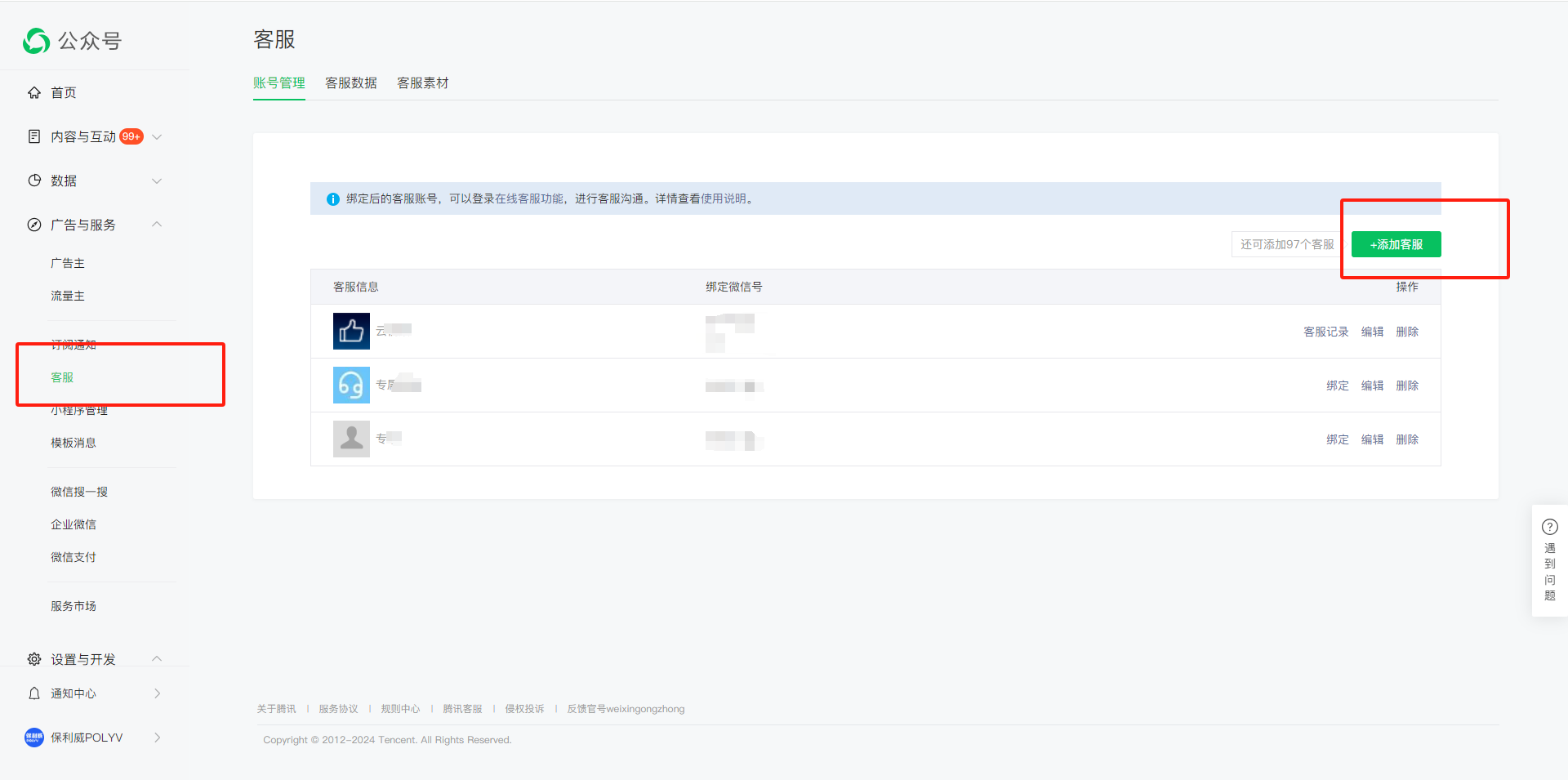
2. Apply for Progress Notification Template
Application path: WeChat Official Account --> Advertising & Services --> Template Messages --> Template Library --> Category Template Library.
Apply for the progress notification template. Click "Add from Template Library", select "IT Technology" and "IT Software & Services" as the primary industry, and "Education & Training" as the secondary industry.
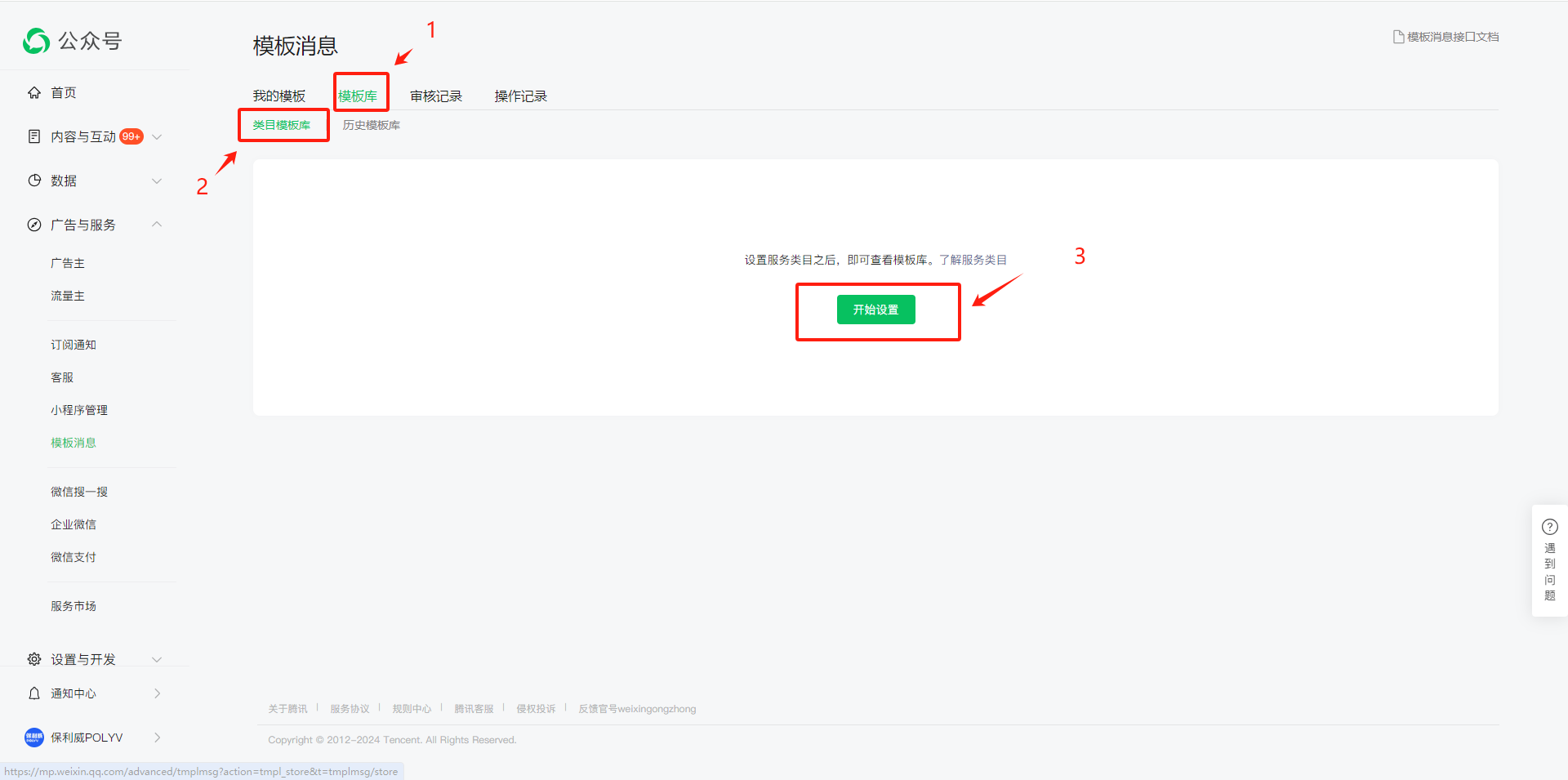
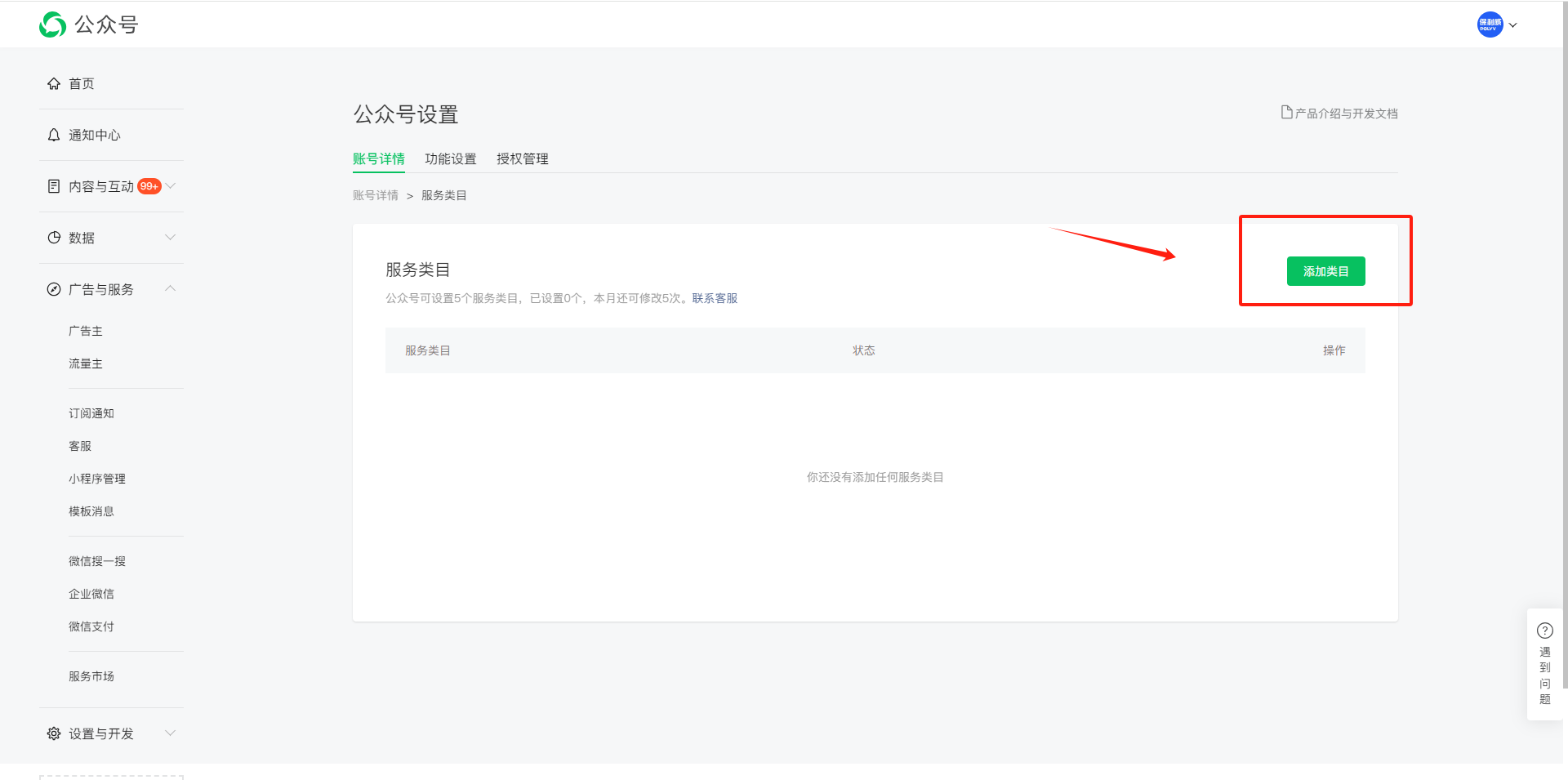
Addition path: WeChat Official Account --> Template Messages --> Category Template Library --> Enter "Application Progress", find the "Application Progress Notification Template" --> Add to Template Library.
After successful application, provide the template ID of the WeChat application progress to POLYV.
Fill in the server address.
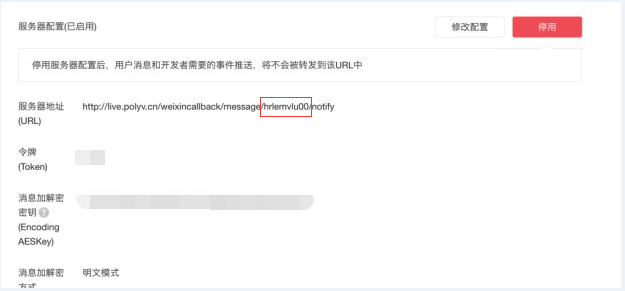
Parameter setting path: WeChat Official Account --> Development --> Enable in Server Configuration.
Set the server address to: http://live.polyv.cn/weixincallback/message/hrlemvlu00/notify. Replace "hrlemvlu00" in the link with the userID from the live streaming backend.
The token and message encryption key can be filled with any content. Note: Using a customized invitation card requires disabling the WeChat custom menu function.
2. Appointment Function Settings
1. WeChat Official Account QR Code
Acquisition path: WeChat Official Platform --> Settings & Development --> Official Account Settings --> QR Code
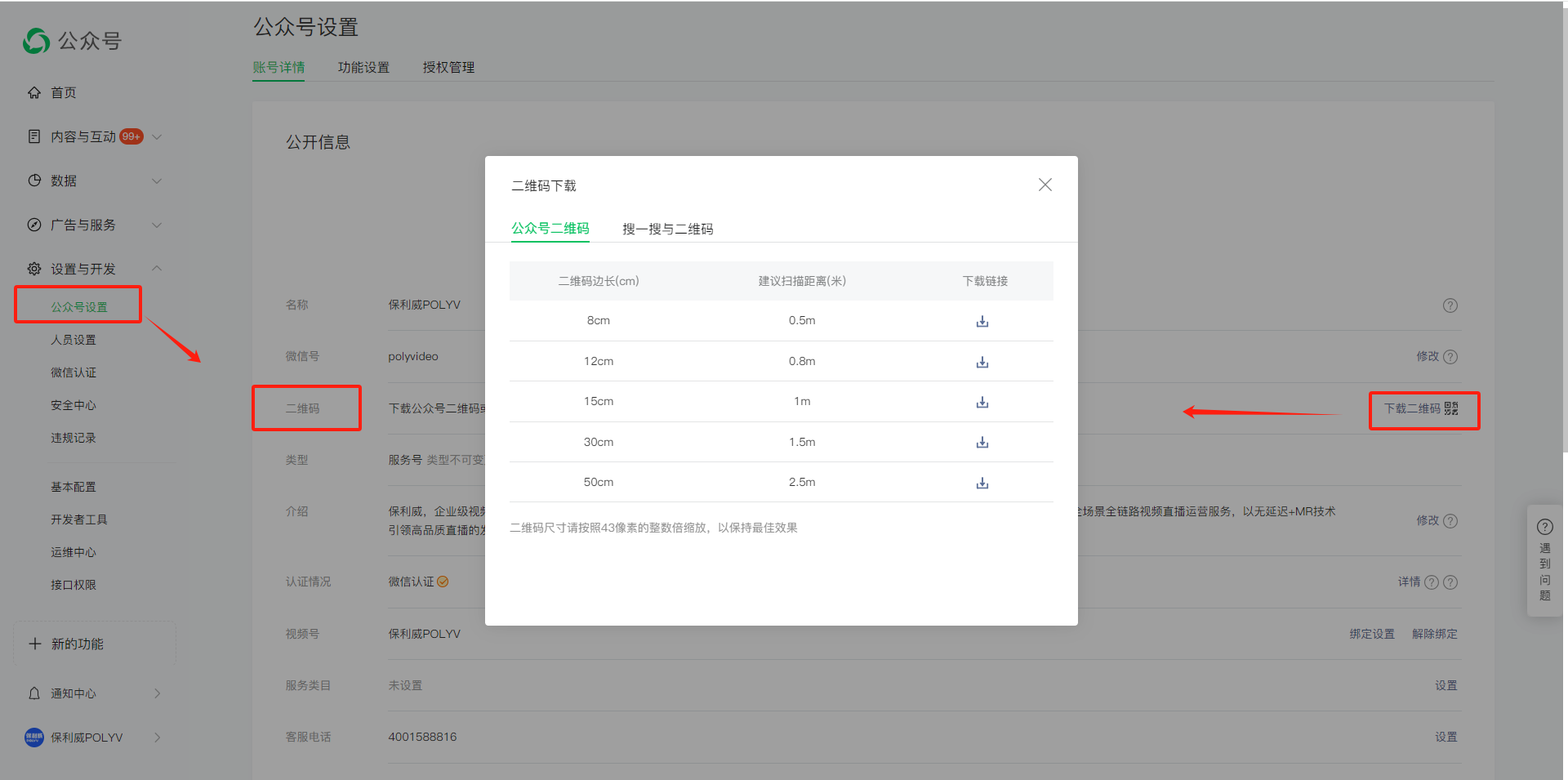
Set the QR code and prompt text. For details, refer to the Guide to Follow operation guide.
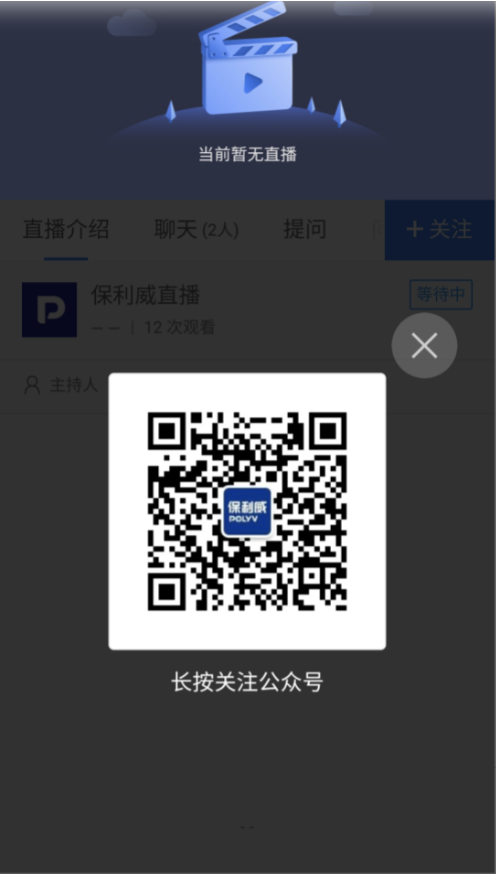
Provide the text to be replaced for the video live streaming platform and the long-press QR code to follow the video live streaming platform to POLYV.
2. Apply for Public Live Stream Reminder Template
Appointment Function Configuration
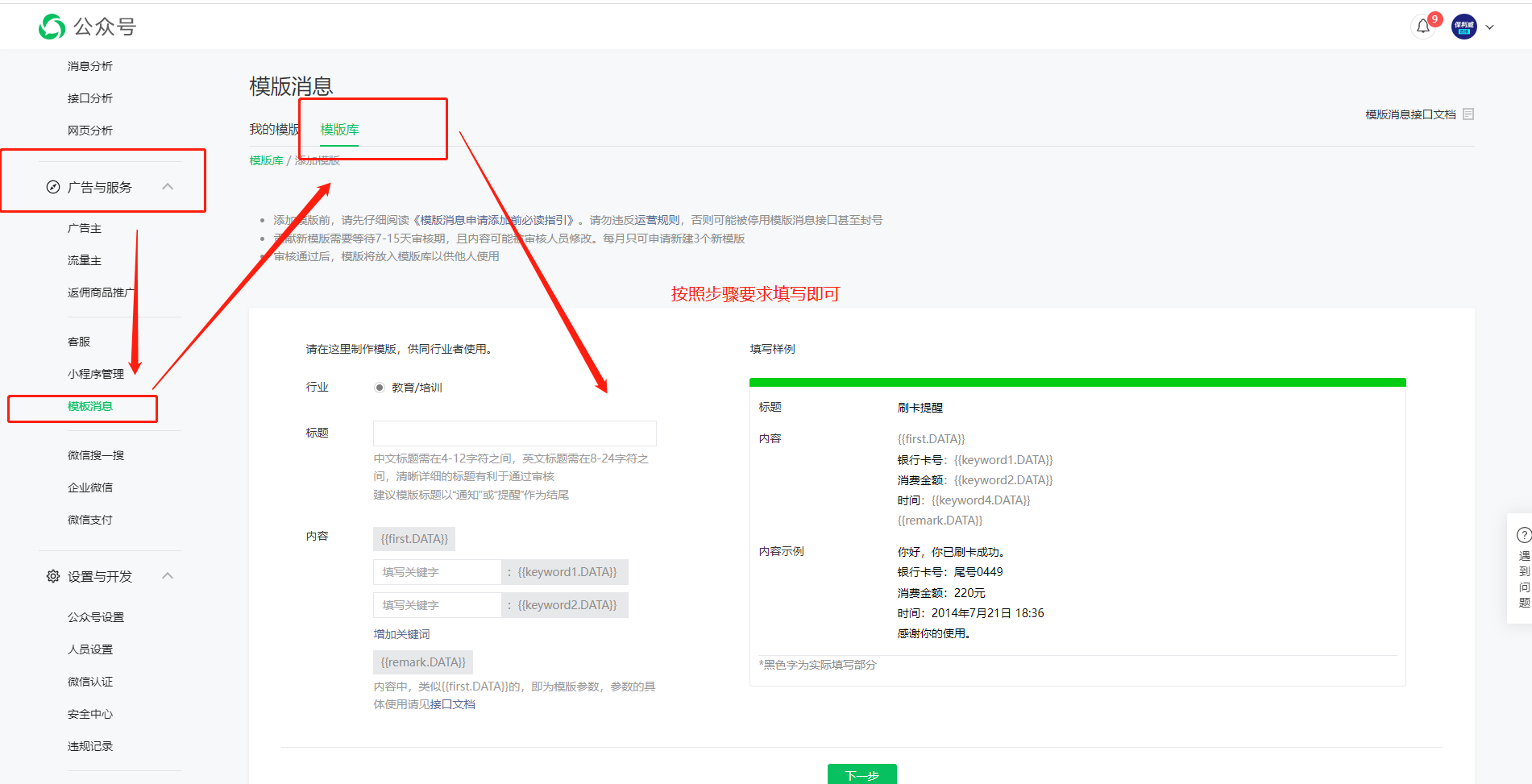
Application path: WeChat Official Account --> Advertising & Services --> Template Messages --> Template Messages --> Add from Template Library. 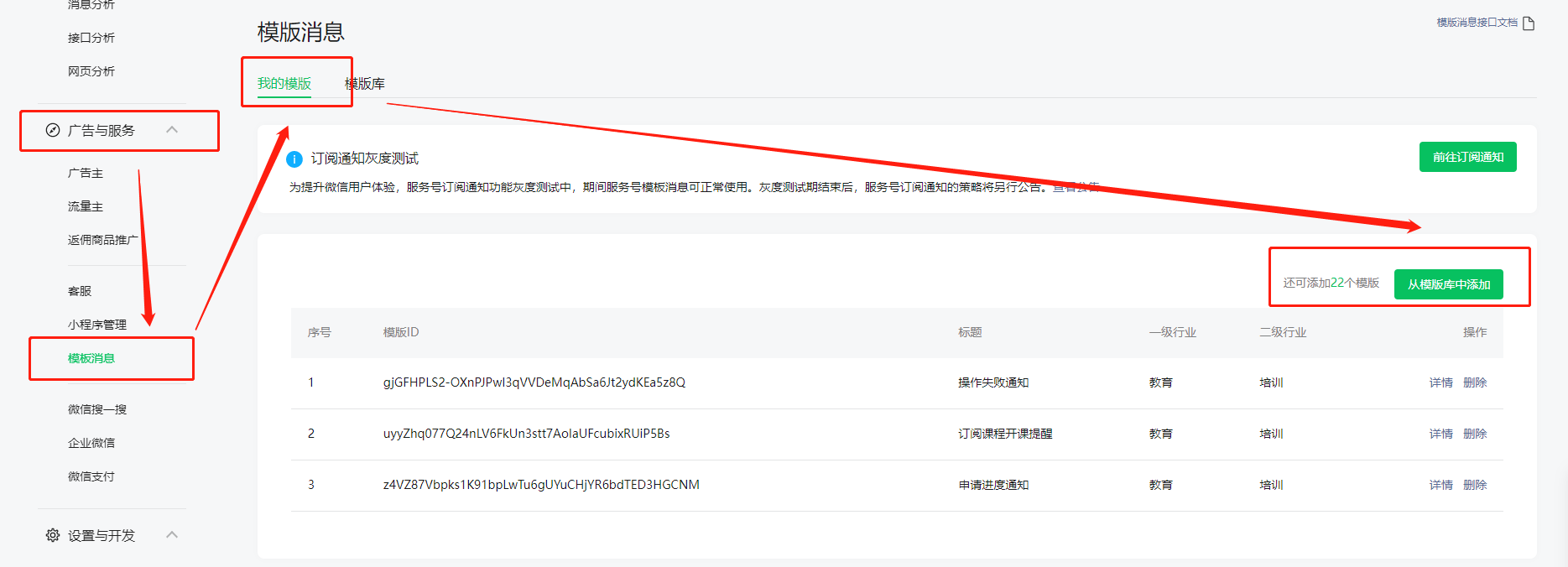
Addition path: WeChat Official Account --> Advertising & Services --> Template Messages --> Template Library --> Help us improve the template library. 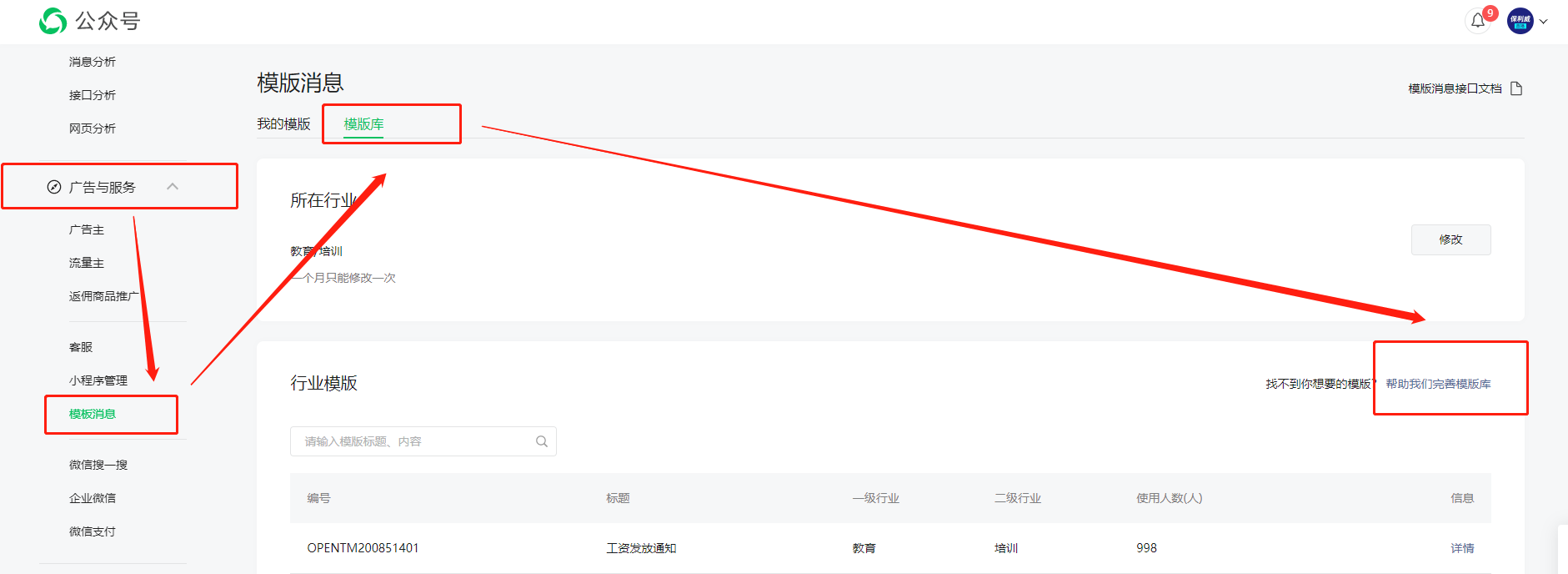
Create based on the following content.