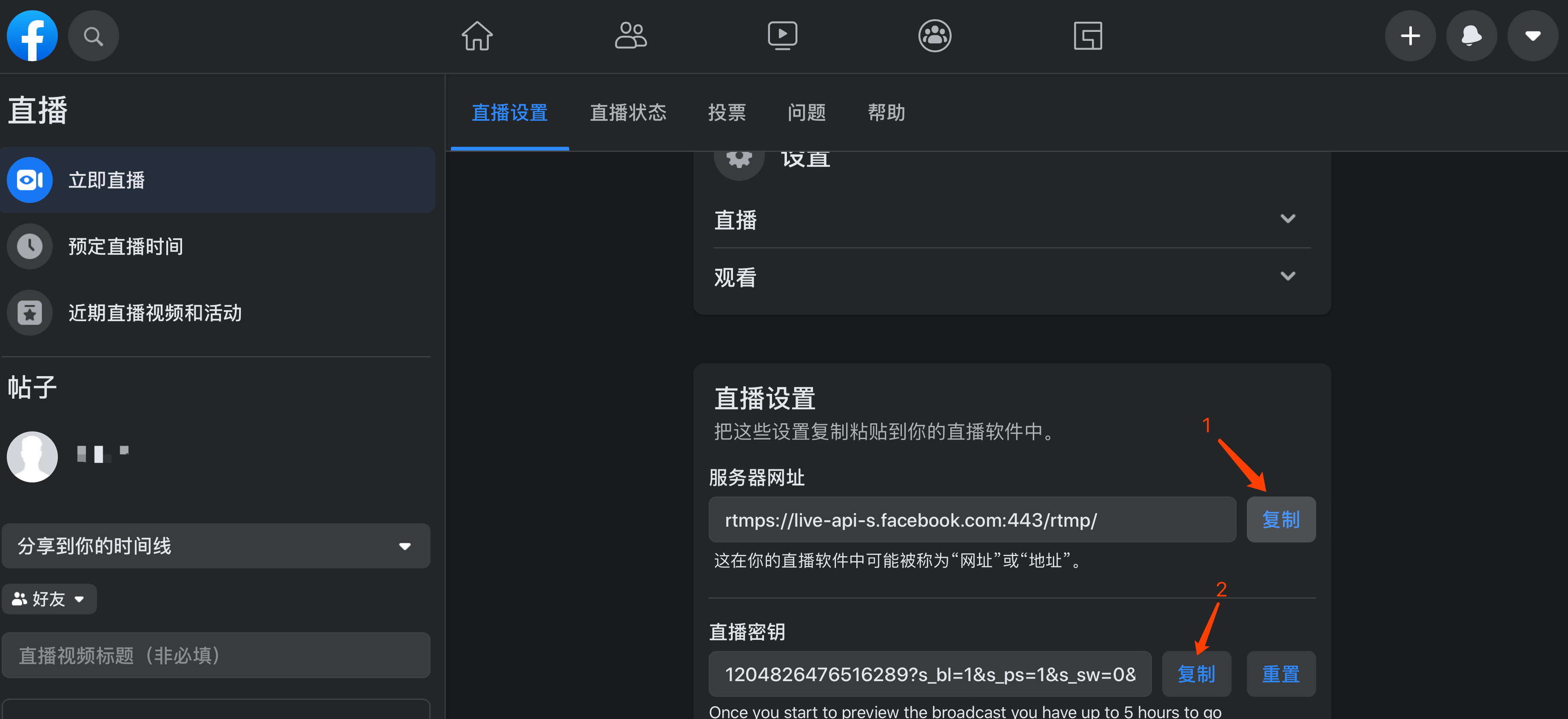
[Cloud Distribution] Facebook Streaming URL Acquisition Guide
Updated: 2022-12-19 19:11:22
1. Register a Facebook Account
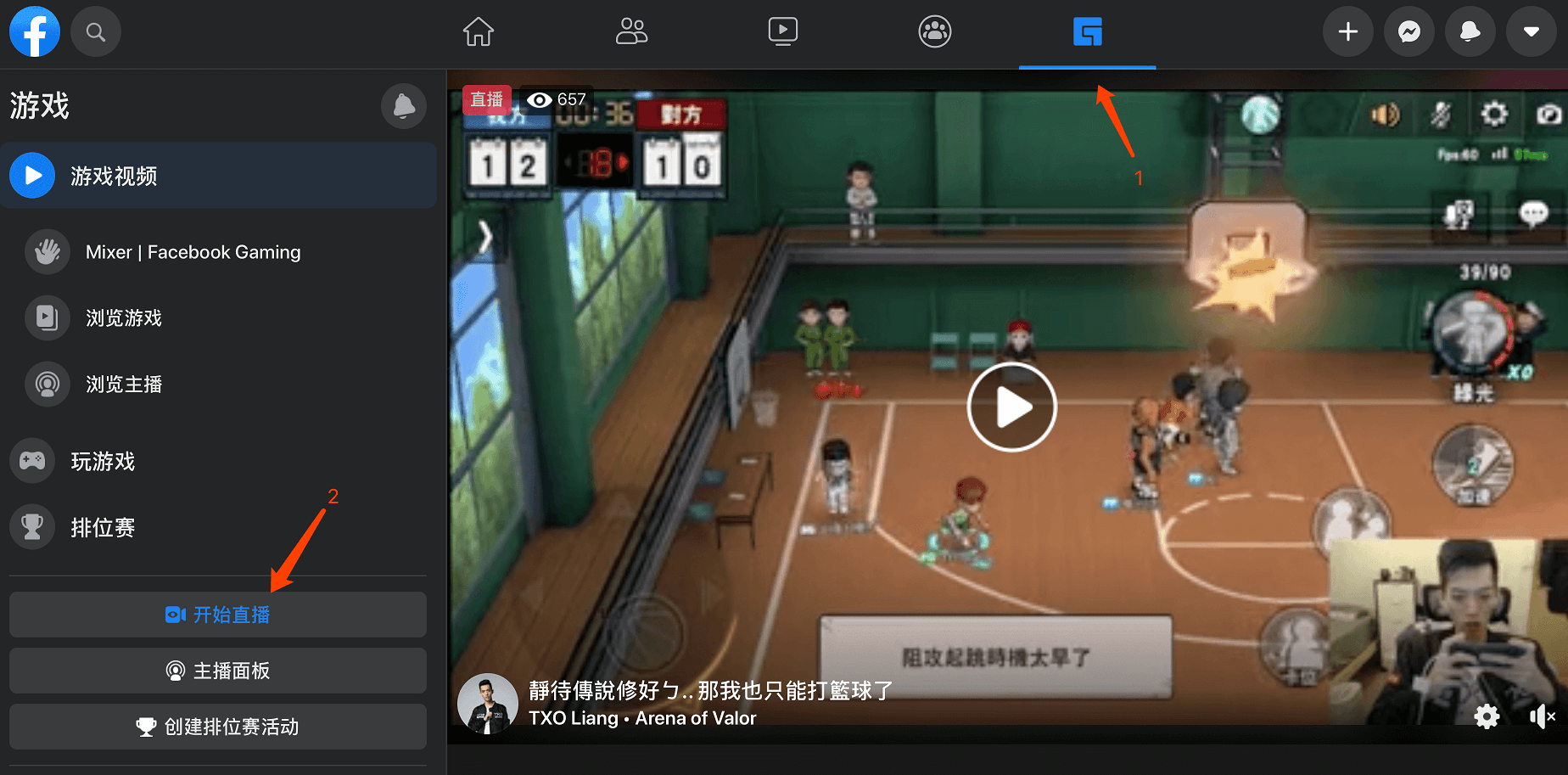
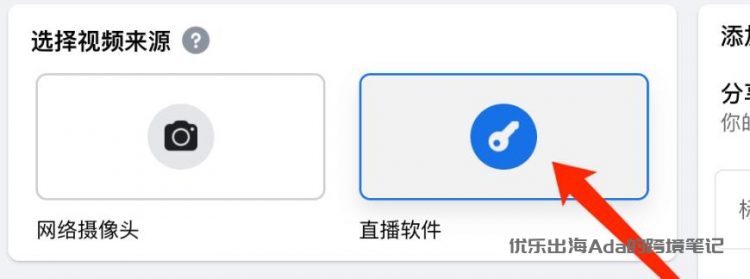
Log in to your personal Facebook account and create a live stream. During the live stream setup, Facebook will prompt you to select a video source. As shown below, choose "Streaming Software".
2. Obtain the Streaming URL
Step 2: Facebook will provide you with a stream key and a server URL. These are the live stream addresses that must be obtained for Facebook live streaming.