[Cloud Distribution] Bilibili Stream Push Address Acquisition Guide
Updated: 2022-12-19 19:11:22
1. Register a Bilibili Account
Register a Bilibili account, enable live streaming, and complete real-name authentication.
Go to the Bilibili homepage, click the personal icon, select "Promotion Services", and enter the Live Center.
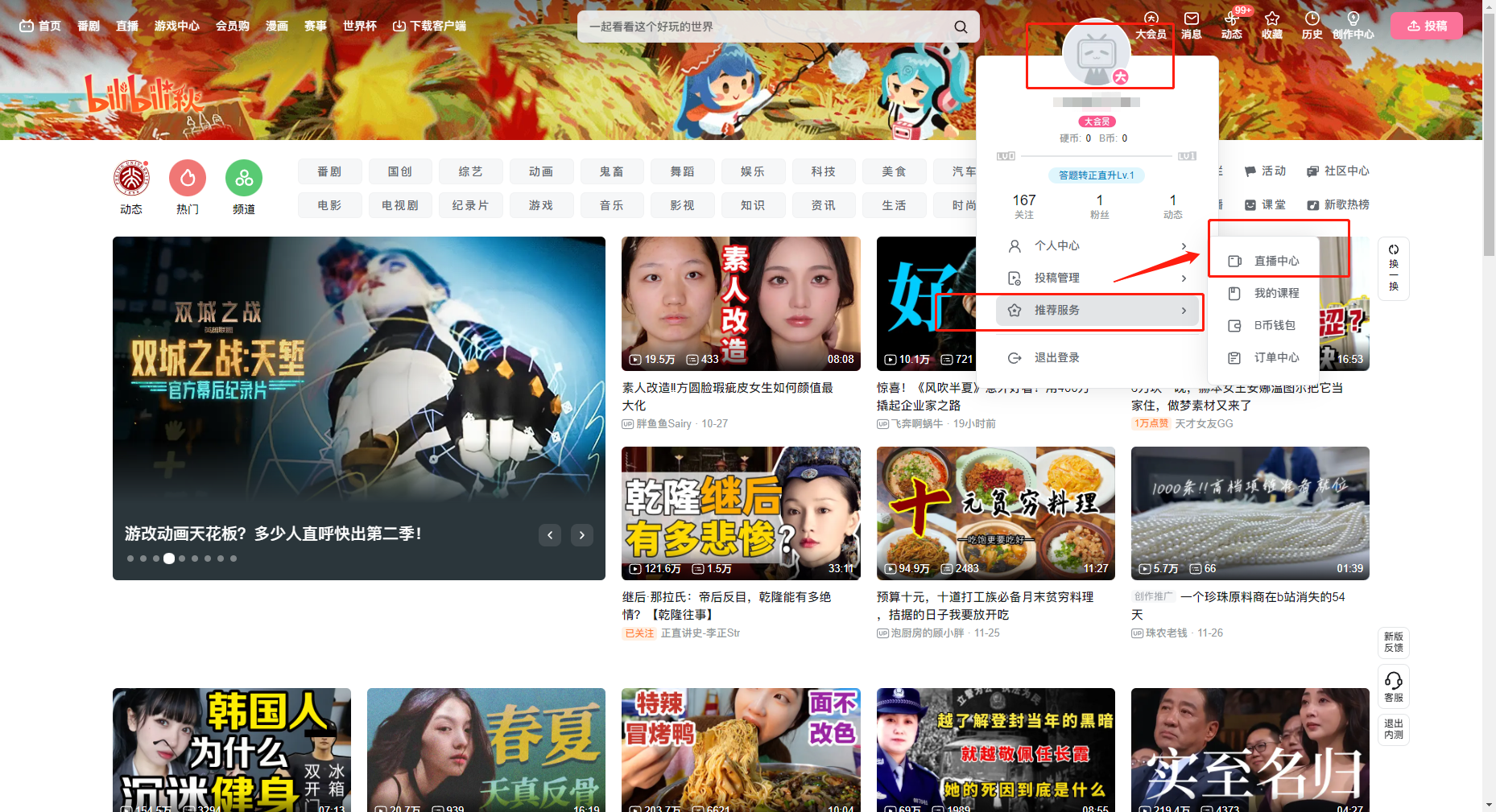
2. Enter the Live Center and Obtain the Stream Code
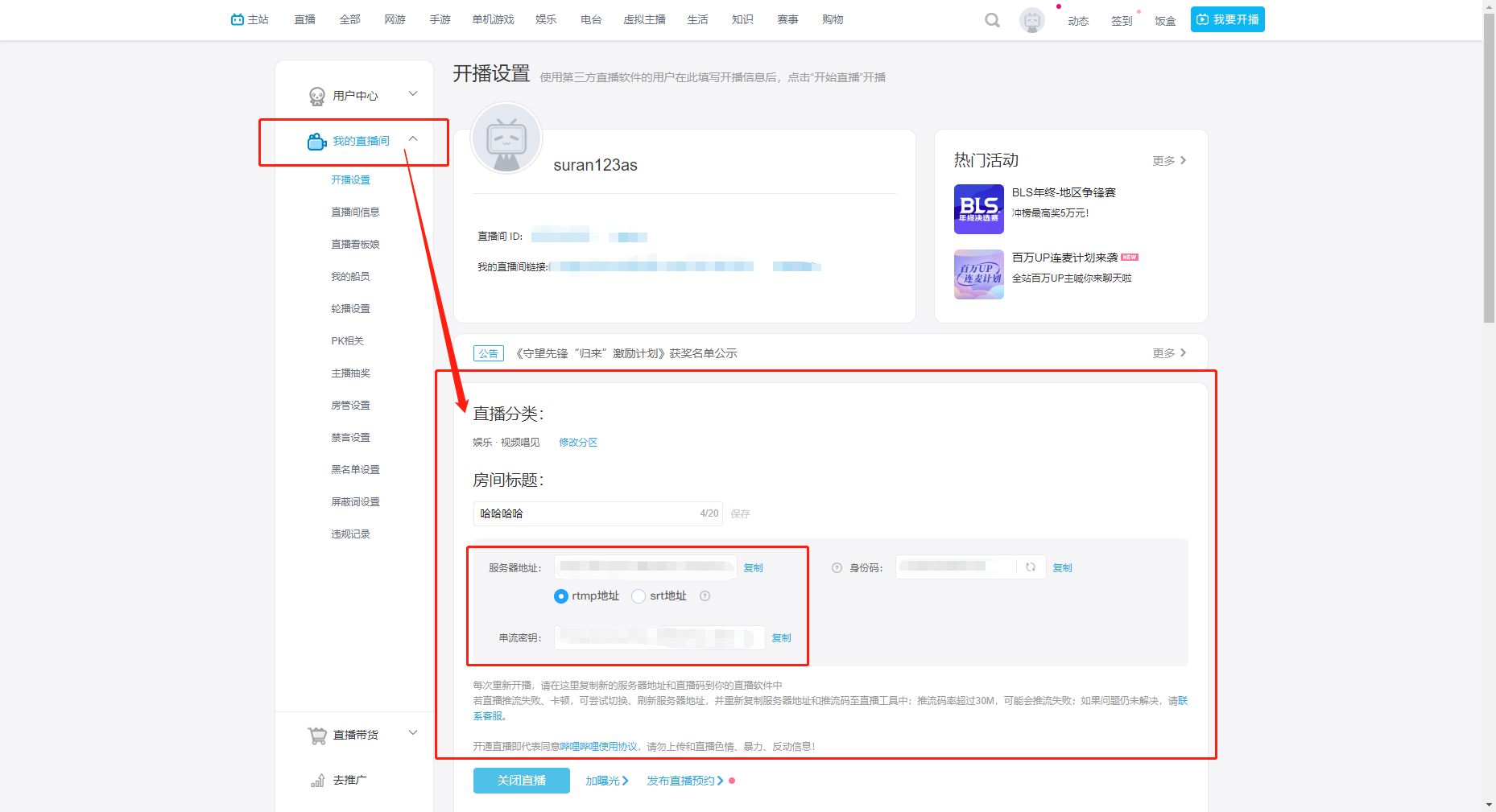
Click "My Live Room" and enter the broadcast settings.
Configure the live stream category, click "Start Streaming", and copy the stream push address and stream key.
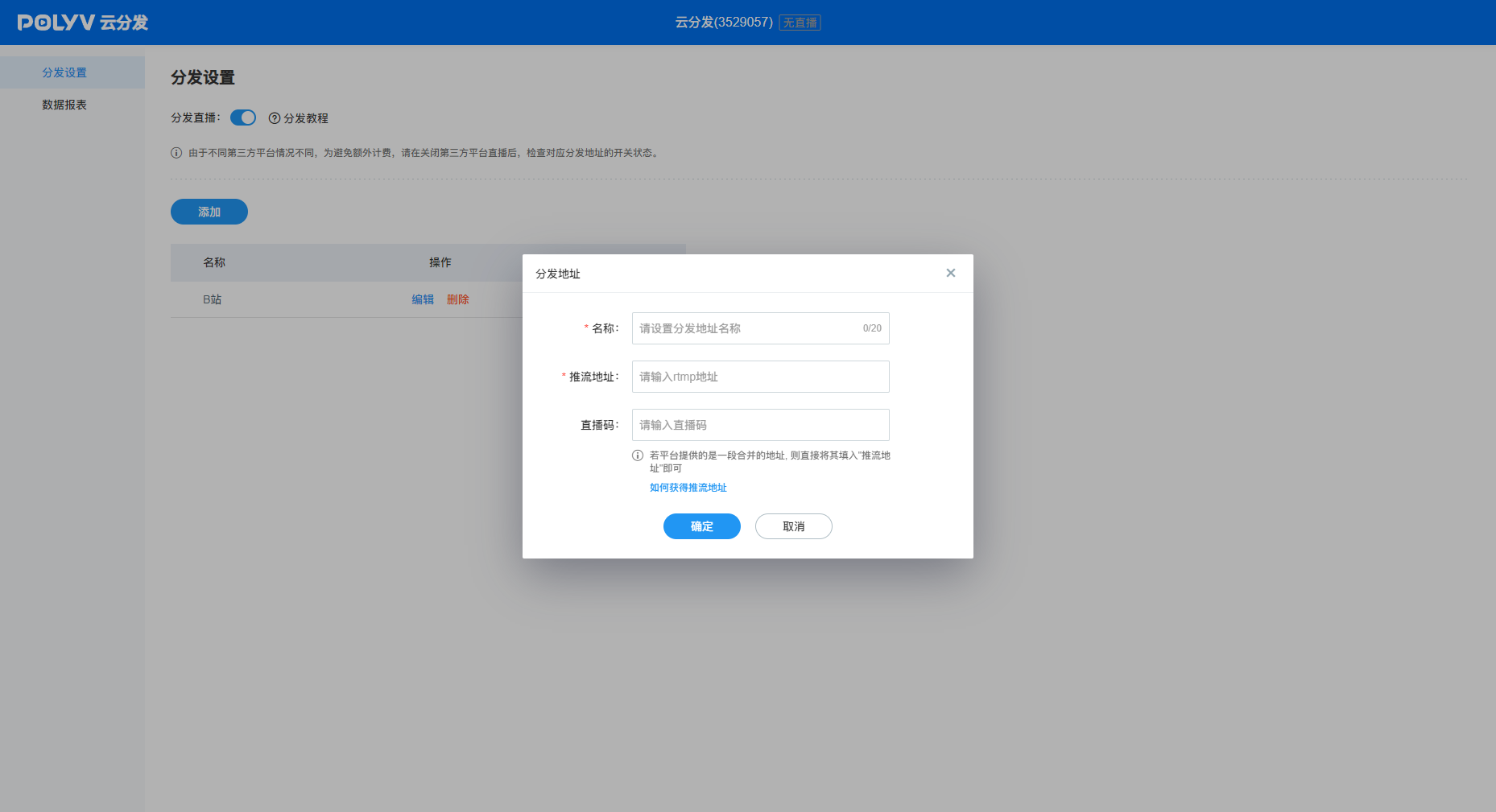
3. Polyv – Cloud Distribution – Configure Stream Push Address
- Enable distribution. Once the live stream starts, it will be automatically distributed to Bilibili.
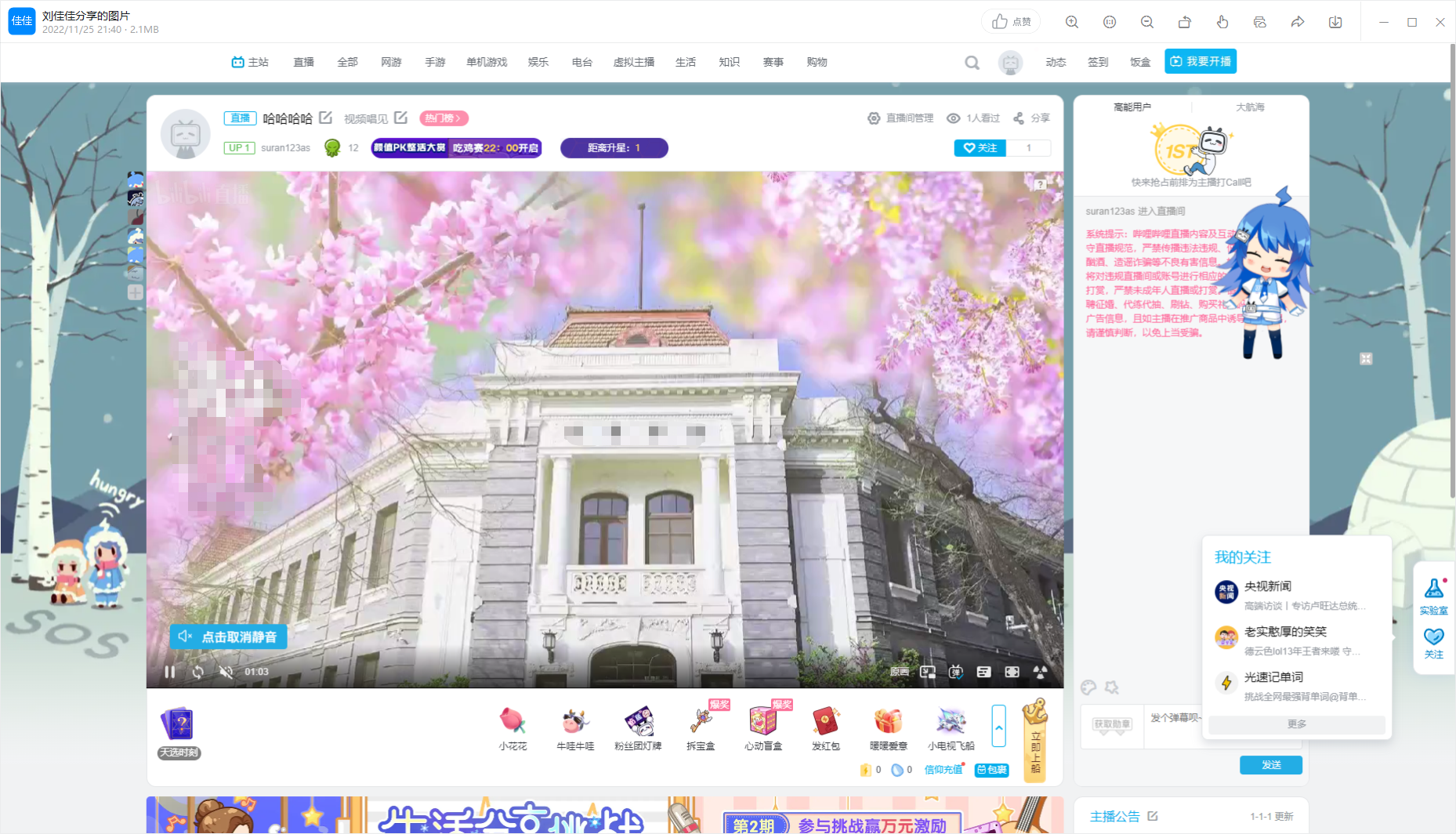
4. Bilibili Live Stream Interface Display