Brand Settings
Updated: 2026-08-17 11:27:00
I. Feature Overview
Feature Info |
Description |
|---|---|
| Feature Name | Brand Settings |
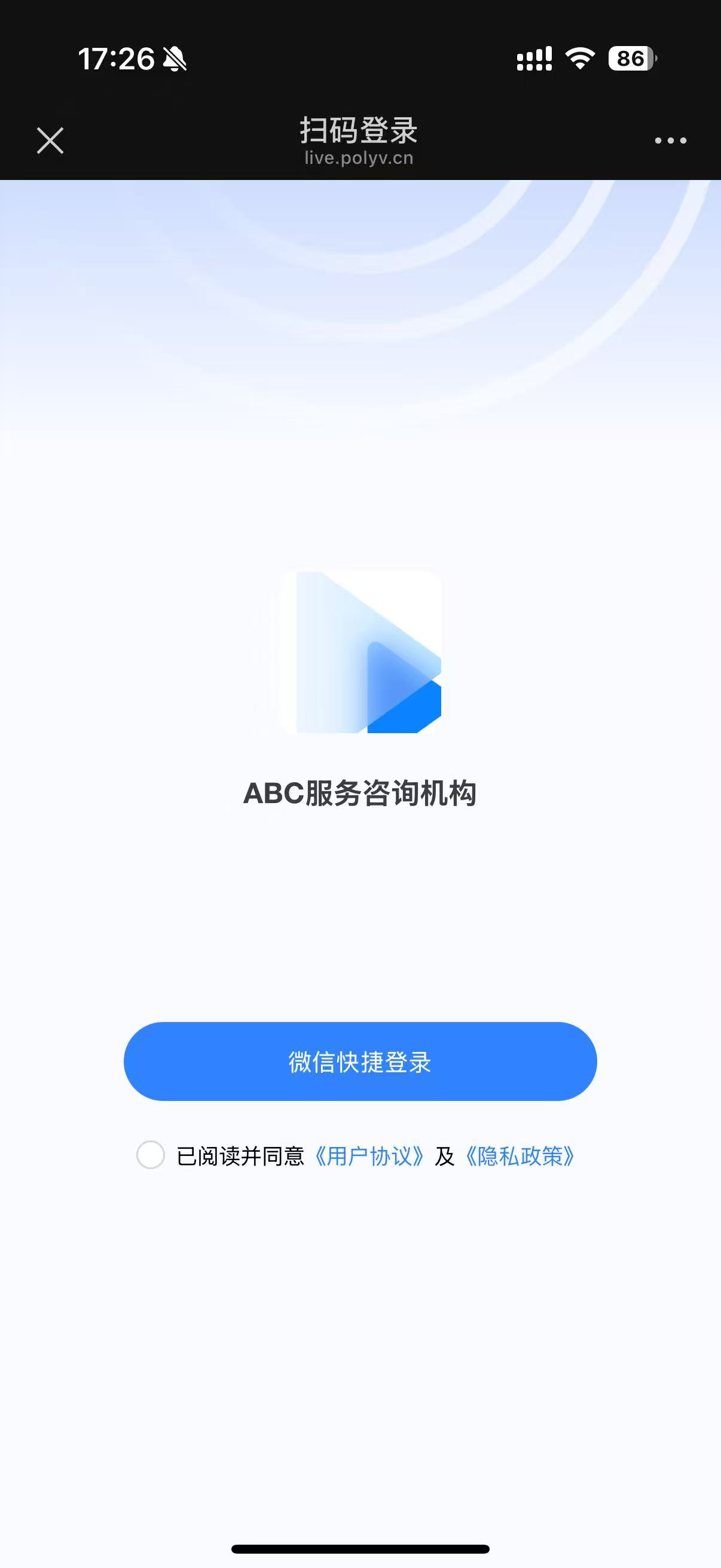
| Feature Description | Used to configure the company name and logo; in the WeChat environment, the viewer's login page will display the corresponding brand information |
| Purpose | Helps viewers quickly identify the brand associated with the live stream, enhancing brand exposure |
| Use Case | Suitable for live streaming scenarios where strengthening brand recognition during the broadcast is desired |
| Operation Path | 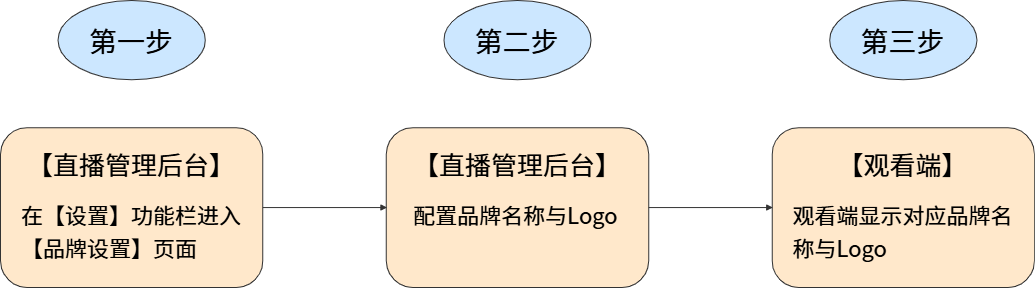 |
II. Usage Instructions
1. Feature Entry
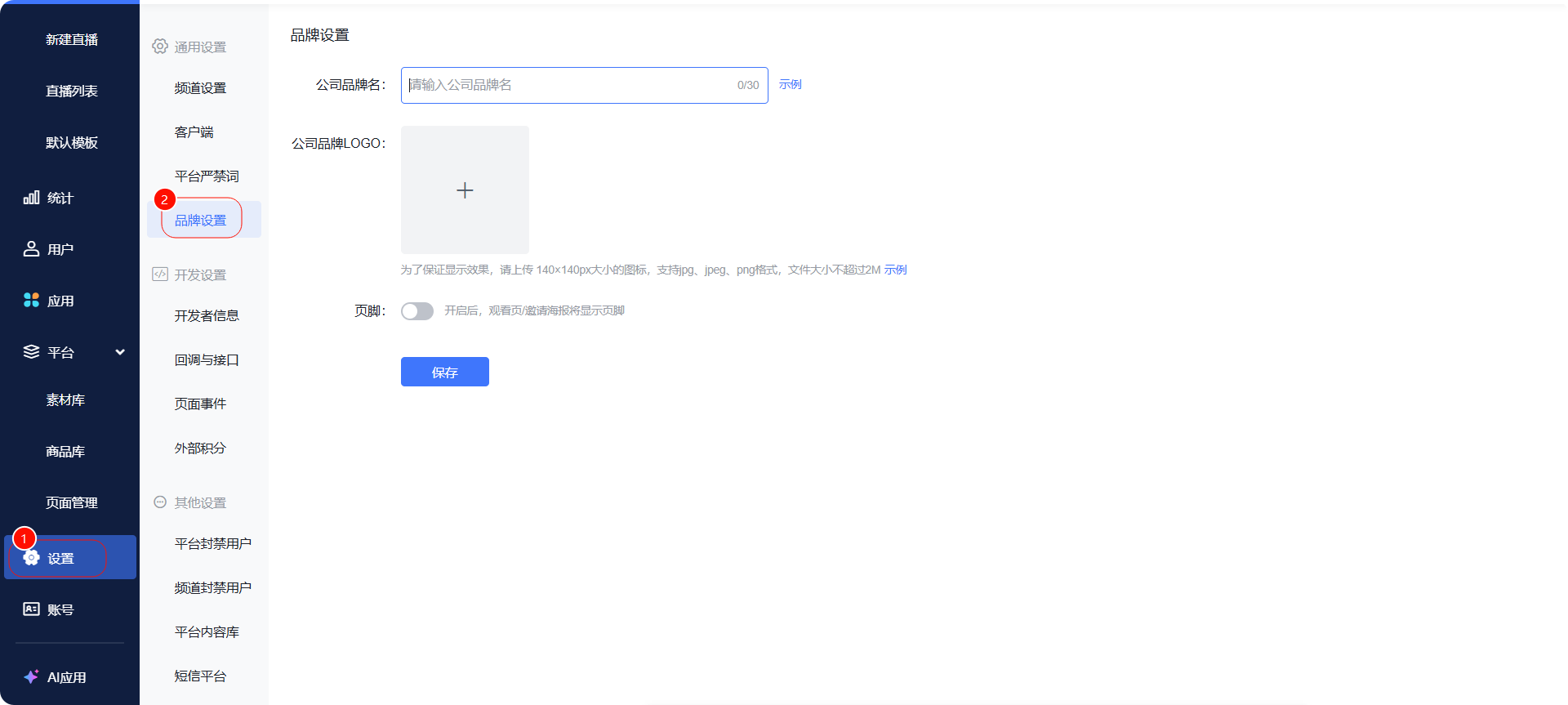
- Operation Path: 【Settings】-【Brand Settings】
2. Configuration Content
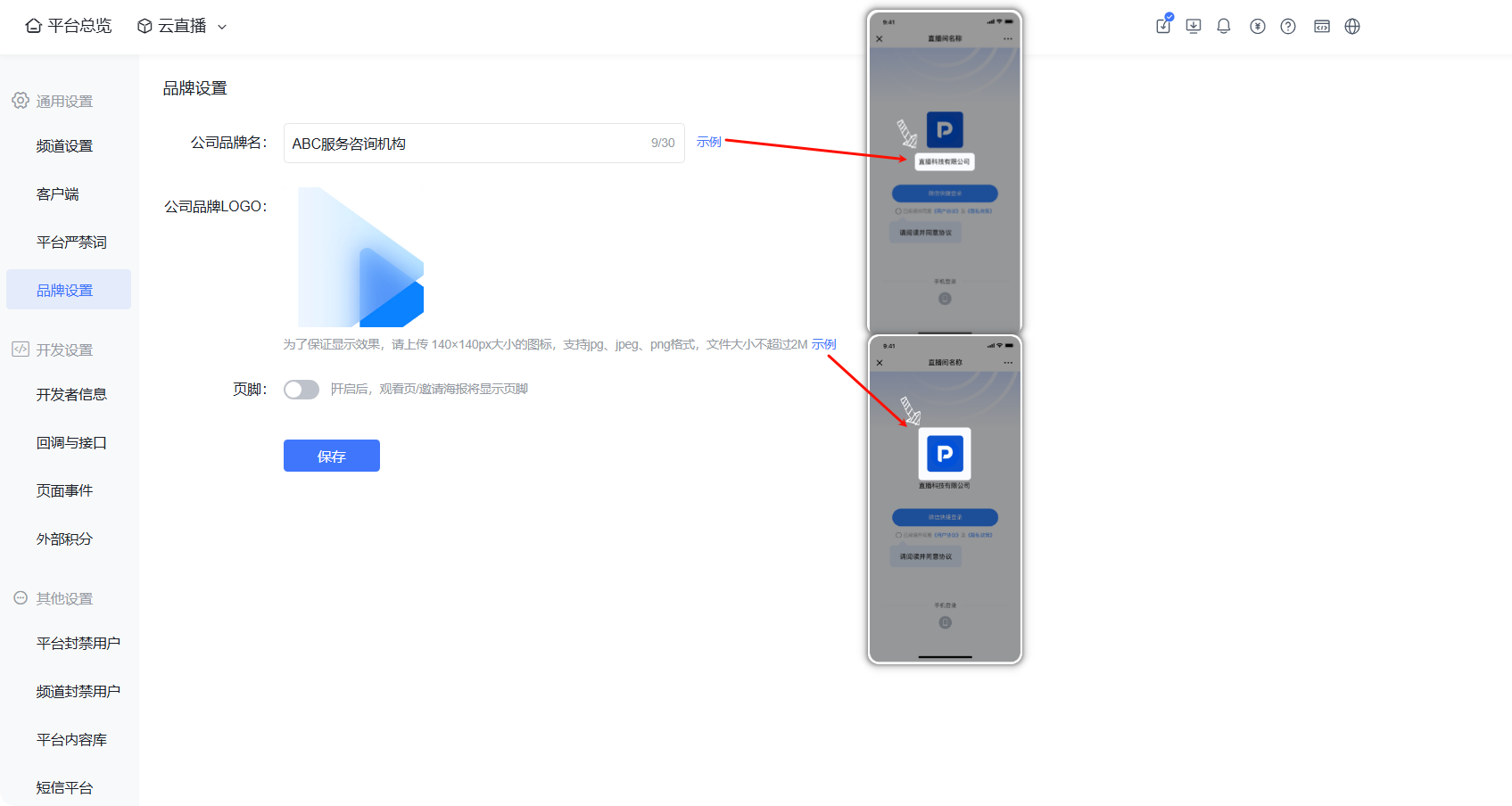
- Enter the company brand name & upload the company brand logo
- Prerequisites: The account has 【User System】 enabled or 【Viewing Conditions – WeChat Authorization】 enabled
- When viewers log in via the WeChat environment, they can see the configured company brand name and logo
- Supports adding a footer to the viewing page; viewers can click to navigate to the official website. Help documentation -> Footer
III. Viewing Page Effect Display