


Using Polyv Live in Doubao Work
Polyv Live is integrated into Doubao Work as a plugin. After logging in with your account and password, you can manage live streams through conversation in Feishu, the Doubao App, or Doubao Work, for example, creating live events and querying and reviewing live data.
This article describes the initial integration process and provides example prompts for common tasks.
I. Supported Operations
The main capabilities of the Polyv Live plugin are as follows. Select the corresponding operation based on your task.
| Capability | Description |
|---|---|
| Channel configuration | Quickly create live channels |
| Stream pushing and pulling | Stream pushing and pulling settings |
| Product listing | Live product management |
| Viewing permissions | Flexible permission settings |
| Registration information collection | Live reservation form management |
| Coupon distribution | Coupon creation and distribution |
| Playback management | Playback management and sharing |
| Live review | Multi-dimensional live stream analysis |
II. Prerequisites
- You already have a Polyv Live account that can be used to log in.
- You can use Doubao Work and open [Plugins] in the sidebar in Feishu, the Doubao App, or Doubao Work.
III. Connecting the Polyv Live Plugin
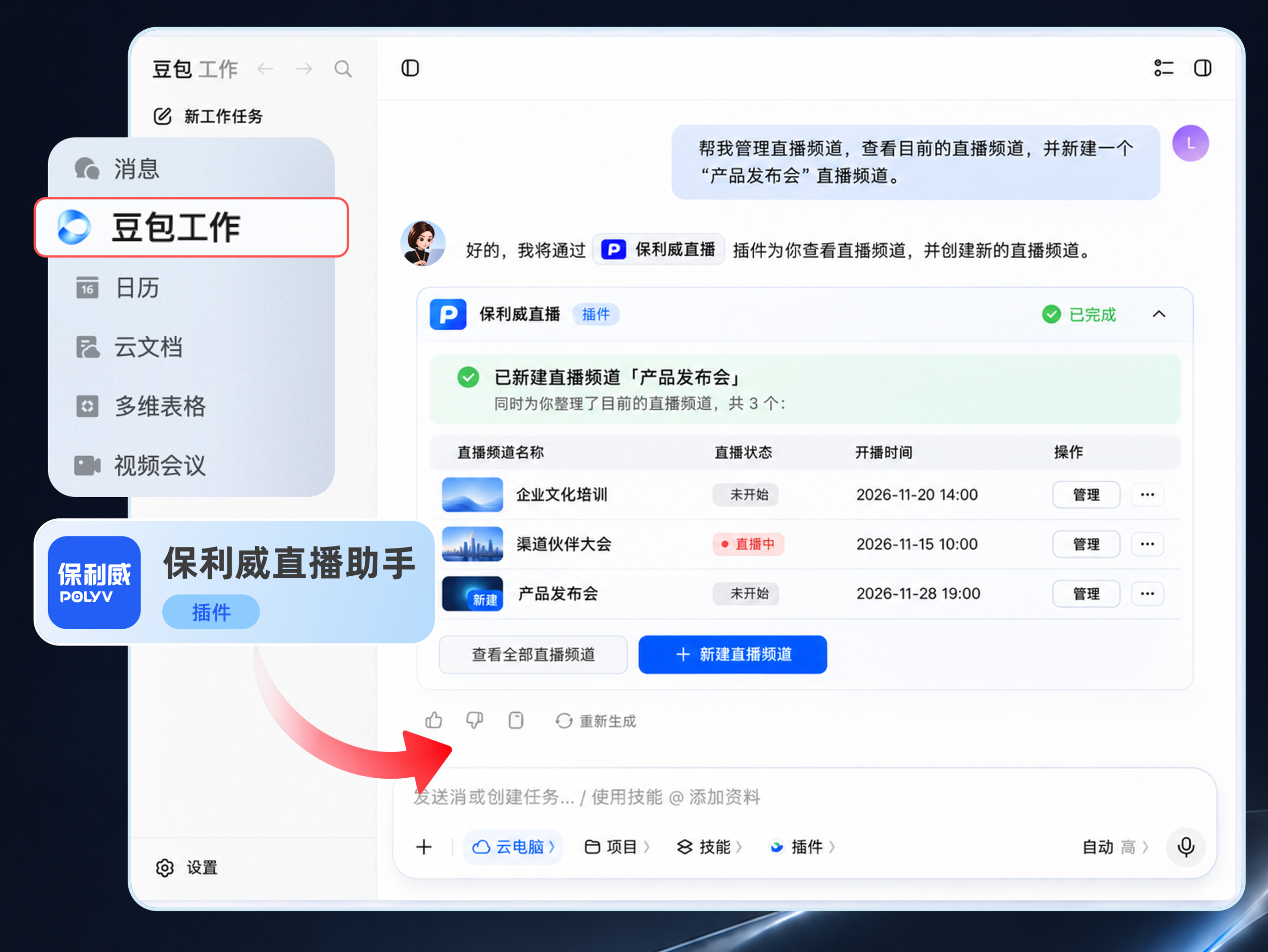
1. Add the plugin
Open Feishu, the Doubao App, or Doubao Work, go to [Plugins] in the sidebar, search for "Polyv", find the Polyv Live plugin, and add it.
In Feishu, you can first enter Doubao Work from the sidebar, and then add or use the plugin.
2. Log in to your account
After adding the plugin, log in with your account and password. Once logged in, you can initiate live stream management tasks in the conversation.
The Doubao App and Feishu App on mobile can also use this plugin to view live room status and handle live stream tasks.
IV. Common Task Examples
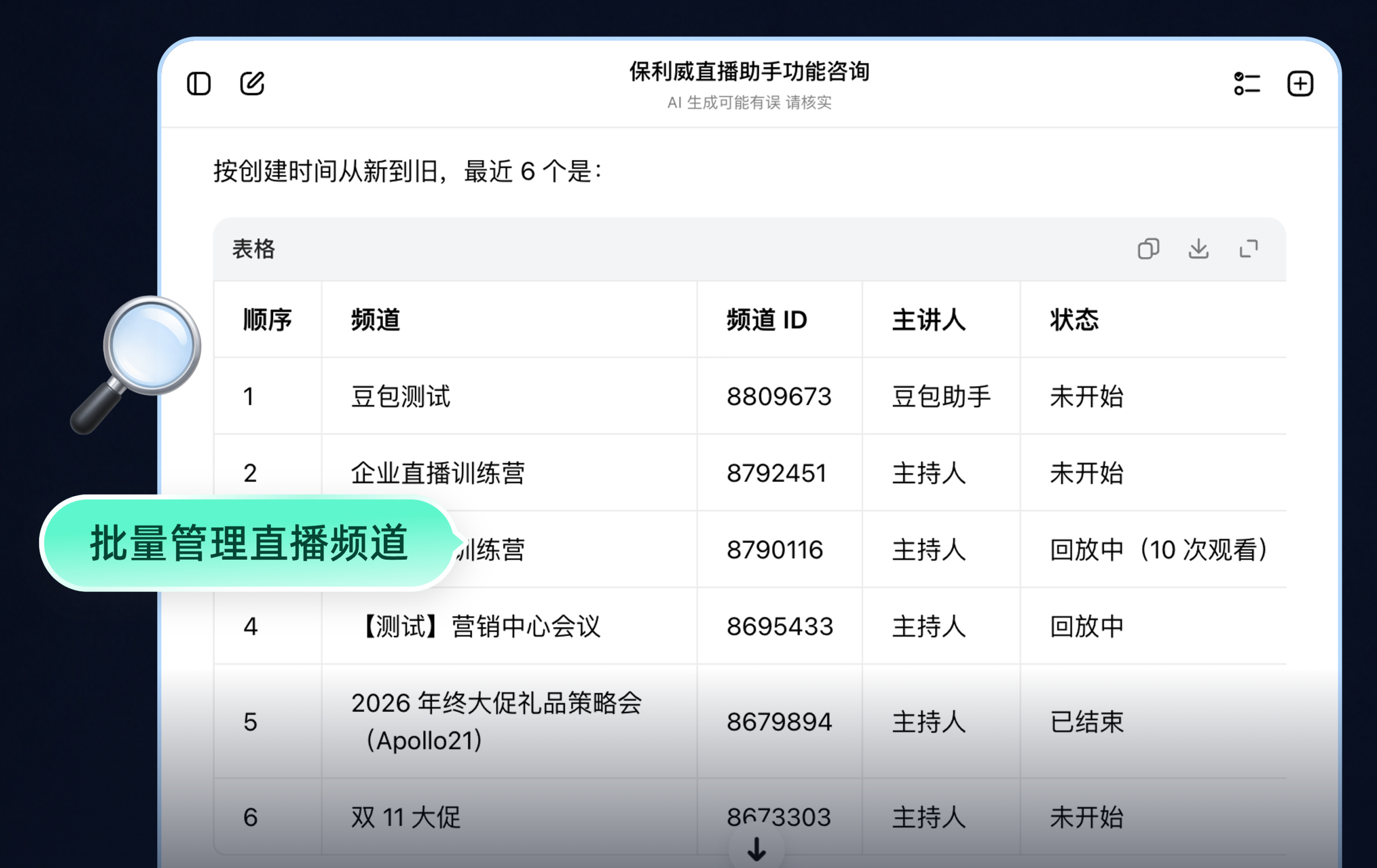
1. Query live stream schedules
Example prompt:
What live streams are scheduled this week?
2. Query the status of multiple live streams
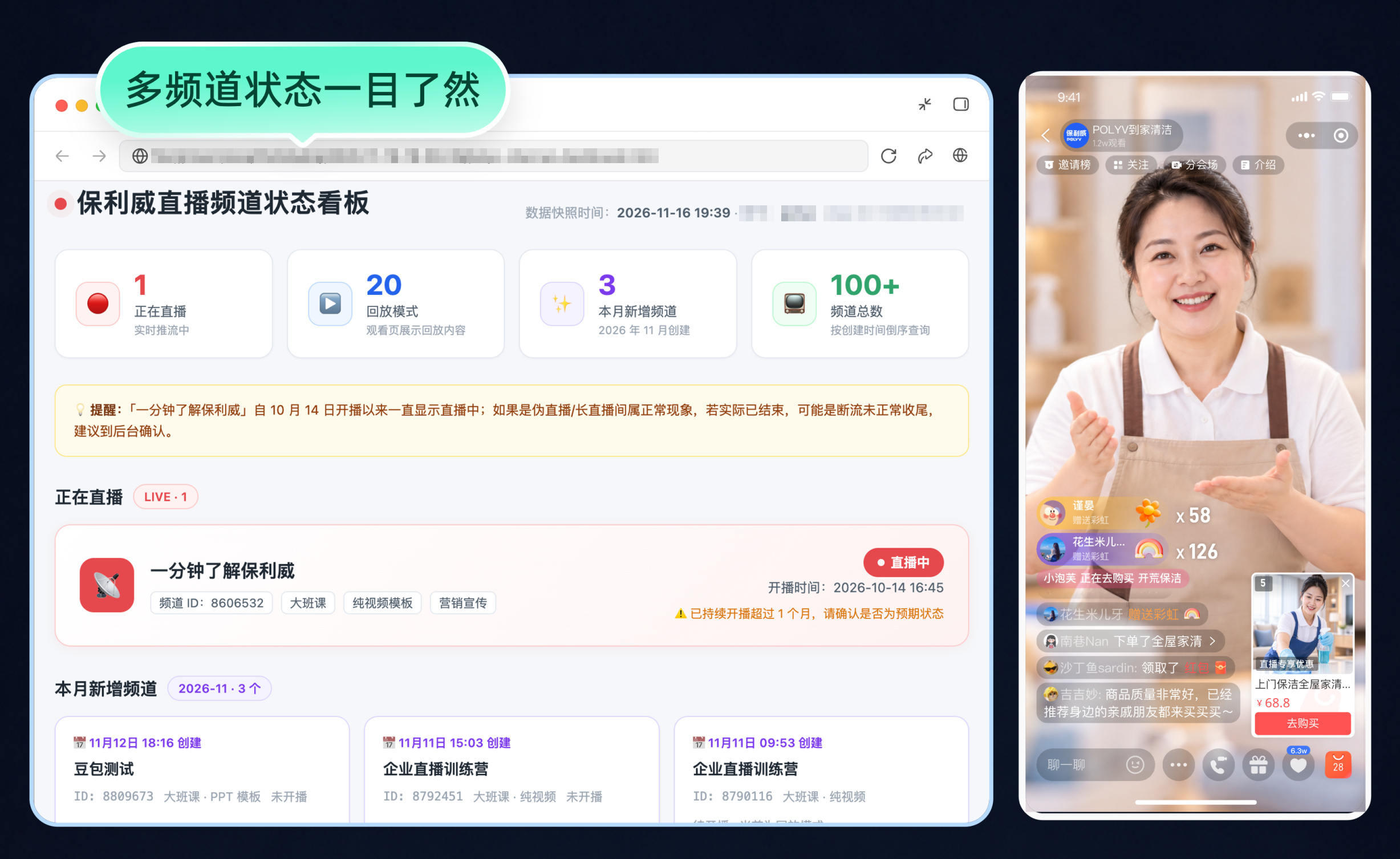
Example prompt:
Multiple live streams are running at the same time now. Help me check the status of each live stream.
3. Review live stream data
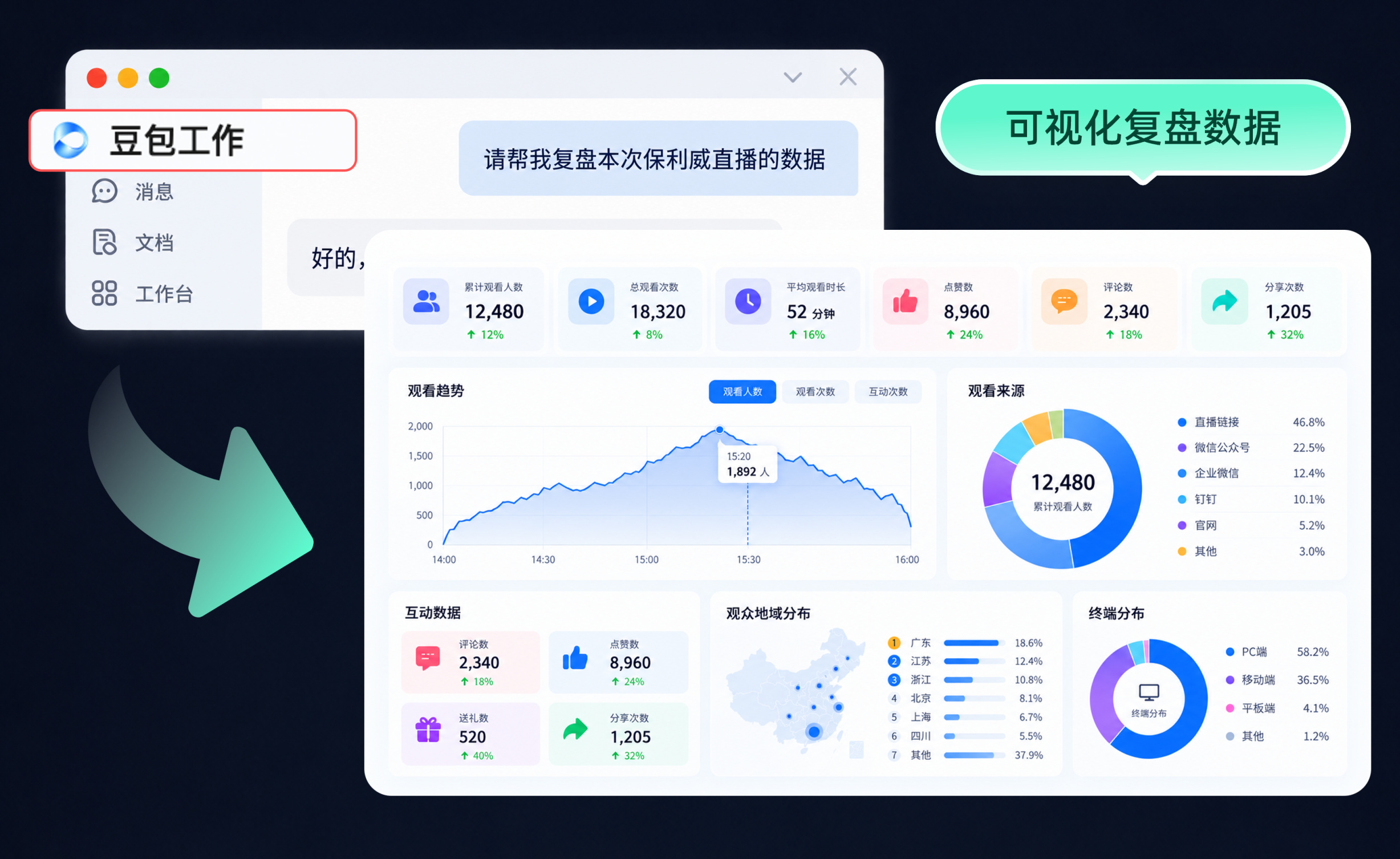
You can calculate live stream statistics, generate a work report summary, and save it to a Feishu document.
Example prompt:
Please help me review the data of this Polyv live stream.
V. FAQ
Q: Where can I add the Polyv Live plugin?
A: In Feishu, the Doubao App, or Doubao Work, open [Plugins] in the sidebar, search for "Polyv", and add it. The Doubao App and Feishu App on mobile can also use this plugin.
Q: How do I log in for the first time?
A: After adding the plugin, log in with your account and password. Once logged in, you can manage live streams through conversation.
Q: Can I use it on my phone?
A: Yes. The Doubao App and Feishu App on mobile can also use the Polyv Live plugin to view live room status and handle live stream tasks.
Q: Which live stream management operations are supported?
A: The plugin supports channel configuration, stream pushing and pulling, product listing, viewing permissions, registration information collection, coupon distribution, playback management, and live review. You can describe specific tasks in the conversation, and the plugin will execute them and return the results.
Q: Can I save live review results to a Feishu document?
A: Yes. In the task, specify the live stream data to be reviewed and request that a work report summary be generated and saved to a Feishu document.
