Emotion Feedback
Updated: 2026-08-17 11:27:00
I. Feature Overview
Feature Info |
Description |
|---|---|
| Feature Name | Emotion Feedback |
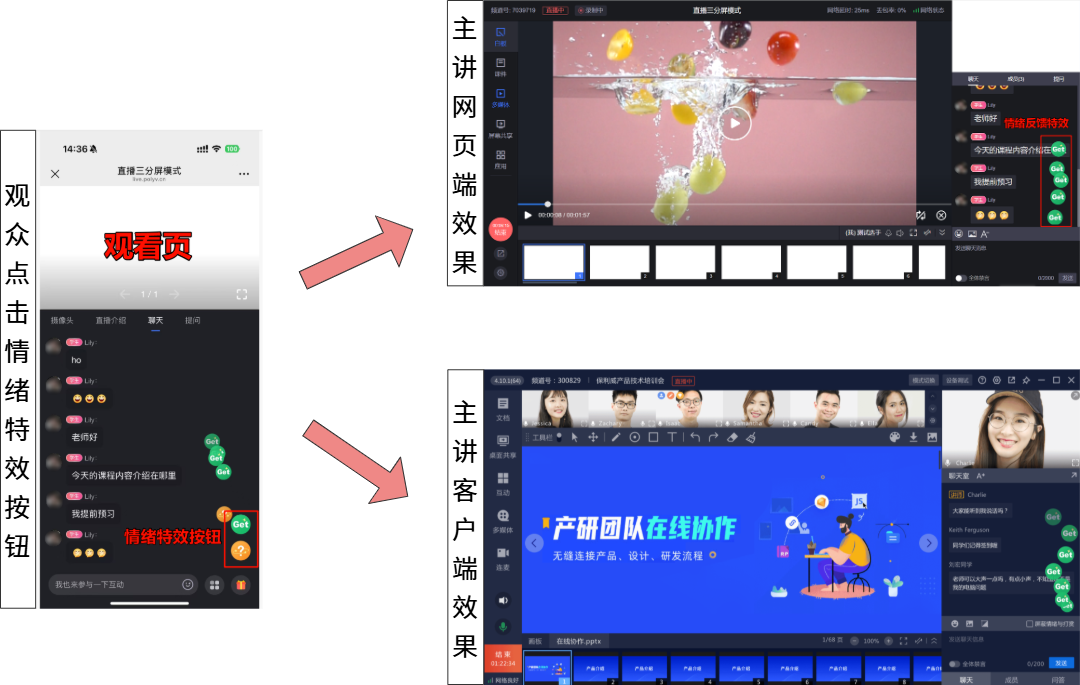
| Feature Description | In a three-panel live stream, viewers can click emotion buttons to send emotion message feedback icons to the live room. |
| Purpose | Enhance interactivity with viewers in the live room, increase viewer engagement, and enrich the live room's gameplay variety. |
| Operation Path | 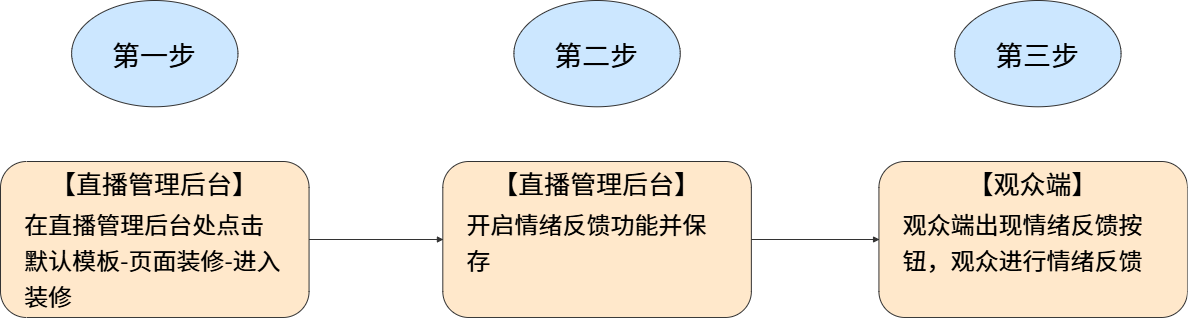 |
II. Usage Notes
- Currently, the emotion feedback feature is only supported in three-panel mode.
- Viewers can only use it on the web.
- The host can only see emotion messages on the client or web broadcasting interface, not on the app.
- Emotion feedback and the like function conflict with each other. When one is enabled, the other is automatically disabled; they cannot be used simultaneously.
- To reduce lag and improve the viewing experience in the live room, each viewer can only send emotion messages 5 times within 30 seconds. If exceeded, the button can still be clicked, but others will not receive the extra emotion messages.
III. Usage Instructions
1. Feature Entry
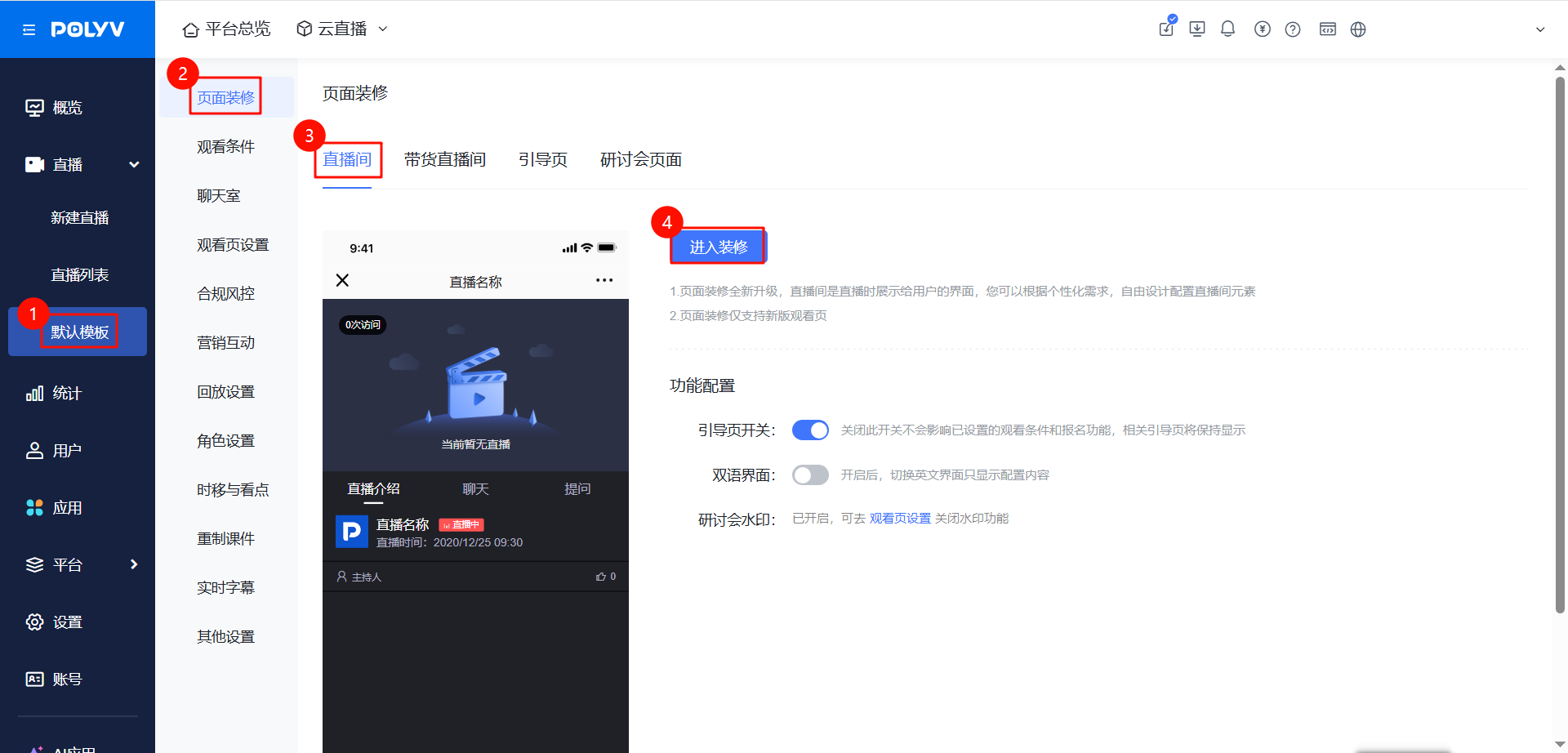
- Enter the live room management backend, click [Default Template] - [Page Decoration] - [Live Room] - [Enter Decoration] to access the decoration page.
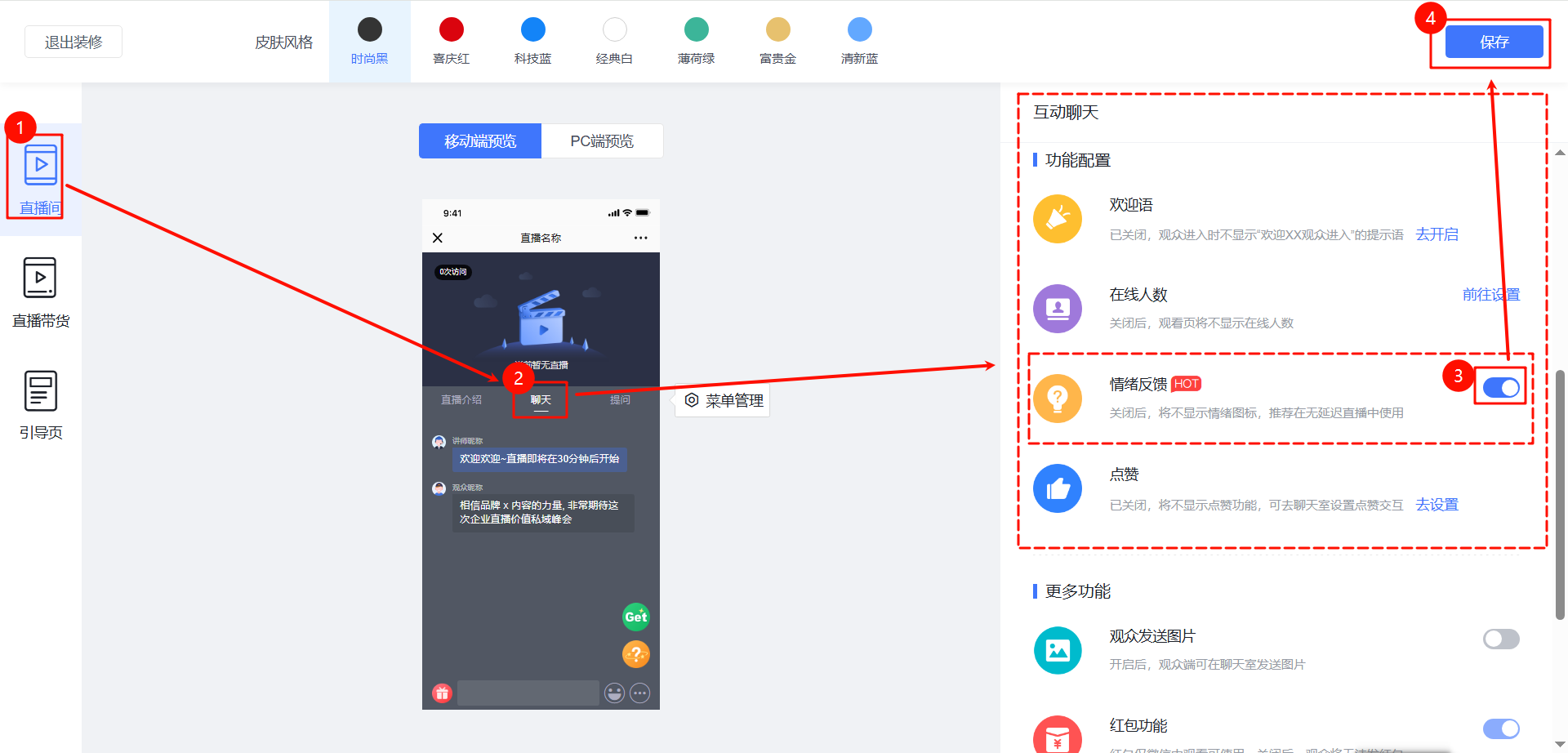
- On the decoration page, click [Live Room] - [Chat], enable [Emotion Feedback] in the interactive chat section. After configuration, click Save in the top right corner. Once saved, the emotion buttons will appear on the channel's viewing page.
2. Usage Effect
- Viewers: Each time an emotion button is clicked, a corresponding feedback icon pops up. The feedback icons are synchronized for all viewers. For example, if Viewer A clicks an emotion button, Viewer B and Teacher C can both see the feedback icon appear simultaneously.
- Host: The host can receive emotion messages sent by viewers on the web broadcasting interface or client, but cannot send emotion messages from the broadcasting interface itself.