


Live Streaming Basics
Starting a Live Stream Quickly
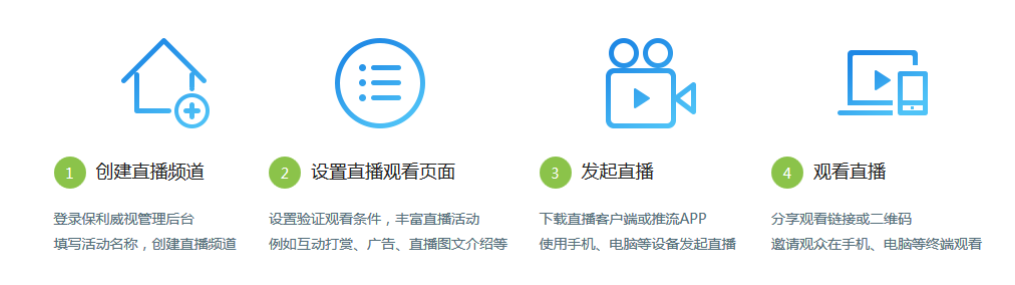
Live Streaming Overall Business Process
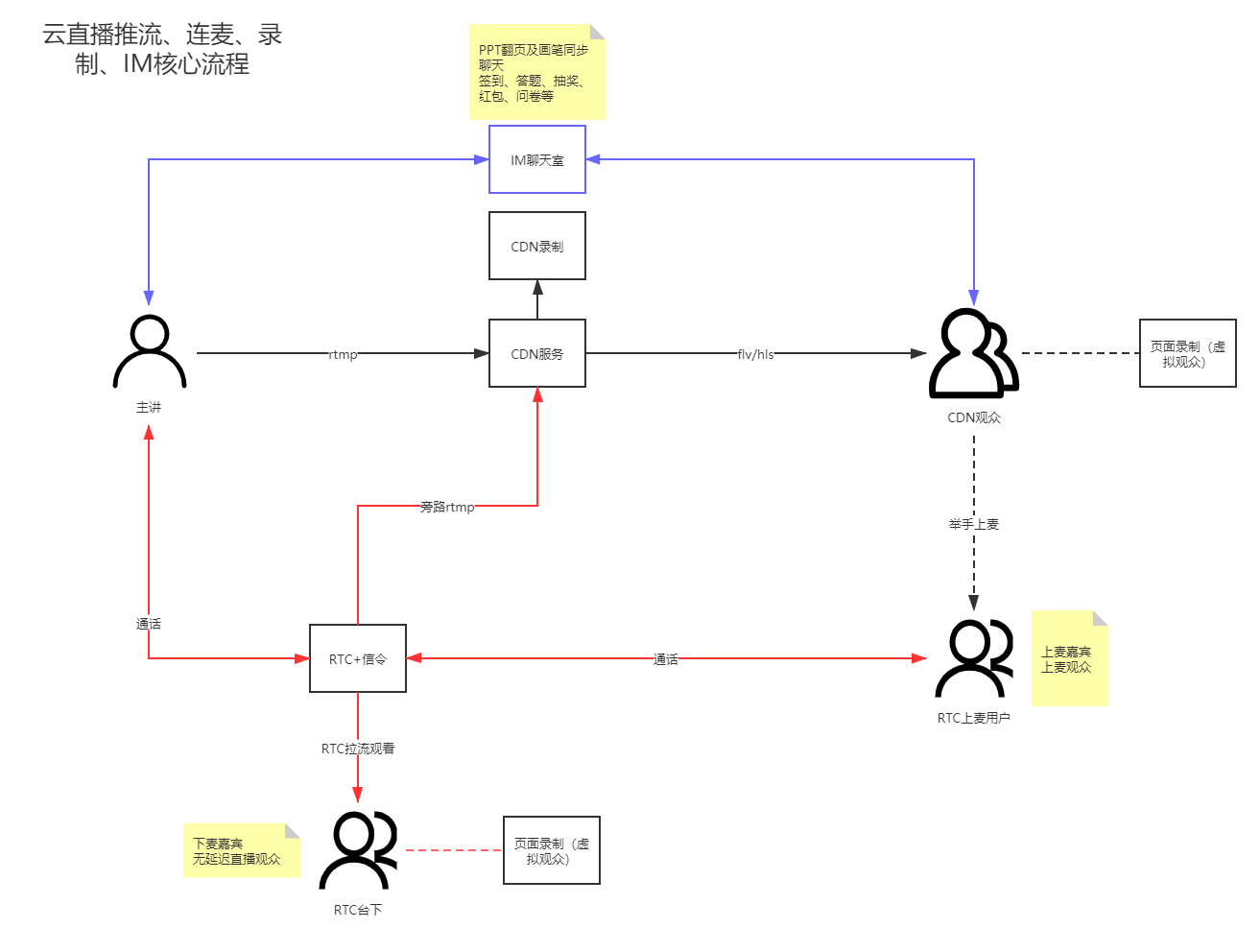
The entire live streaming system integration includes the management console, broadcasting end, and viewing end SDK integration. The management console is responsible for overall management and isolation of live streaming resources. The business relationship between the broadcasting end and the viewing end is shown in the diagram below:
Blue line: Carries the business logic of live streaming that requires long-connection communication, including interactive marketing features such as tipping, product library, check-in, announcements, surveys, answer sheets, lucky draws, red packets, etc.
Black line: Carries the video push and viewing business logic of live streaming. The broadcasting end pushes the stream to the CDN, and the viewing end pulls the stream from the CDN for viewing. This is a CDN-only live stream.
Red line: Co-hosting + live streaming. Uses RTC's co-hosting capability and relay push streaming to achieve low-latency live streaming, guest co-hosting, and hand-raising to go on stage application scenarios.
Note: During a live stream, the live playback interface belongs to the live streaming system, while everything else belongs to the chat room system.
Three-Screen Layout & Video-Only
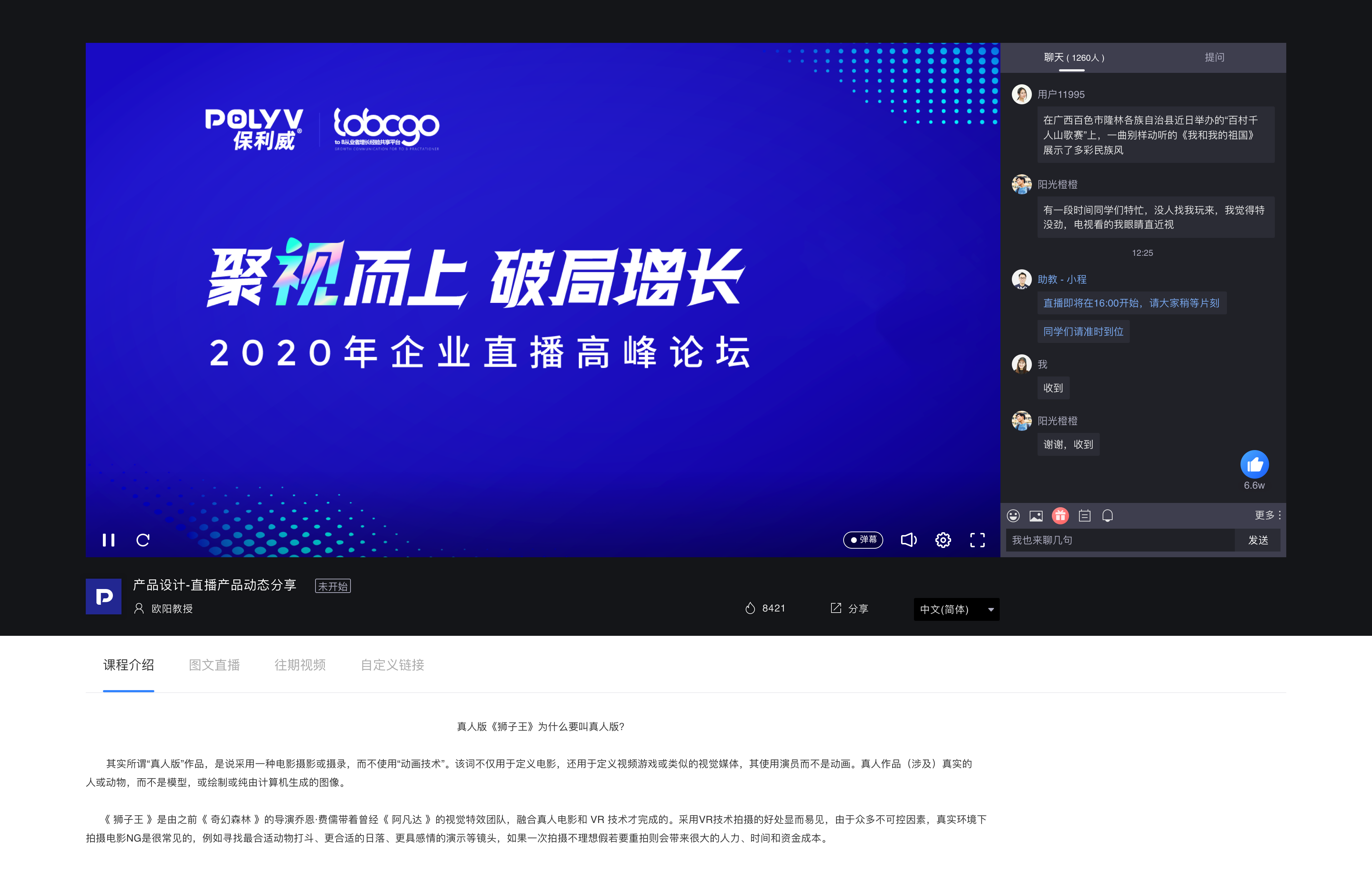
Three-Screen Layout: The live viewing page is divided into three areas: main screen, secondary screen, and chat room. The main screen displays documents, whiteboards, computer desktops, etc. The secondary screen displays the host's camera content. Suitable for educational and training business scenarios such as enterprise training, large classes, small classes, and vocational education.
Video-Only: The live viewing page is divided into two areas: main screen and chat room. The main screen displays the host's camera content or shared computer desktop. Suitable for business scenarios such as live commerce, annual meeting live streaming, and online recruitment.
| Three-Screen Layout | Video-Only | |
|---|---|---|
| Broadcasting End | 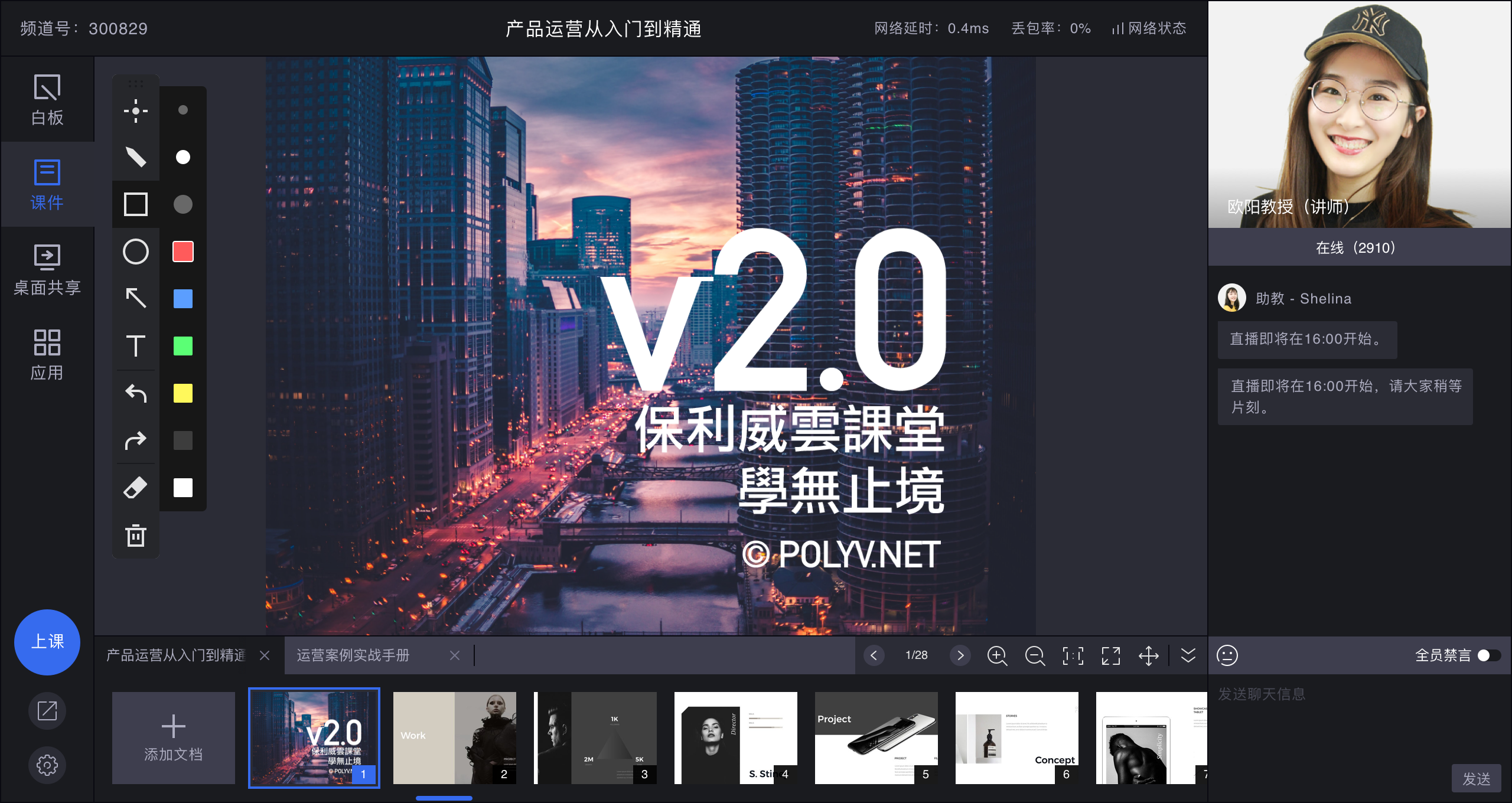 |
 |
| Viewing Page (PC) | 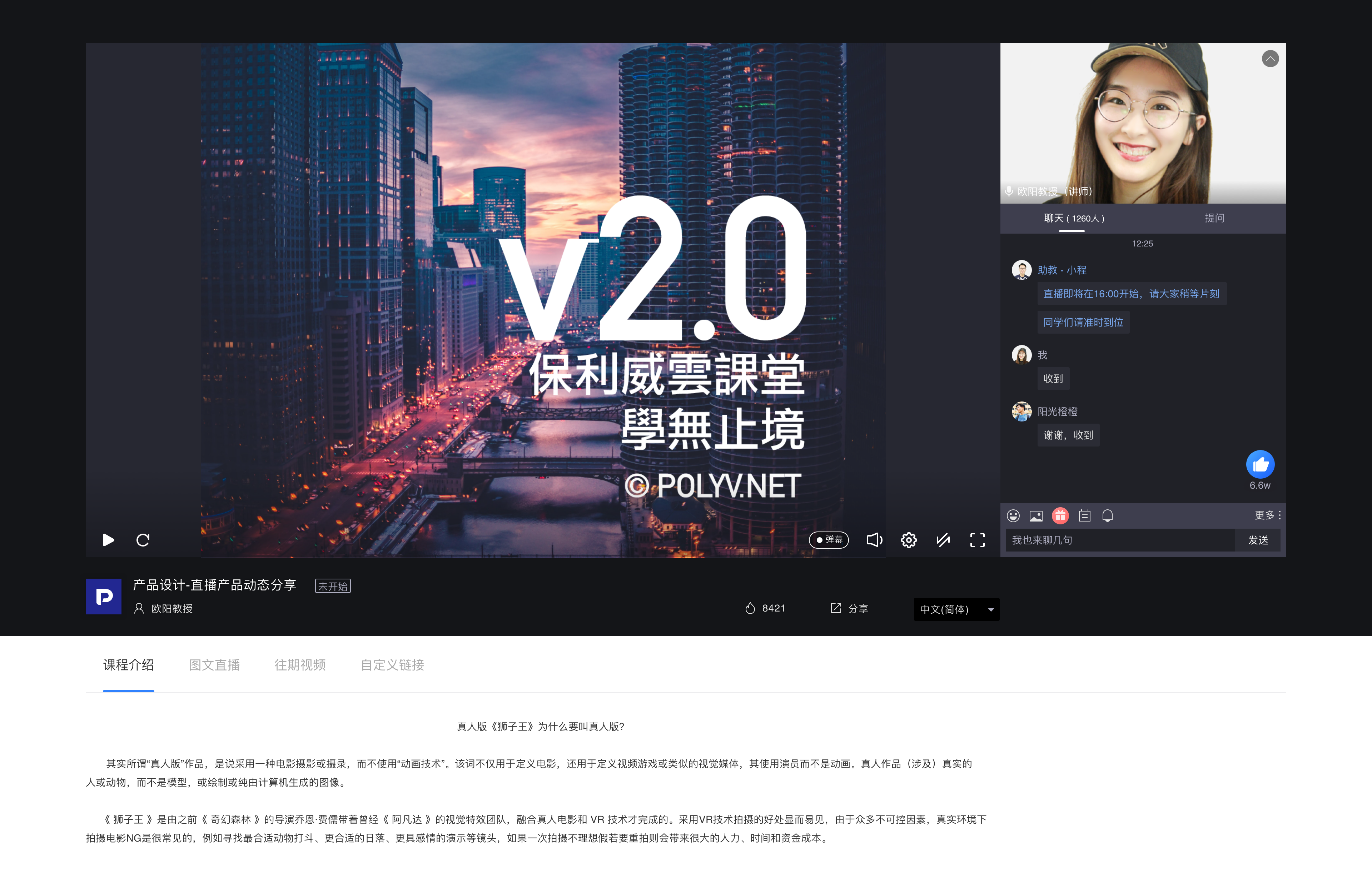 |
 |
| Landscape Viewing Page (H5) |  |
 |
| Portrait Viewing Page (H5) |  |
 |
| Landscape Viewing Page (Android & iOS) | 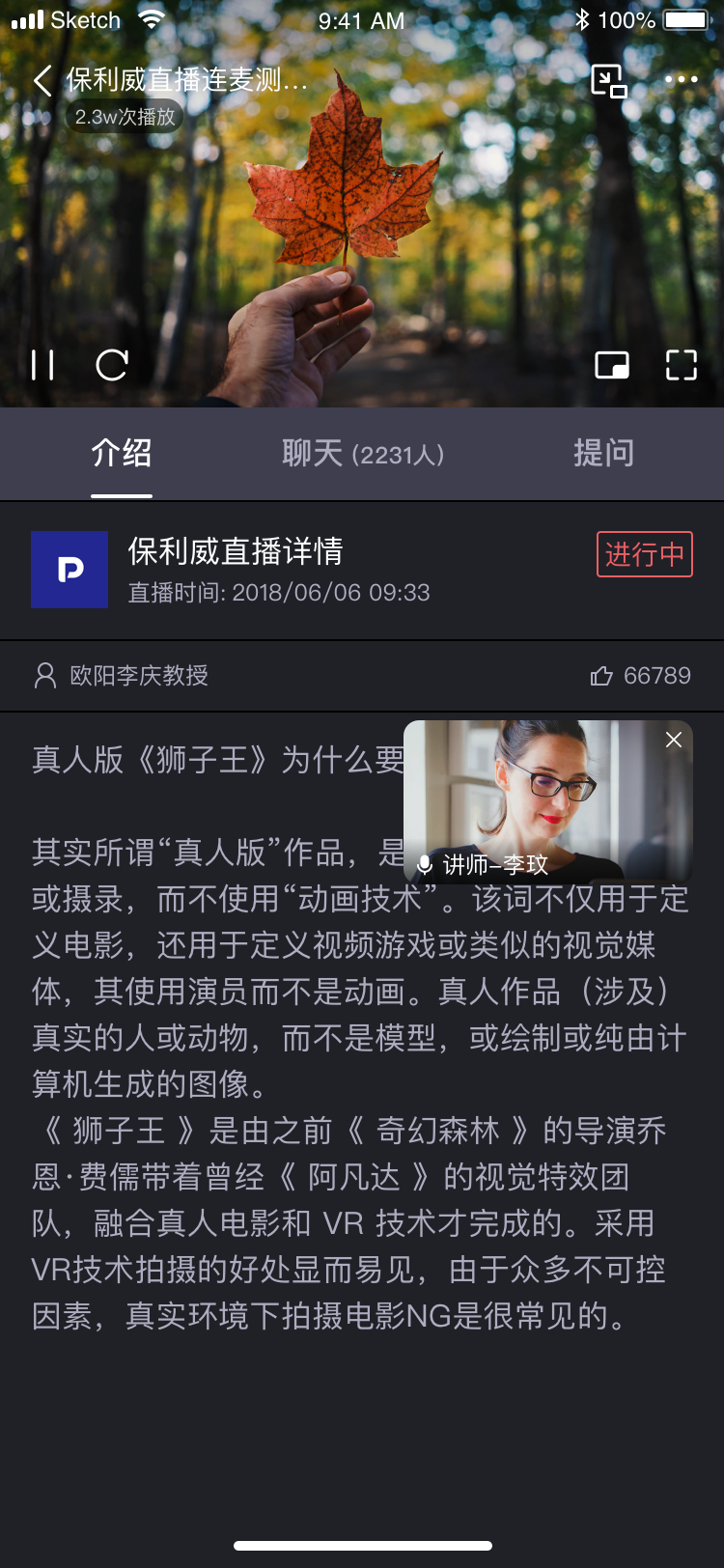 |
|
| Portrait Viewing Page (Android & iOS) | None |
 |
