


Customized Business Integration Solution
Solution Overview
This integration solution is based on the SDKs provided by POLYV for various platforms (WEB, Android, iOS, Java). It allows customers to customize the default UI functions according to their own business logic to meet specific business requirements.
Features
1. Business logic and UI can be highly customized according to customer business needs. Delivery speed is relatively slow, estimated at around 1 month.
Requires customers to have strong technical development capabilities to implement SDK integration and UI layer business logic coding across platforms.
There may be feature inconsistencies between the platform SDKs and the SaaS H5 viewing page. Specific feature support requires individual testing.
The platform SDKs are continuously updated and iterated. To use the latest features, the SDK must be upgraded, which may involve some technical work.
Applicable Scenarios
Customers with strong technical capabilities.
Customers who can accept at least 1 month of business integration time.
Customers with strong requirements for business and UI customization development.
Business Diagram
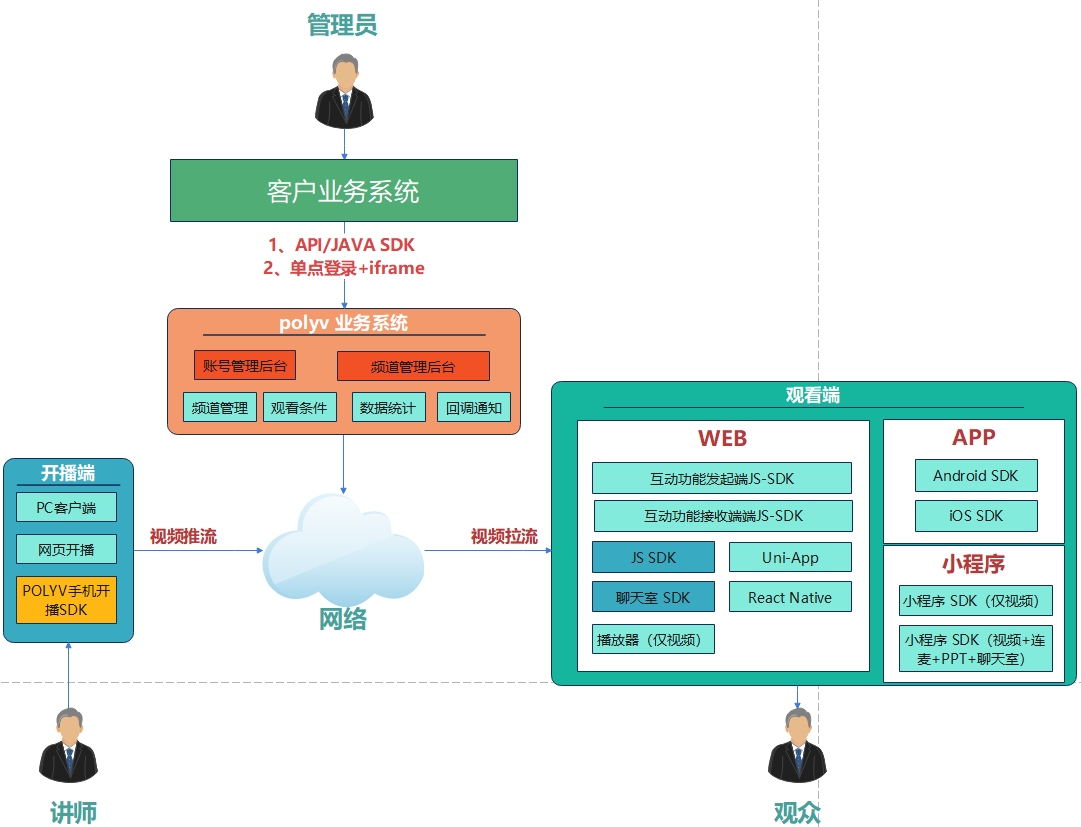
Backend Management
There are two ways to integrate the backend. The descriptions and references are as follows:
Option 1: According to the customer's own business logic, use API / JAVA SDK to bridge data between the customer's business system and the POLYV business system. Refer to Server API.
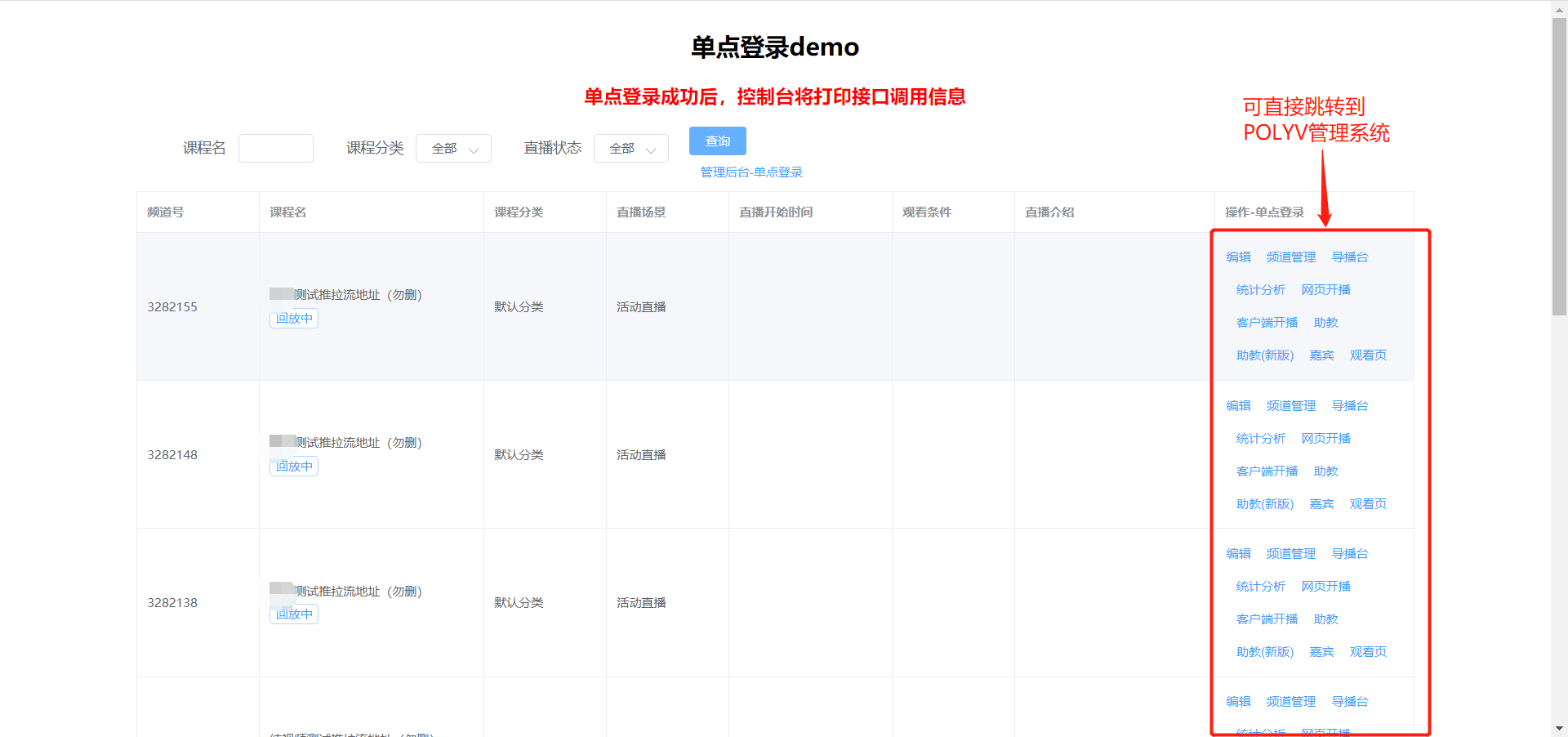
Option 2: Embed the POLYV backend management system directly into the customer's own management system via Single Sign-On (SSO). The customer's backend can access the POLYV backend management system without a password to manage channels and live rooms.
| Integration Method | Document | Usage Description | Example |
|---|---|---|---|
| Single Sign-On | SSO for Account Backend, Channel Backend, Role Backend, Instructor Broadcast Page | Through SSO, the customer's business system and the POLYV business system can be bridged. The customer's business system can directly access the POLYV backend for channel-level and account-level operations without entering a username or password. If the customer needs to use CNAME for the backend, configure CNAME to point to [live-manage.videocc.net]. Other configurations refer to the viewing end configuration. | SSO DEMO |
| Server API | DOC | The customer's business system can directly bridge the connection with the POLYV business system via API calls. | API Online Test Tool |
| Live Java SDK | DOC | When developing the backend using Java, the Java SDK can be integrated for API calls, reducing integration time. (The SDK encapsulates request parameters, signatures, exceptions, etc. See the documentation for details.) | Feature Index |
Broadcasting End (Push Stream to Server)
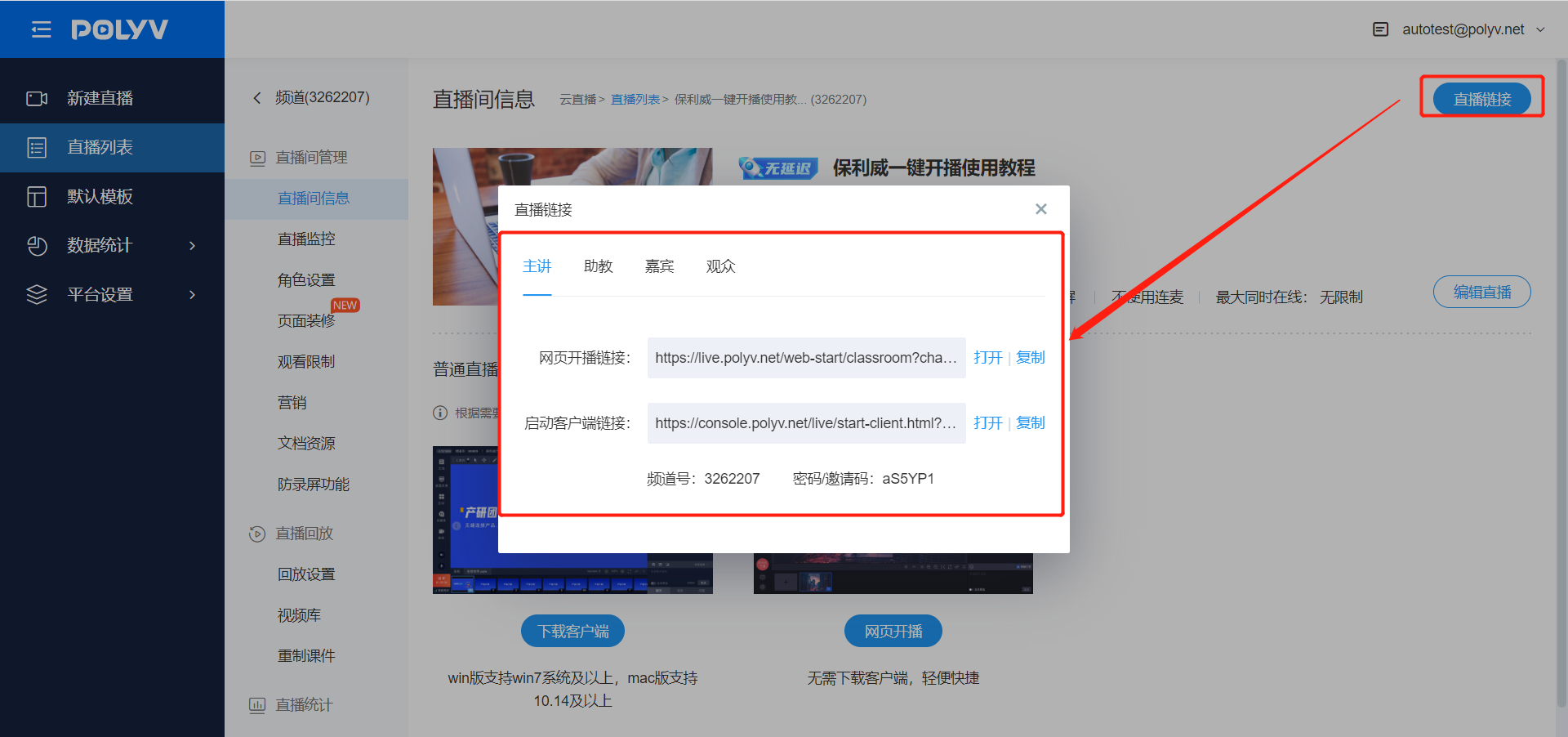
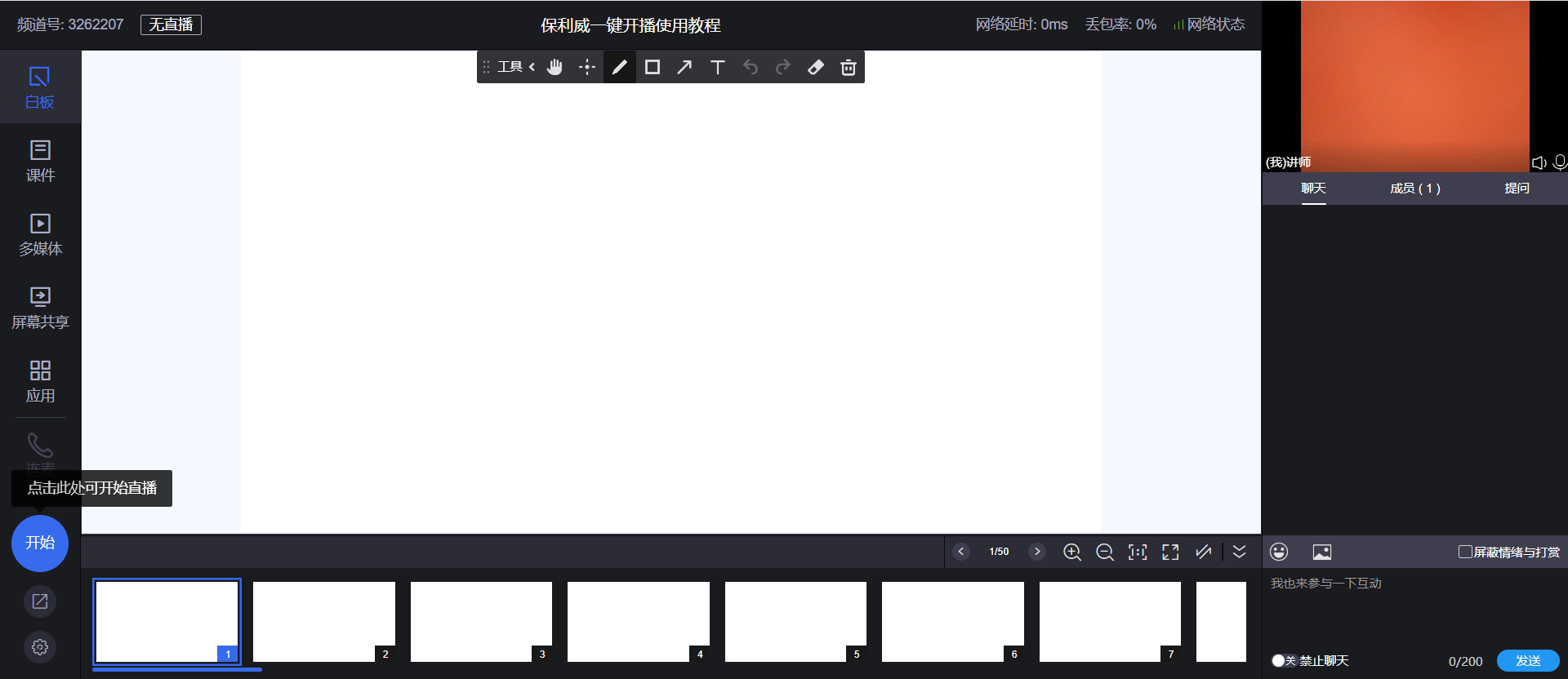
- Log in to the POLYV live backend, enter the channel management page, select the live link, and click to start broadcasting. Details are as follows:
- Use the Android or iOS broadcasting SDK to enable mobile phone broadcasting.
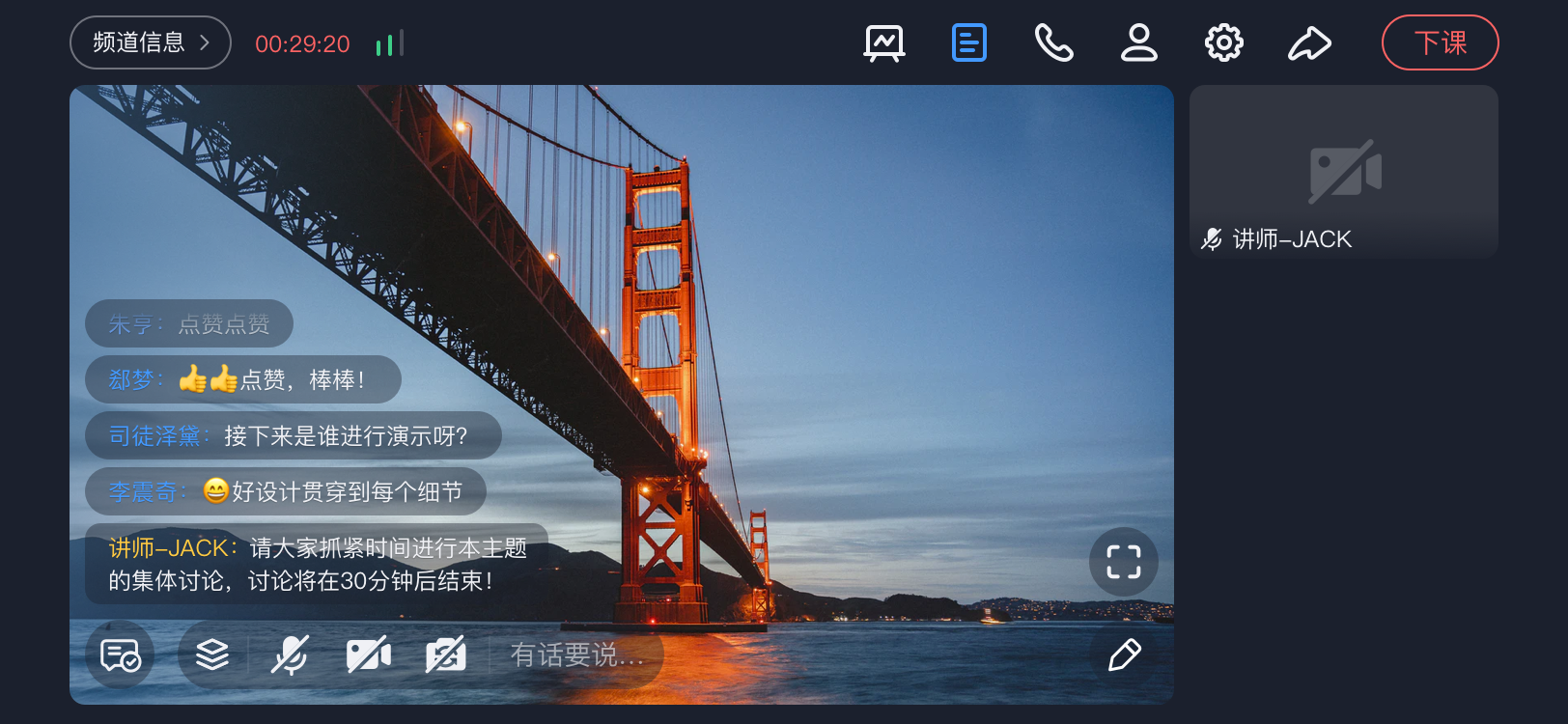
| Platform | Entry | Supported Scope | Applicable Scenario |
|---|---|---|---|
| PC Client Broadcasting | POLYV backend corresponding channel link, e.g., Example | Supports Windows/Mac systems | Download and start broadcasting directly. Includes a three-in-one client: Live Assistant, Cloud Classroom, and Large Class. |
| Web Broadcasting | POLYV backend corresponding channel link, e.g., Example | Supports all platforms, uses browser for broadcasting. | Provides web-based quick access to broadcasting service capabilities. |
| Android Mobile Broadcasting SDK | Integration, feature support status | Android Mobile Broadcasting SDK | Provides Android live streaming push solution for customers. Document Entry. |
| iOS Mobile Broadcasting SDK | Integration | iOS Mobile Broadcasting SDK | Provides iOS live streaming push solution for customers. Document Entry. |
Viewing End (Pull Stream from Server)
| Platform | Document Entry | Applicable Scenario | |
|---|---|---|---|
| APP | Android SDK | Provides live viewing capabilities on the Android platform, including Android SDK and basic UI code functionality. You can modify the default UI DEMO provided by POLYV according to your own business logic. | |
| iOS SDK | Provides live viewing capabilities on the iOS platform, including iOS SDK and basic UI code functionality. You can modify the default UI DEMO provided by POLYV according to your own business logic. | ||
| Uni-app | Plugins based on Android and iOS encapsulation, offline packaging project, used for packaging custom bases of uni-app projects, and also for official release packages. | ||
| WEB | Viewing Page SDK (Recommended) | The Viewing Page SDK is a logic layer SDK. For integrators, quickly building a feature-rich live viewing page based on this SDK can be challenging. To address this, the POLYV development team provides an open-source project for a live viewing page developed based on the Viewing Page SDK. Integrators can refer to the project's code or perform secondary development based on it. | |
| Live Player (Video Only) | Only implements live video functionality, does not include features like chat rooms. | ||
| Mini Program | Mini Program Playback Plugin | DOC | The POLYV Cloud Live Mini Program Playback Plugin provides an out-of-the-box live player, offering strong support for customers to quickly integrate live capabilities within mini programs. |
| Mini Program Viewing Page SDK (Playback + Chat + Co-hosting + Interaction) | DOC | Complete functionality, provides UI layer source code, allows flexible combination of business logic. | |
