


Q&A
Both Q&A and Question & Answer are commonly used interactive features in live streaming. Q&A is more suitable for private communication, while Question & Answer is better for publicly collecting and answering audience questions.
Q&A (Private)
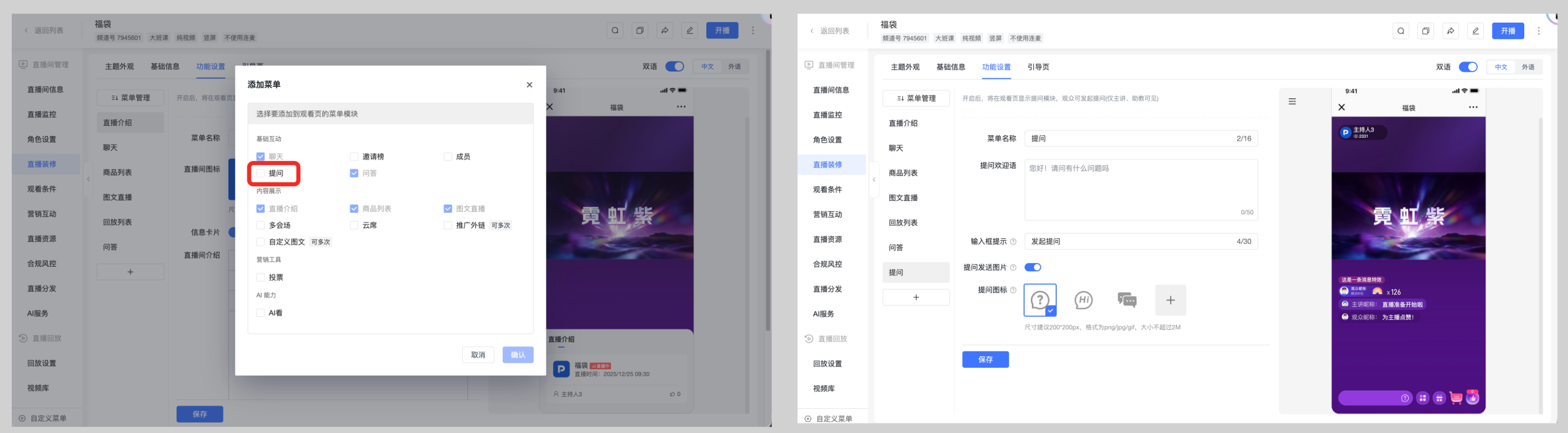
The Q&A feature functions like instant messaging. Questions submitted by viewers and their replies are only visible to the individual viewer, making it suitable for private consultations, event information collection, shipping address submission, and similar scenarios.
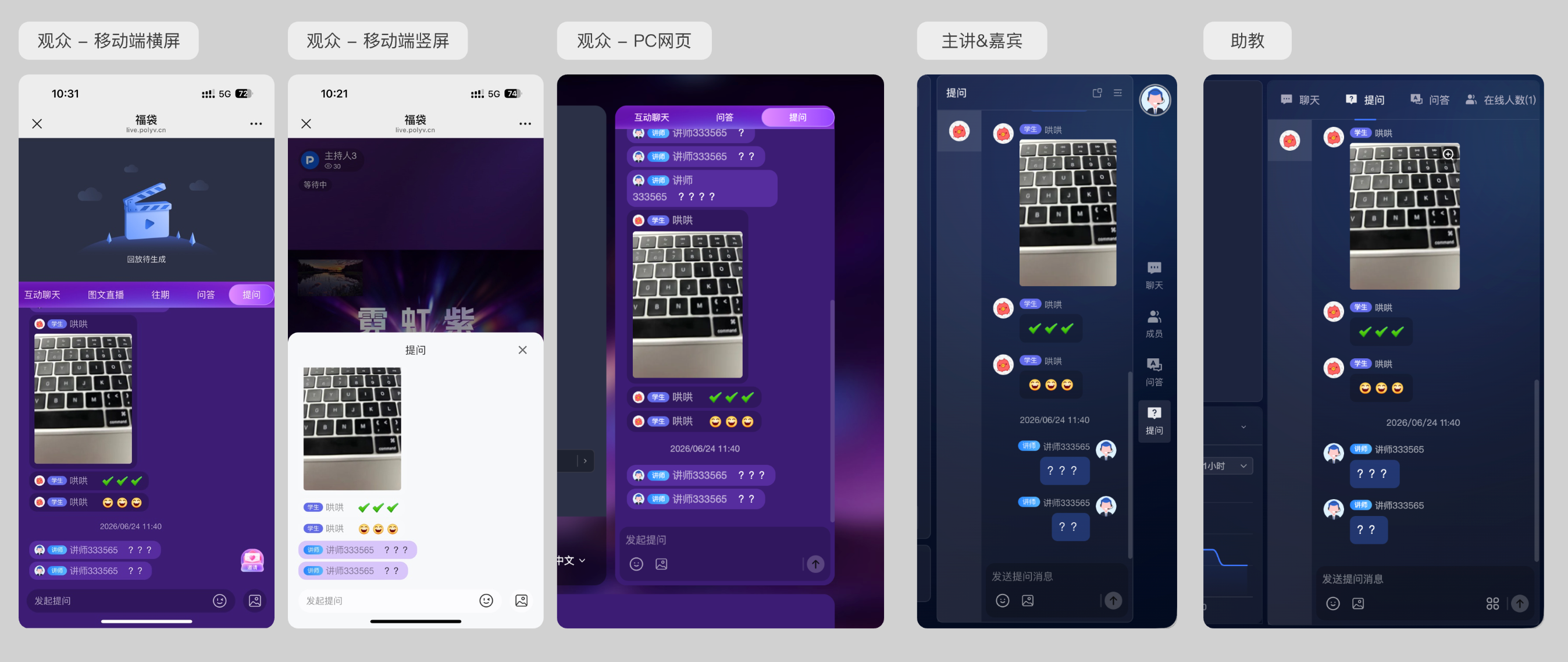
Once the Q&A feature is enabled, viewers can enter the Q&A area on the viewing page to view their question history, replies, and submit new questions. The host, guests, and teaching assistants can view viewer questions and reply to them from the broadcasting end.
The Q&A feature supports use on mobile landscape, mobile portrait, PC web, host/guest, and teaching assistant interfaces.
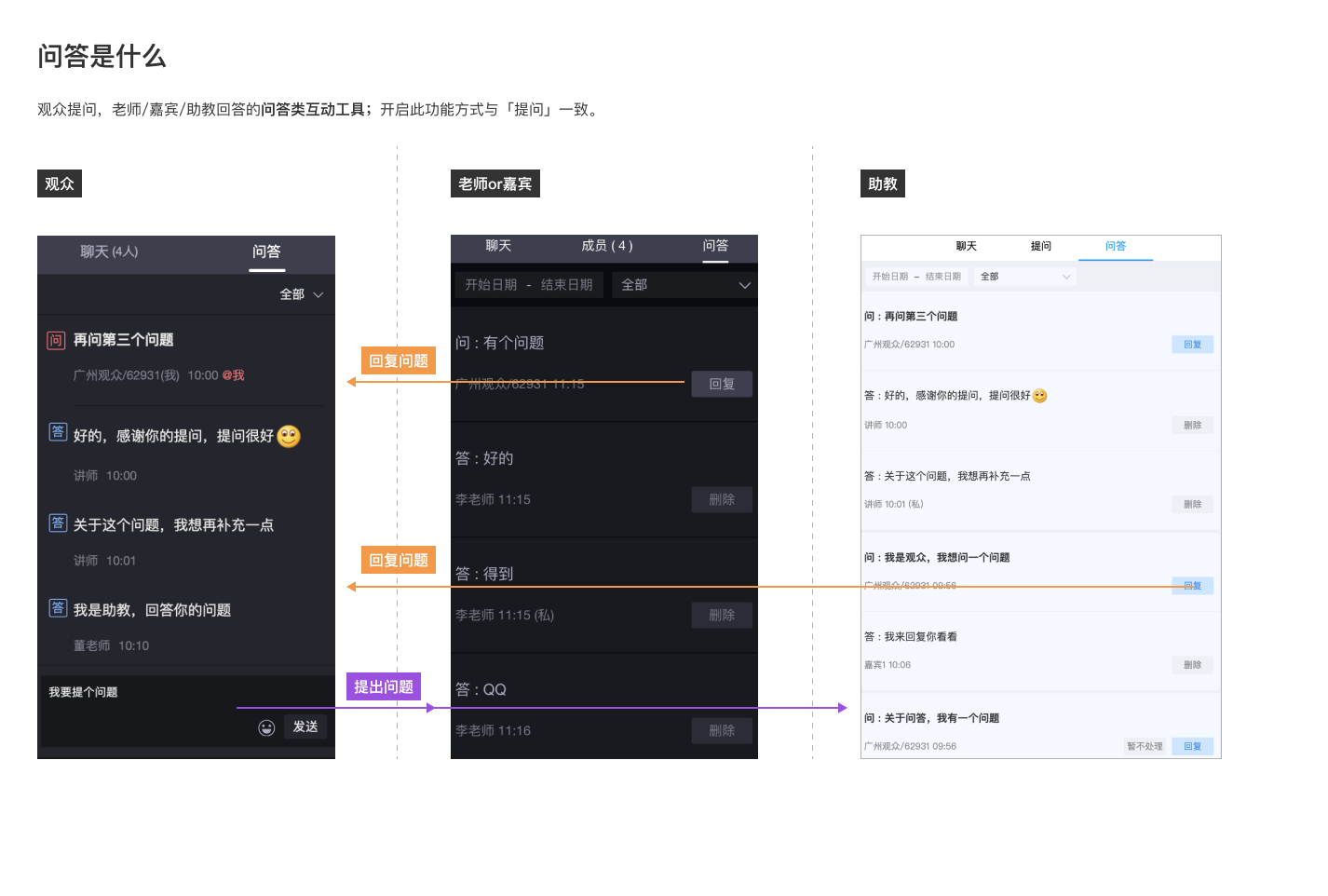
Question & Answer (Public)
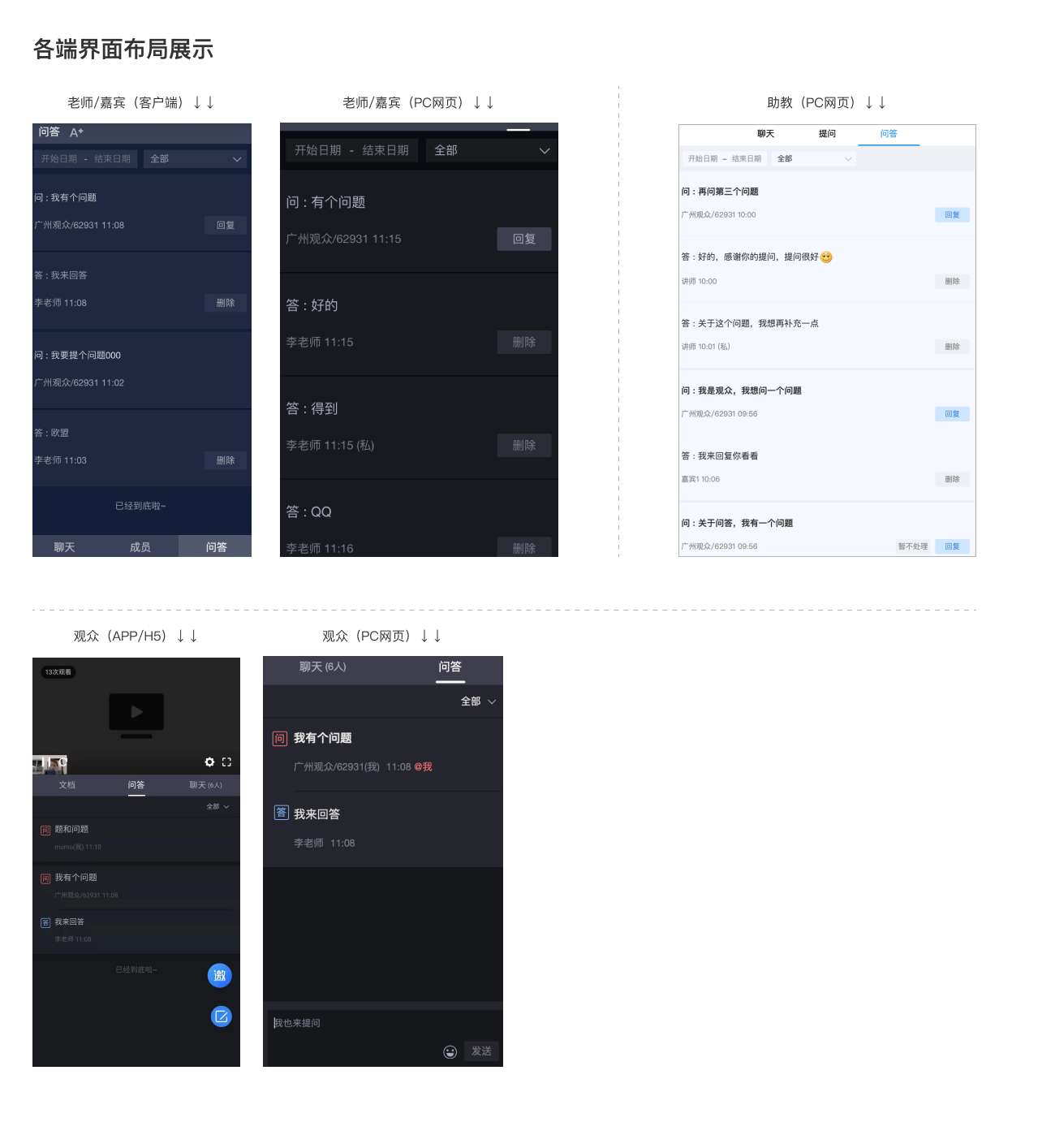
Differences Between Q&A and Question & Answer
| Comparison Item | Q&A (Private) | Question & Answer (Public) |
|---|---|---|
| Presentation | An interactive tool similar to instant messaging | An interactive tool where viewers ask questions and the host, guest, or teaching assistant answers |
| Viewer Visibility | Viewers can only see their own questions and answers; high privacy.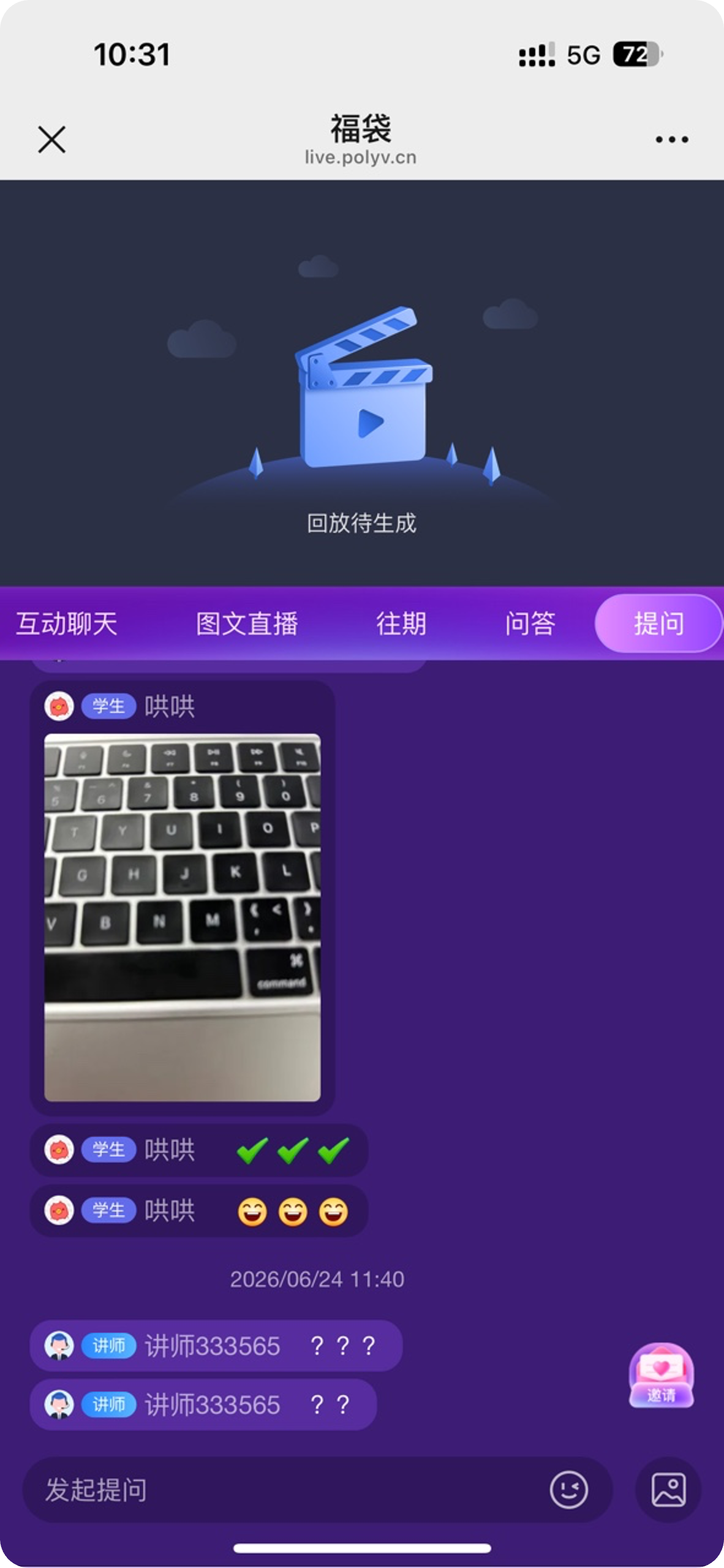 |
Viewers can see questions and answers from other viewers.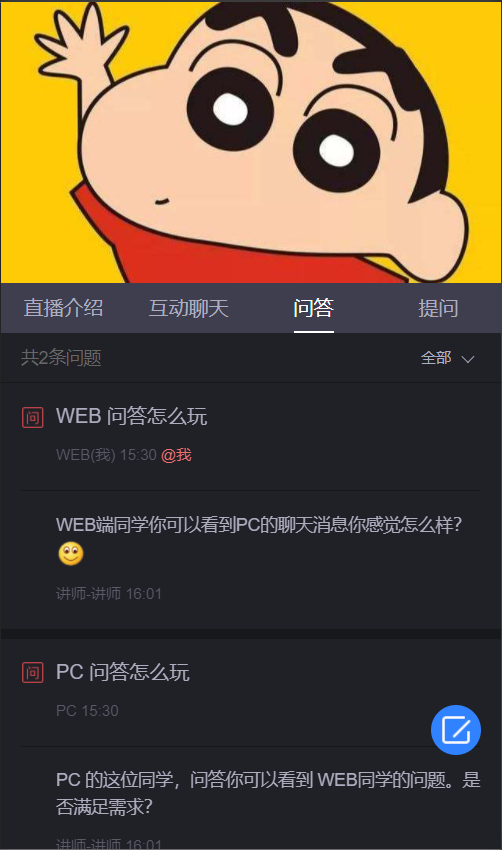 |
| Broadcasting End Experience | Allows one-on-one communication with viewers, providing complete context for easier management.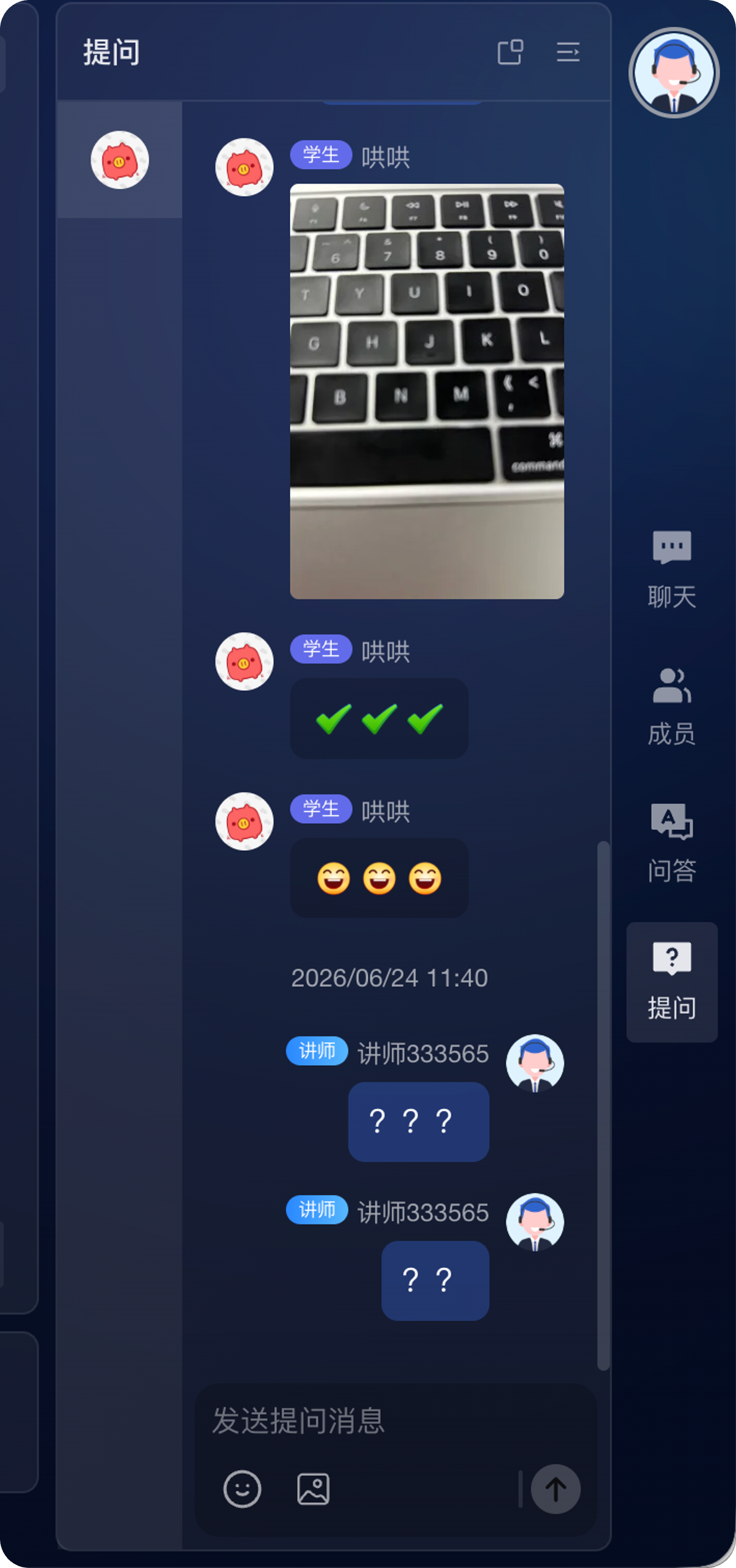 |
Question context is relatively limited; typically, individual questions are answered separately.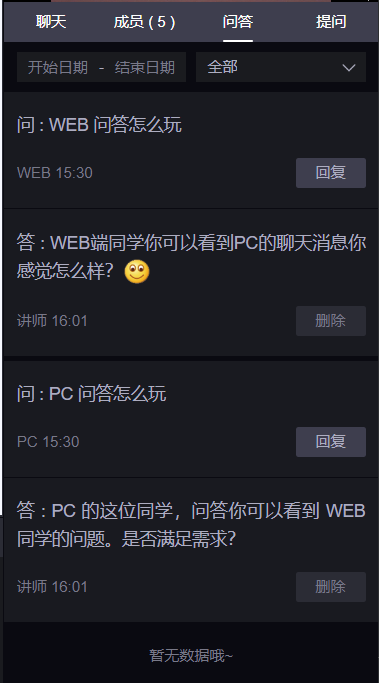 |
| Use Cases | Private consultations, event information collection, shipping address submission, etc. | Public Q&A sessions, course interactions, live Q&A, etc. |
Technical Integration
Q&A and Question & Answer are sub-modules of the chat room feature. After integrating the Demo on each client side, these features are included.
Rules for Q&A messages, public chat messages, muting, moderation, sensitive words, etc., follow existing logic.
Client Support
| Feature | SaaS-Web | SaaS-H5 | Web-SDK (Viewing Page SDK) | APP |
|---|---|---|---|---|
| Q&A (Private) | Supported | Supported | Supported | Supported |
| Question & Answer (Public) | Supported | Supported | Not Supported | Supported |
API Endpoints
| API | Description |
|---|---|
| Query Channel Q&A Records | Query Q&A records within a channel |
| Modify Q&A Feature Switch | Modify the Q&A feature switch for a channel |
| Modify Channel Feature Switch Status (Including Question & Answer) | Modify the feature switch status of a channel |
| Query Channel Feature Switch Status (Including Question & Answer) | Query the feature switch status of a channel |
| Add Page Menu (Including Question & Answer) | Add a page menu |
Notes
To configure the entry text and icon for the Q&A feature on the portrait viewing page, go to 直播装修 > 功能管理 > 提问 settings. After successful saving, the viewing page will display the latest configuration; if saving fails, the online viewing page will not update the displayed content.
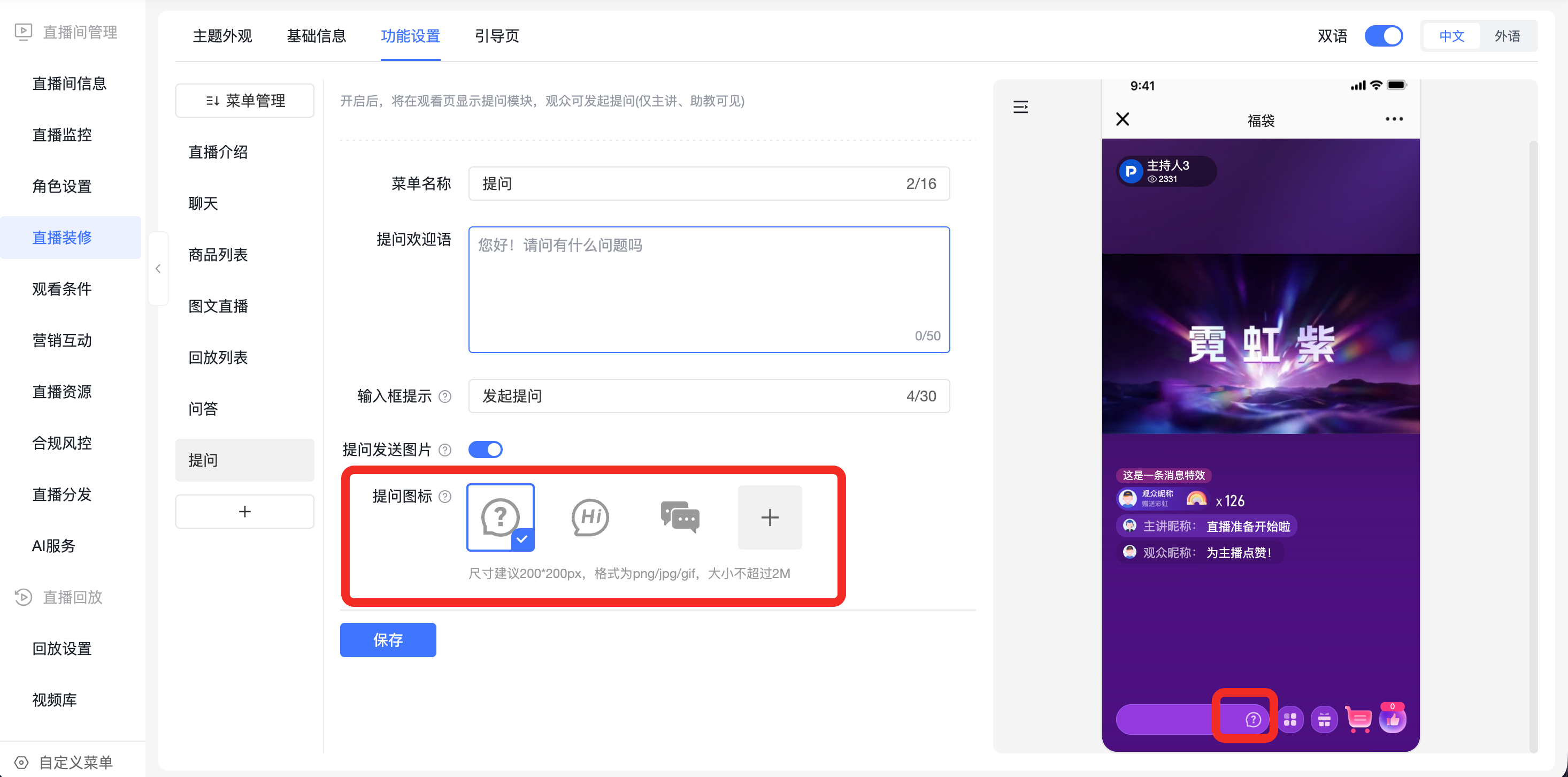
When the Q&A feature is not enabled, the Q&A entry will not be displayed on the viewing page.
