


Live Playback
Updated: 2025-10-10 12:02:04
Feature Demo
Use Case Overview
- Primarily used for scenarios where live content needs to be viewed multiple times by users. Examples include: lecture replays, training replays, meeting replays, course replays, and many other scenarios requiring playback. Live playback allows permanent replay of live content.
Platform Support
| Platform | Description |
|---|---|
| SaaS Viewing Page | Supported |
| Web-SDK (Viewing Page SDK) | Supported |
| Mobile Multi-Scenario SDK | Supported |
Related Server APIs
| API Name | Description |
|---|---|
| Query Global Channel Settings | Query global channel settings information |
| Modify Global Channel Settings | In live playback, can be used to enable/disable the auto-transfer switch |
| Transfer Callback Notification | Receive notification after a successful transfer, can be used for data association |
| Query Video Library List | Query video list data for live temporary storage, playback list, and VOD list |
| Query Channel Playback Settings | Query the playback switch configuration for a single channel |
| Modify Channel Playback Settings | Modify the playback switch configuration for a single channel |
Notes
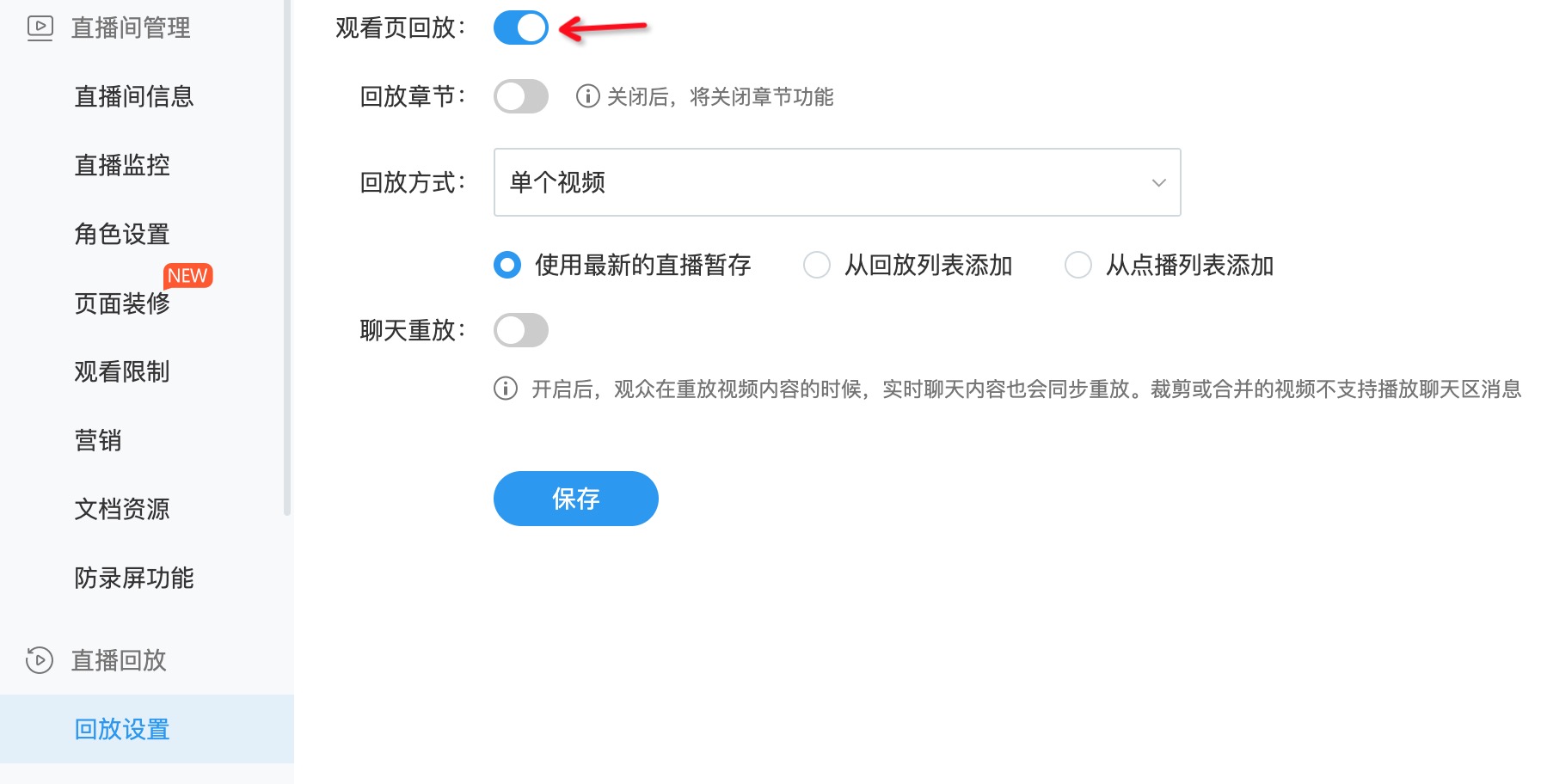
- The live playback feature must be enabled in the live streaming backend. See the illustration below:
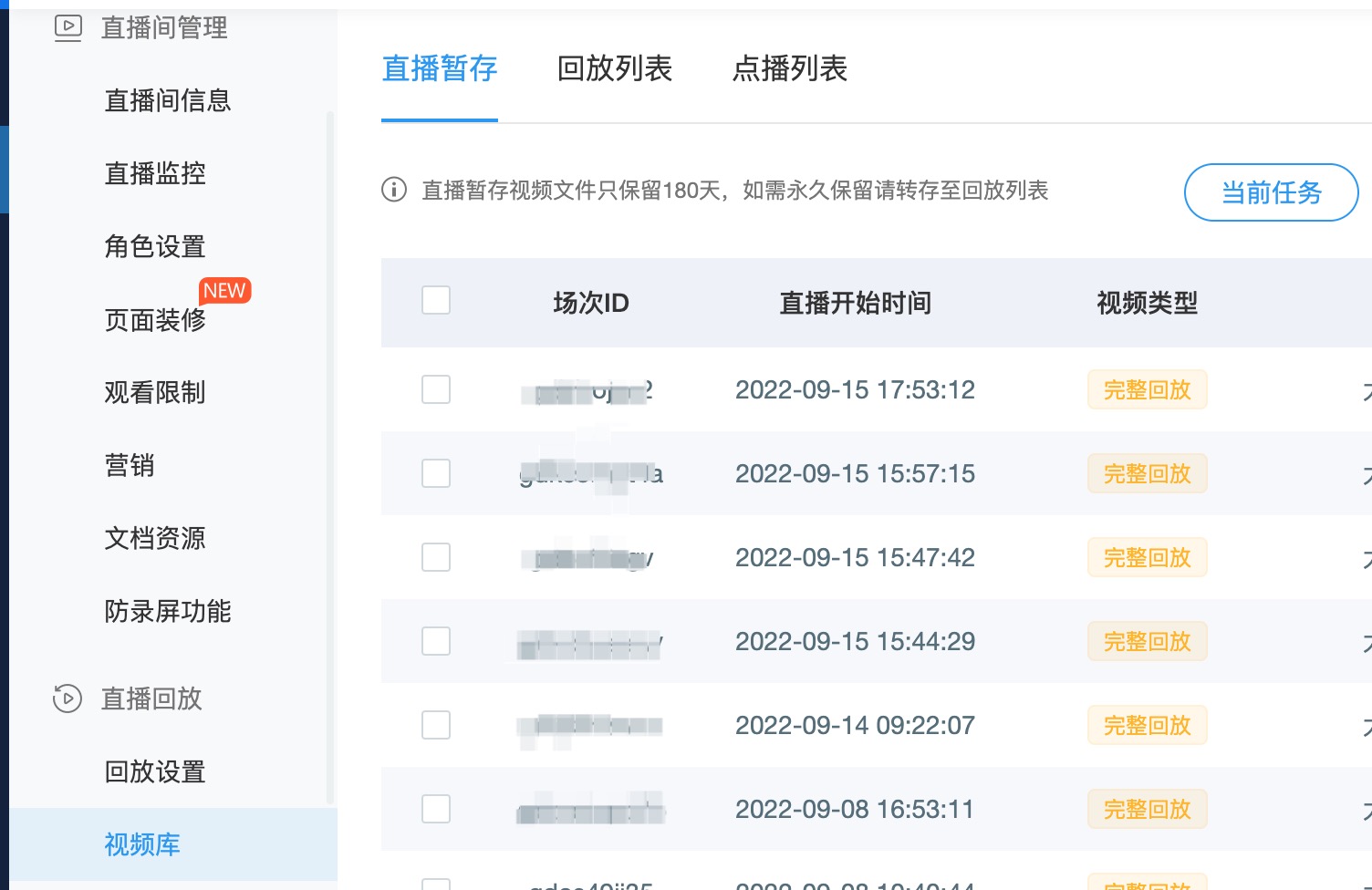
- When the playback mode is set to a single video and configured to use the latest live temporary storage, ensure that a video exists in the live temporary storage list within the video library. See the illustration below:
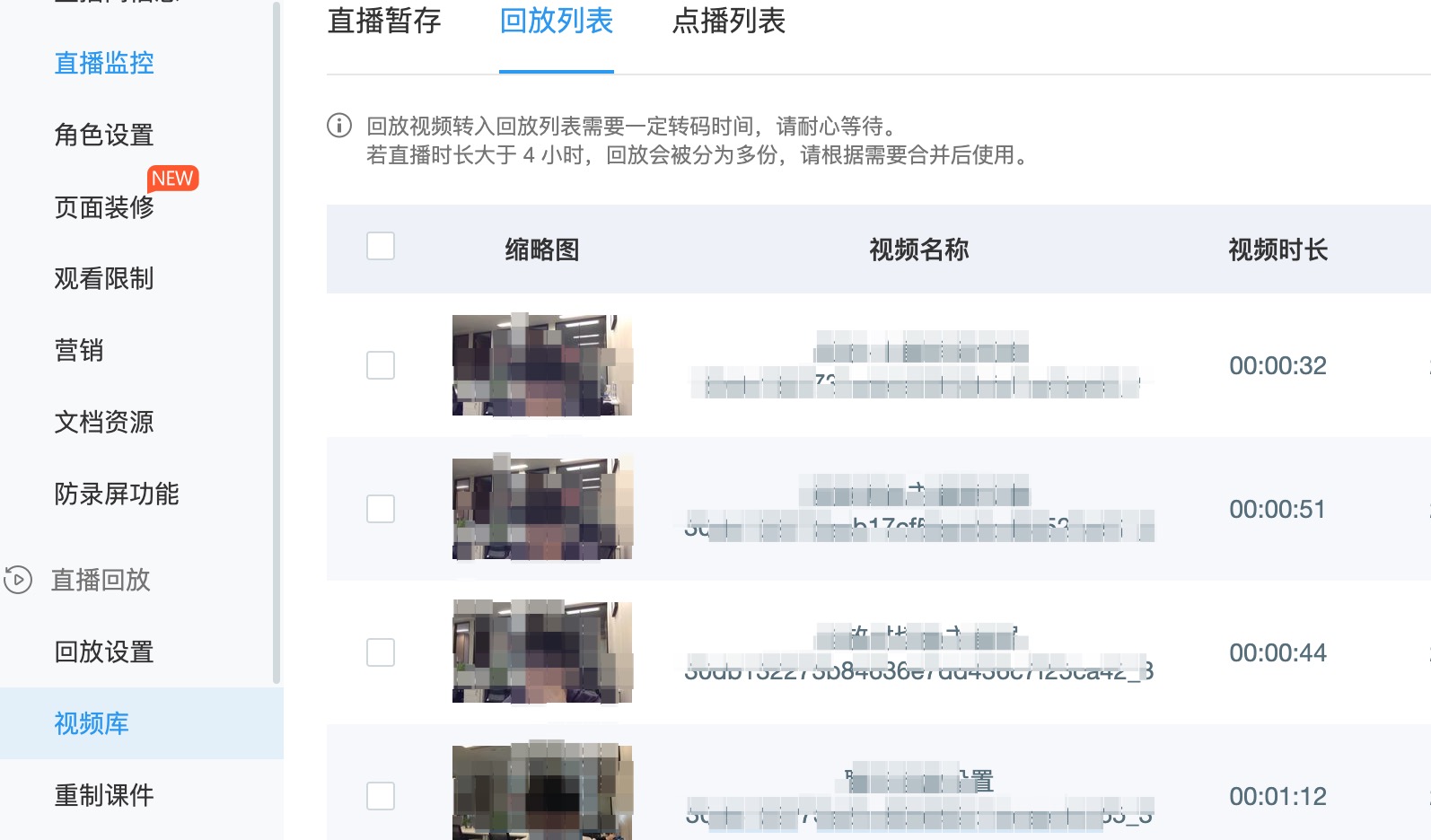
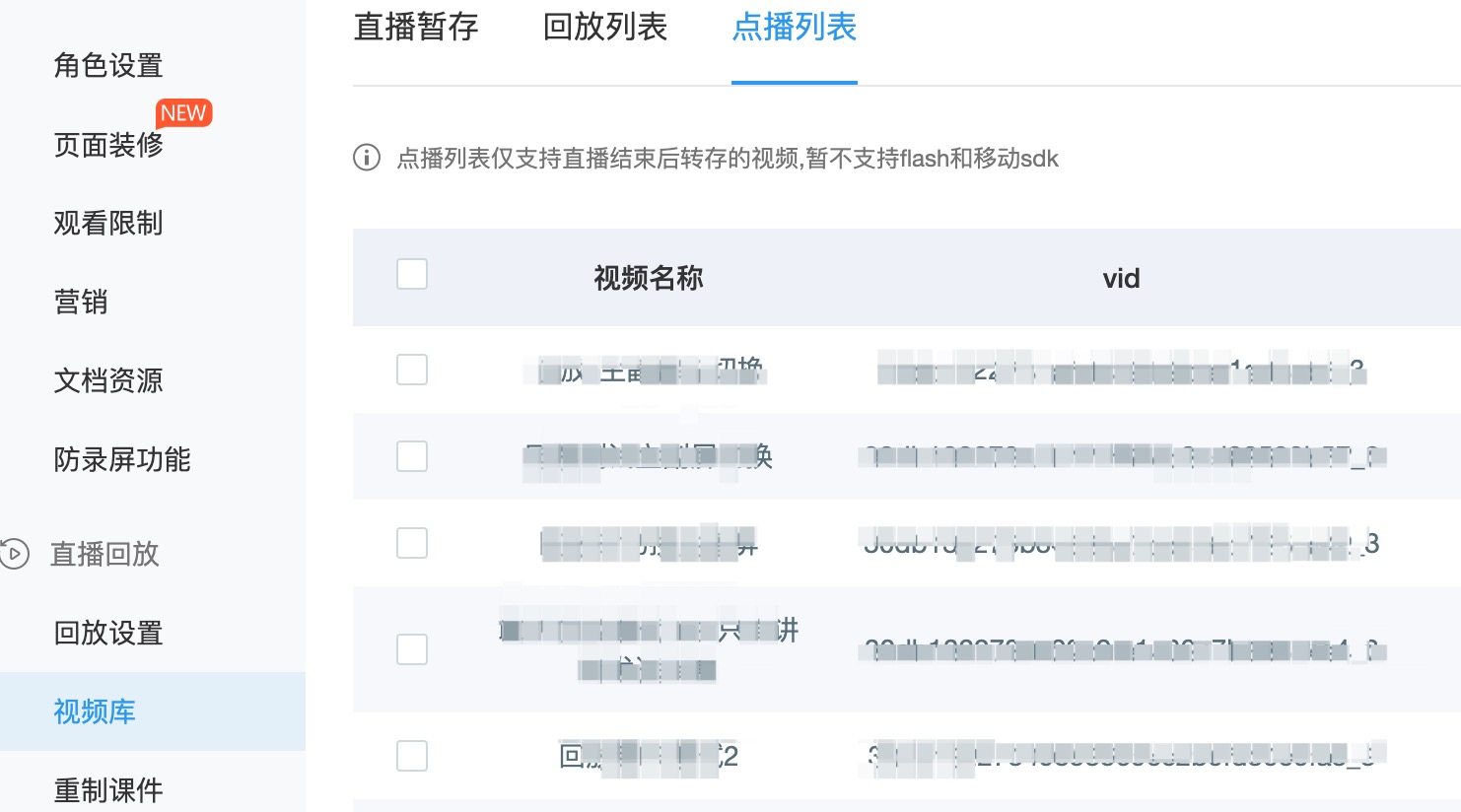
- When the playback mode is set to list playback and configured to use the playback list or VOD list, ensure that videos exist in the corresponding list within the video library. See the illustrations below:
| Playback List | VOD List |
|---|---|
 |
 |
- The definitions and differences between live temporary storage, playback list, and VOD list are as follows:
| Video List | Detailed Description |
|---|---|
| Live Temporary Storage | Consumes live streaming minutes, playable for 180 days. No VOD service required. For permanent playback, transfer to the playback list |
| Playback List | Consumes live streaming minutes, permanent playback. Occupies VOD storage space, VOD service required |
| VOD List | Consumes traffic, permanent playback. Occupies VOD storage space, VOD service required |
- In the live streaming backend, you can manually enable the auto-transfer switch from live temporary storage to the playback list. This switch is account-level. When enabled, all channels under the account will automatically transfer live temporary storage to the playback list. See the illustration below:
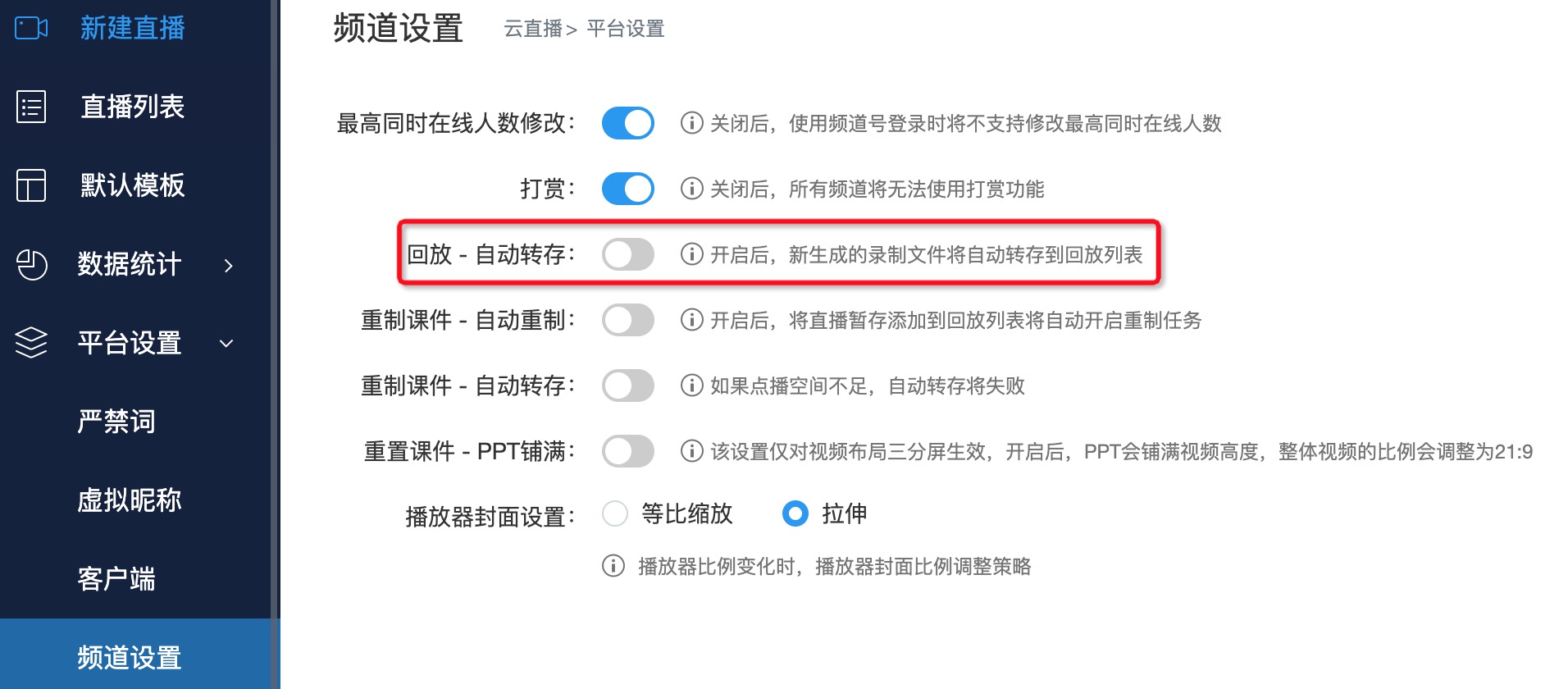
After transferring to the playback list, it takes approximately 5 minutes (the exact time may vary depending on the video size) for review to complete before the playback can be viewed.
In the Mobile Multi-Scenario SDK, switching between live streaming and live playback is not automatic. To view live playback, you need to actively call the playback login API before entering the viewing page. For detailed steps, refer to the iOS and Android Multi-Scenario SDK Demos.
In the Mobile Native Multi-Scenario SDK, the three-split vertical screen mode is not supported when viewing live streaming or live playback.
