


Product Library SDK
Feature Demo
Viewer Preview
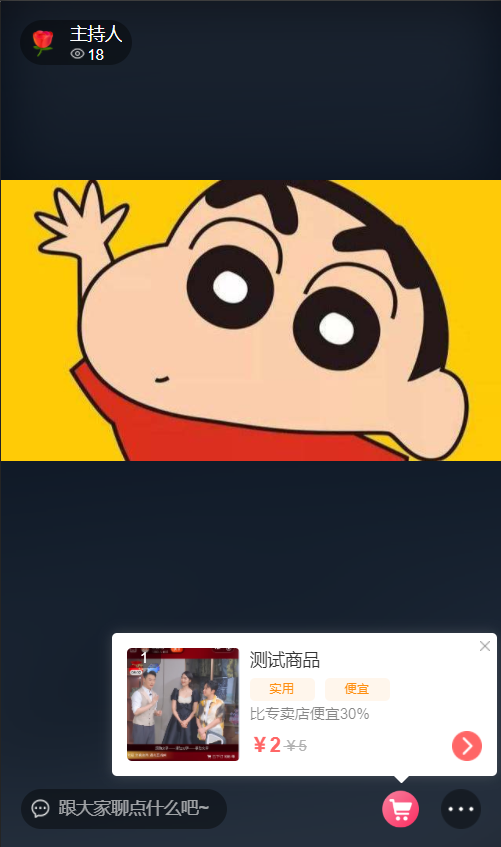 |
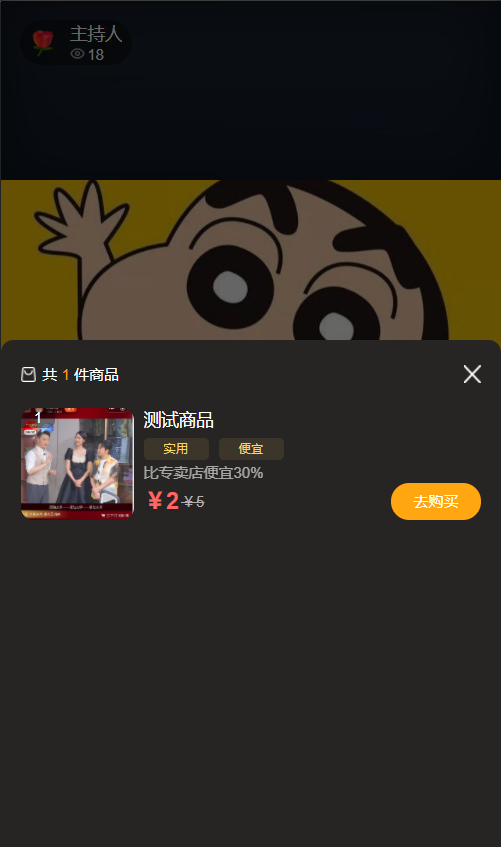 |
|
|---|---|---|
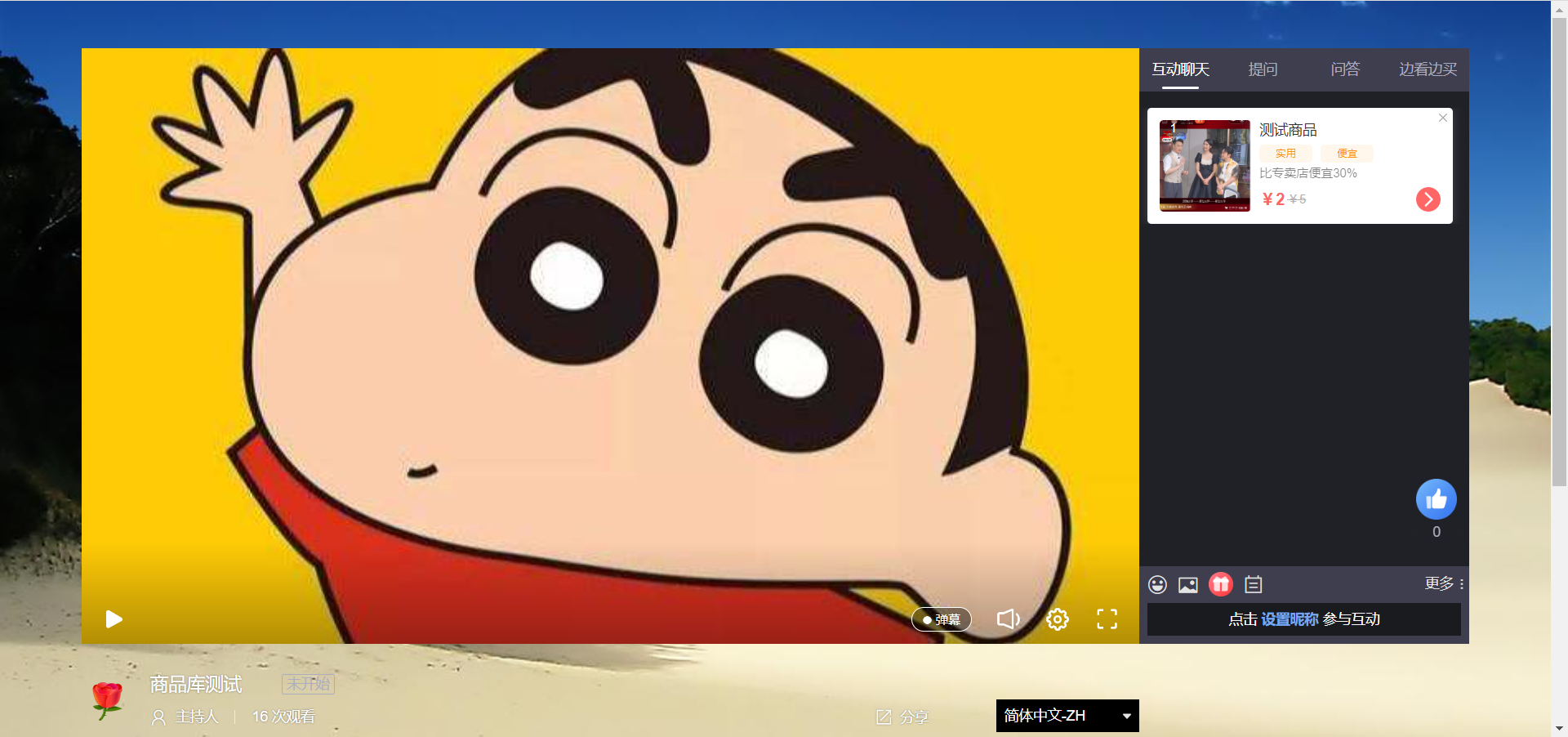
Client Support
| Client | Description |
|---|---|
| SaaS Watch Page | Supported |
| Web-SDK (Watch Page SDK) | Supported |
| Mobile Multi-Scene SDK | Supported |
Related API Endpoints
| Endpoint | Description |
|---|---|
| Add Channel Product | Add a product to the channel |
| Delete Channel Product | Delete a product from the channel |
| Query Channel Product Library Toggle Status | Query the toggle status of the channel product library |
| Query Channel Product List | Retrieve the product list from the channel product library, supports pagination |
| Push Channel Product Library Product | Push a product from the channel product library |
| Modify Channel Product Info | Edit product information in the channel product library |
| Modify Channel Product Library Toggle Status | Modify the toggle status of the channel product library. Contact customer service if product library permission is not enabled. |
| Modify Channel Product Library Listing Status | Modify the listing/unlisting status of products in the channel product library |
| Modify Channel Product Library List Order | Modify the order of products in the product library list |
Notes
In the Multi-Scene SDK, the live commerce scene supports the product library and pushes in real-time. However, if the product library feature is not enabled, the SDK will ignore (RETURN) the messages.
When the product library list toggle is enabled in the backend, the backend will push the event message to the viewer in real-time. The Android SDK, JS SDK, and SaaS watch page will display the "Shop While Watching" product library list tab. iOS does not currently support this.
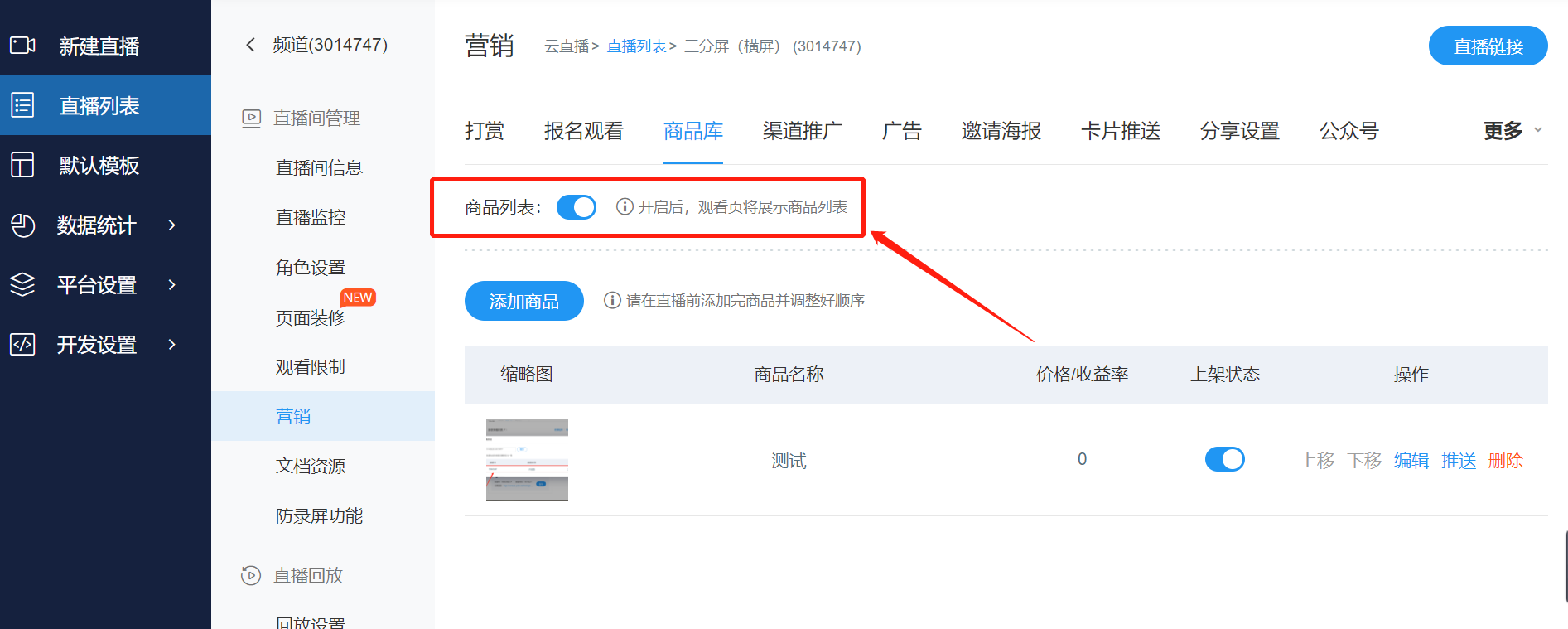
Actions performed in the backend on the product library, such as deletion or unlisting, will be received by the viewer in real-time as event messages.
Product pushes on the web page and in multi-scene scenarios will trigger a real-time popup notification, providing a strong reminder to the end user.
