


How to Obtain a Push URL and Stream Key
What is a Push URL
A push URL is a specific identifier used to publish a video stream to your own server or a third-party platform (e.g., WeChat Channels, Bilibili, etc.). It indicates the destination of the current video stream.
RTMP stands for Real Time Messaging Protocol.
For the RTMP protocol, a push URL is a network address in the format rtmp://yourserver.com/app. Most third-party platforms split it into an RTMP address rtmp://yourserver.com/app (also called the push URL) and a stream key stream (also called the push key or stream code) for provision.
How to Obtain a Third-Party Platform Push URL and Stream Key
- Generally, log in to the live streaming settings page of the corresponding platform. After completing the relevant registration and verification, look for terms like "push URL" in the broadcast settings or similar sections.
- Copy the corresponding RTMP address and stream key as instructed. Then, in POLYV [Cloud Distribution -> Distribution Settings -> Distribution List -> Add or Edit Distribution Platform], paste them into the corresponding input fields and confirm.
- If the platform provides a complete push URL/RTMP address instead of separate RTMP address and stream key, paste it directly into the "Push URL" input field. It will be automatically split into an RTMP address and stream key according to the relevant rules for display.
- On most platforms, the live room is not enabled in real time or reactively. You need to manually start it in the backend for the live stream to take effect.
- Pay attention to the validity period rules for push URLs and stream keys on different platforms. Check whether they are still valid before pushing.
Below are some common third-party platform methods for obtaining push URLs for reference.
If in doubt, refer to the official guide of the third-party platform or consult their customer service.
Note: Currently, Douyin, Taobao Live, and Xigua Video do not provide push URLs externally. You may try to apply to the platform.
How to Obtain Bilibili Push URL and Stream Key
Prerequisites
- Register a Bilibili account, bind a mobile phone, and complete real-name authentication to obtain live streaming permissions. During real-name authentication, you need to upload a photo of the back of your ID card and a photo of yourself holding the ID card.
- After completing real-name authentication, log in to the live streaming page and click the [I want to stream] button. Follow the prompts to apply for enabling live streaming. After submission, wait for approval (usually completed within 48 hours).
- Once approved, click the [I want to stream] button again to enter your live room and edit the live room information.
Obtain Push URL and Stream Key
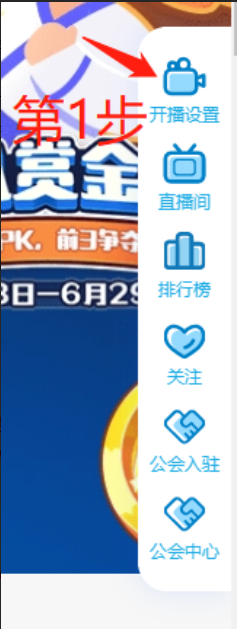
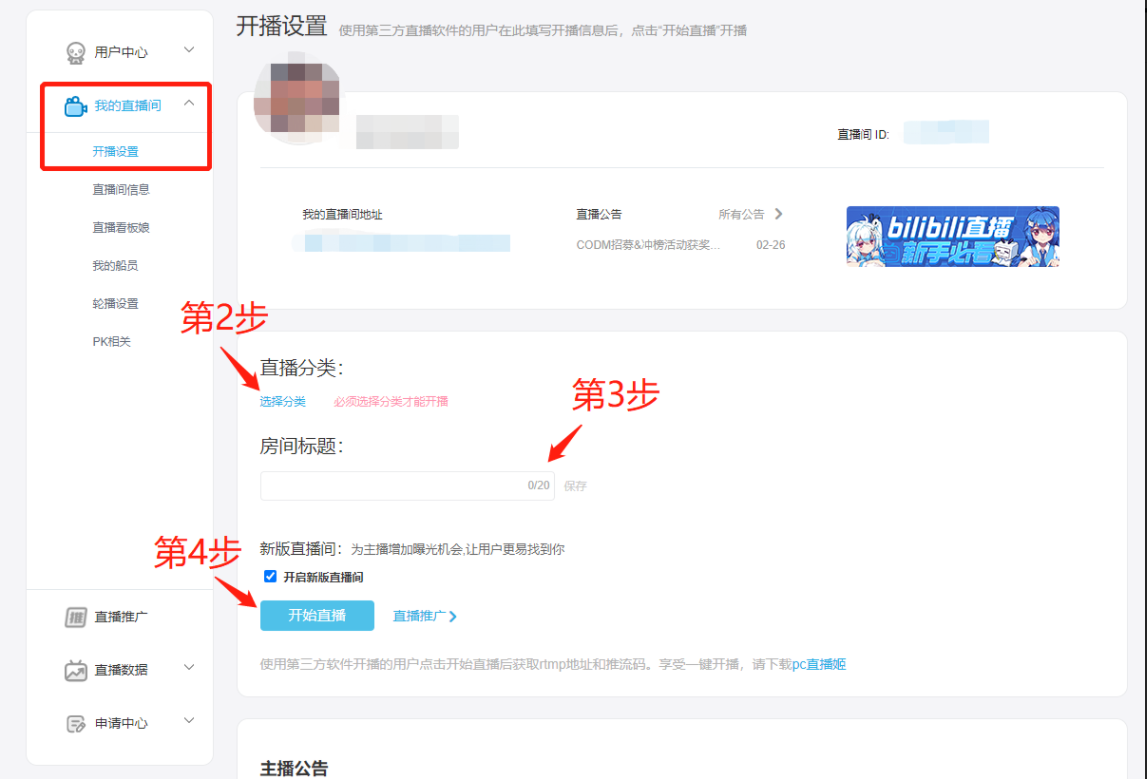
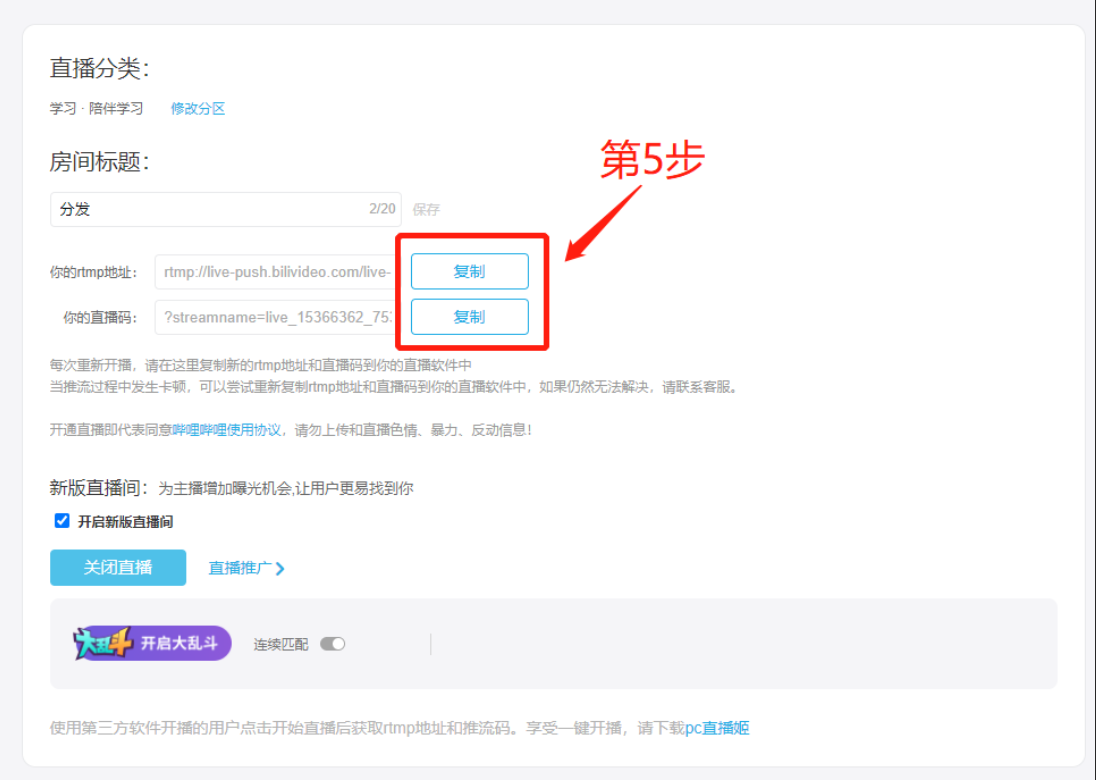
Note: Before each live stream, you need to manually click "Start Streaming" in the Bilibili live room settings.
How to Obtain WeChat Channels Push URL and Stream Key
Prerequisites
Log in at https://channels.weixin.qq.com/live using the WeChat account that has push live streaming permissions. Both the admin and operator WeChat accounts can scan the code. You need to complete the corresponding verification in advance via [Discover -> Channels -> Top-right account settings -> Creator Center -> Verification].
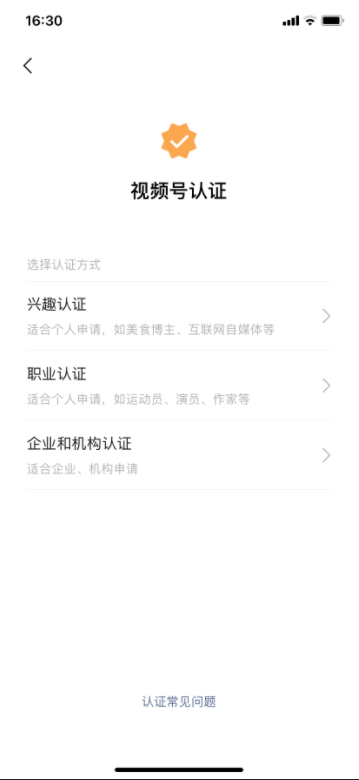
Obtain Push URL and Stream Key
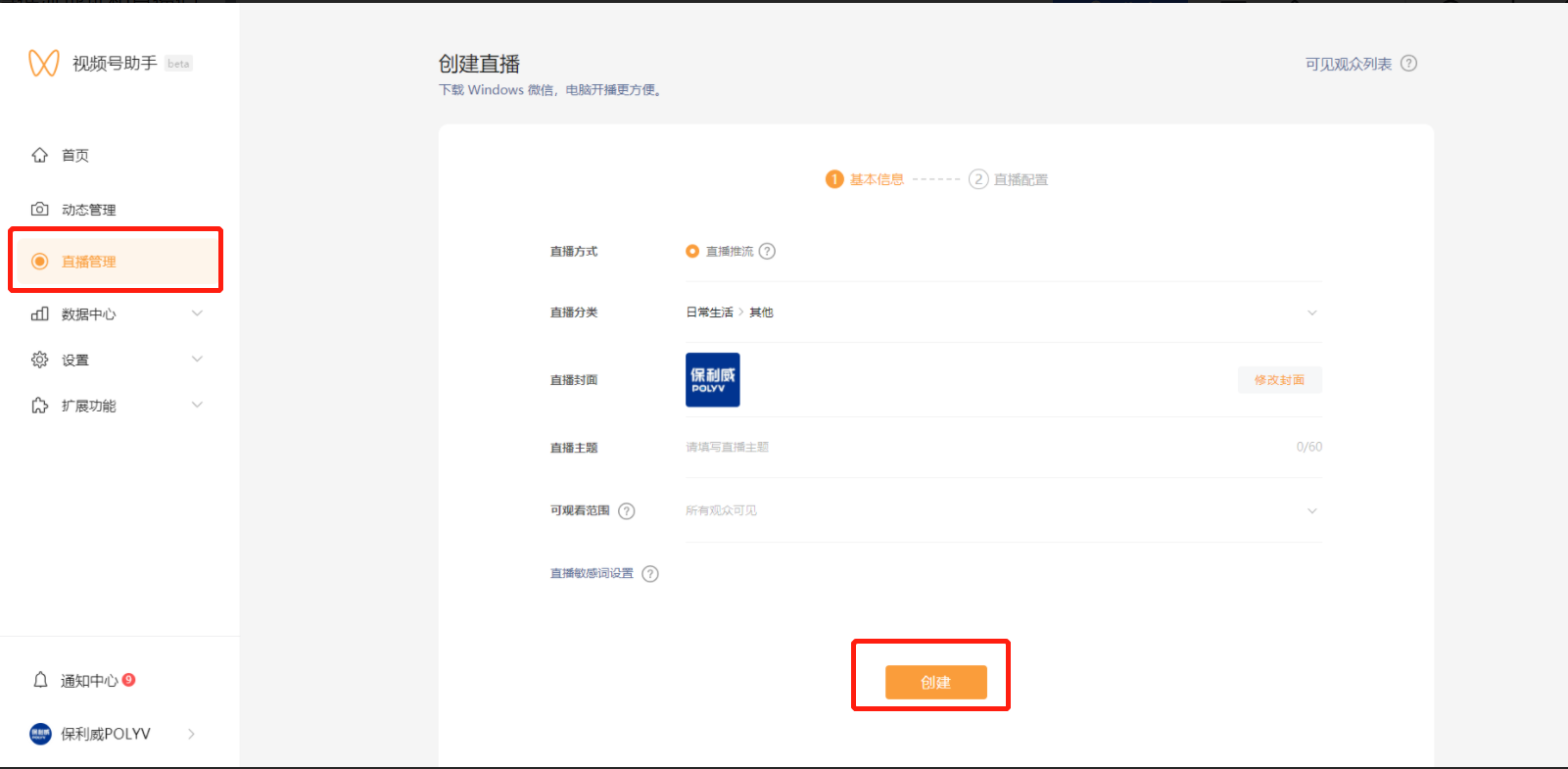
Click "Live Management", fill in the basic information, and click "Create".
Copy the corresponding push URL and push key (i.e., stream key).
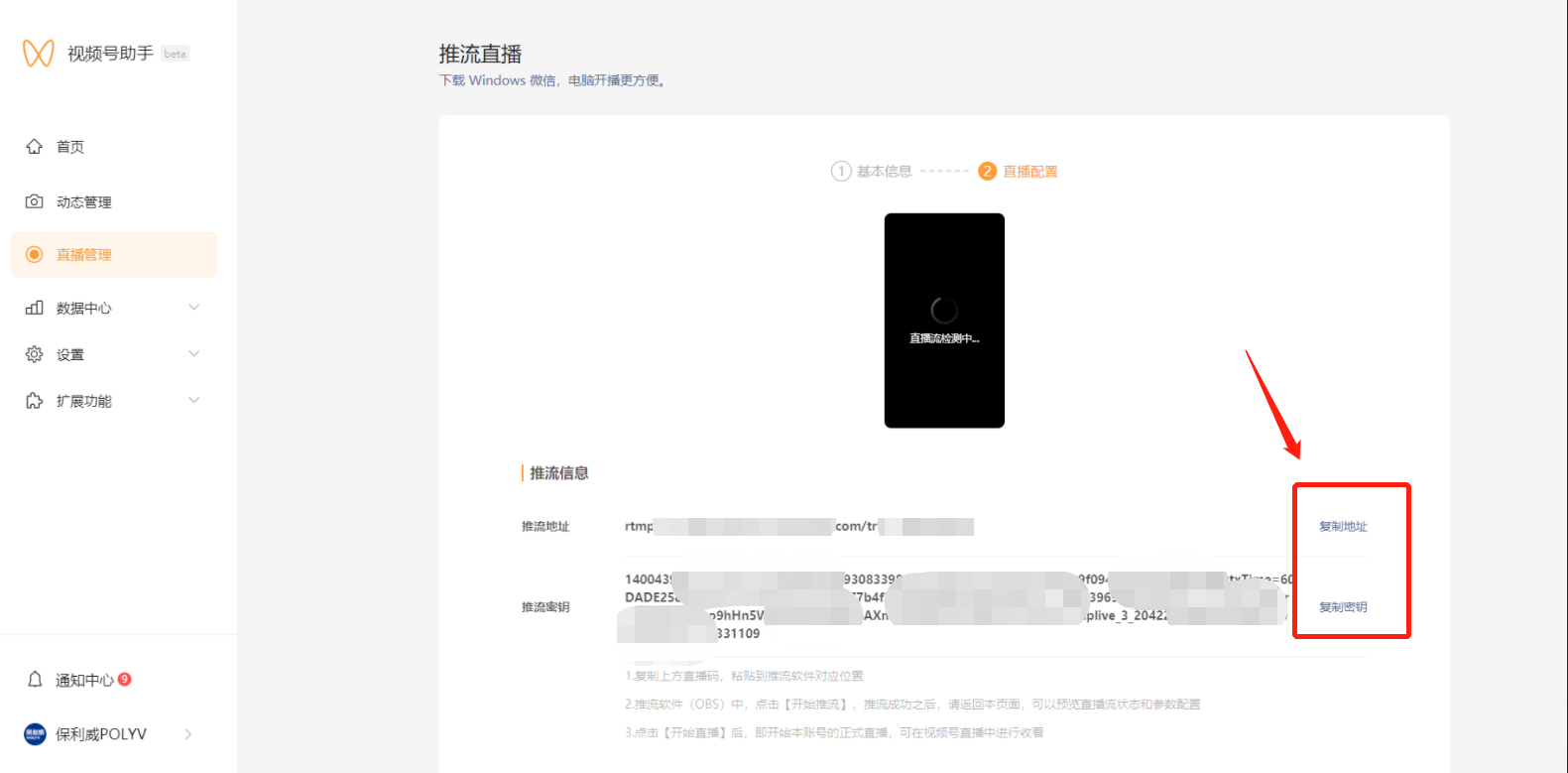
Note:
- Click "Start Streaming" only after the live stream feed is displayed.
- Be sure to click "End Streaming" when the live stream finishes.
- Web push streaming does not support adding or managing products.
- Comments are limited to 35 characters.
