Tips
Updated: 2026-08-17 11:27:00
I. Feature Overview
Feature Info |
Description |
|---|---|
| Feature Name | Tips |
| Feature Description | Allows viewers to support or appreciate the host via cash or points |
| Purpose | Incentivize the host through tips and enhance live room interactivity, while increasing user engagement and enabling diverse payment methods |
| Use Cases | Entertainment live streaming, e-commerce live streaming, etc. |
| Operation Path | 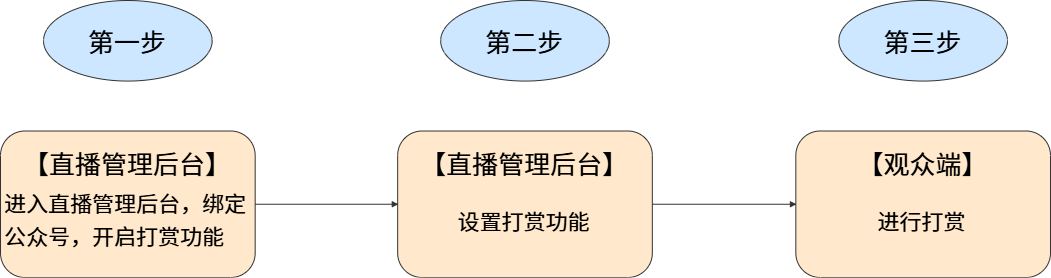 |
II. Usage Instructions
1. Feature Entry
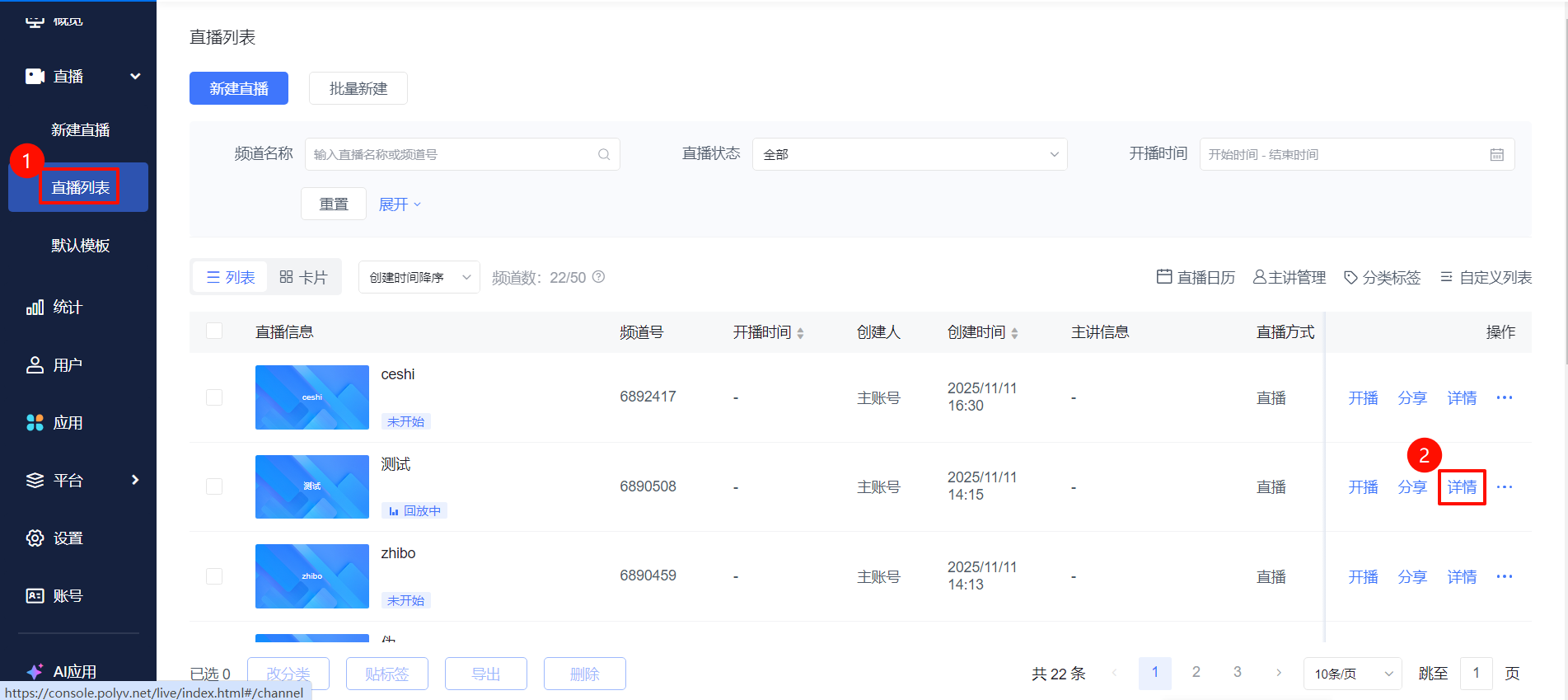
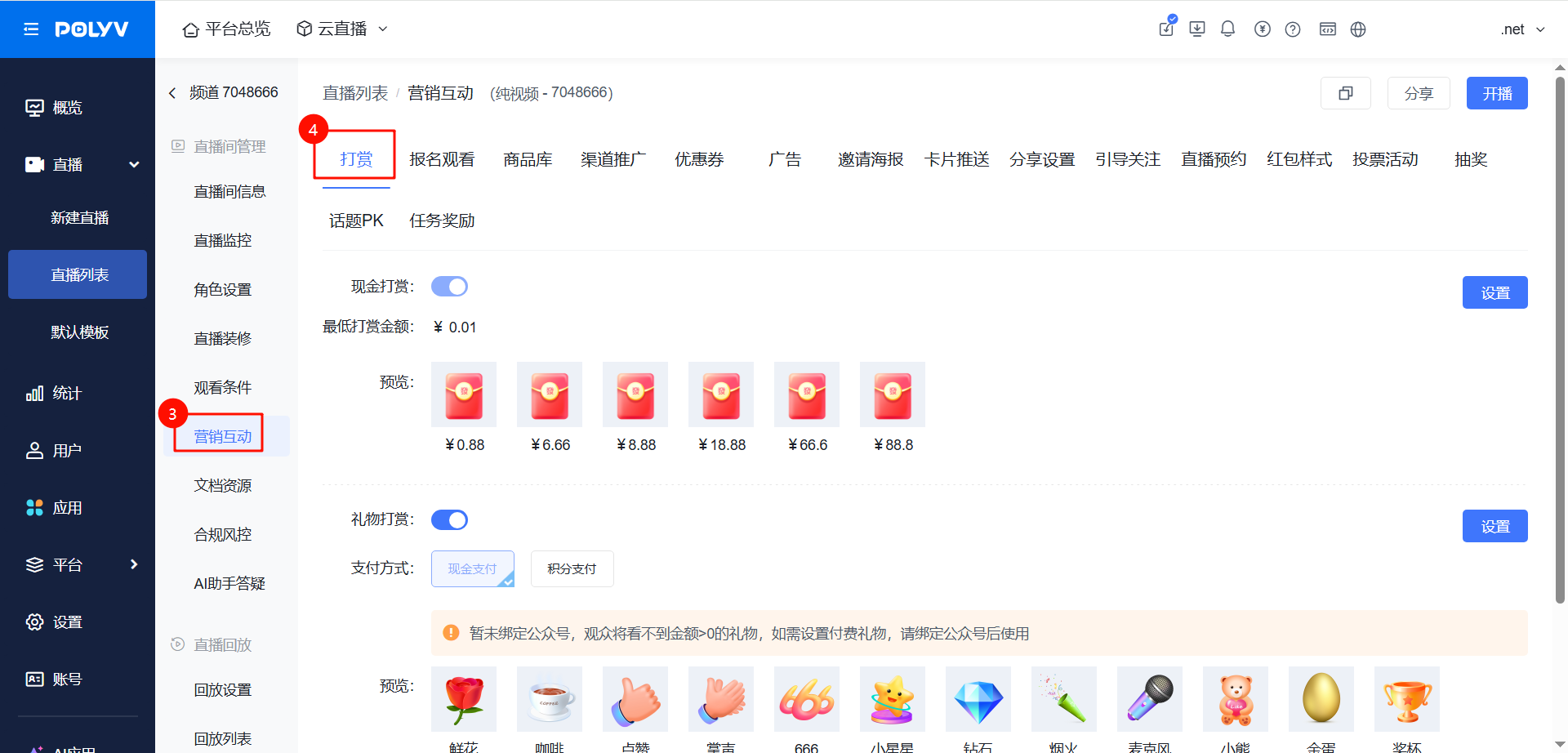
Go to the [Live List] page, select a live stream and click [Details]. In the live room management module, click [Marketing Interaction] - [Tips] to enable the tips feature.
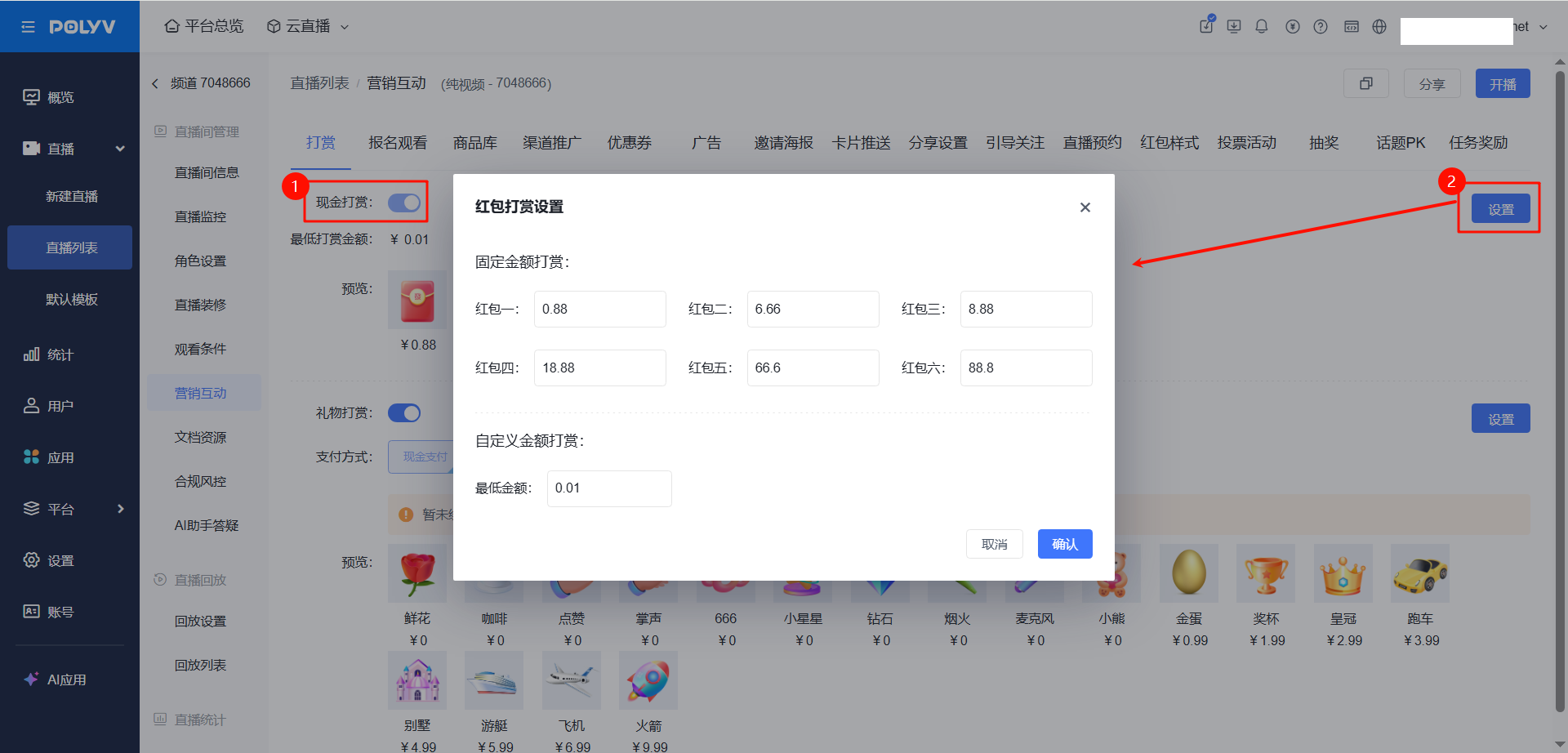
2. Cash Tips (Requires configuring WeChat Official Account and Payment Settings)
- Cash tips directly pay the host in cash; enabling this requires configuring the WeChat Official Account and payment settings. Click to configure 👉WeChat Official Account, Payment Settings
- Viewers can freely choose the tip amount. The amount for each red envelope tier and the minimum tip amount can be customized in the settings.
3. Gift Tips
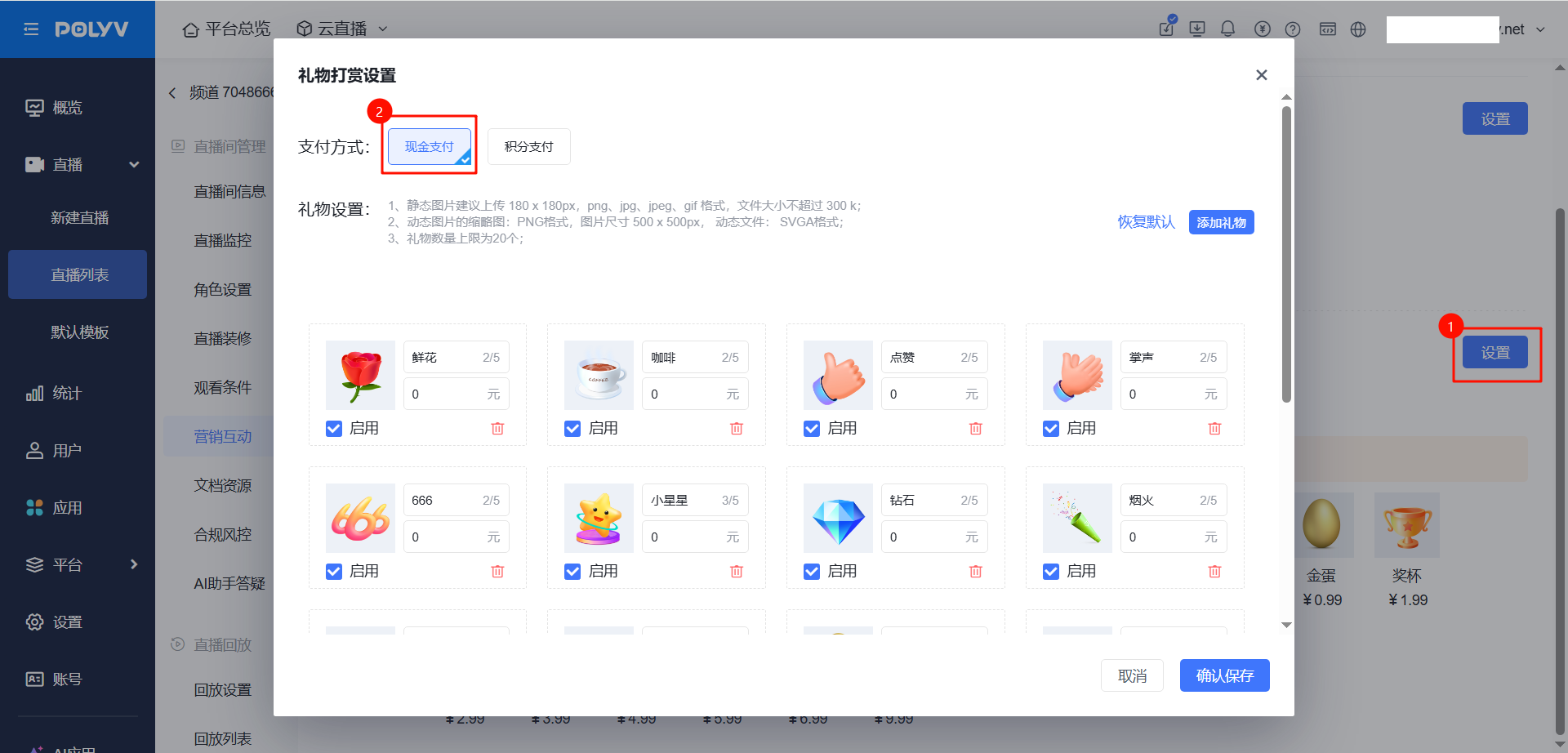
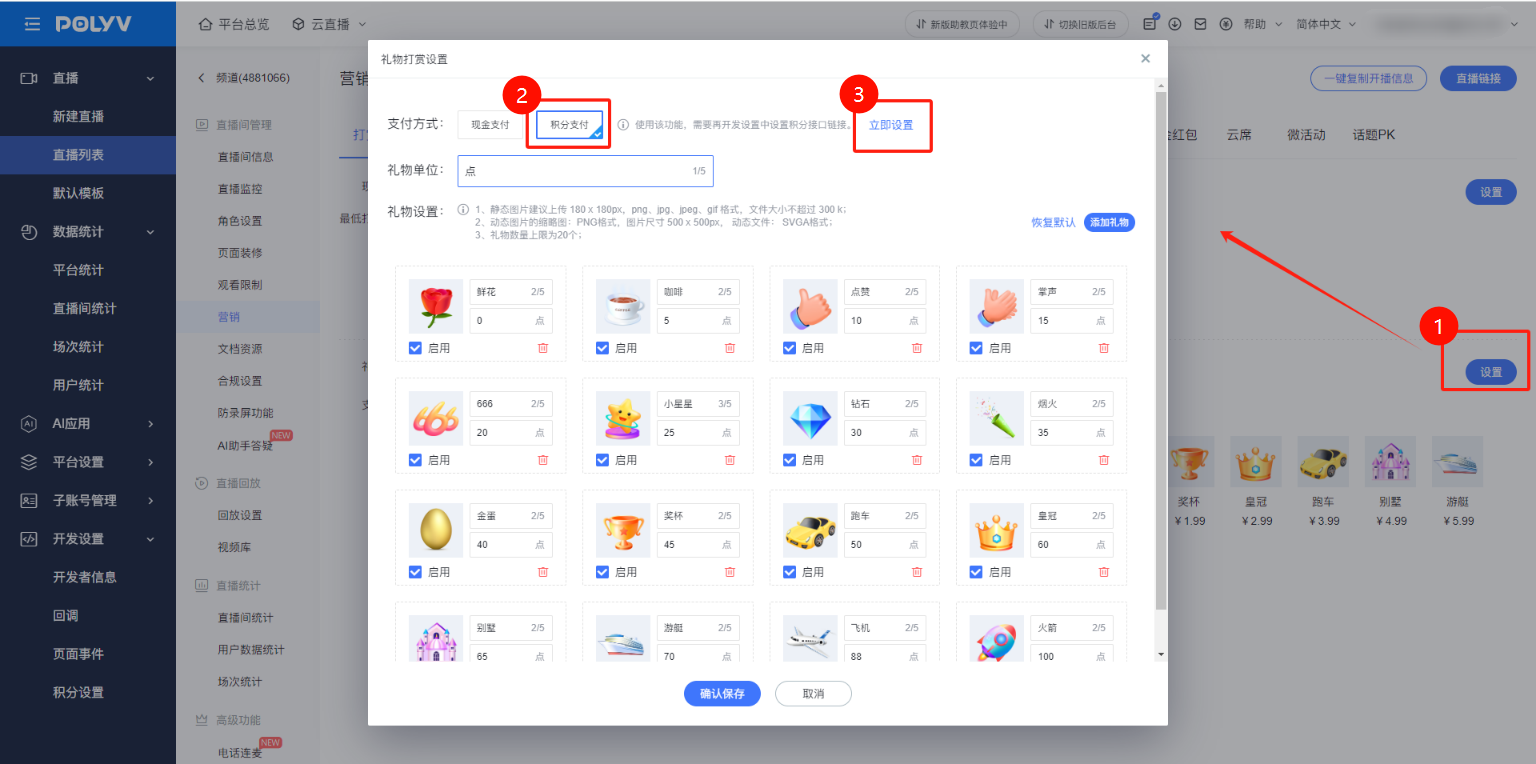
Two tipping methods: cash payment and points payment. New live rooms follow the template settings by default. The amount for each gift and the points required can be customized in the settings.
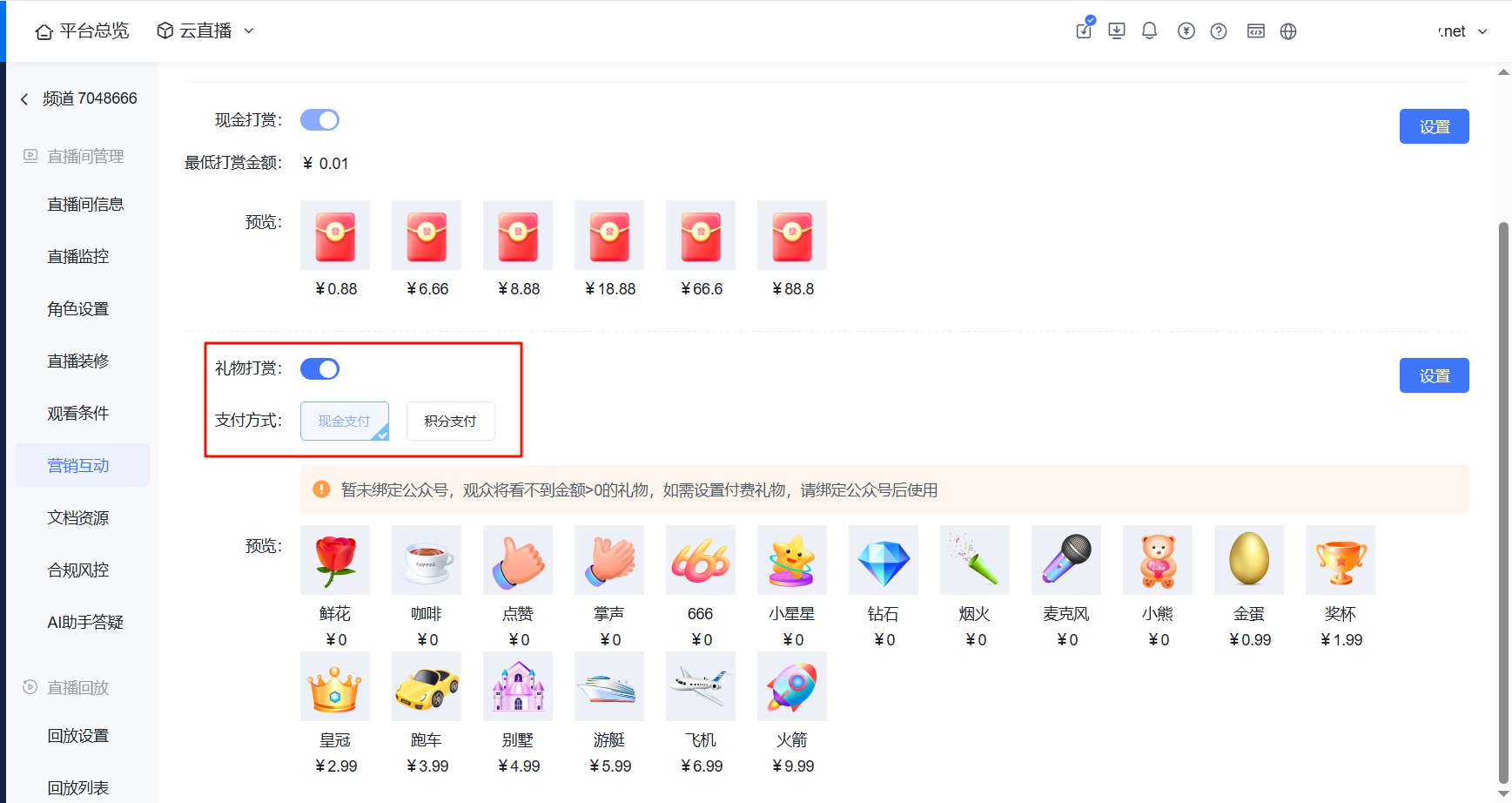
- Cash Payment:
- Points Payment: (Click to configure 👉External Points Settings)
4. Gift Settings
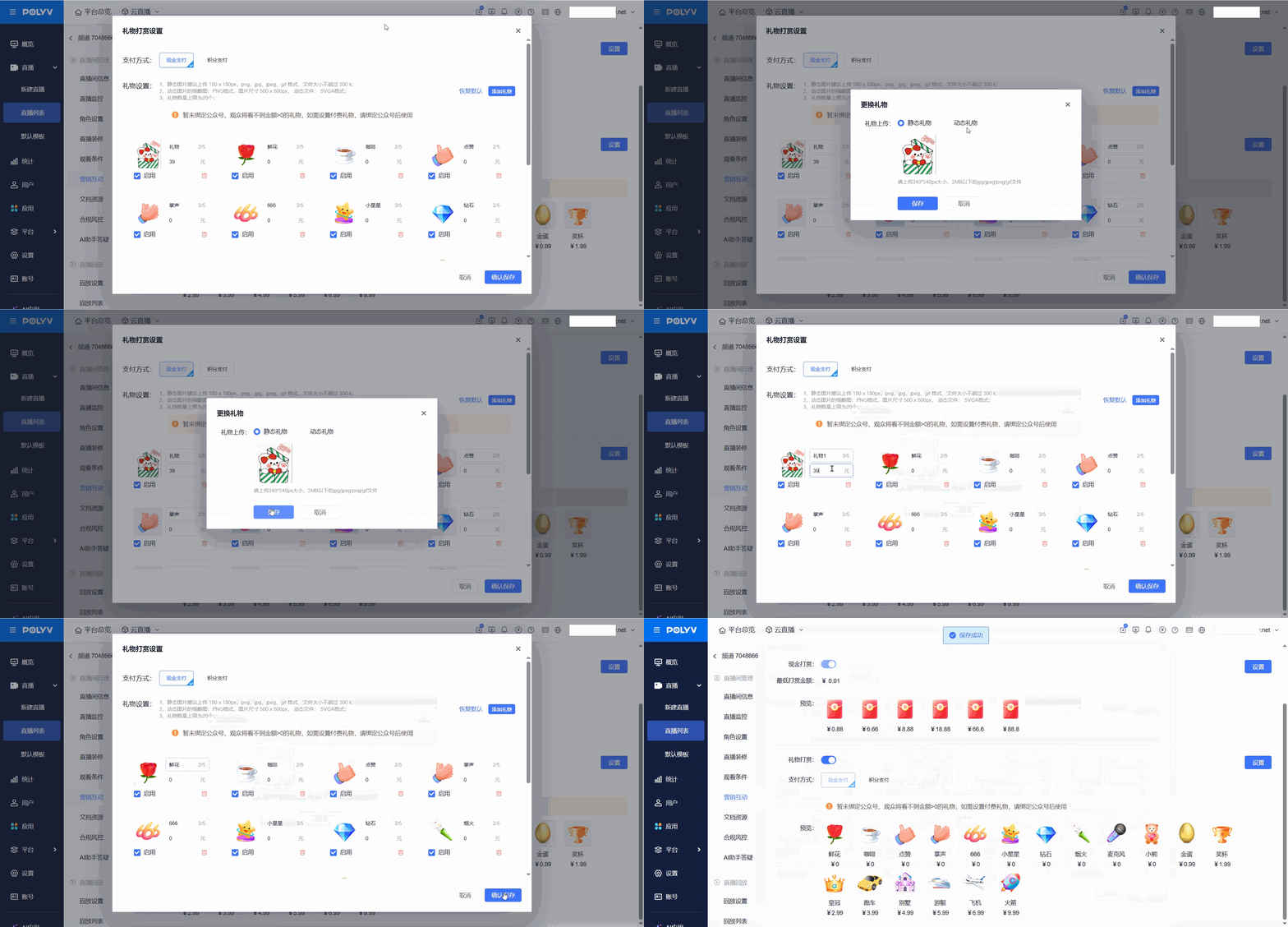
Supports uploading custom gifts.
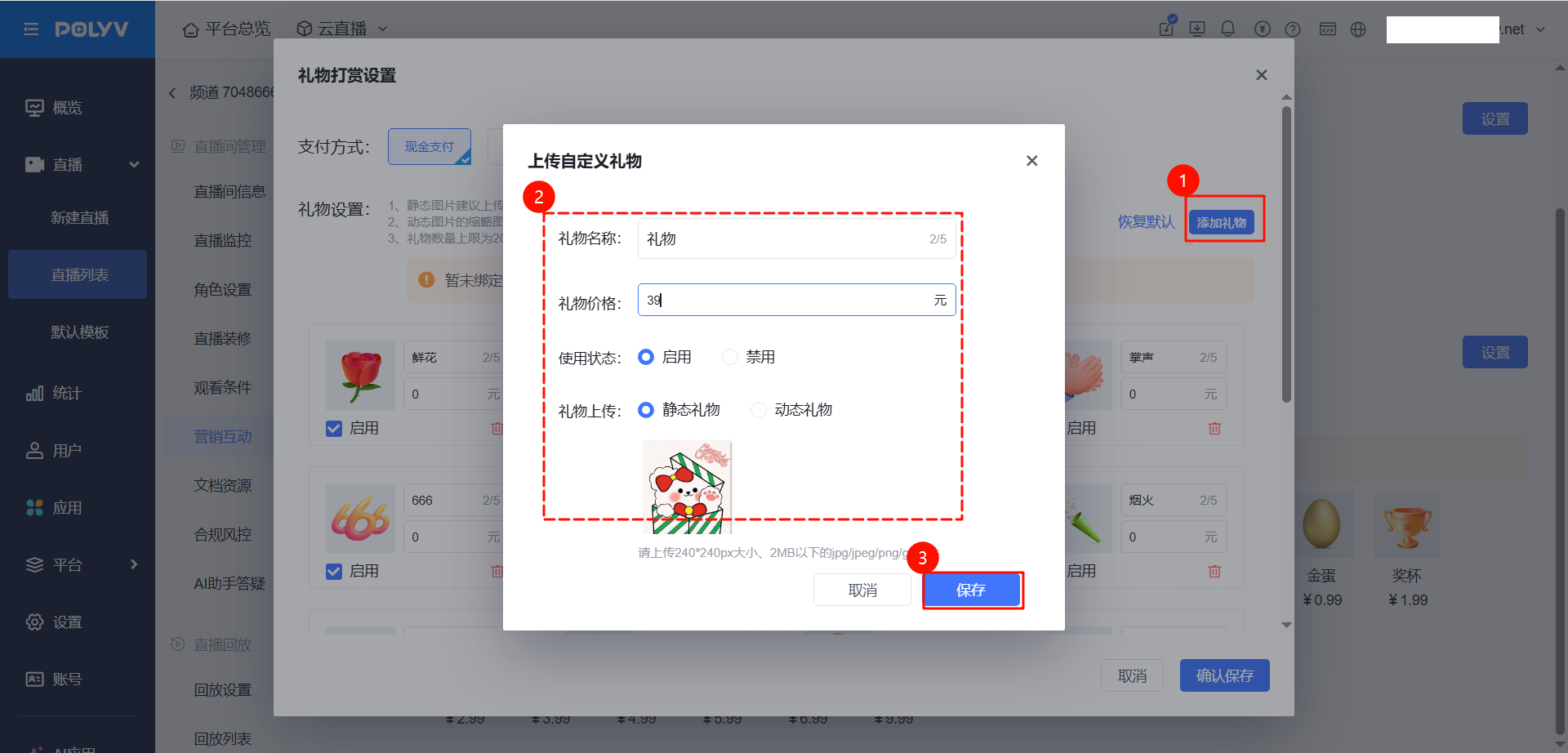
Supports setting the gift name, price, usage status, static/dynamic, and deletion.
III. Tip Effects
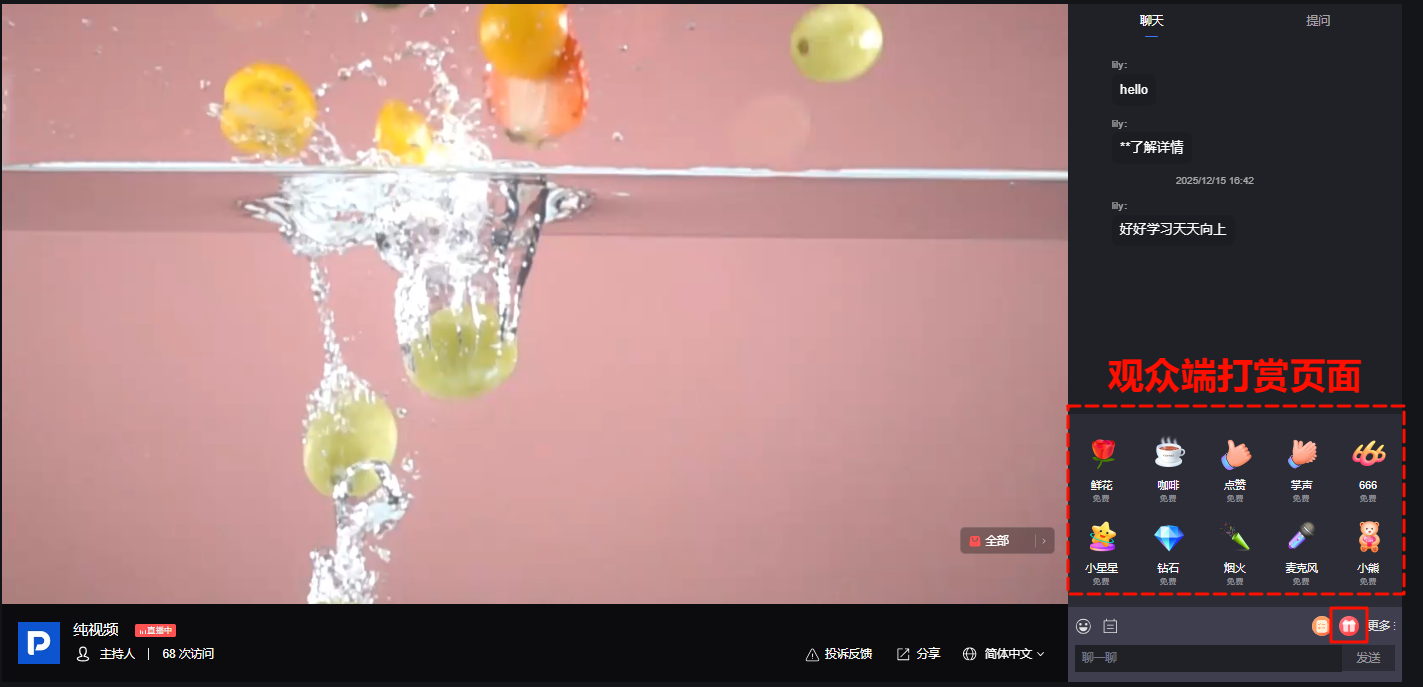
Viewer sends a tip
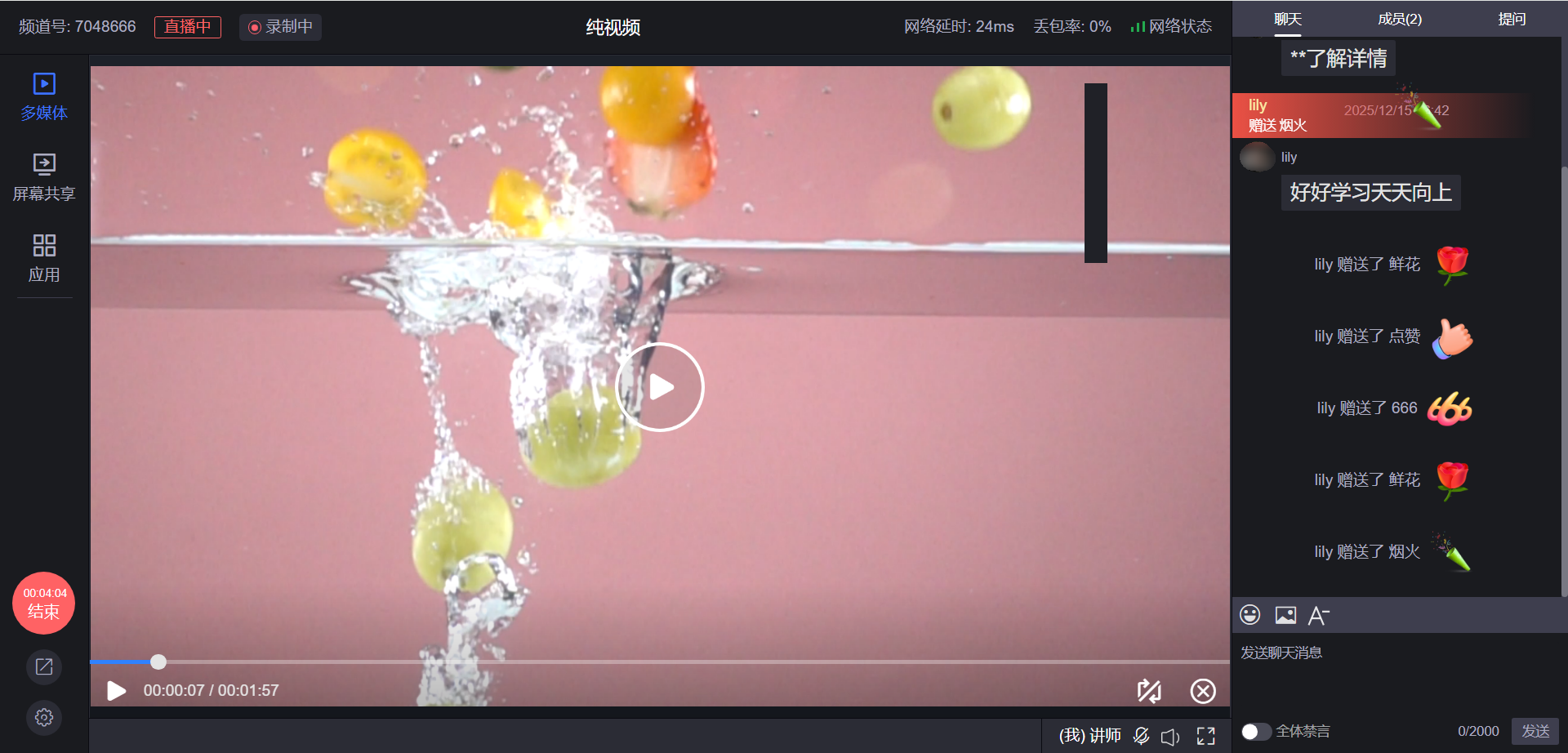
Host receives a tip
IV. Viewing Tip Data
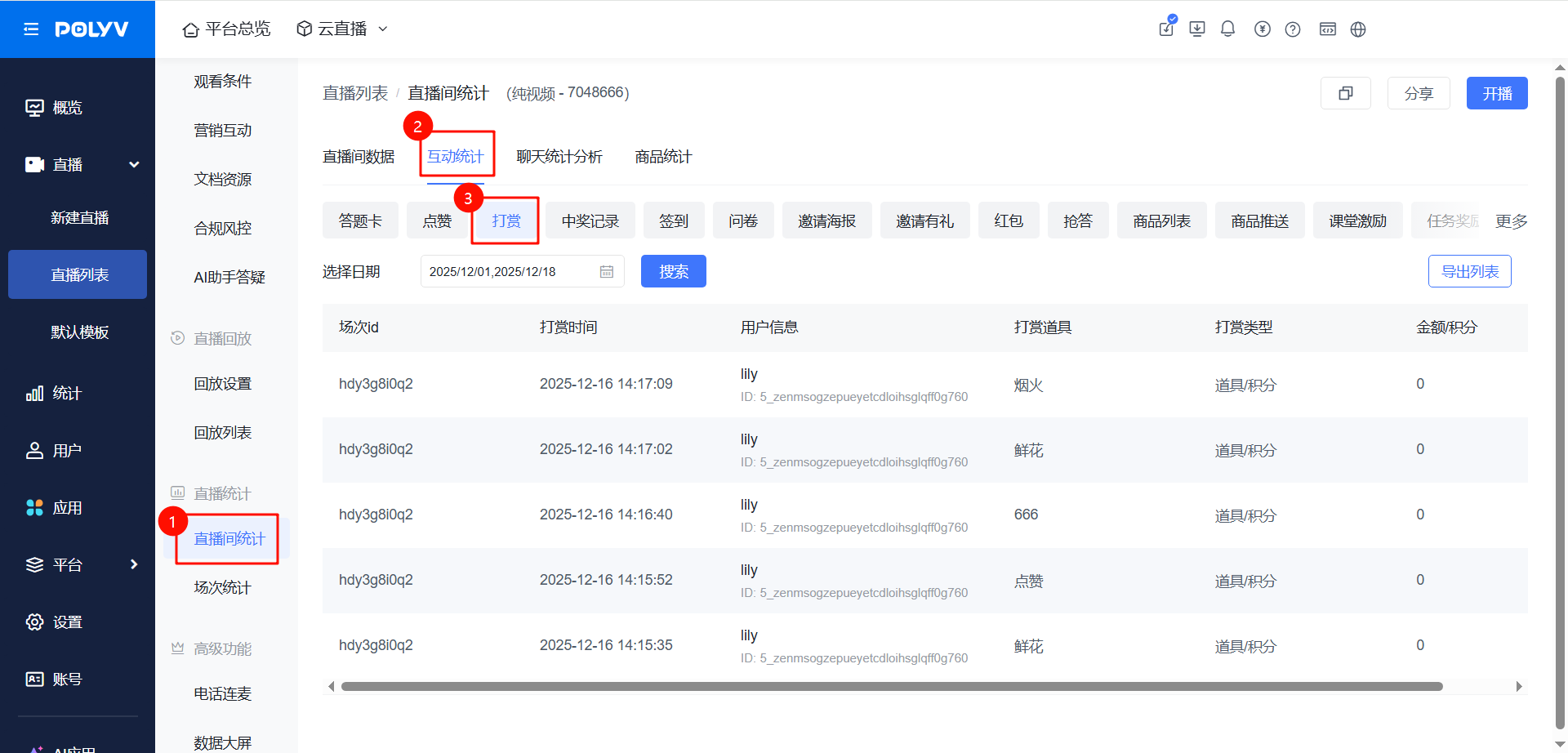
In the live statistics module, click [Live Room Statistics] - [Interaction Statistics] - [Tips] to view specific tip data; supports searching tip data by date.