


Watch Page Settings
Updated: 2026-08-17 11:27:00
Watch Page Settings
Last updated: 2026-01-08
1. Feature Overview
Feature Info |
Description |
|---|---|
| Feature Name | Watch Page Settings |
| Feature Description | Supports configuration and adjustment of functional modules on the live streaming watch page |
| Purpose | Used to flexibly adjust the functions displayed on the watch page according to different live streaming needs |
| Operation Path | 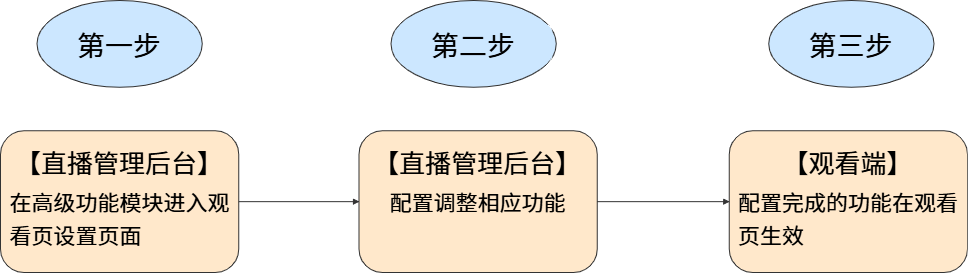 |
2. Usage Instructions
2.1 Watch Page Settings Entry
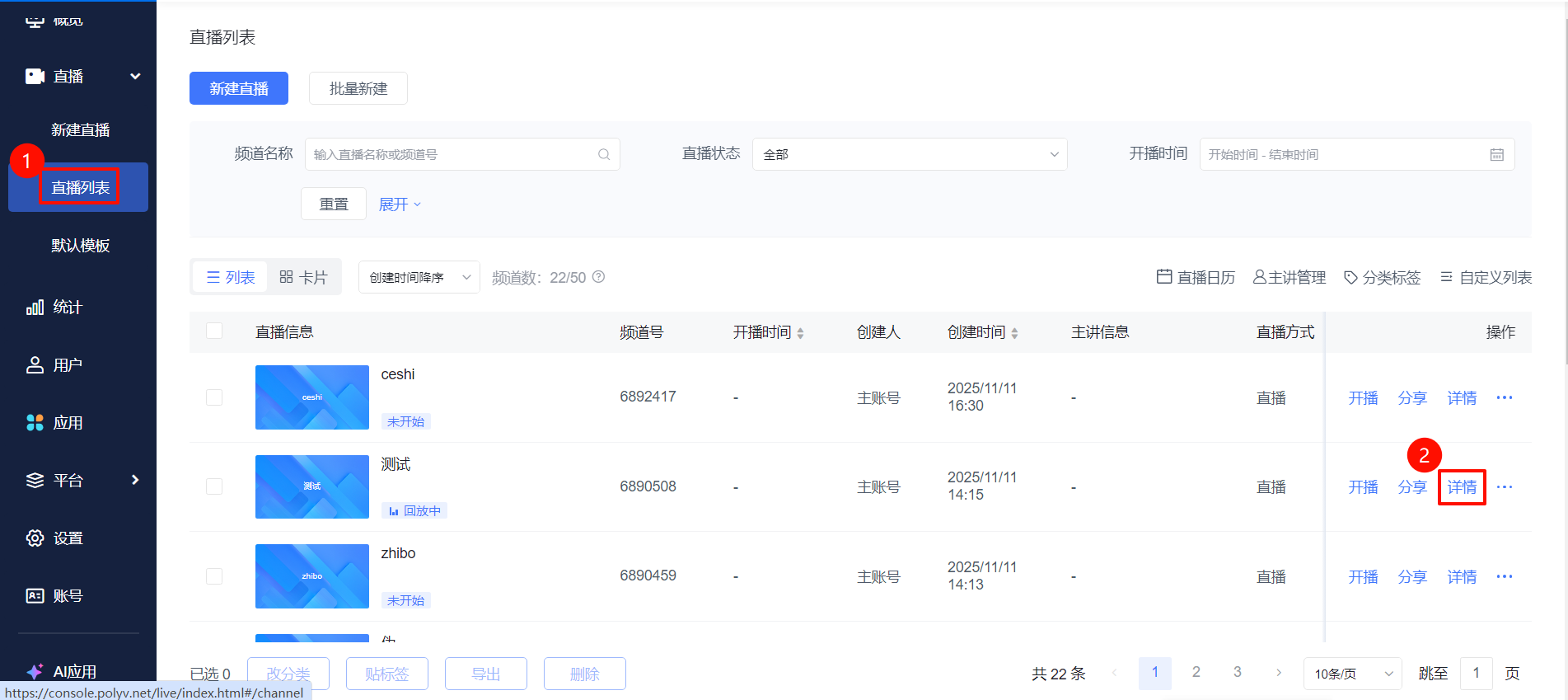
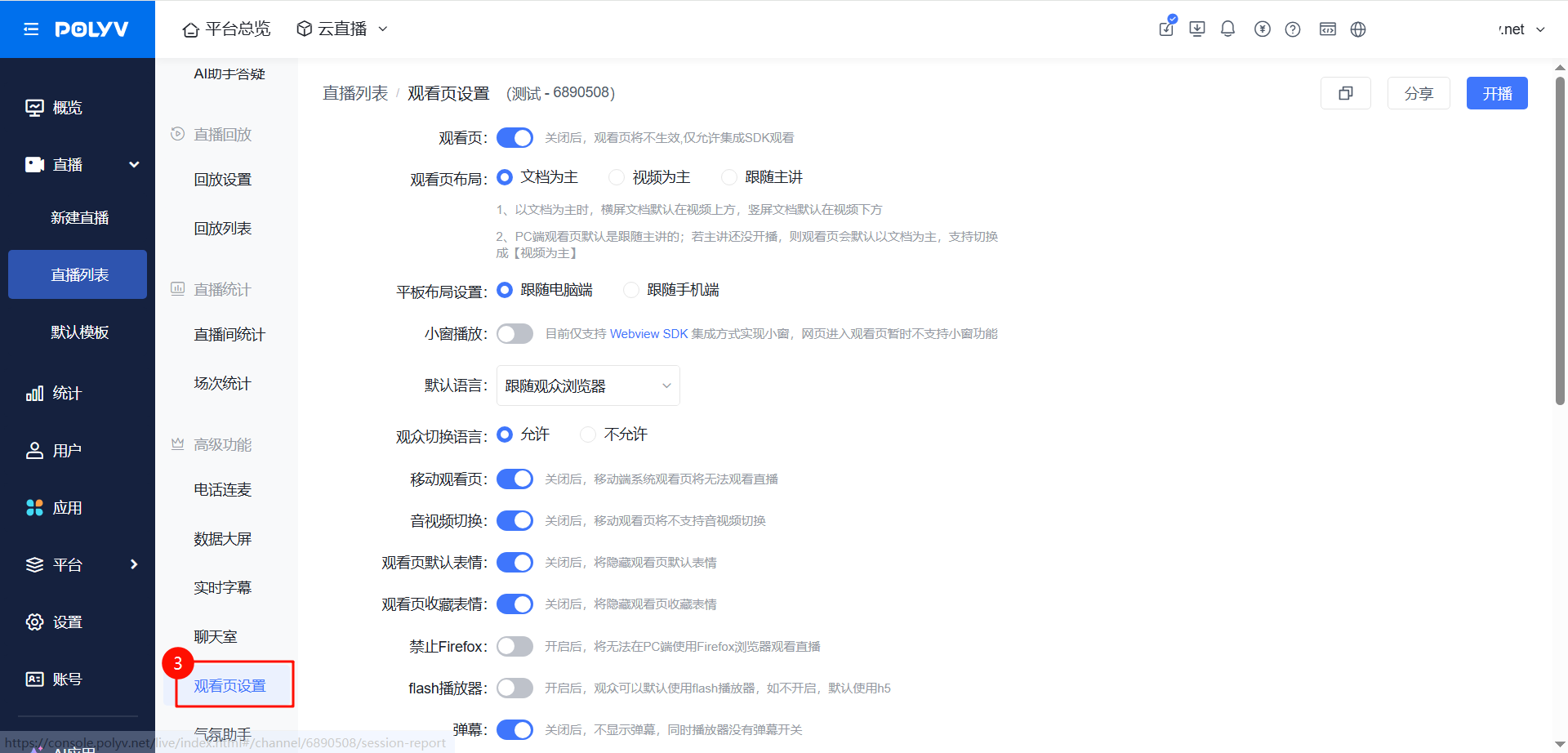
Go to the "Live List" page, select a live stream and click "Details", then click "Watch Page Settings" under Advanced Features.
2.2 Watch Page Feature Descriptions
Feature |
Description | Illustration |
|---|---|---|
| Watch Page | When disabled, viewers cannot see the live streaming page | 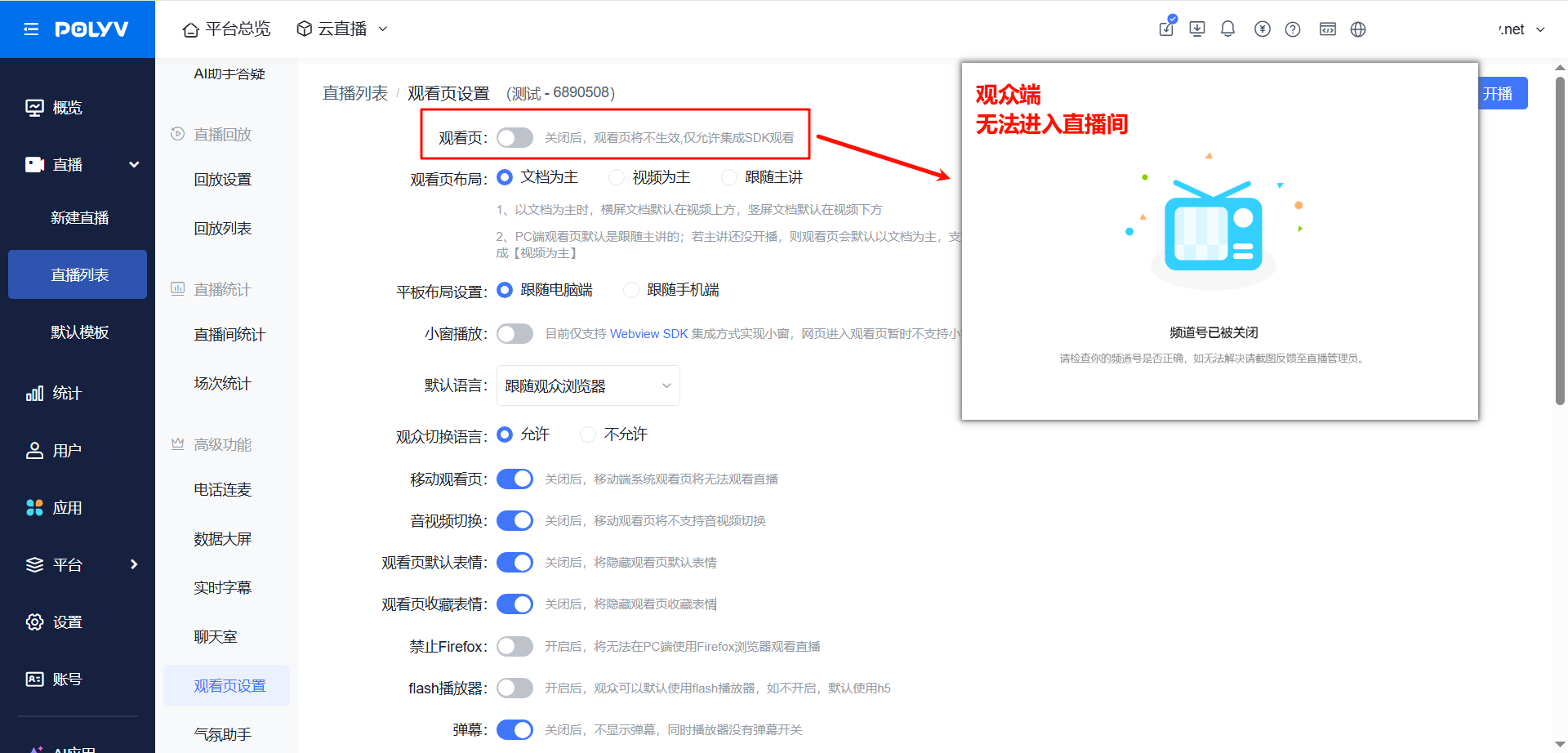 |
| Watch Page Layout |
|
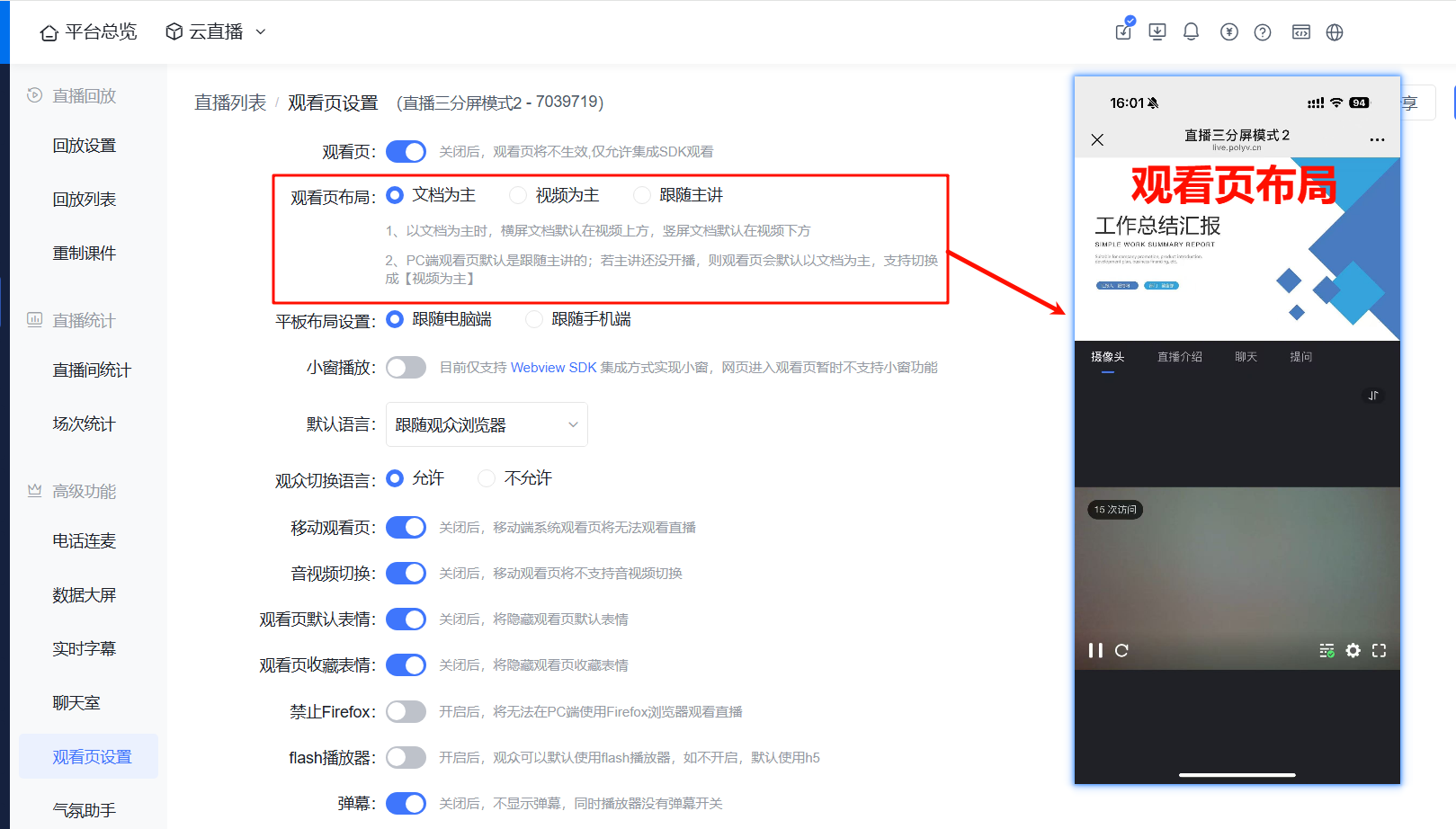 |
| Tablet Layout Settings | When viewers use a tablet to watch the live stream, it follows the PC/phone viewing style | 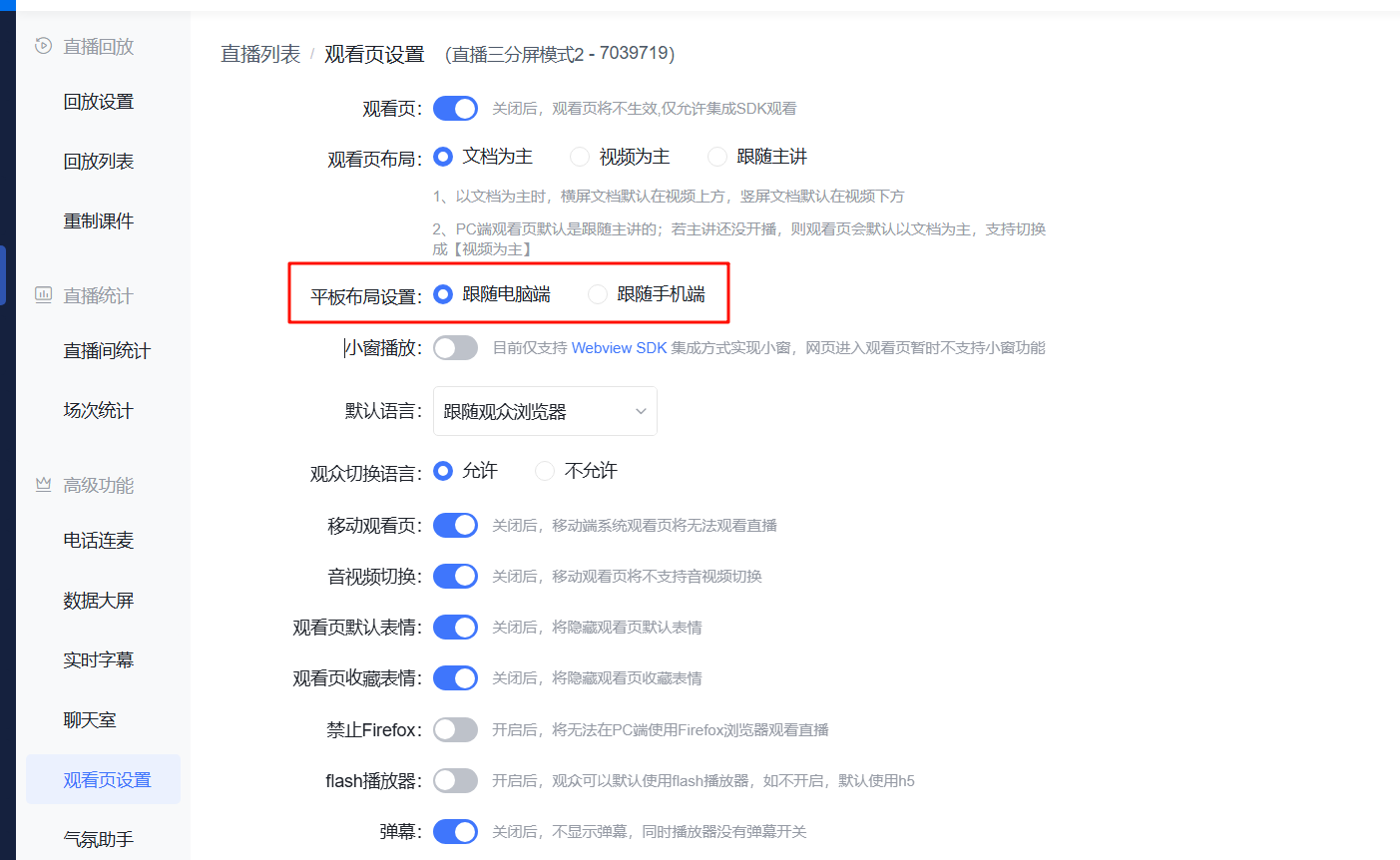 |
| Picture-in-Picture Playback |
|
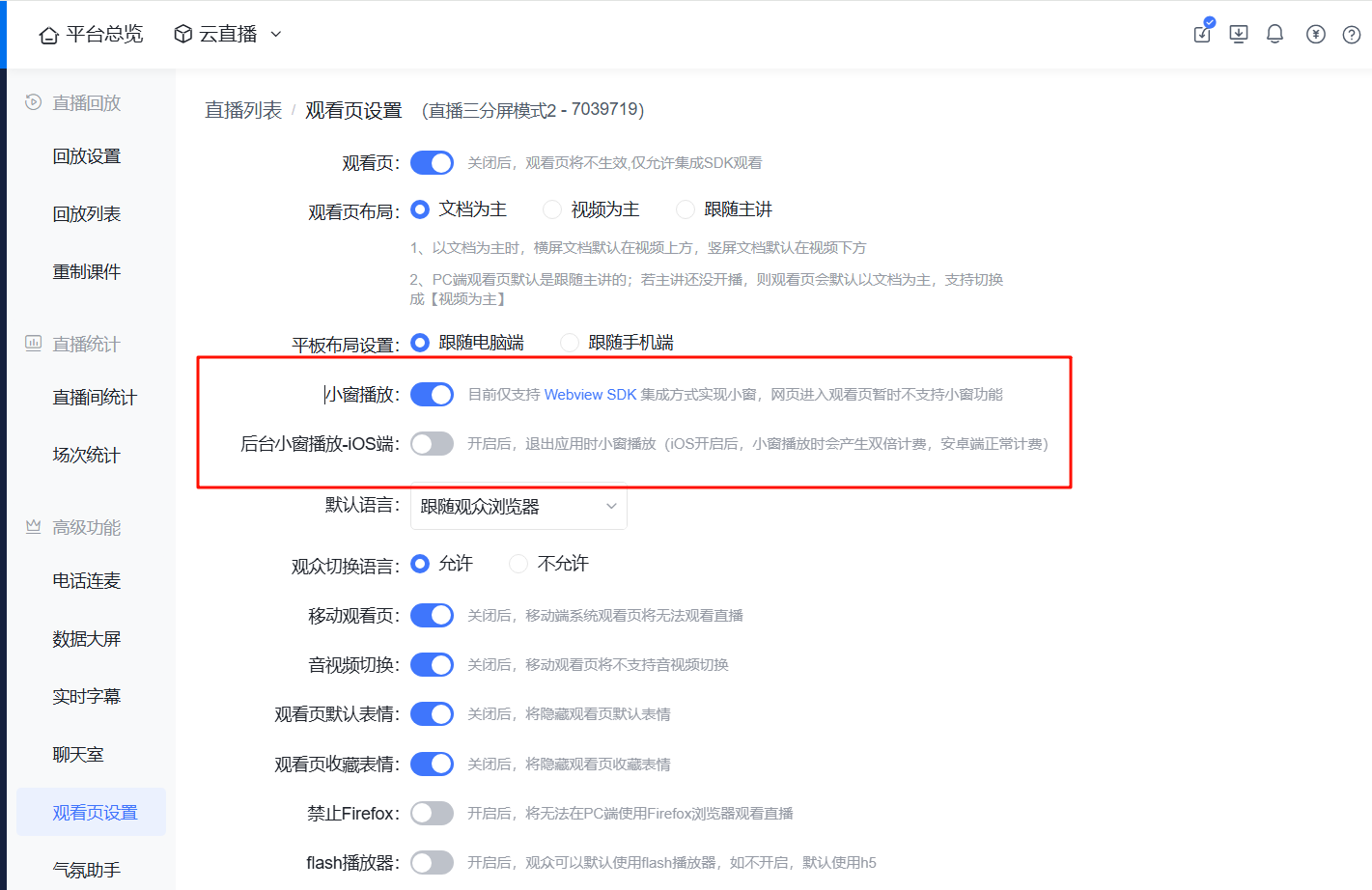 |
| Default Language | Can automatically switch language based on the viewer's browser; supports Simplified Chinese, Traditional Chinese, English, Japanese, Korean, Russian | 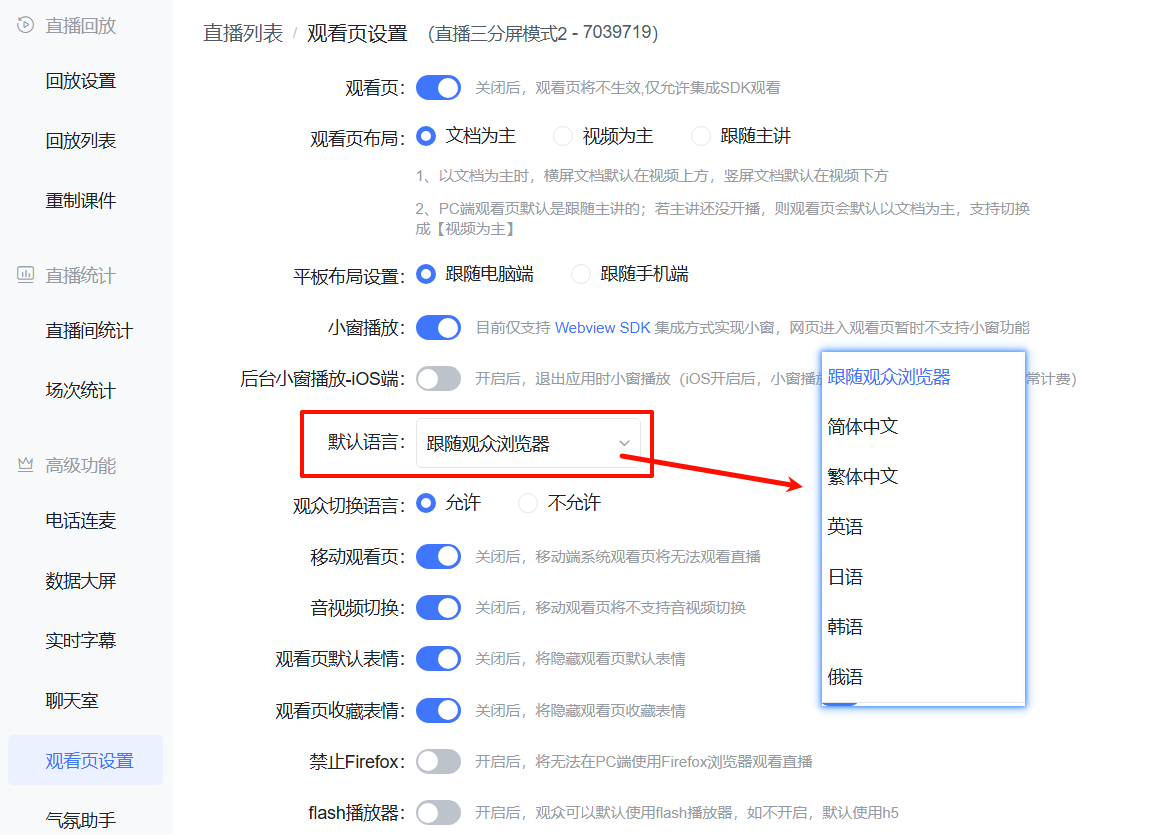 |
| Viewer Language Switching | Allows viewers to switch languages within the live room | 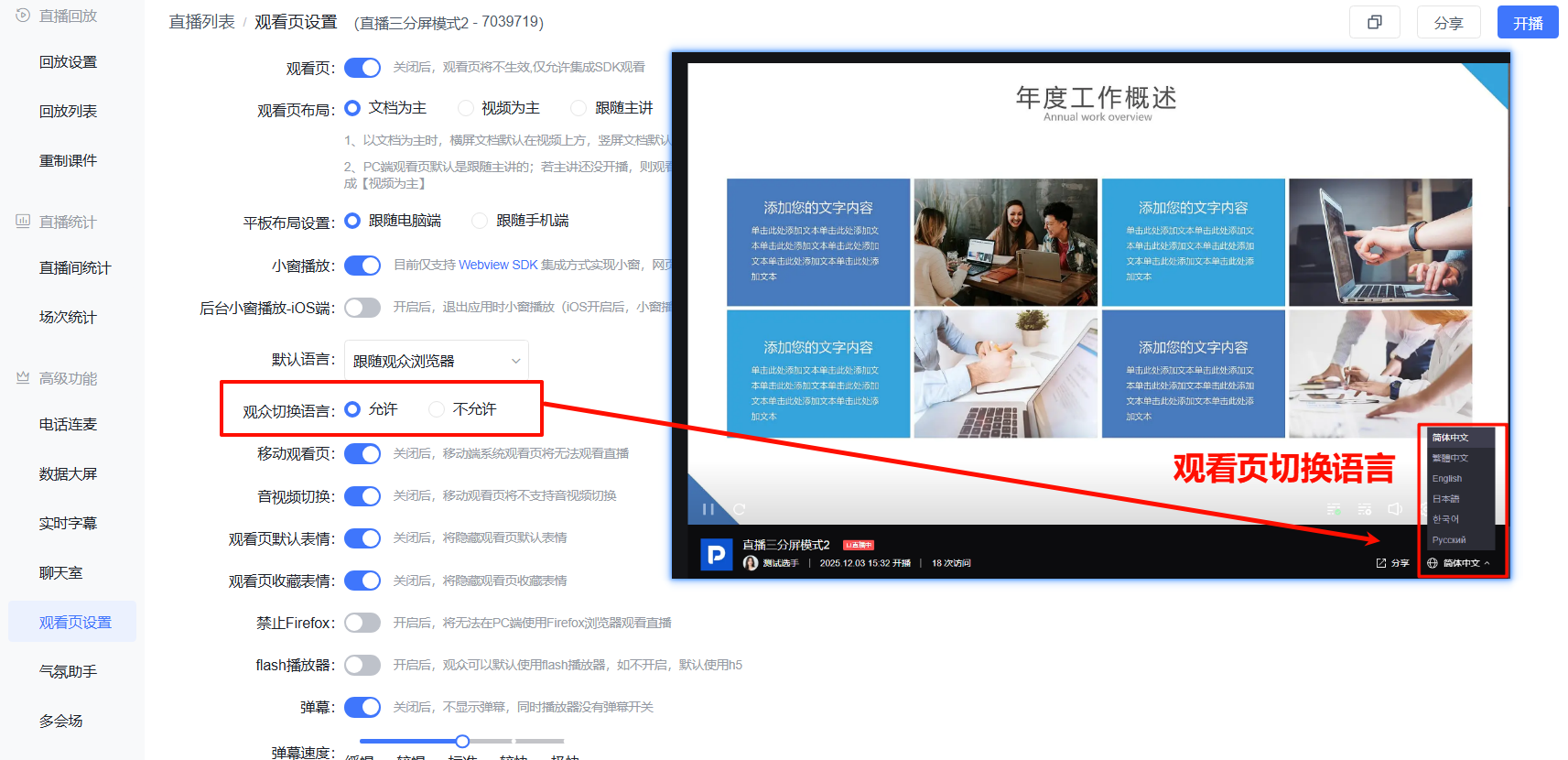 |
| Mobile Watch Page | When disabled, the mobile system watch page cannot be used to watch the live stream | 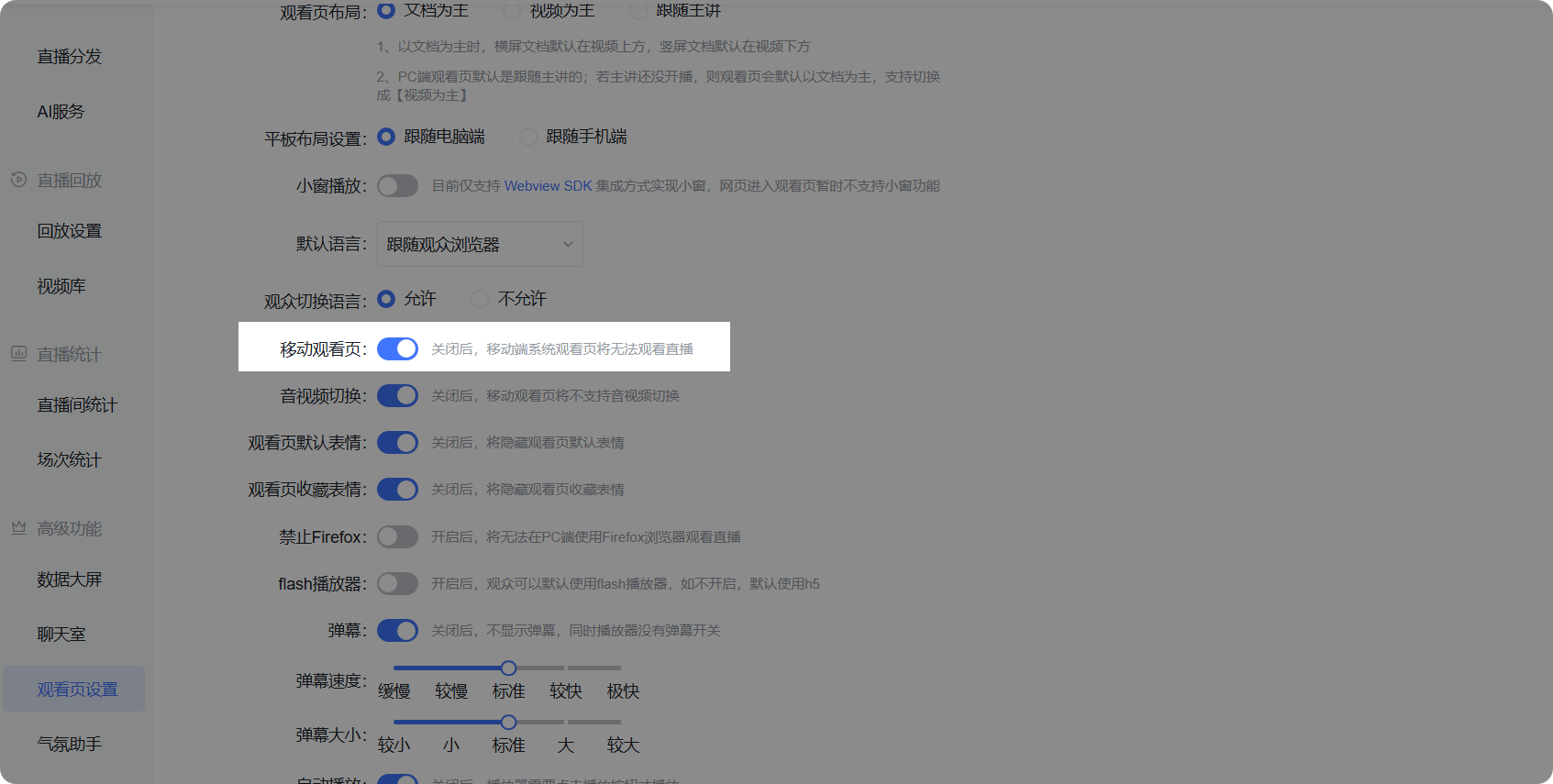 |
| Audio/Video Switching | When disabled, the mobile watch page will not support audio/video switching | 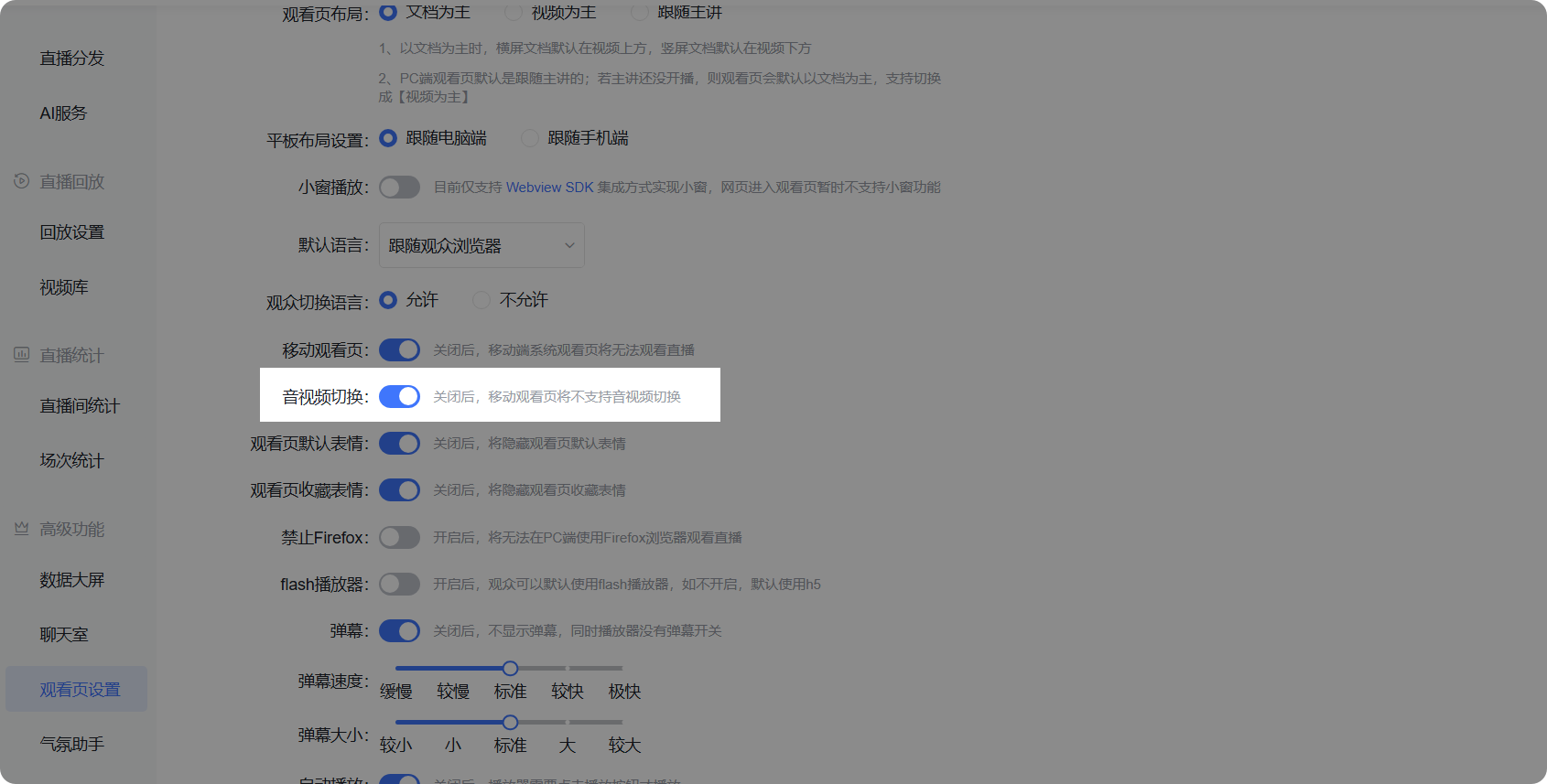 |
| Watch Page Emojis |
|
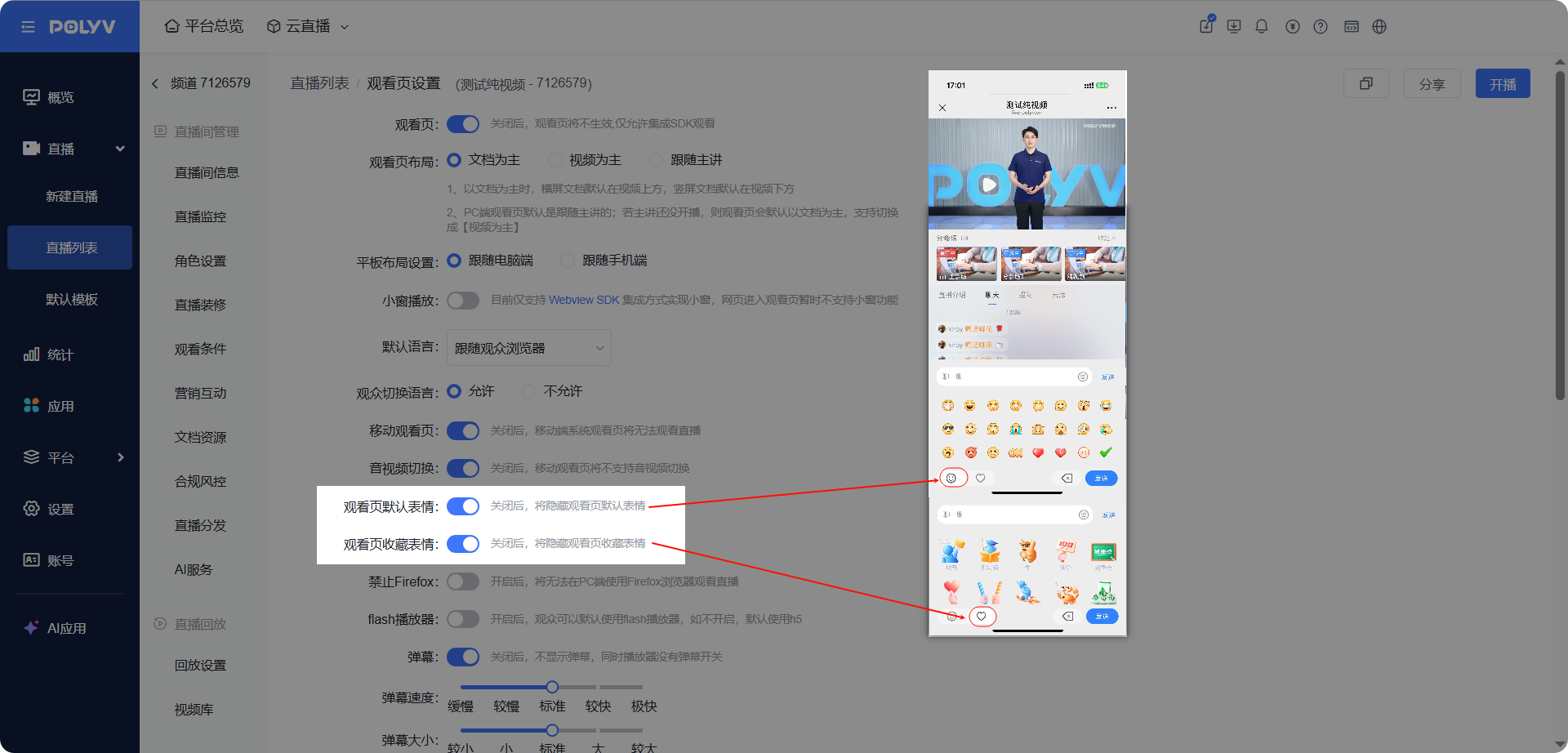 |
| Block Firefox | When enabled, viewers cannot use the Firefox browser on PC to watch the live stream | 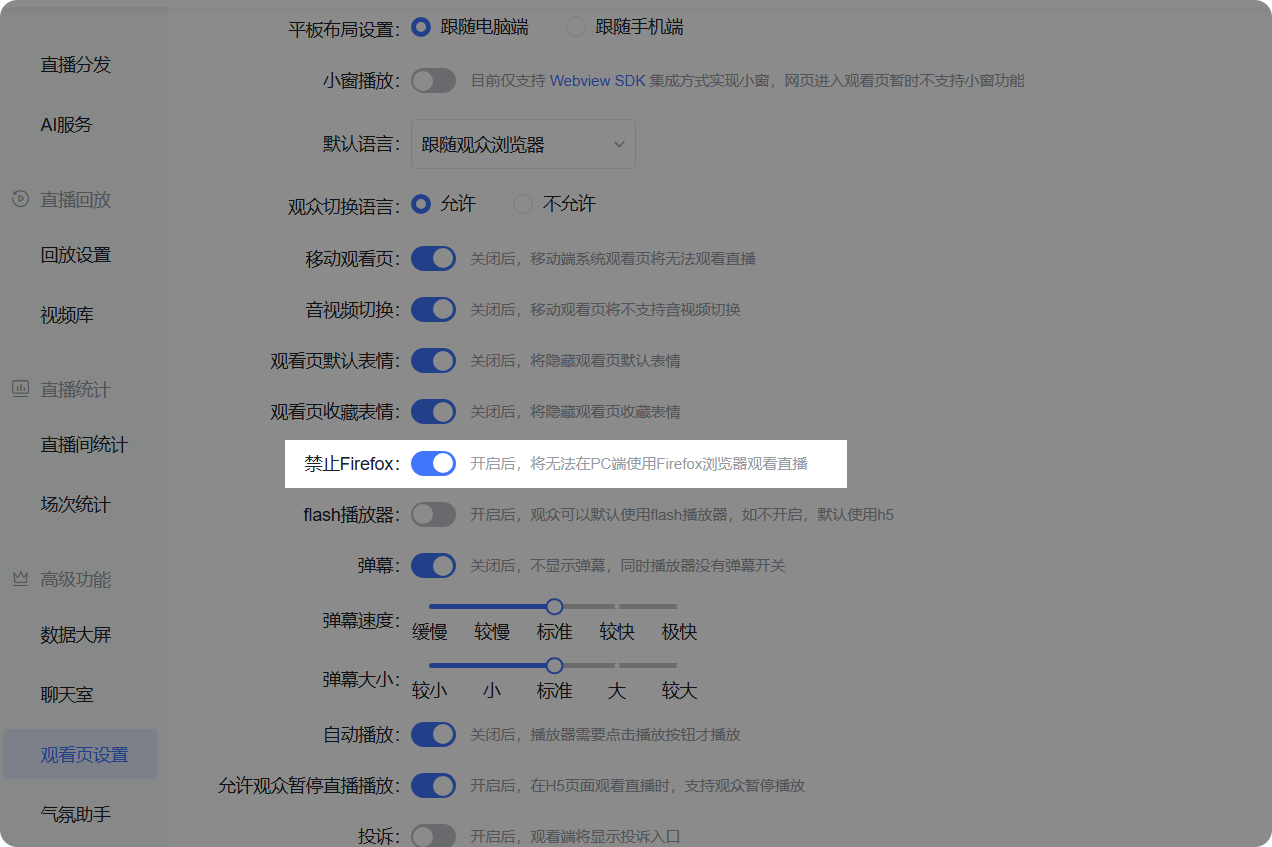 |
| Flash Player | When enabled, viewers can use the Flash player by default; if disabled, H5 is used by default | 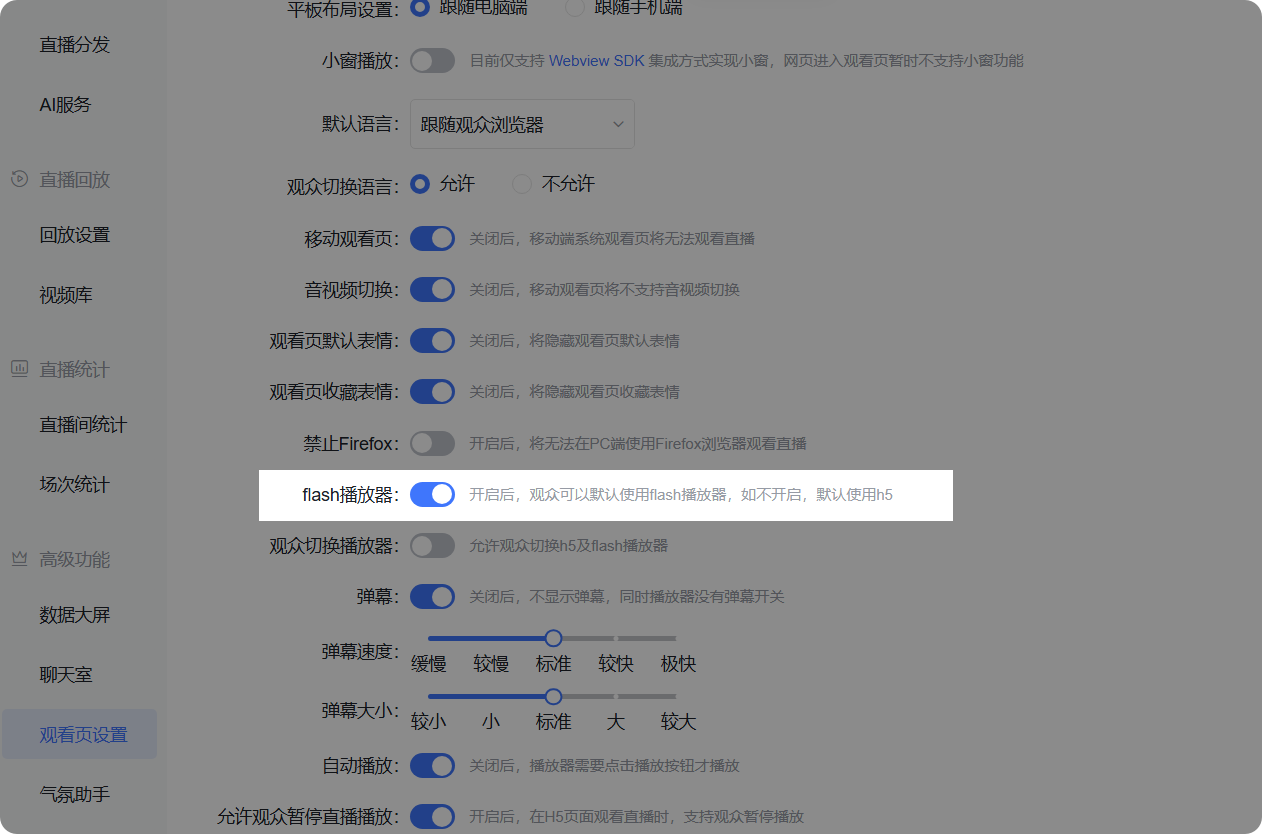 |
| Danmaku Settings |
|
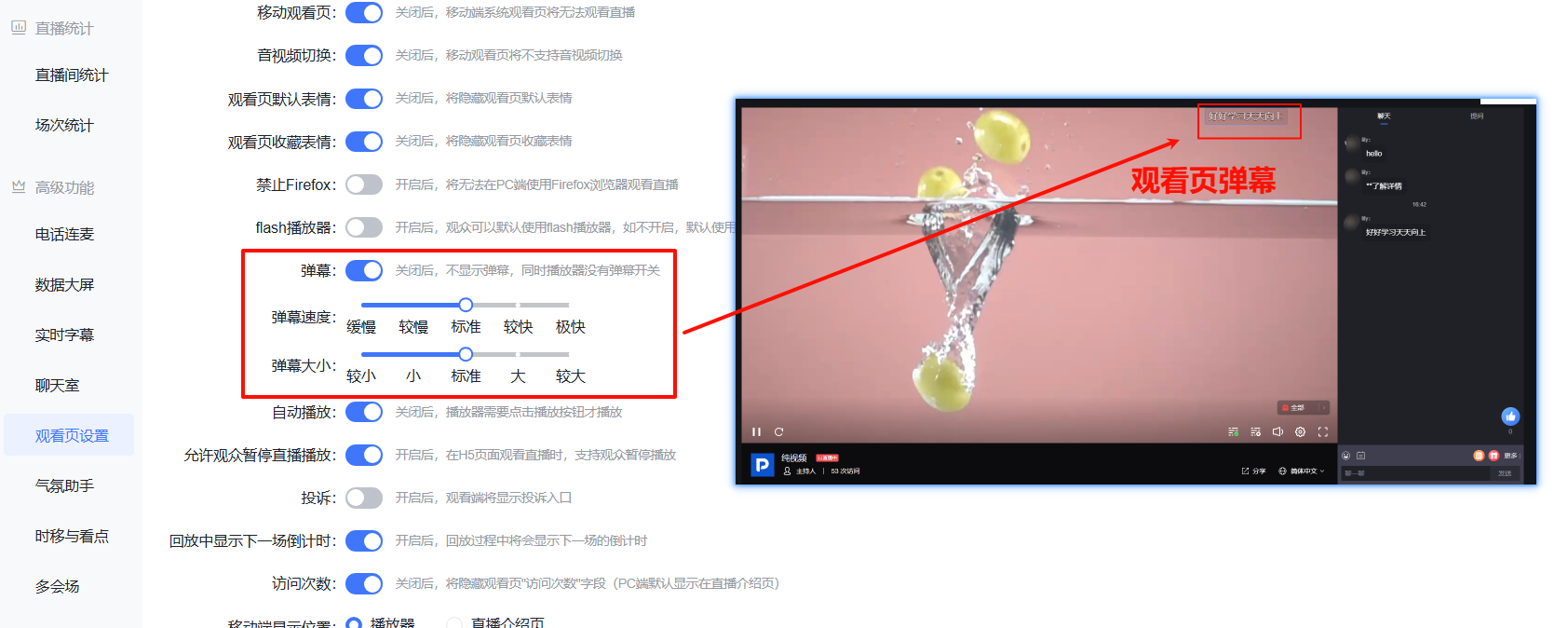 |
| Auto Play | When disabled, the player requires clicking the play button to start playback | 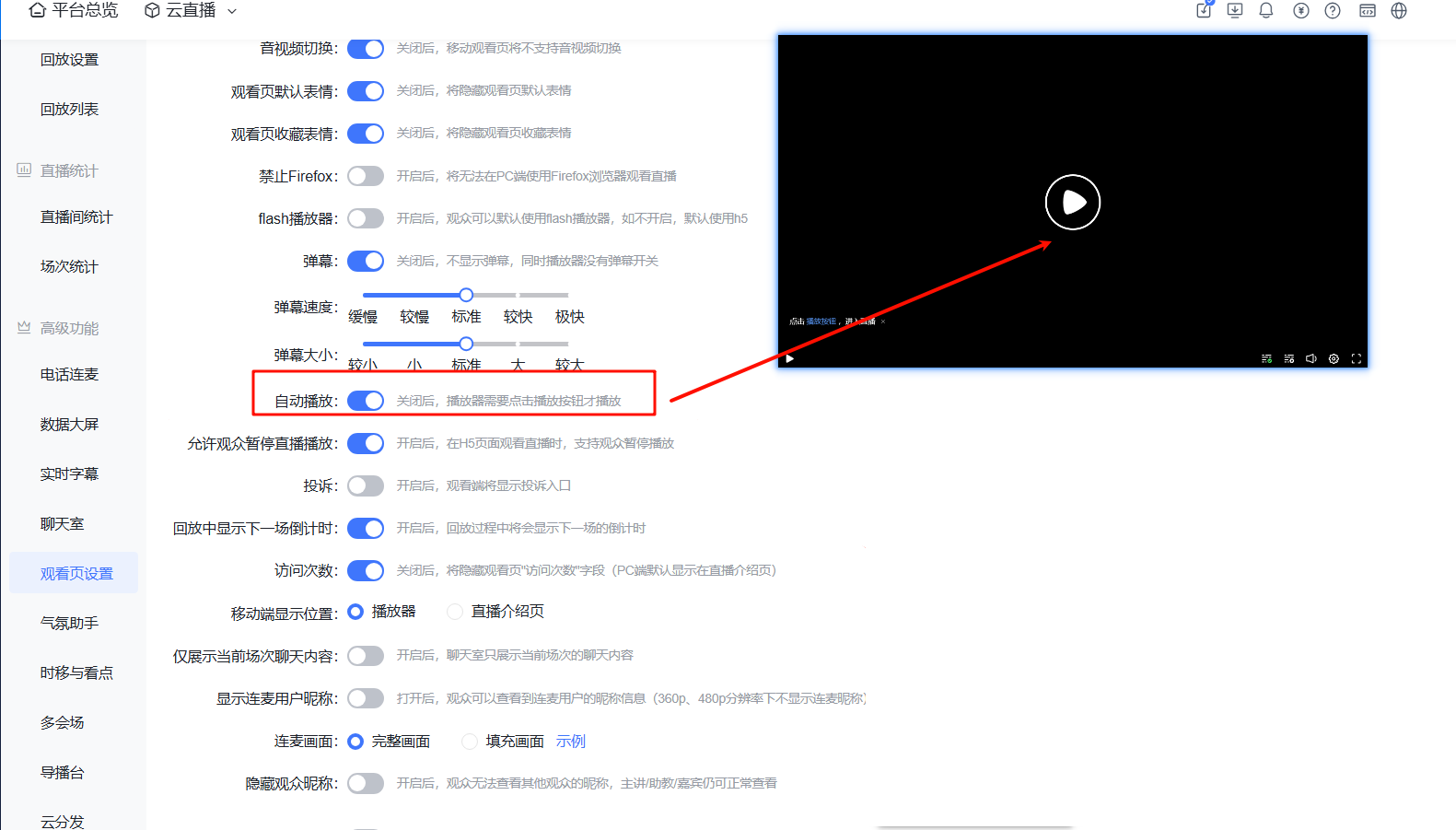 |
| Allow Viewers to Pause Live Playback | When enabled, viewers can pause playback when watching the live stream on an H5 page | 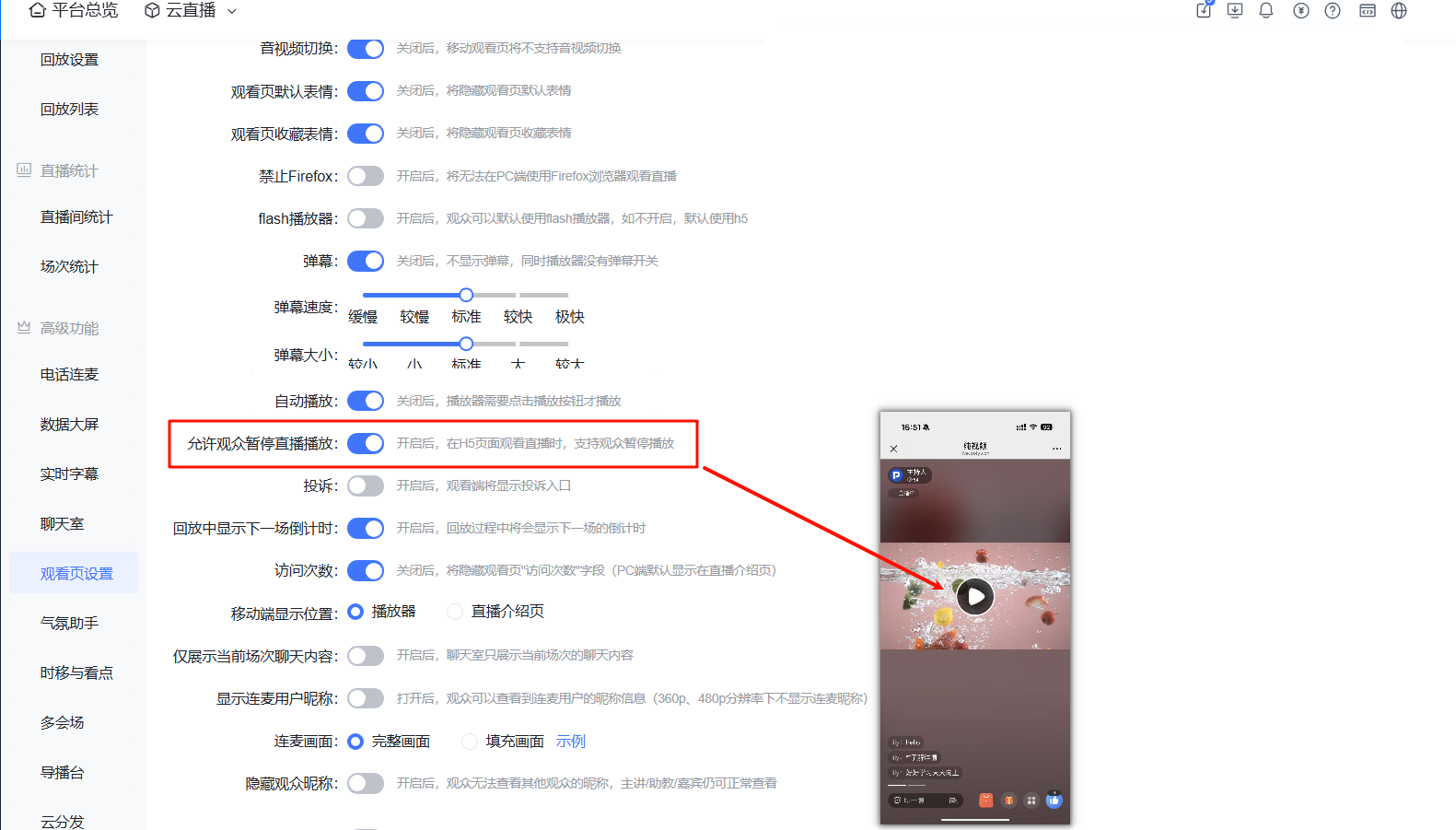 |
| Complaints | When enabled, a complaint entry will be displayed on the viewer side | 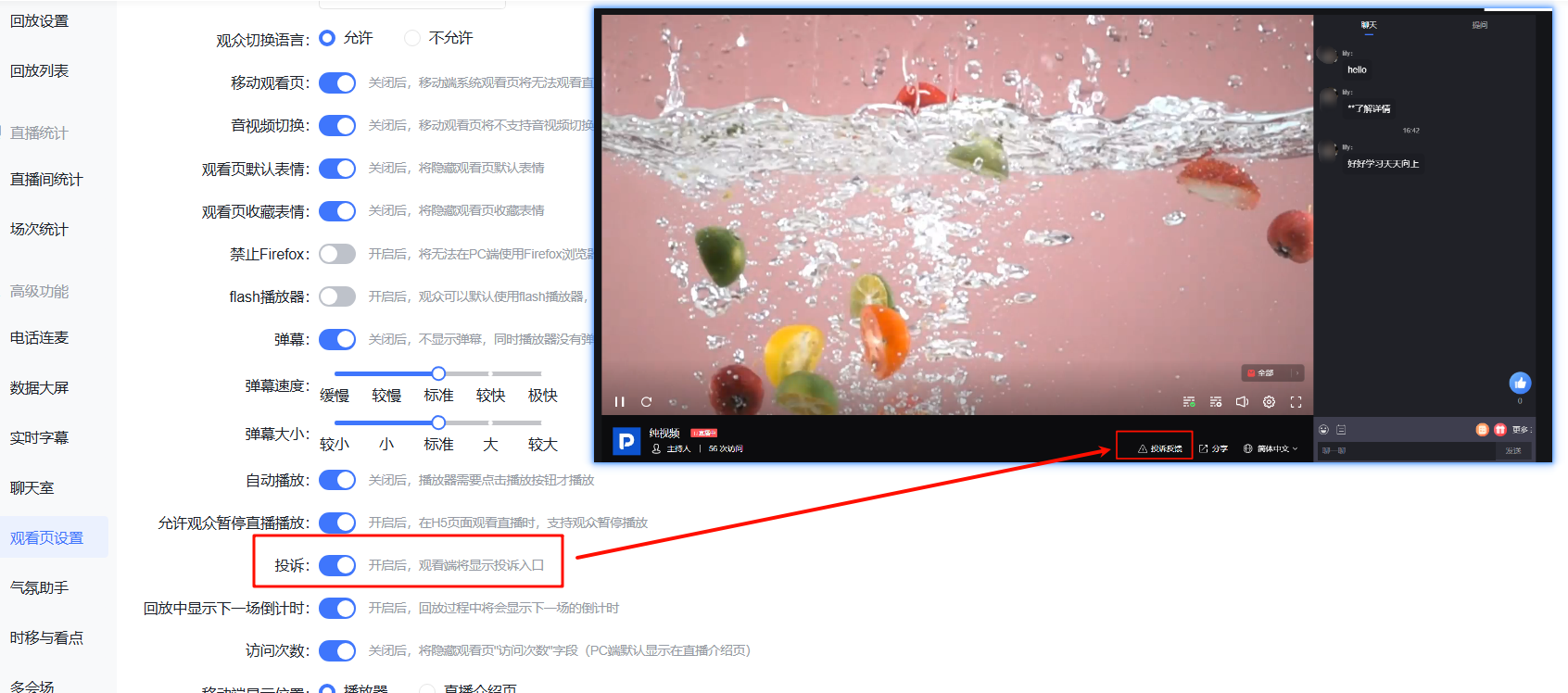 |
| Show Next Session Countdown in Replay | When enabled, the countdown for the next session will be displayed during replay | 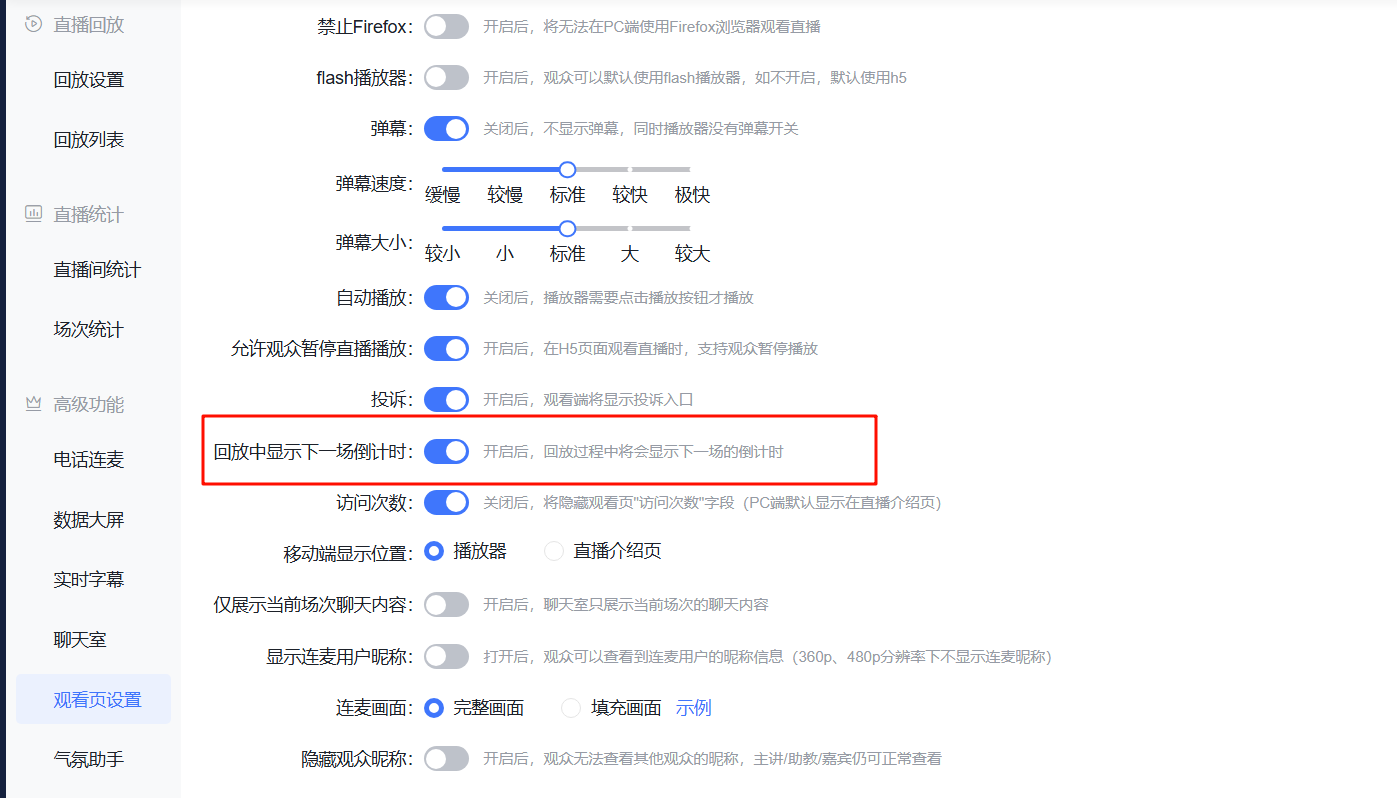 |
| Visit Count | When disabled, the "Visit Count" field on the watch page is hidden (on PC, it is displayed by default on the live stream introduction page) | 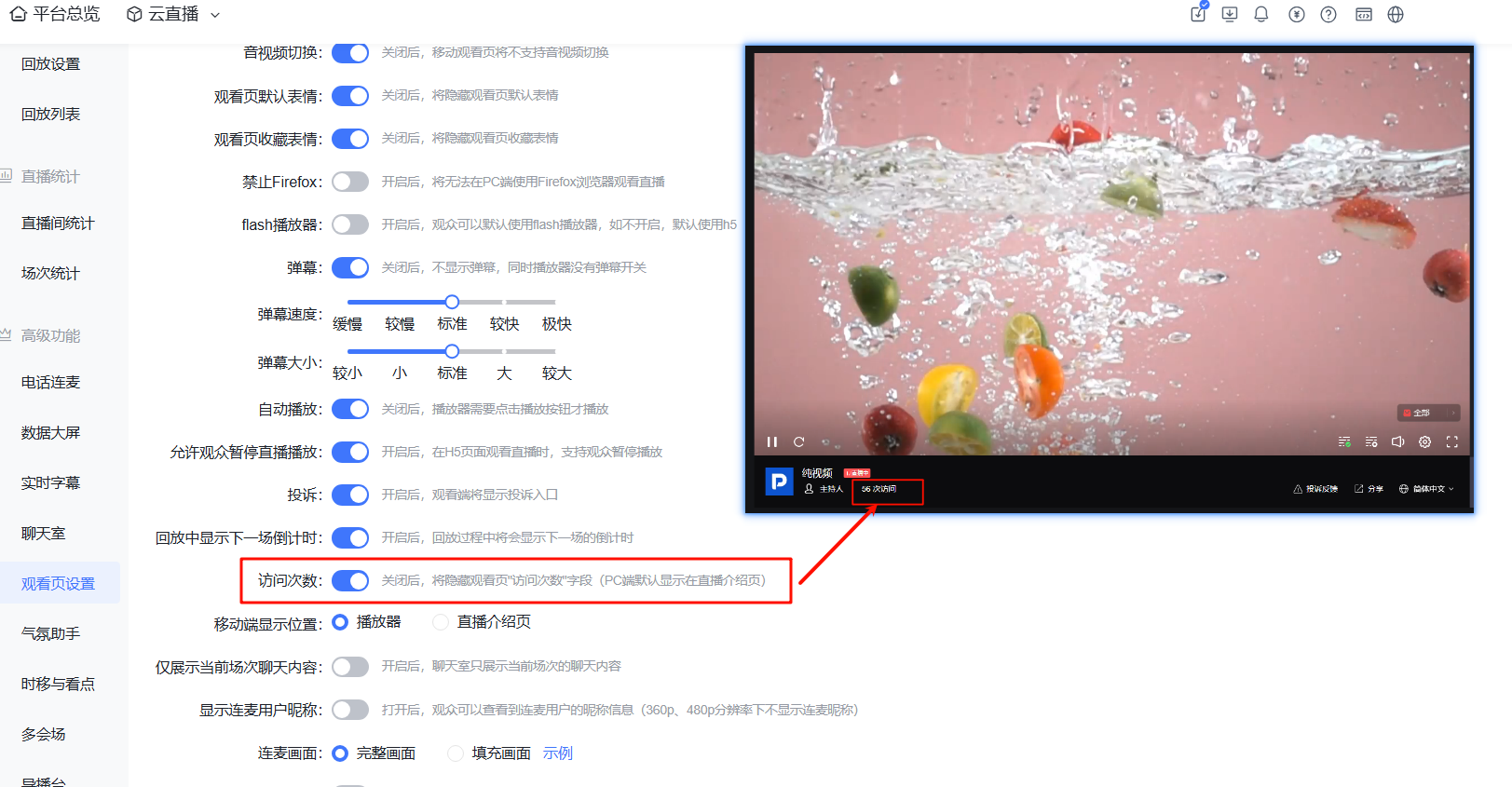 |
| Mobile Display Position | Supports selecting the position of "Visit Count" on the mobile watch page | 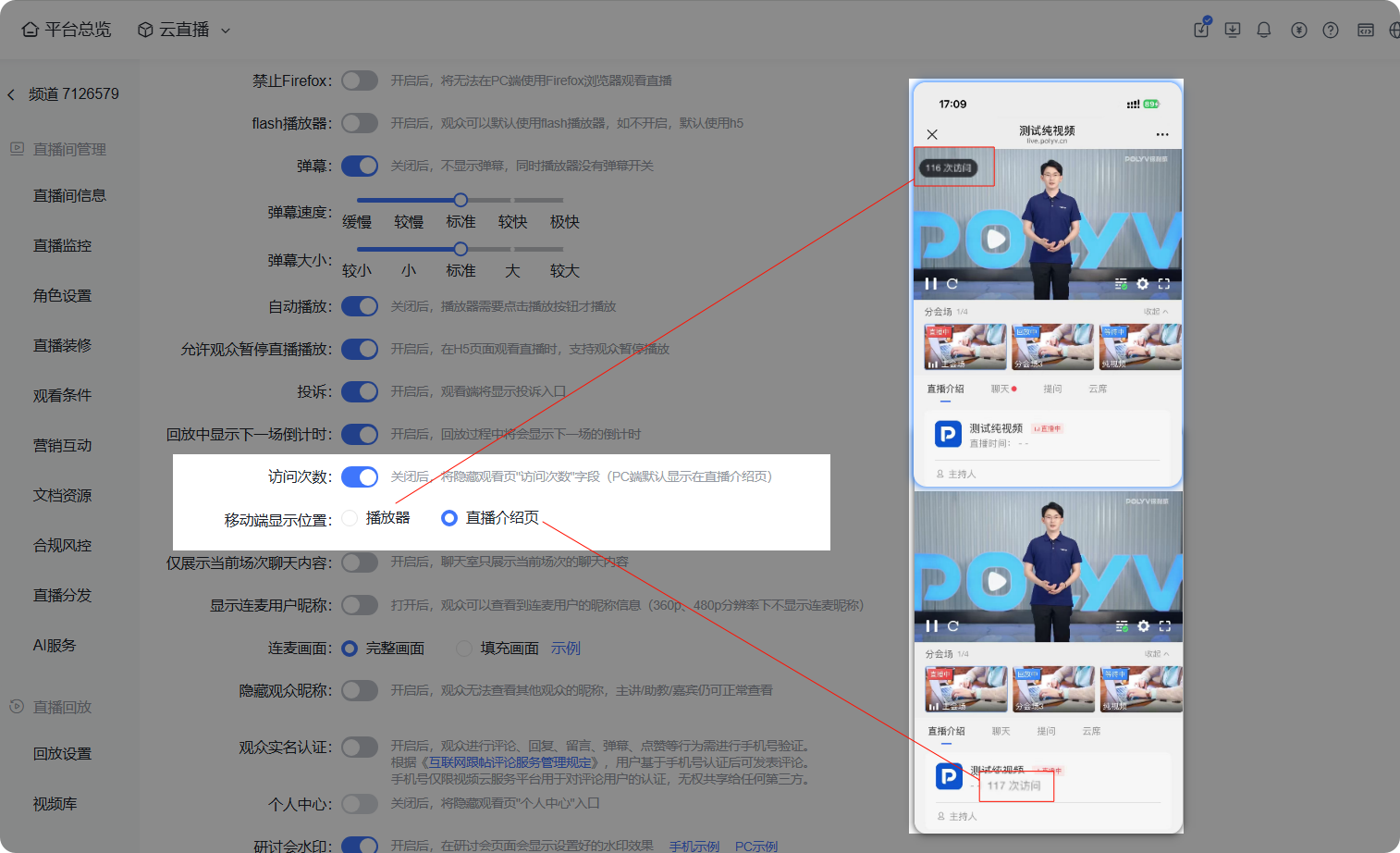 |
| Show Only Current Session Chat Content | When enabled, the chat room only displays chat content from the current session | 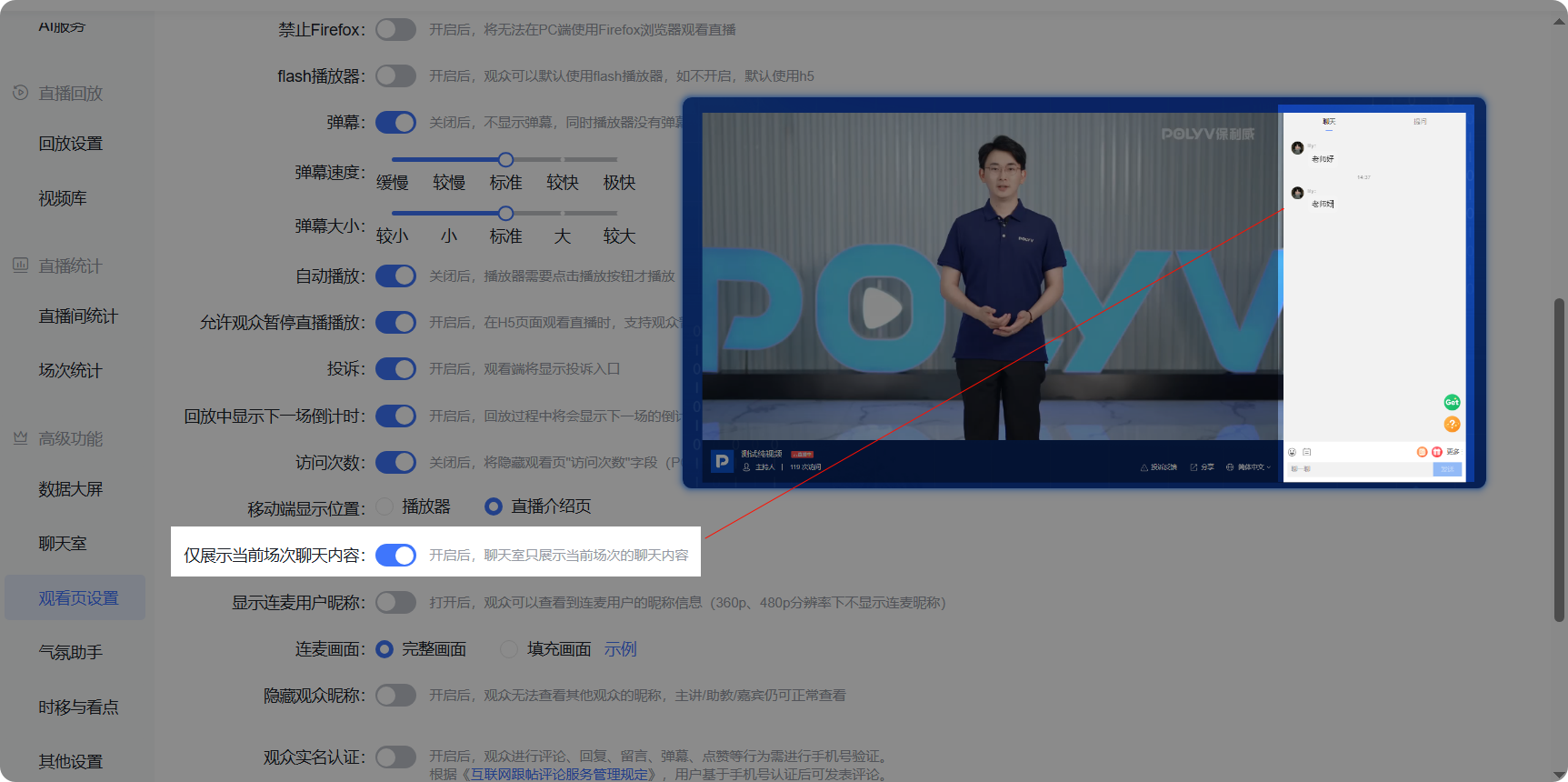 |
| Display Co-host User Nicknames | When enabled, viewers can see the nicknames of co-hosting users (co-host nicknames are not displayed at 360p and 480p resolutions) | 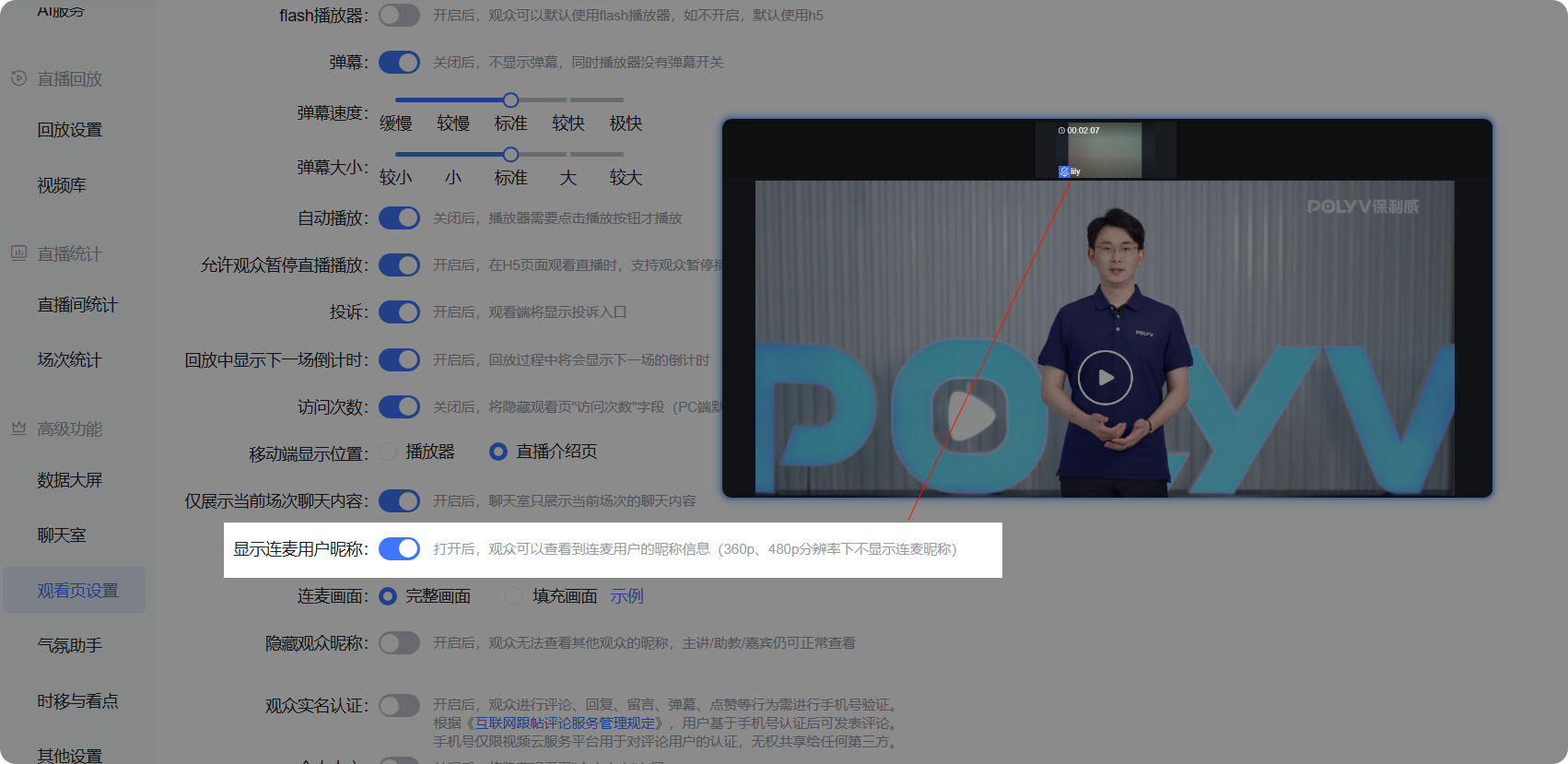 |
| Co-host Screen | Supports switching between Full Screen / Fill Screen | 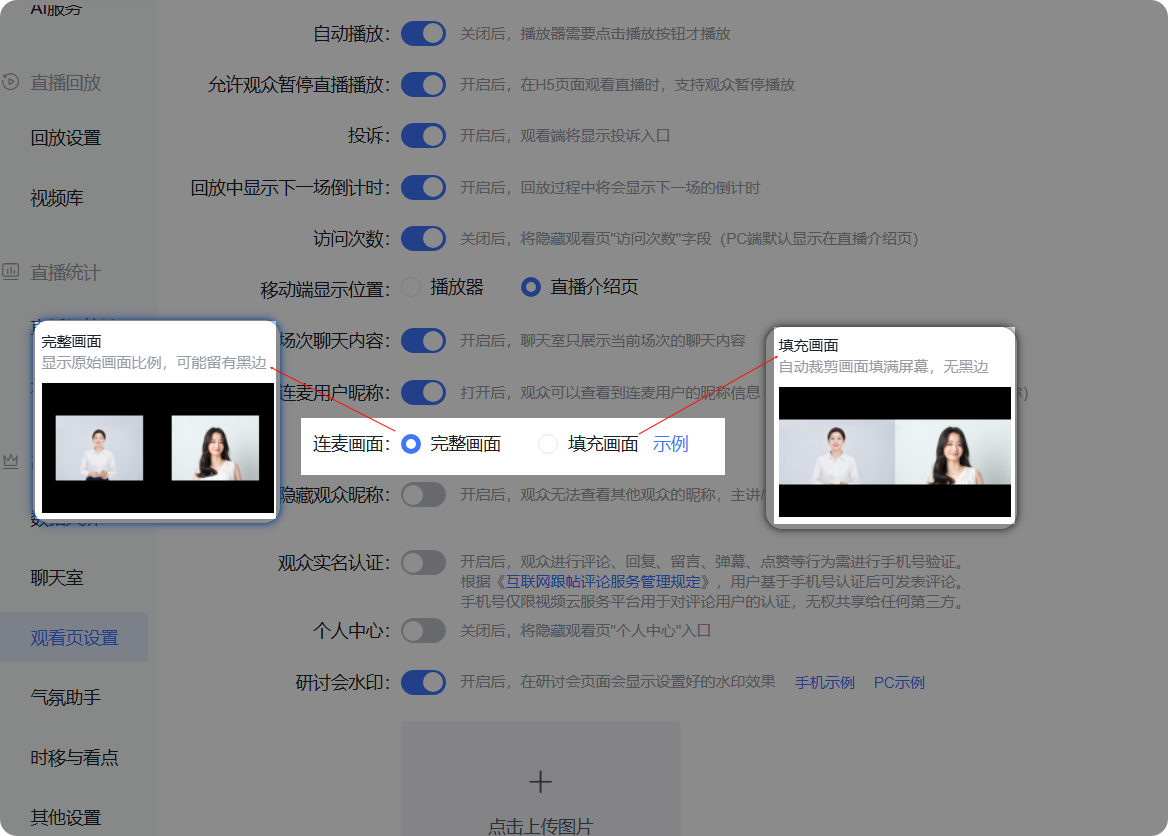 |
| Hide Viewer Nicknames | When enabled, viewers cannot see other viewers' nicknames; the host, teaching assistant, and guests can still see them normally | 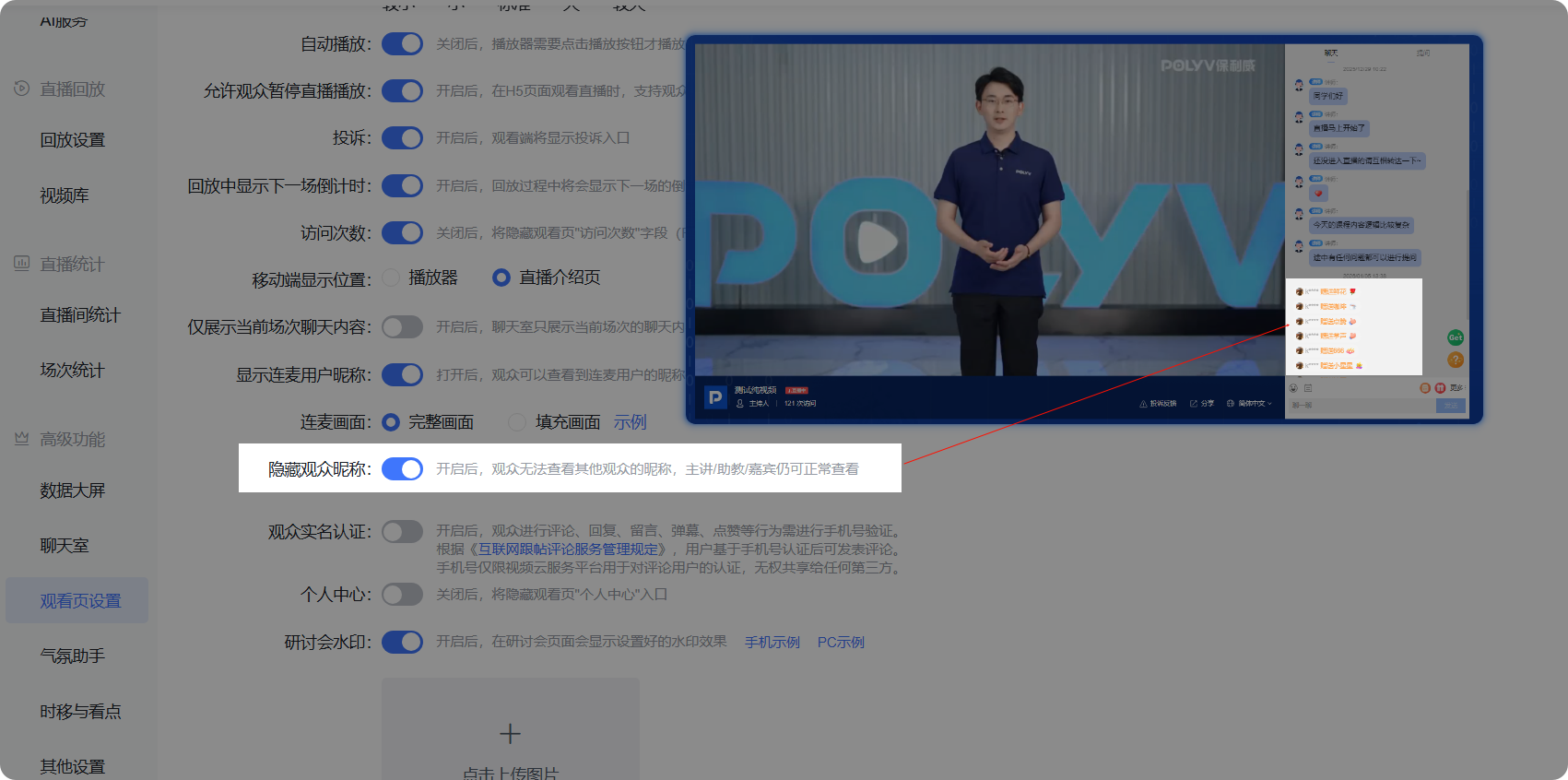 |
| Viewer Real-Name Authentication | When enabled, viewers must verify their phone number to comment, reply, leave messages, send danmaku, or like; According to the "Internet Comment Service Management Regulations", users can post comments after phone number verification; The phone number is only used by the video cloud service platform for comment user authentication and cannot be shared with any third party |
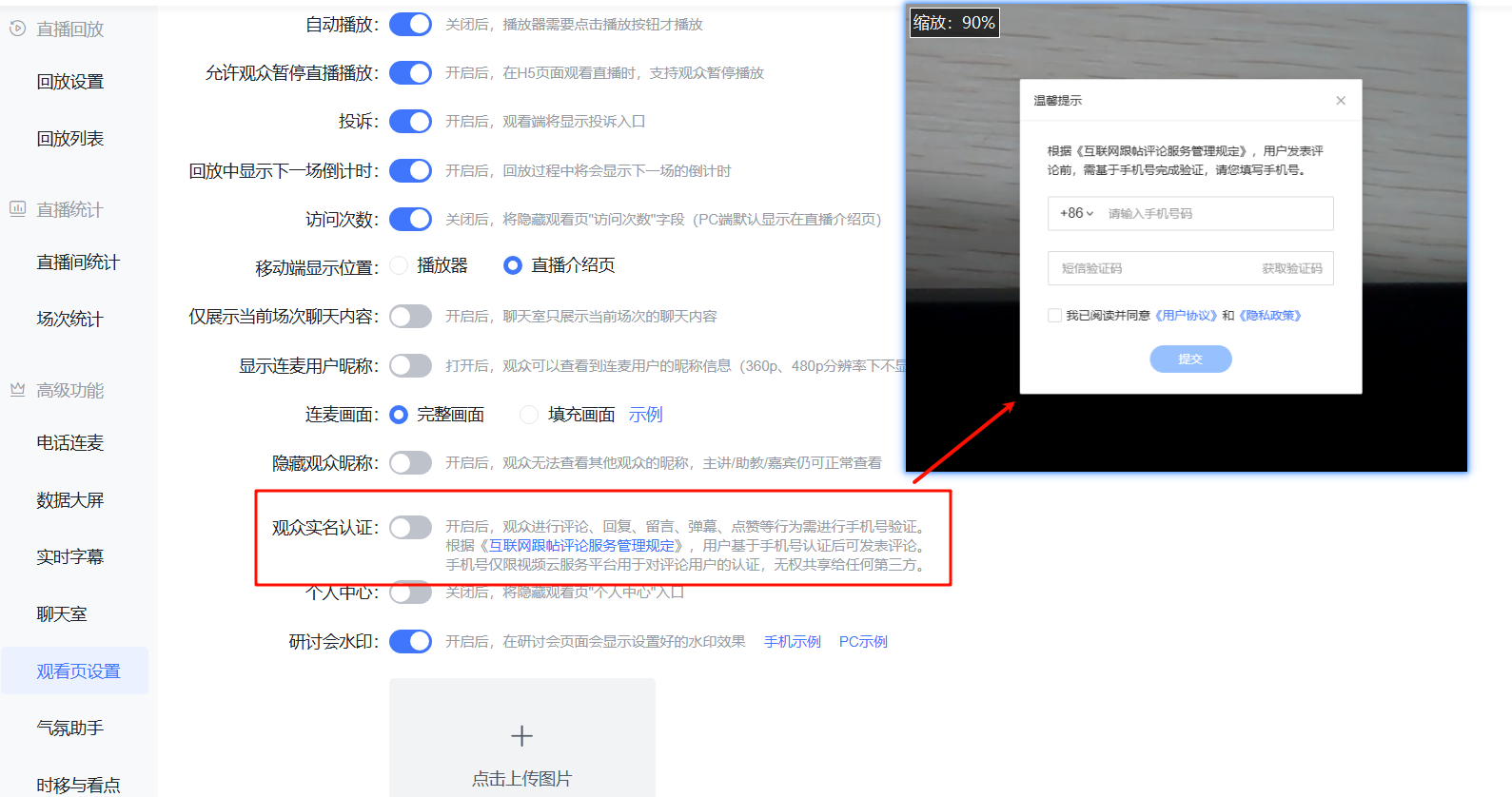 |
| Personal Center | When disabled, the "Personal Center" entry on the watch page is hidden | 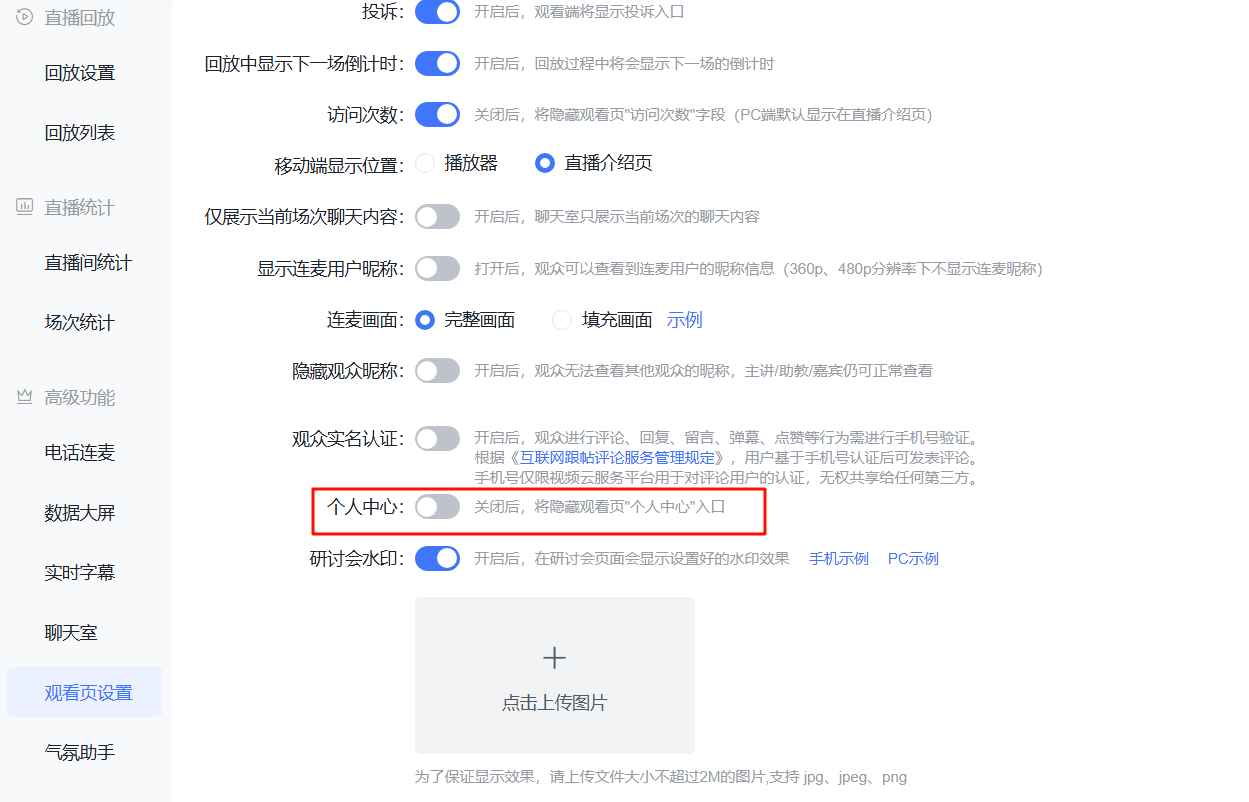 |
| Seminar Watermark | When enabled, the configured watermark effect will be displayed on the seminar page | 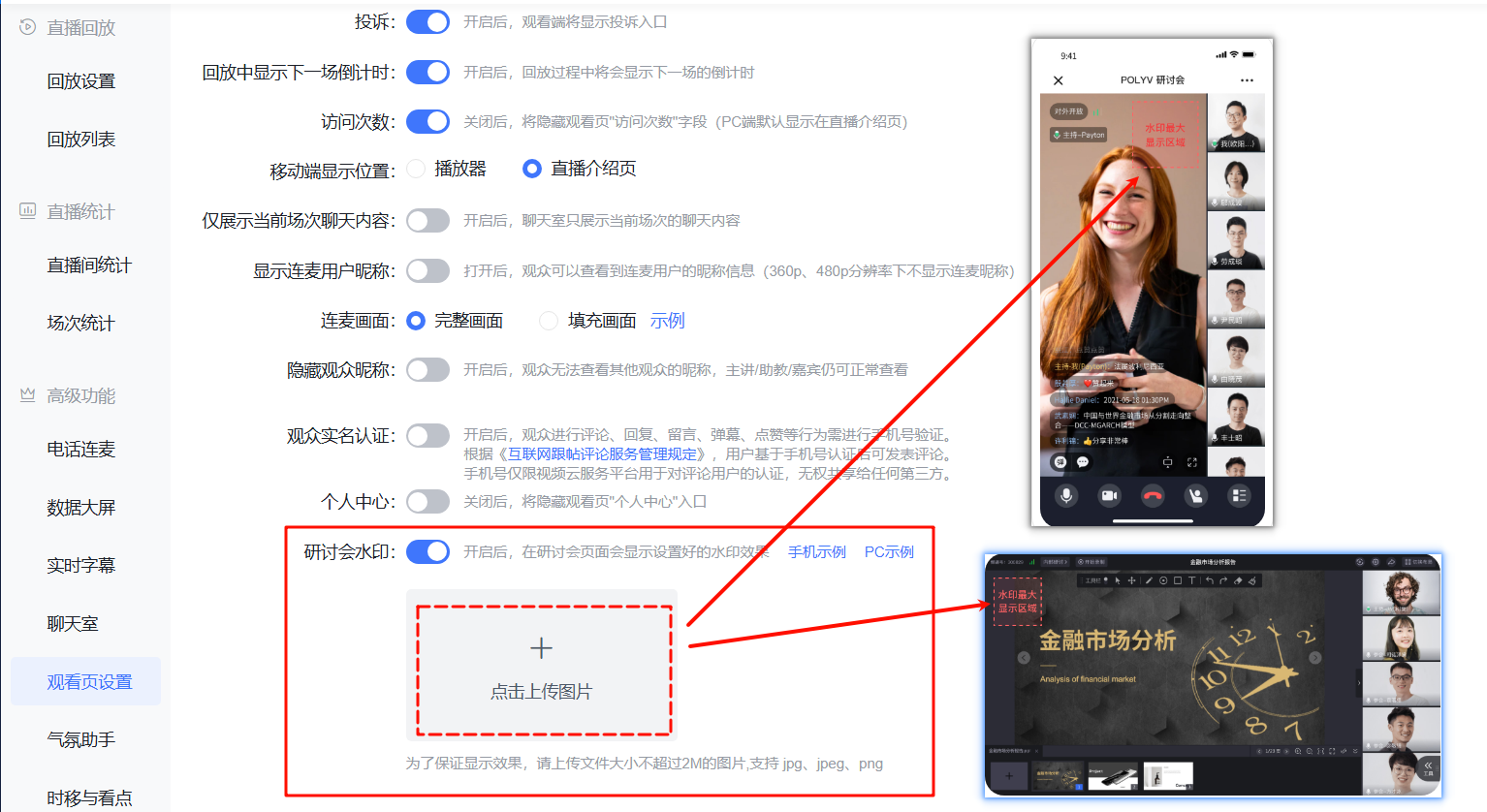 |
