Platform & Settings Menu Adjustment Notice
I. Feature Overview
Feature Info |
Description |
|---|---|
| Feature Name | Platform & Settings |
| Change | The original "Platform Settings" has been split into two independent menus: "Platform" and "Settings" |
| Purpose | To help users use "Platform" and "Settings" more clearly, precisely, and efficiently |
II. Change Description
Change on 2025-07-03
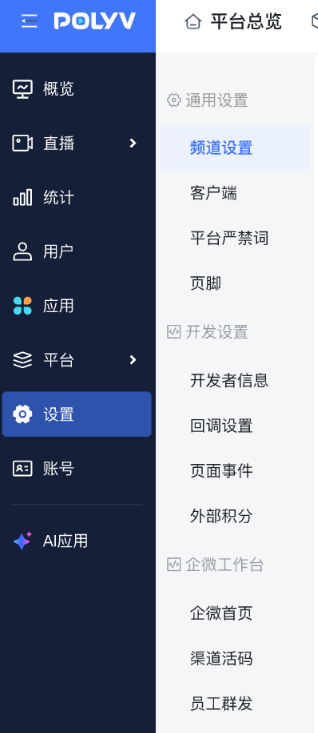
The sub-navigation position under the "Settings" navigation in the left menu bar of the live streaming management backend has been adjusted. The original navigation under "Settings" has been moved to the secondary navigation on the right.
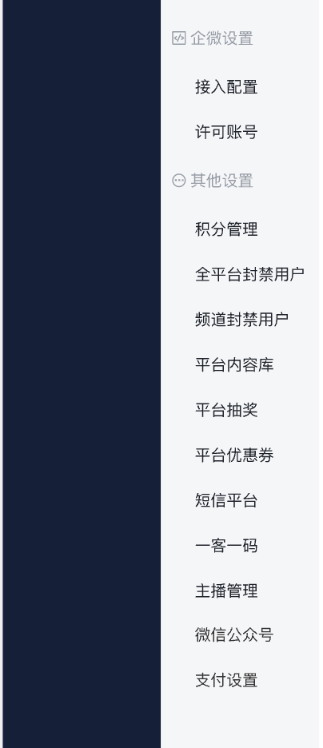
The secondary menu includes five categories: "General Settings", "Development Settings", "WeCom Workspace", "WeCom Settings", and "Other Settings".
- General Settings includes: Channel Settings, Client, Platform Prohibited Words, Footer
- Development Settings includes: Developer Information, Callback Settings, Page Events, External Points
- WeCom Workspace includes: WeCom Homepage, Channel QR Code, Employee Group Messaging
- WeCom Settings includes: Access Configuration, Licensed Accounts
- Other Settings includes: Points Management, Platform Banned Users, Channel Banned Users, Platform Content Library, SMS Platform, Anchor Management, WeChat Official Account, Payment Settings
<img src="https://liveimages.videocc.net/help_doc/78eb0989-fef5-4597-92f1-7f61c1d1811e.png"" alt="" width="40%"><img src="https://liveimages.videocc.net/help_doc/f109f80f-42b3-4a32-87ab-585092b390b2.png"" alt="" width="40%">
Change on 2025-06-12
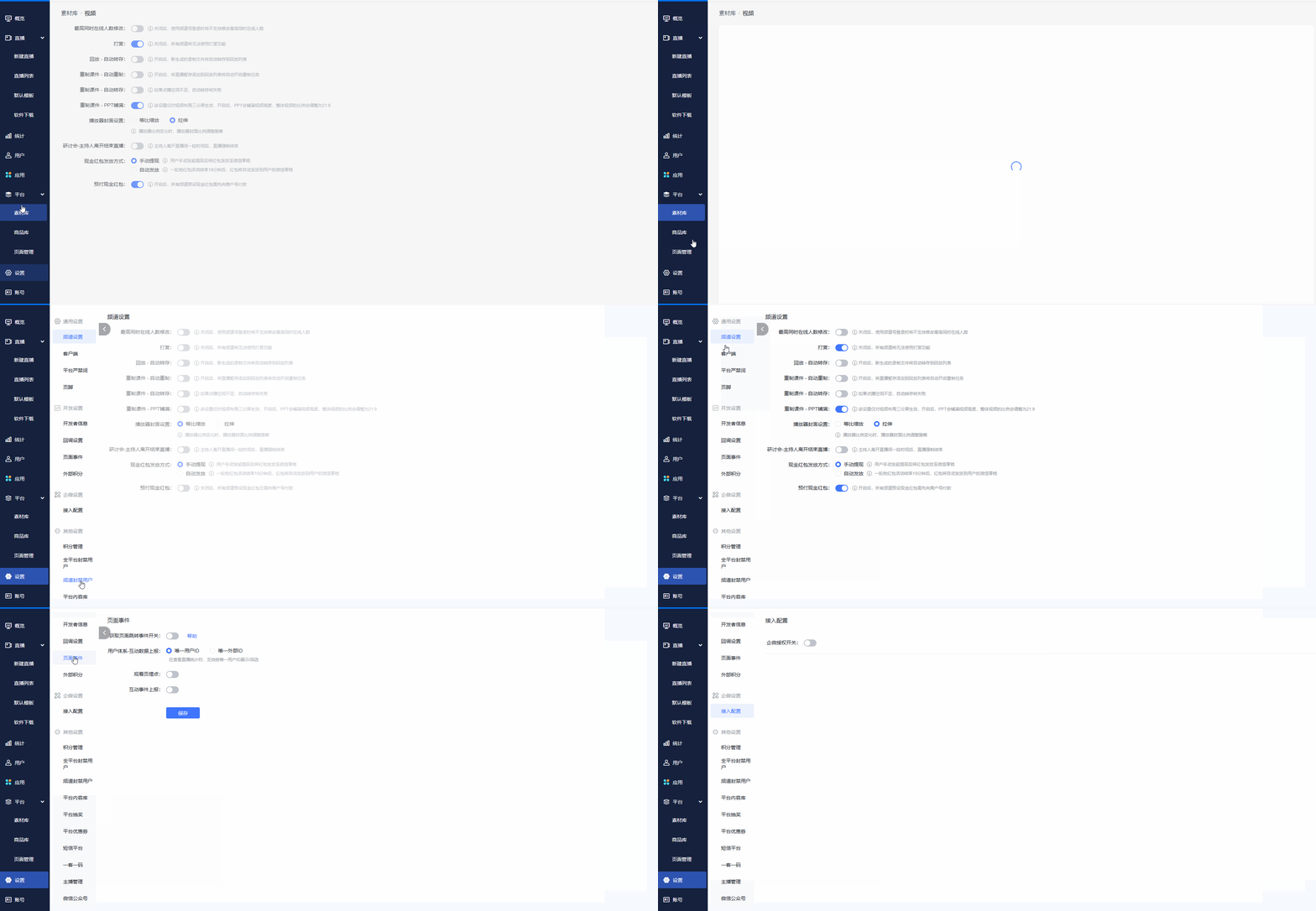
In the left menu bar of the live streaming management backend, "Platform Settings" has been split into two independent menus: the "Platform" menu and the "Settings" menu.
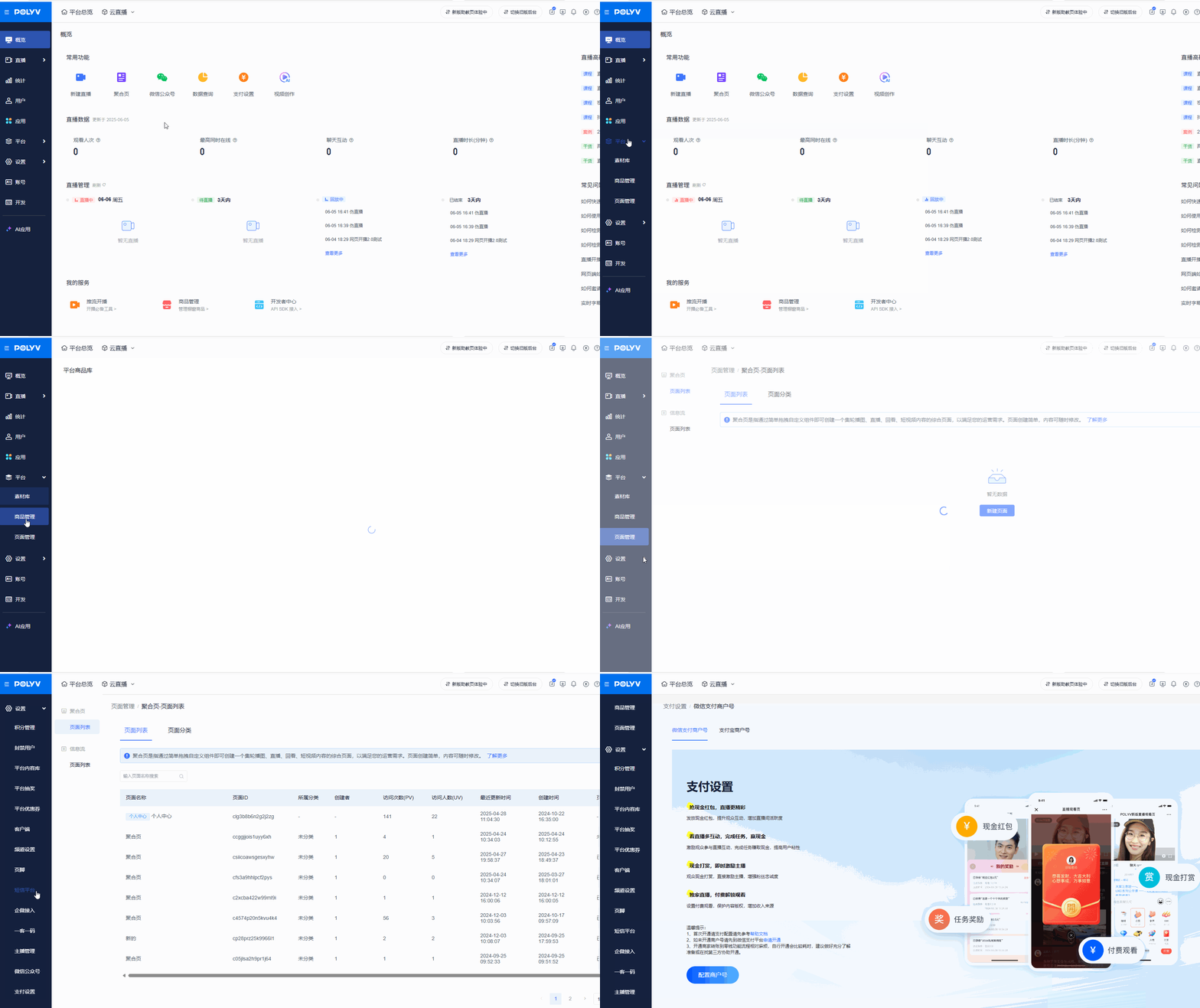
- The "Platform" menu includes: "Material Library, Product Management, Page Management"
- The "Settings" menu includes: "Points Management, Banned Users, Platform Content Library, Platform Lottery, Platform Coupons, Client, Channel Settings, Footer, SMS Platform, WeCom Access, One Customer One Code, Anchor Management"
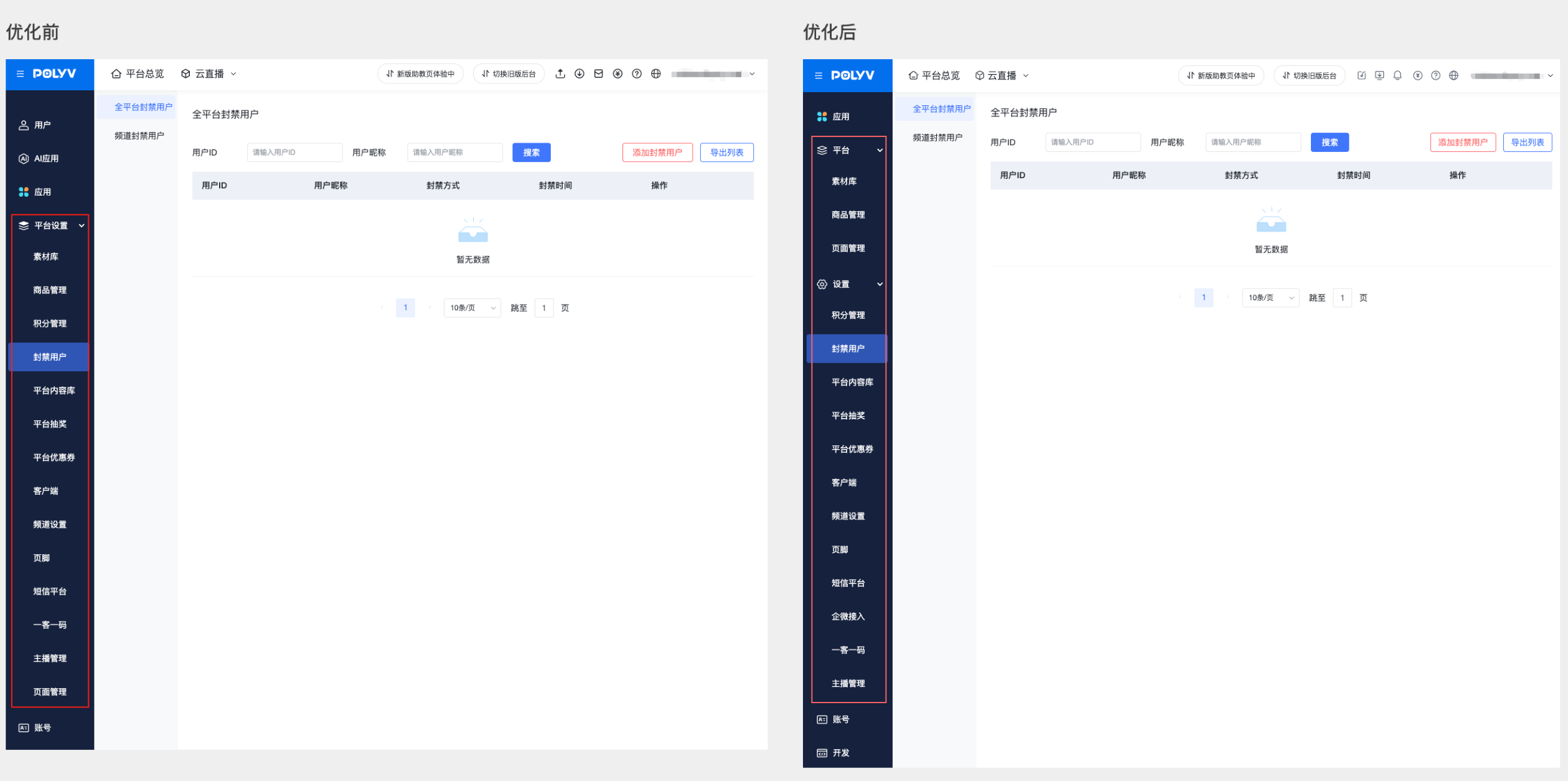
Other Entries
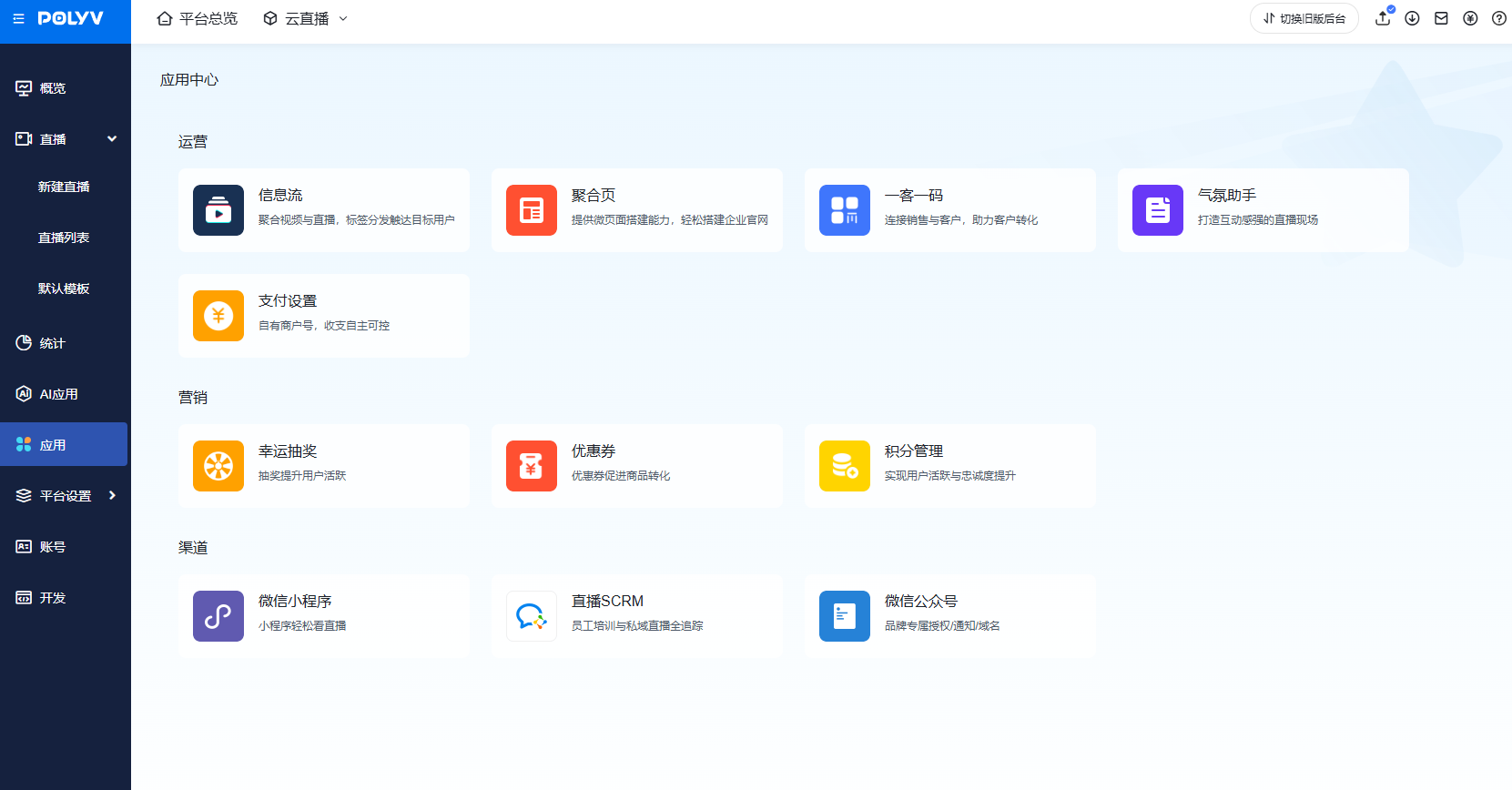
Some features under Platform & Settings can be accessed via the quick channel in the [Application Center].
Note: Live Streaming SCRM and WeCom Access are the same feature.