


Advertisement
Updated: 2026-08-17 11:27:00
I. Feature Overview
Feature Info |
Description |
|---|---|
| Feature Name | Advertisement |
| Feature Description | Insert ads during live streaming; viewers can click the ad to jump to the product page. |
| Purpose | Traffic guidance, conversion rate improvement |
| Use Cases | E-commerce live rooms, brand promotion live rooms, etc. |
| Operation Path | 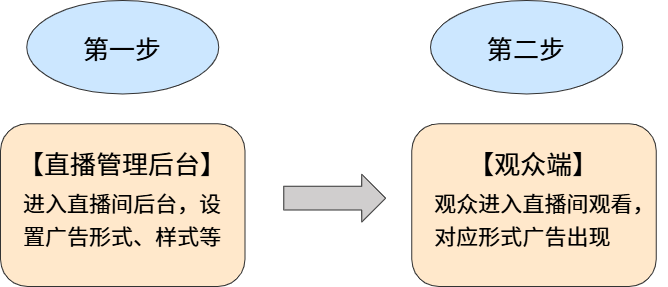 |
II. Steps
1. Enable the Advertisement Feature
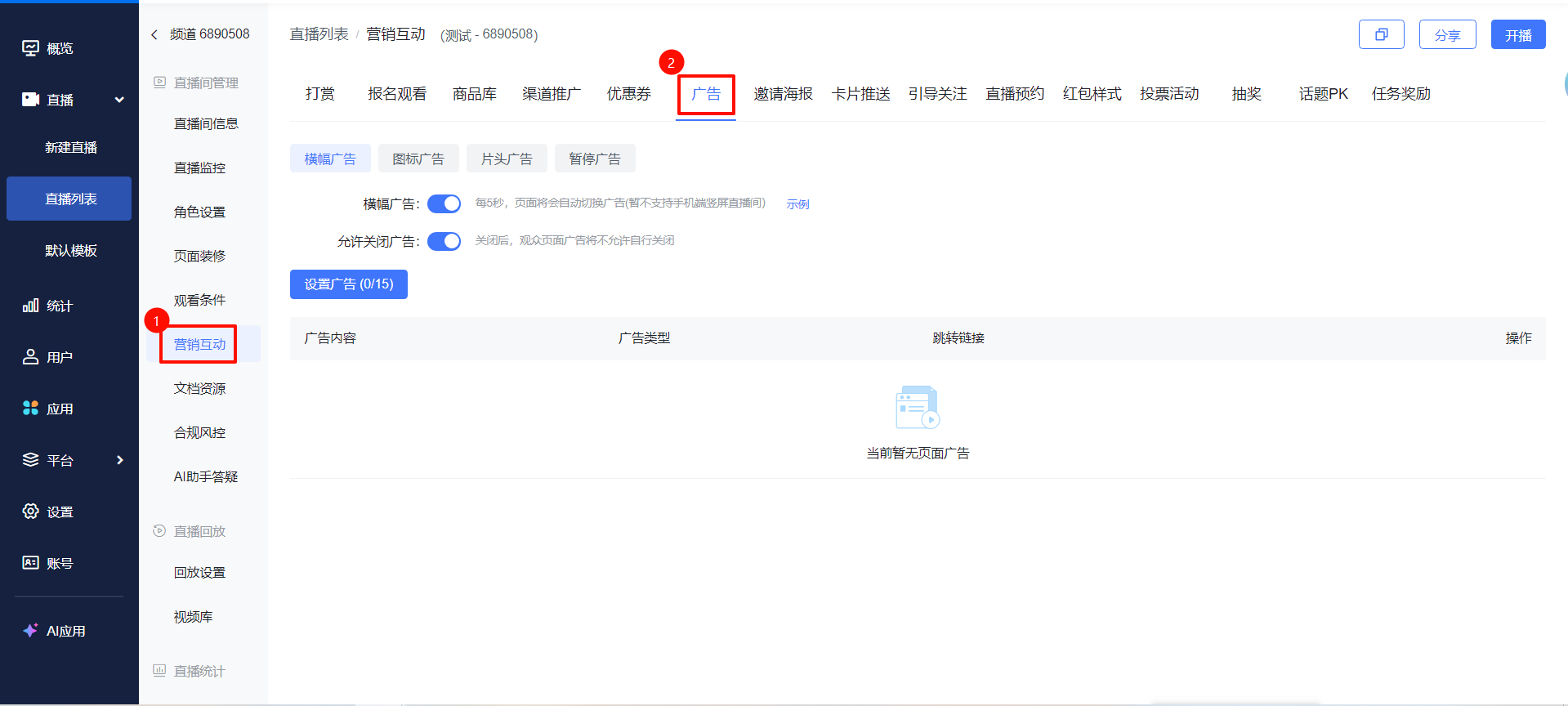
Go to the [Live List] page, select a live stream and click [Details]. In the live room management section, click [Marketing Interaction] - [Advertisement].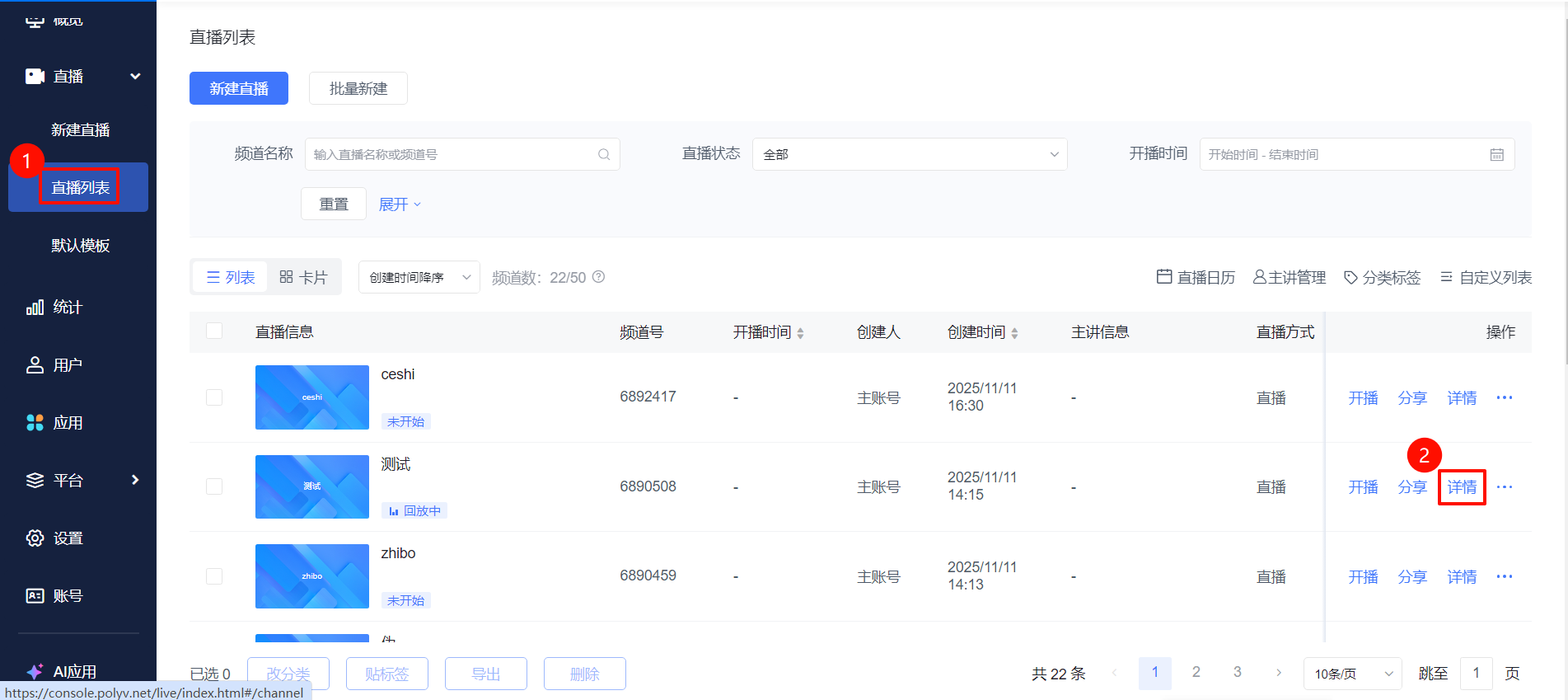
2. Ad Types
- Four ad types are available: [Banner Ad], [Icon Ad], [Pre-roll Ad], and [Pause Ad].
- Three jump methods are provided:
- Open in popup: The external link page opens embedded within the viewing page without leaving the live room. This method requires configuring the attached https://头的链接.
- Open in new window: The external link page opens in a new window, convenient for switching between the viewing page and the external link page in non-WeChat mobile browsers/PC browsers.
- Open in current window: The external link page covers the current window; you can return to the viewing page via the back button.
Ad Type |
Description | Preview |
|---|---|---|
| Banner Ad | Up to 15 ads can be set to rotate in the banner area; Text ad 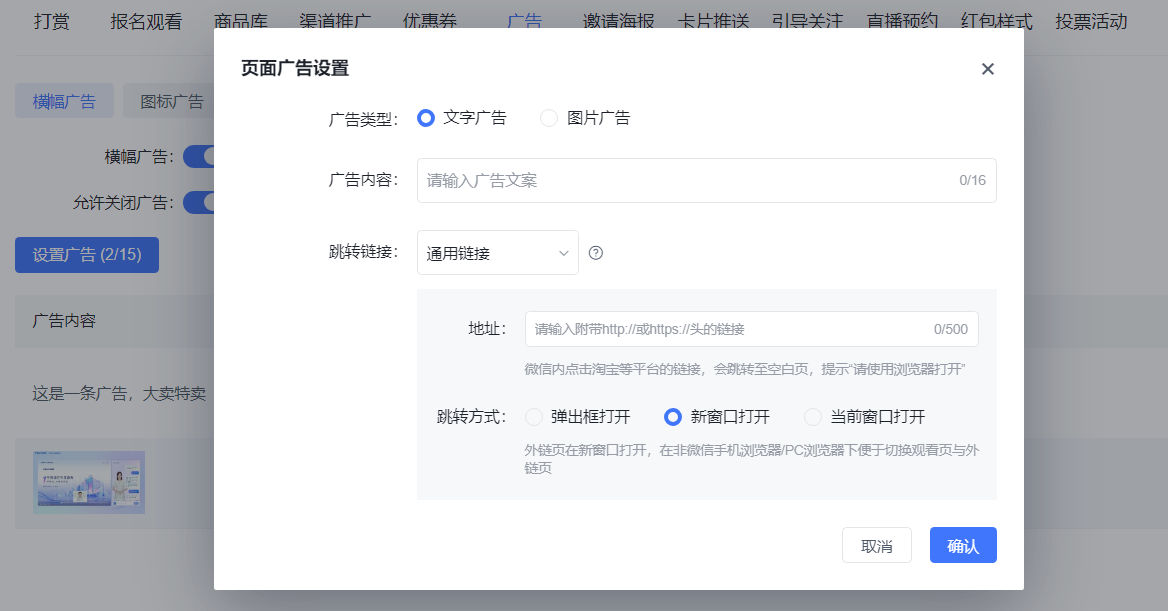 Image ad Image ad 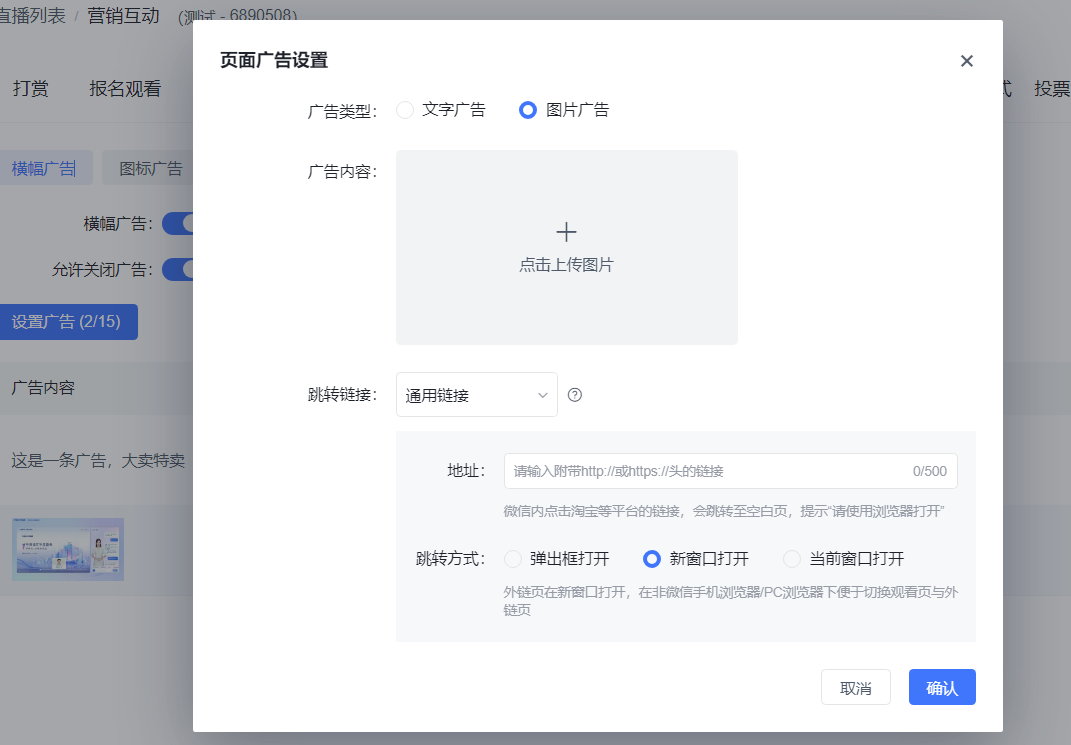 |
Text ad effect 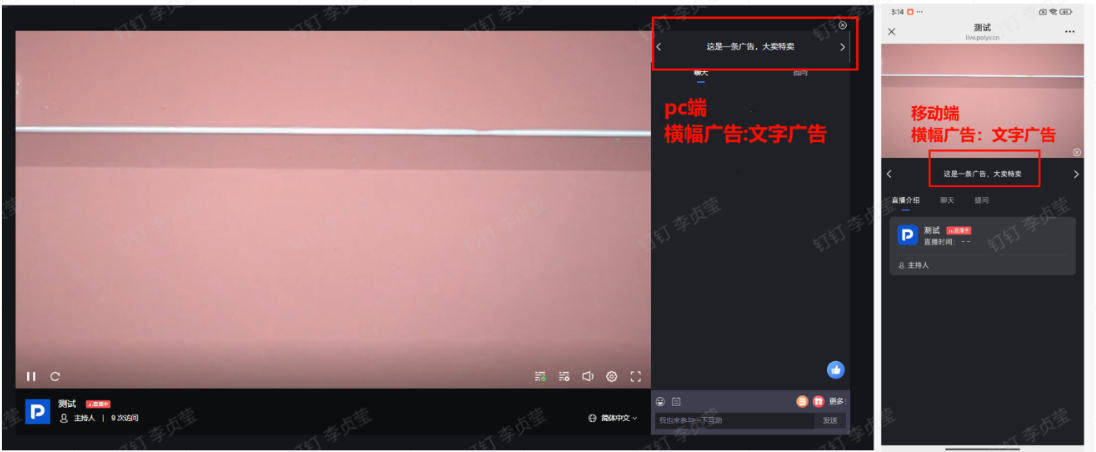 Image ad effect Image ad effect 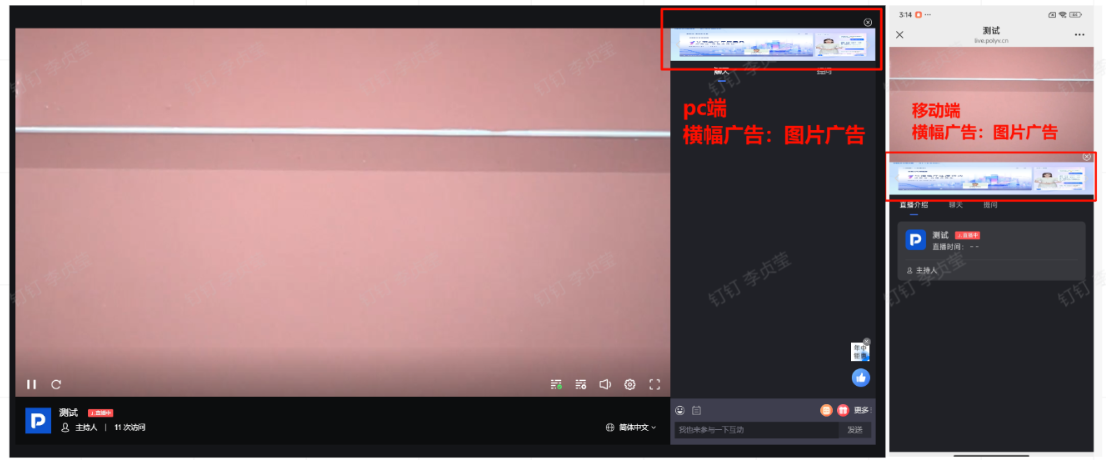 |
| Icon Ad | Only one icon ad can be set 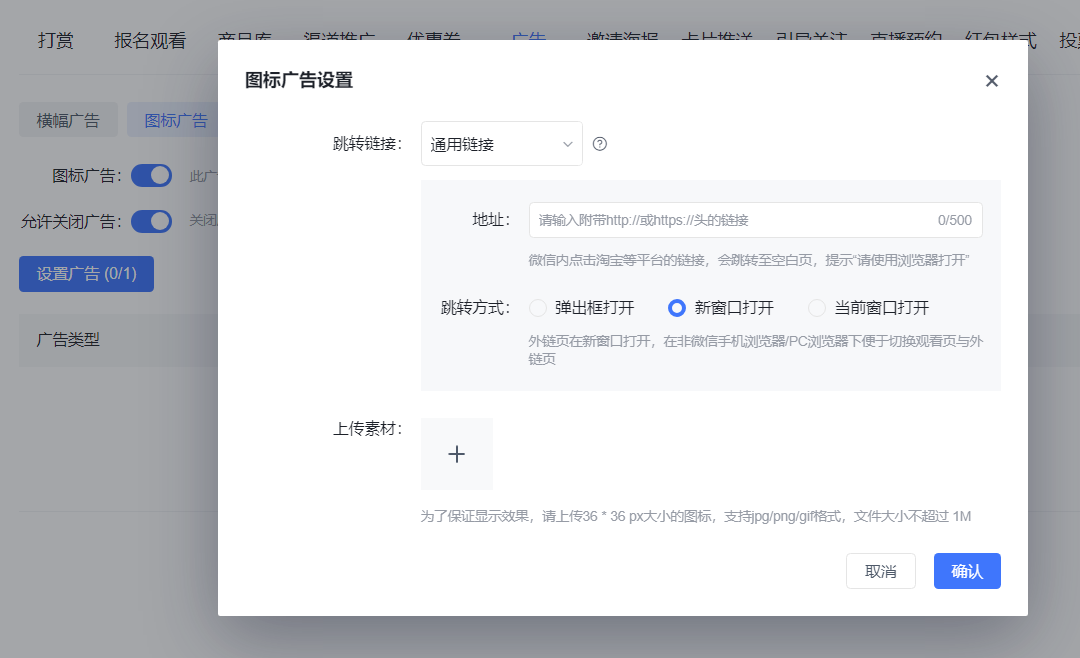 |
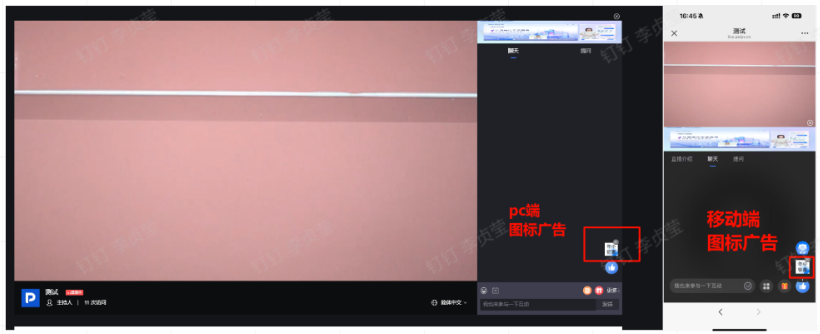 |
| Pre-roll Ad | Ads inserted before watching the live stream, offering [Video Ad] and [Image Ad] types. Ad duration: Set the time the ad stays 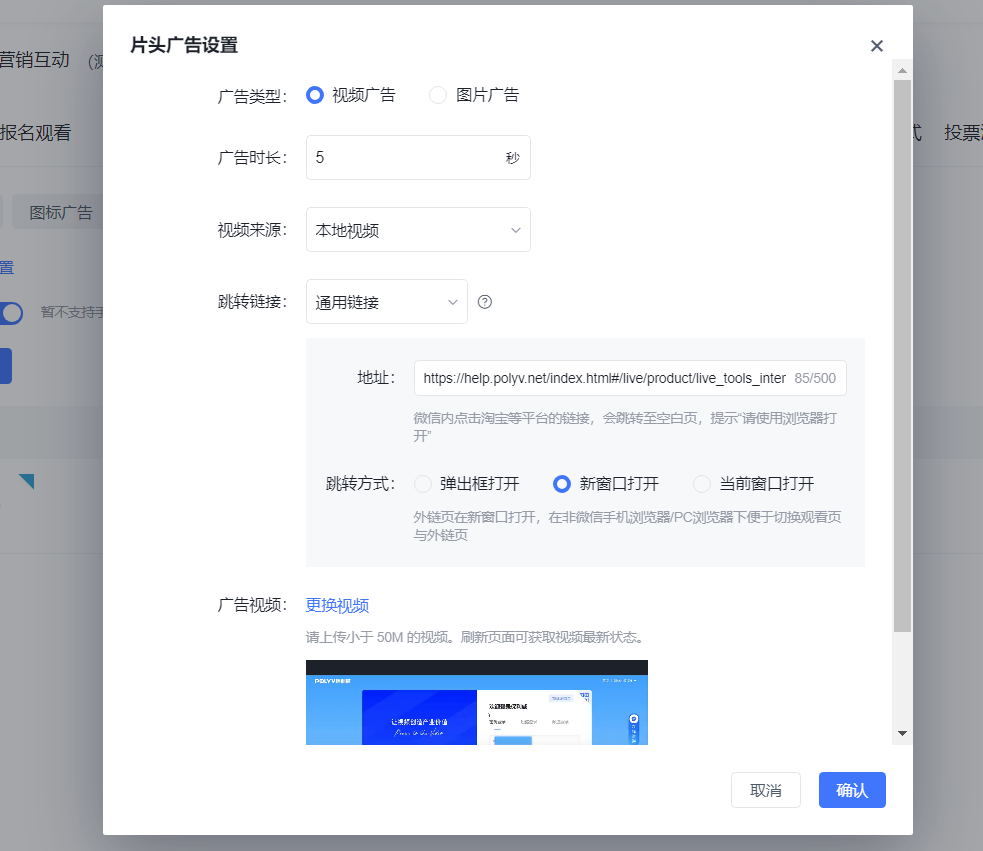 |
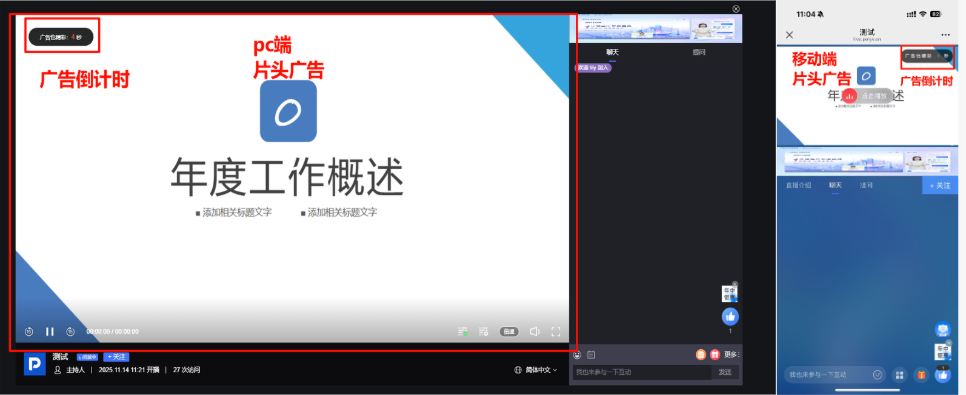 |
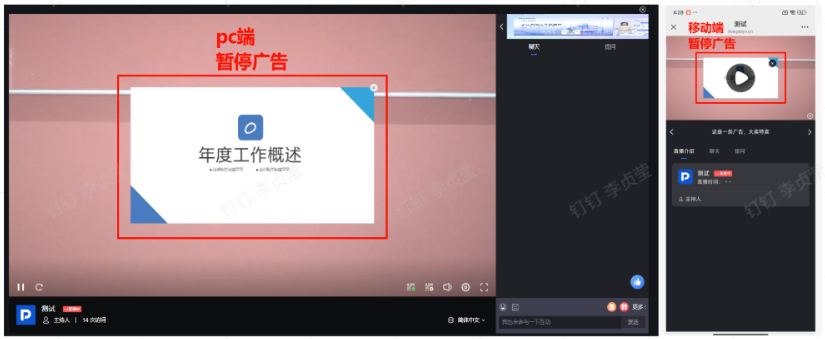
| Pause Ad | Popup ad when the live stream is paused 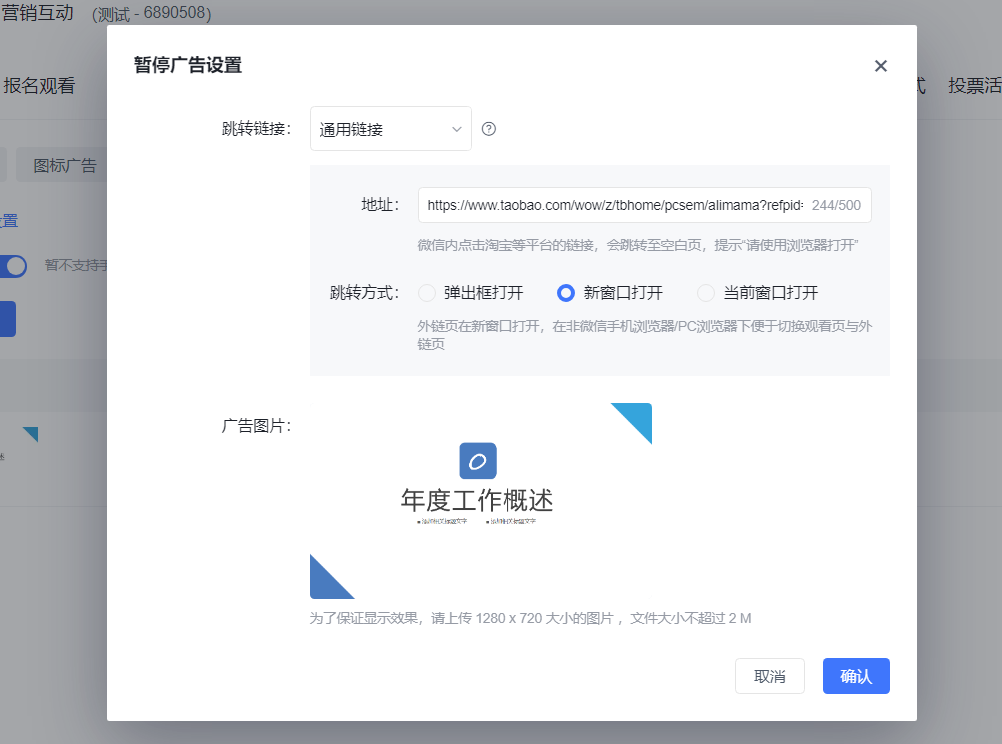 |
 |
