


Data Monitoring
1. Feature Description
Data Monitoring allows you to centrally view the operational data of live streams currently active under your account, helping operators quickly understand real-time data across multiple live rooms.
This feature can be accessed via [Live Overview] - [My Services] - [Data Monitoring].
If a sub-account accesses Data Monitoring, it can only view data from live streams that are currently active and within the scope of live rooms the sub-account has permission to view.
2. Applicable Scenarios
- Multiple live rooms under the current account are streaming simultaneously, requiring centralized real-time data viewing.
- Operators need to quickly understand the number of active channels, online viewers, and engagement data.
- Sub-accounts need to view data from currently active live streams within their permission scope.
3. Steps
- Enter the Live Management Console and open the [Live Overview] page.
- In the [My Services] section, click [Data Monitoring].
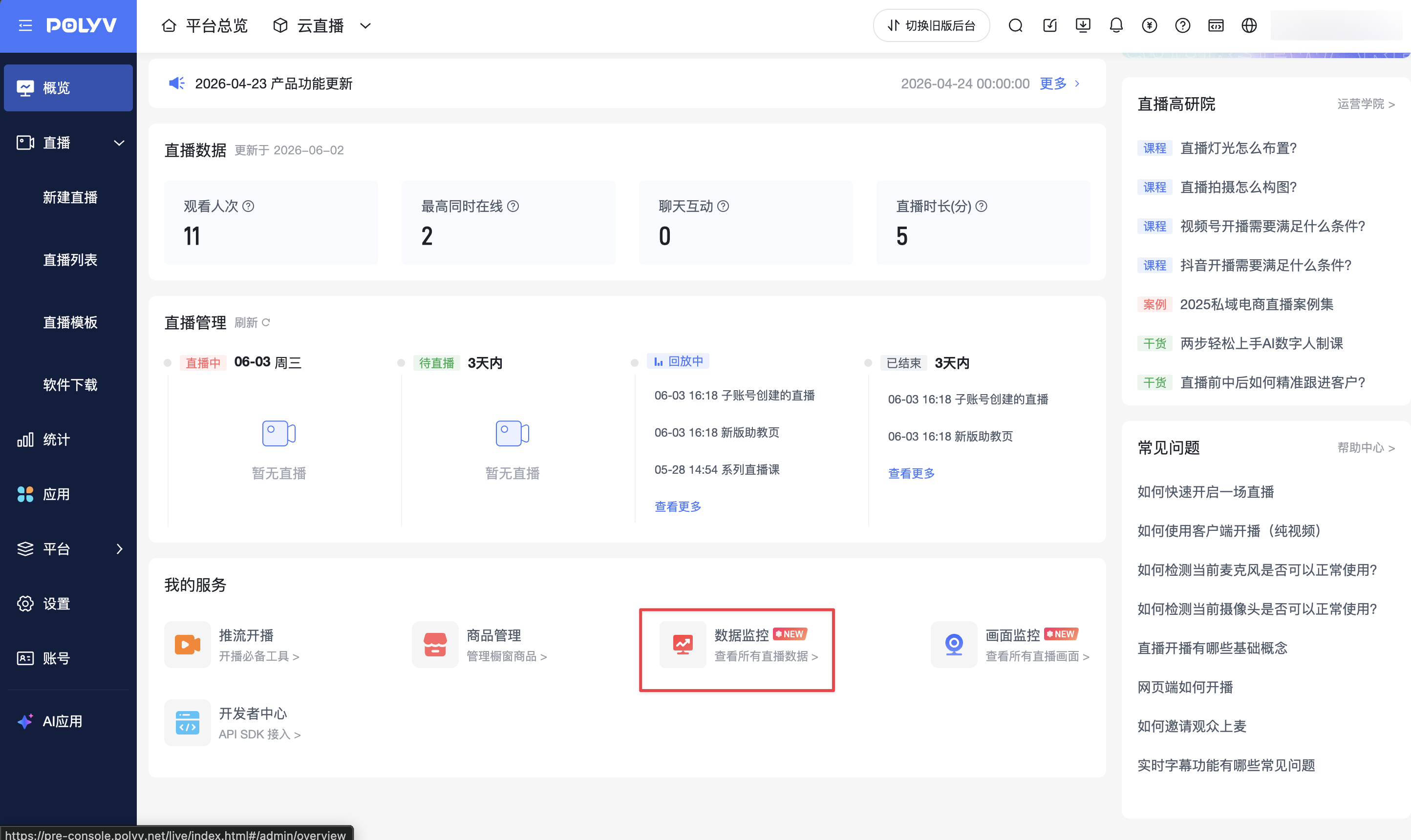
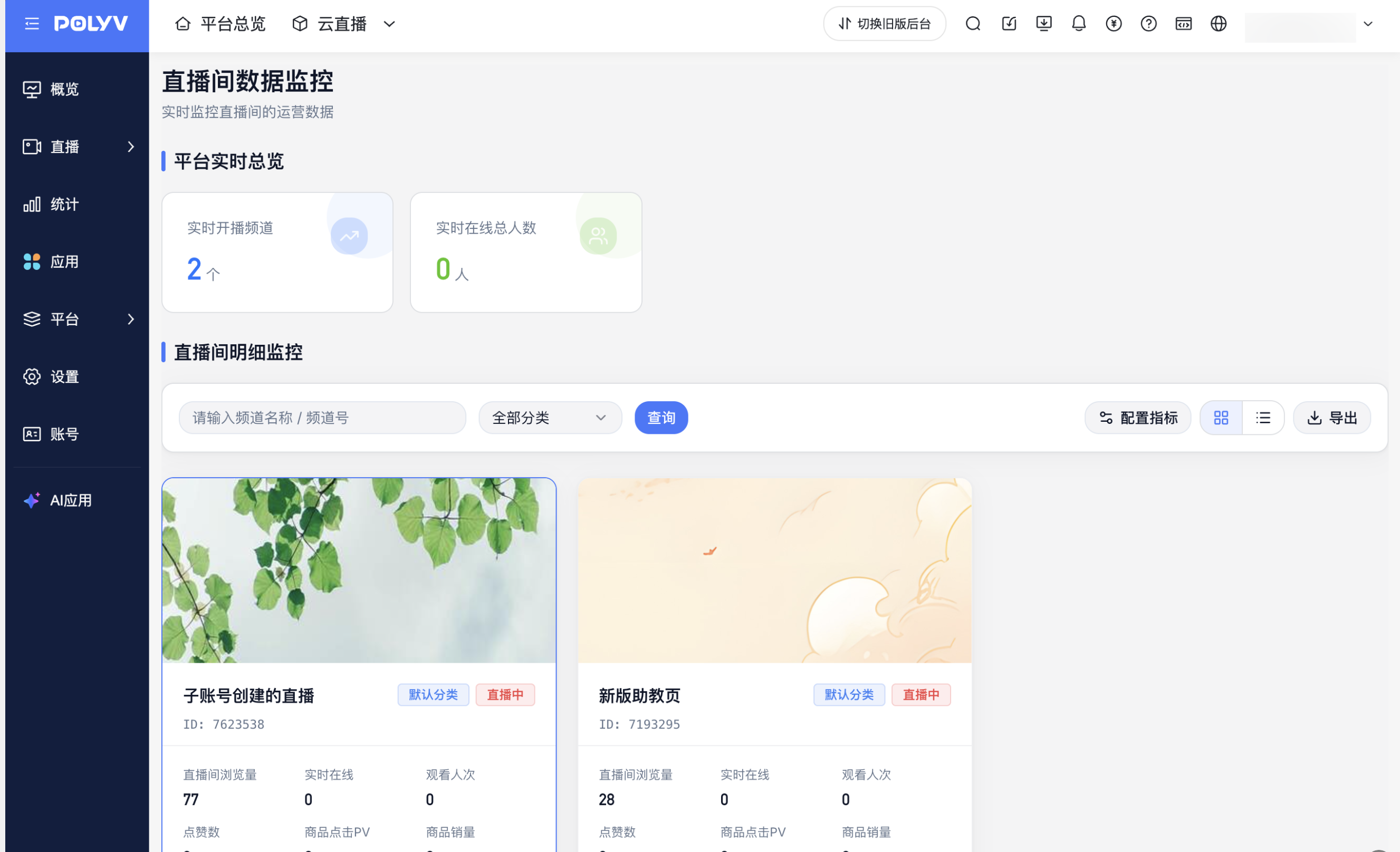
- After entering the [Live Room Data Monitoring] page, view the data of currently active live streams under your account.
4. Page Description
The Data Monitoring page consists of two sections: [Platform Real-Time Overview] and [Live Room Detail Monitoring].
| Section | Description |
|---|---|
| Platform Real-Time Overview | Displays the number of currently active live channels and total real-time online viewers under the current account. |
| Live Room Detail Monitoring | Displays data for currently active live rooms, including page views, real-time online viewers, total views, likes, product click PV, product sales, etc. |
The page supports searching for live rooms by channel name, channel ID, and category. It also supports configuring display metrics, switching display modes, and exporting data.
5. Notes
- Data Monitoring only displays data from live streams currently active under the current account.
- Sub-accounts only see data from currently active live streams within the scope of live rooms they have permission to view.
- If there are no active live streams under the current account, the page will not display live room detail data.
- To view more comprehensive data metrics for a single live room, you can access the data dashboard for that specific live room.
