Session Statistics
View historical live stream viewing and replay data by session. Supports filtering by date and session, and exporting.
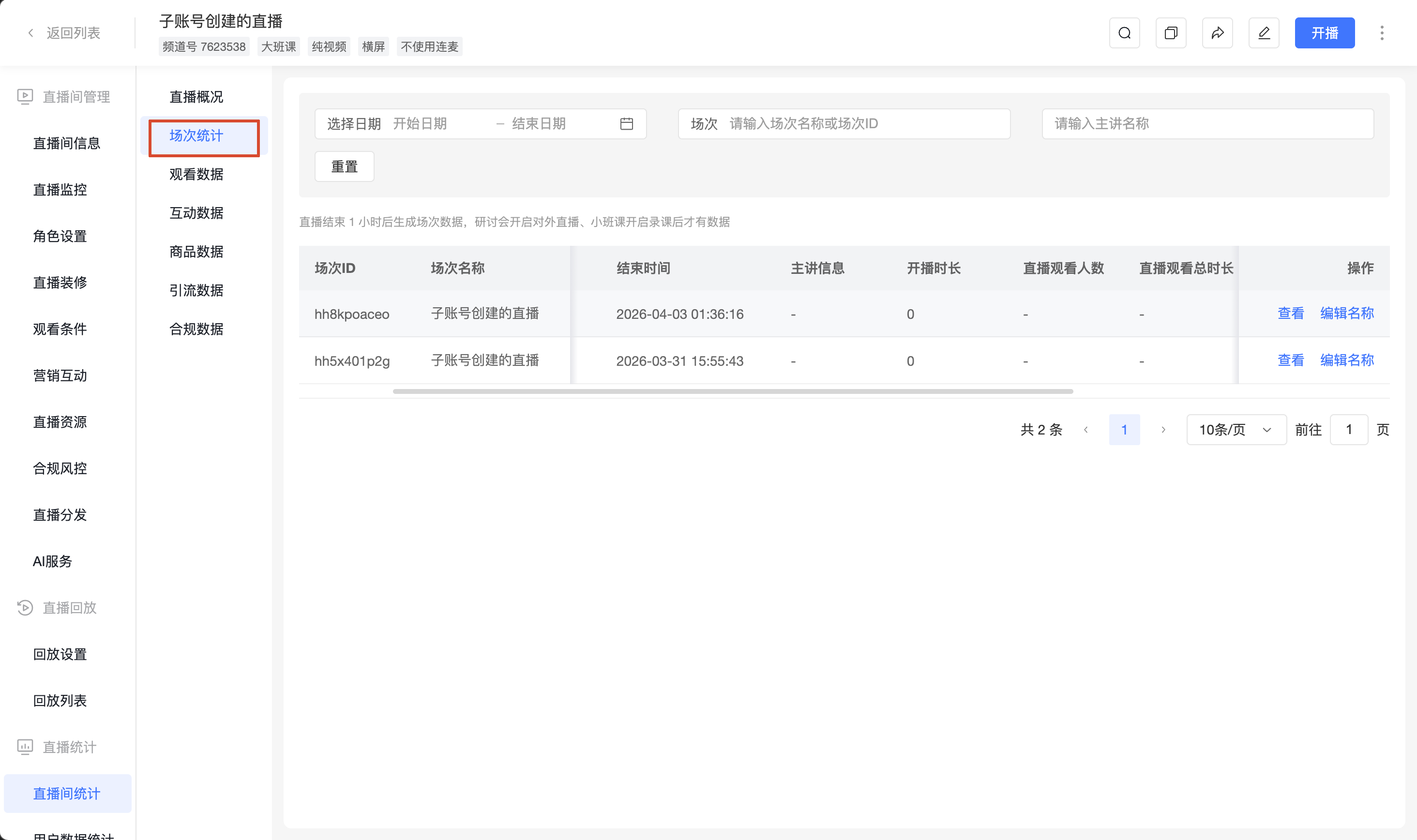
I. Session List
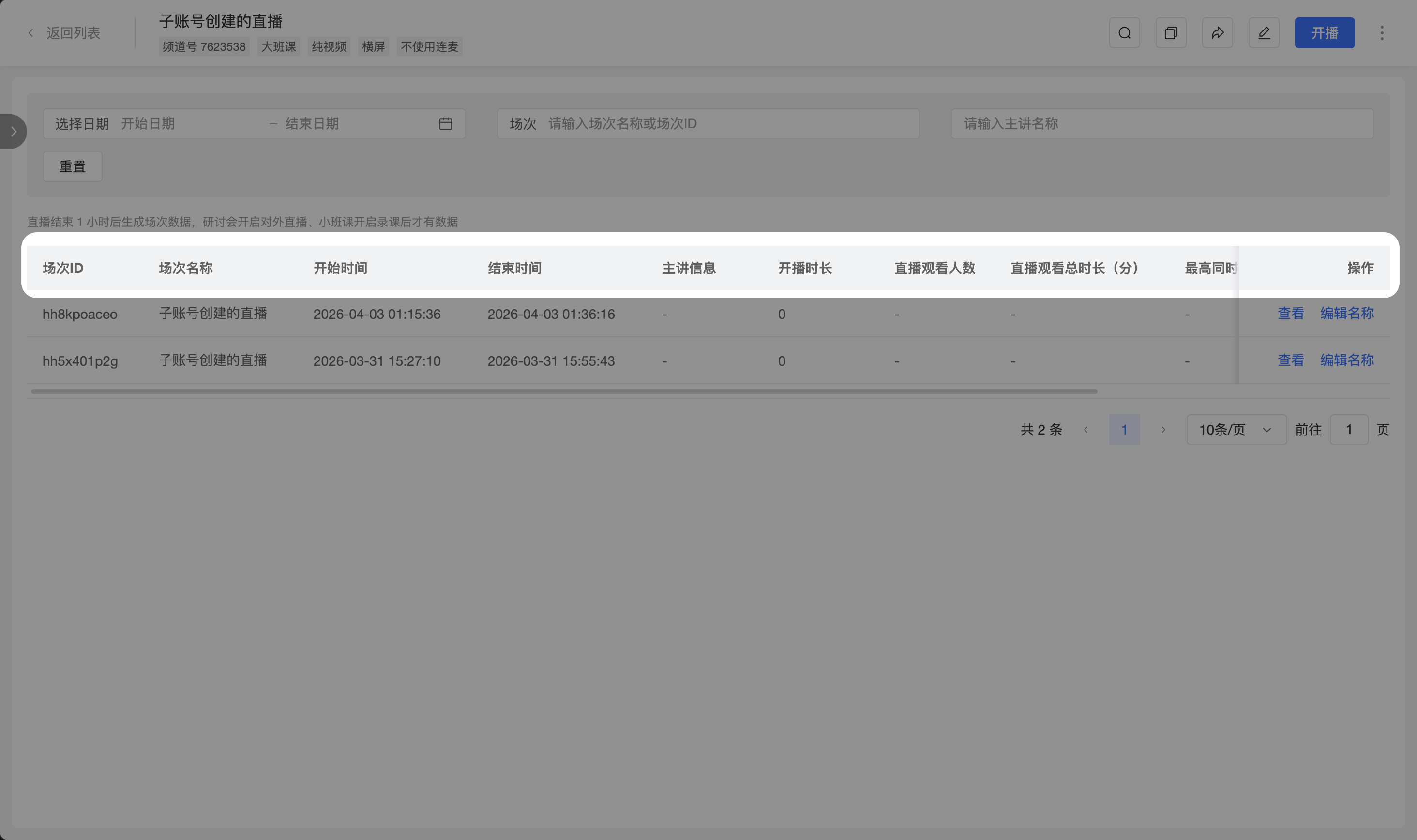
1. Session List Fields
Session data is generated 1 hour after the live stream ends. For seminars, external live streaming must be enabled; for small classes, recording must be enabled to generate session data.
| Field | Description |
|---|---|
| Session ID | Unique identifier for the session. |
| Session Name | The channel name at the time the session started. Can be modified via [Edit Name]. |
| Start Time / End Time | The actual start and end time of this session. |
| Presenter Info | Information about the presenter for this session. |
| Stream Duration | The actual duration of the live stream for this session. |
| Live Viewers | Number of viewers during the live stream. |
| Total Live Watch Time (min) | Sum of all users' watch time during the live stream. |
| Peak Concurrent Viewers | The highest number of concurrent viewers during the live stream. |
| Replay Duration (min) | Total duration of replays after the live stream ends. |
| Replay Viewers | Number of viewers for replays after the live stream ends. |
| Actions | Supports [View] session details and [Edit Name]. |
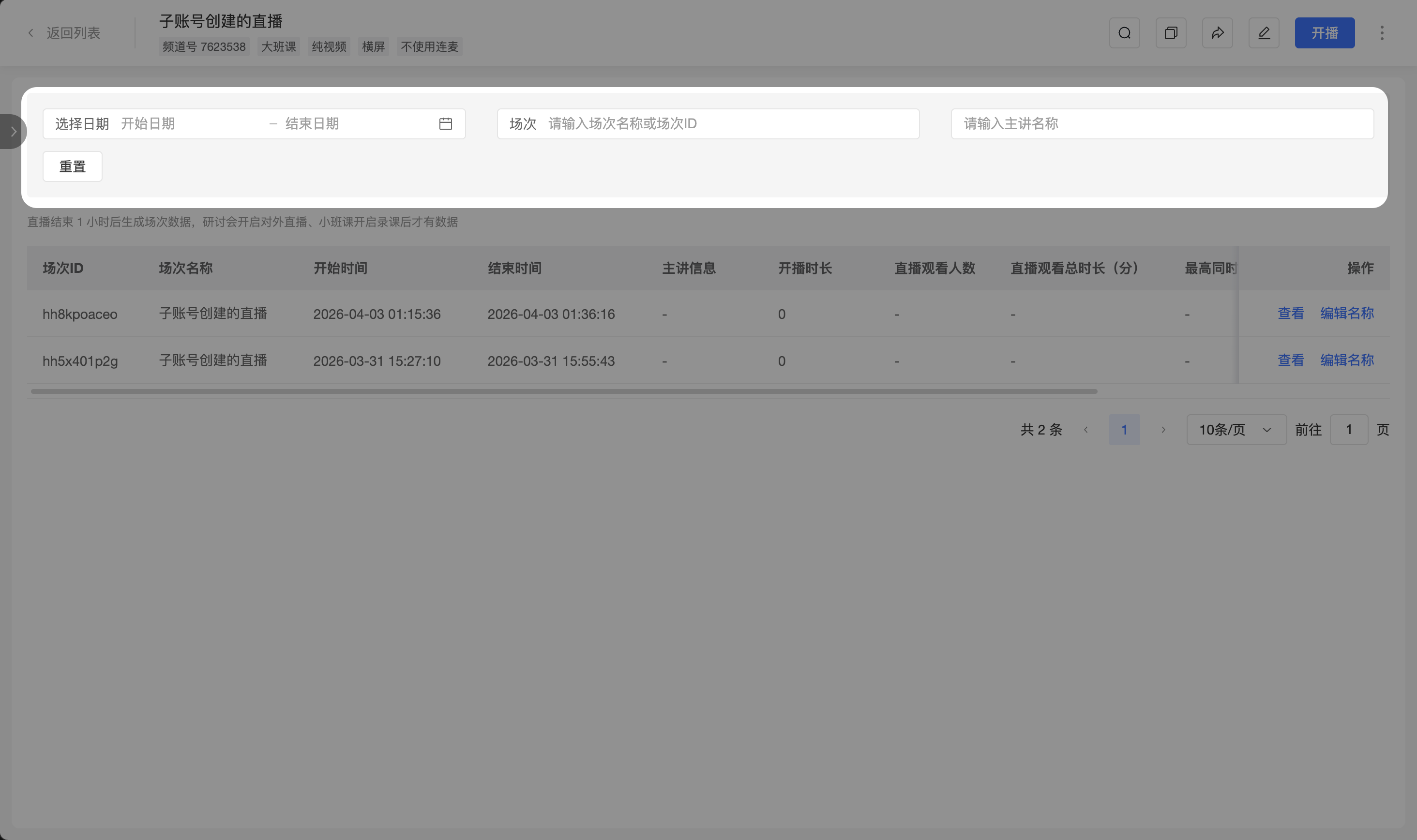
2. Filtering Sessions
The session list supports filtering specific live stream sessions by the following criteria:
- Start and end dates
- Session name
- Session ID
- Presenter name
3. Viewing Session Details
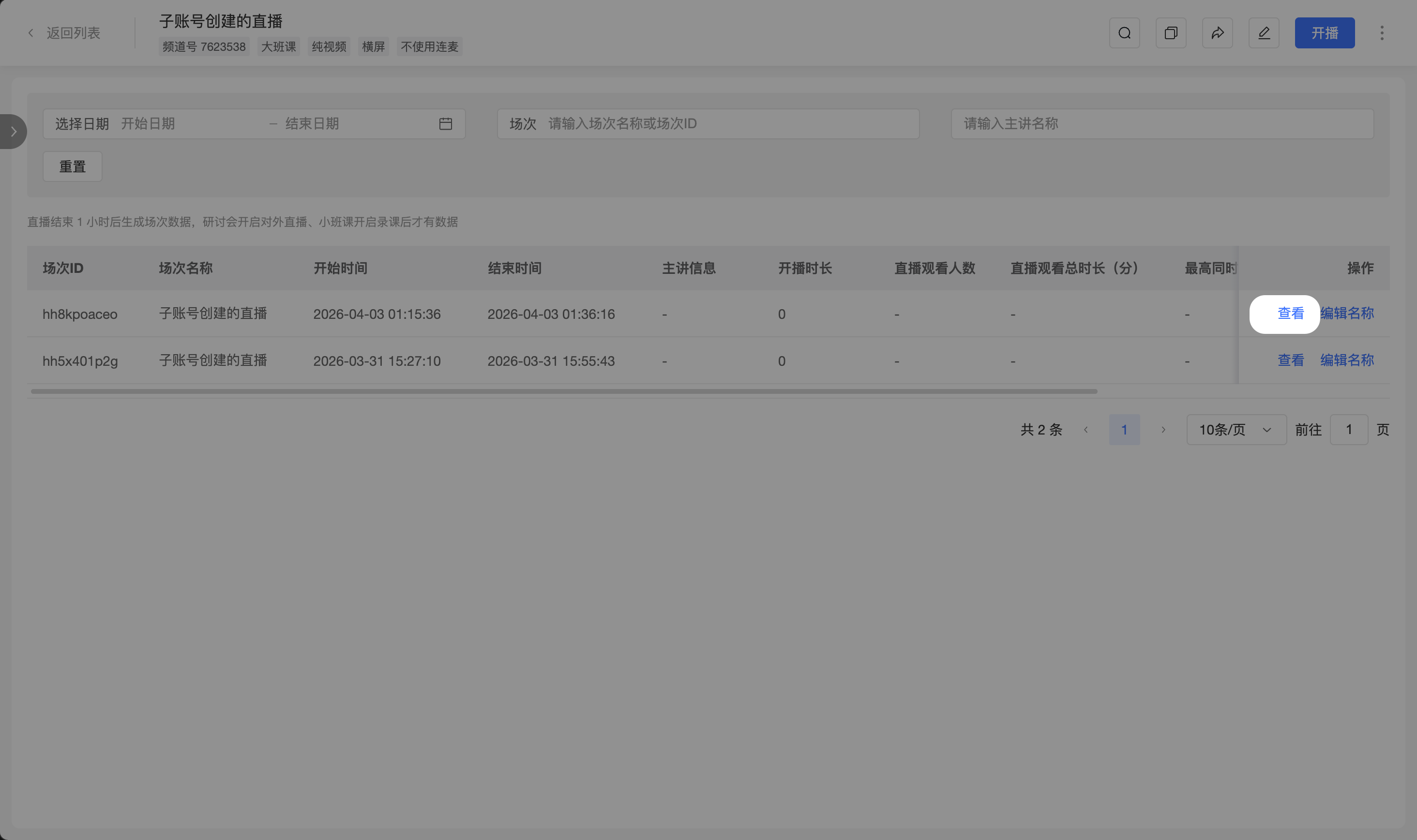
In the session list, click the [View] button to enter the details page for the corresponding session.
4. Editing Session Name
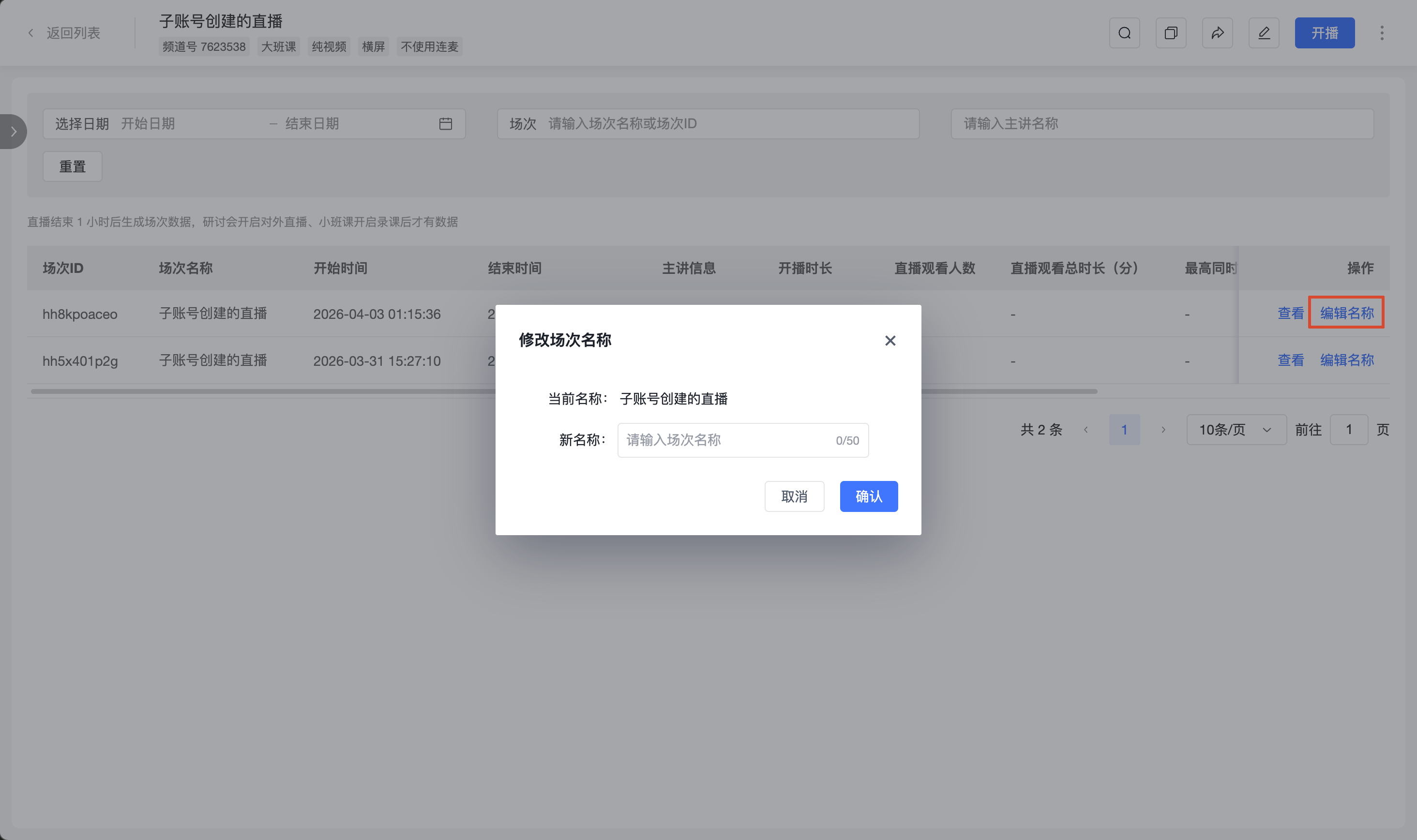
In the session list, click the [Edit Name] button to edit the session name.
II. Live Session Details
After entering the live session details page, you can view multi-dimensional data for the current session.
1. Basic Statistics
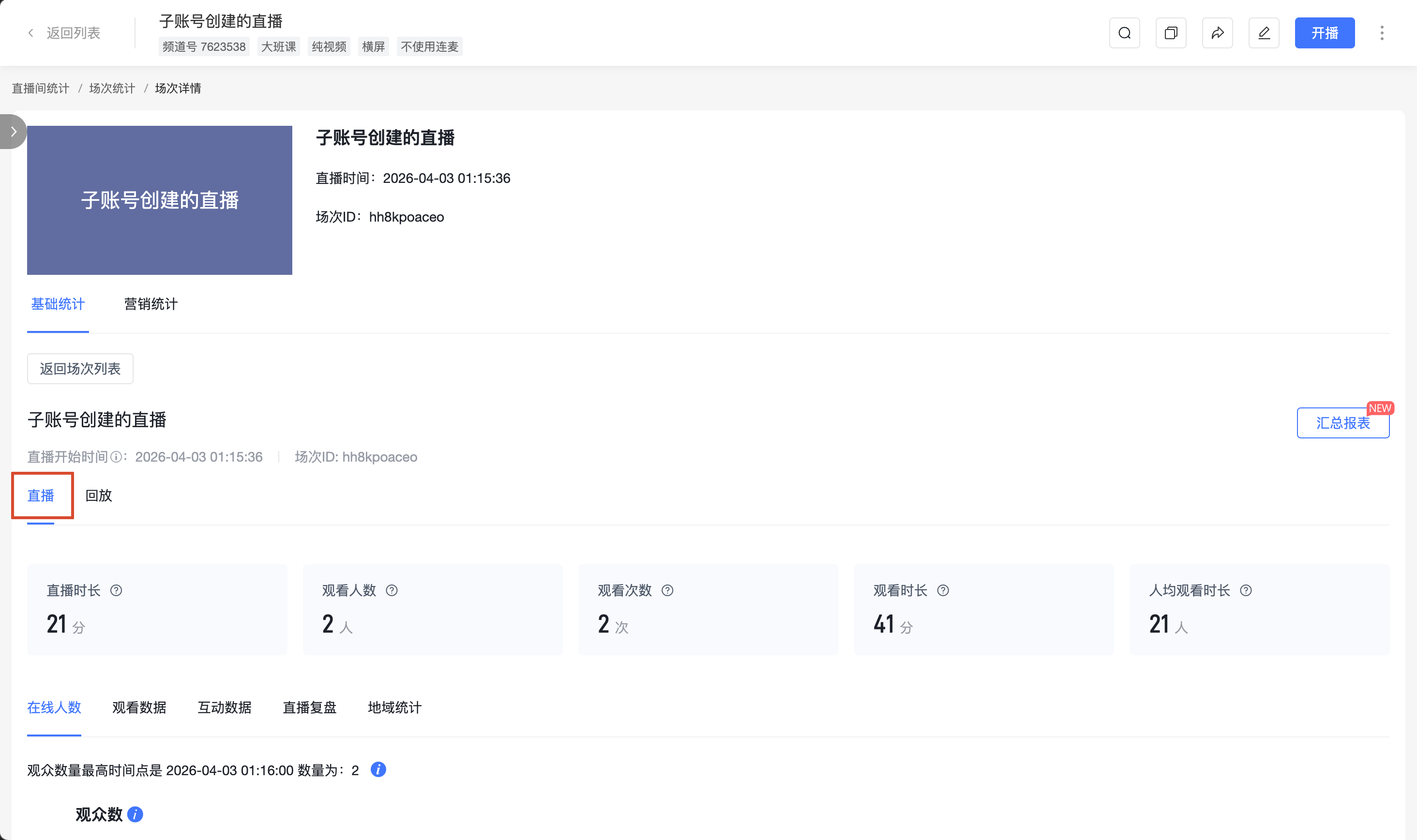
(1) Live Stream Statistics The following data can be viewed:
- Online viewers
- Viewing data
- Interaction data
- Geographic statistics
(2) Replay Statistics
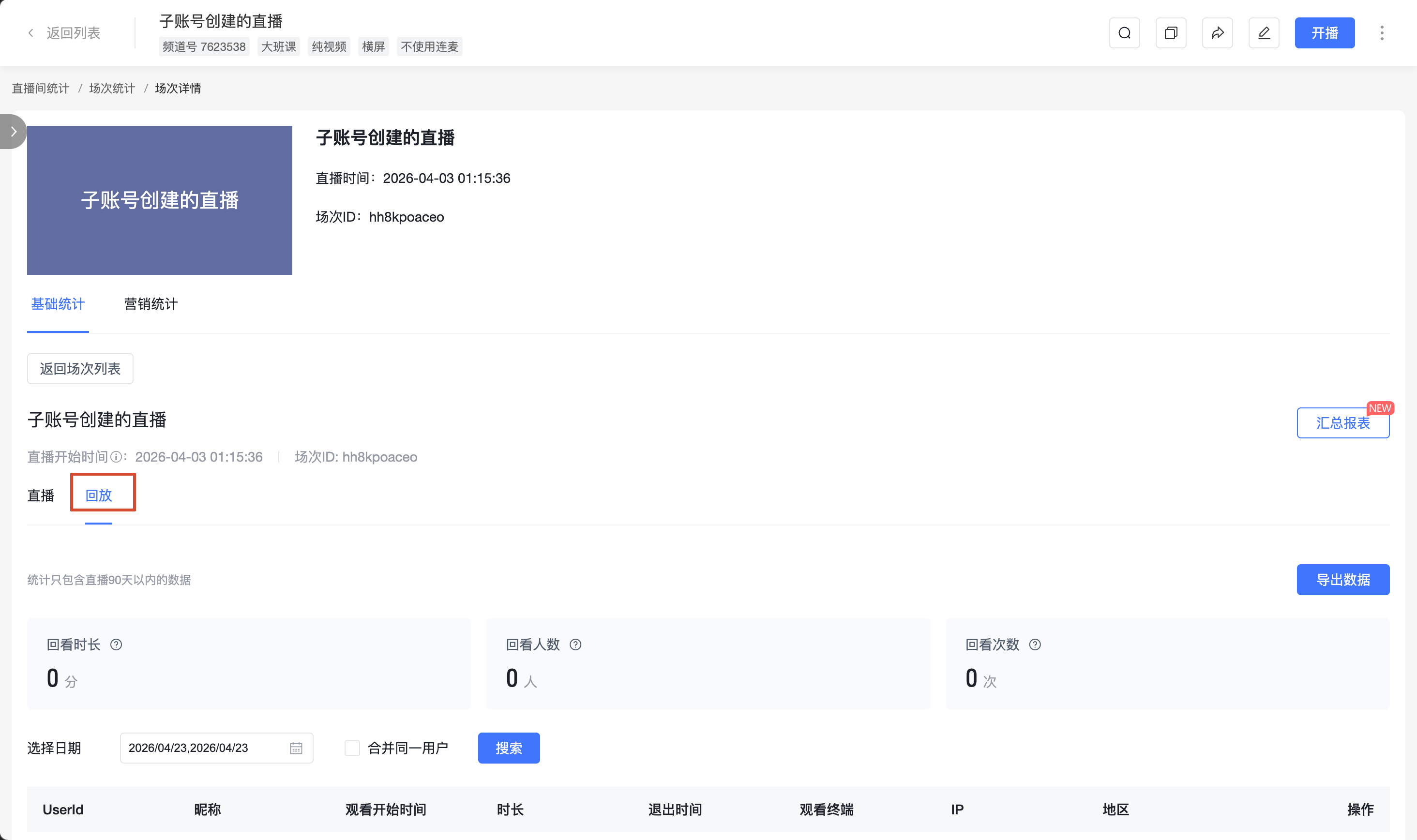
Supports viewing the live stream replay statistics for the current session within 90 days, and allows viewing replay user details and exporting related data.
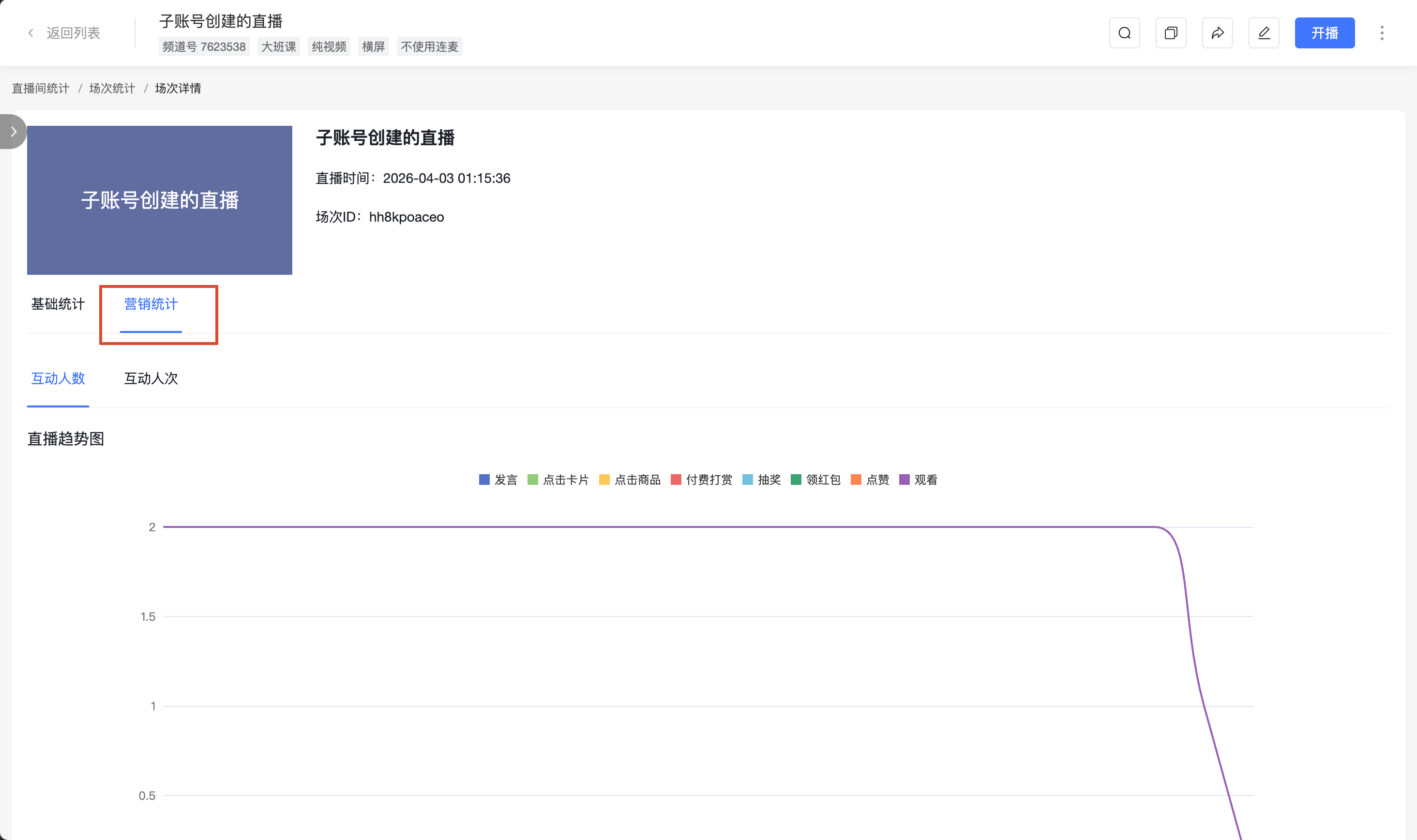
2. Marketing Statistics
Click [Marketing Statistics] to view marketing-related data and charts, including the following data:
- Card clicks
- Product clicks
- Paid tips
- Lucky draws
- Likes
- Red envelope claims