


Voting Activity
1. Feature Overview
Feature Info |
Description |
|---|---|
| Feature Name | Voting Activity |
| Feature Description | Supports flexible configuration of voting rules, result display methods, and option layouts, and displays a voting leaderboard on the viewing page. |
| Purpose | Quickly collect audience feedback, control live stream pacing, and enhance interaction and engagement. |
| Use Cases | Various live streaming scenarios such as teaching, marketing, and events. |
2. Operation Instructions
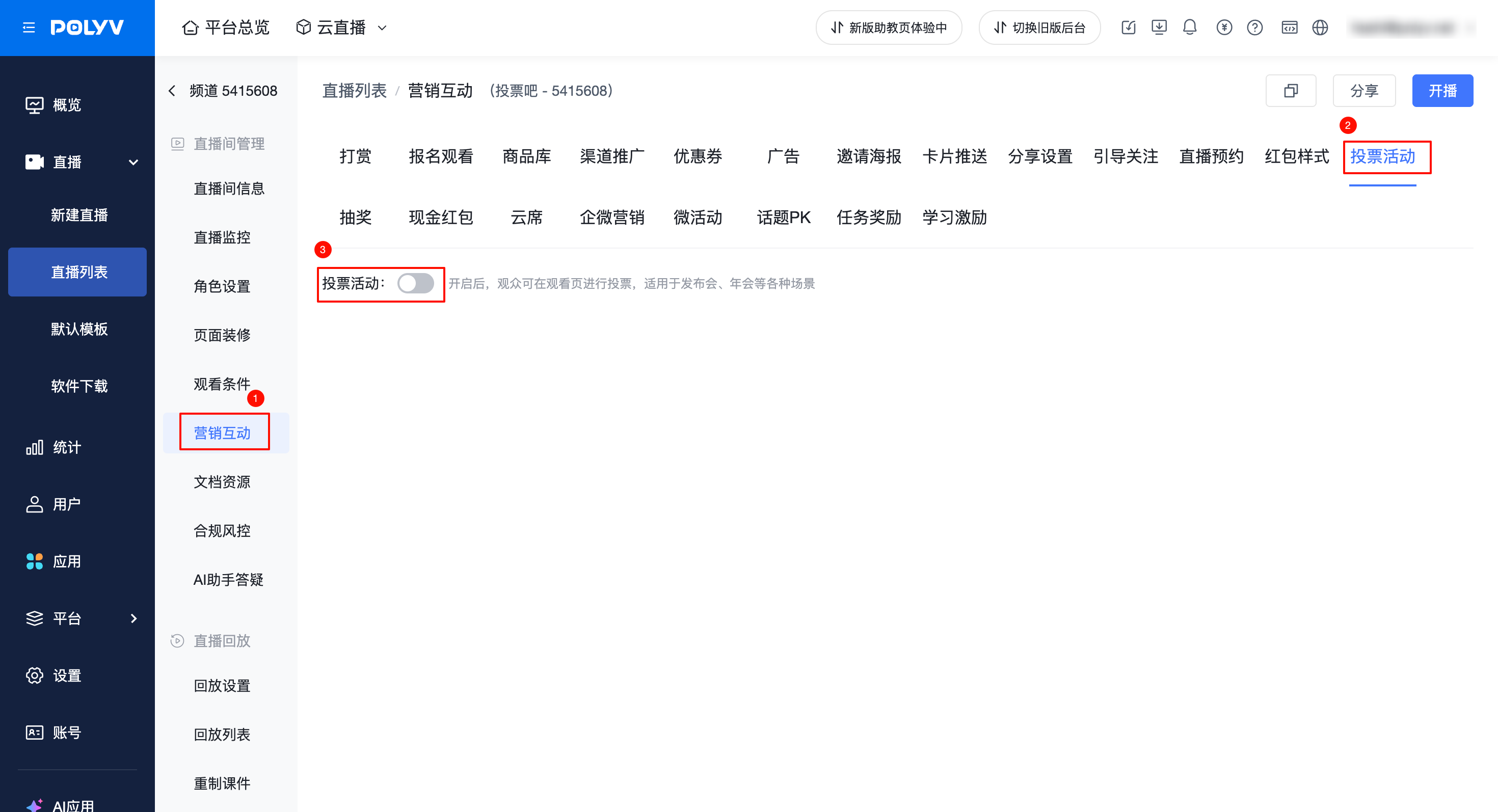
1. Voting Activity Activation Entry
- Location: Marketing & Interaction - Voting Activity - Toggle On
2. Voting Rule Configuration
- Configuration of participation rules, result announcement methods, option display styles, and voting rules.
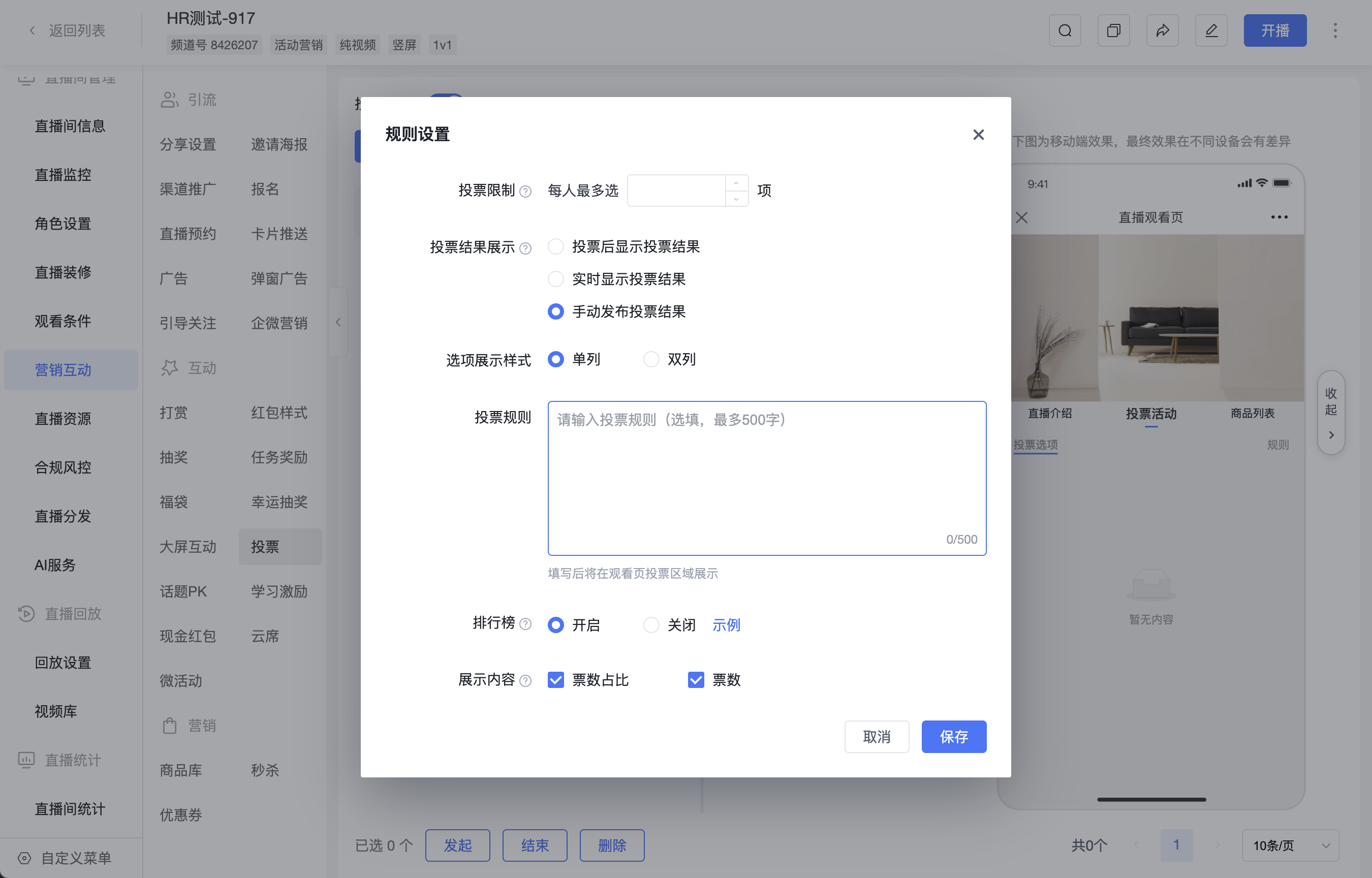
- Voting Limit: Maximum of X selections per person
- Limits the number of options a user can select within the same channel (regardless of session).
- If not set, there is no voting limit; viewers can only cast one vote per option but are not restricted on the total number of votes they can cast.
- If a voting limit is set, viewers cannot continue voting once the limit is reached.
- Voting Result Display, supports 3 modes:
- Show results after voting: Users can see the current vote count for options only after submitting their vote.
- Real-time display of results: Everyone (including those who haven't voted) can see the vote count in real-time.
- Manually publish results: Results are announced uniformly in the admin backend after all options have ended.
- The vote count and vote percentage in the leaderboard also follow the above result display rules; rankings, option images, names, and statuses are not affected by these rules.
- Option Display Style: Supports single-column or double-column layout.
- Single column: Recommended when there are few options or when you want to highlight option content.
- Double column: Recommended when there are many options, as it reduces scrolling and improves reading efficiency.
- Voting Rules: Supports entering custom rules, which will be displayed directly on the viewing page.
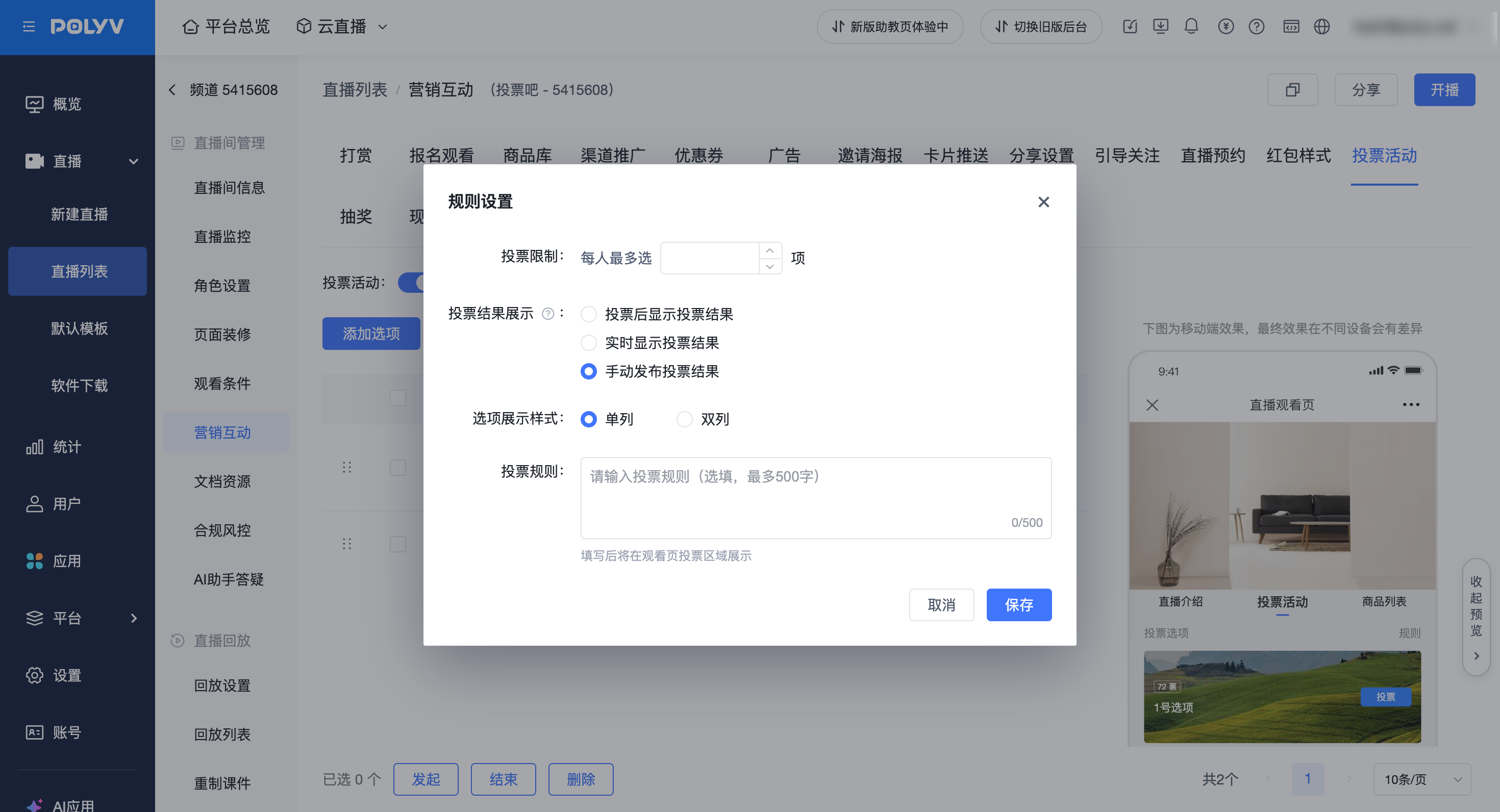
Leaderboard Settings (Optional)
- Enable [Leaderboard] in the voting rule settings. This applies uniformly to all voting options on the viewing page.
- After enabling, select whether to display [Vote Count] and [Vote Percentage] in the [Display Content] section. Both are checked by default when first enabled; you can select only one or deselect both.
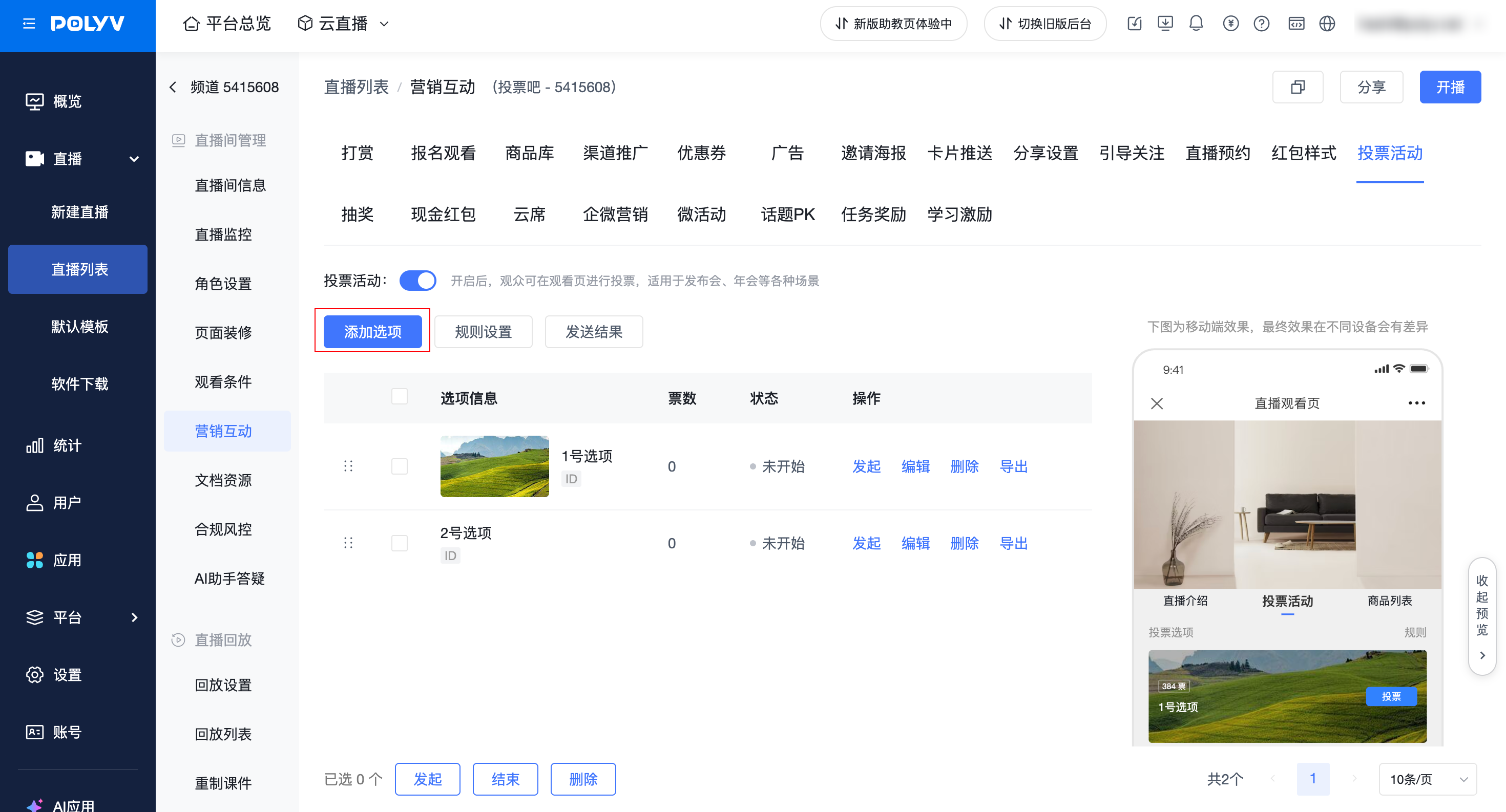
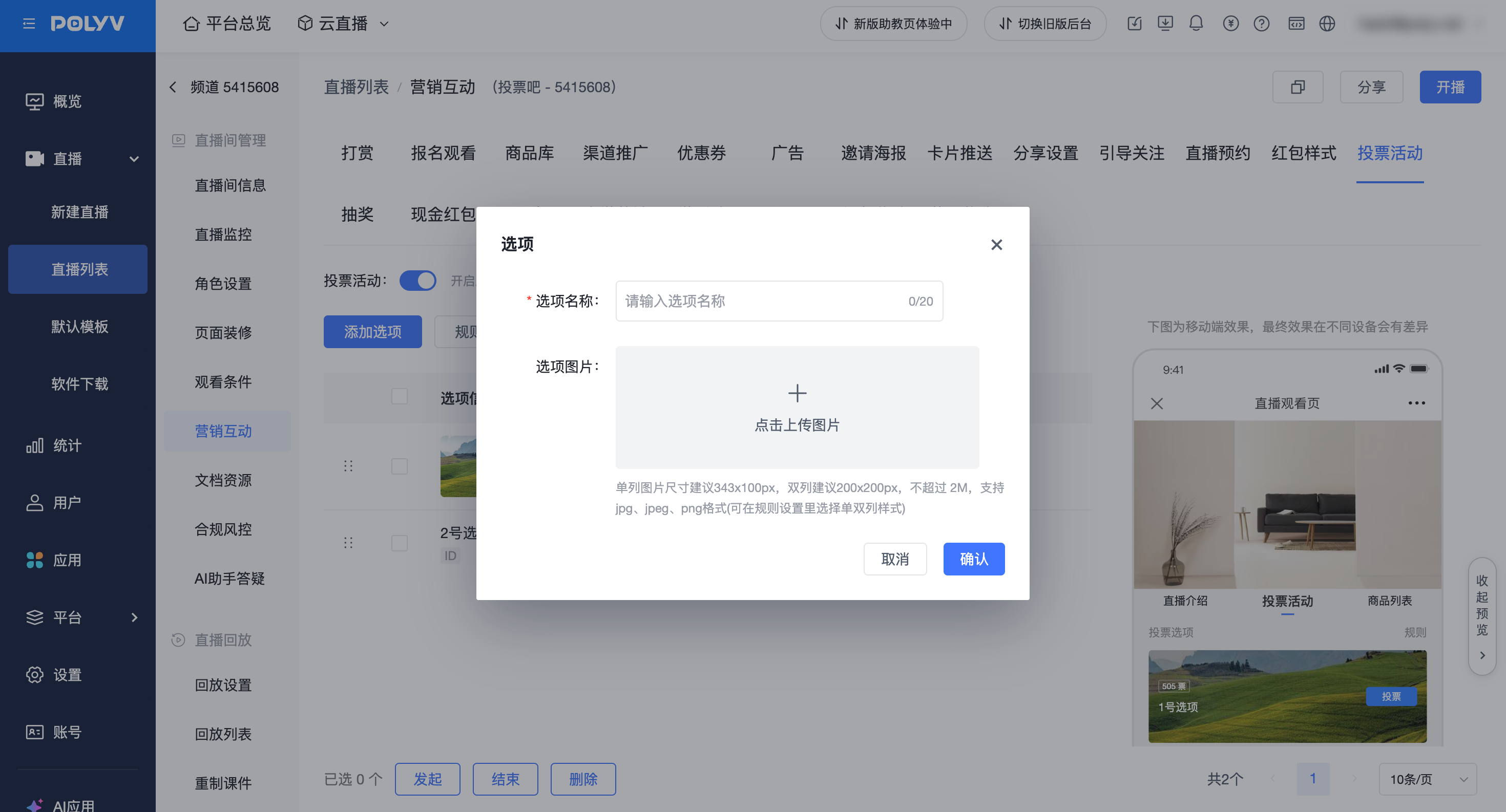
3. Adding Options
- Option Name (Required)
- Limited to 20 characters.
- Option Image (Optional)
- For single-column layout, recommended image size is 343*100px.
- For double-column layout, recommended image size is 200*200px.
- Image size must not exceed 2M. Supports jpg, jpeg, and png formats.
- Note: The option management page for votes created before 2025-12-04 is a separate new page. To view the old version operation documentation, please refer to: https://help.polyv.net/index.html#/live/product/live_bgm/vote
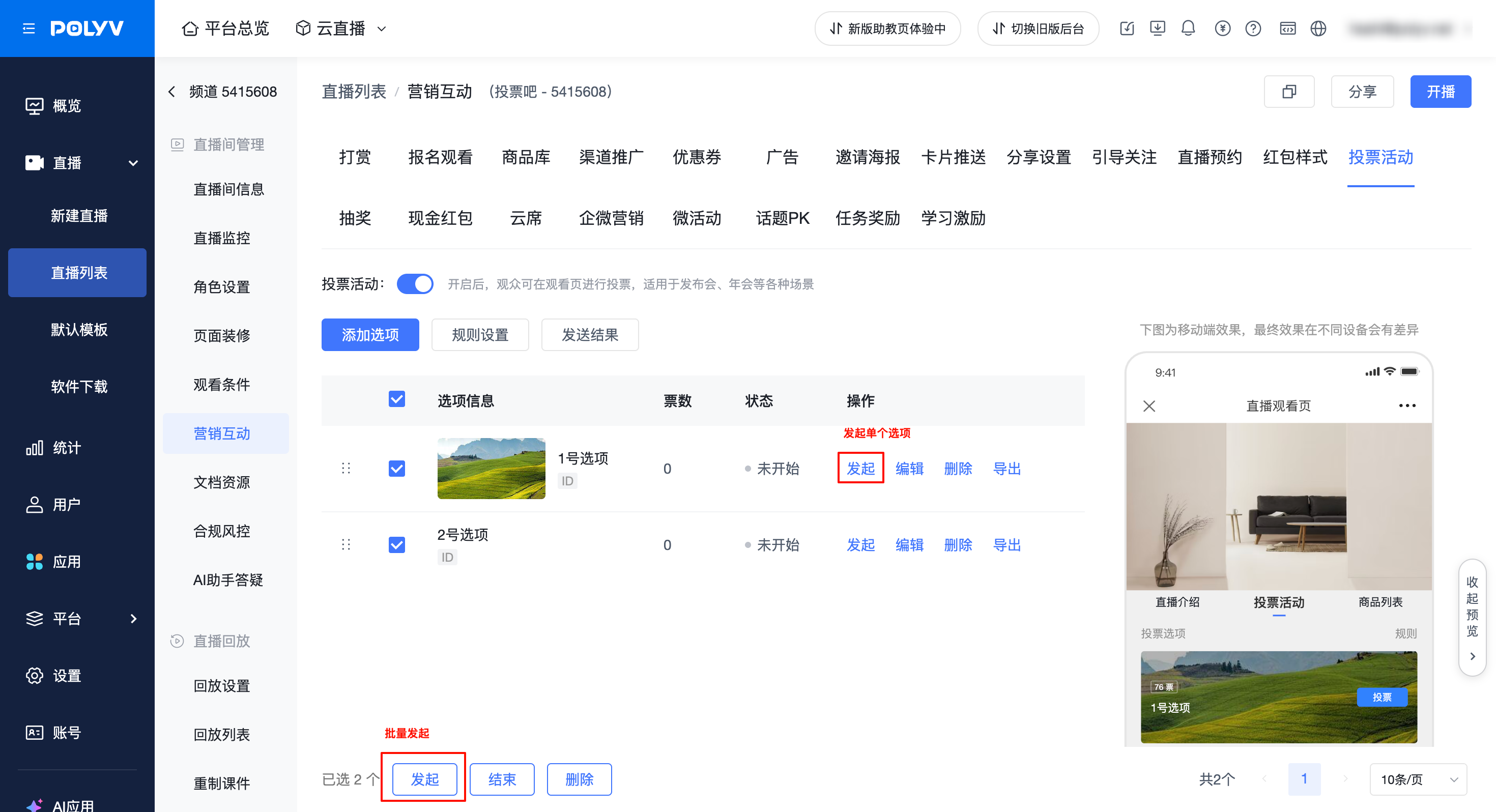
4. Launching Options
- Supports launching a single option or batch launching multiple options.
- Once an option is launched, its status changes to "Voting in Progress".
- The option will be displayed on the viewing page, allowing viewers to start voting.
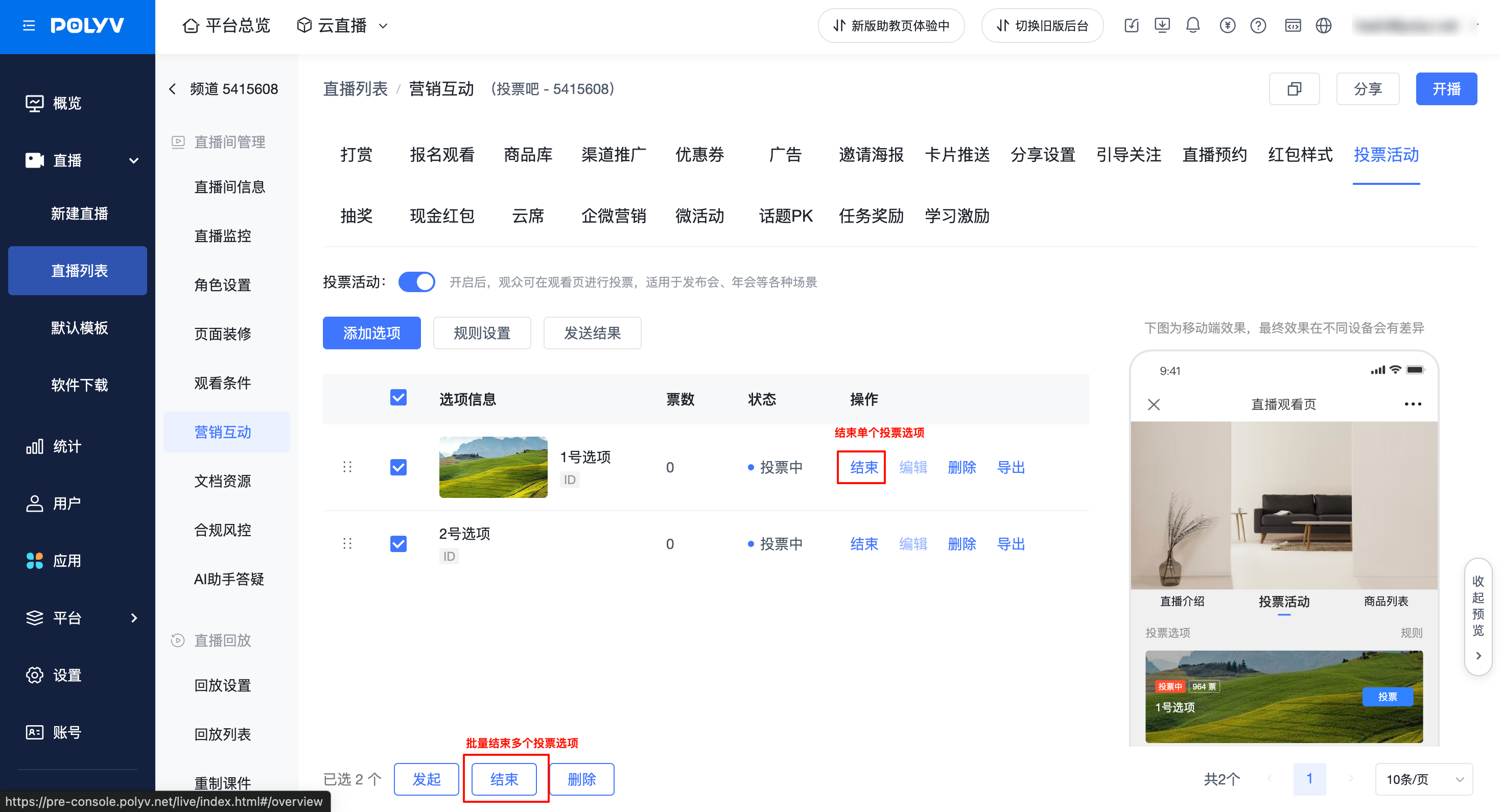
5. Ending Options
- Supports ending a single option or batch ending multiple options.
- Once an option is ended, its status changes to "Ended".
- Ended options support re-launching.
- If an option is not deleted, it will still be displayed on the viewing page, but viewers can no longer vote for it.
- Ended options continue to participate in the leaderboard ranking. When other options receive new votes, their ranking and vote percentage may change.
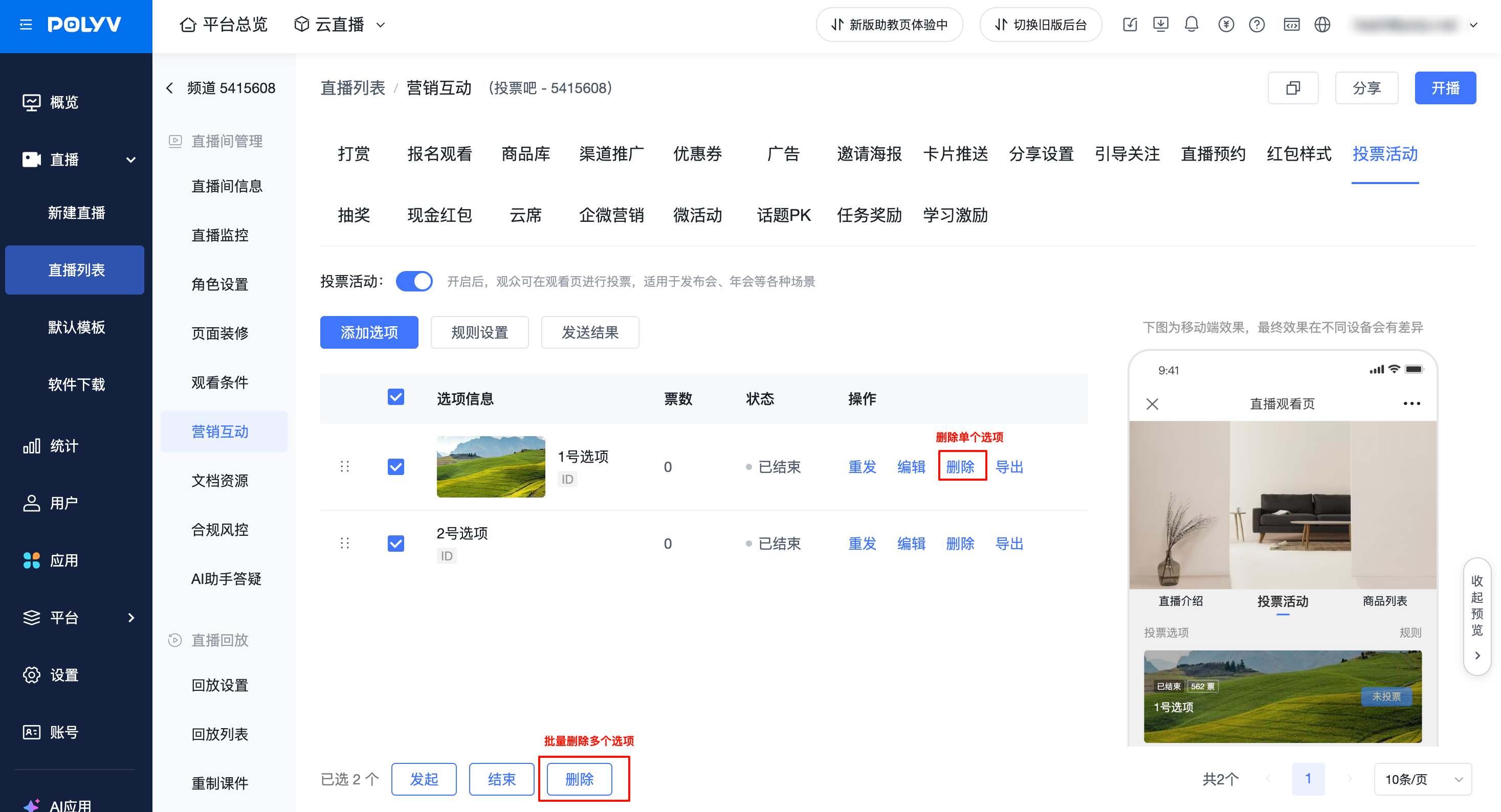
6. Deleting Options
- Supports deleting a single option or batch deleting multiple options.
- Only options with "Ended" or "Not Started" status can be deleted; options with "Voting in Progress" status cannot be deleted.
- Once an option is deleted, it will no longer be displayed on the viewing page.
- Deleted options are immediately removed from the leaderboard, their votes are no longer counted in the total votes, and the rankings and percentages of other options are recalculated.
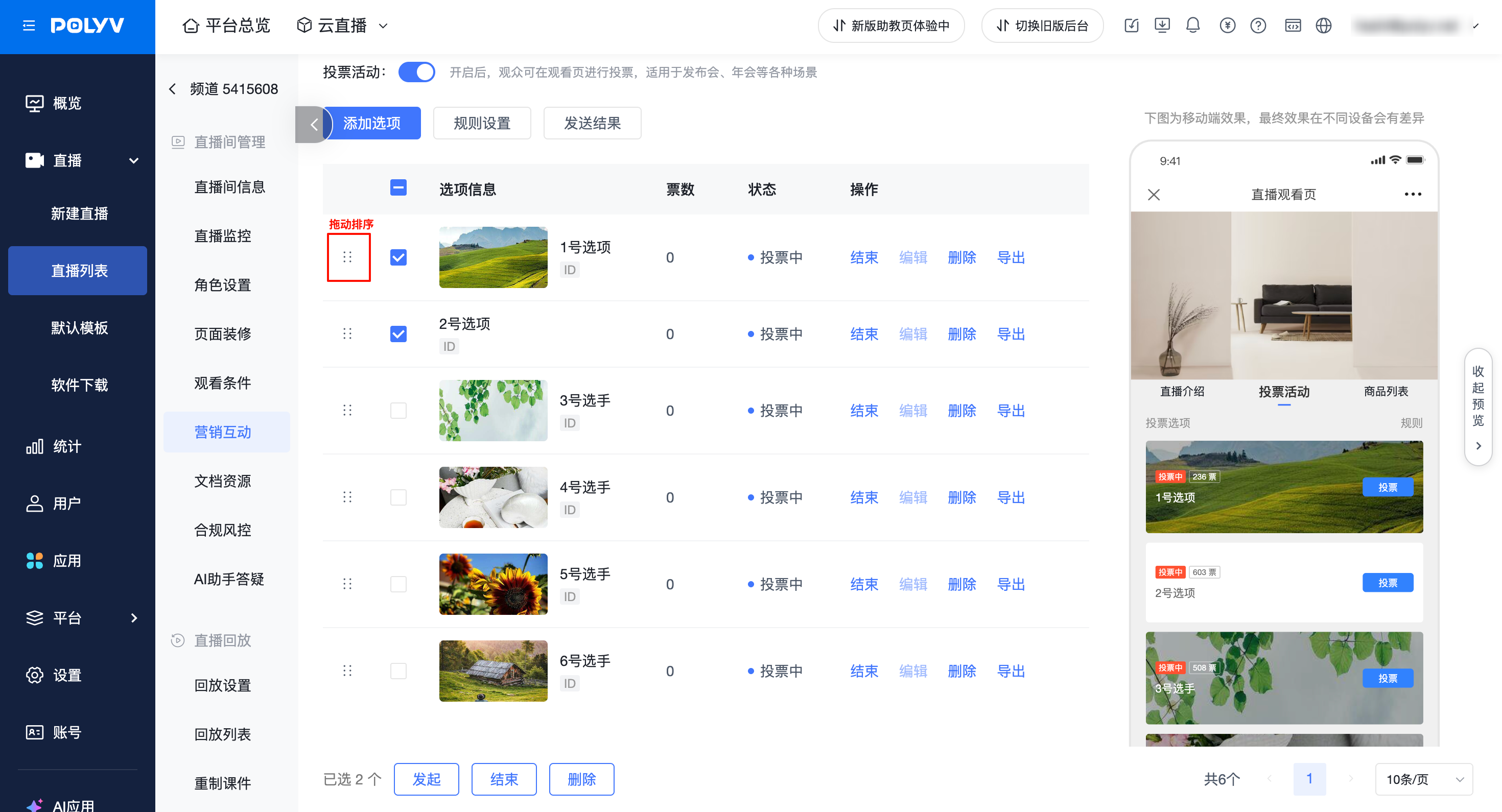
7. Option Sorting
- Drag to reorder options.
- The option order will be synced to the voting option list on the viewing page. The leaderboard prioritizes sorting by vote count. Only when the vote count and the time the current vote count was reached are identical, the options are arranged according to the latest configured order.
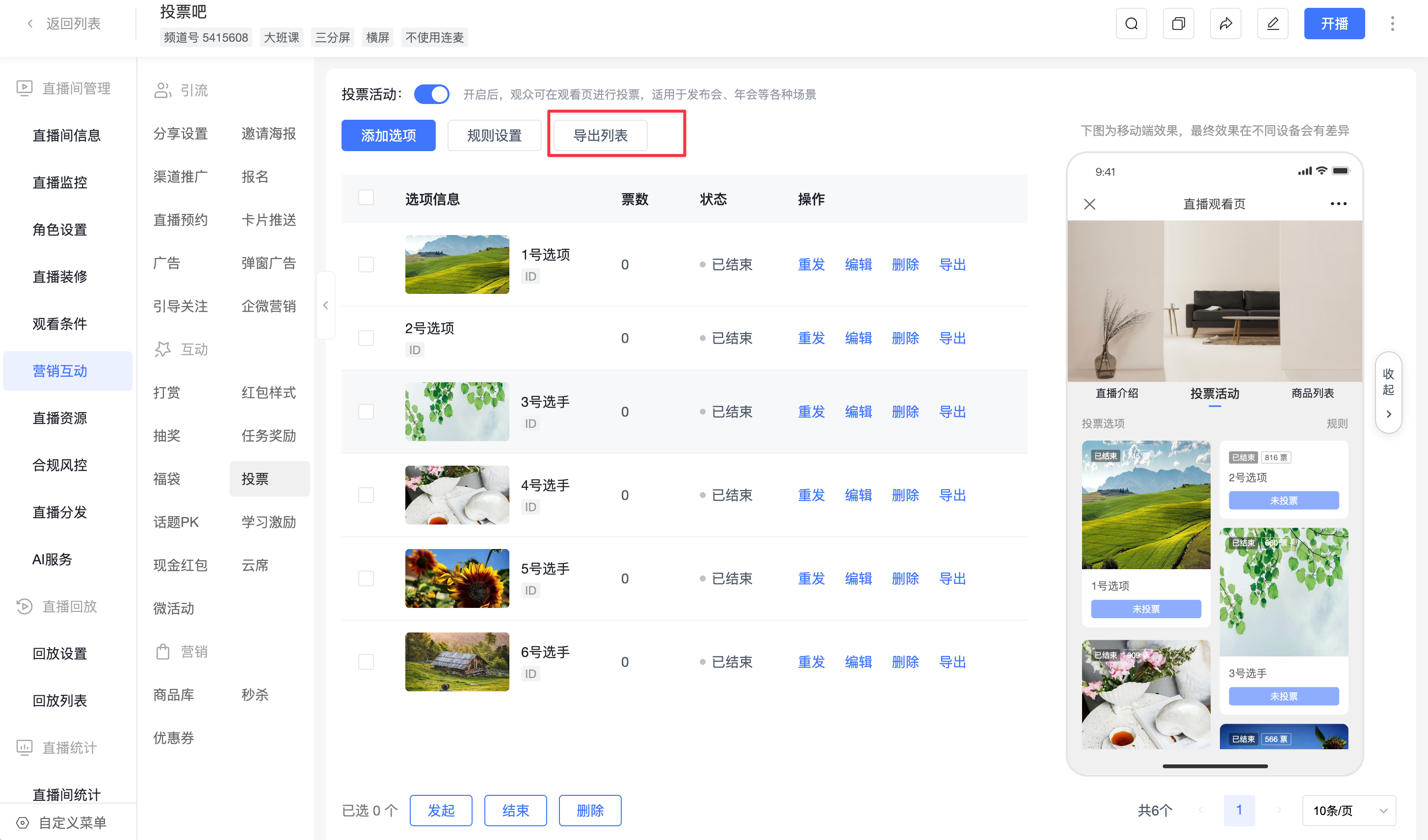
8. Exporting List
- Click [Export List] in the voting list to export all voting option data.
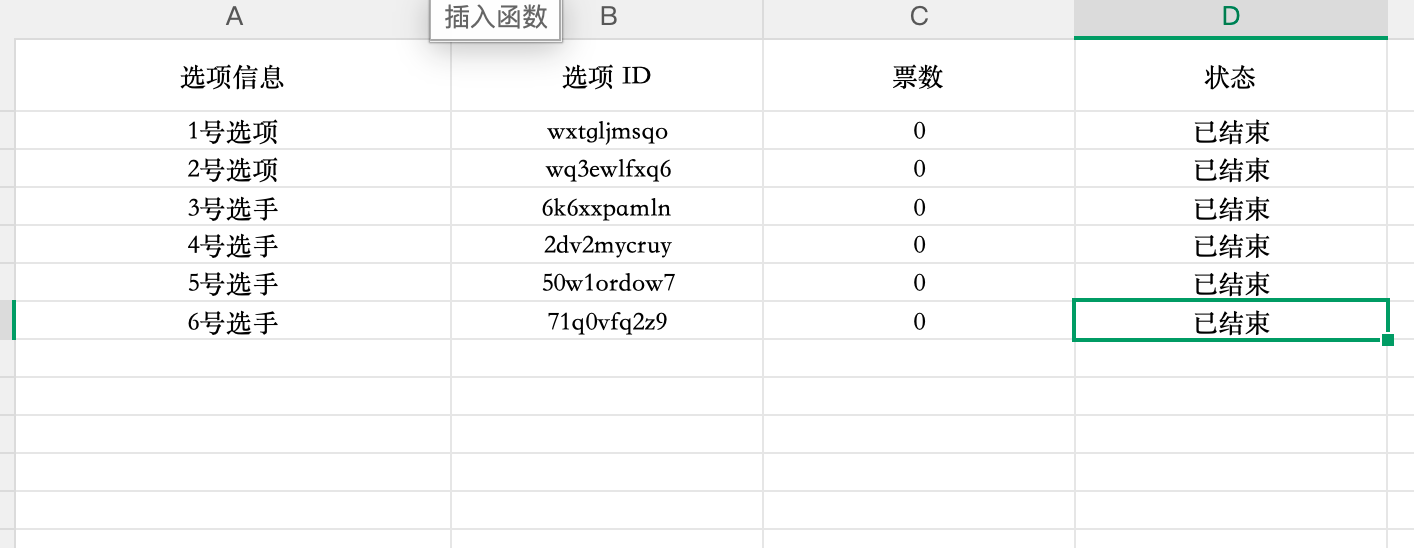
- The exported content includes option information, option ID, vote count, and status, facilitating the saving and analysis of voting results.
3. Viewing Page Effects
1. Single-Column Effect
PC Viewing Page

Mobile Viewing Page

2. Double-Column Effect
PC Viewing Page

Mobile Viewing Page
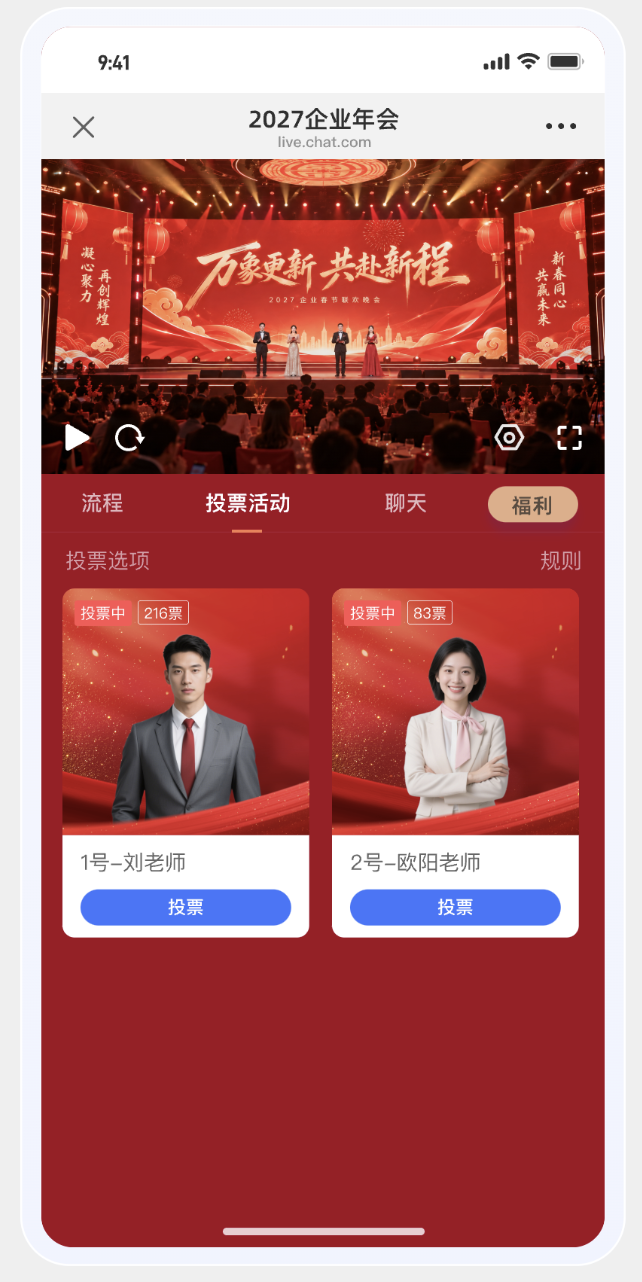
3. Leaderboard Effect
After enabling the leaderboard, viewers can switch to the [Leaderboard] tab on the viewing page to view option rankings, images, names, and statuses. The list supports scrolling for viewing.
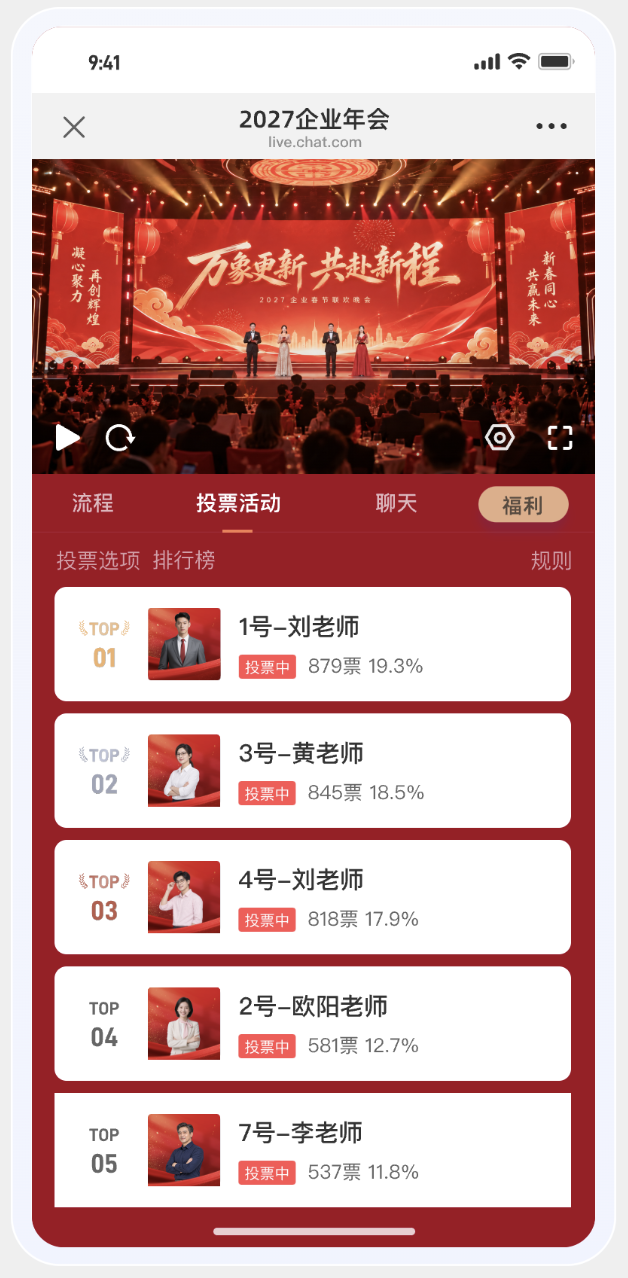
Ranking Rules
- Options with "Voting in Progress" and "Ended" statuses all participate in the ranking, including options with 0 votes.
- The higher the vote count, the higher the ranking. If votes are tied, the option that reached the current vote count earlier ranks higher. If the time to reach the current vote count is also the same, options are arranged according to their current configured order.
- When all started options have 0 votes, they are ranked according to the configured order.
- Rankings are displayed as TOP 01, TOP 02... TOP 10, TOP 11... Hiding the vote count or vote percentage does not affect the sorting.
Vote Count and Vote Percentage
The vote count or vote percentage is only displayed if the administrator has checked the corresponding display item AND the viewer meets the [Voting Result Display] rules.
Vote Percentage = Valid votes for the current option ÷ Total valid votes for all options × 100%
- Multi-select voting is also calculated by vote count, not by the number of participants.
- The percentage is rounded to one decimal place, e.g., 33.3%. It displays as 0.0% when the total votes are 0. After rounding each item, the sum may not necessarily equal 100%.
- When both vote count and percentage are displayed, it shows as "100 votes · 33.3%".
- When an option with "Voting in Progress" status receives new votes, its vote count, percentage, and ranking are updated in real-time.
4. Frequently Asked Questions
Q: Why can I see the ranking but not the vote count or vote percentage?
A: Rankings are not restricted by the voting result viewing rules. The vote count and vote percentage require the administrator to check the corresponding display items, and the viewer must also meet the result viewing conditions. When "Show after voting" is selected, viewers need to complete their vote. When "Manually publish" is selected, viewers must wait for the administrator to publish the results.
Q: How are options with the same number of votes ranked?
A: The option that reached the current vote count earlier ranks higher. If the time is also the same, they are arranged according to the current configured order in the backend. When all started options have 0 votes, they are also ranked according to the configured order.
Q: Why do the ranking and vote percentage of an ended option still change?
A: Ended options continue to participate in the unified ranking. Their vote count remains unchanged, but when other options receive new votes, their ranking may drop, and their vote percentage will also change as the total vote count changes.
