Binding Alipay Merchant Account
1. Operators Configure Alipay Merchant Account in the Admin Console
Configure the Alipay merchant account in Admin Console > Platform Settings > Payment Settings. Currently, only merchant accounts using the "Certificate" interface signing method are supported.
For details, see: Alipay Interface Signing Method Description https://opendocs.alipay.com/common/02kf5p?pathHash=81acb065
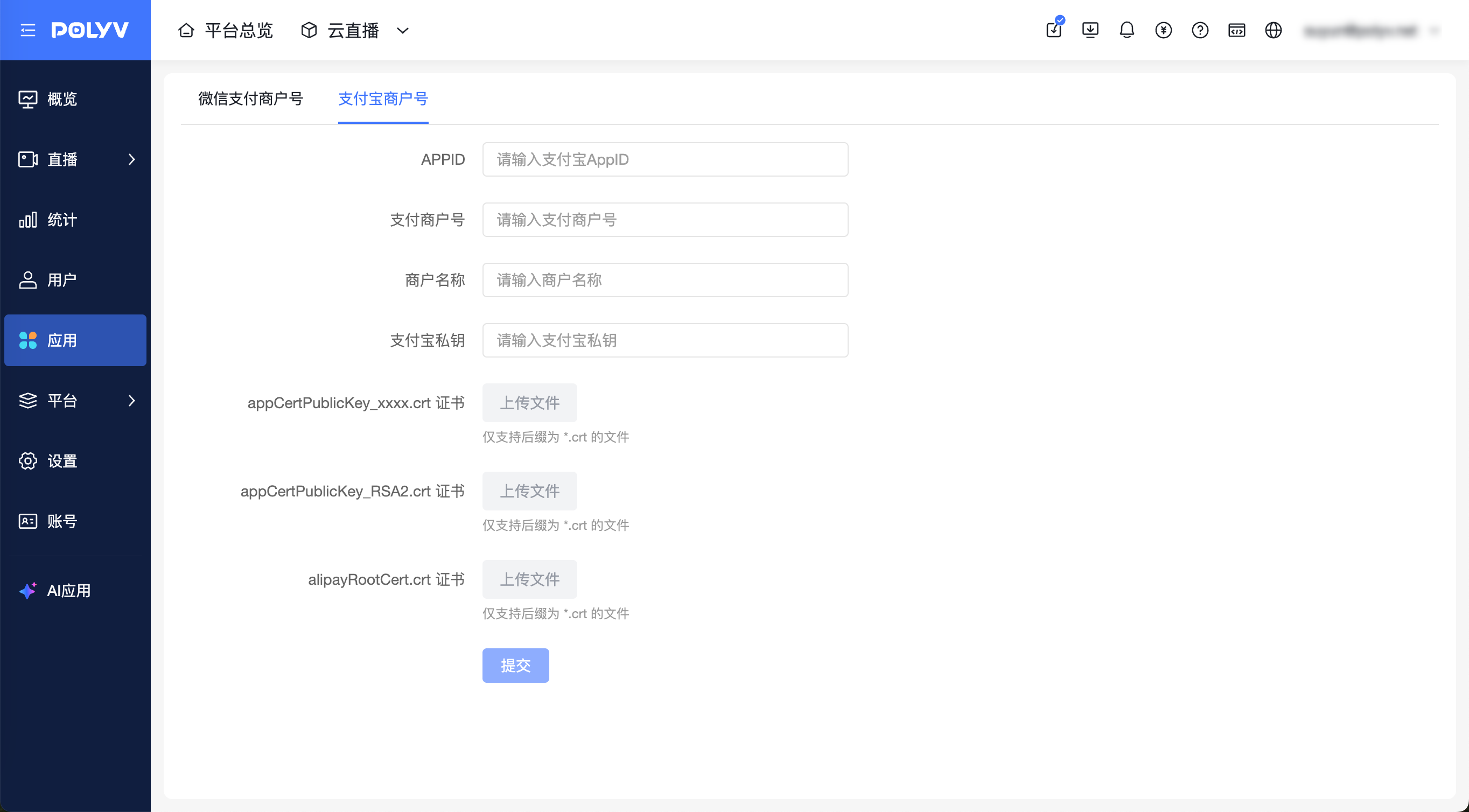
- This configuration is only available to the primary account; sub-accounts do not have permission.
- Only one Alipay merchant account can exist under each primary account at a time.
- Enterprises must apply for an Alipay merchant account themselves.
Reminder: The following fields need to be obtained from Alipay. See the documentation below for how to obtain them:
- How to obtain APPID: https://opendocs.alipay.com/support/01rau9?pathHash=e6b6fb3f
- How to obtain Alipay private key: https://opendocs.alipay.com/support/01rauu?pathHash=2b84e879
- How to obtain appCertPublicKey_xxxx.crt certificate, appCertPublicKey_RSA2.crt certificate, and alipayRootCert.crt certificate: https://opendocs.alipay.com/common/057aqe?pathHash=9e740611
2. Operators Create Platform/Channel Products and Select "Direct Purchase" with the Corresponding Purchase Amount
3. Users Can Choose Alipay Payment When Placing Orders in the Live Room
Alipay payment process in WeChat browser:
Alipay payment process in non-WeChat browsers:
Reminder: Due to WeChat restrictions, differences in mobile operating systems, and how users enter the live room, the experience may vary between "going from the live room to Alipay payment" and "returning to the live room after payment":
- iOS: Going from the live room to Alipay payment is smooth and can directly redirect to Alipay.
- Android: Going from the live room to Alipay payment will first go to an intermediate page, guiding the user to open in a browser via the top-right ... menu or copy the link to open in a browser, then proceed to Alipay payment.
- After payment, returning to WeChat/live room: If an intermediate page was displayed, you need to manually click the back button on the browser page to return to the live room.
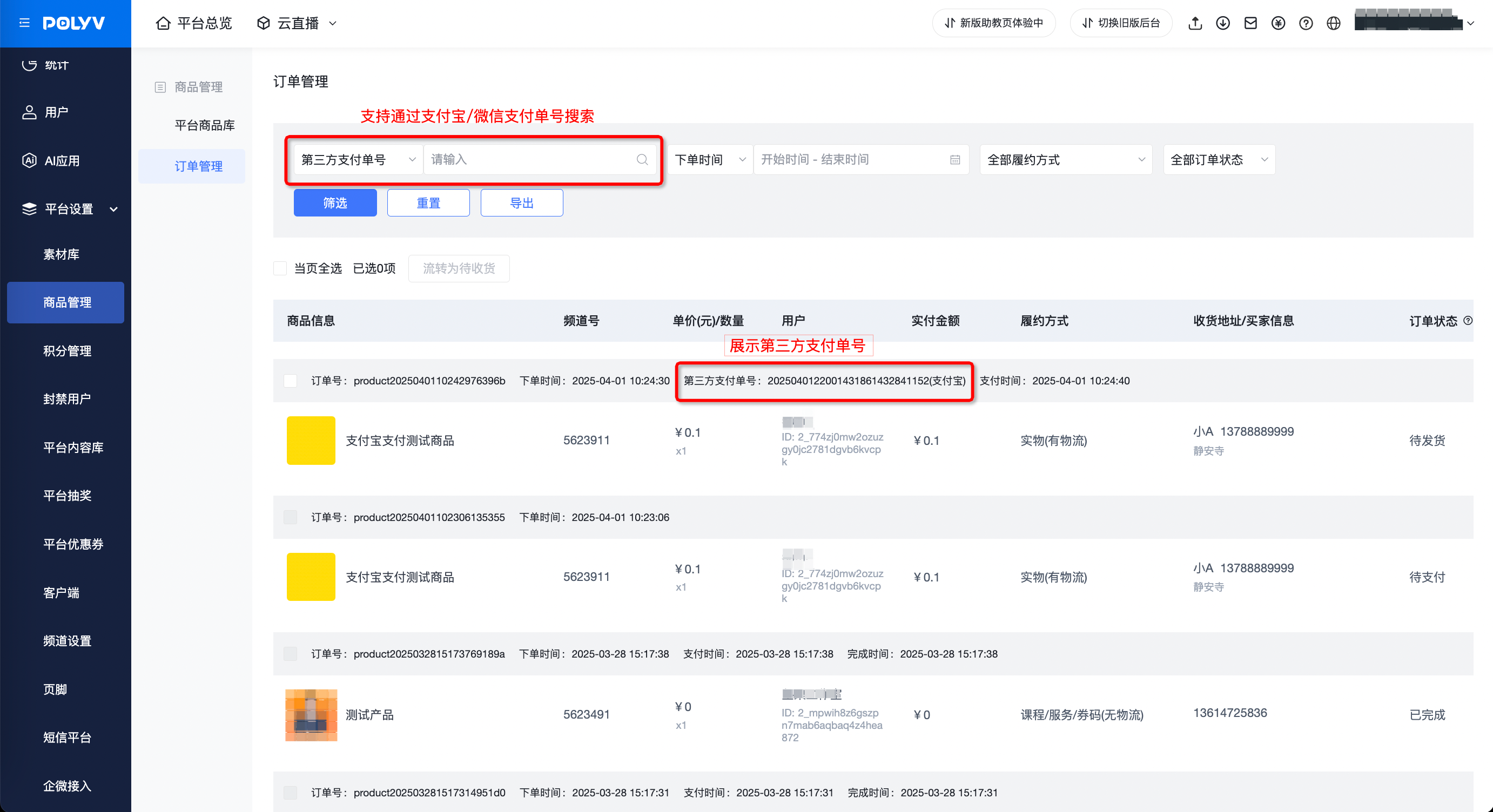
4. Operators View Orders in the Admin Console