Product Library - Product Payment
I. Feature Overview
Feature Info |
Description |
|---|---|
| Feature Name | Product Payment |
| Feature Description | Viewers can place orders and pay directly within the live stream without leaving it. |
| Purpose | Boost conversion |
| Use Case | Private domain live commerce |
| Operation Path | 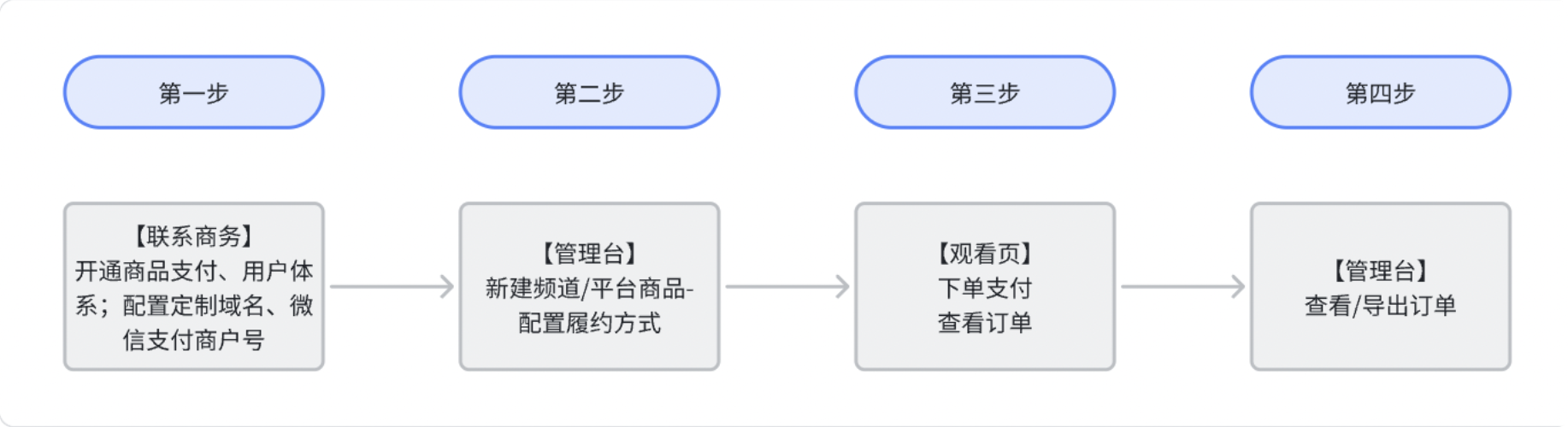 |
| Notes | 1. Prerequisites for using the product payment feature: Enable "User Management" and "Product Payment", configure a "Custom Domain", and configure a "WeChat Pay Merchant ID".2. Some viewing conditions cannot be used simultaneously with product payment, including: Custom Authorization, External Authorization, Independent Authorization, and WeCom Viewing.3. Order placement is restricted in non-WeChat environments; users will be guided to open the H5 viewing page in WeChat. |
II. Usage Instructions
1. Operators configure direct purchase when creating channel/platform products in the management console
Creating a channel product:
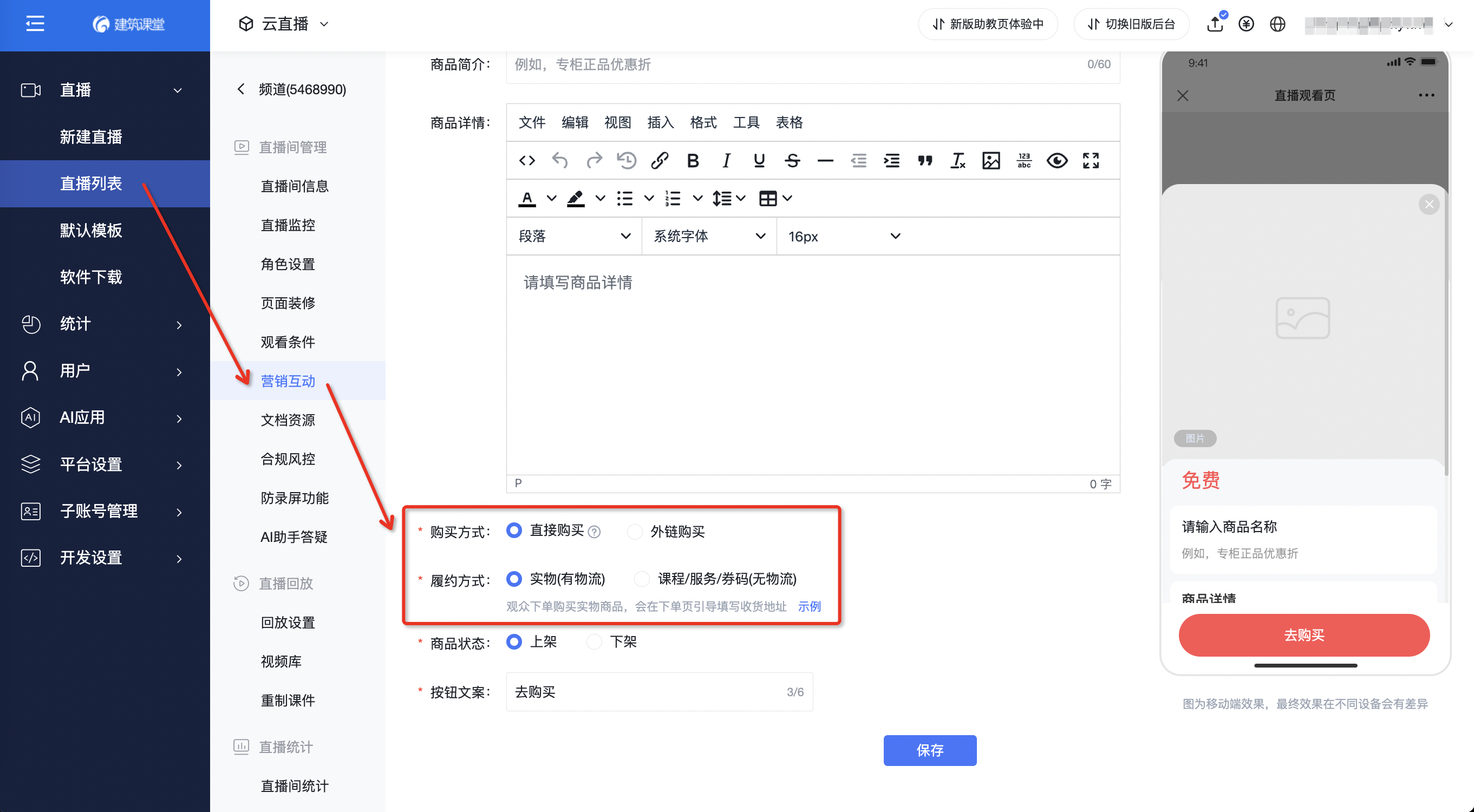
Creating a platform product: (When adding a platform product, you can choose to reference an existing platform product without creating a new one.)
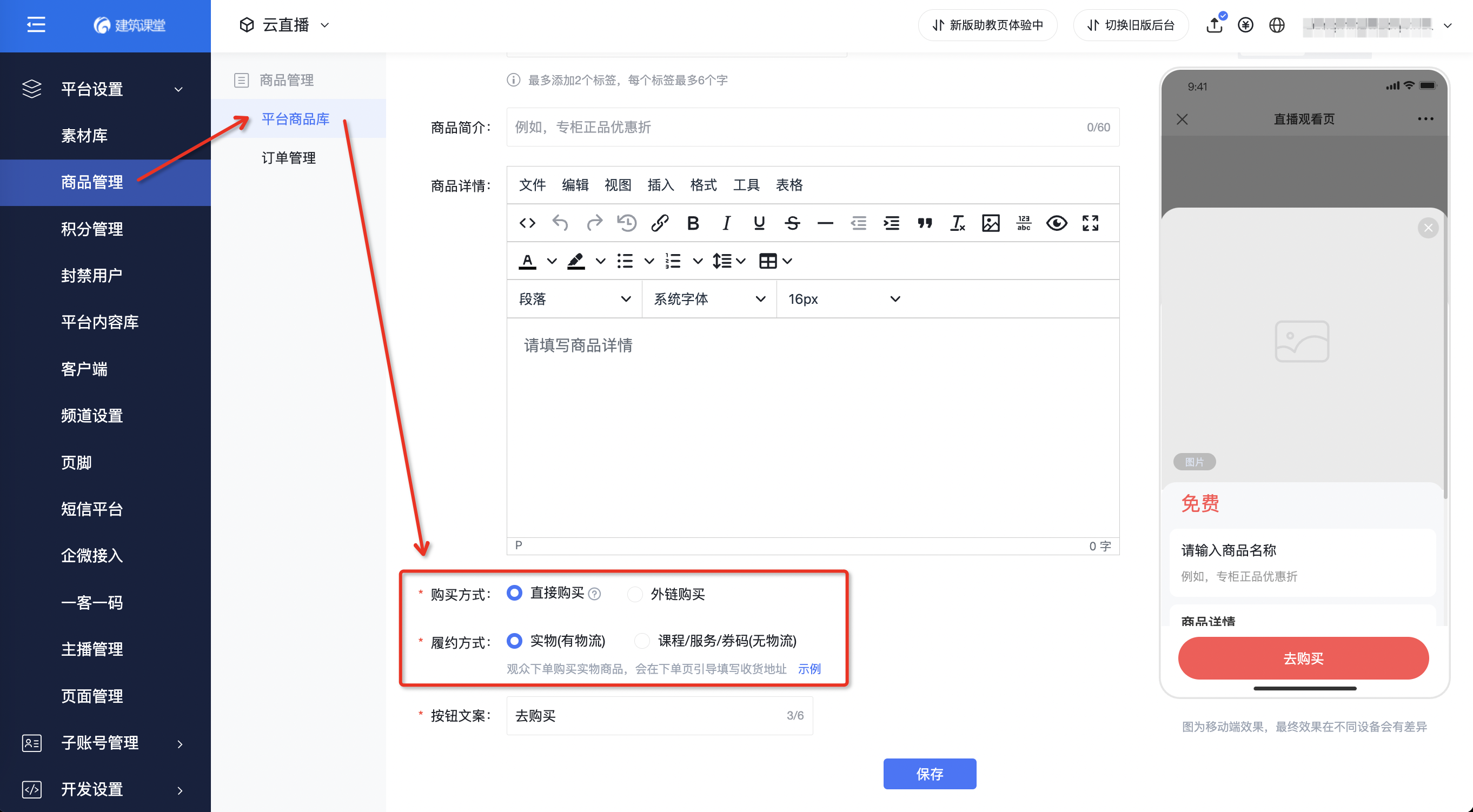
When creating a product, select "Direct Purchase" in the "Purchase Method" field, then choose the appropriate fulfillment method based on the product's characteristics:
- When selecting "Physical (with logistics)", viewers need to fill in an address when placing an order.
- When selecting "Course/Service/Voucher Code (without logistics)", you need to guide viewers to add customer service after successful payment. Supports configuring custom QR codes and channel live codes.
Direct purchase only supports standard products; financial products and job products are not supported.
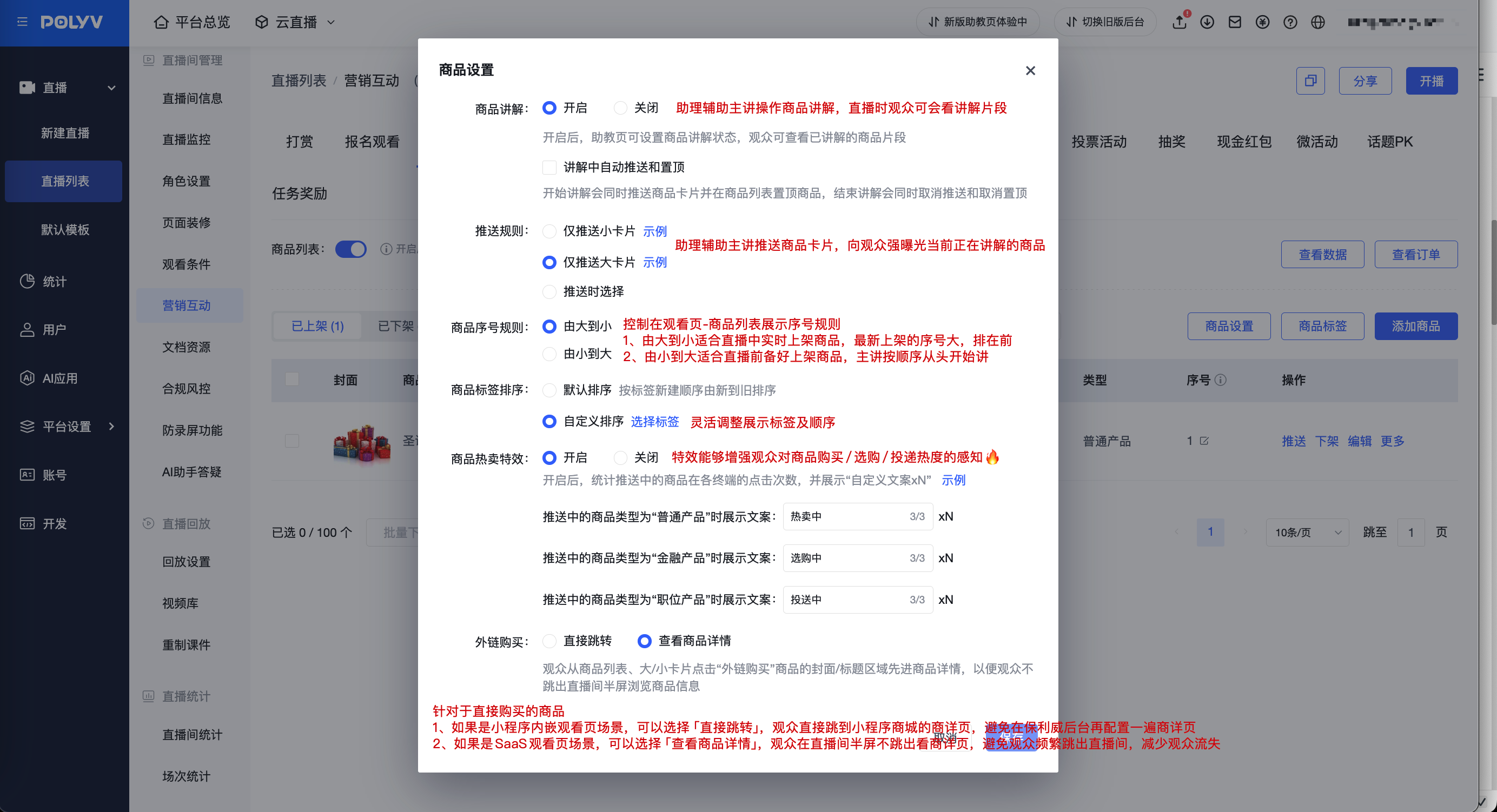
Tip: Operators can configure product settings in advance based on the live stream theme and schedule⬇️
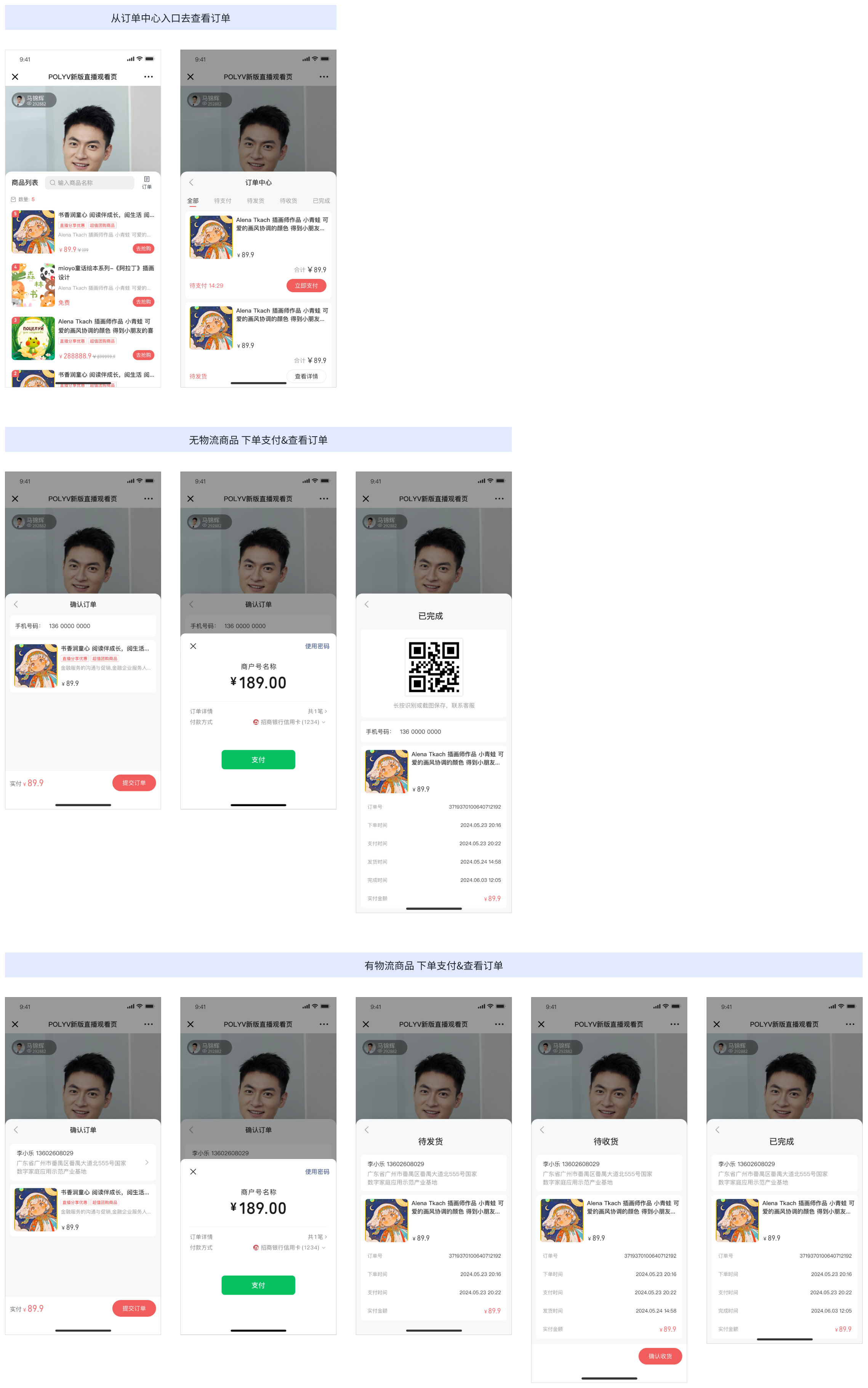
2. Viewers place orders and view orders in the live stream
Viewers can place orders via product push cards, product lists, or product details. After placing an order, they can access the order center from the top right corner of the product list.
3. Operators view data and orders in the management console
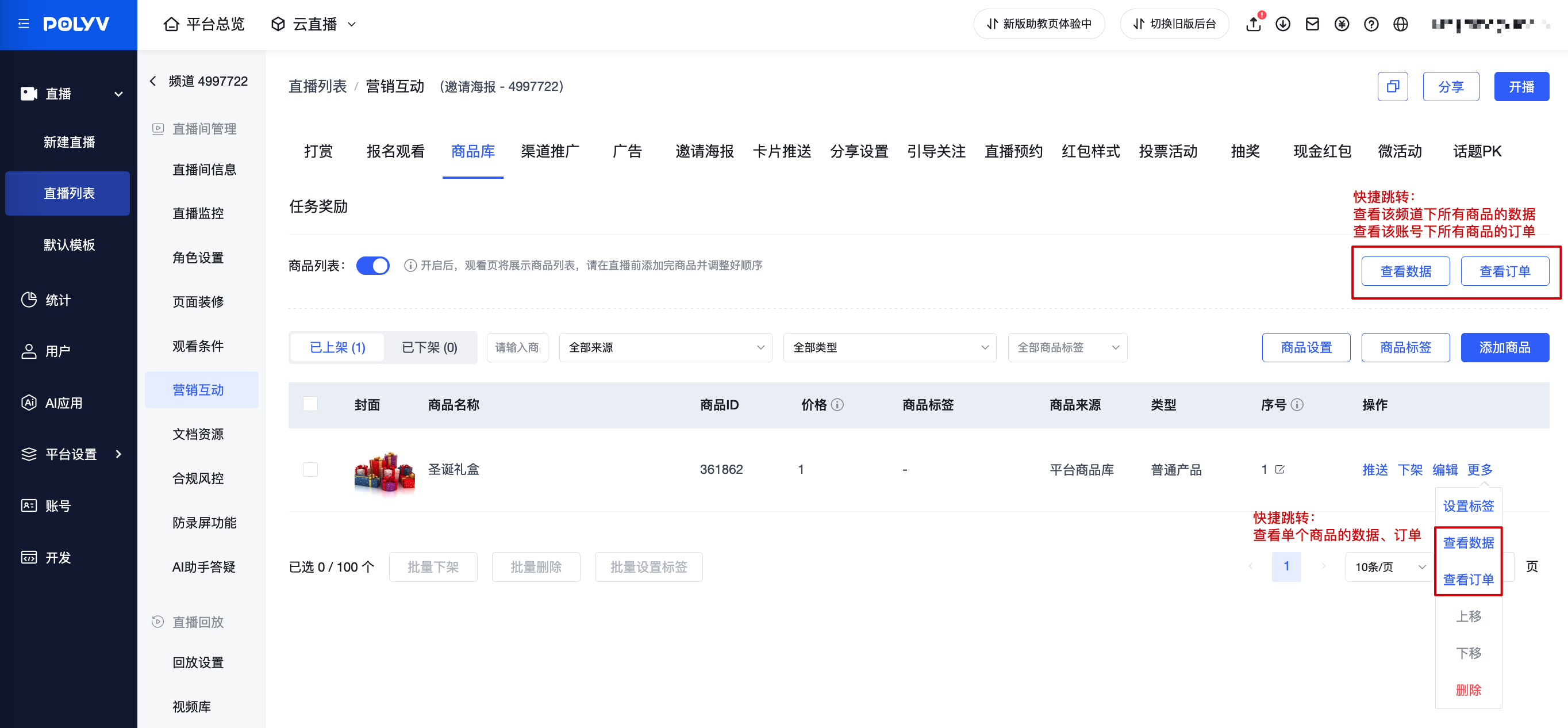
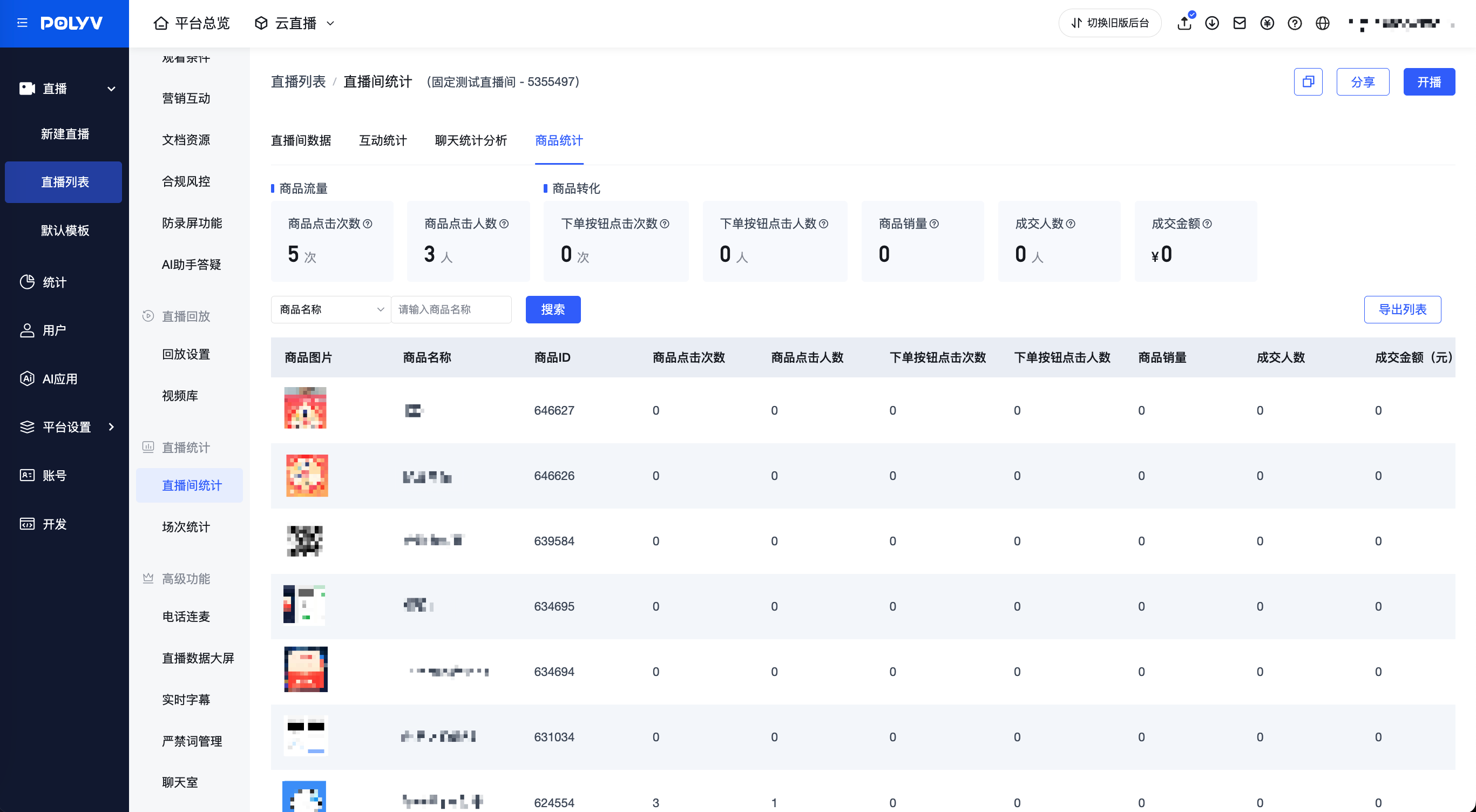
Operators can view product data overview and individual product data in Channel > Live Stream Statistics > Product Statistics, which helps measure live commerce effectiveness.
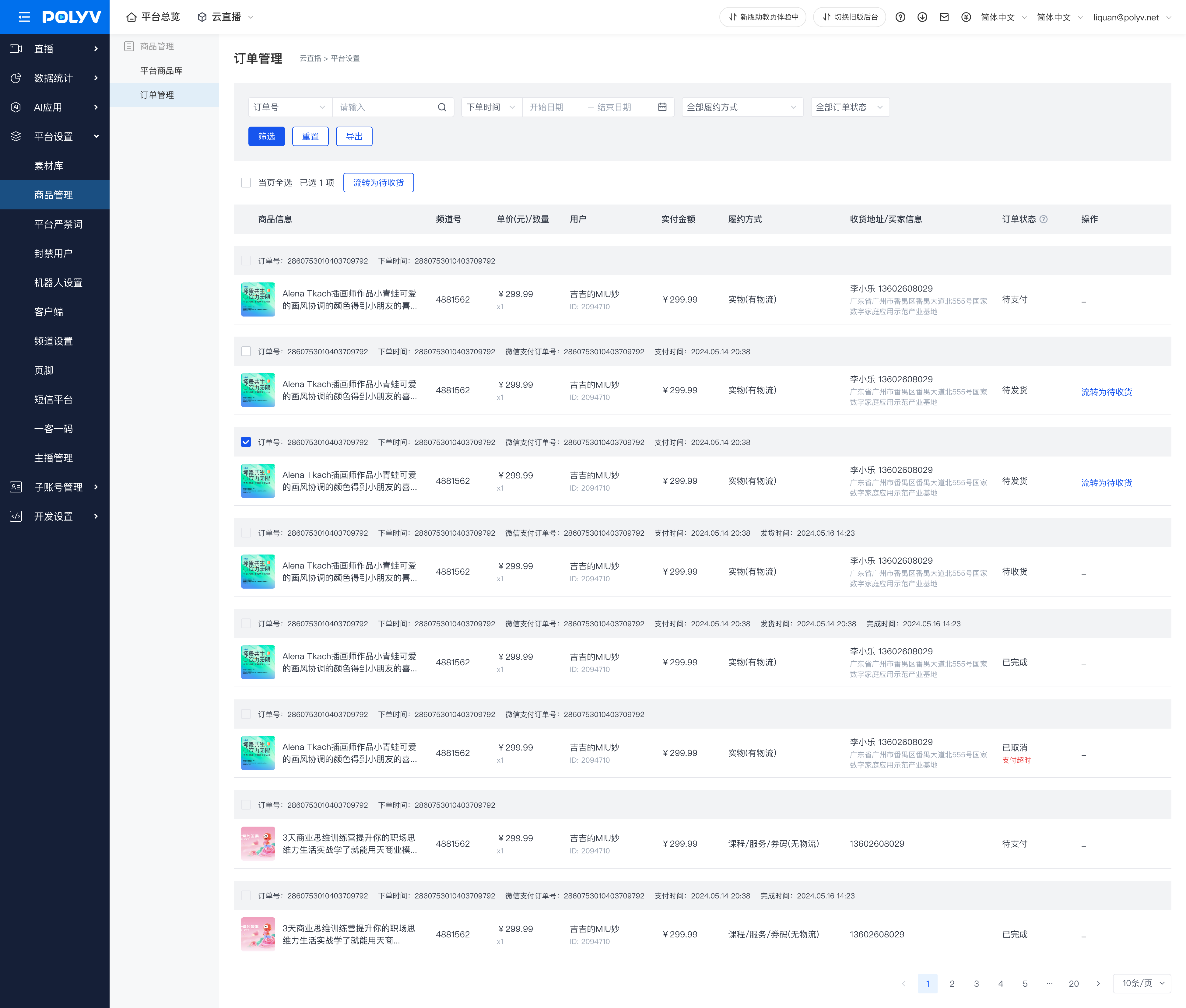
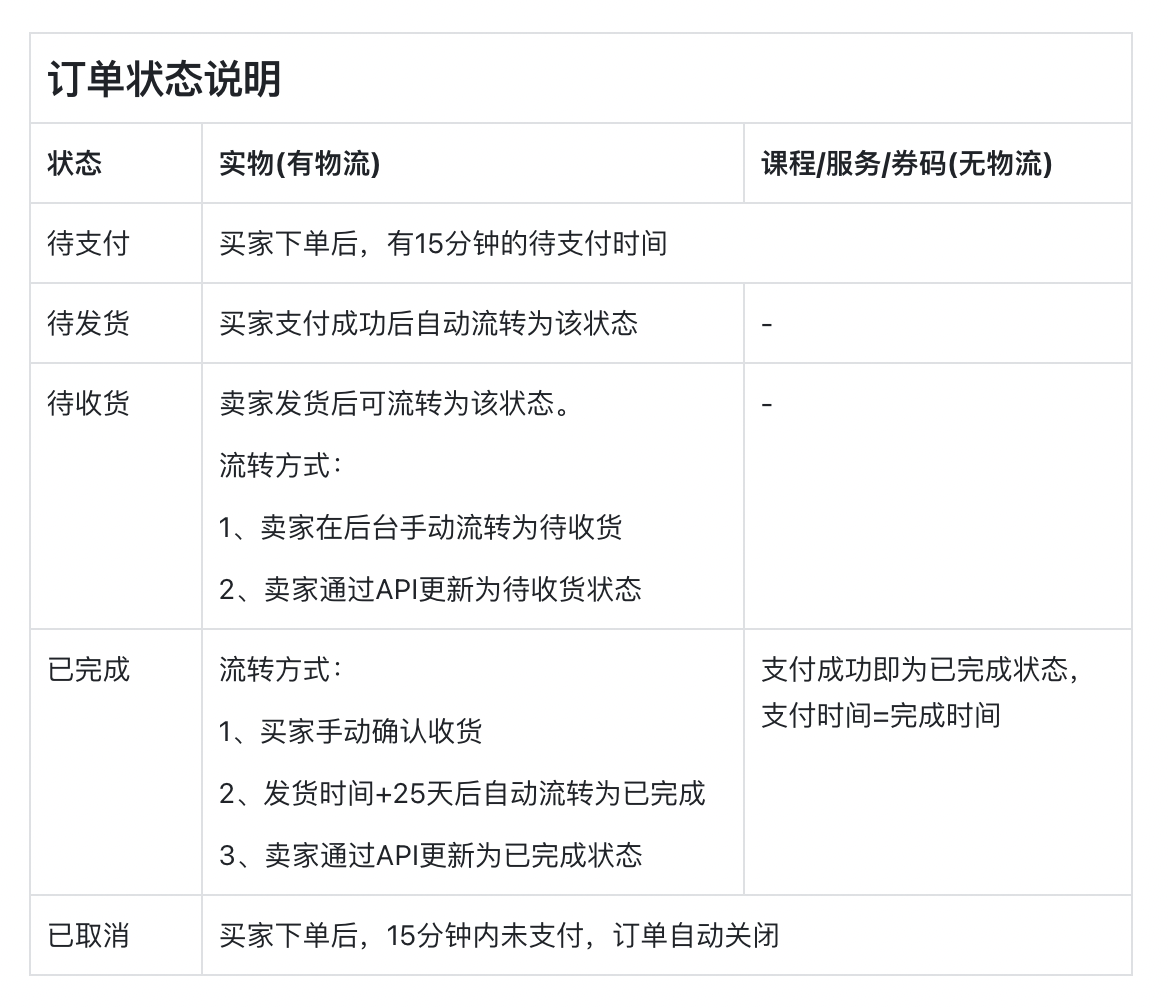
Operators can manage orders in Platform Settings > Product Management > Order Management. This supports querying, updating order statuses, and exporting orders for shipping.