Flash Sale
Feature Description
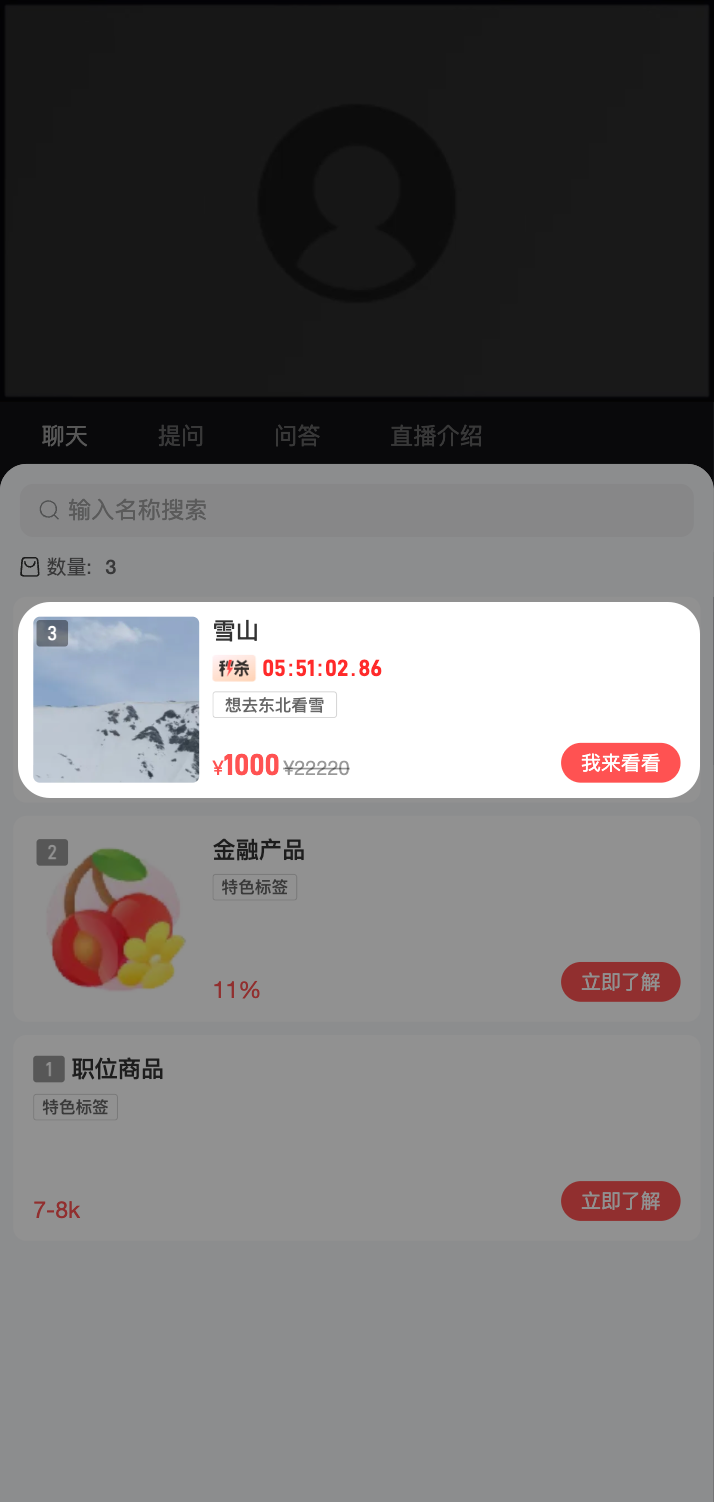
The flash sale feature allows selling items from the channel's product library at a discounted flash sale price during a specified time period. During the event, viewers can see flash sale items and their prices in the product list on the watch page.
Use Cases
- Live commerce: Drive conversion during live streams through limited-time flash sales
- Campaign operations: Offer time-limited discounted products during holidays, promotions, etc.
- Private domain operations: Use flash sales to attract and retain users in training camps, sharing sessions, etc.
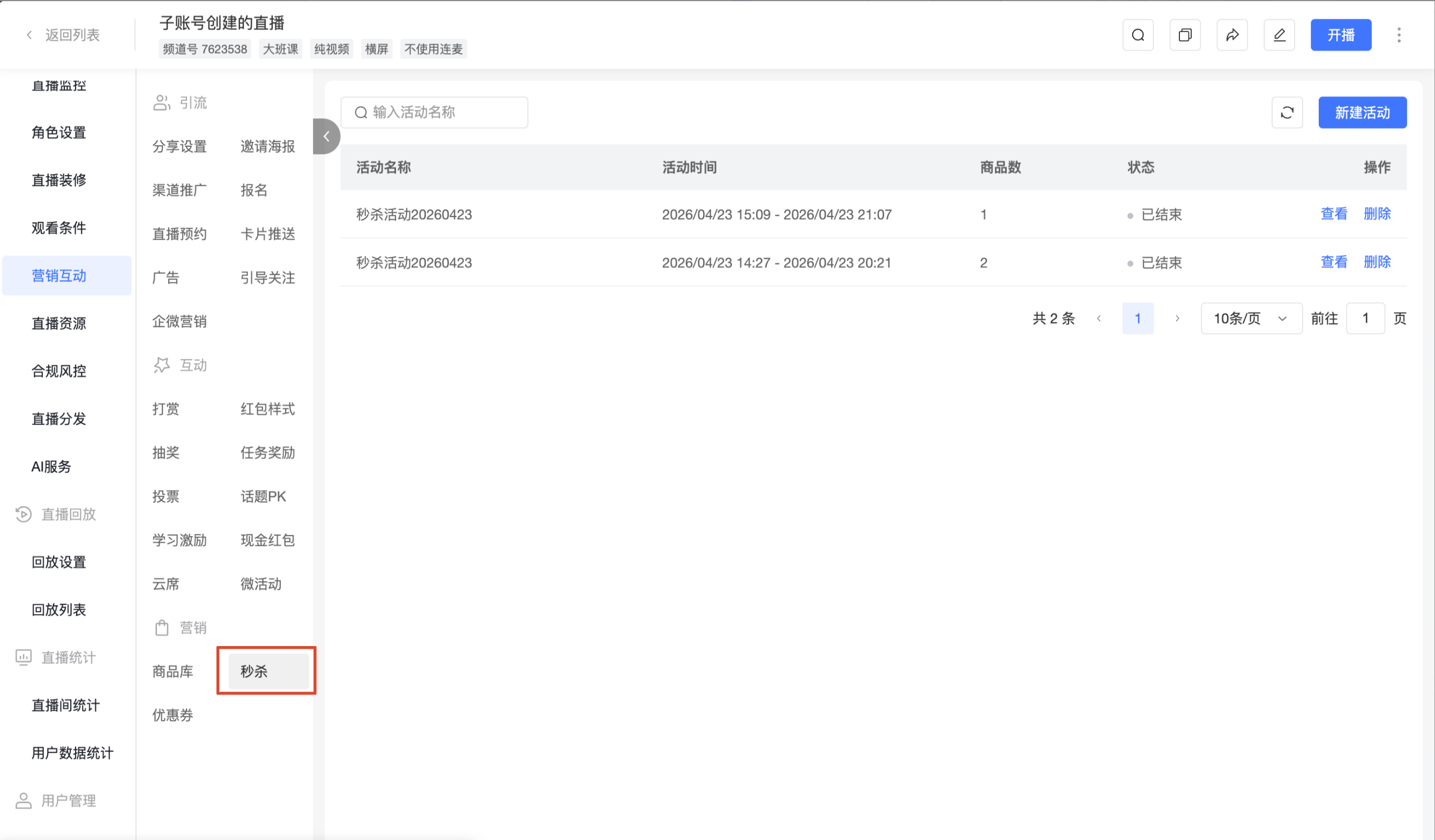
Flash Sale Entry
- Go to Cloud Live, select the target channel from the left channel list
- In the left navigation, expand [Marketing Interaction] and find the [Marketing] group
- Click [Flash Sale] to enter the flash sale activity list page
Creating a Flash Sale Activity
1. Steps
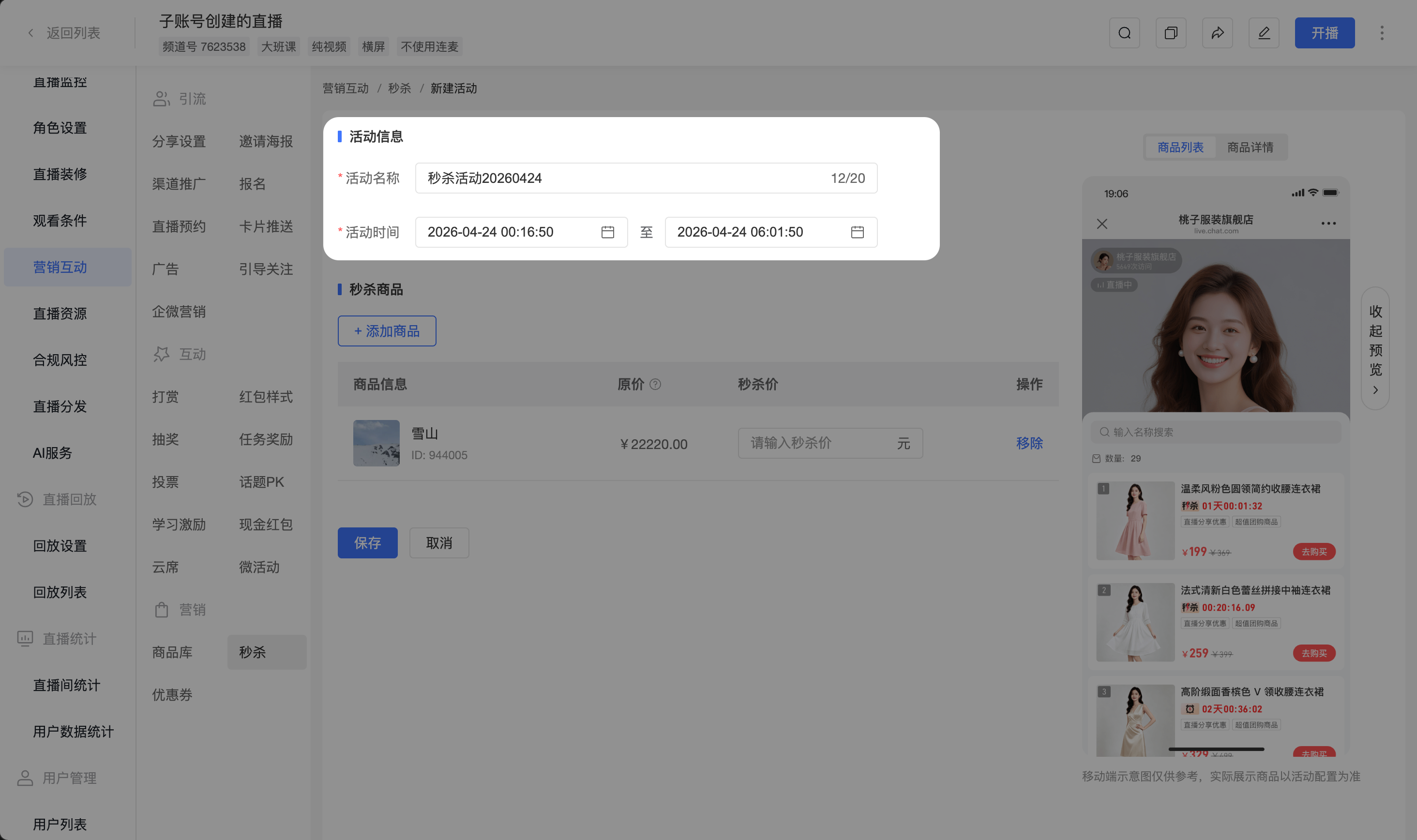
On the flash sale activity list page, click [New Activity] to enter the activity configuration page
Fill in [Activity Information]:
- Activity Name: Required, up to 20 characters (visible only in the admin backend, not to viewers)
- Activity Time: Required, set the start and end time of the activity
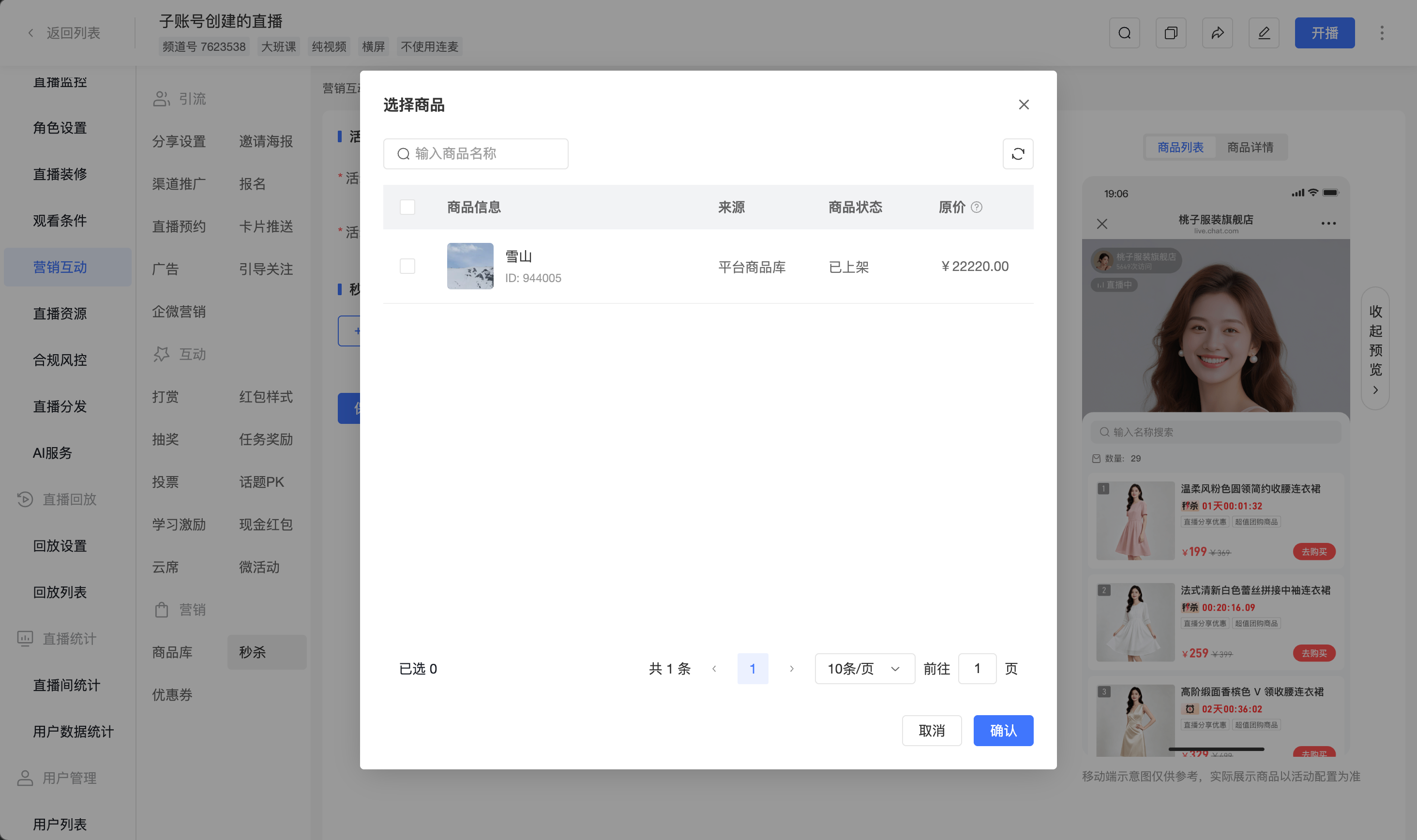
Configure [Flash Sale Products]:
- Click [+ Add Product] to open the product selection popup (only supports regular products with external link redirection and a price not equal to 0)
- In the popup, select the products to participate in the flash sale and click [Confirm] to add them to the activity
- In the product list, fill in the [Flash Sale Price] (in CNY) for each product
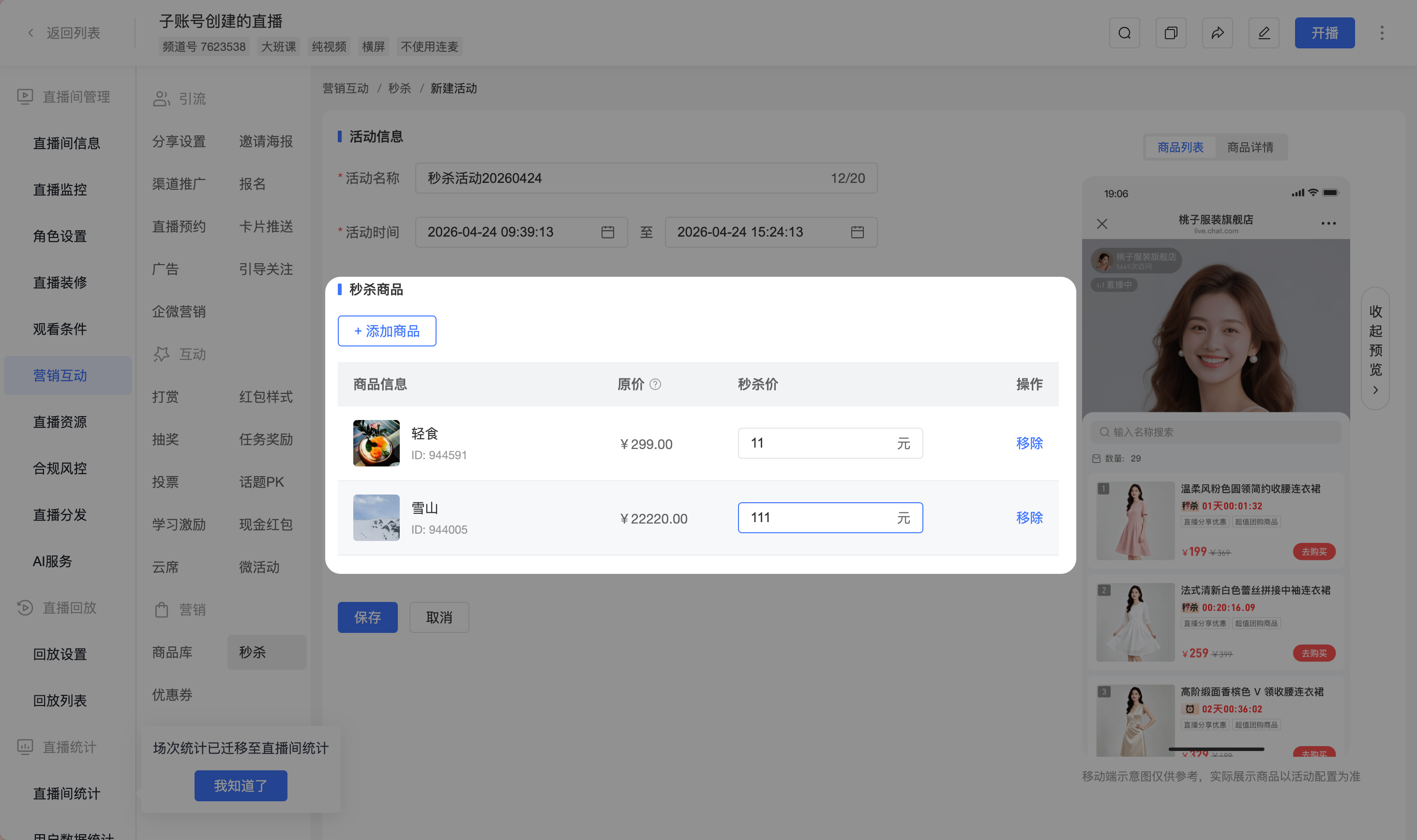
Click [Save] to complete the activity creation
- Time conflict prompt: When saving, if a configured product is already participating in another flash sale during the same time period, the system will display a conflict prompt. Please adjust the products before saving.
Managing Flash Sale Activities
1. Activity List Field Description
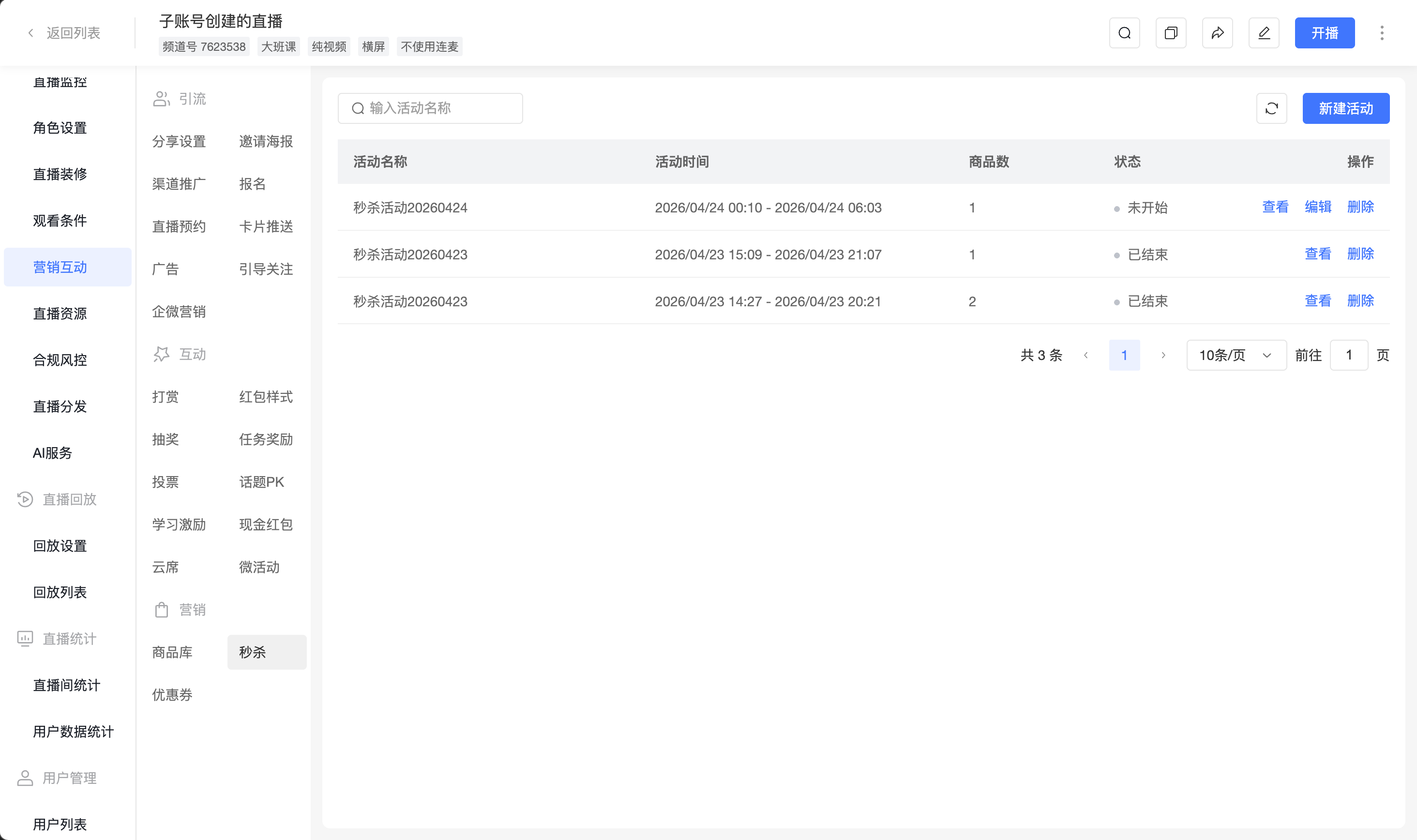
| Field | Description |
|---|---|
| Activity Name | The name entered when creating the activity |
| Activity Time | The start and end time of the activity |
| Product Count | The number of flash sale products configured in this activity |
| Status | The current stage of the activity |
| Actions | Supports viewing, editing, deleting, and ending |
2. Activity Status Description
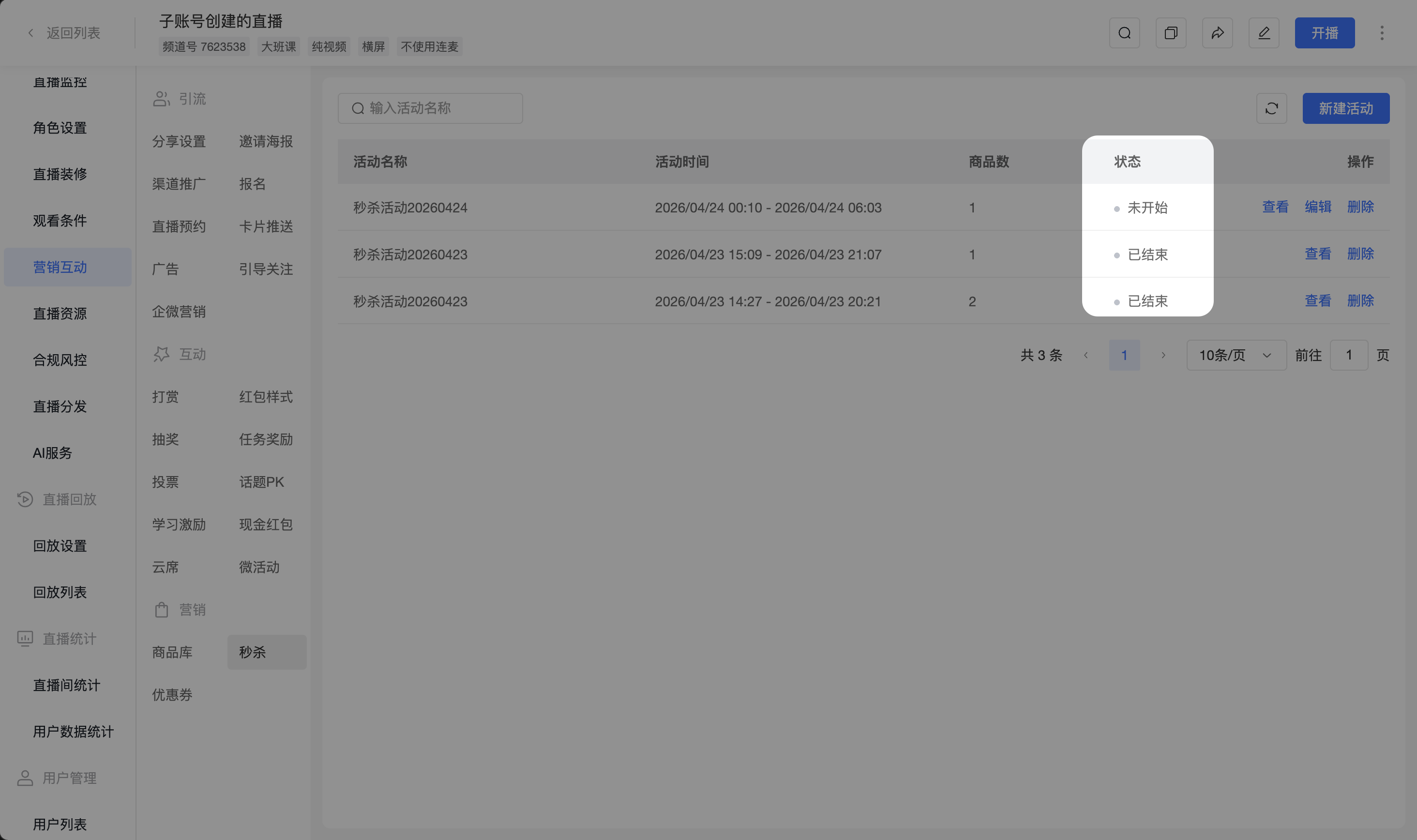
| Status | Meaning |
|---|---|
| Not Started | Current time is before the activity start time. Can view, edit, and delete the activity |
| In Progress | Current time is between the activity start and end time. Flash sale prices are effective on the watch page. Can view and end the activity |
| Ended | Current time is after the activity end time. Flash sale prices are no longer effective. Can view or delete the activity |
Viewer-Side Effects
1. Product List
<img src="https://liveimages.videocc.net/help_doc/cdf28ffe-9001-44ec-ad7a-ca03ff568c3a.png"" alt="" width="50%">
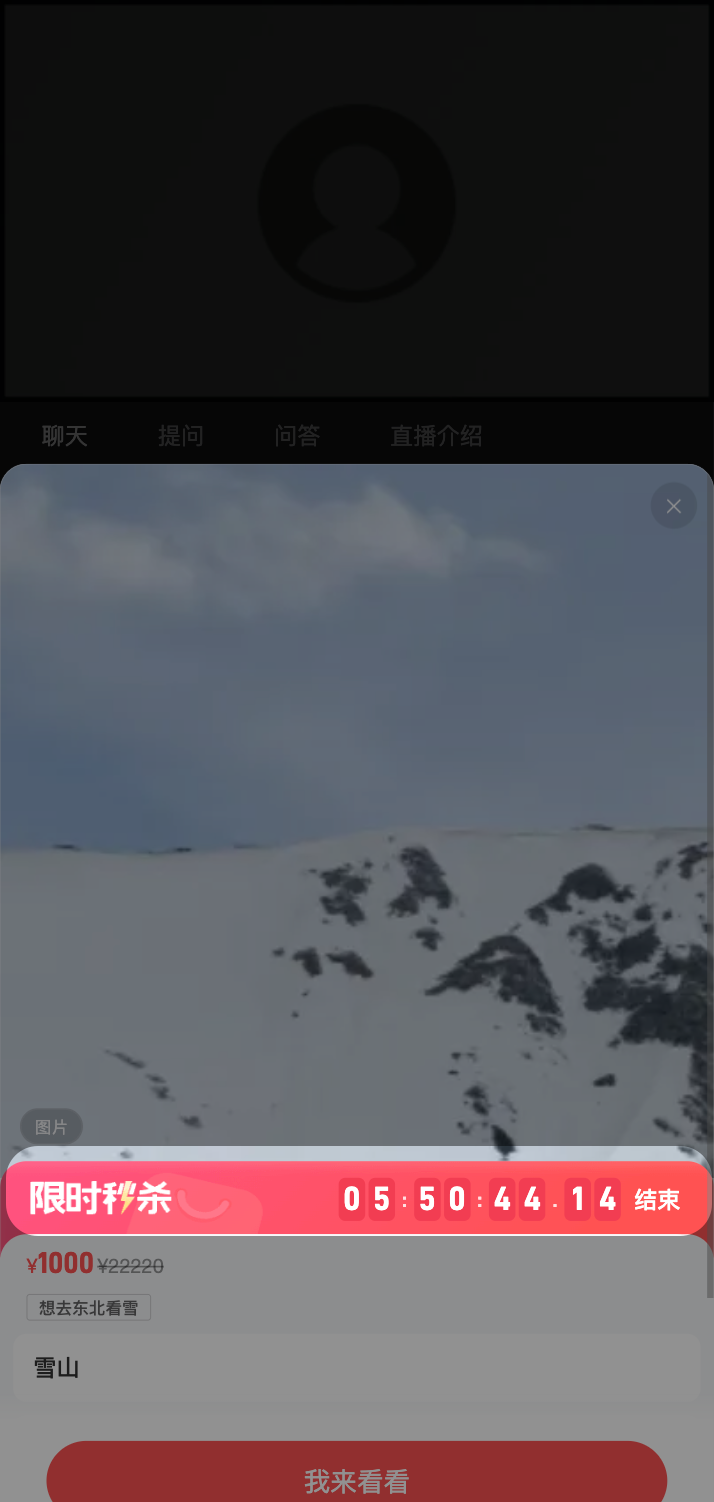
2. Product Details
<img src="https://liveimages.videocc.net/help_doc/ae31e784-5514-4973-b999-181fc1bd6bd6.png"" alt="" width="50%">
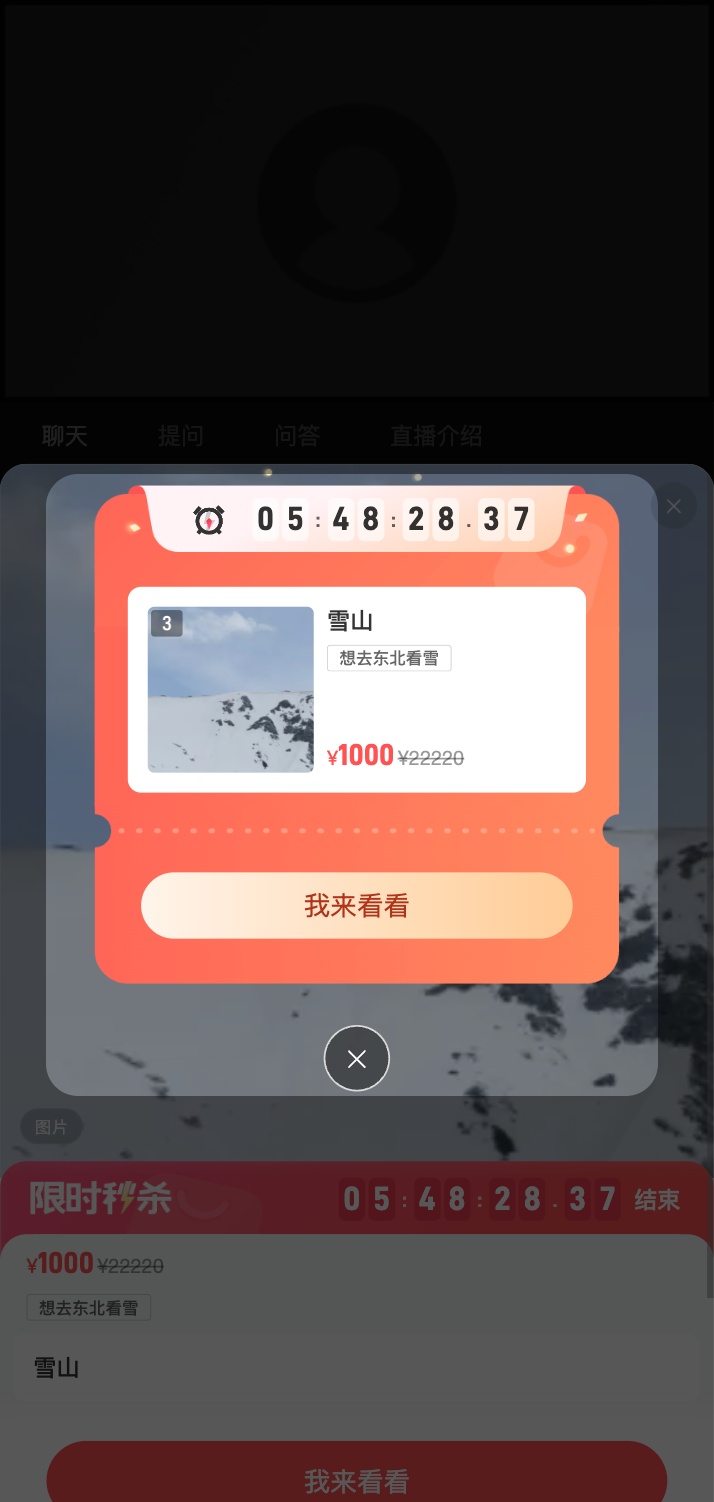
3. Product Push Large Card
<img src="https://liveimages.videocc.net/help_doc/99197f5f-9383-41bb-8e88-4ddbd68b09ec.png"" alt="" width="50%">
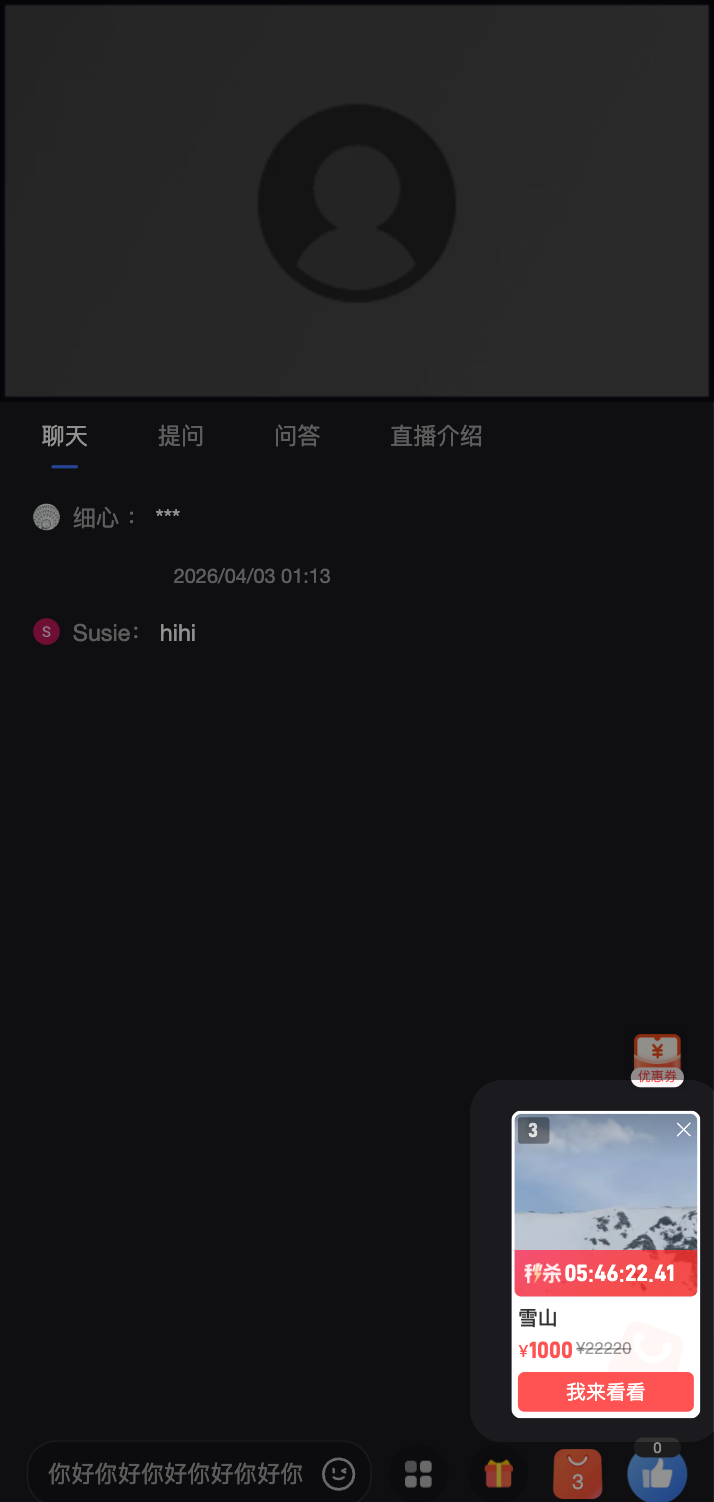
4. Product Push Small Card
<img src="https://liveimages.videocc.net/help_doc/3319cf2f-3f88-4b86-a141-70a91b465ae0.png"" alt="" width="50%">
Frequently Asked Questions
1. Can multiple flash sale activities be created simultaneously for one channel?
Yes, multiple flash sale activities can be created, but products configured in activities within the same time period cannot overlap.
2. Why does saving fail after filling in the flash sale price?
Please check:
- Whether the flash sale price is a valid number greater than 0
- Whether a flash sale price has been filled in for each flash sale product (flash sale price is required)
3. Can an ended activity be reactivated?
An ended activity cannot be reactivated.
4. Will the flash sale price still be effective on the watch page after the activity time ends?
After the activity ends, the flash sale price becomes invalid immediately, and the product will be displayed at its original price.