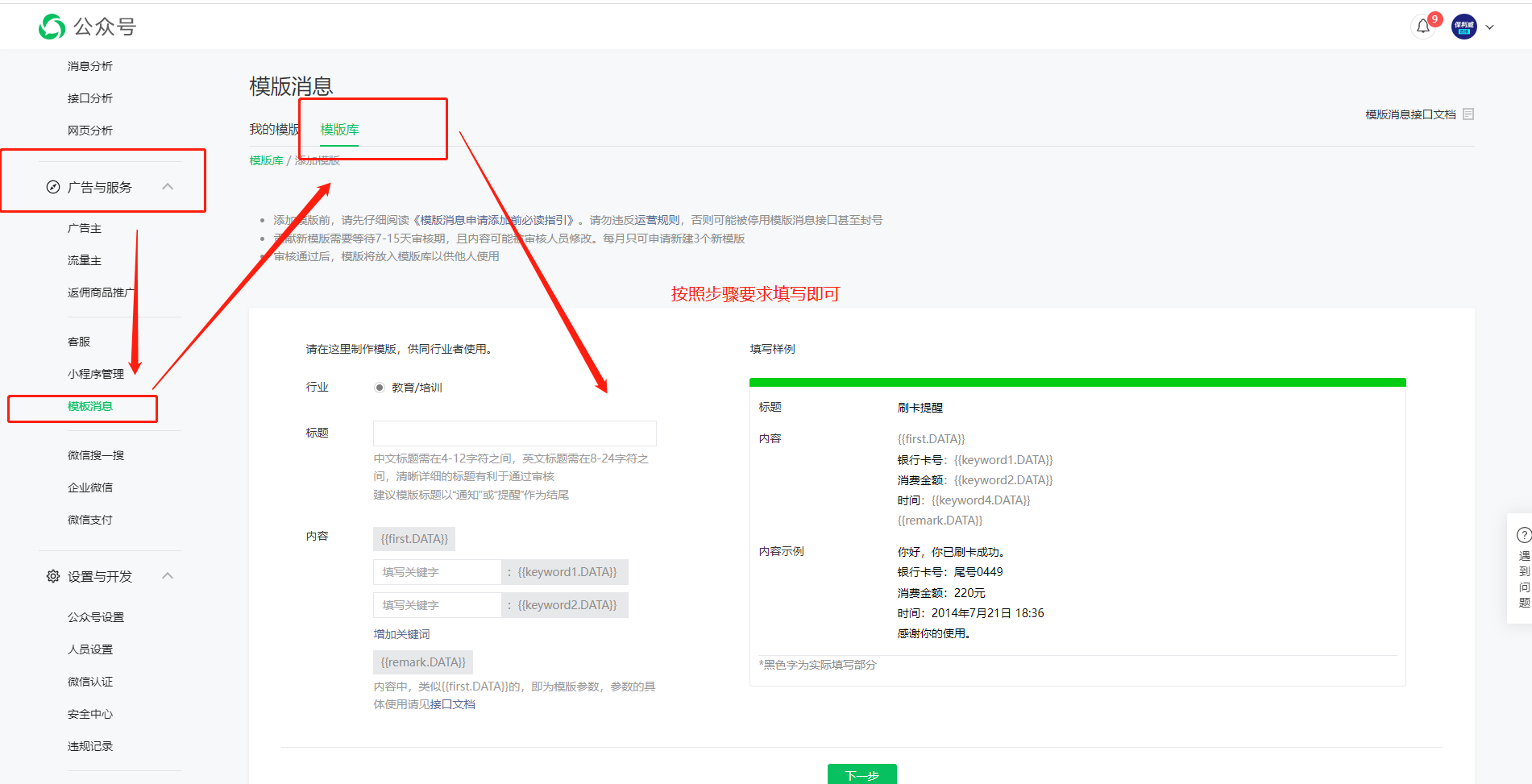
WeChat Official Account Customization
Preview
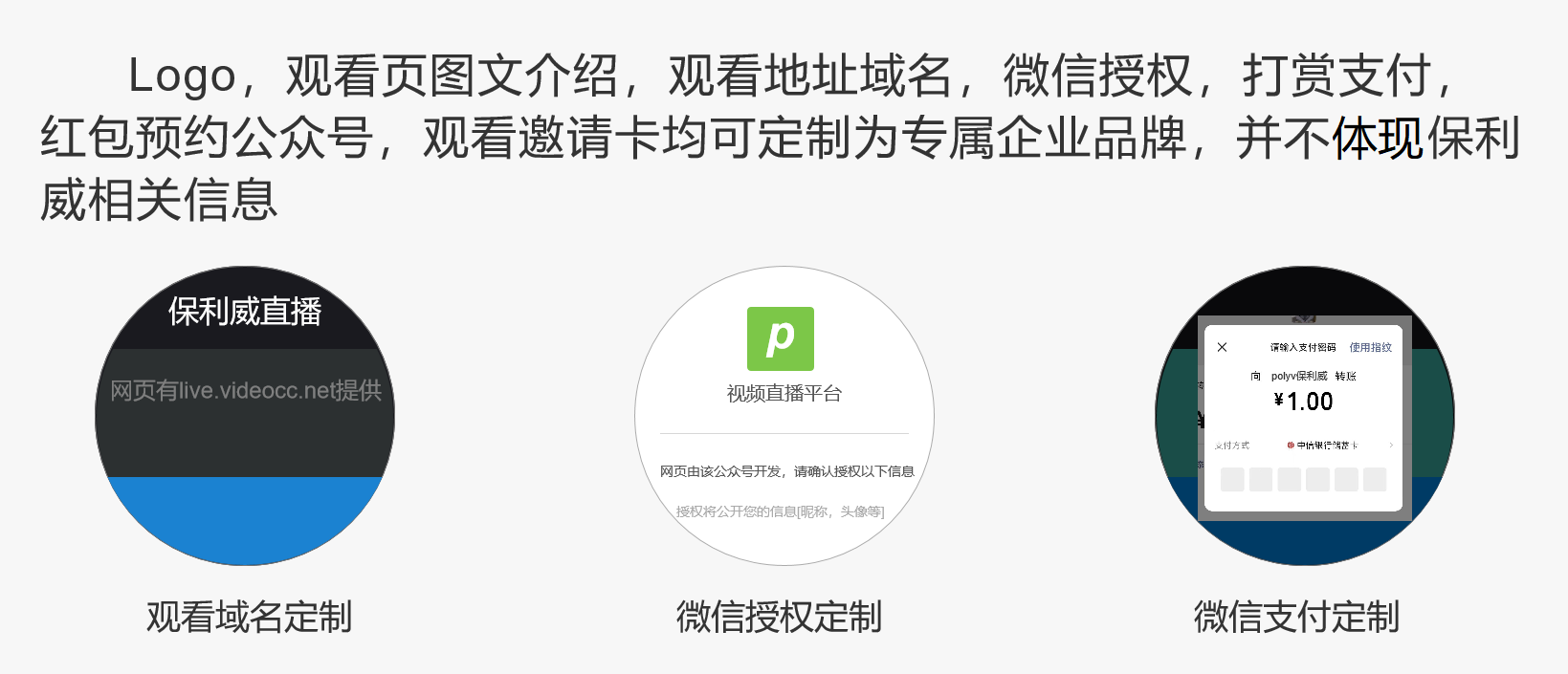
Information Provided
| Information Provided | Implemented Functionality | Notes |
|---|---|---|
| l CNAME domain | Viewing page sharing and WeChat pull-down use client domain | Required |
| l Official Account AppID, Official Account AppSecret, TXT document for web authorization setup | WeChat login authorization uses client's official account | Required |
| l WeChat Merchant ID, WeChat Payment Key | WeChat paid viewing and tips go directly to client's merchant account | Optional |
| l WeChat application progress template ID | Invitation card uses client's official account | Optional |
| l WeChat notification template ID, QR code image for following the official account, replacement text for live streaming platform, replacement text for long-press QR code to follow the live streaming platform | Booking uses client's official account | Optional |
WeChat Official Account Settings
Log in to the WeChat Official Platform (https://mp.weixin.qq.com/)
The official account must be a Service Account.
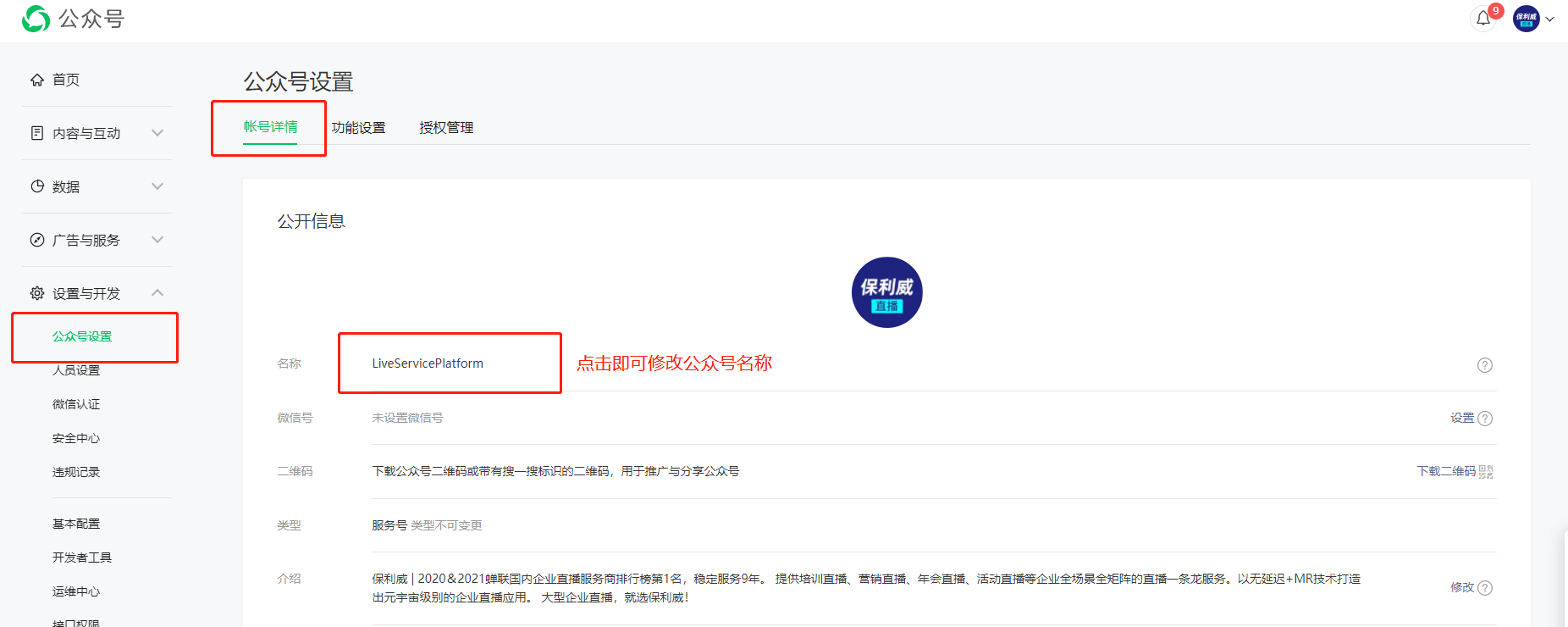
(1) Obtain Official Account Name
Parameter retrieval path: WeChat Official Account --> Settings & Development --> Official Account Settings --> Account Details.
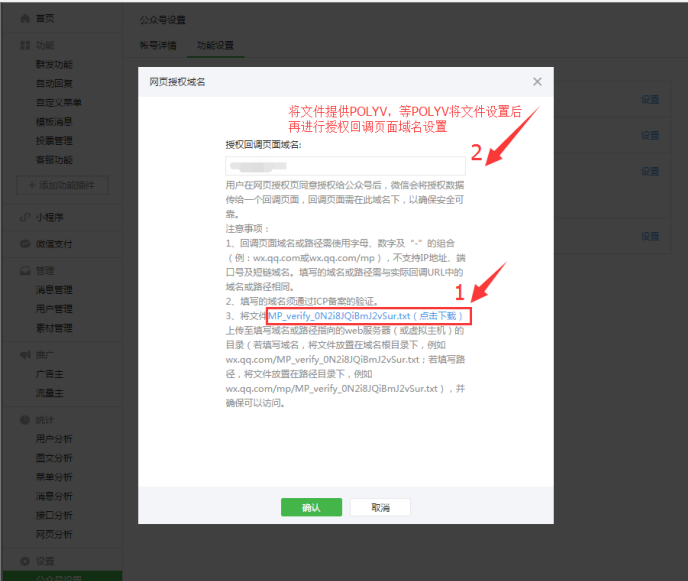
(2) Set JS Interface Secure Domain and Web Authorization Domain
Parameter setting path: WeChat Official Platform --> Settings & Development --> Official Account Settings --> Feature Settings --> JS Interface Secure Domain and Web Authorization Domain
Configure the payment callback URL under QR code payment as follows:
http:// cname viewing page domain/weixincallback/wxpay/notify 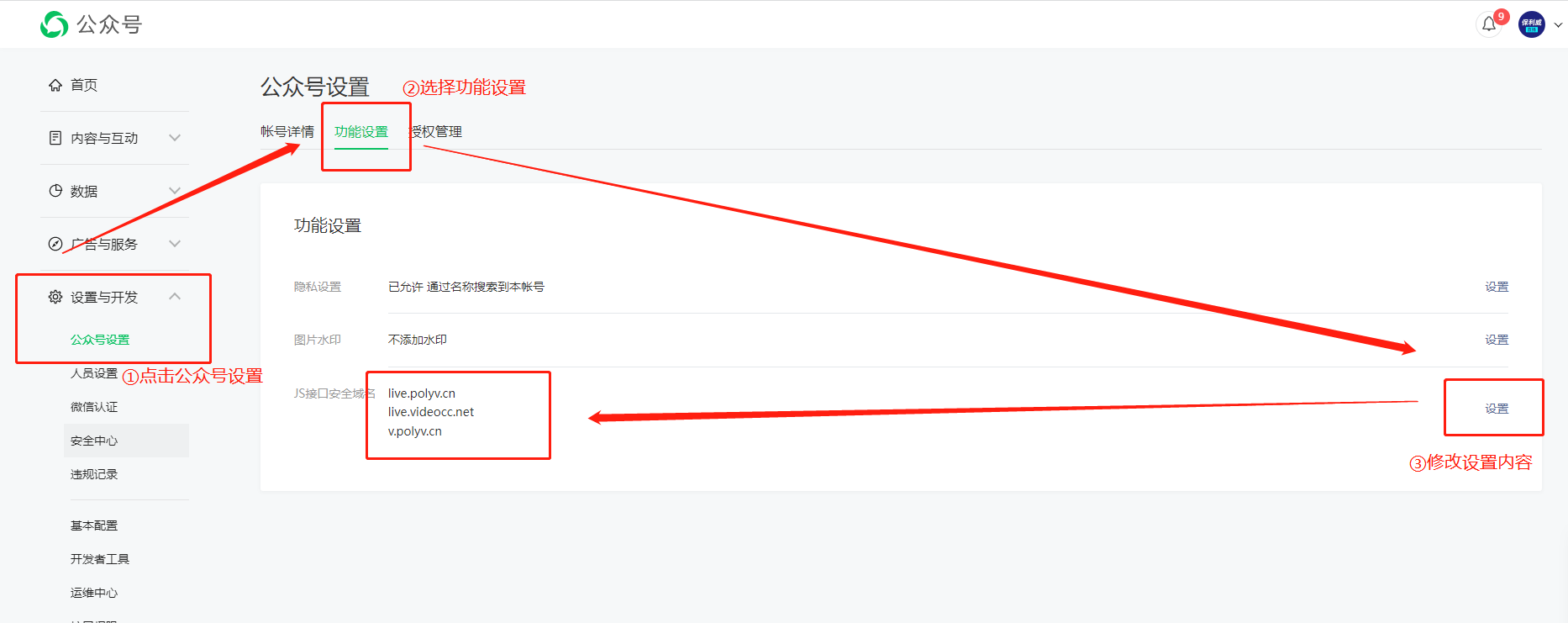
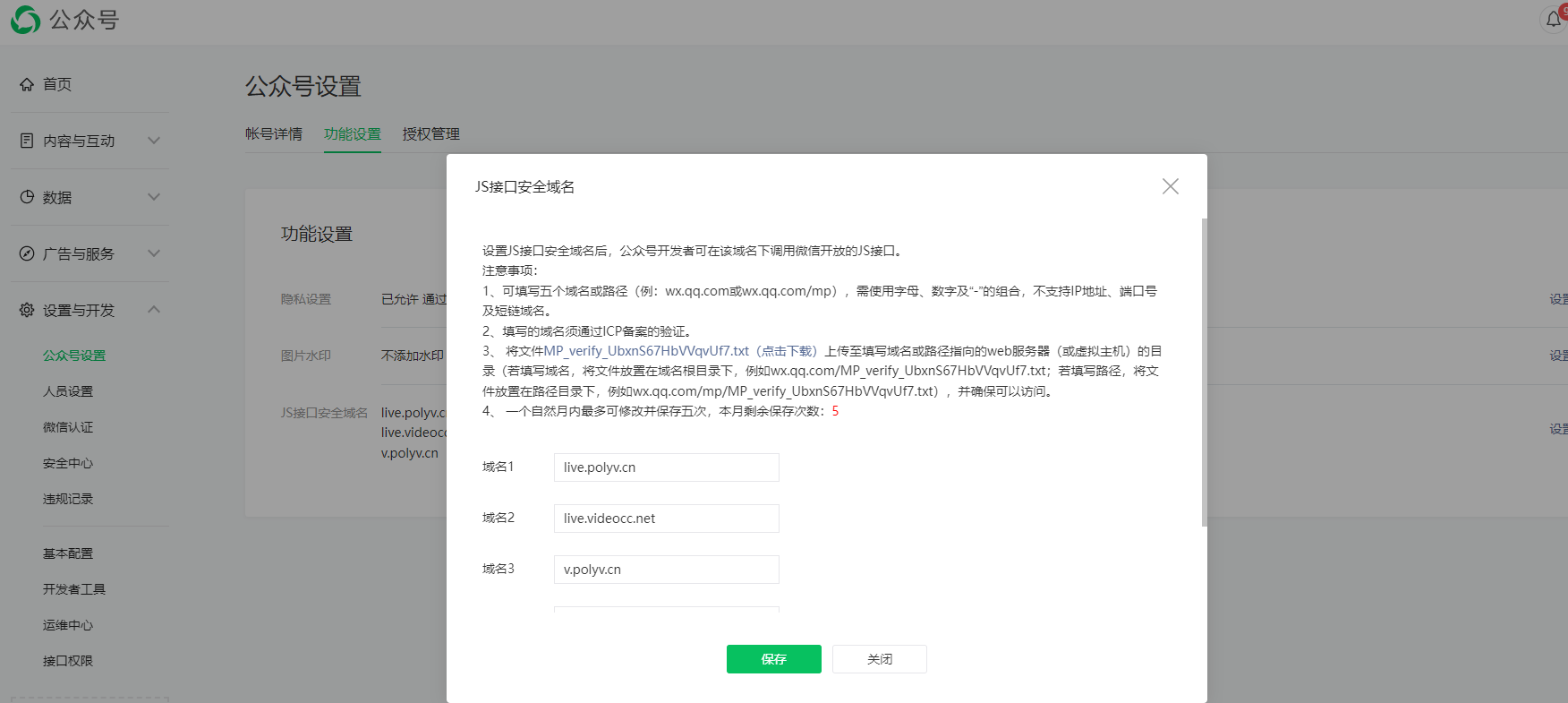
When setting up web authorization, first download the MP_verify_WeQgxxjusABFtvwD.txt file and provide it to POLYV.
(3) Set Payment Authorization Directory and Payment Callback URL
Parameter setting path: WeChat Payment Platform --> Product Center --> Development Configuration
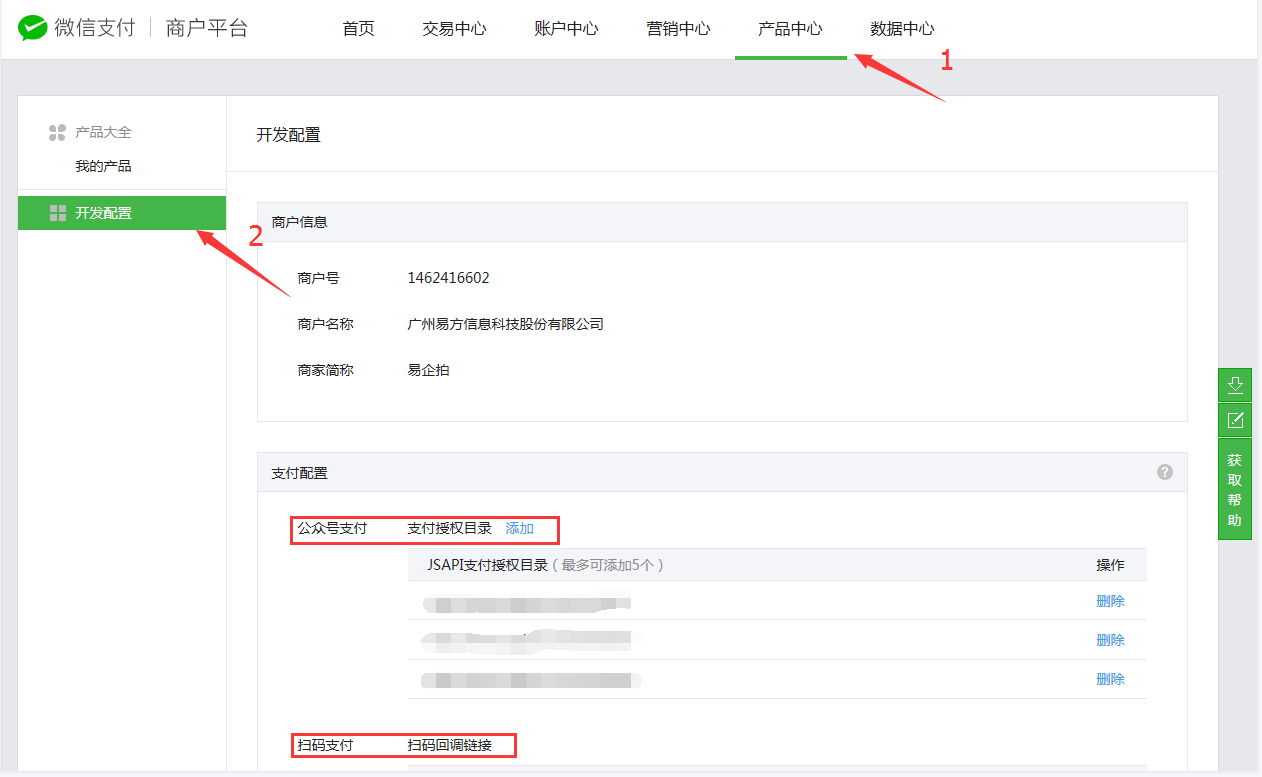
The payment authorization directory under Official Account Payment must be configured as:
https:// cname viewing page domain/watch/
https:// cname viewing page domain/splash/
(4) Obtain AppID and AppSecret
Parameter retrieval path: WeChat Official Account --> Settings & Development --> Basic Configuration.
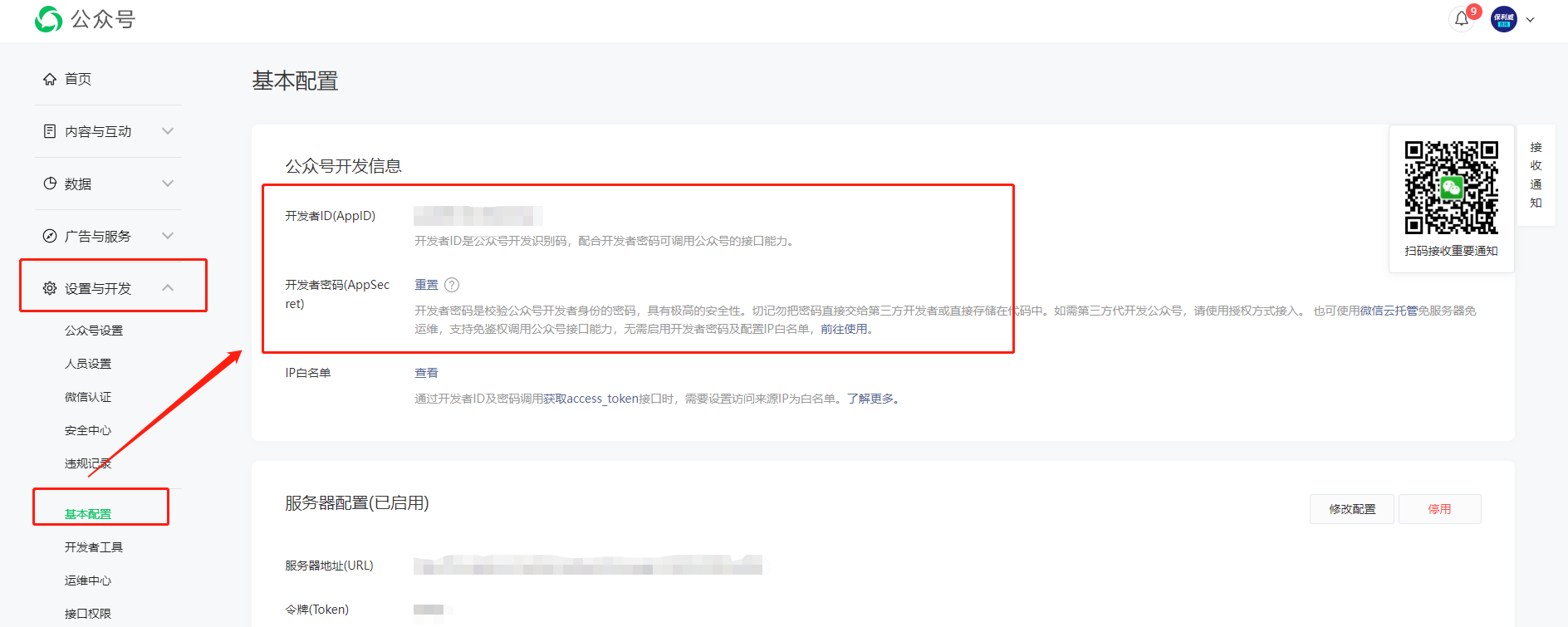
(5) Obtain Payment Key
WeChat Payment Merchant Platform – Account Settings – Click Set API Key to obtain. After clicking, set a 32-character password and provide it to POLYV. 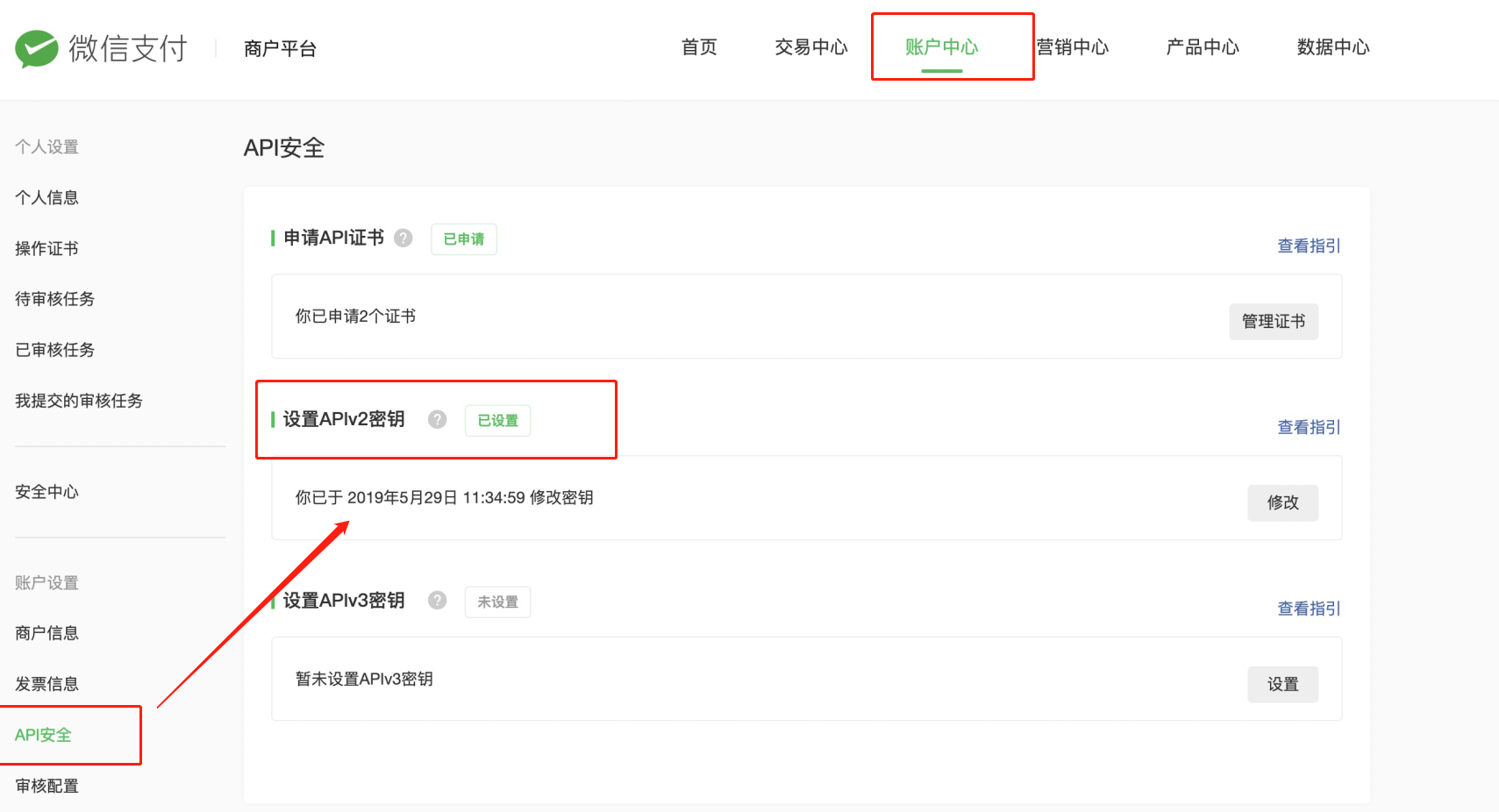
(6) Merchant ID Configuration
Parameter setting path: WeChat Official Platform --> Ads & Services --> WeChat Pay --> Merchant ID Management 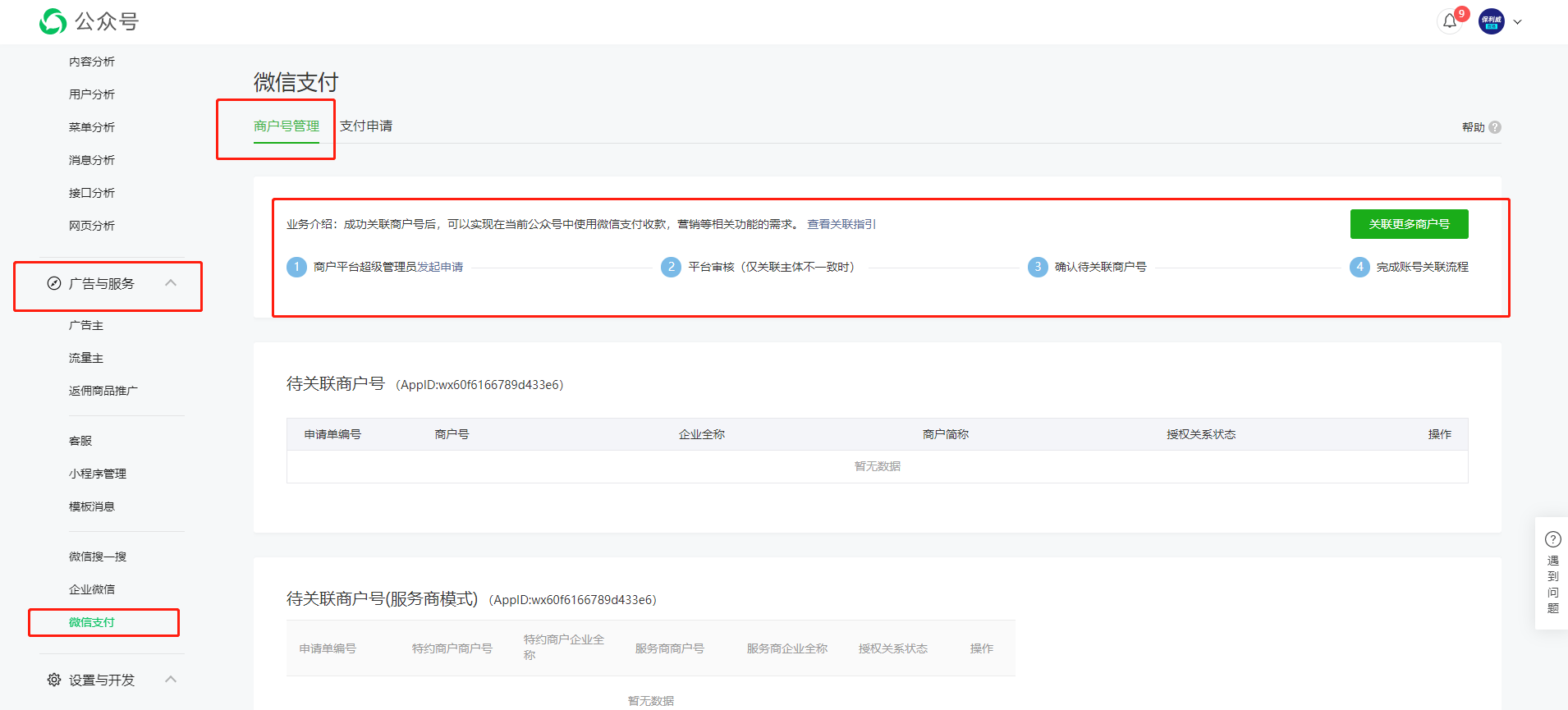
(7) Set JS Interface Secure Domain and Web Authorization Domain
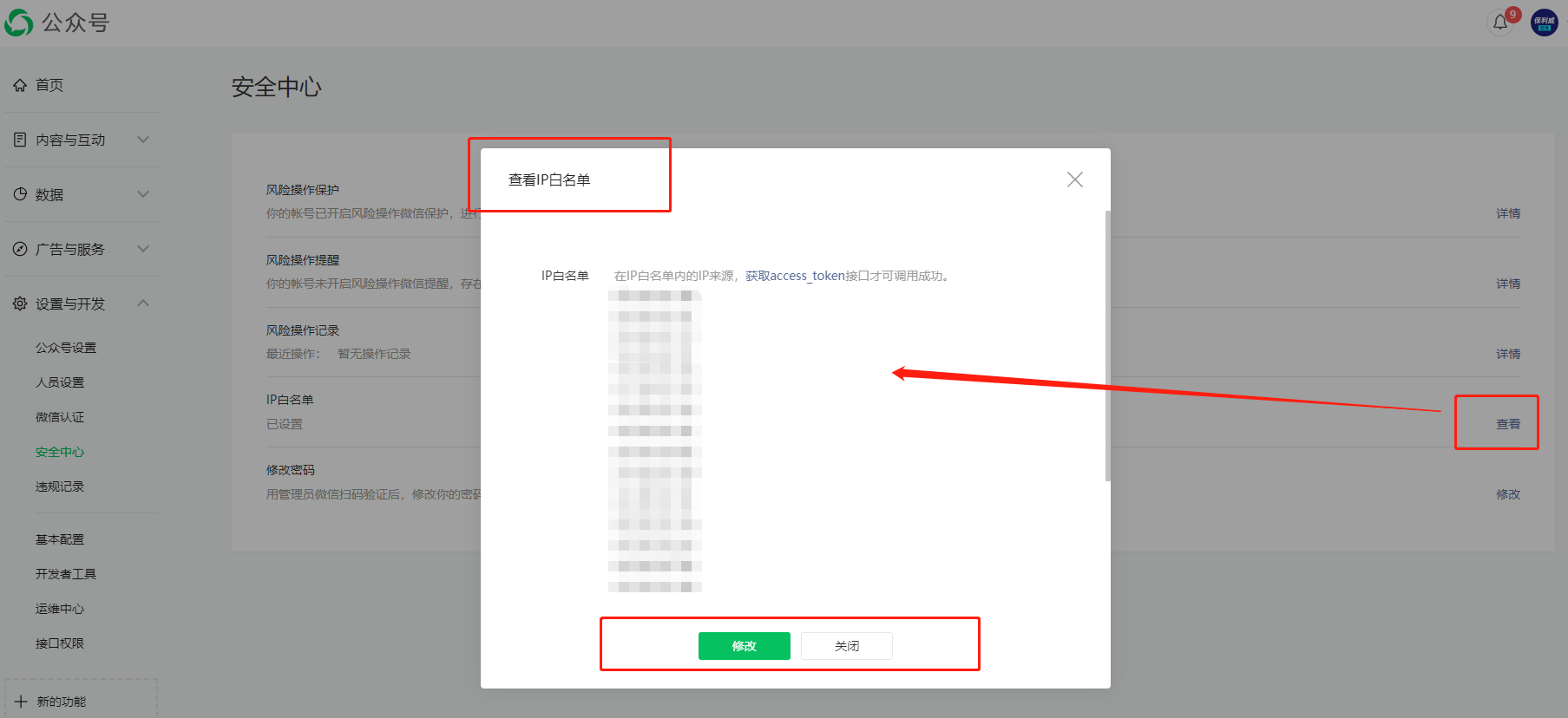
Parameter setting path: WeChat Official Platform --> Settings & Development --> Security Center --> IP Whitelist
If you need to add an IP, please contact customer service.
Provide information to POLYV.
Information includes: Official Account Name, AppID, AppSecret, Merchant ID, Payment Key 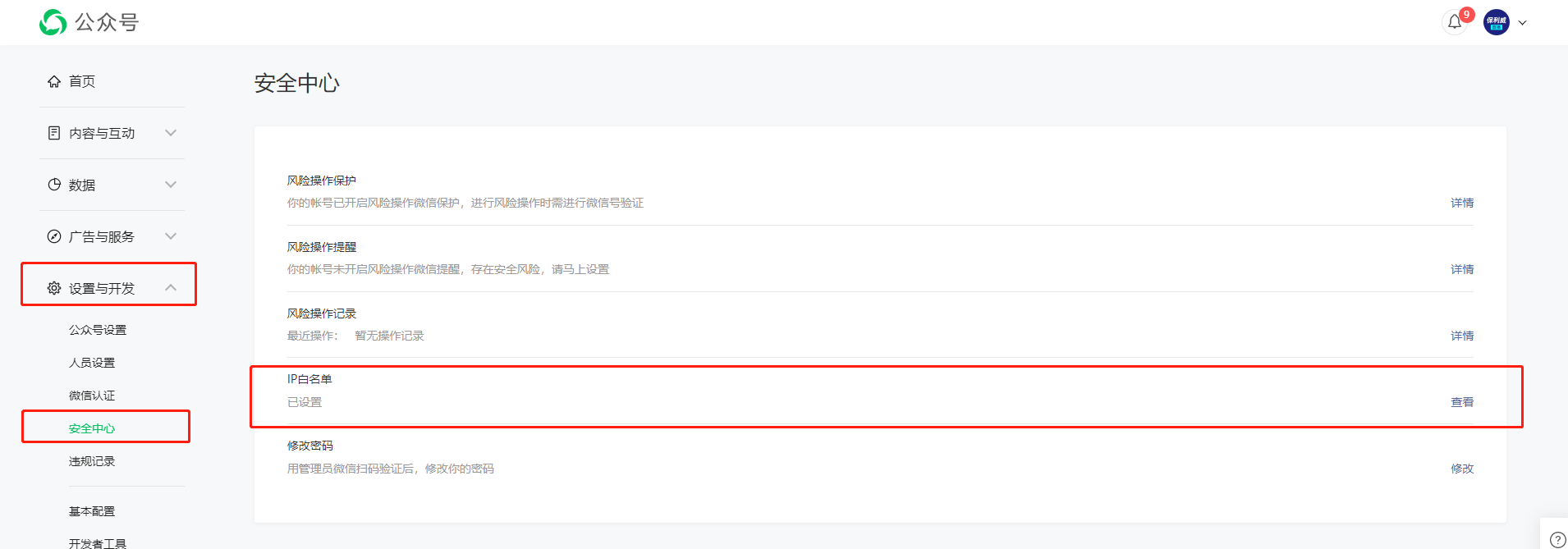
(8) Booking Function Configuration
Provide the text to replace the live streaming platform and the long-press QR code to follow the live streaming platform to POLYV.
Apply for the public live stream reminder template
Application path: WeChat Official Account --> Ads & Services --> Template Messages --> Template Messages --> Add from Template Library. 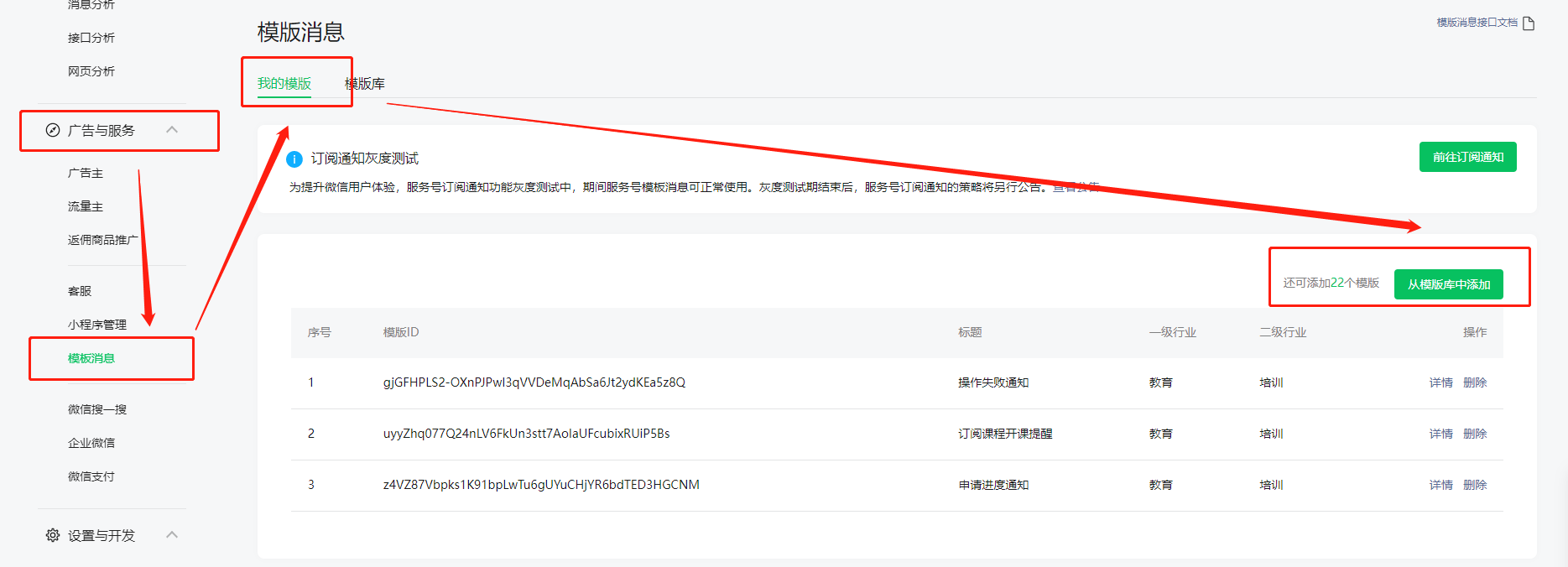
Addition path: WeChat Official Account --> Ads & Service Providers --> Template Messages --> Template Library --> Help Us Improve the Template Library 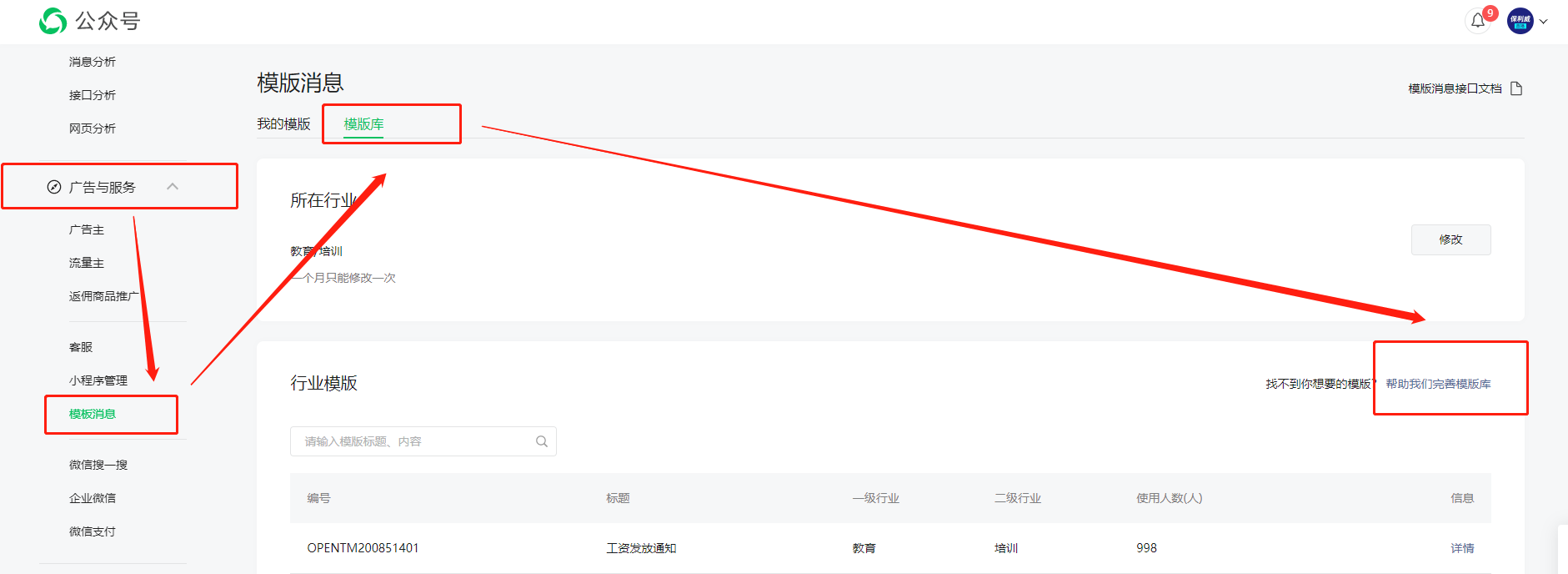
Create based on the following content