Invitation Poster
Invitation Poster
Last updated: 2026-04-02
1. Feature Overview
Feature Info |
Description |
|---|---|
| Feature Name | Invitation Poster |
| Feature Description | By setting a styled poster, viewers can share it to social media or private channels |
| Purpose | Increase the share rate and exposure of the live stream, enhance traffic attraction, simplify the process of sharing the live stream for viewers, and incentivize viewers to invite new users, achieving live stream virality |
| Operation Path | <img src="https://liveimages.videocc.net/help_doc/afc0ae36-bd01-4c4d-8c9a-6266881f3f25.png"" alt="" width="60%"> |
2. Usage Instructions
2.1 Enable Invitation Poster Feature
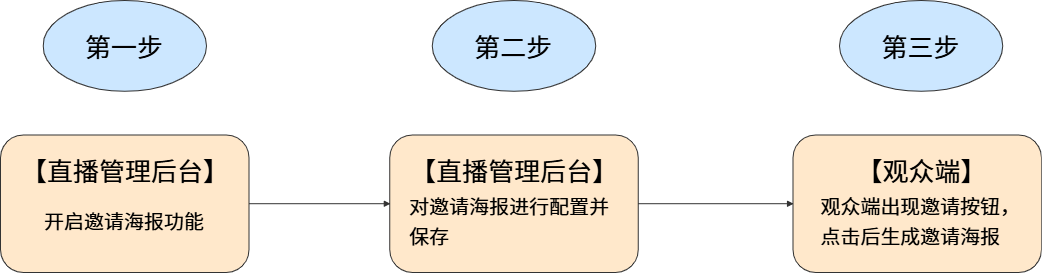
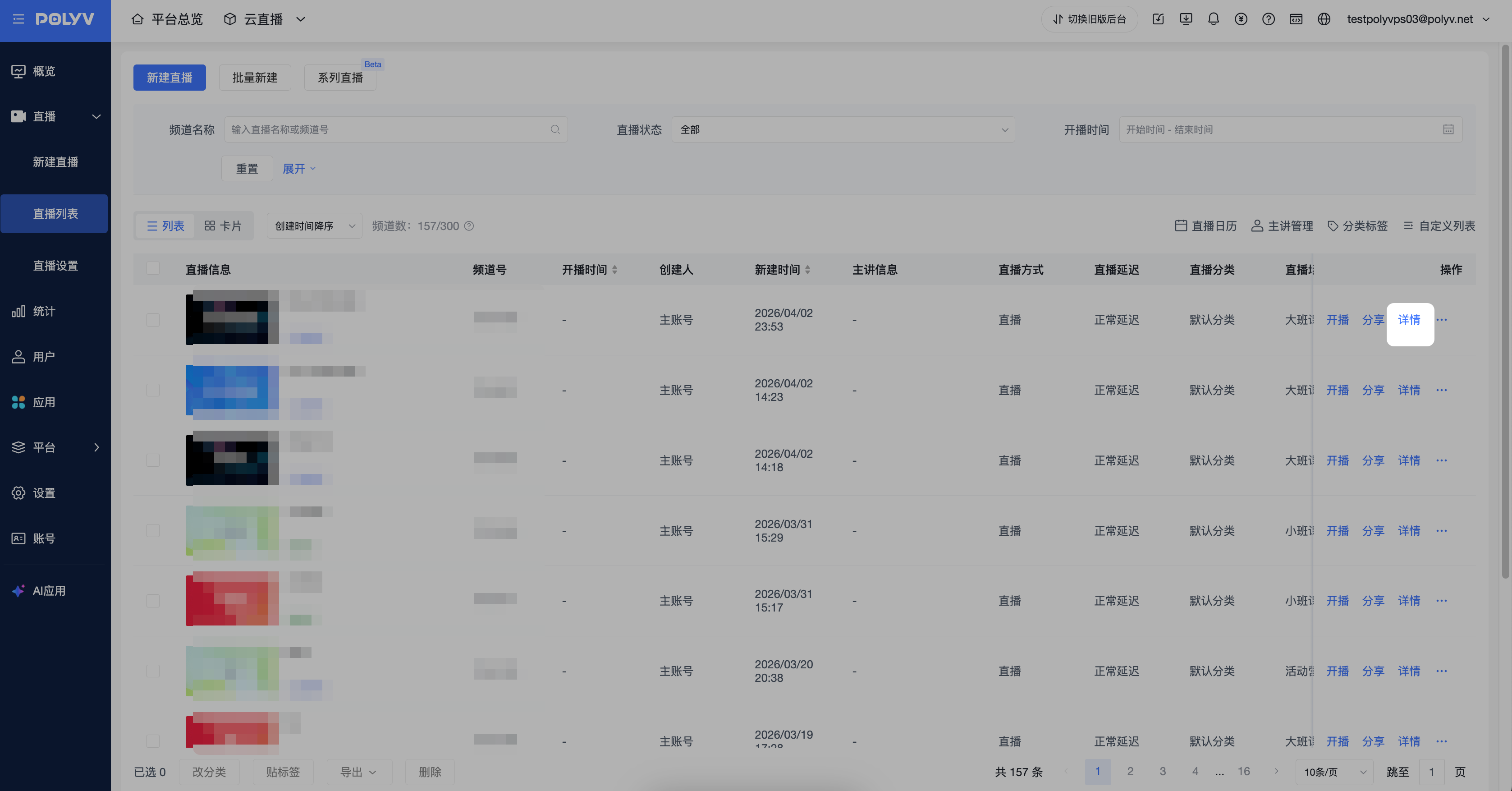
Go to the [Live List] page, select a live stream and click [Details]. In the live stream management section, click [Marketing Interaction] - [Invitation Poster] to enable the feature.
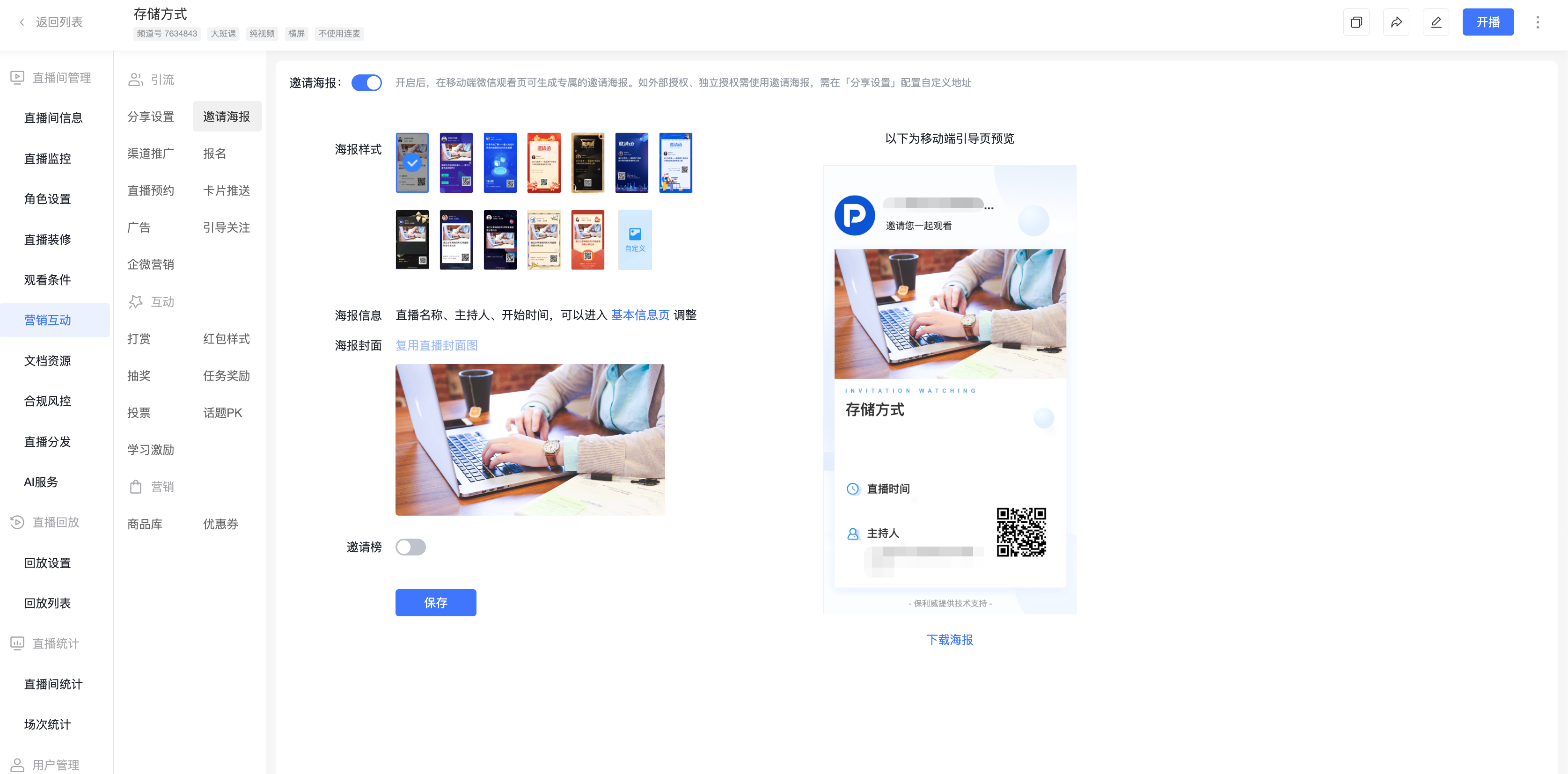
2.2 Configure Settings
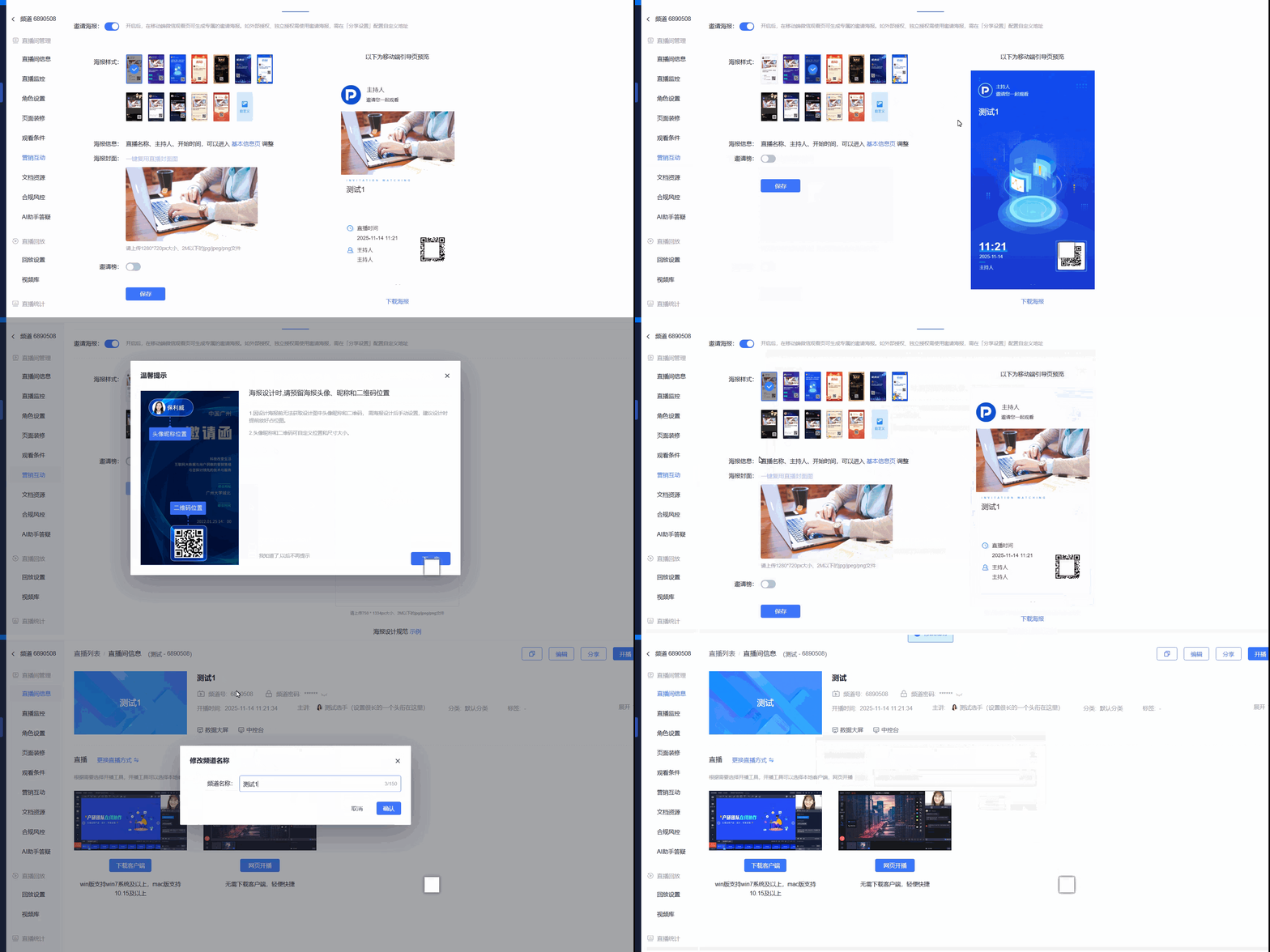
- Poster Style: 12 poster styles are provided; users can also upload custom posters.
- Poster Info: Click [Basic Info Page] to go to the live stream info page for adjustments.
- Poster Cover: Cover images support jpg, jpeg, and png formats, with a file size not exceeding 2MB.
2.3 Invitation Leaderboard
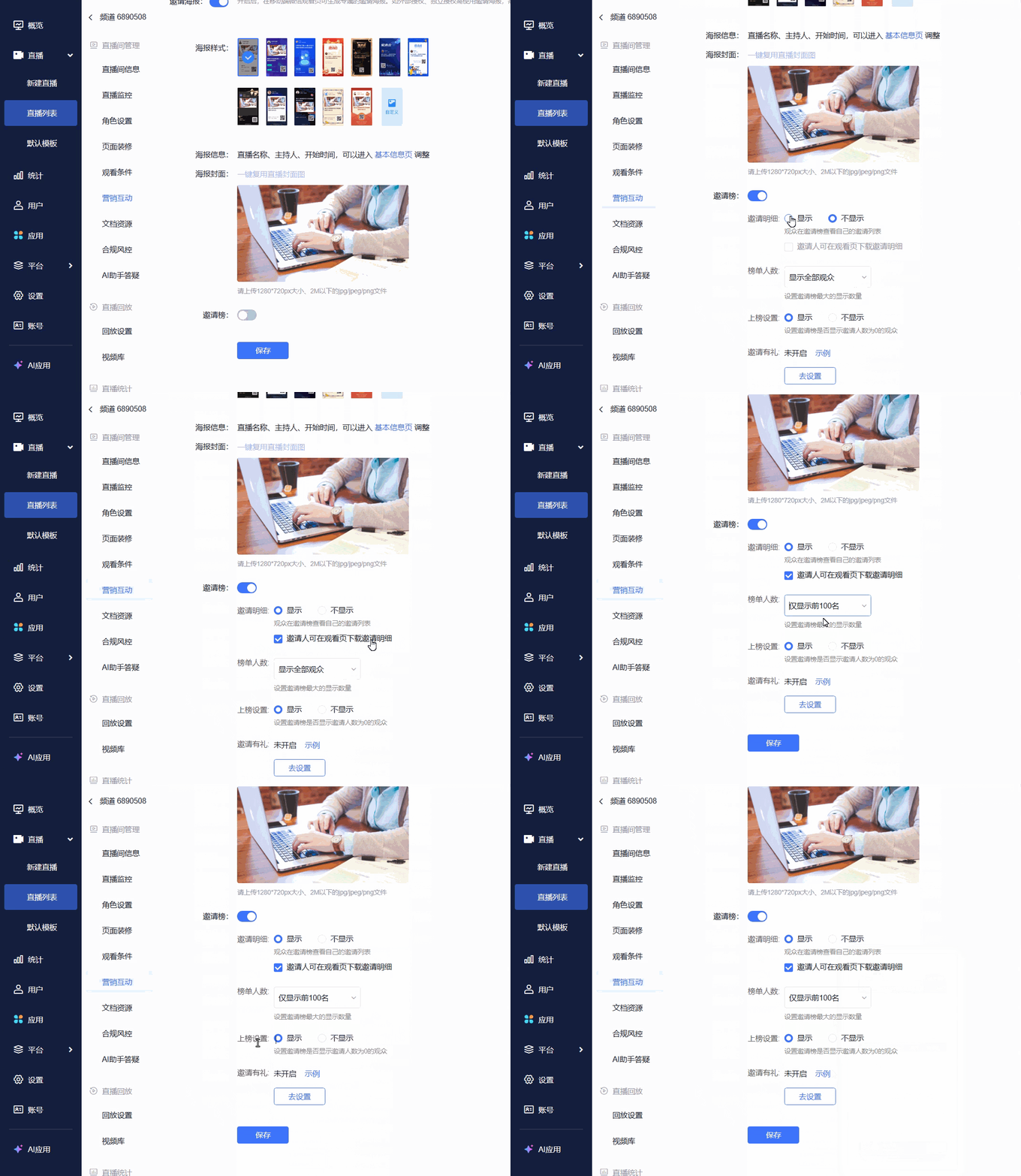
- After enabling the invitation leaderboard, a ranking list of invitees will appear. Each inviter will be displayed in the leaderboard ranked by the number of invitations.
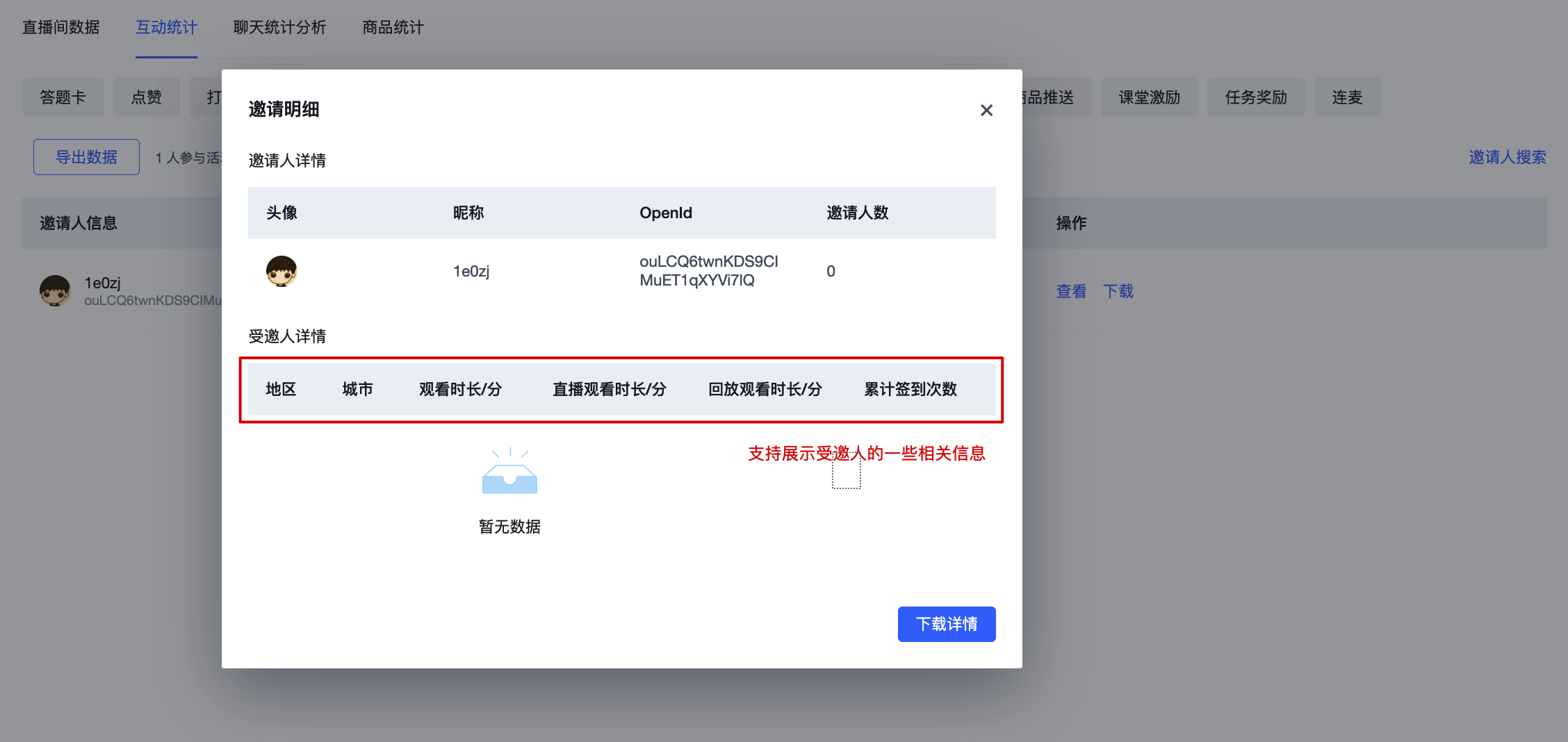
- Invitation Details: Whether the inviter can download invitation details on the viewing page. Details include viewer information and viewer entry time.
- Leaderboard Count: Set the maximum number of entries displayed on the invitation leaderboard.
- Ranking Settings: Set whether to display viewers with zero invitations on the leaderboard.
- Invitation Rewards: Distribute prizes based on the number of invitations. Supports linking different prizes to different invitation count tiers.
2.4 View Invitation Data
3. Effect Display
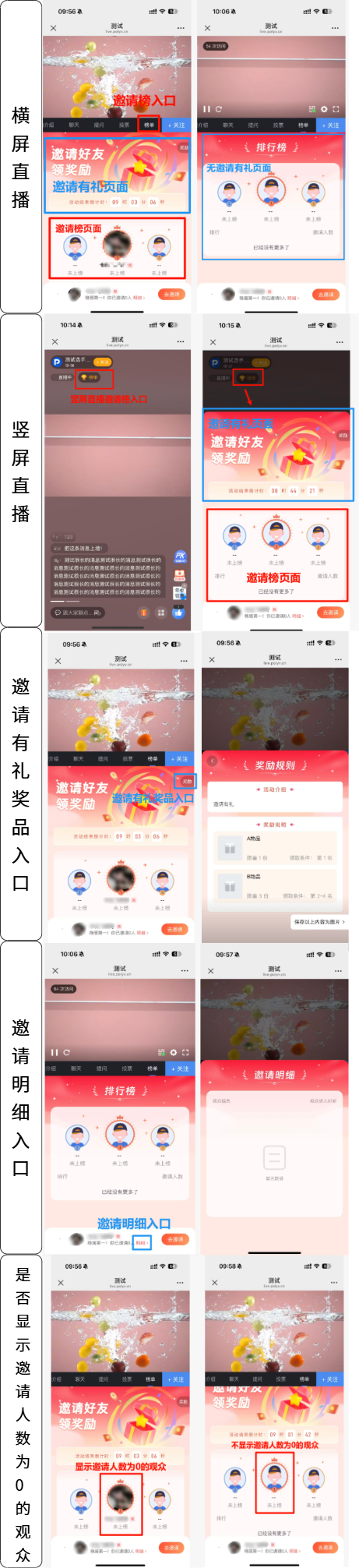
4. Invitation Rewards Feature (Requires Contacting Sales to Enable)
4.1 Invitation Rewards Feature Settings
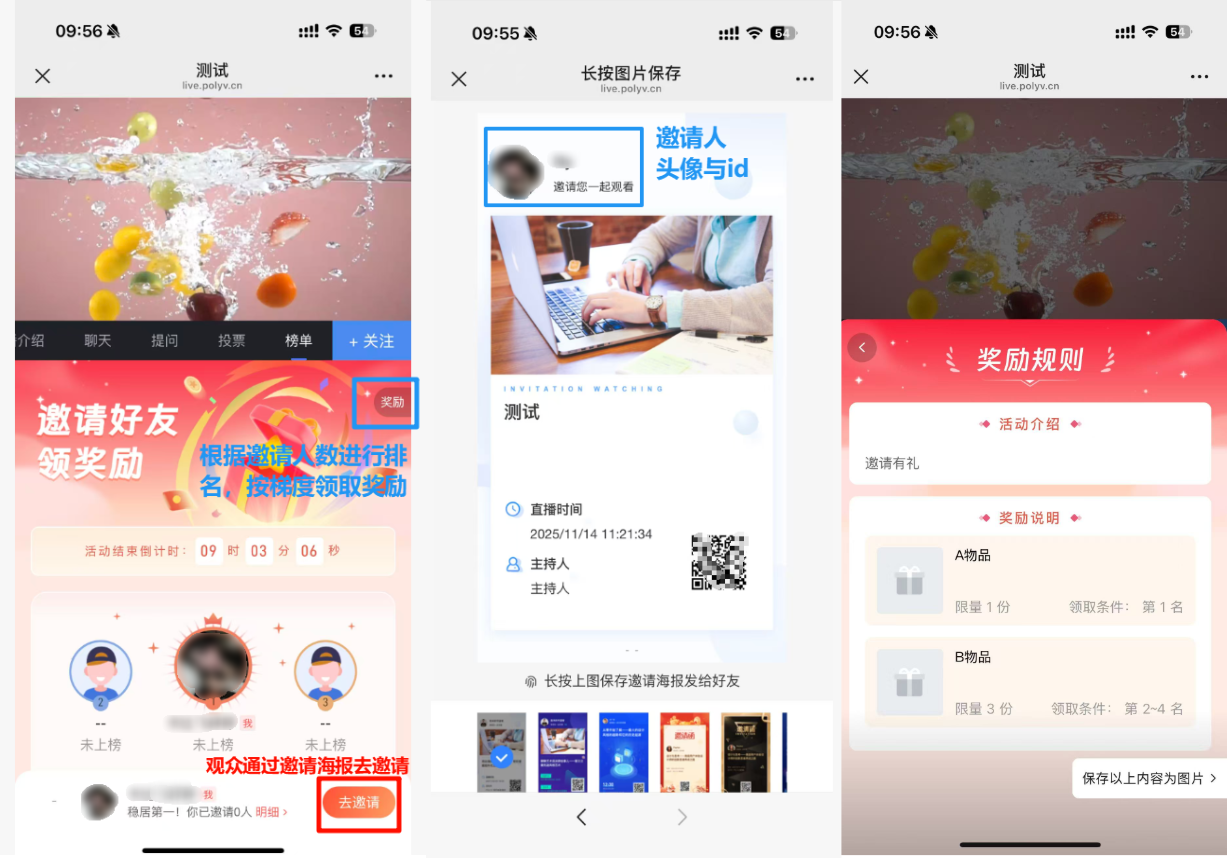
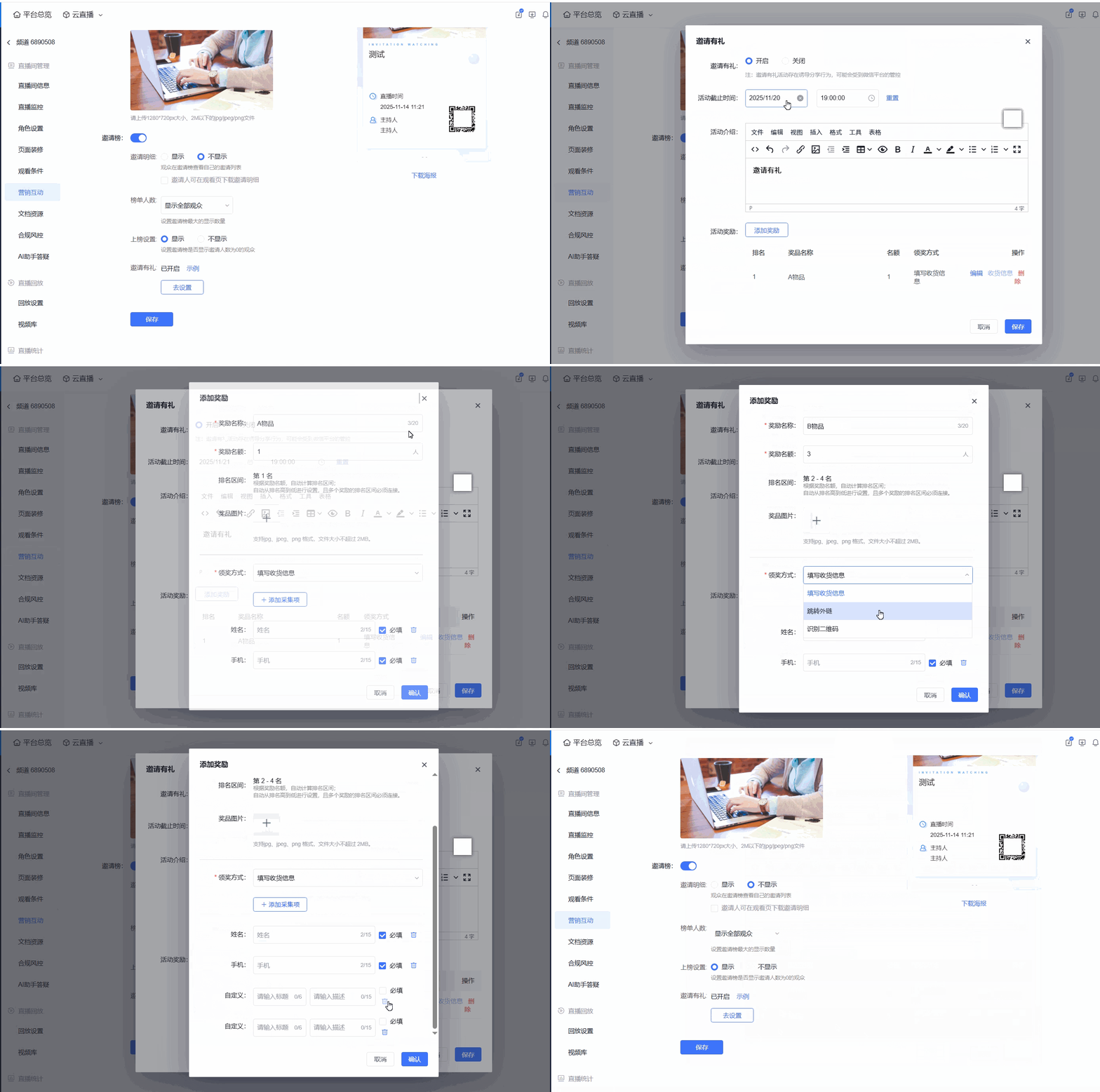
- The invitation rewards feature is designed to increase live stream viewership. Prizes are distributed based on the number of invitations, and different prizes can be linked to different invitation count tiers. This incentivizes viewers to invite friends to watch the live stream, achieving virality.
- An activity end time, activity description, and activity rewards must be set.
Activity End Time: When the activity ends, viewers are categorized into different tiers based on their current invitation count. Prizes are distributed according to the reward tiers set in the activity.
Activity Description: Supports editing with text and images; viewers can see this content.
Activity Rewards: Rank viewers by invitation count, then distribute different prizes based on ranking intervals. For example, 1st place receives Prize A; 2nd to 4th place receive Prize B.
4.2 View Activity Data
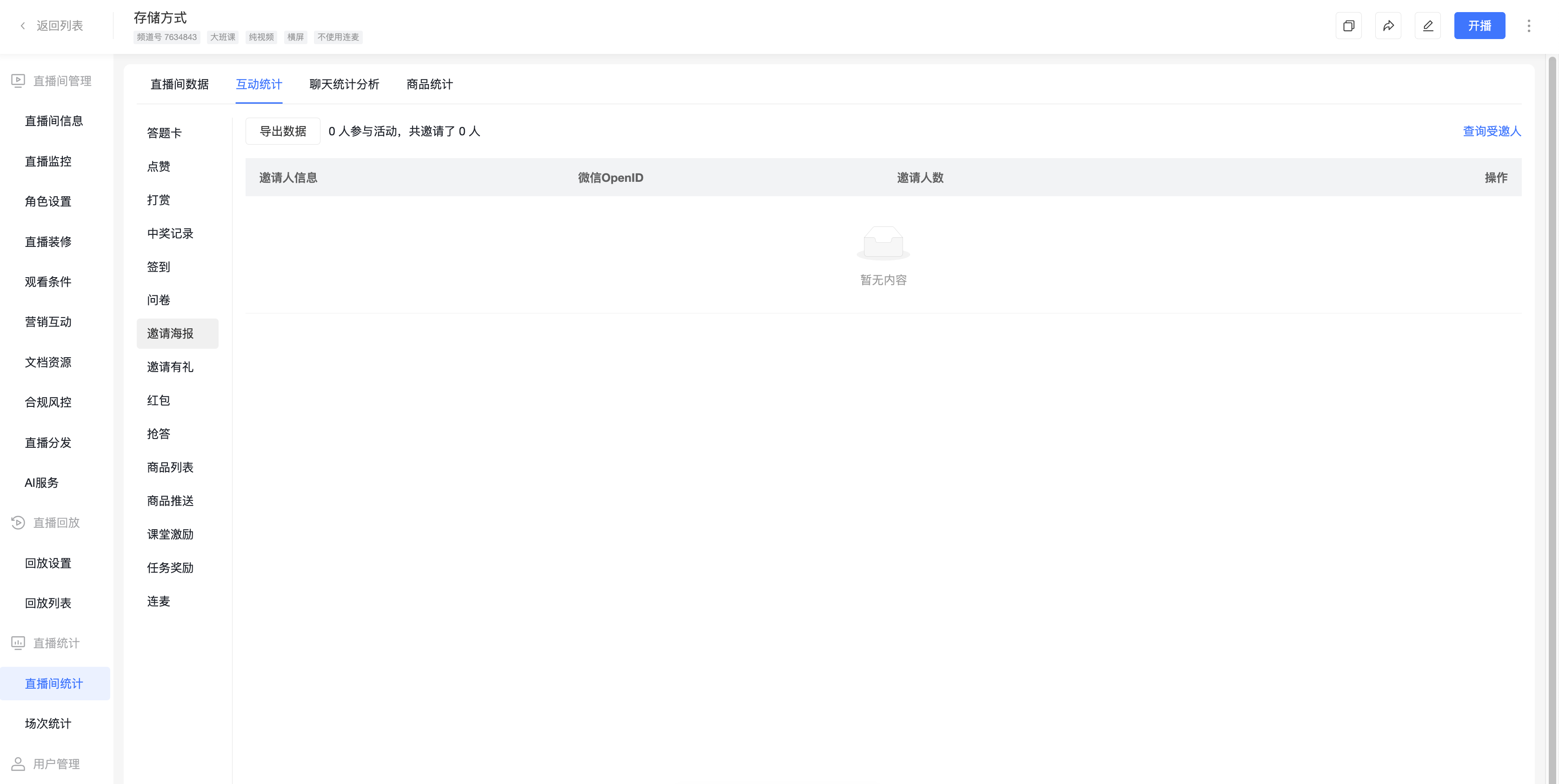
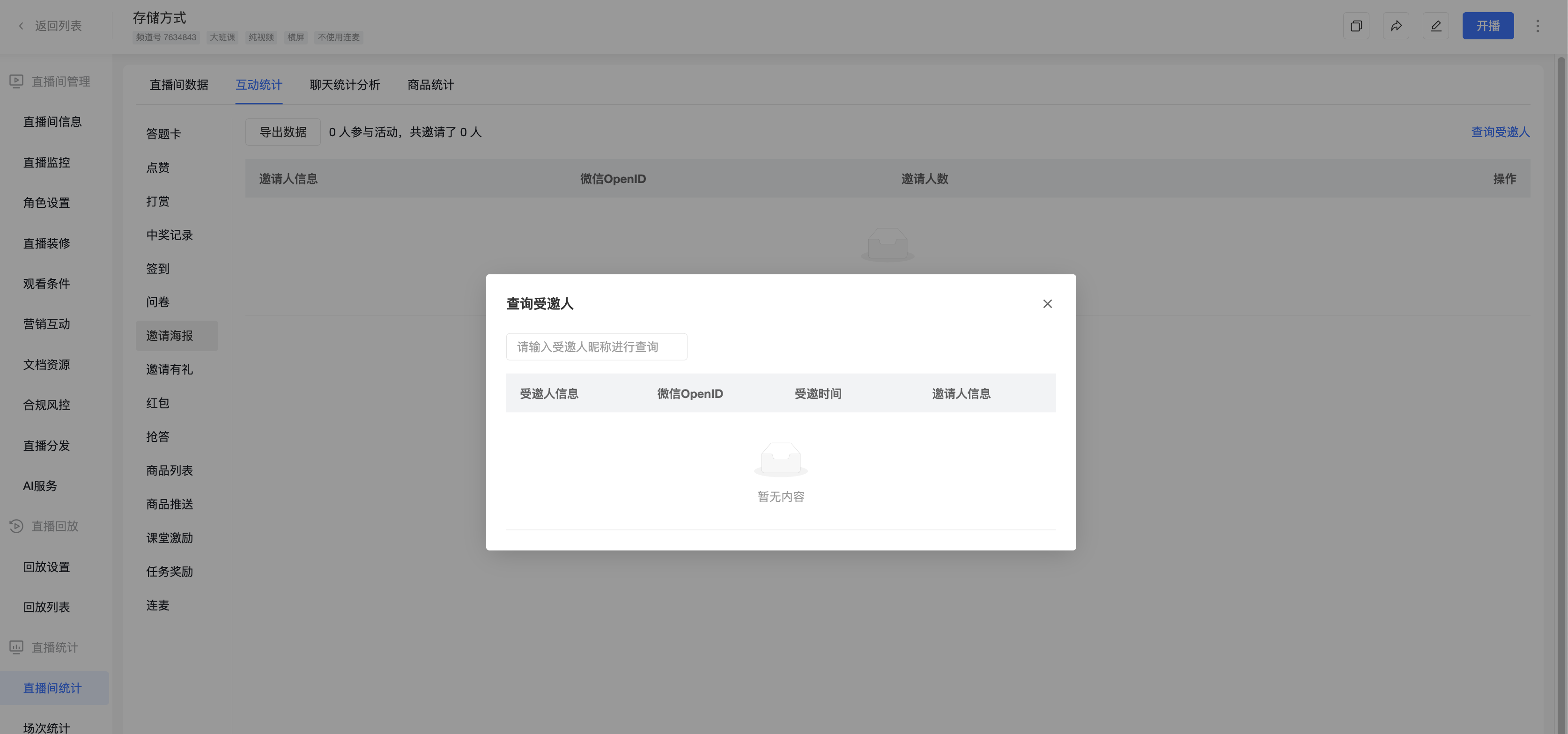
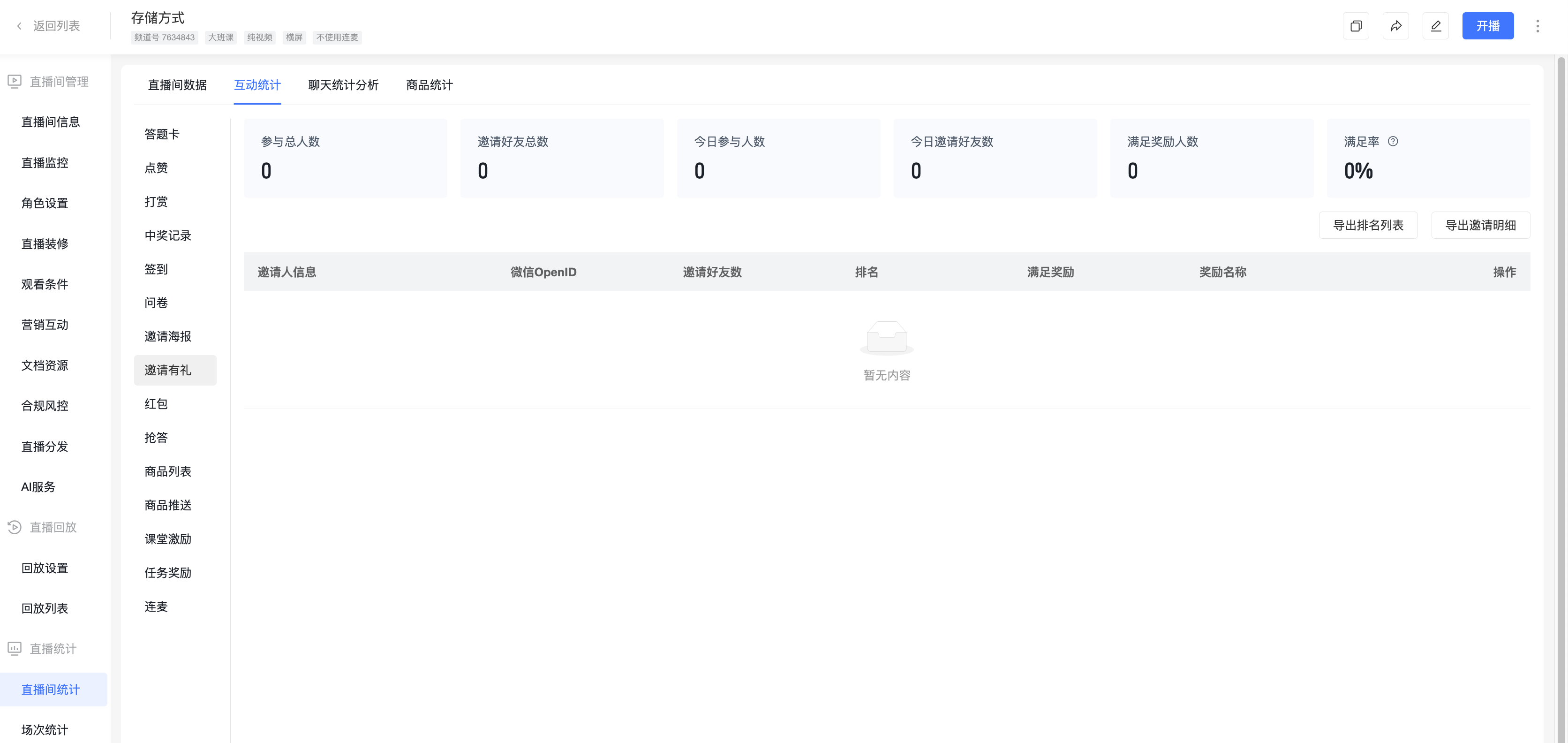
In the channel [Live Stream Statistics] - [Interaction Statistics] - [Invitation Rewards], you can view data generated during the invitation rewards activity. After the live stream ends, you can export eligible viewers and the prize claim information they submitted.
4.3 Viewer Participation
After the invitation activity is enabled, viewers can participate in the invitation activity within the live stream.
After the invitation activity ends, if a viewer's invitation count falls within the corresponding reward tier, they can claim the prize according to the specified method.