Learning Incentives
Updated: 2025-09-05 01:01:30
1. Background
To enhance the flexibility of displaying "cumulative learning duration" data on the watch page, the original "display watch duration on watch page" feature toggle has been upgraded and migrated.
Main adjustments are as follows:
- Location Migration and Upgrade: The original "display watch duration on watch page" toggle, previously located in "Page Decoration," has been upgraded to an independent configuration page and fully migrated to the "Interaction Management - Learning Incentives" module. This makes feature categorization clearer and configuration options more centralized.
- Feature Enhancement: The new configuration page supports independent selection of how learning duration is calculated and displayed. Based on business needs, you can choose the most suitable calculation logic to obtain more accurate and effective learning behavior data.
Note: The toggle status of historical accounts and channels remains unaffected and unchanged; only the toggle location has been adjusted.
2. Operation Details
2.1 Toggle Location Adjustment
After adjustment: Admin Console ➡️ Channel/Default Template ➡️ Marketing Interaction - Learning Incentives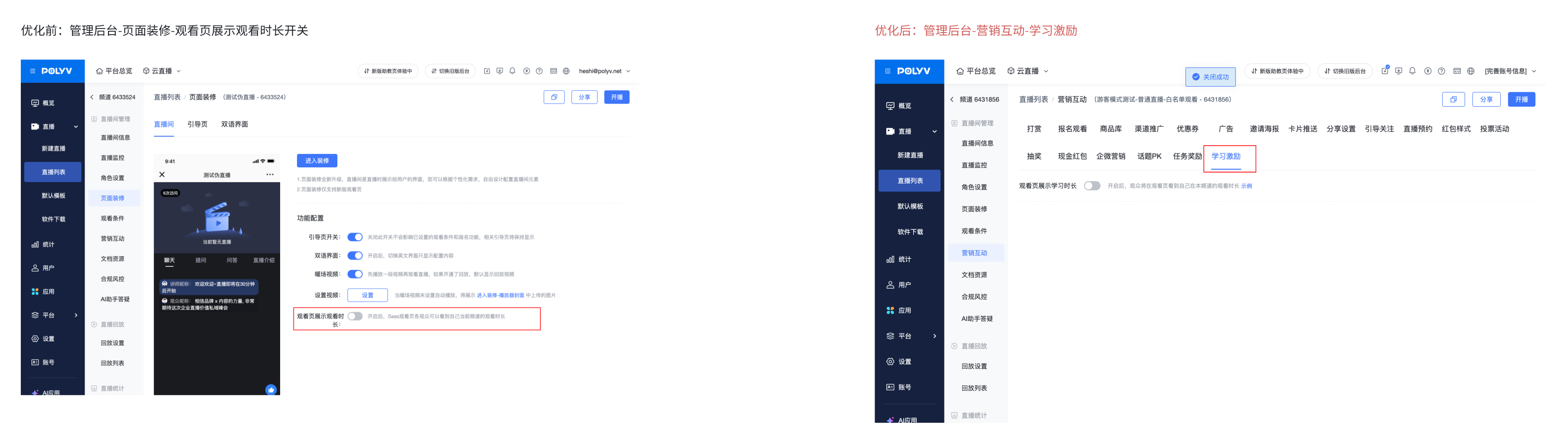
2.2 Learning Duration Calculation Method
After adjustment: In Admin Console ➡️ Channel/Default Template ➡️ Marketing Interaction - Learning Incentives ➡️ Learning Duration Calculation Method ➡️ Supports selection: Total Watch Duration, Live Watch Duration, Replay Watch Duration
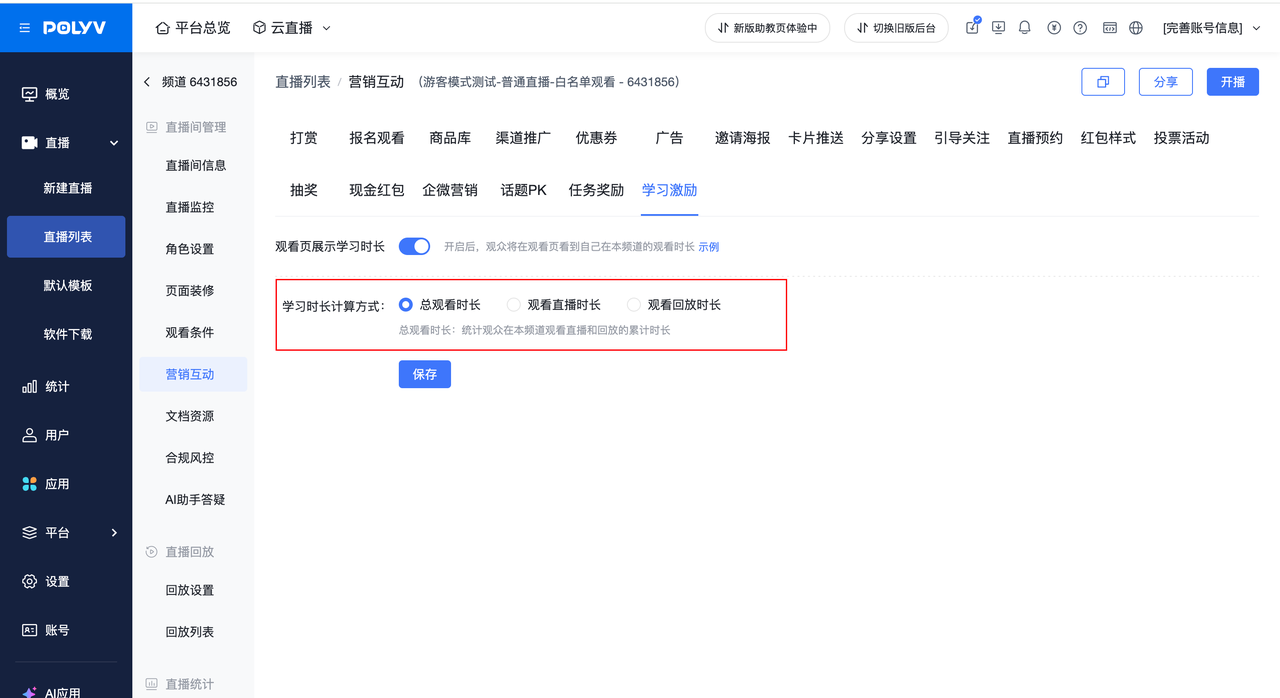
- Total Watch Duration: Calculates the cumulative duration a viewer has spent watching both live and replay content in this channel (default selection).
- Live Watch Duration: Only calculates the viewer's live watch duration.
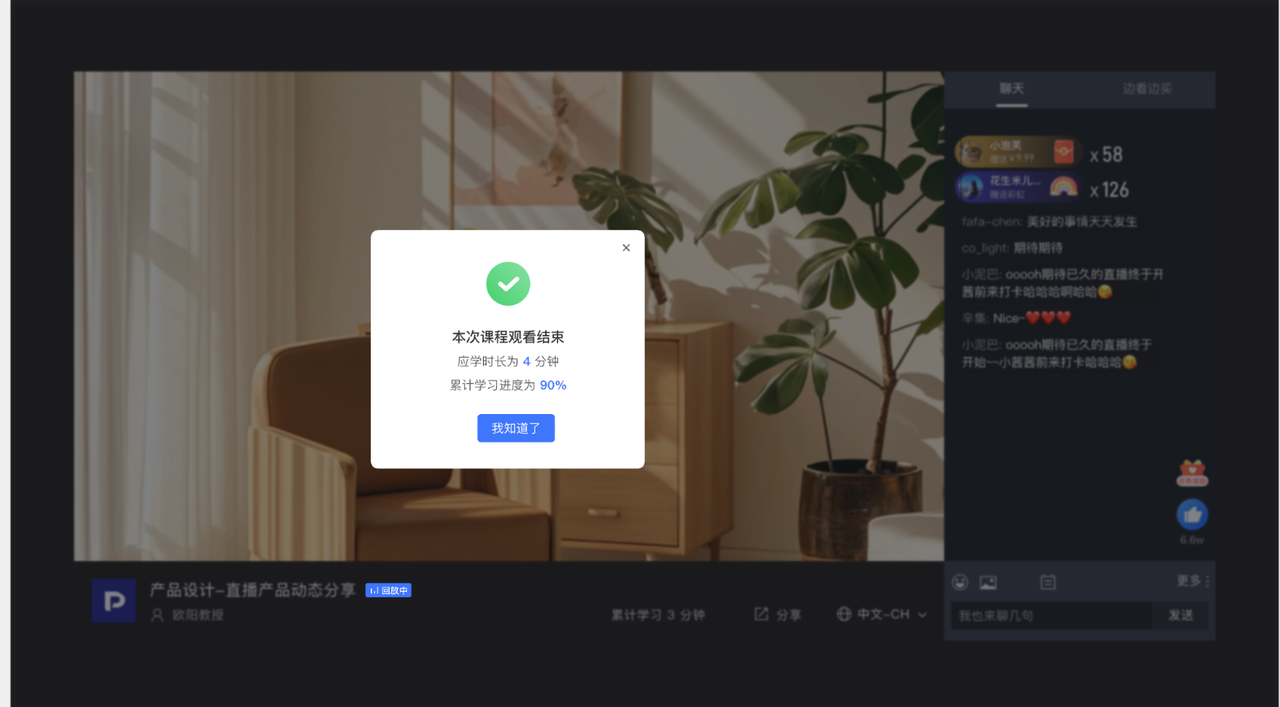
- Replay Watch Duration: Calculates the viewer's replay watch duration. When a viewer finishes watching a video completely, a learning progress popup will automatically appear.
- The learning progress popup will only be displayed after the viewer has finished watching a [replay] video.
- The learning progress popup includes: required learning duration, learning progress.
- Note: Switching the "Learning Duration Calculation Method" will change the cumulative learning duration data viewers see on the watch page. Please modify with caution.
3. Frequently Asked Questions
3.1 What impact does switching the learning duration calculation method have?
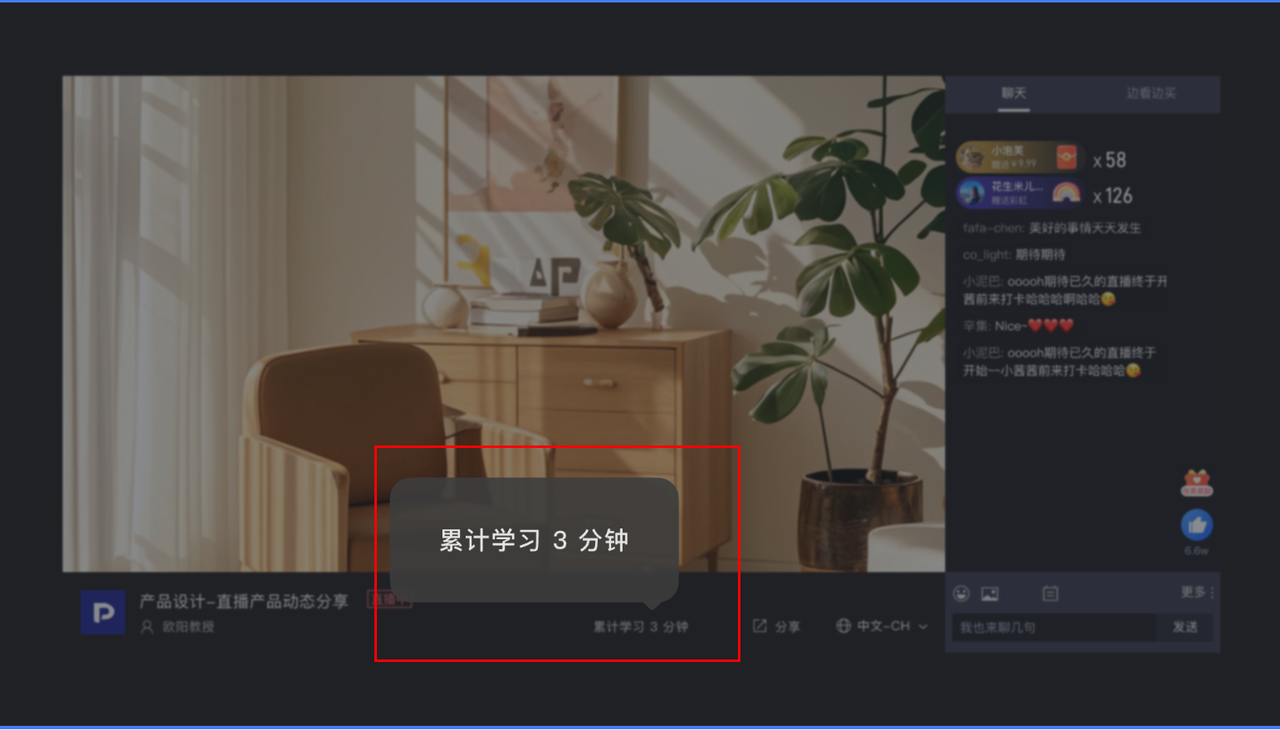
- The cumulative learning duration viewers see on the watch page will change. For example: Viewer A is in channel 40235, with a live watch duration of 3 hours and a replay watch duration of 2 hours. Selecting the learning duration calculation method:
- Selecting "Total Watch Duration": Viewer A sees "Cumulative Learning Duration" = 3+2 = 5 (hours).
- Selecting "Live Watch Duration": Viewer A sees "Cumulative Learning Duration" = 3 (hours).
- Selecting "Replay Watch Duration": Viewer A sees "Cumulative Learning Duration" = 2 (hours).
- Frequent changes to a single channel's learning duration calculation method are not recommended, as they may cause viewer confusion.
3.2 Can the learning duration display toggle and calculation method on the watch page be set uniformly?
- Yes, you can uniformly set the toggle status and calculation method for subsequently created channels via [Admin Console - Default Template - Marketing Interaction - Learning Incentives].
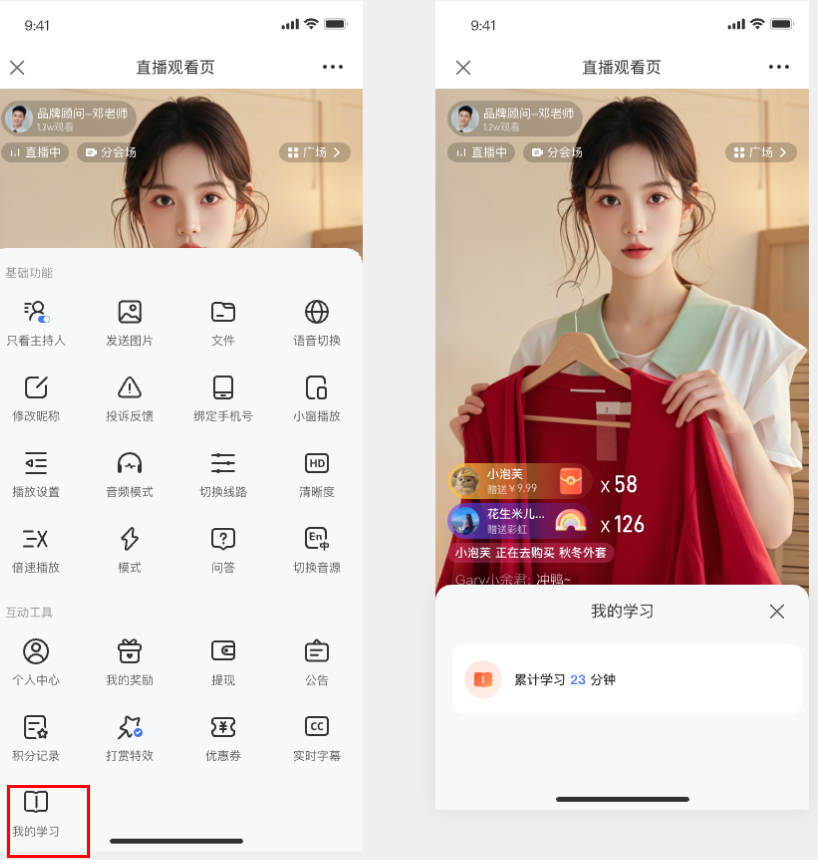
3.3 Where is the "Cumulative Learning Duration" located on the mobile watch page?
Answer: It can be viewed on the watch page ➡️ More ➡️ Interactive Tools ➡️ My Learning.