


Screen Monitoring
Updated: 2026-08-17 11:27:00
1. Feature Description
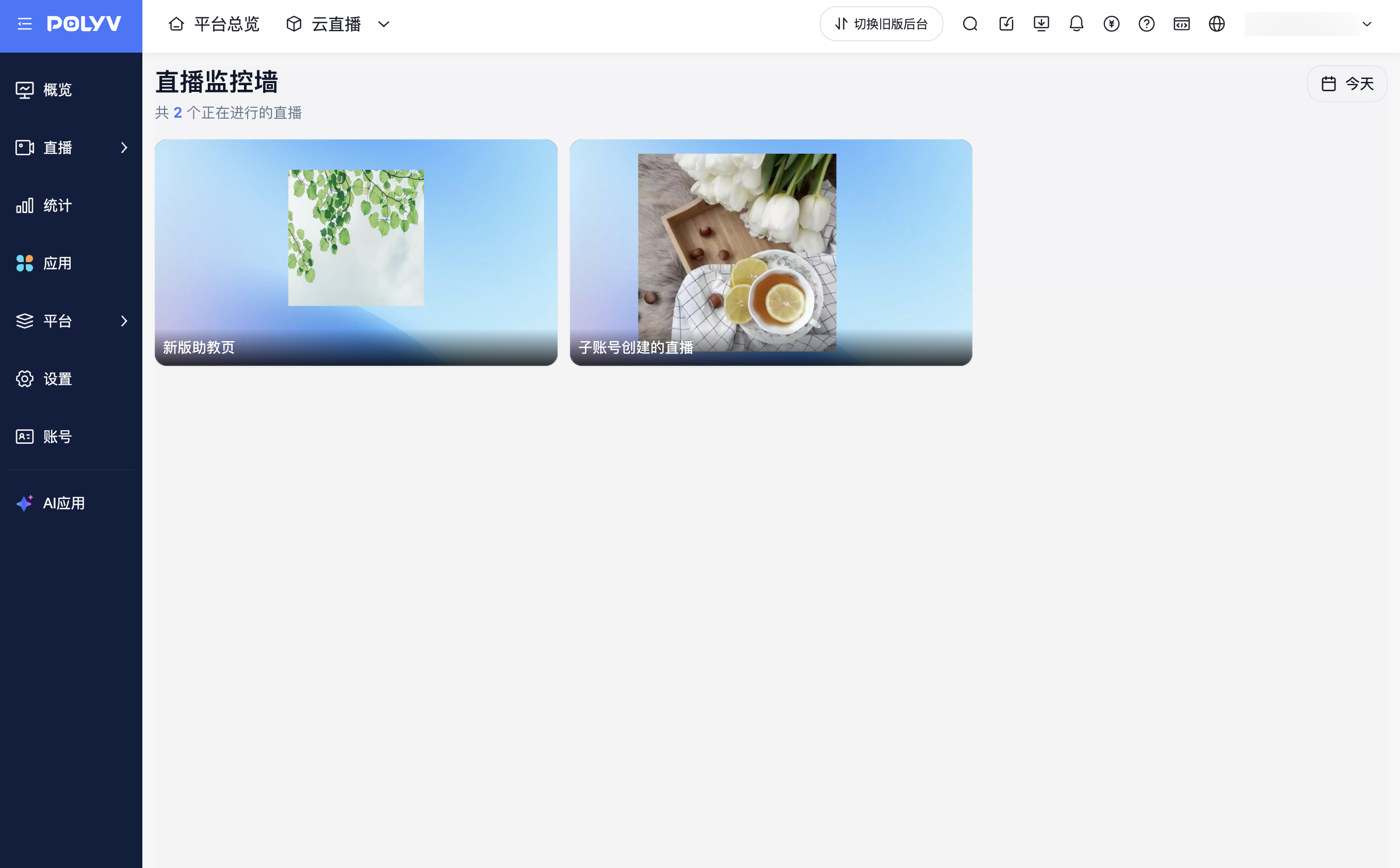
Screen monitoring allows you to centrally view the live screens under the current account, helping operators quickly understand the real-time status of multiple live rooms.
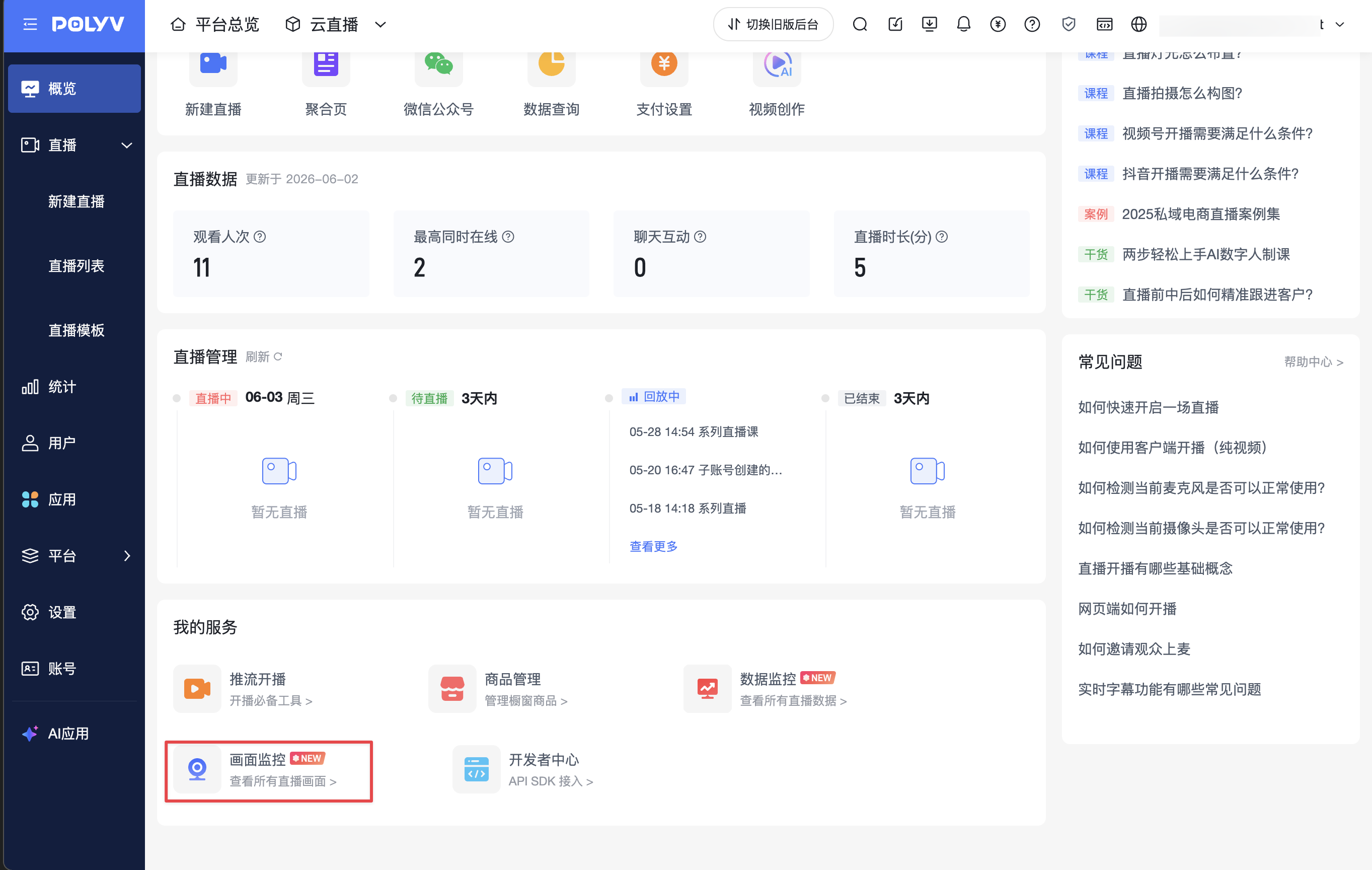
This feature can be accessed via [Live Overview] - [My Services] - [Screen Monitoring].
If a sub-account accesses screen monitoring, it can only view live screens from live rooms within its permission scope.
2. Applicable Scenarios
- Multiple live rooms under the current account are streaming, requiring centralized viewing of live screens.
- Operators need to quickly confirm whether the live screens are functioning properly.
- Sub-accounts need to view live screens within their own permission scope.
3. Steps
- Enter the live management backend and open the [Live Overview] page.
- In the [My Services] section, click [Screen Monitoring].
- After entering the [Live Monitoring Wall] page, view the live screens under the current account.
4. Notes
- Screen monitoring only displays live screens currently streaming under the current account.
- Sub-accounts only see live screens from live rooms within their permission scope.
- If no live rooms are currently streaming under the current account, no live screens will be displayed on the page.
- To view upcoming, replaying, or ended live rooms, go to the live room list.
