


Media Library - Video Transcoding Rules
Updated: 2025-11-27 23:11:32
I. Feature Overview
| Feature Info | Description |
|---|---|
| :150 | |
| Feature Name | Media Library |
| Feature Description | Transcodes videos into mainstream formats compatible with most mobile devices to improve playback speed and smoothness, while saving bandwidth and traffic costs. |
| Purpose | Ensures smooth video playback across various devices, enhances user experience, and reduces operational costs. |
| Use Cases | Ensures video smoothness when pushing videos in pseudo-live scenarios or during playback on the replay viewing page. |
| Feature List | Supports "Smart Transcoding", "HD", "Full HD", and "Original Quality" transcoding. |
II. Transcoding Rules
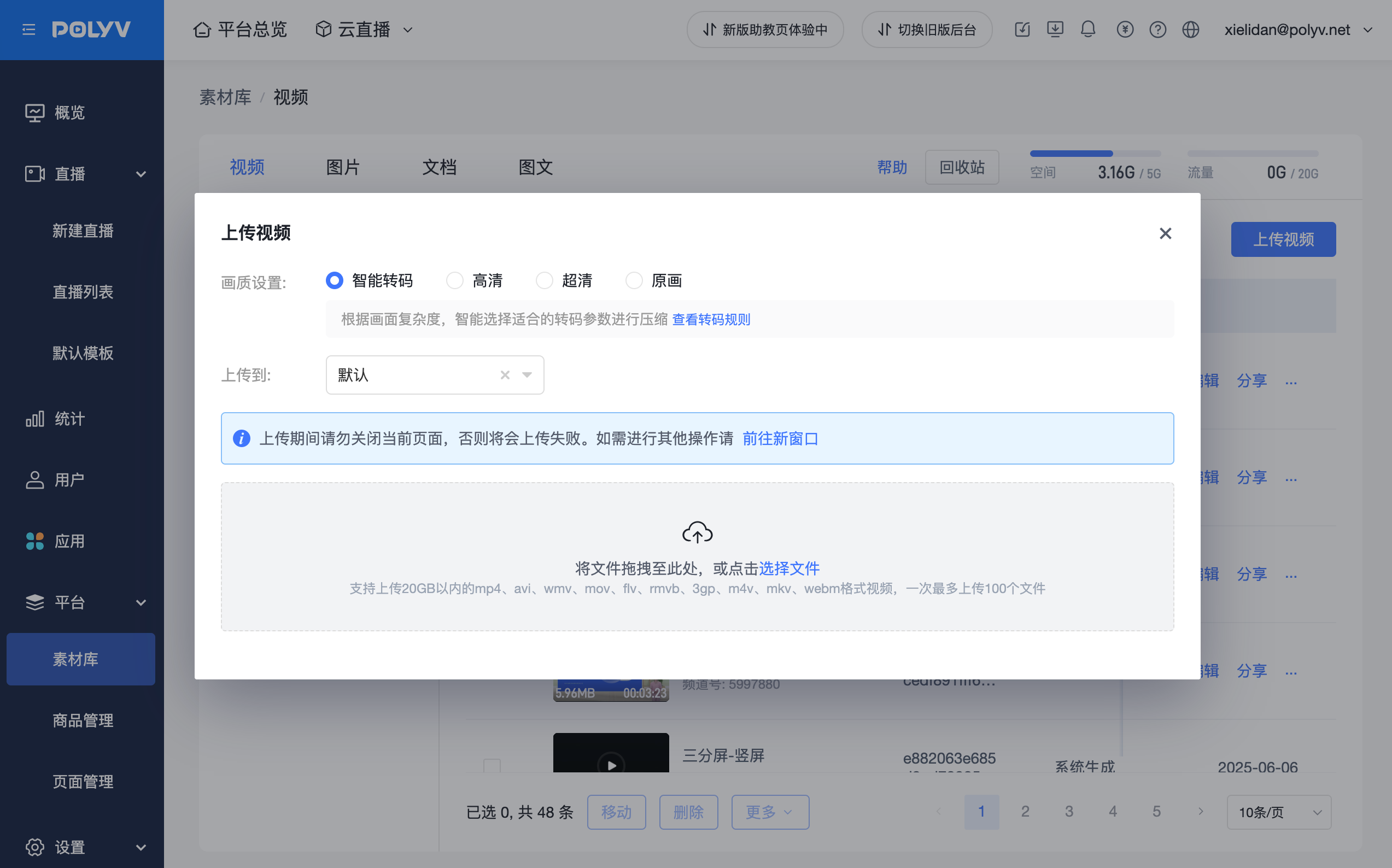
Smart Transcoding: Automatically matches the optimal transcoding rules based on the complexity of the video content.
HD / Full HD: The transcoding rule is step-down transcoding:
720P < Resolution < 1080p: Transcodes to 720p
Resolution ≥ 1080P: Transcodes to 1080p
Original Quality: Uses the original video quality; the platform will not transcode the uploaded video:
- Currently only supports uploading video files with mp4, H264 video, and AAC audio encoding;
- It is recommended to keep the video within a 3M bitrate and 1080p resolution to avoid stuttering caused by high bitrate;
- Original quality playback may consume higher traffic as there is no platform compression.
Bitrate: Divided into 800kbps, 1000kbps, 1500kbps, 2000kbps
Explanation: Bitrate refers to the amount of data transmitted per unit of time, usually expressed in bits per second (bps). In video and audio encoding, bitrate is a very important parameter that directly affects the quality and size of the media file.
4.1 Bitrate Impact:
- a. Image Clarity: Higher bitrate generally results in better video or audio quality.
- b. Traffic Consumption: Higher bitrate directly leads to increased traffic usage.
- c. Storage Requirements: Higher bitrate results in larger video files.
- d. Playback Device Compatibility: Different playback devices have varying support for bitrates. Some low-end devices may not smoothly play high-bitrate videos, while high-end devices can handle higher bitrates.
- e. Network Conditions: Under poor network conditions, choosing a lower bitrate can ensure smooth video playback, avoiding stuttering and buffering.
- Feature Usage Instructions: After the video upload is complete, it enters the transcoding process. If the "Quality Settings" are modified during the video upload, the transcoding will be based on the latest settings. If transcoding has already started, modifications will only apply to videos uploaded after the settings are changed.
