Follow Guide
Updated: 2026-08-17 11:27:00
I. Feature Overview
Feature Info |
Description |
|---|---|
| Feature Name | Follow Guide |
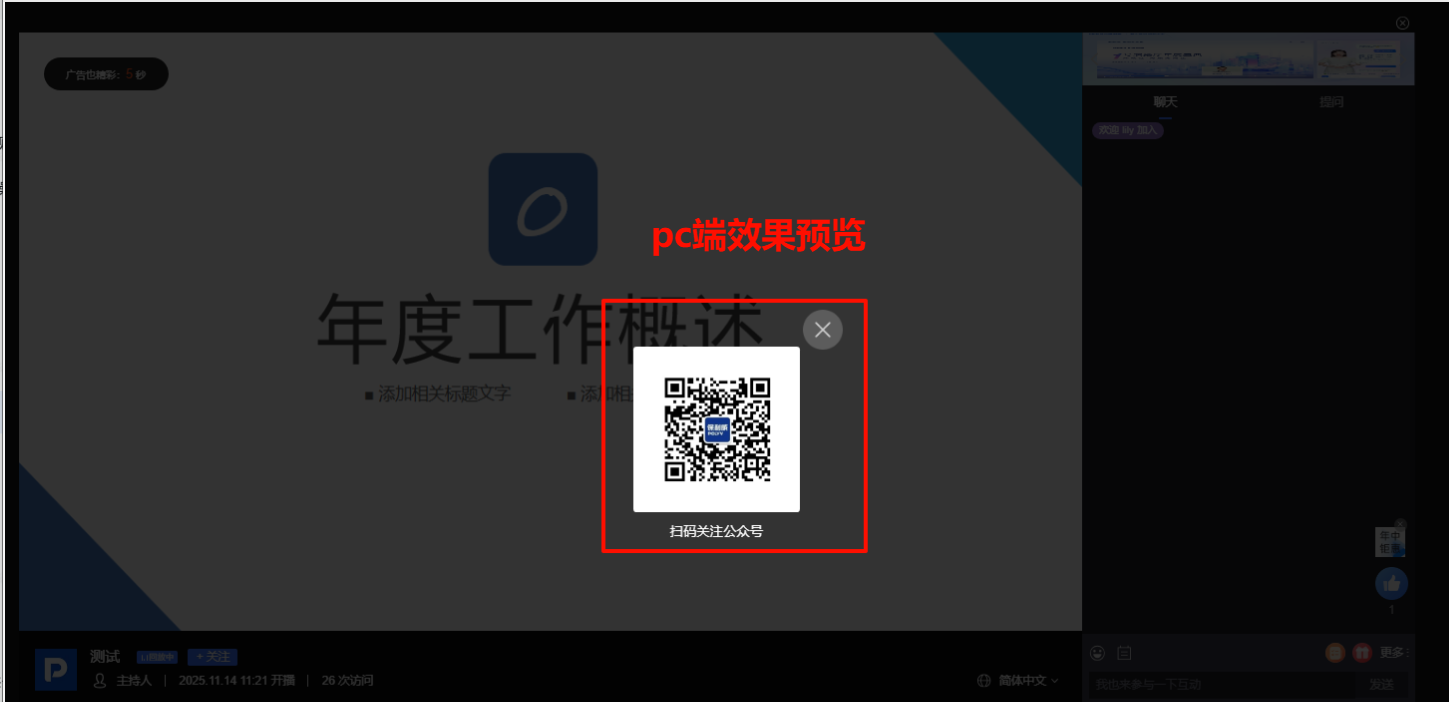
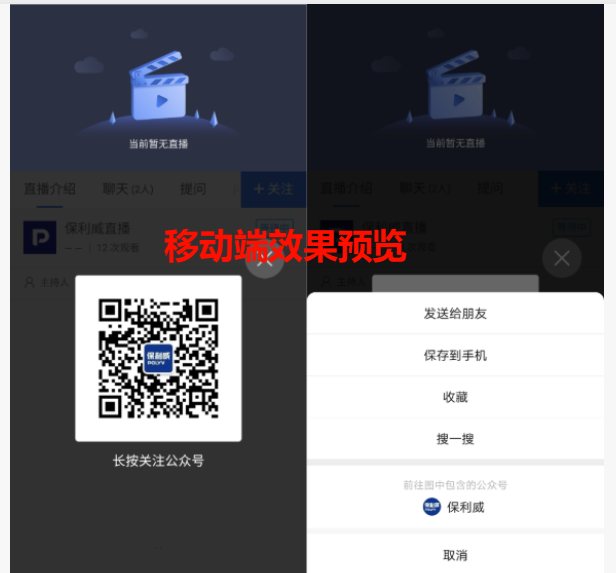
| Feature Description | By displaying a follow entry in the live streaming room, guide viewers to scan a QR code to follow the official account or add enterprise/personal WeChat, enabling the transition of viewers from the live stream to private domains. |
| Purpose | Used to accumulate live stream viewers into private domains, enhancing the enterprise's subsequent reach capability. |
| Use Case | Suitable for scenarios requiring user accumulation, such as marketing live streams and brand event live streams. |
| Operation Path | 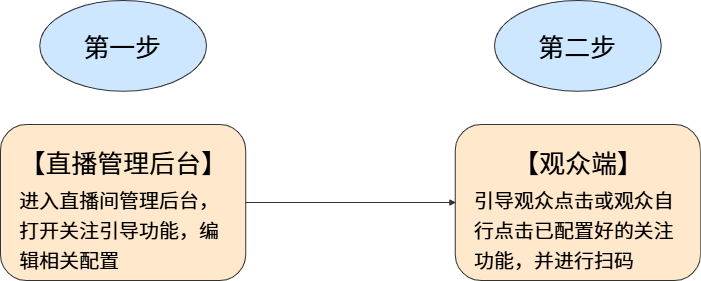 |
II. Steps
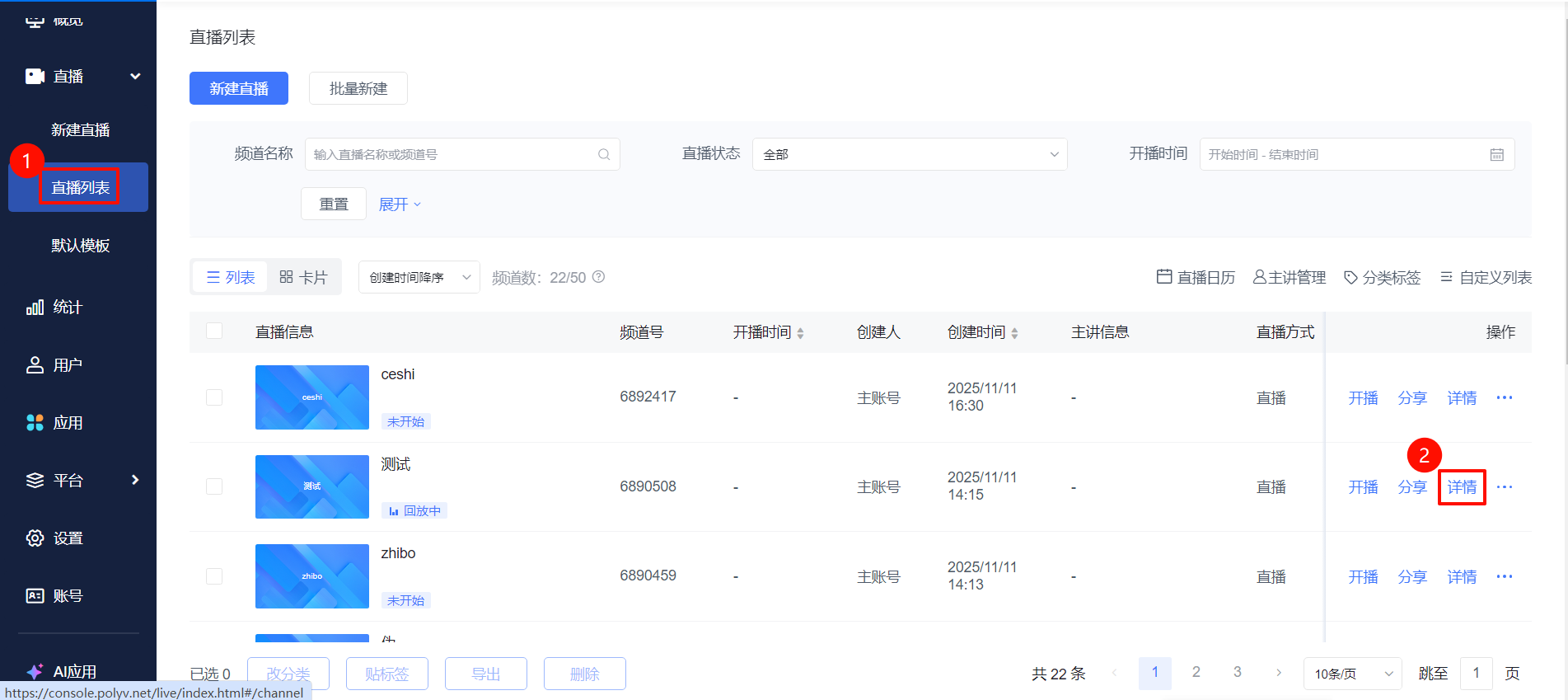
- Go to the [Live List] page, select a live stream and click [Details]. In the live stream management section, click [Marketing Interaction] - [Follow Guide] to enable the follow feature. Upload the official account QR code, edit the entry text and popup prompt text, then confirm and save. This is not limited to official accounts; QR code links, personal WeChat IDs, WeChat groups, and enterprise WeChat QR codes are all usable.
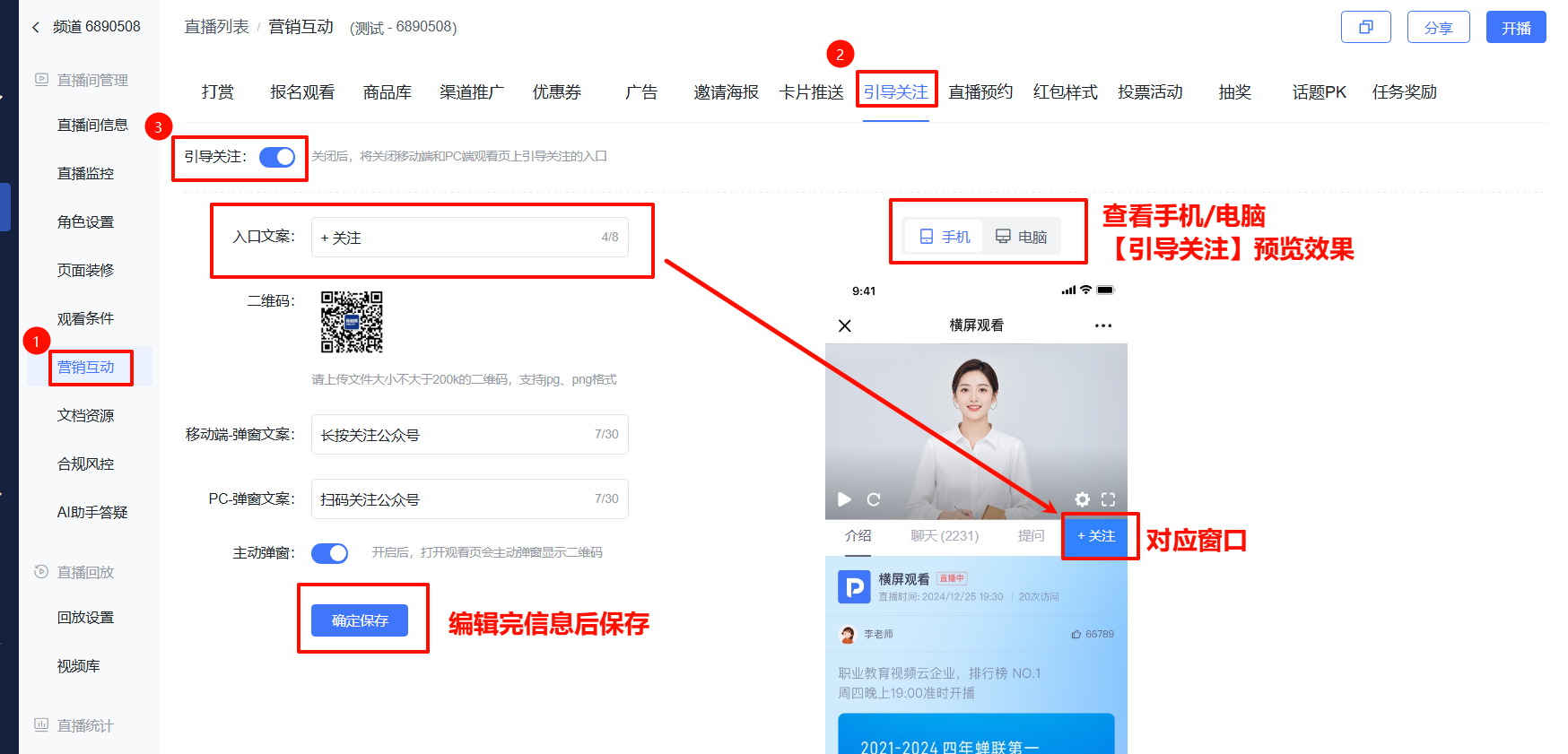
- After confirming and saving, the viewing page will display a [+Follow] button. Clicking the [+Follow] button will show a QR code popup. You can also enable the active popup button; after setting it, the QR code popup will appear automatically upon entering the live stream.