


How to Use Grouped Lucky Draws?
Updated: 2026-08-17 11:27:00
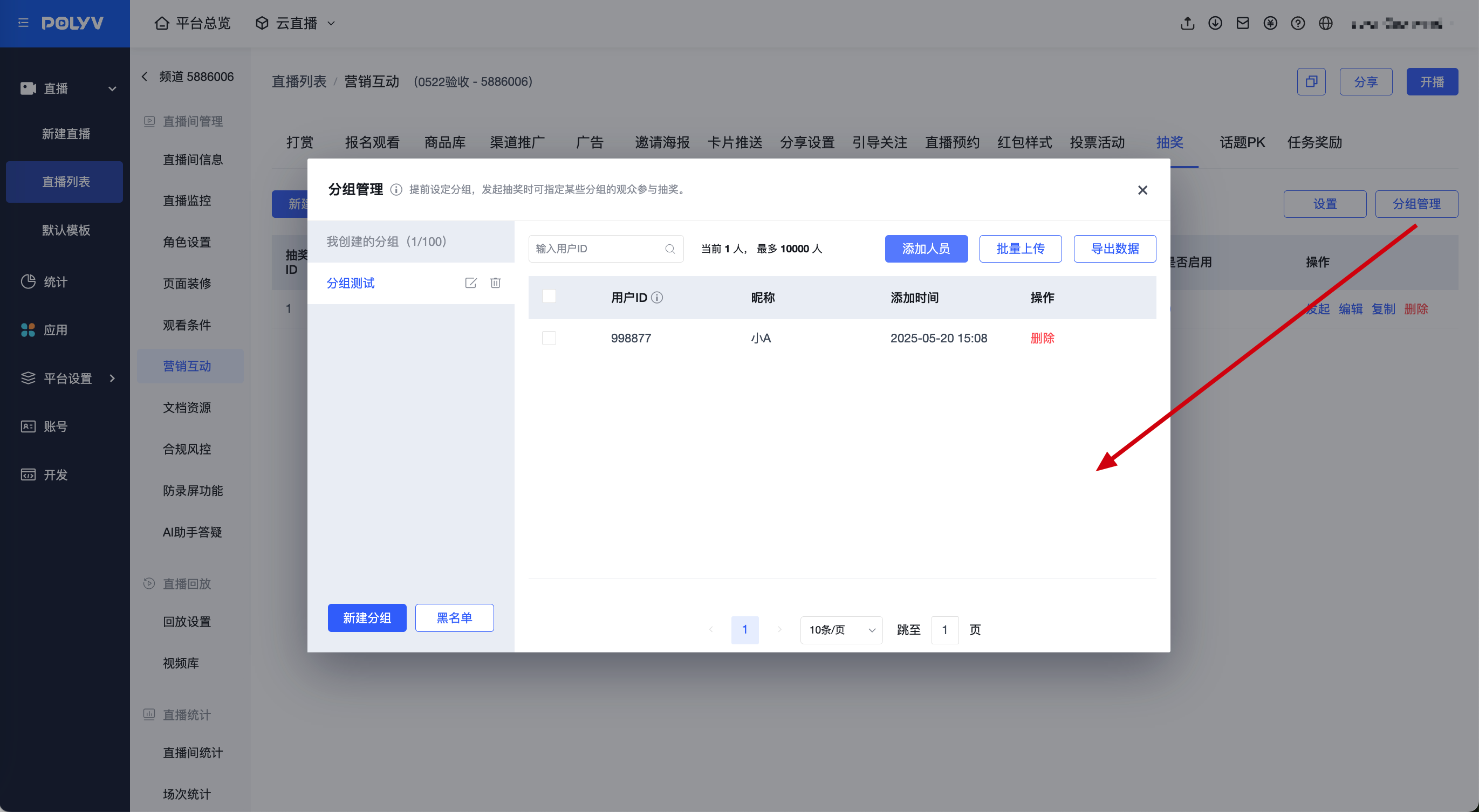
Usage path: Channel - Marketing Interaction - Lucky Draw - Group Management / Create Lucky Draw
- First, upload the list in the group. You need to create a new group, then upload the list. Two methods are supported: "Manual addition in the backend" and "Batch upload via spreadsheet". The required fields include: User ID, User Nickname
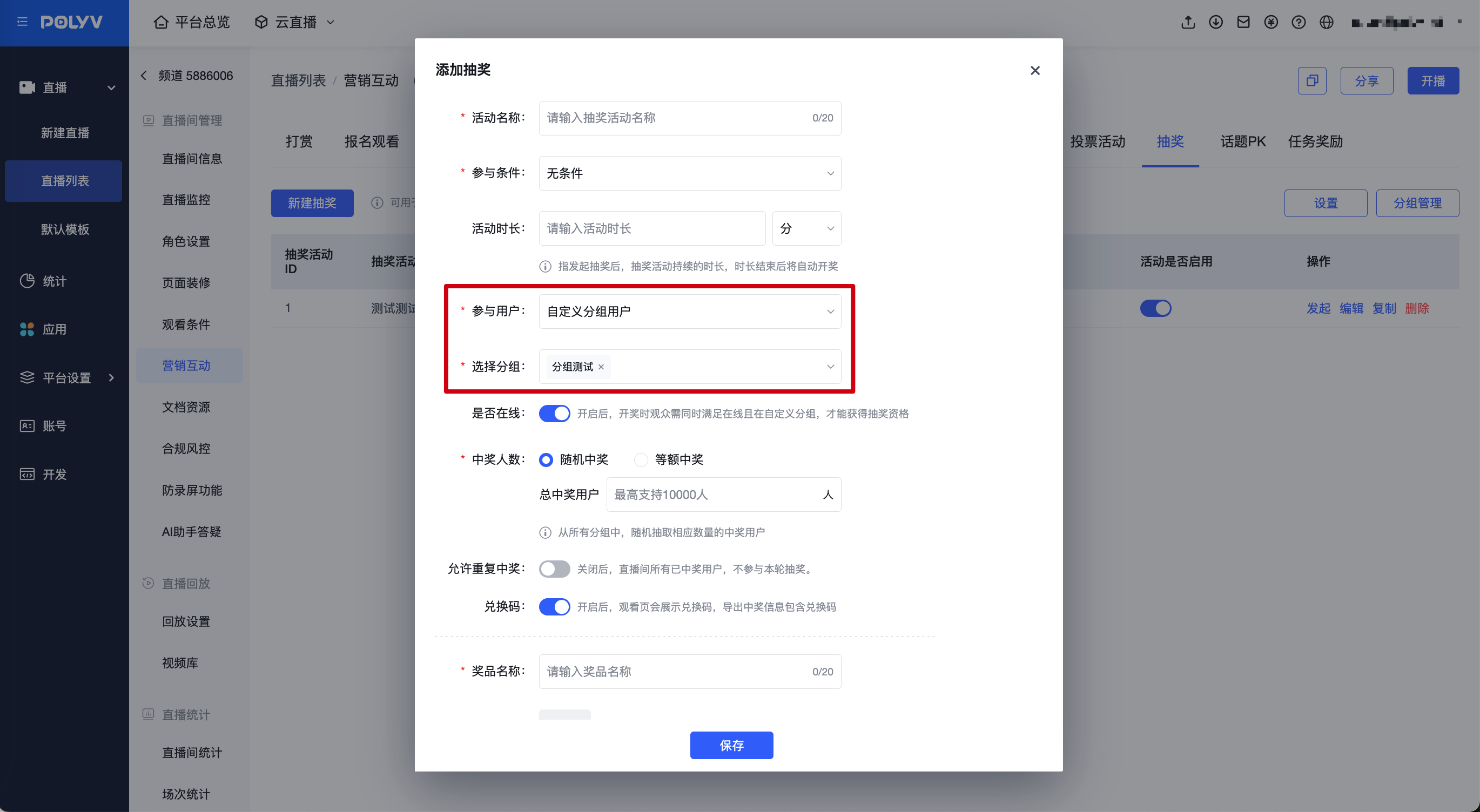
- When creating a new lucky draw, if the participation conditions are unconditional, invite friends, watch duration, comment, or answer questions, the participating users can select "Custom Group Users". Multiple groups can be added. For unconditional draws, non-online users within the group can also win.
- Grouped lucky draws must be used in conjunction with a whitelist for viewing, to ensure that the IDs uploaded in the group match the membership codes in the whitelist. Otherwise, the same user cannot be matched. When displaying the draw results on the viewing page, the user nickname passed from the group is prioritized. If not available, the viewer nickname set in the whitelist or the nickname modified by the viewer on the viewing page is used. If both nicknames are empty, the user ID is displayed.
