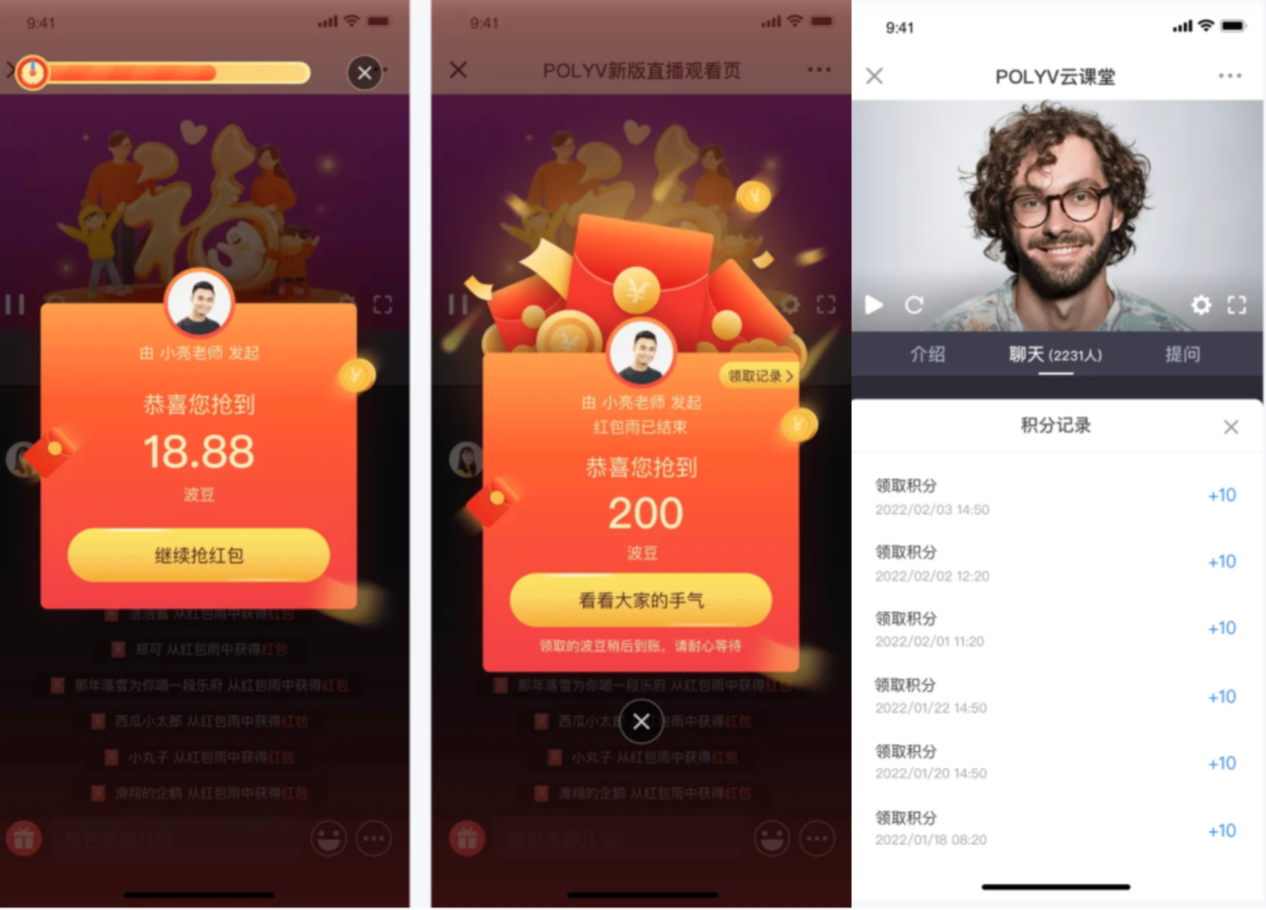
Points Red Envelope User Guide
1. Feature Overview
| Feature Info | Description |
|---|---|
| Feature Name | Points Red Envelope |
| Feature Intro | [Points Red Envelope] builds on the existing cash red envelope feature by integrating with third-party points systems. It retains the ability of red envelopes to quickly activate live streams while revitalizing the points system, attracting new users to third-party platforms and improving customer platform retention. |
| Feature Goal | Use red envelopes to stimulate user activity, quickly warm up the live stream, and after receiving points, guide users to spend on third-party platforms, driving new user acquisition and improving retention. |
| Use Cases | Case 1: A financial client, after integrating with the live streaming platform, found the live room was lukewarm and viewers were inactive. They realized red envelopes could quickly activate users, but the financial platform app could not receive cash red envelopes. They decided to use a red envelope + points approach, distributing points red envelopes in the live room. This not only quickly activated the live room but also improved platform retention by encouraging users to spend points on the platform. Case 2: An education client wanted to revitalize the points system to improve platform retention, but traditional activity-based point distribution was too conventional, and users were tired of actively participating in activities. They decided to use the live room's red envelope feature, where users only needed to stay in the live room to receive points. They set up benefits like using points to deduct course fees, motivating users to go from the live room to the platform to redeem courses, significantly boosting platform activity and retention. |
| Tutorial | 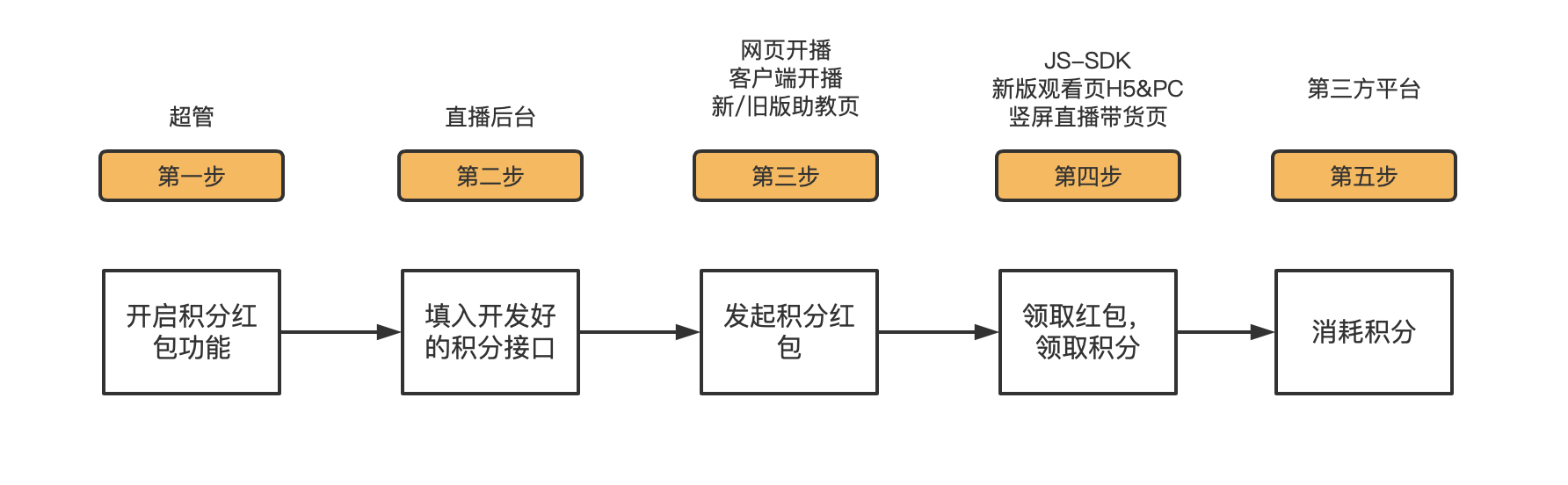 |
| Feature List | Supports distributing points via password, red envelope rain, and Q&A: Ordinary red envelopes, password red envelopes, red envelope rain, and Q&A red envelopes all support point distribution; Supports lucky draw and equal distribution for receiving points: A single red envelope can be set to equal distribution or lucky draw; Supports SDK integration: Points red envelopes can be integrated into custom pages; Supports configuring points unit: The points unit can be set according to the platform, so users receive points in the platform's own unit; |
| SDK Integration Guide | 1. Only JS-SDK integration is supported; multi-scenario SDK, mini-program SDK, uni-app, etc., are not yet supported; 2. Integration requires developing two interfaces: [Points Update Interface]: After a user opens a red envelope and receives points, this update interface must be called to add the received points to the user's points account on the third-party platform; [Channel Available Points Limit Interface]: Each channel has a limit on the points that can be distributed, preventing the host from distributing points excessively and causing an imbalance in the platform's points inventory. |
2. Operation Instructions
1. Enable the Points Red Envelope Feature
Since this feature requires interface development and configuration, it can only be enabled by the super admin. The feature toggle is [Points Red Envelope].
2. Feature Configuration
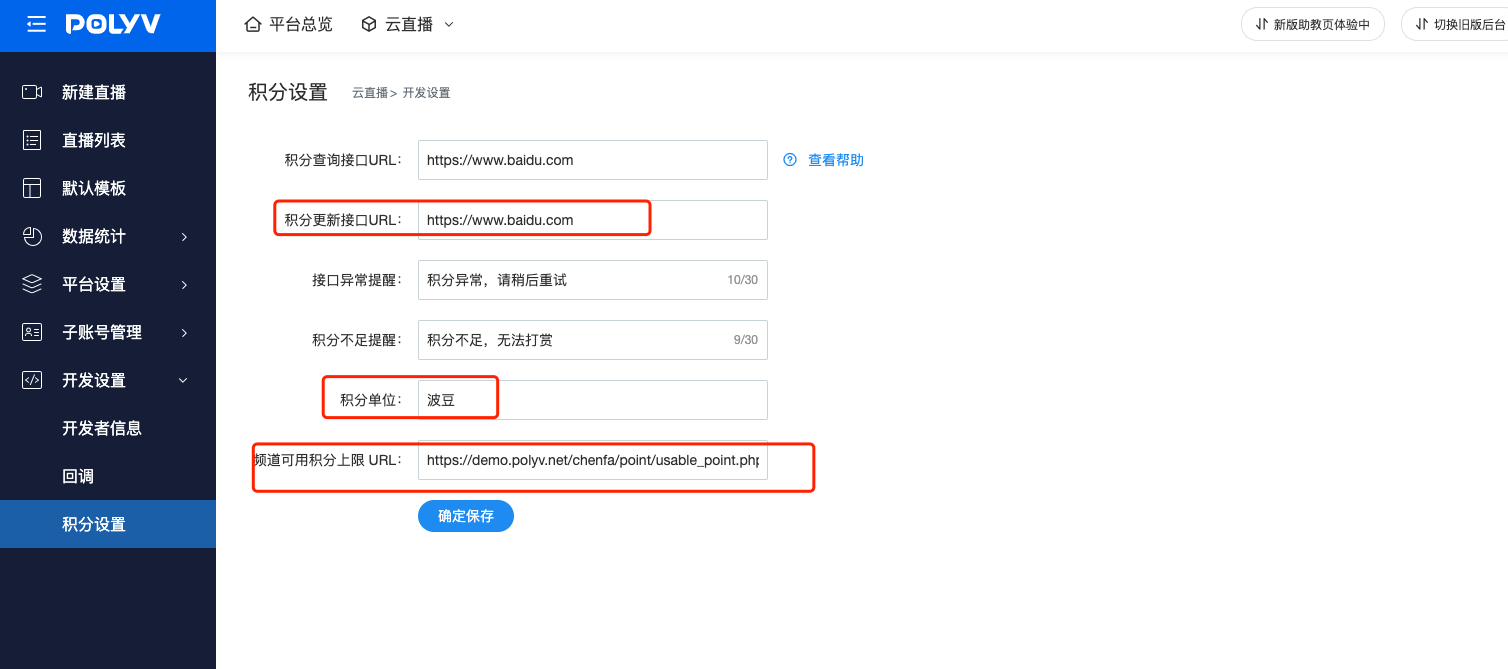
After the feature is enabled, you need to fill in the [Points Update Interface URL] and [Channel Available Points Limit URL] in the backend, as well as the points unit. Documentation for the above two interfaces can be found on the official website.
3. Launch a Points Red Envelope
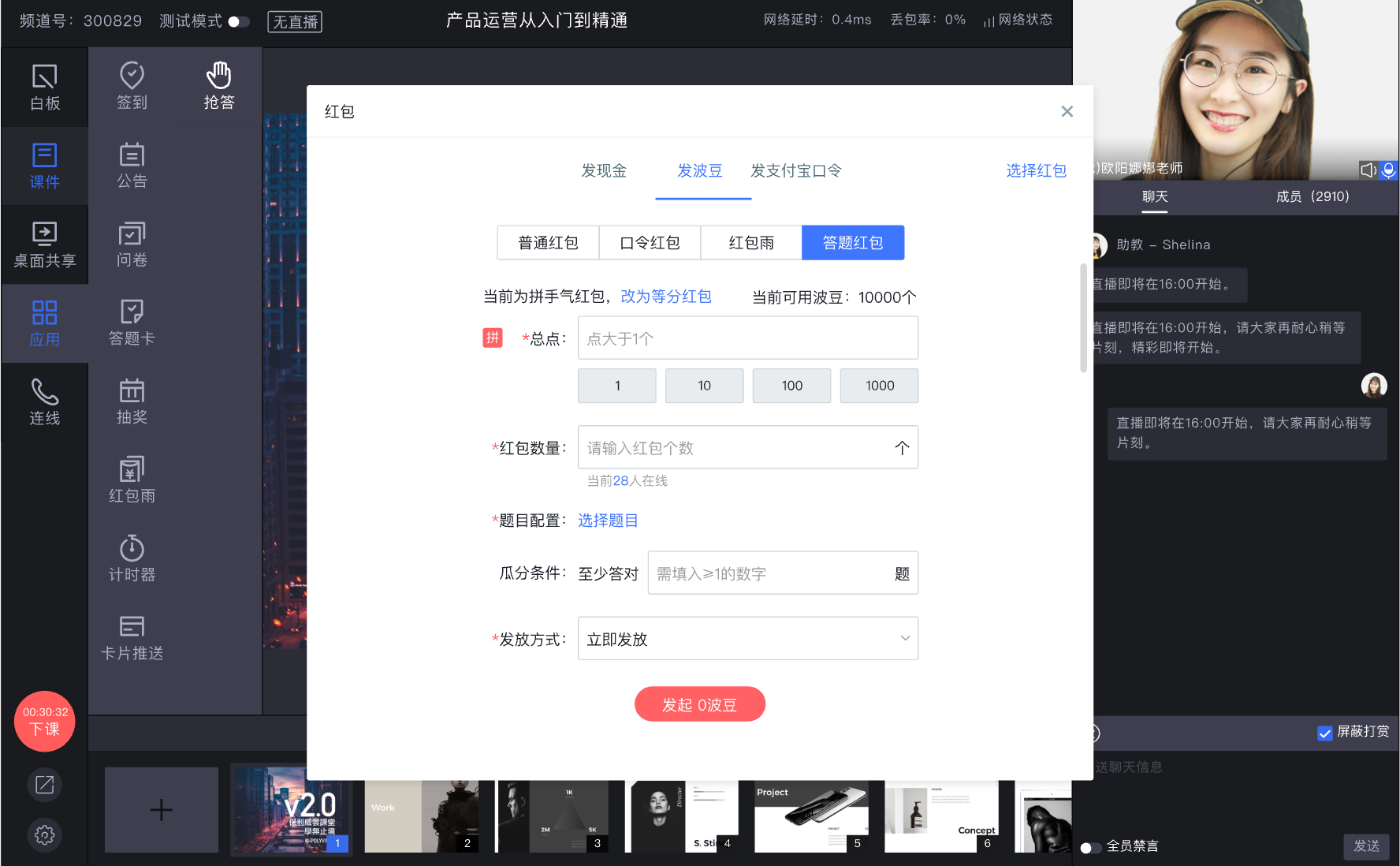
In web broadcasting, client broadcasting, or the new/old version of the assistant page, open the red envelope feature, select [Send Points], configure the red envelope, and click [Launch] to start the red envelope activity.
4. Receive a Points Red Envelope
Currently, points red envelopes only support SDK integration. After integrating points red envelopes, customers can receive red envelopes on the custom page. Clicking the red envelope allows users to receive points. Users can also view the receipt history directly in the live room.