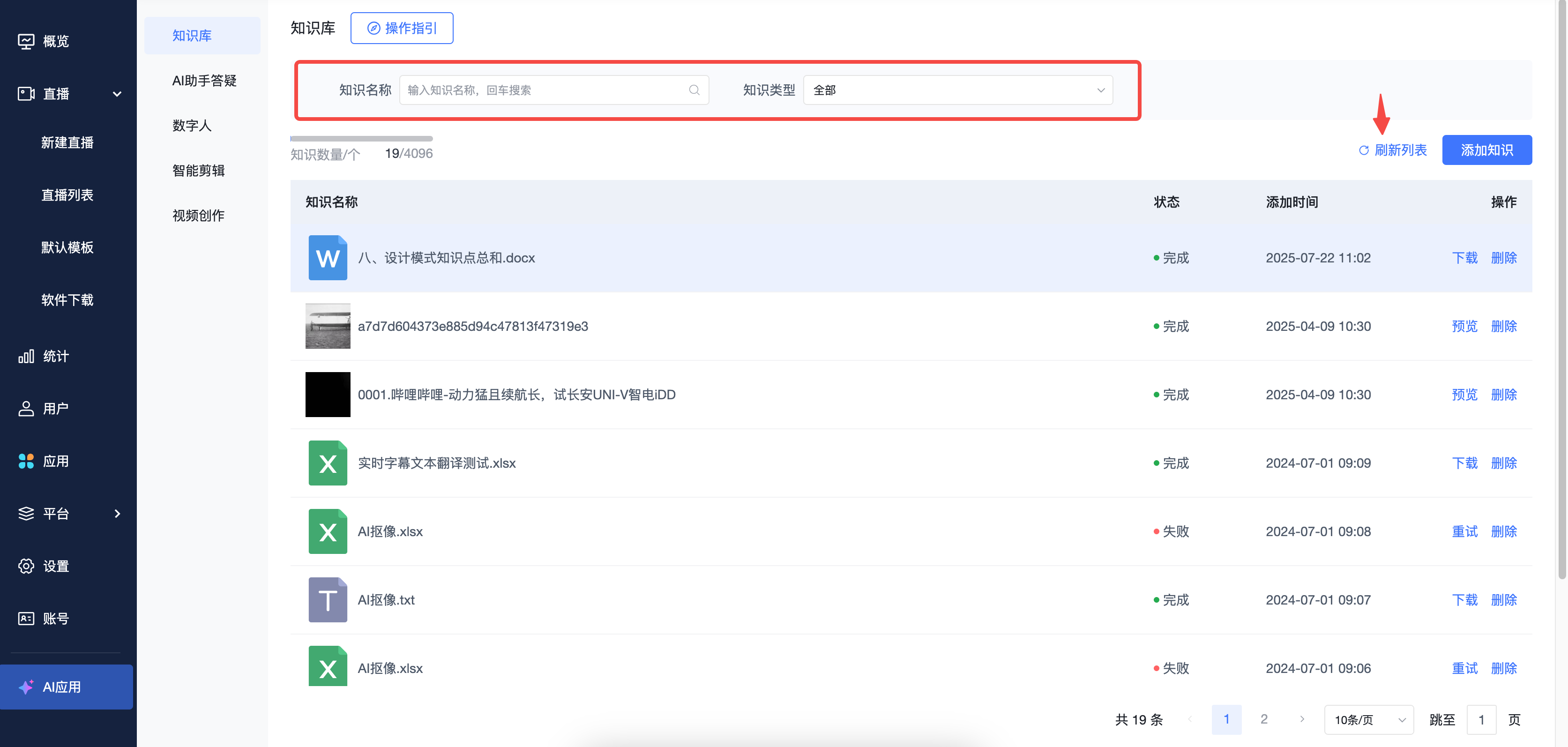
Knowledge Base
Updated: 2026-08-17 11:27:00
I. Feature Overview
Feature Info |
Description |
|---|---|
| Feature Name | Knowledge Base |
| Feature Description | The Knowledge Base is a centralized platform for managing and storing knowledge, supporting the addition and management of knowledge content in multiple formats. Users can add knowledge content to the Knowledge Base in two main ways: Add videos from VOD: Users can select videos with generated subtitles from the cloud VOD system to add to the Knowledge Base. If a video has no subtitles, subtitles must first be generated in the cloud VOD system before adding. This method is especially suitable for incorporating training videos, product demo videos, and similar content into the Knowledge Base. Add documents from the Material Library: Users can directly upload documents in txt, docx, or xlsx format to the Knowledge Base, with a file size limit of 100 MB. For xlsx format documents, the system provides a template download feature. Users must fill in the content according to the template before uploading to ensure the data can be read and learned by AI. The core function of the Knowledge Base is to provide learning materials for the AI Q&A Assistant. The AI Q&A Assistant learns the content in the Knowledge Base, associates, learns, and trains it into its own knowledge system, thereby improving the accuracy and efficiency of intelligent Q&A. |
| Purpose | Enhance the AI Q&A Assistant's capabilities: The Knowledge Base provides rich learning materials for the AI Q&A Assistant, helping the AI better understand business, products, and services, thus improving the accuracy and response speed of intelligent Q&A. |
| Use Case | When viewers interact with the AI Q&A Assistant on the live streaming page, if the conversation involves content provided to the AI assistant for learning from the Knowledge Base, the AI assistant can answer viewers more effectively. |
| Operation Path | 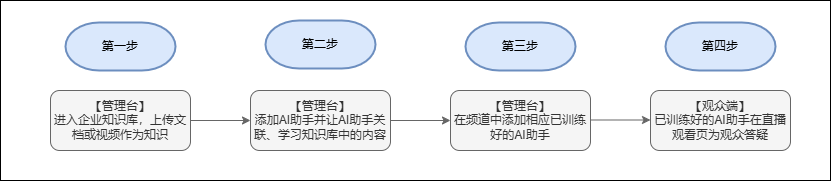 |
| Notes | 1. Document size must not exceed 100 MB.2. For xlsx format documents, upload must follow the template. |
II. Usage Instructions
For details on the integrated use of the AI Q&A Assistant and the Knowledge Base, see: AI Assistant Q&A
1. Enter the live streaming backend, find the Knowledge Base under the "AI Applications" section, and click to enter.
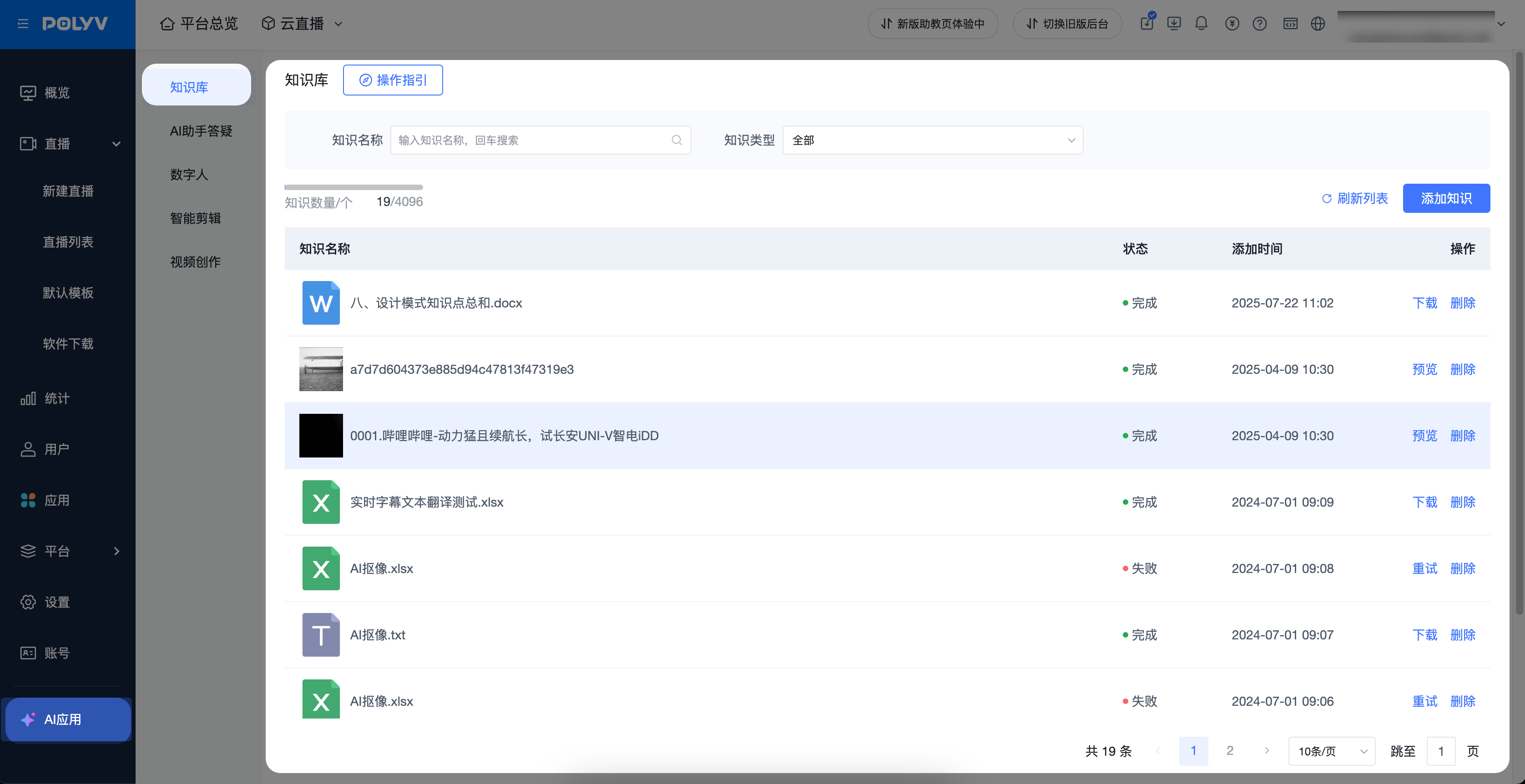
2. Click "Add Knowledge" in the top right corner. An upload knowledge pop-up window will appear, allowing you to upload in two ways.
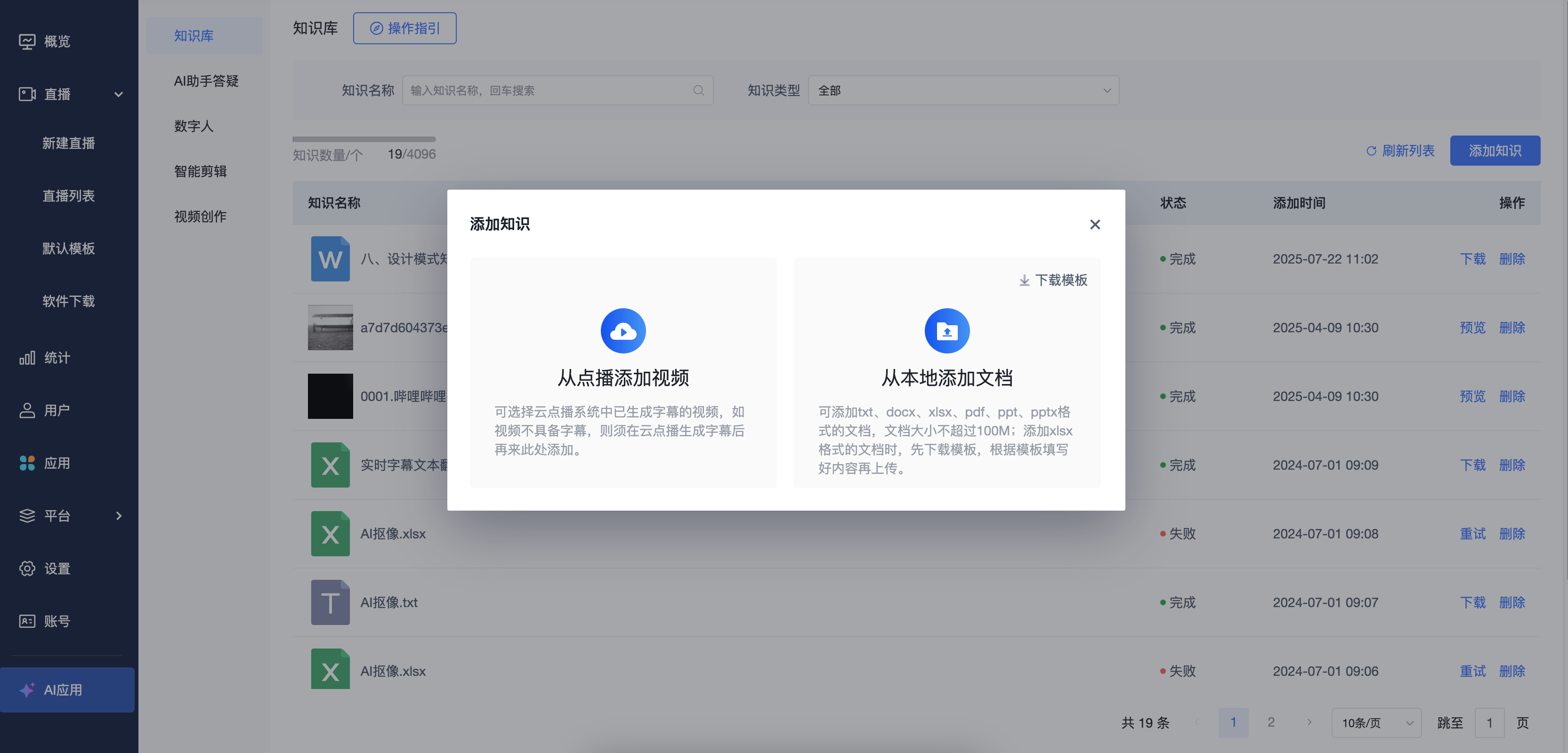
a. Select from videos with generated subtitles in the cloud VOD system.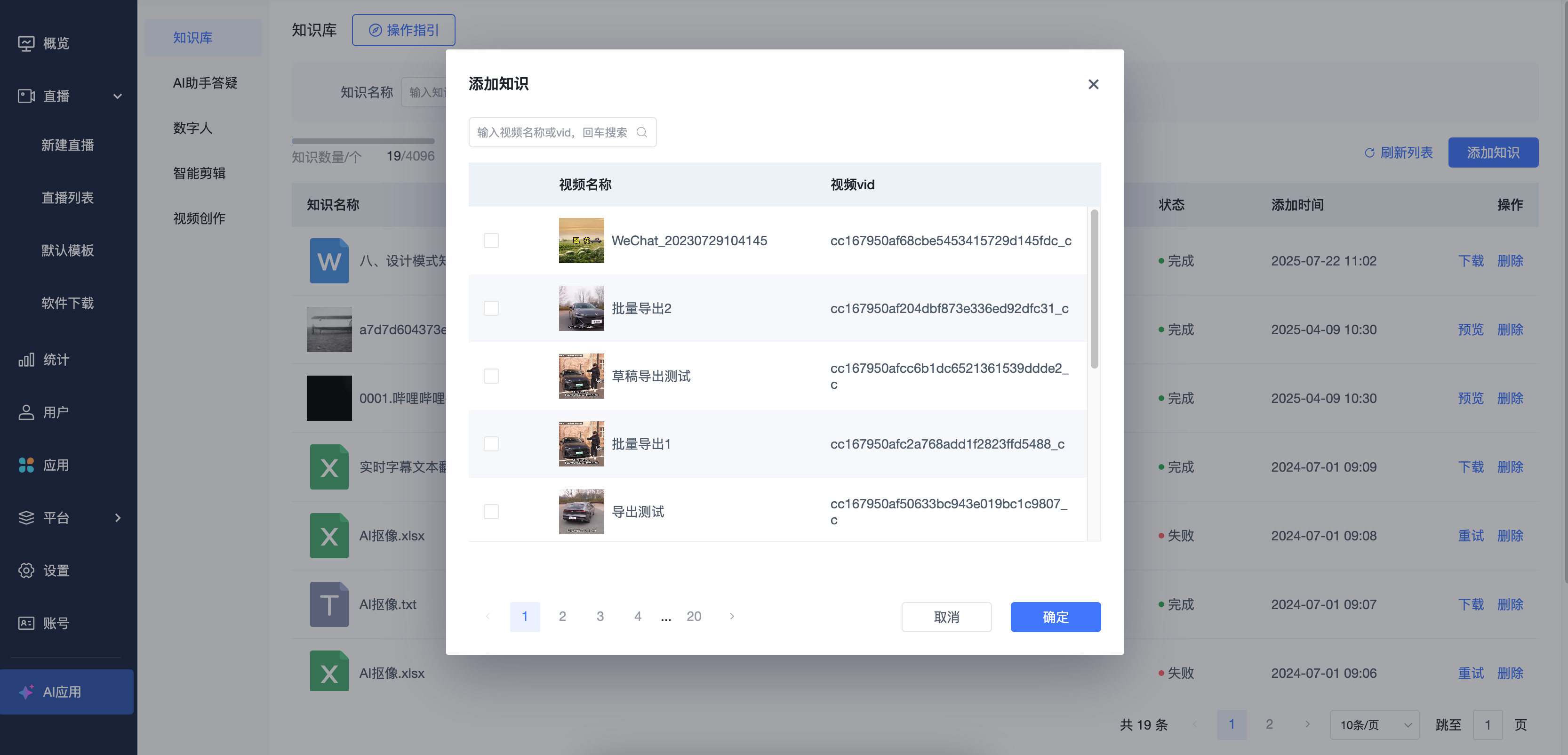
b. Select documents from the Material Library to add (this feature requires activation; before activation, documents are added locally). For xlsx format documents, you must first download the template, modify it, and then add it.
General document upload -> Check -> Confirm addition.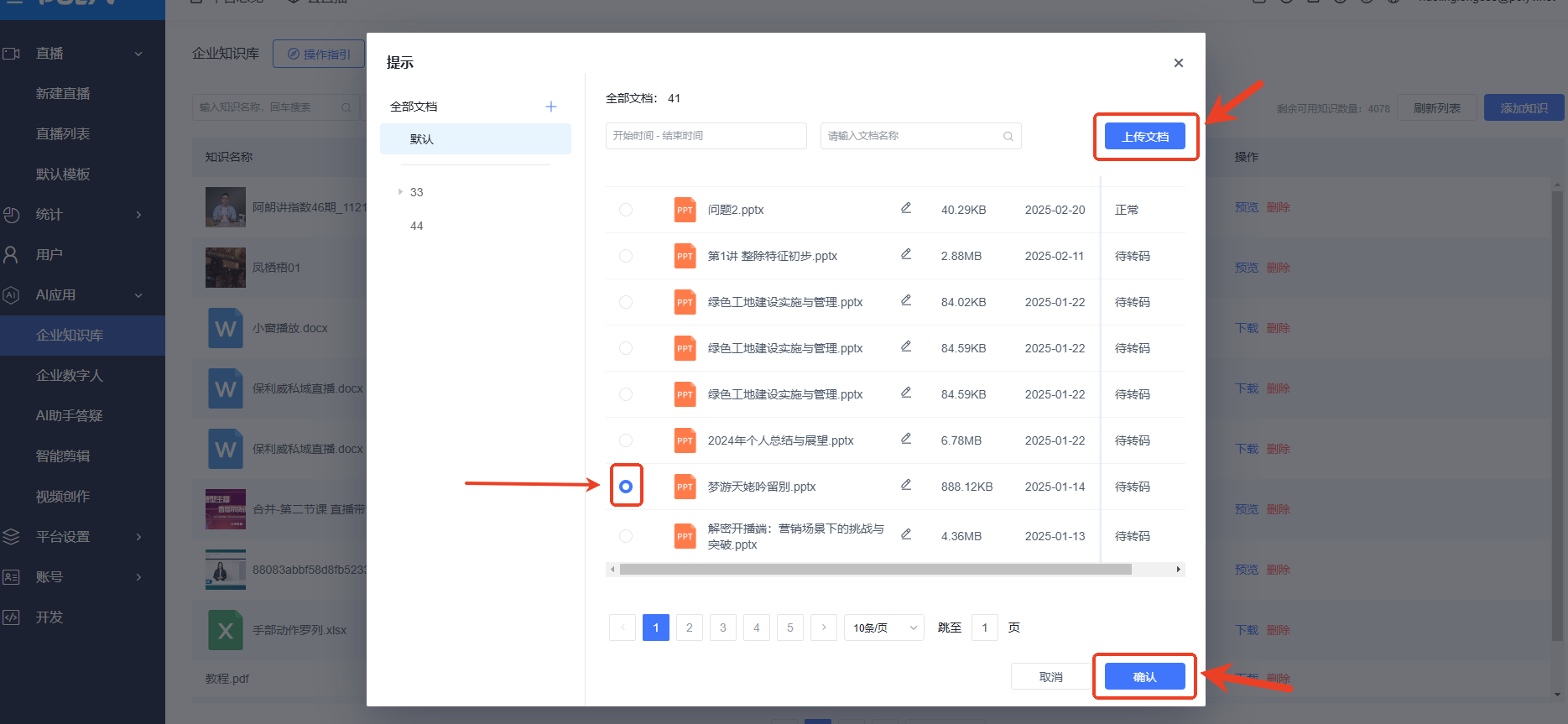
4. After adding, you can filter and search for added documents. Subsequently, you can associate the Knowledge Base content with the AI assistant for training.
For details on the integrated use of the AI Q&A Assistant and the Knowledge Base, see: [AI Assistant Q&A]