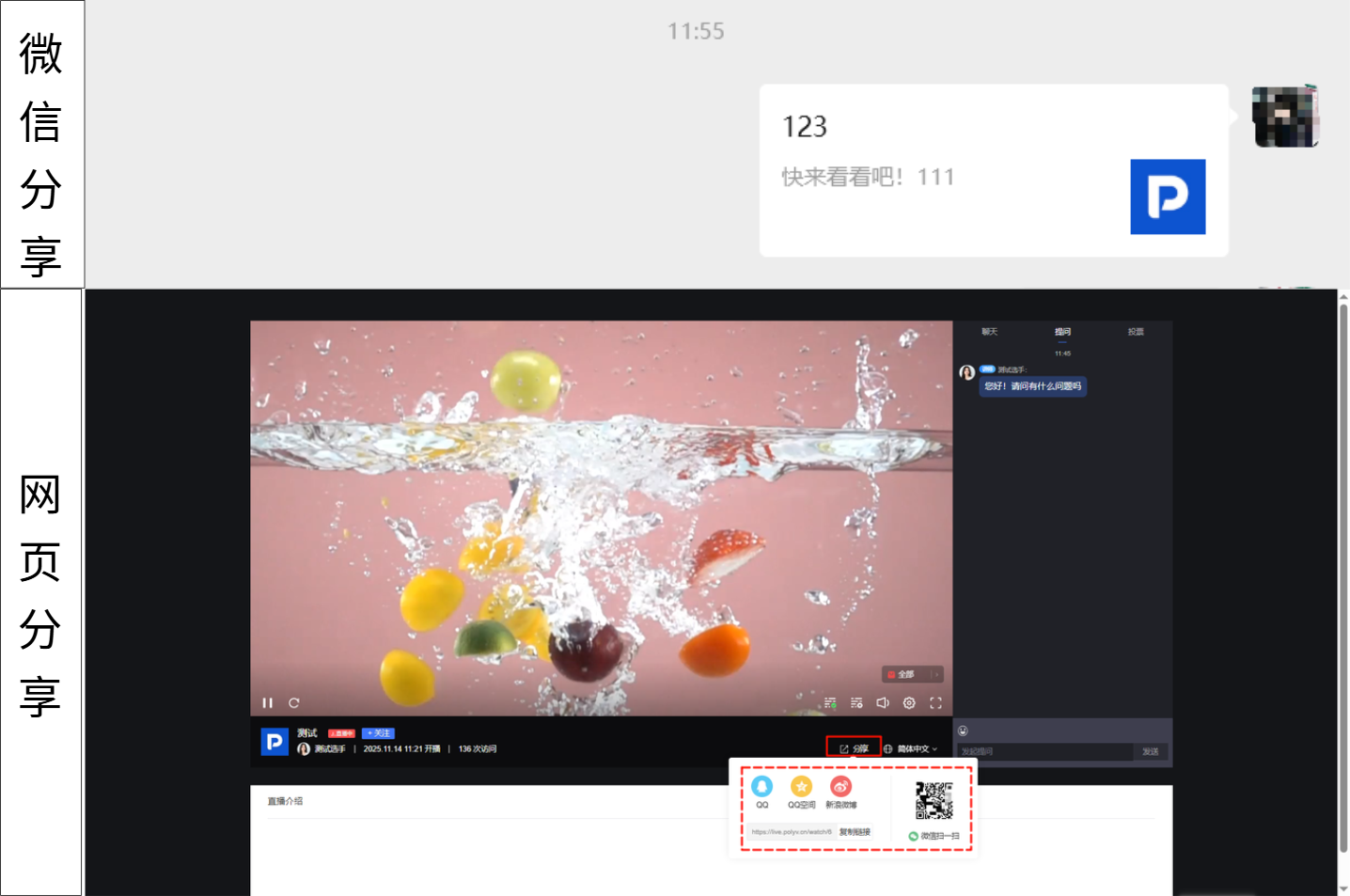
Share Settings
Updated: 2026-08-17 11:27:00
I. Feature Overview
Feature Info |
Description |
|---|---|
| Feature Name | Share Settings |
| Feature Description | Modify share card icon, set share title, edit share description, customize share URL |
| Purpose | Precisely convey the core appeal and unique selling points of the live stream to target audiences; customized share settings adapt to different promotion channels and scenarios |
| Operation Path | 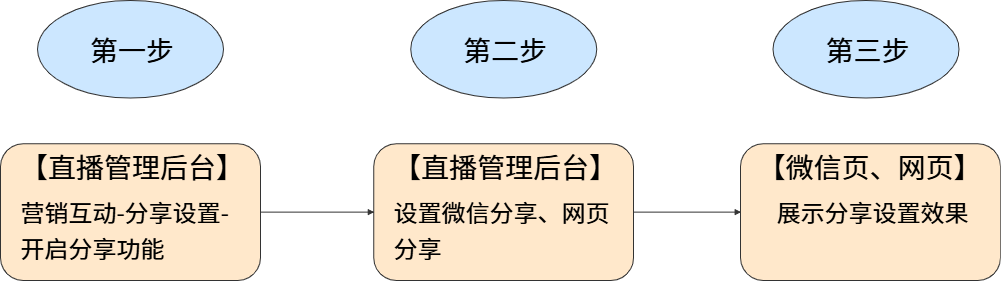 |
II. Usage Instructions
1. Feature Entry
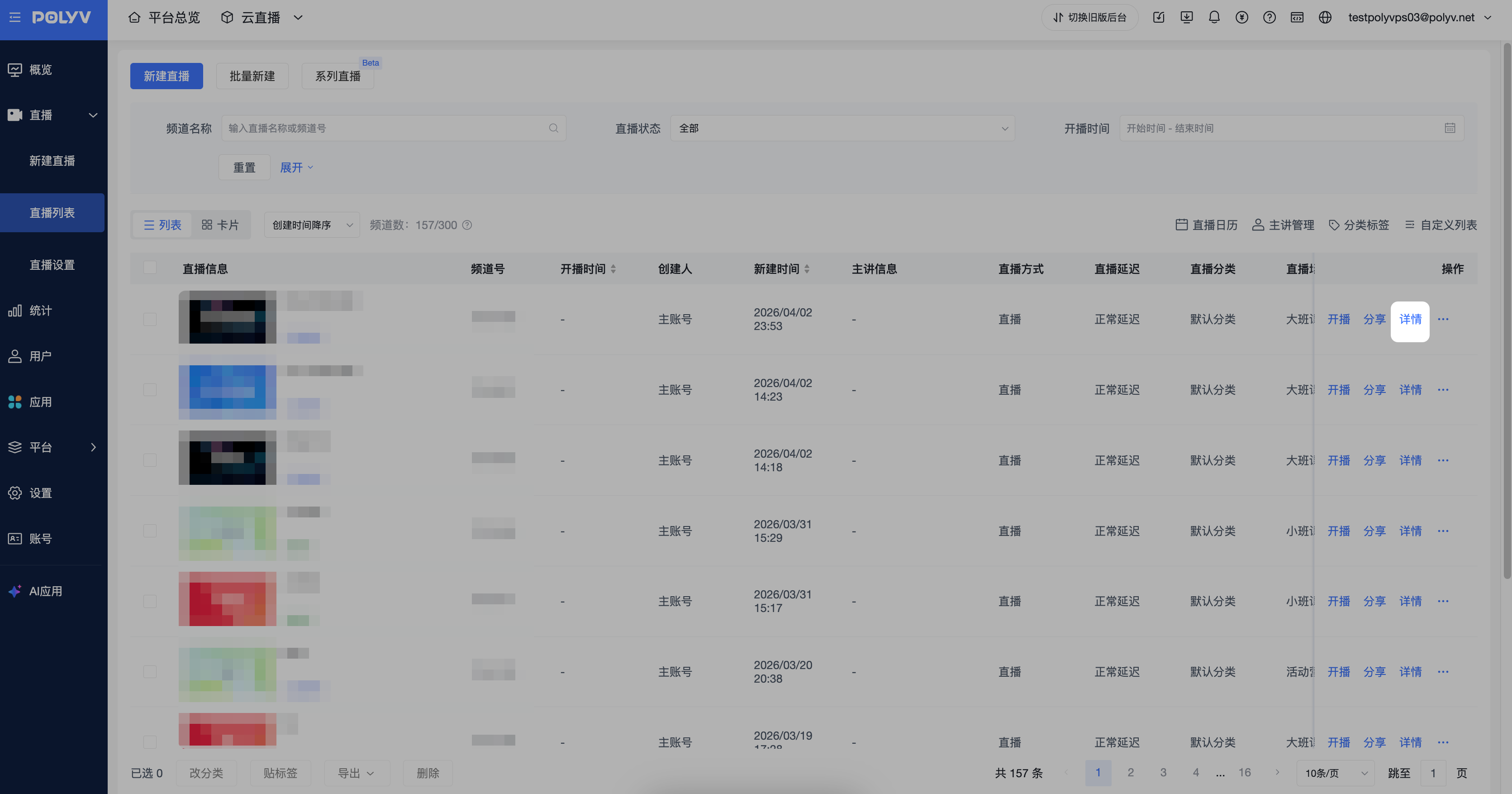
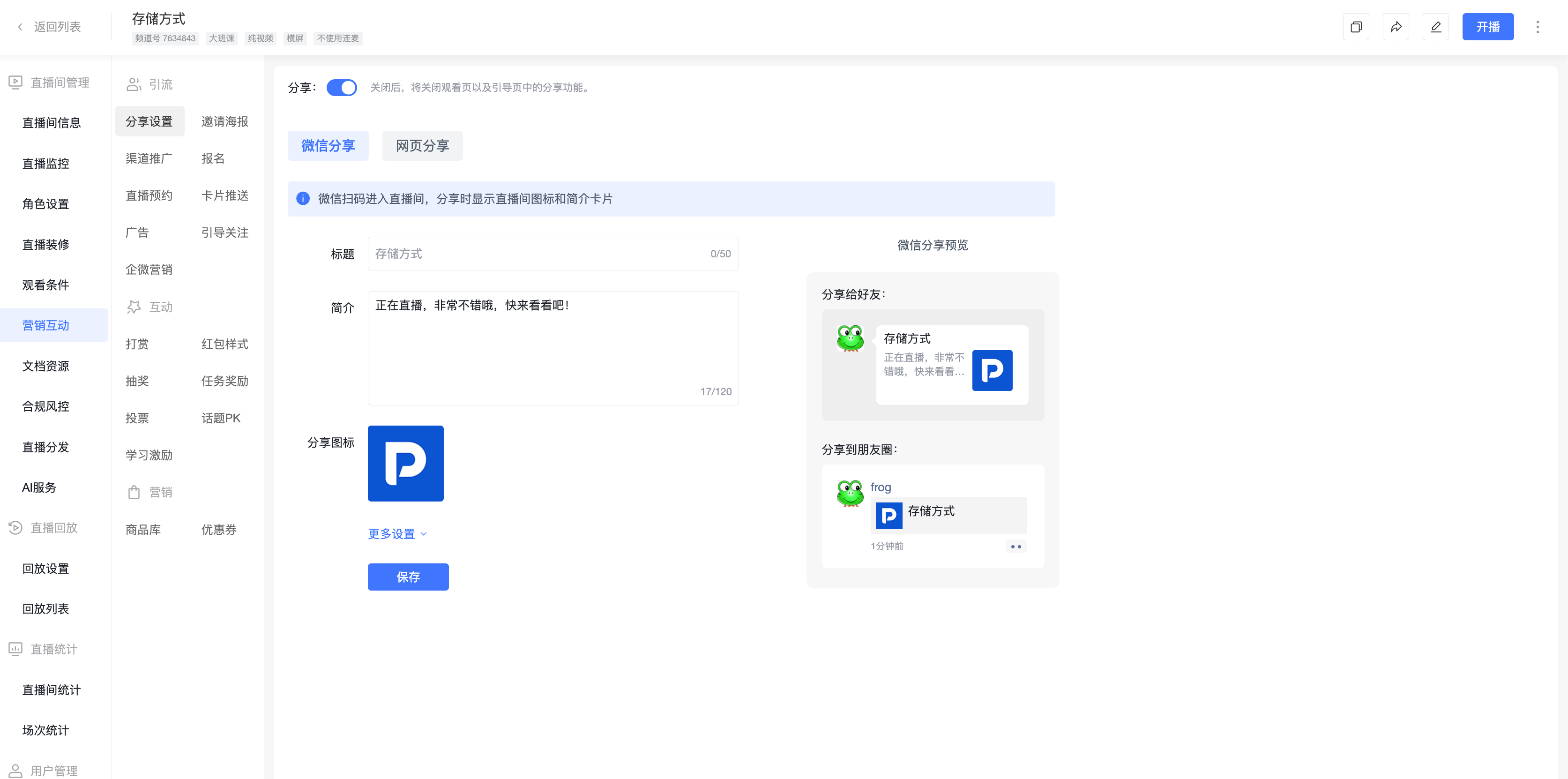
Go to the [Live List] page, select a live stream and click [Details]. In the live stream management area, click [Marketing & Interaction] - [Share Settings], then enable the share feature (if the feature is not found in your account, contact your business representative to activate it separately).
2. WeChat Sharing
Supports modifying the share title, description, share icon, and share URL.
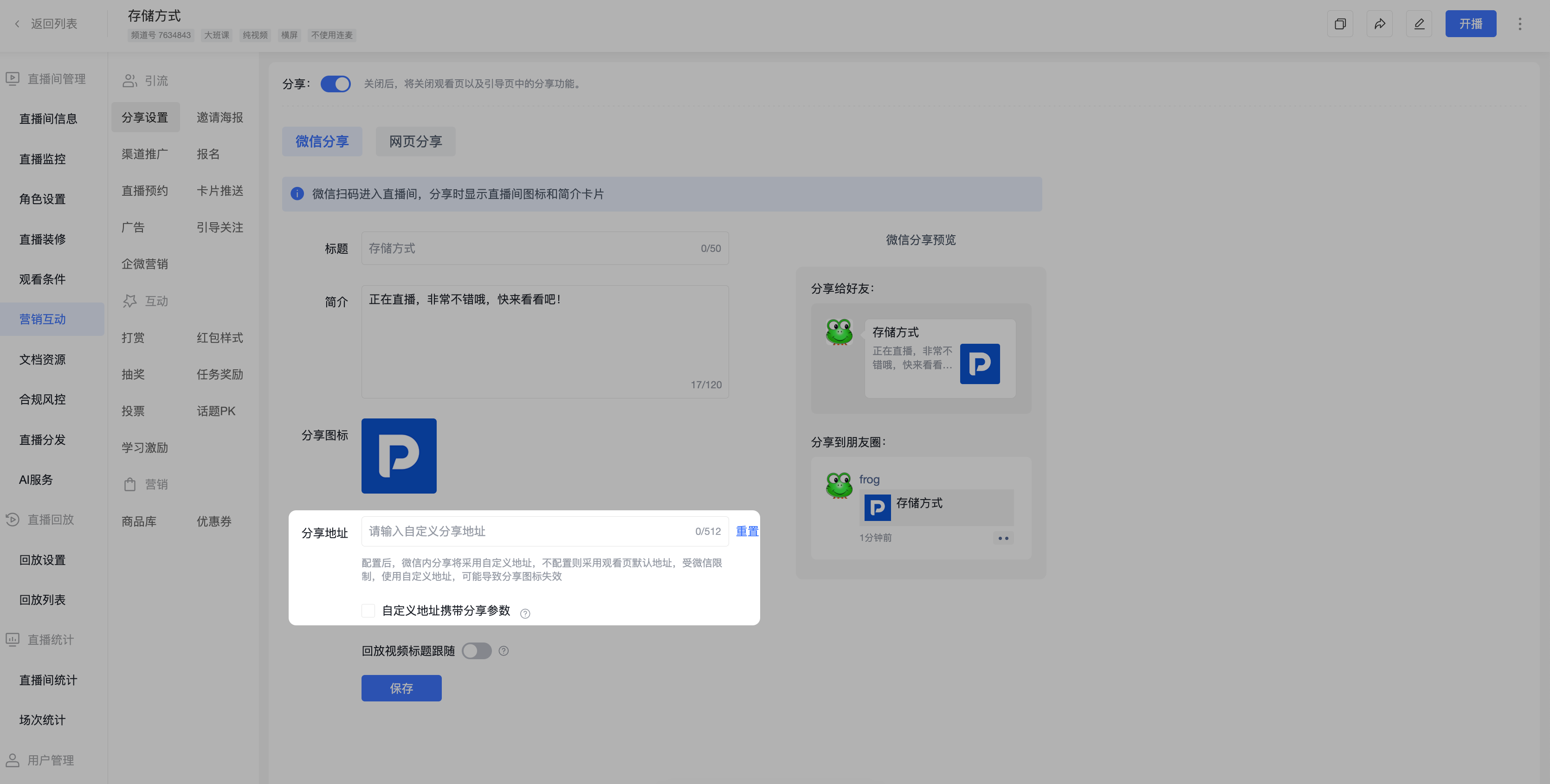
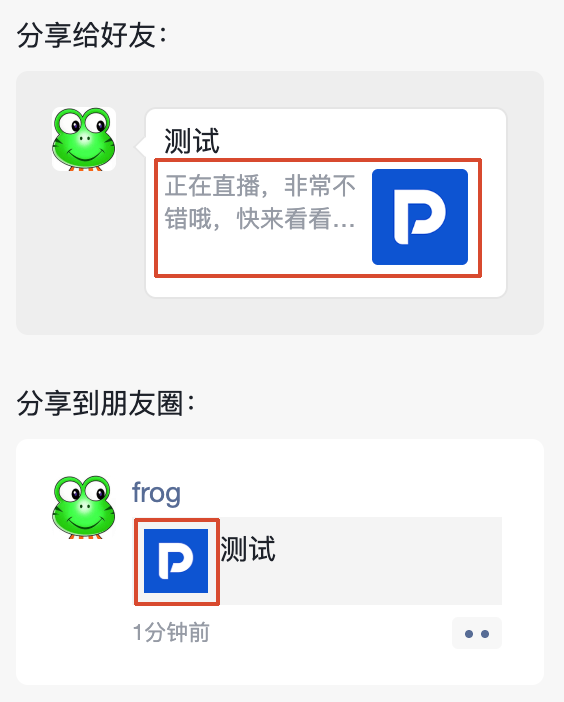
Note: If an official service account is not bound, sharing within WeChat supports displaying a custom cover image and description. The title can only use the live stream name, ensuring optimal dissemination within the WeChat environment.
3. Web Sharing
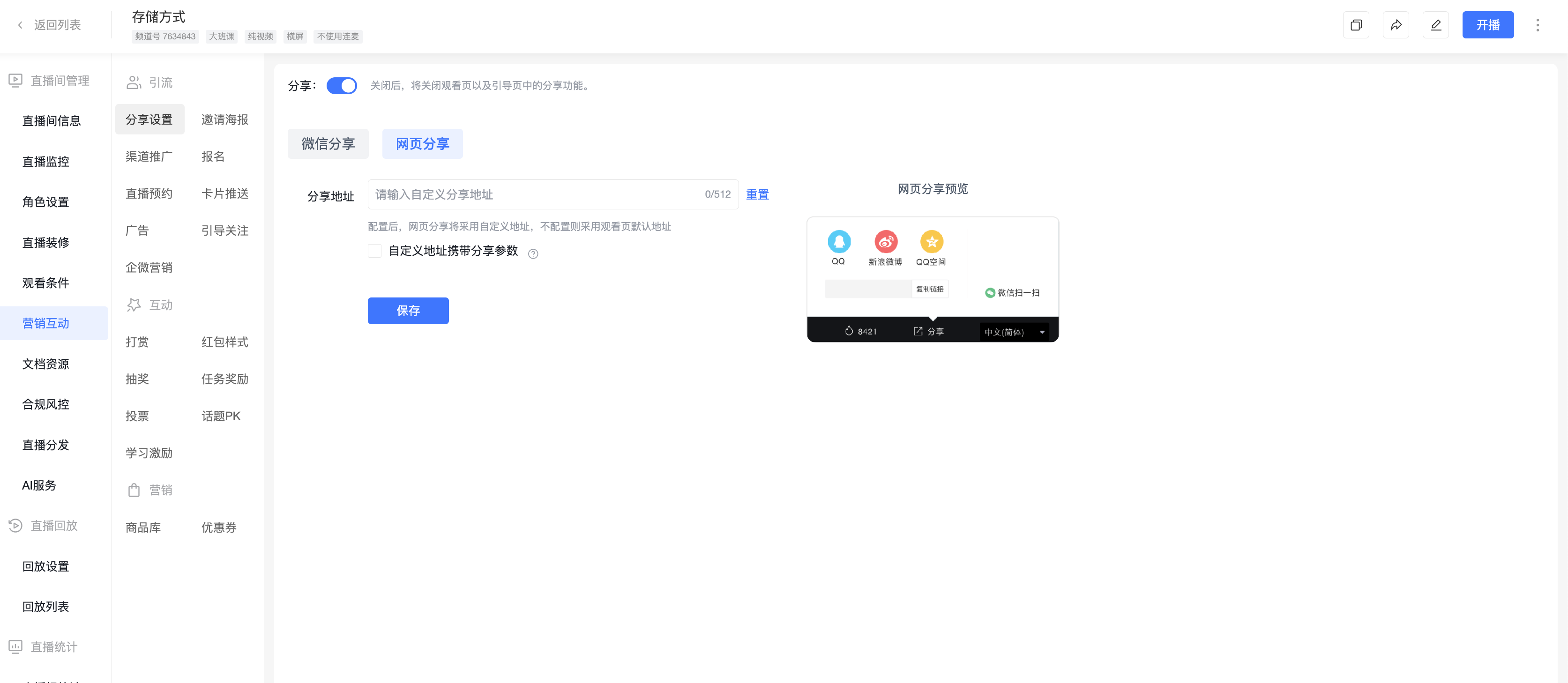
Supports customizing the share URL. Once set, viewers clicking the share link will be redirected directly to the custom URL.
III. Share Effect Preview