


Check-in
I. Feature Overview
Feature Info |
Description |
|---|---|
| Feature Name | Check-in |
| Feature Description | Initiate a check-in to count the number of attendees who have completed it |
| Purpose | Collect attendance information of live viewers and confirm the number of attendees |
| Use Case | Suitable for scenarios requiring personnel confirmation, such as classroom roll call or meeting check-in |
| Usage Path | 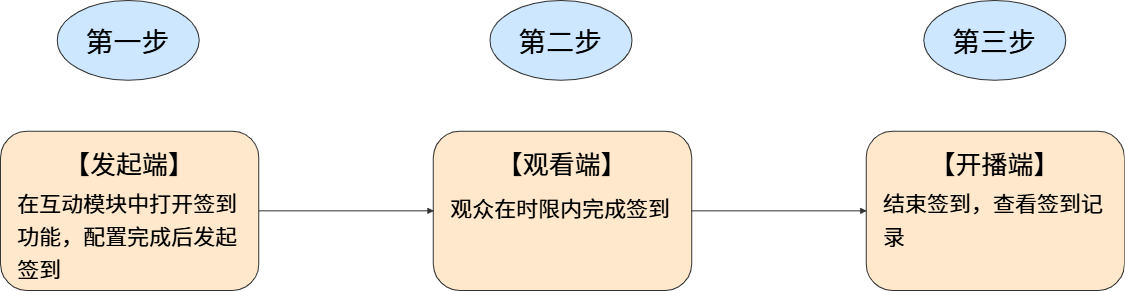 |
II. Usage Instructions
- Presenter: Initiate check-in via web broadcast, client broadcast, or mobile broadcast
- Operator/Teaching Assistant: Initiate check-in via the assistant page or live streaming console
1. Feature Entry Points
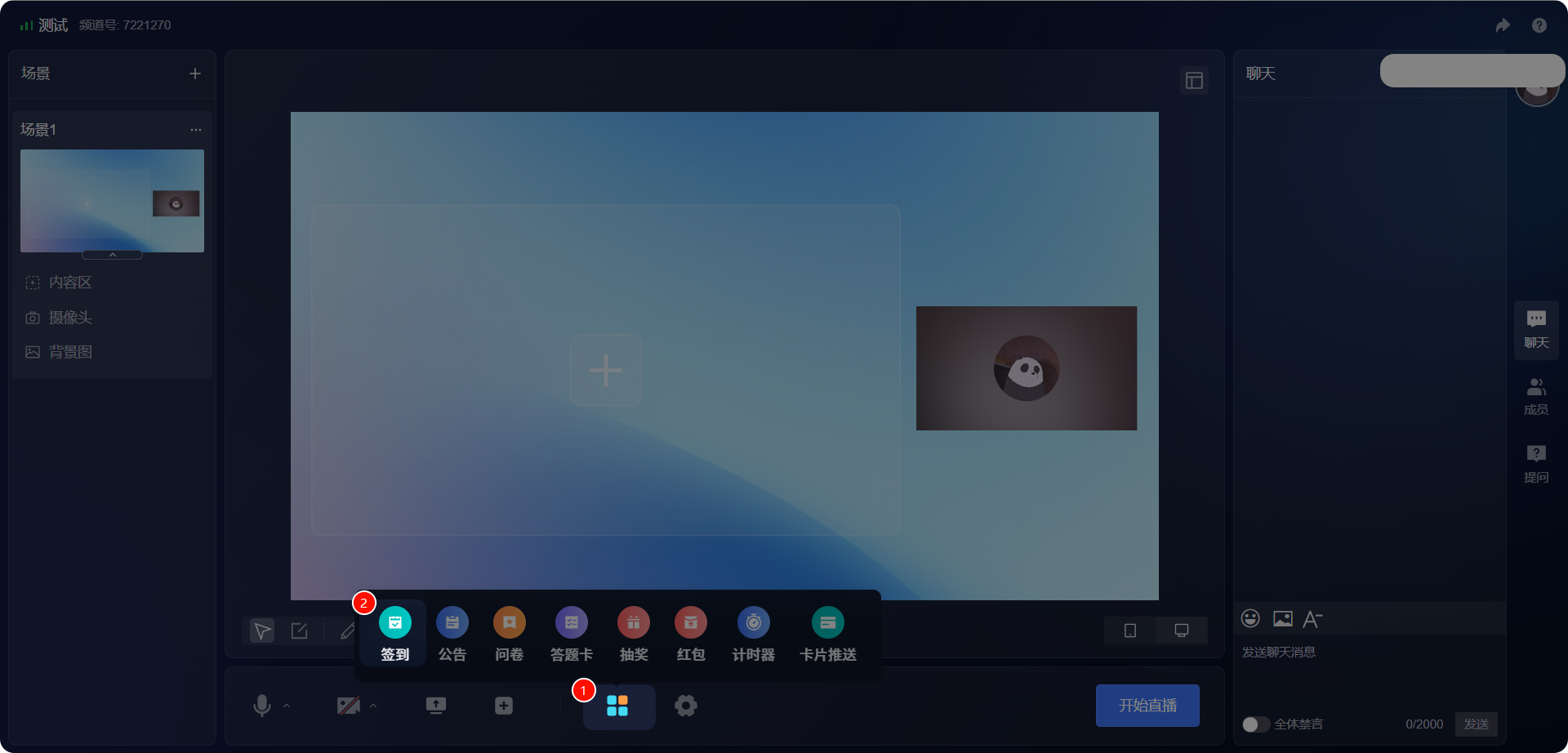
(1) Web Entry Point
Operation Path: [Applications] - [Check-in]
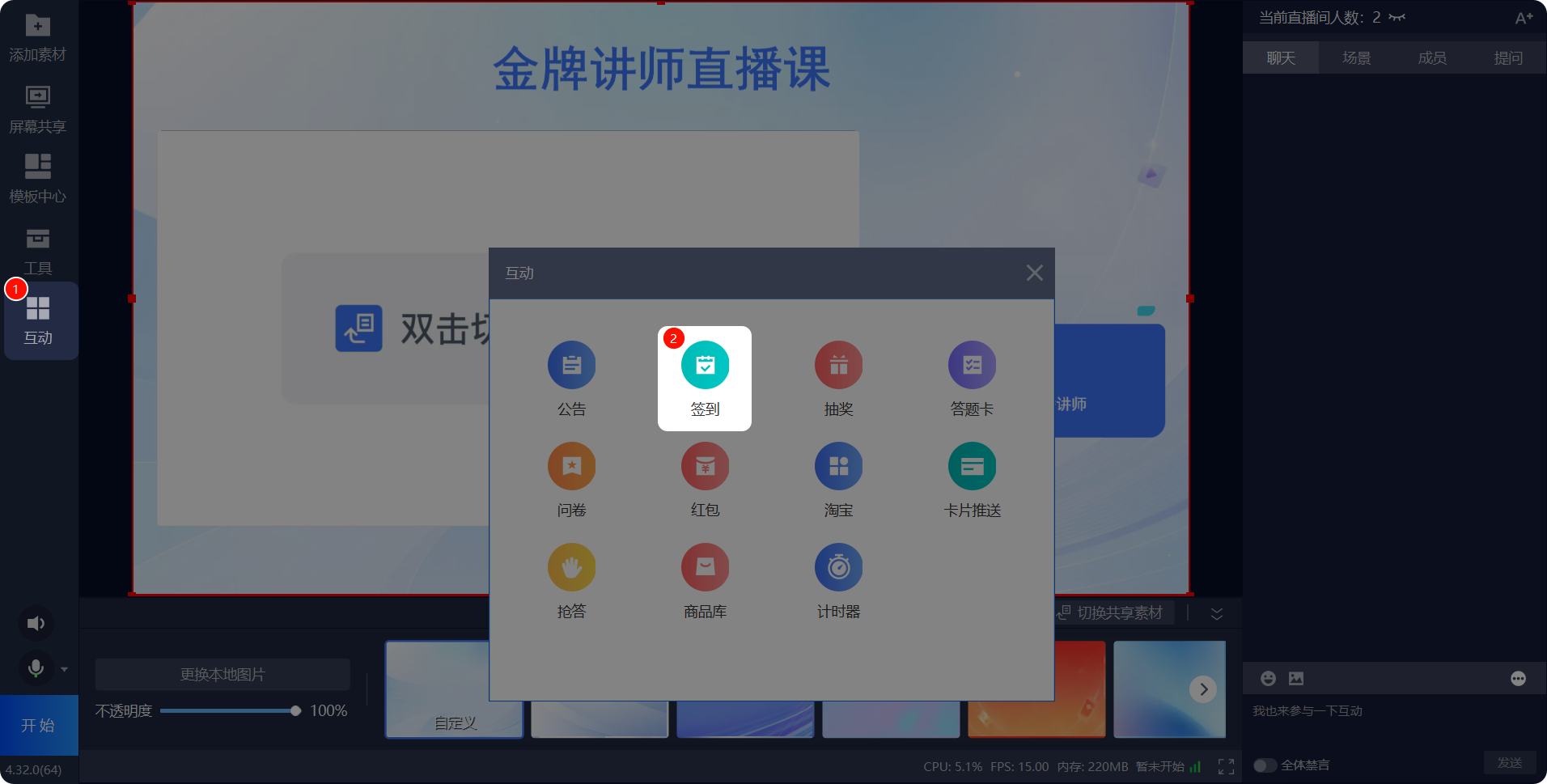
(2) Client Entry Point
Operation Path: [Interactions] - [Check-in]
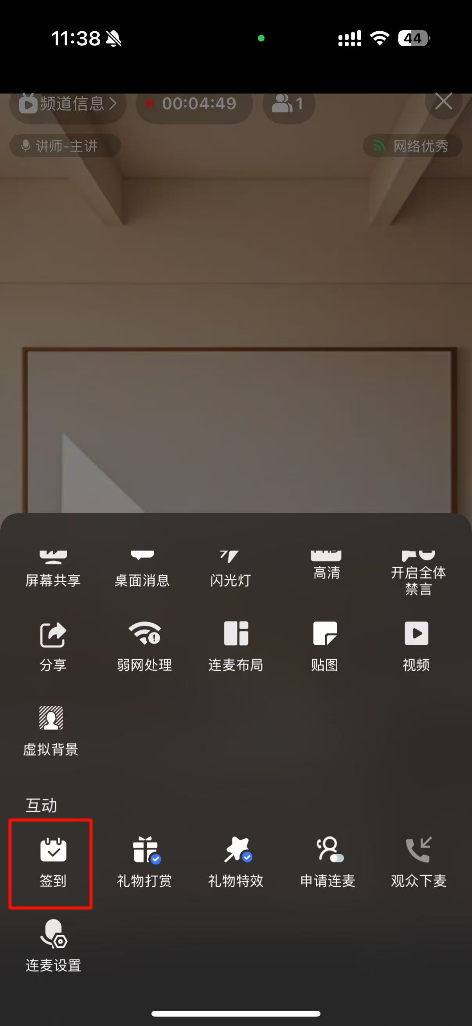
(3) Mobile Entry Point
Operation Path: [Live Tools] - [Check-in]
(4) Assistant Page & Live Streaming Console Entry Point
Operation Path: [Applications] - [Check-in]
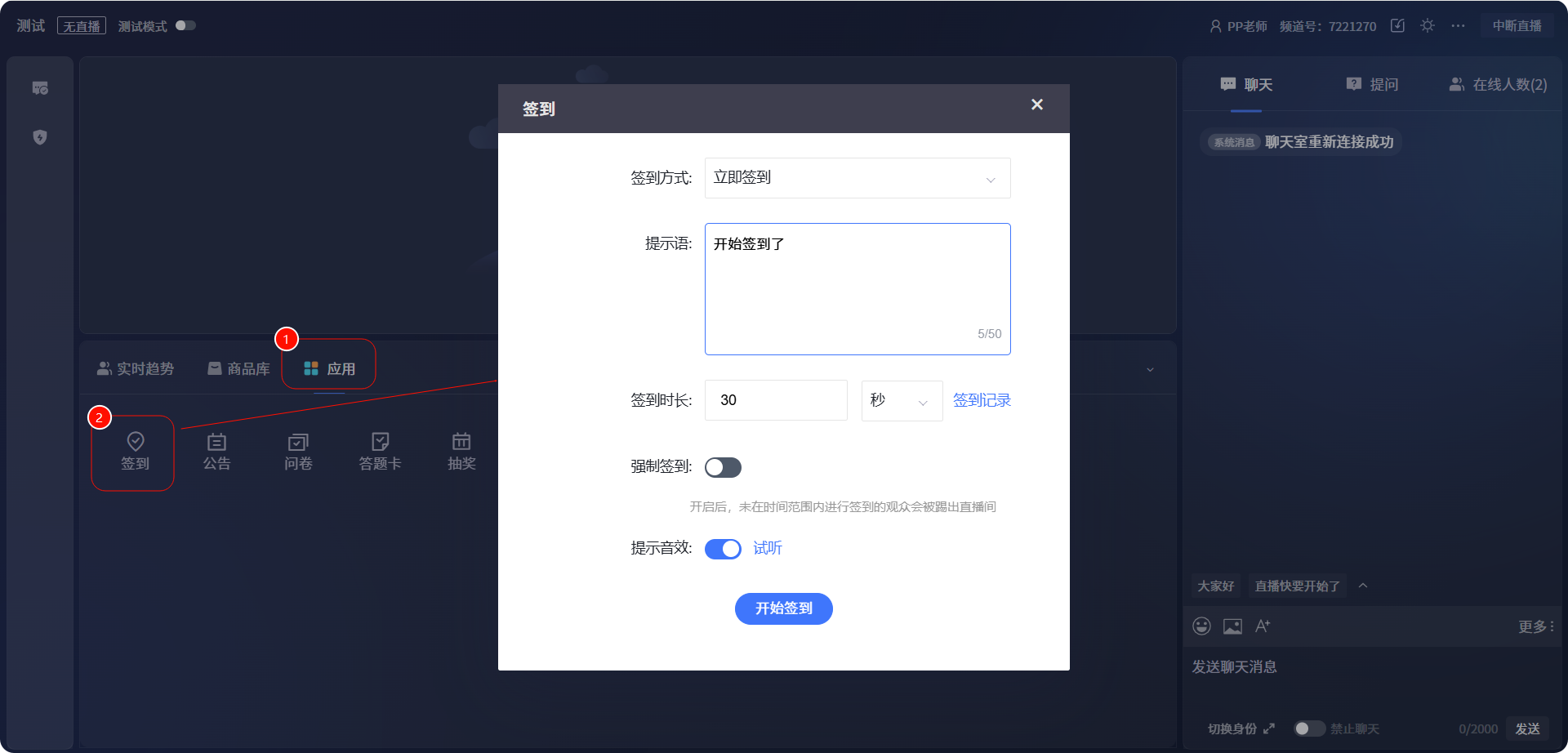
2. Initiating a Check-in
The operation is consistent across all initiating ends. The web broadcast end is used as an example below.
- After setting the check-in content, click [Start Check-in] to initiate it
- Check-in Method: Provides immediate check-in and scheduled check-in
- Prompt Message: Set content to prompt viewers
- Check-in Duration: Supports setting duration in seconds/minutes/hours; check-in is no longer supported after the timer ends
- Mandatory Check-in: When enabled, viewers who do not check in within the time limit will be removed from the live room
- Prompt Sound Effect: Sound effect accompanying the check-in (not available on mobile)
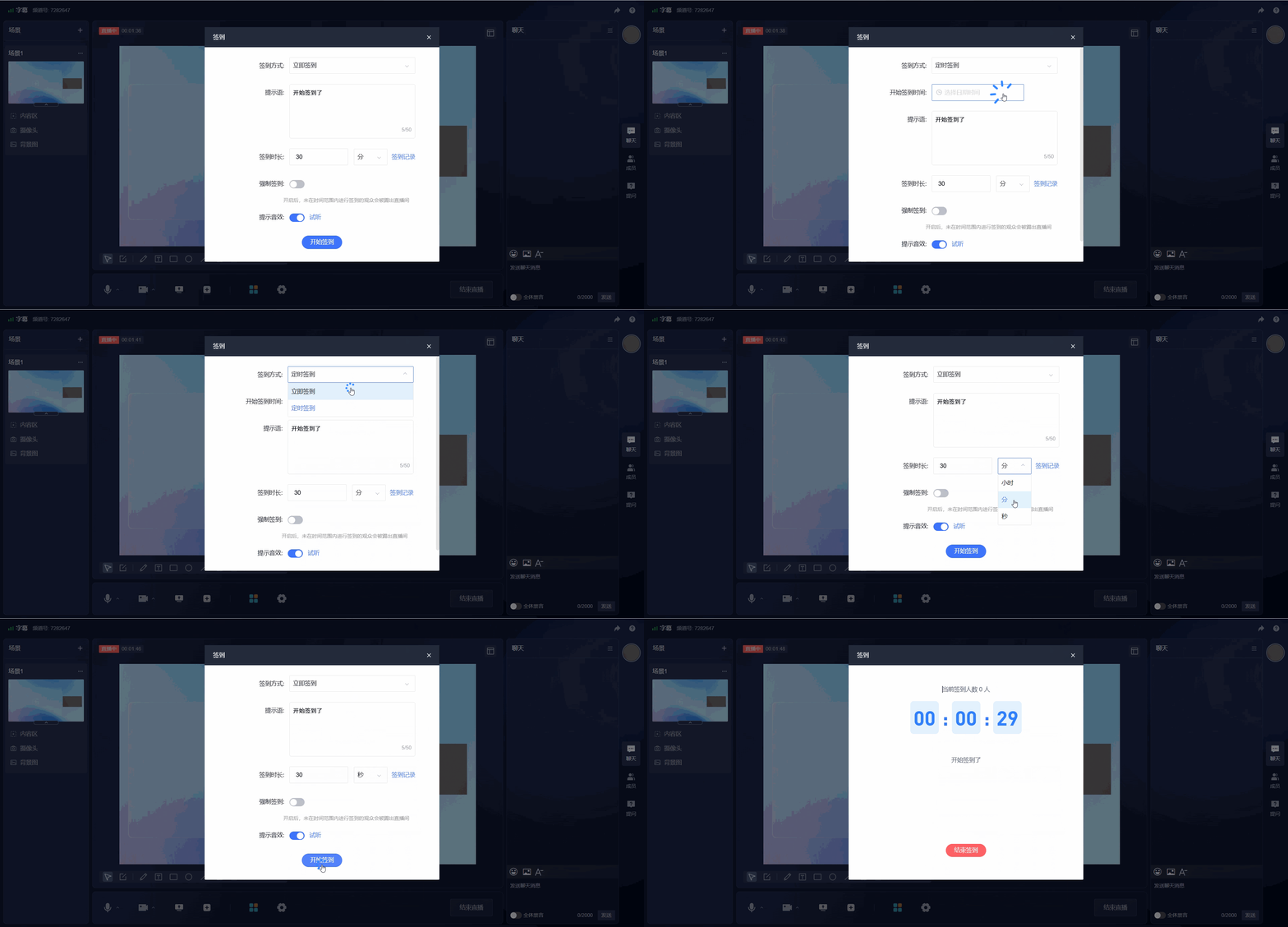
3. Ending a Check-in
After clicking [End Check-in], you can view the list of attendees who have checked in.
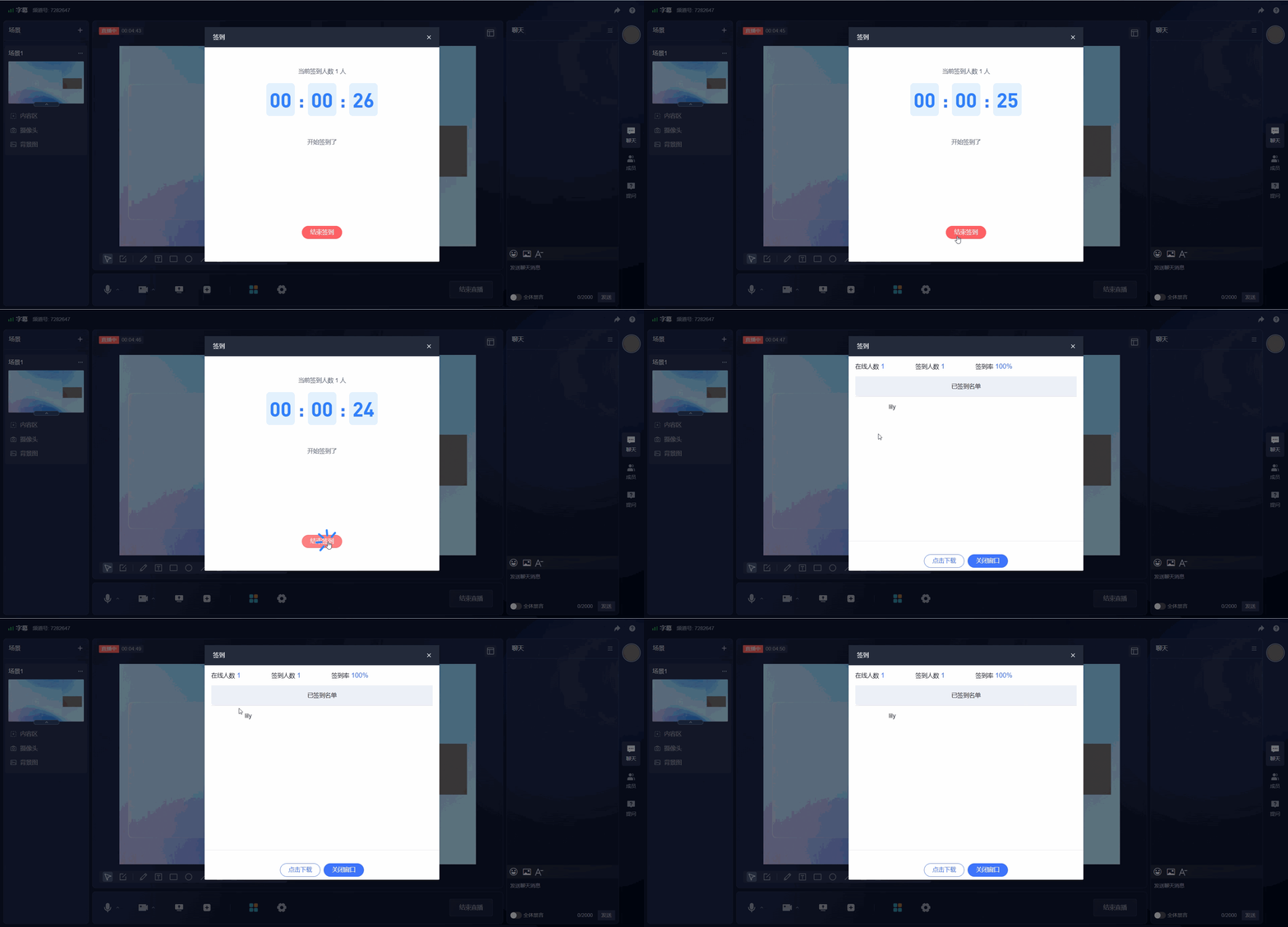
III. Viewer Page Display
1. Web Viewer Page Display
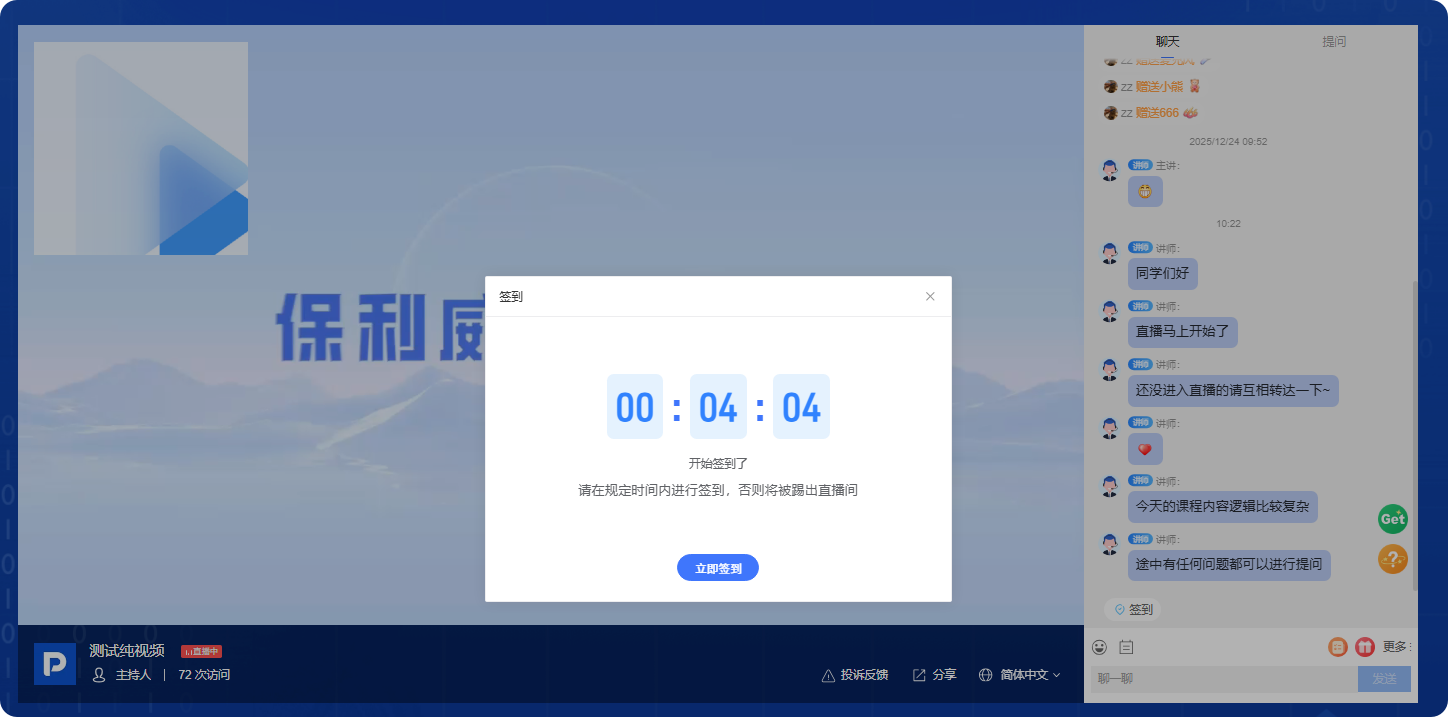
2. H5 Mobile Viewer Page Display
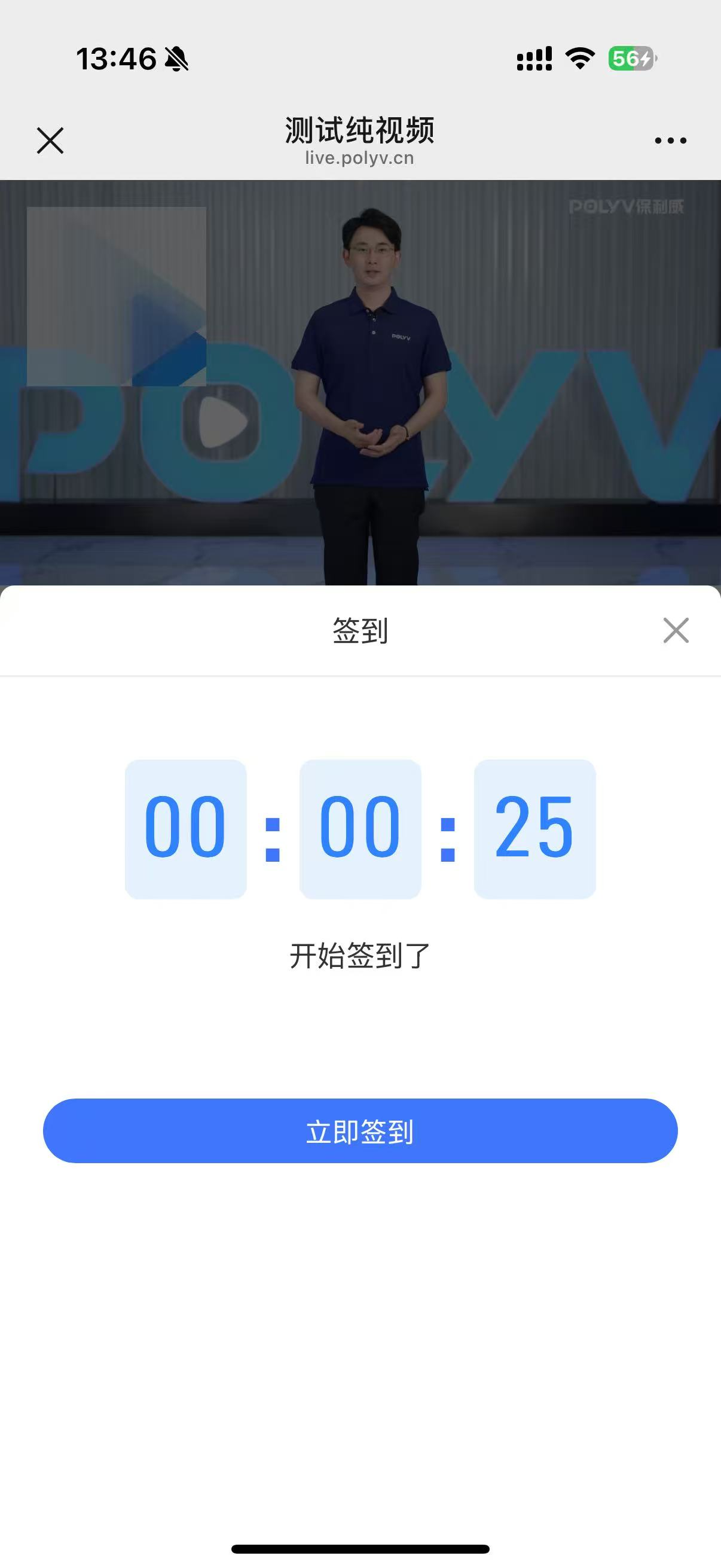
IV. Viewing Check-in Data
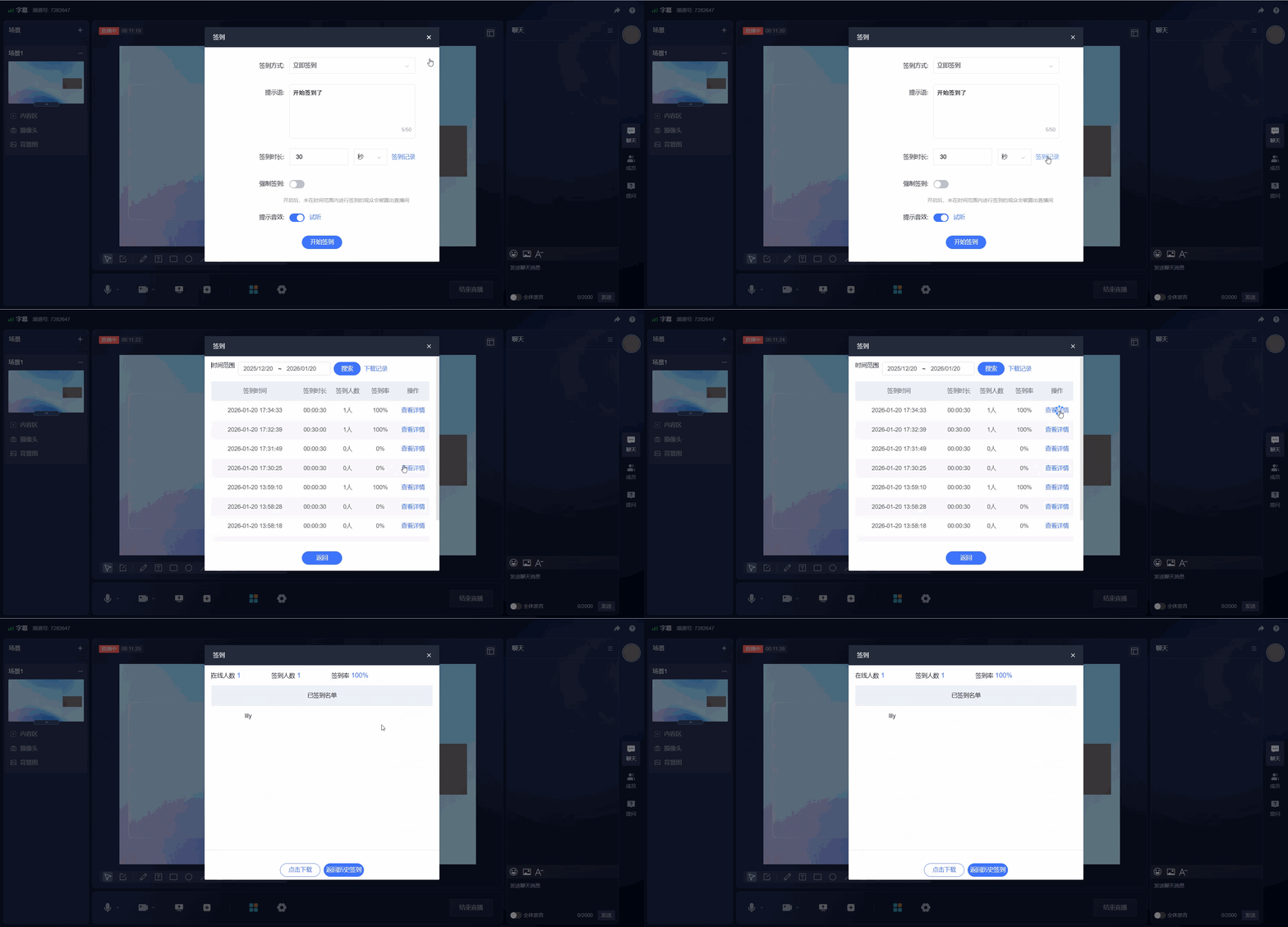
1. Viewing Check-in Data from the Initiating End
Click [Check-in Records] to view check-in data. You can search all check-in records for the live room by time range. Click [View Details] to see the check-in list.
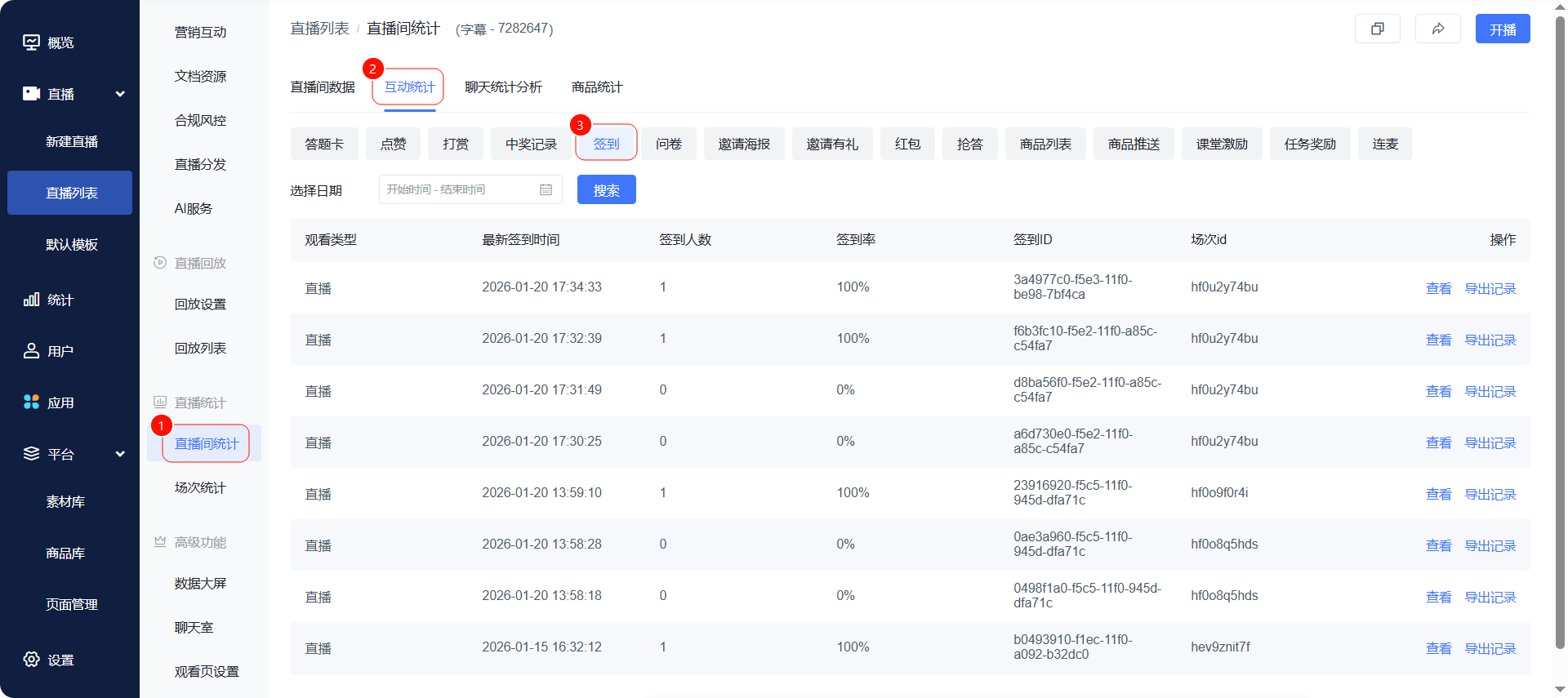
2. Viewing Check-in Data in the Live Streaming Management Backend
Operation Path: [Live Statistics] - [Interaction Statistics] - [Check-in]
V. Frequently Asked Questions
Q: Which roles and broadcast ends support initiating a check-in?
A: The presenter can initiate a check-in via the web broadcast end, client broadcast end, or mobile broadcast end. The operator or teaching assistant can initiate a check-in via the assistant page or live streaming console.
Q: Can viewers still check in after the check-in duration ends?
A: No. Once the check-in timer ends, viewers will not be able to continue checking in.
Q: What happens to viewers who do not check in on time when mandatory check-in is enabled?
A: When mandatory check-in is enabled, viewers who do not complete the check-in within the set time will be removed from the live room.
Q: Where can I view the check-in results?
A: You can click [Check-in Records] on the initiating end to view check-in data and click [View Details] to see the check-in list. You can also go to the live streaming management backend and view it via [Live Statistics] - [Interaction Statistics] - [Check-in].
