


Task Rewards
I. Feature Overview
| Feature Info | Description |
|---|---|
| Feature Name | Task Rewards |
| Feature Description | Motivate viewers to complete designated tasks for corresponding rewards by setting conditional tasks. |
| Purpose | Increase live stream engagement and viewer retention time. |
| Operation Path | 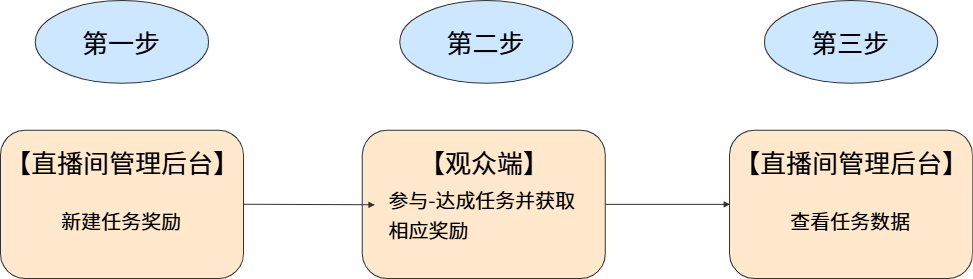 |
II. Usage Instructions
1. Creating a New Task Reward
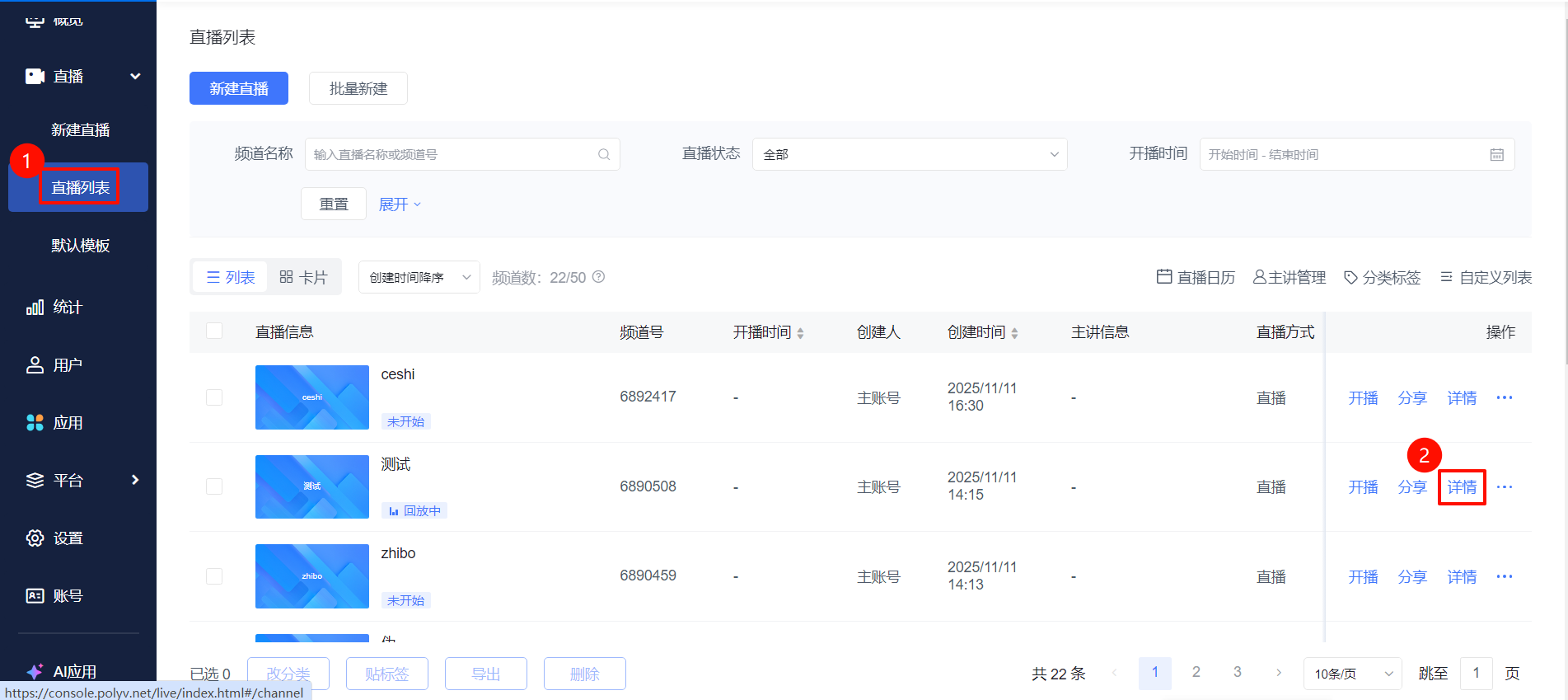
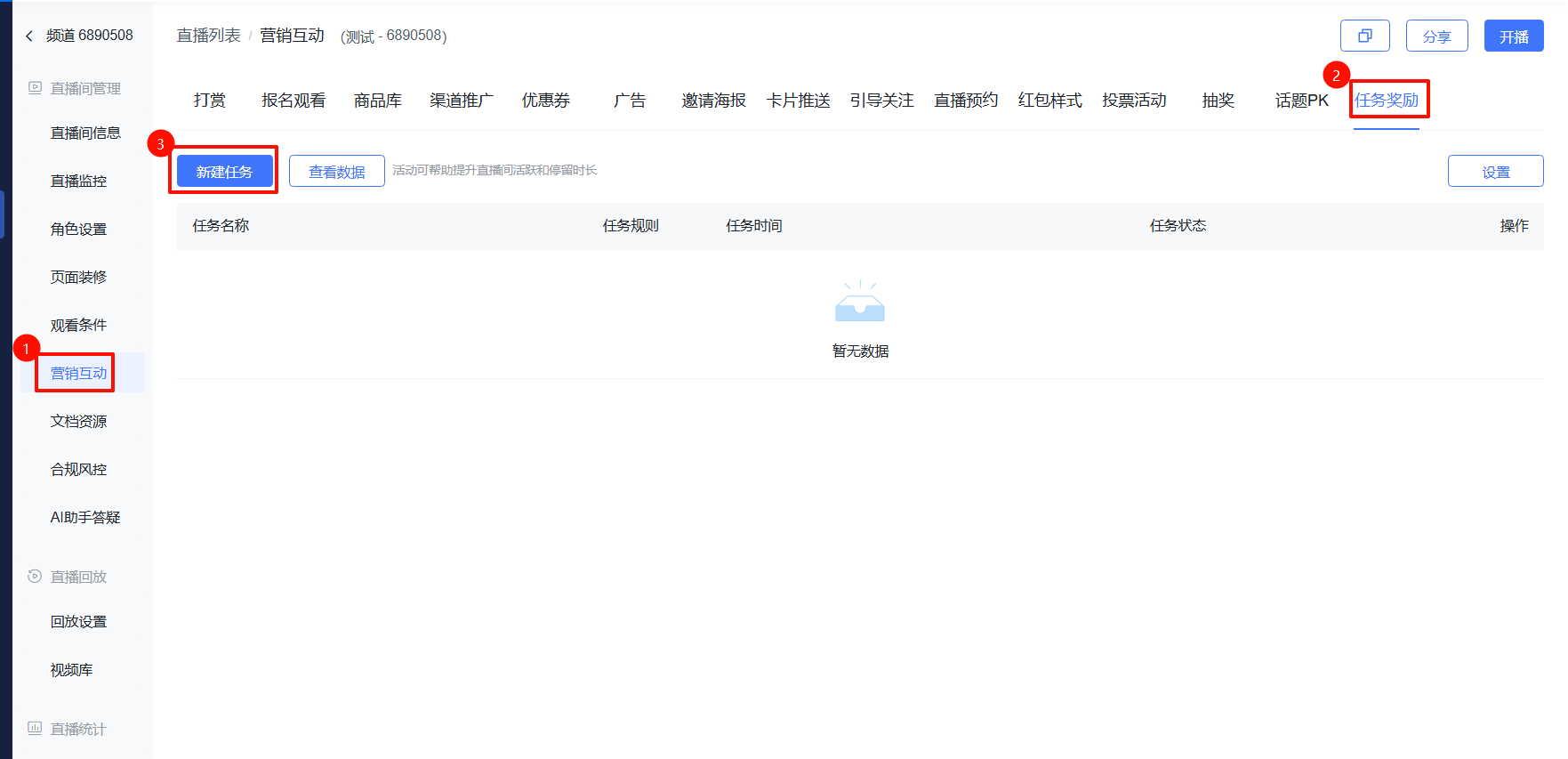
- Go to the [Live Stream List] page, select a live stream and click [Details]. In the live stream management area, click [Marketing Interaction] - [Task Rewards] - [New Task].
Key Configuration Field Descriptions
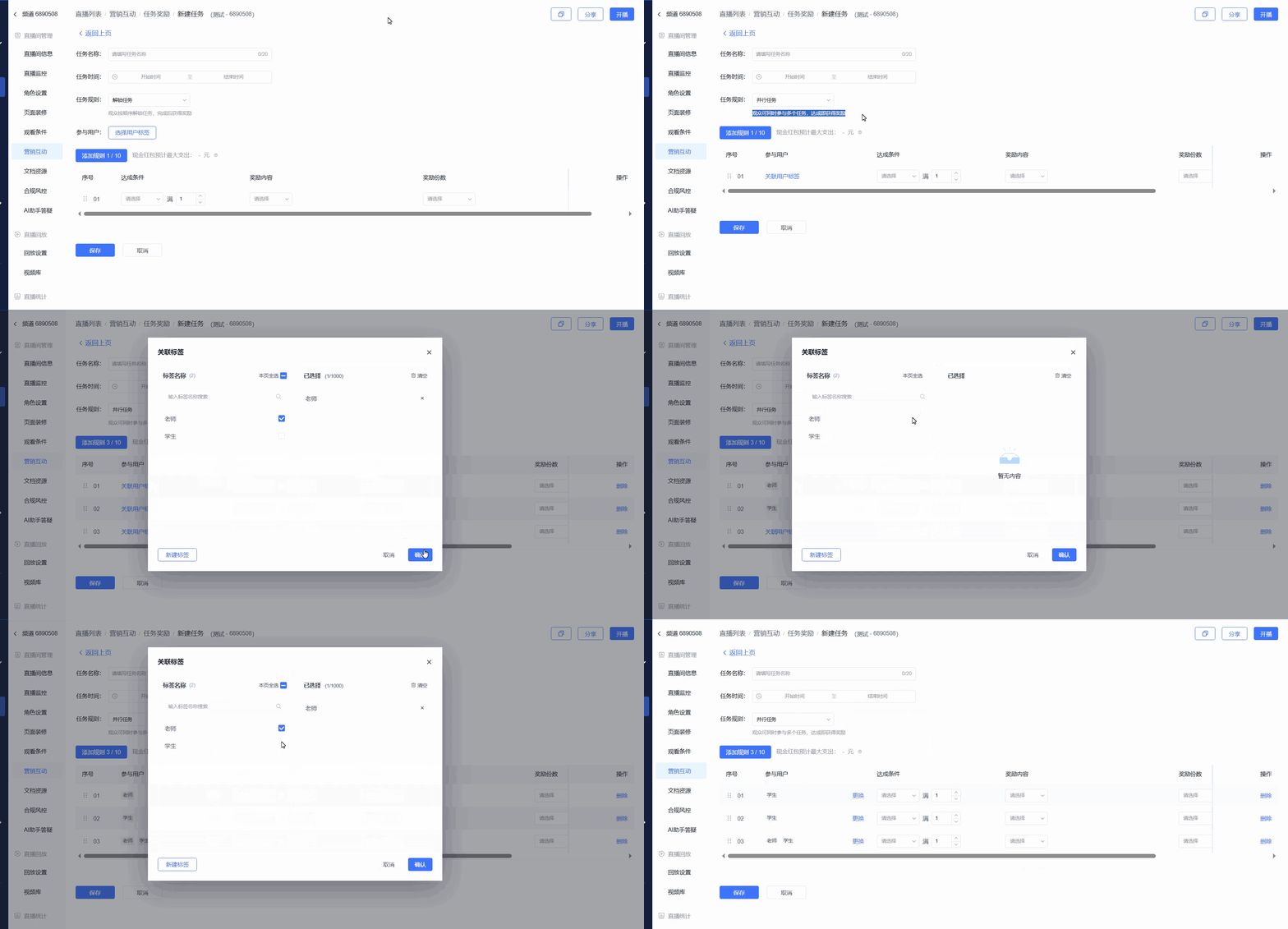
Task Rules:
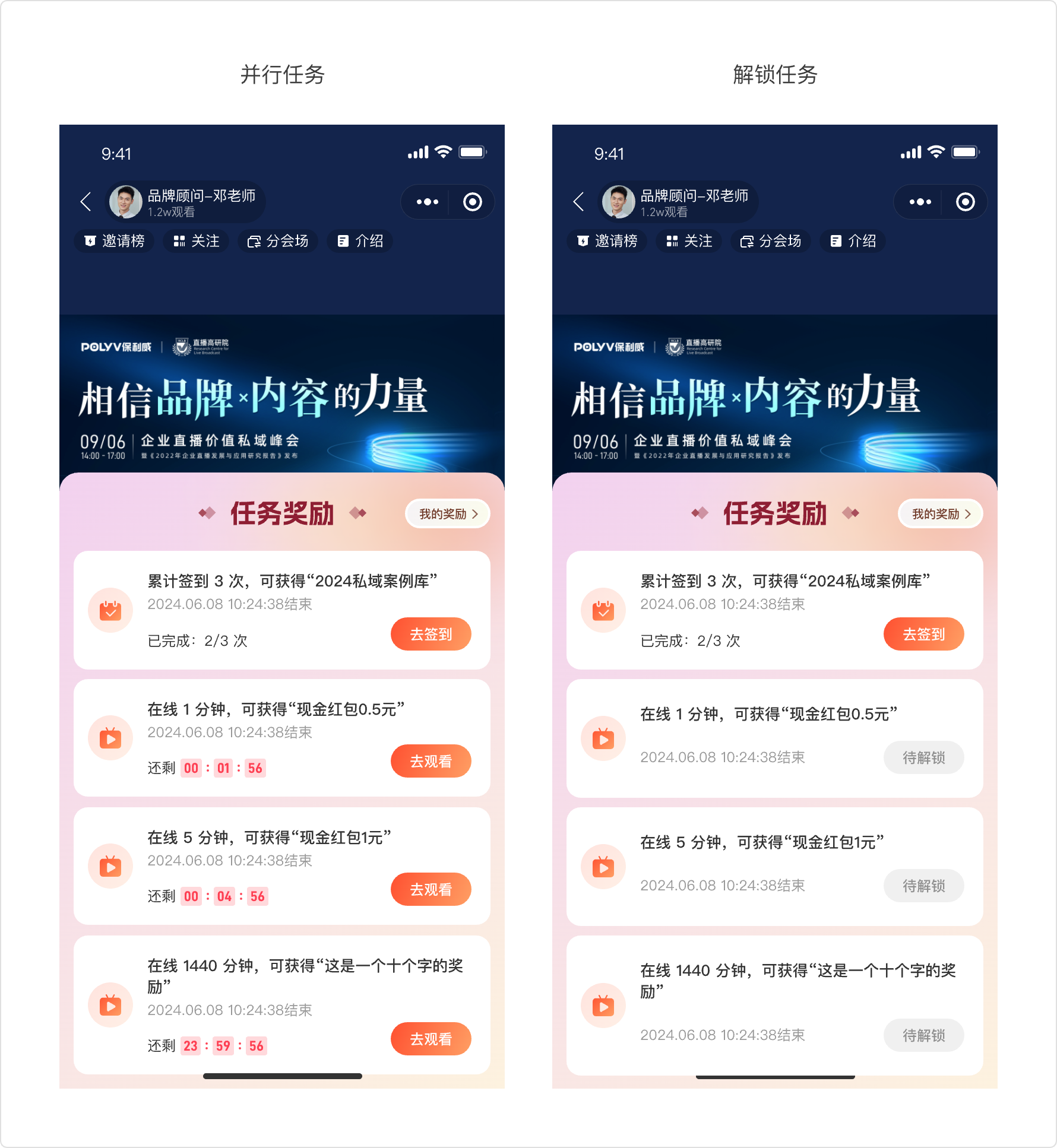
Sequential Tasks: Viewers unlock rewards step-by-step in order. If a previous task is not completed, the next task's reward cannot be unlocked, even if completed. Supports setting tags for the entire activity.
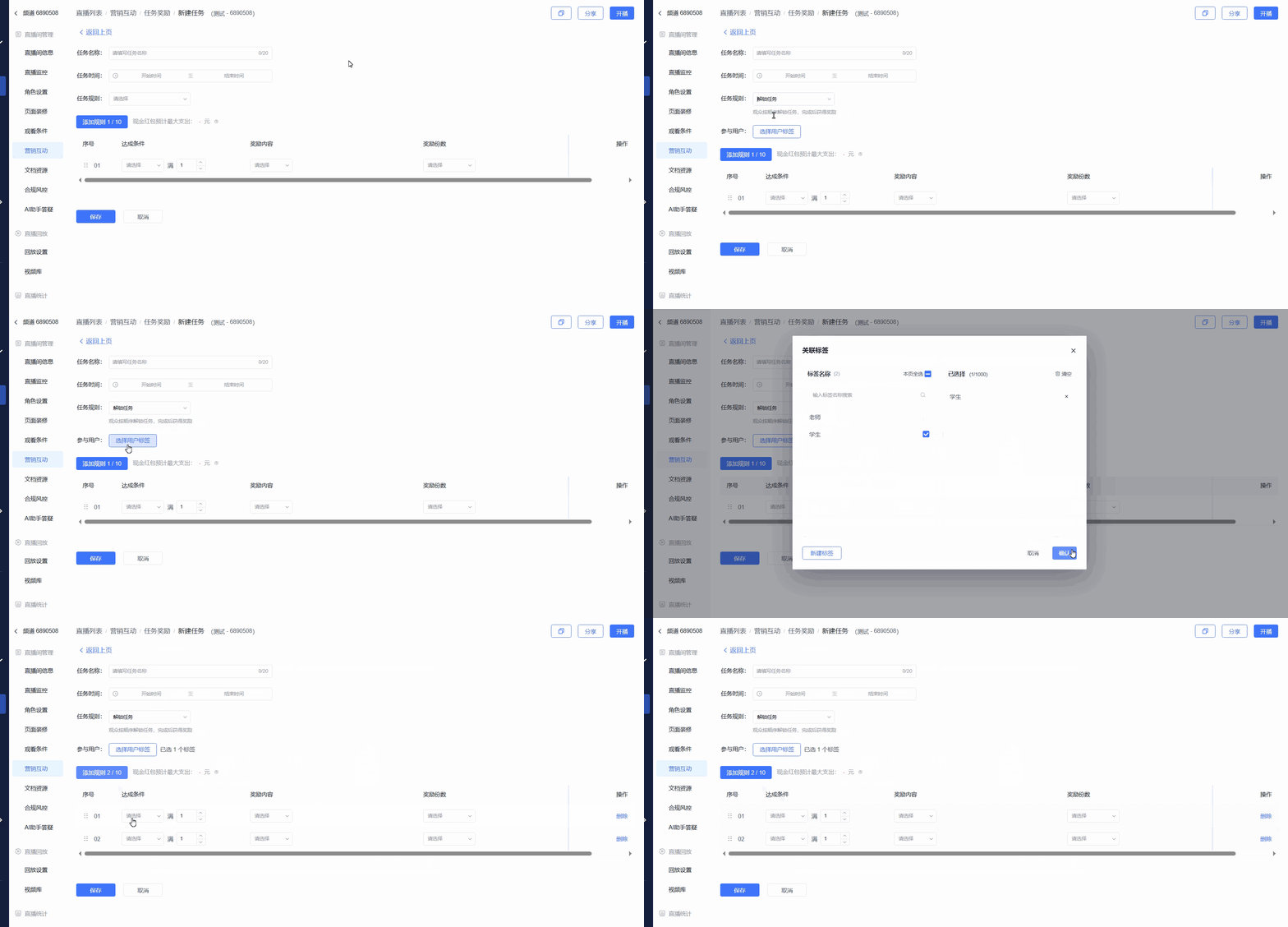
Parallel Tasks: Viewers receive rewards upon completing corresponding tasks. There is no sequential relationship between rewards for each task. Supports setting tags for individual sub-tasks.
Completion Conditions:
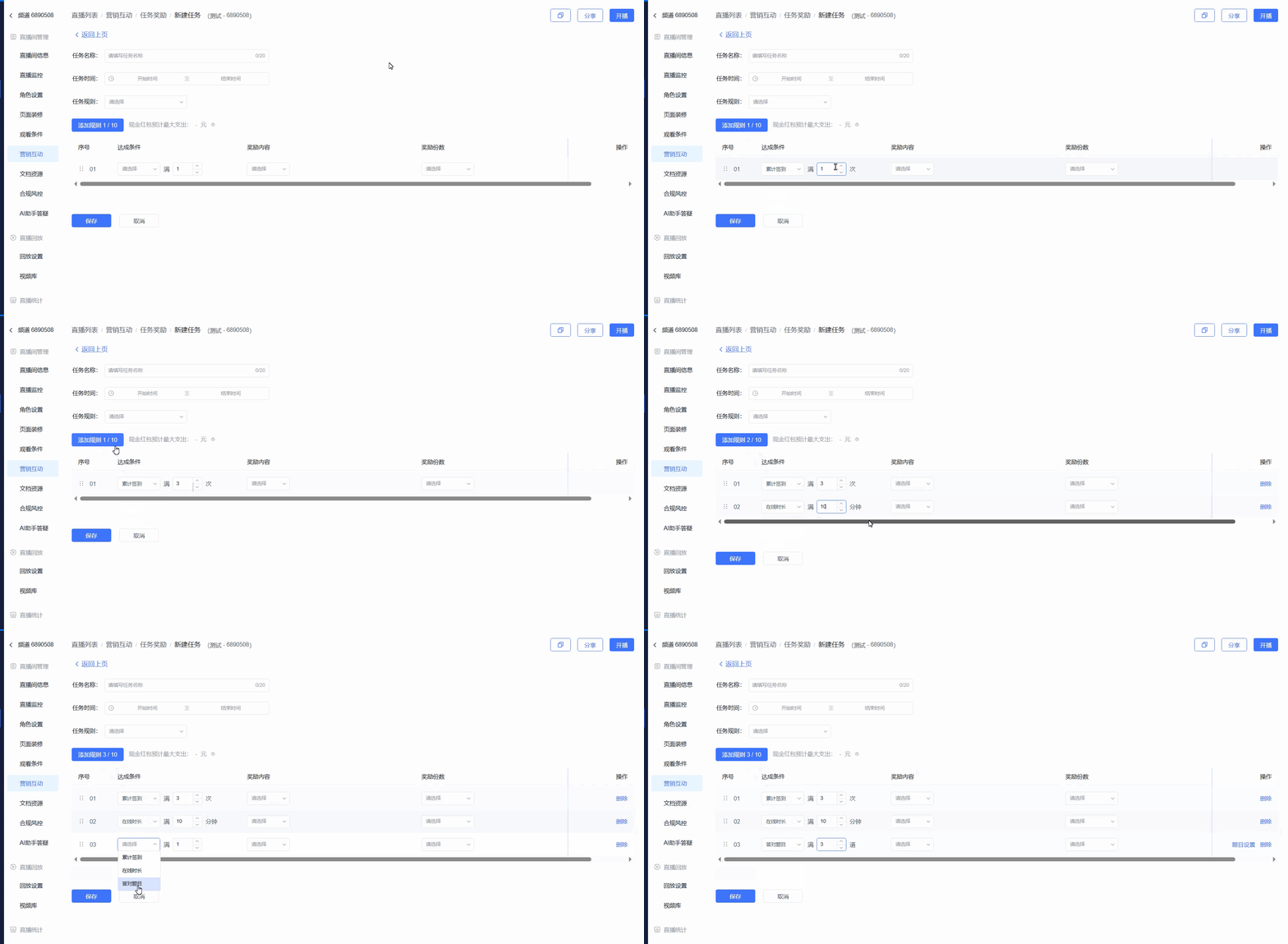
Check-in Count: Check-ins can be initiated at different points during the live stream to prevent viewers from idling.
Online Duration: Tasks with different online durations can be configured to ensure viewers stay online.
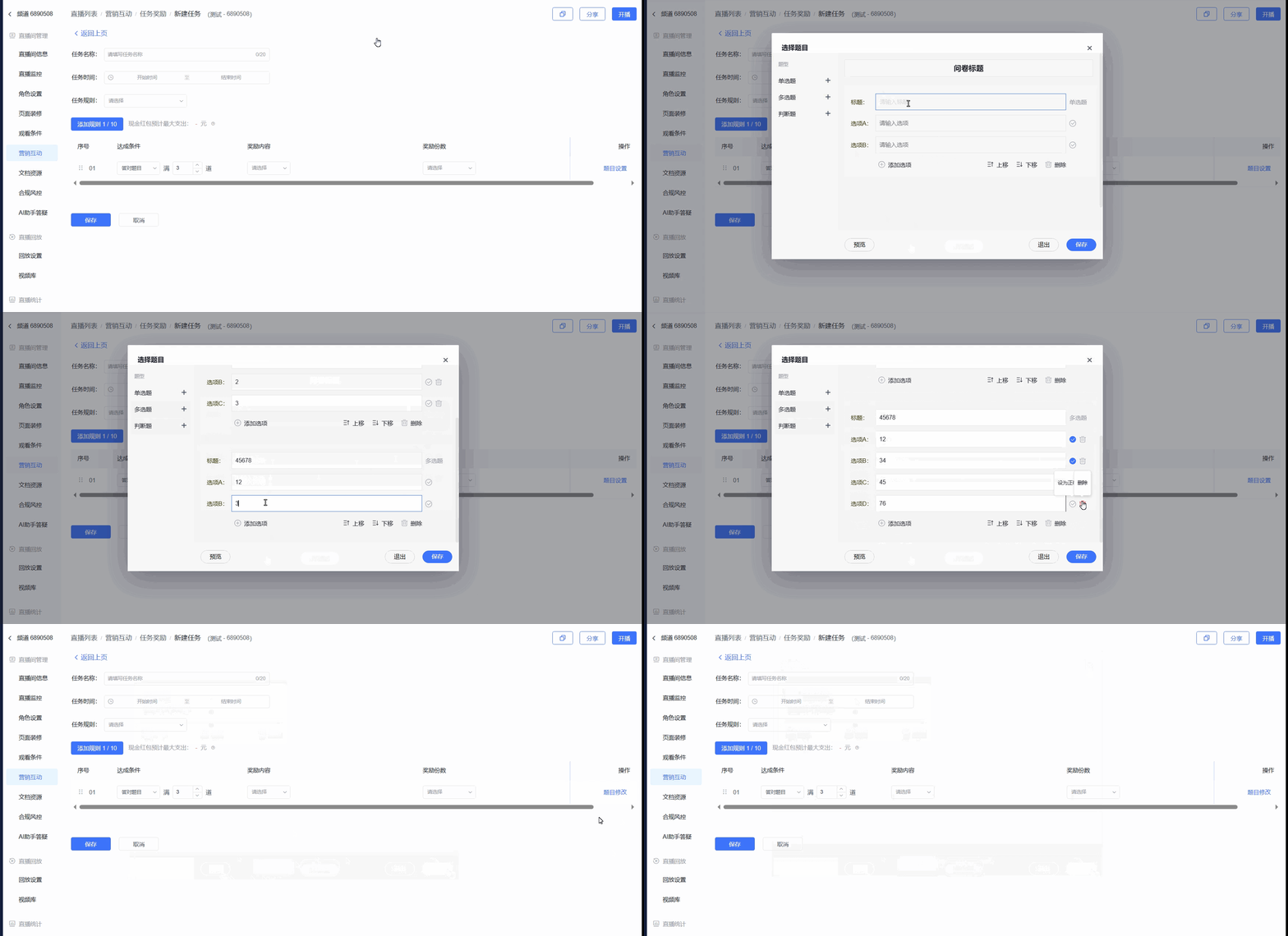
Number of Correct Answers: Supports single-choice, multiple-choice, and true/false questions. Lightweight questions can boost interaction and enhance viewer understanding of the live content.
Setting Up Questions:
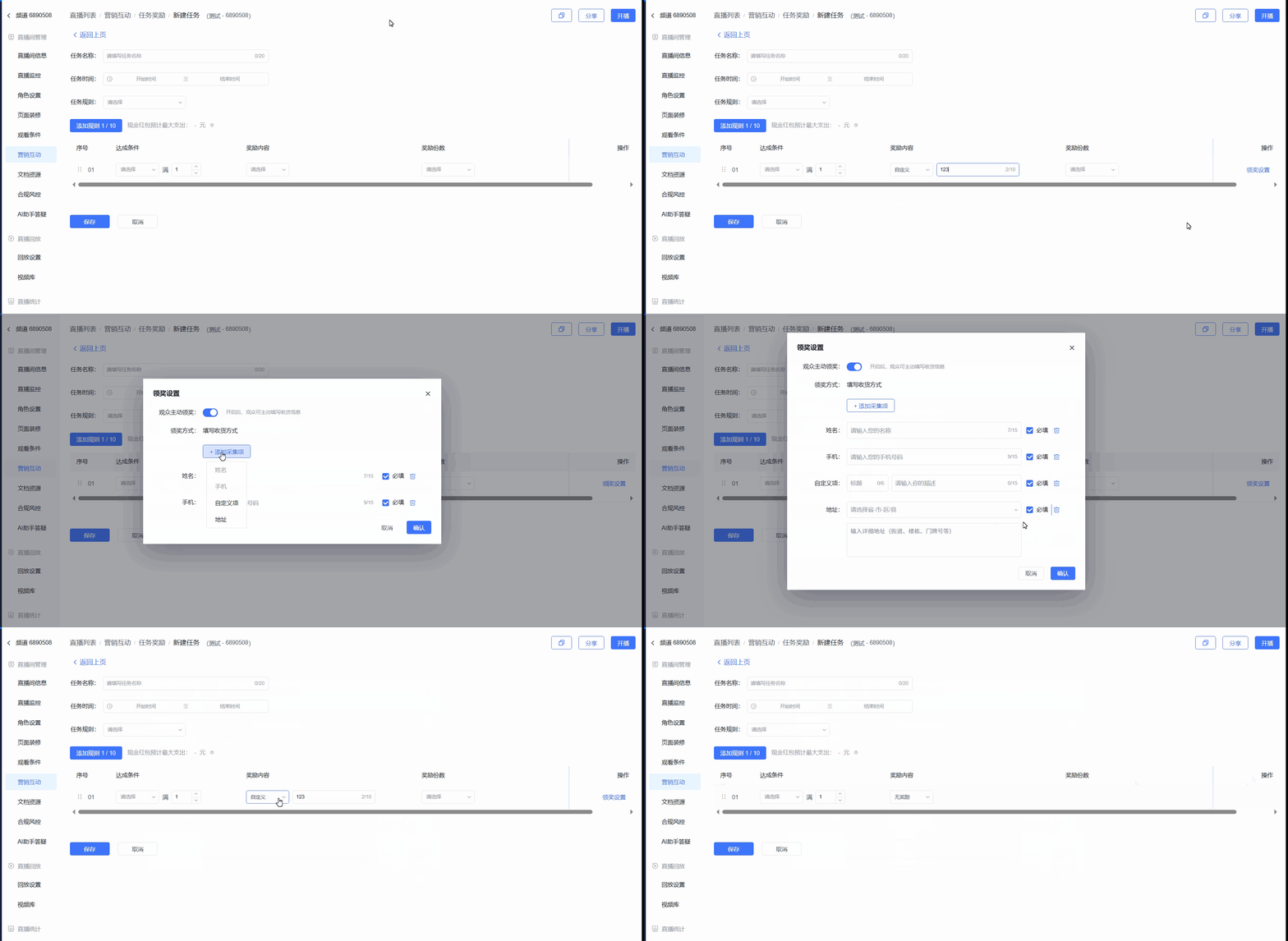
Reward Content:
- No Reward: Suitable for sequential tasks where multiple tasks without rewards are completed, leading to a single large reward upon completing the final task.
- Custom Reward: Suitable for custom physical rewards. Viewers can fill in shipping information.
Cash Red Envelope: Requires binding a WeChat Pay merchant account first. If using the old version of merchant transfers to WeChat Wallet, cash red envelopes are automatically sent to the viewer's WeChat Wallet. If using the new version of merchant transfers, viewers must manually click to withdraw, after which the amount is sent to their WeChat Wallet.
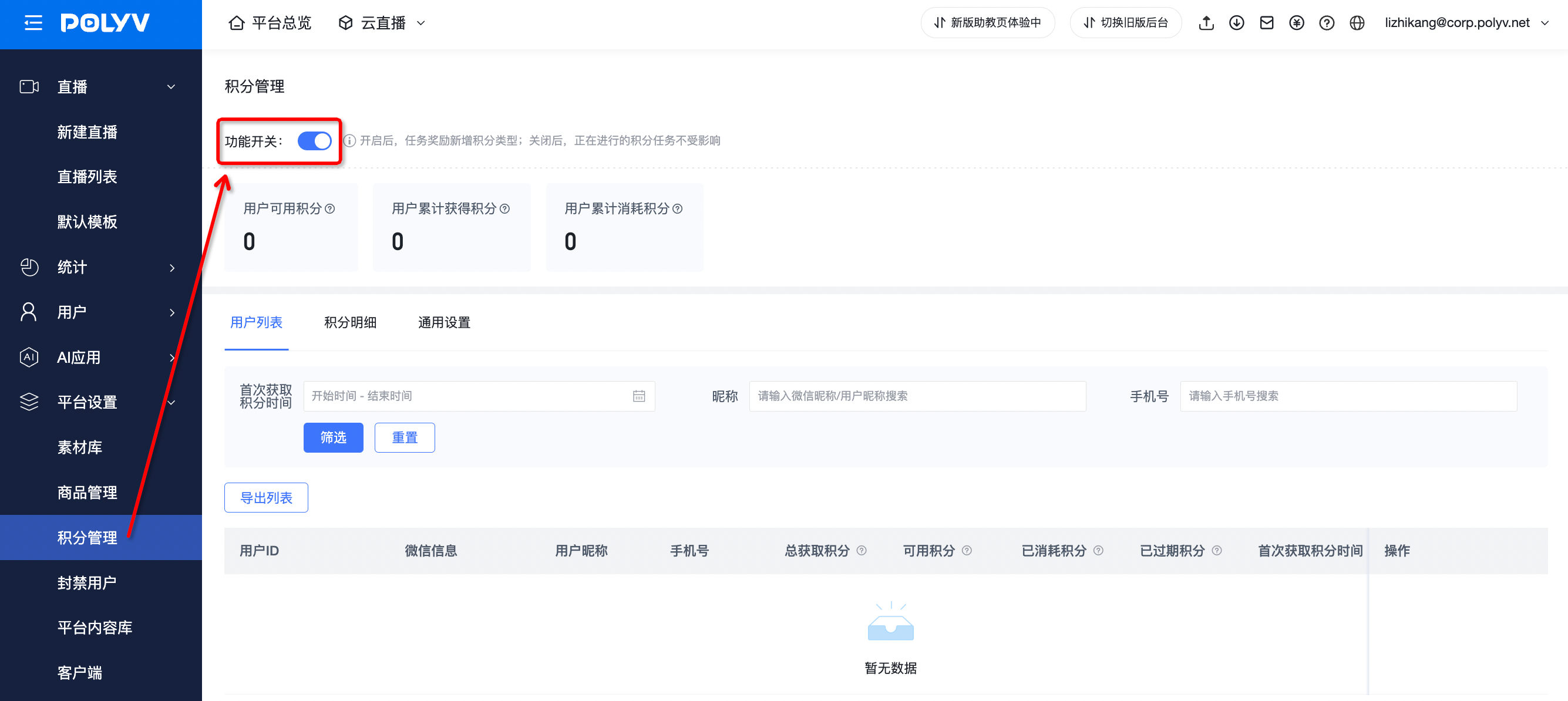
Points: Requires enabling the points feature first. Suitable for customers building a points system on Polyv. For specific operations, please refer to the Points Management help document.
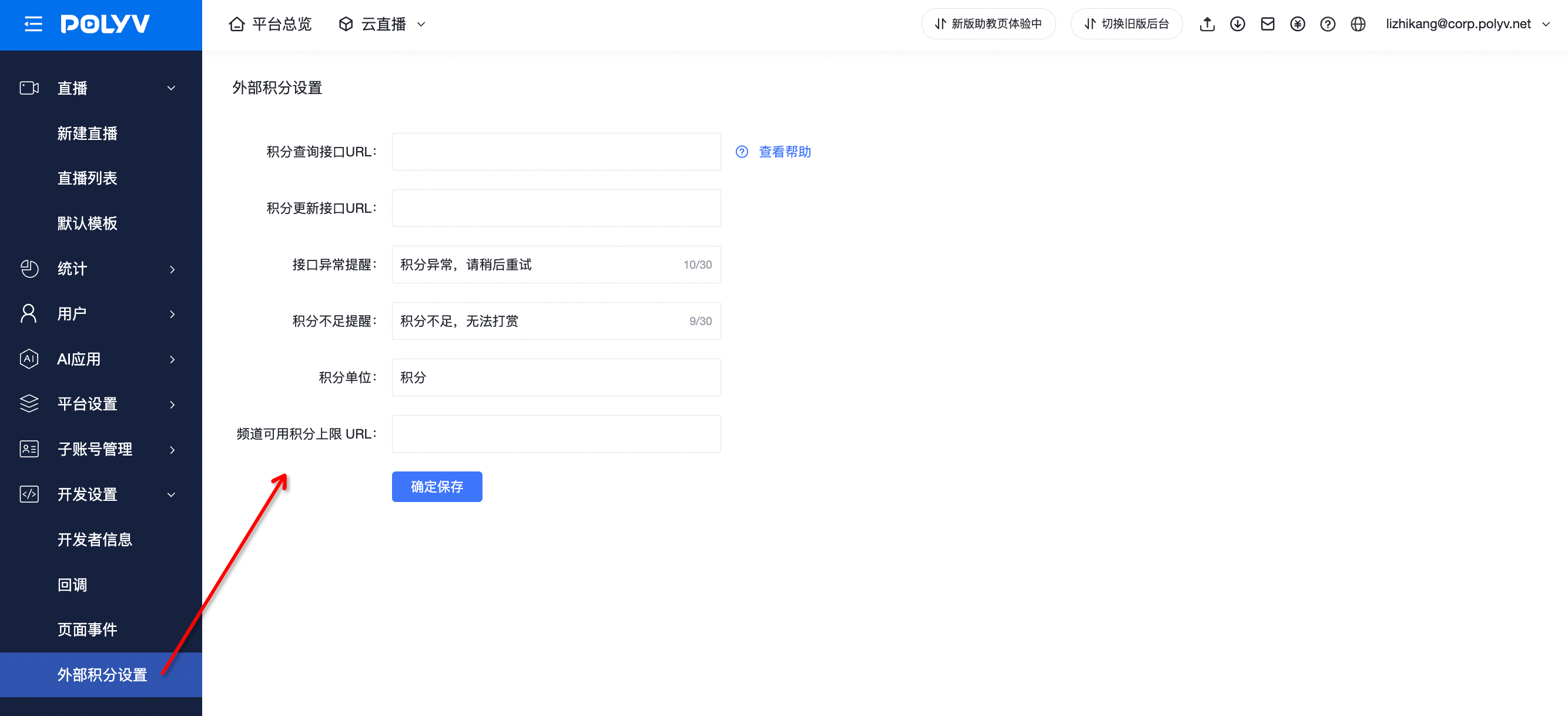
External Points: Requires configuring external points first. Suitable for customers who have a complete points system on a third-party/in-house system and use Polyv for live stream points acquisition.
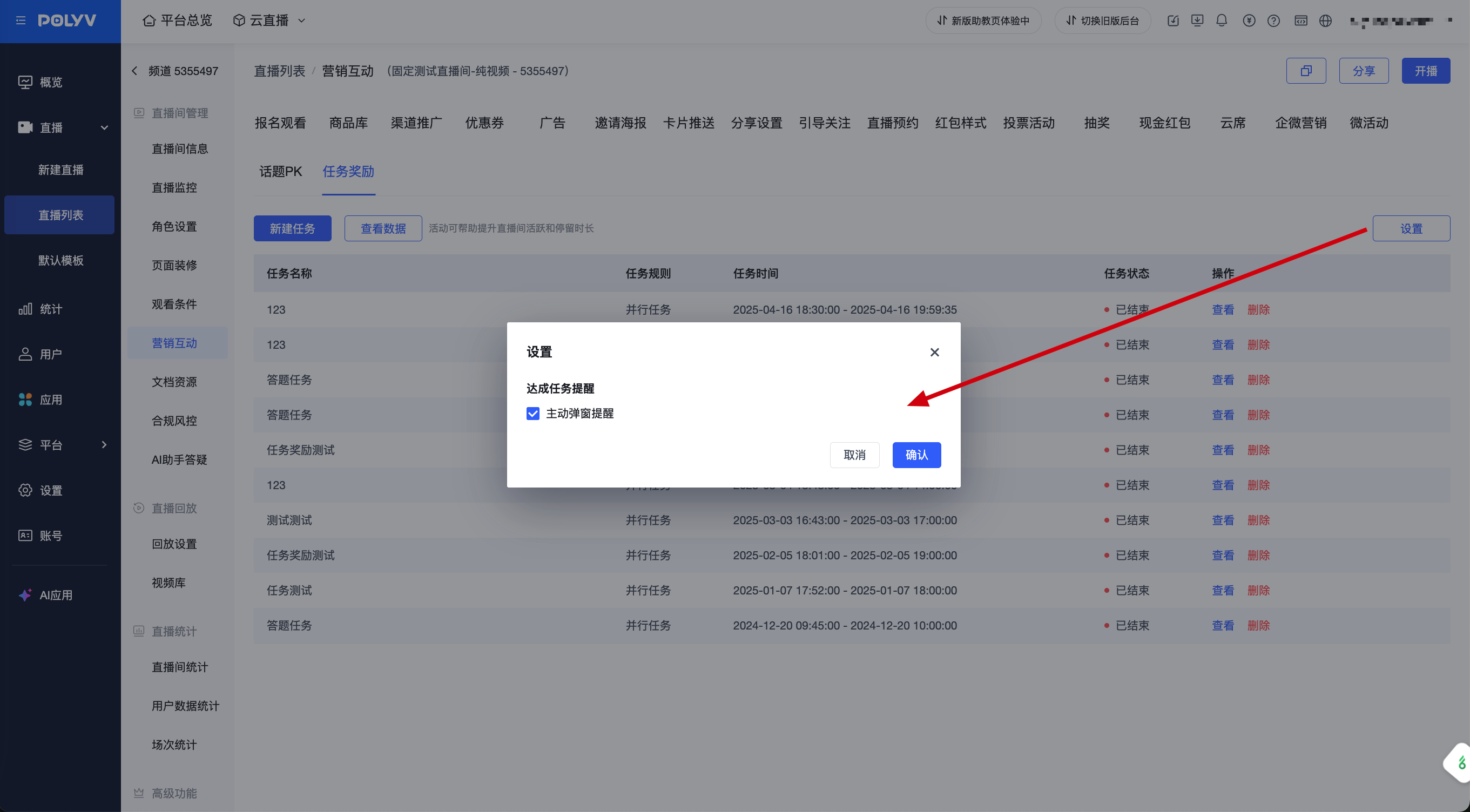
Channel Global Configuration
You can set a "Task Completion Reminder" for all task reward activities under the channel. If the proactive pop-up reminder is checked, viewers will be proactively notified via pop-up upon completing each task. If unchecked, no proactive pop-up notification is sent, and viewers can check their completion status in the task list themselves.
2. Viewer Participation - Completing Tasks
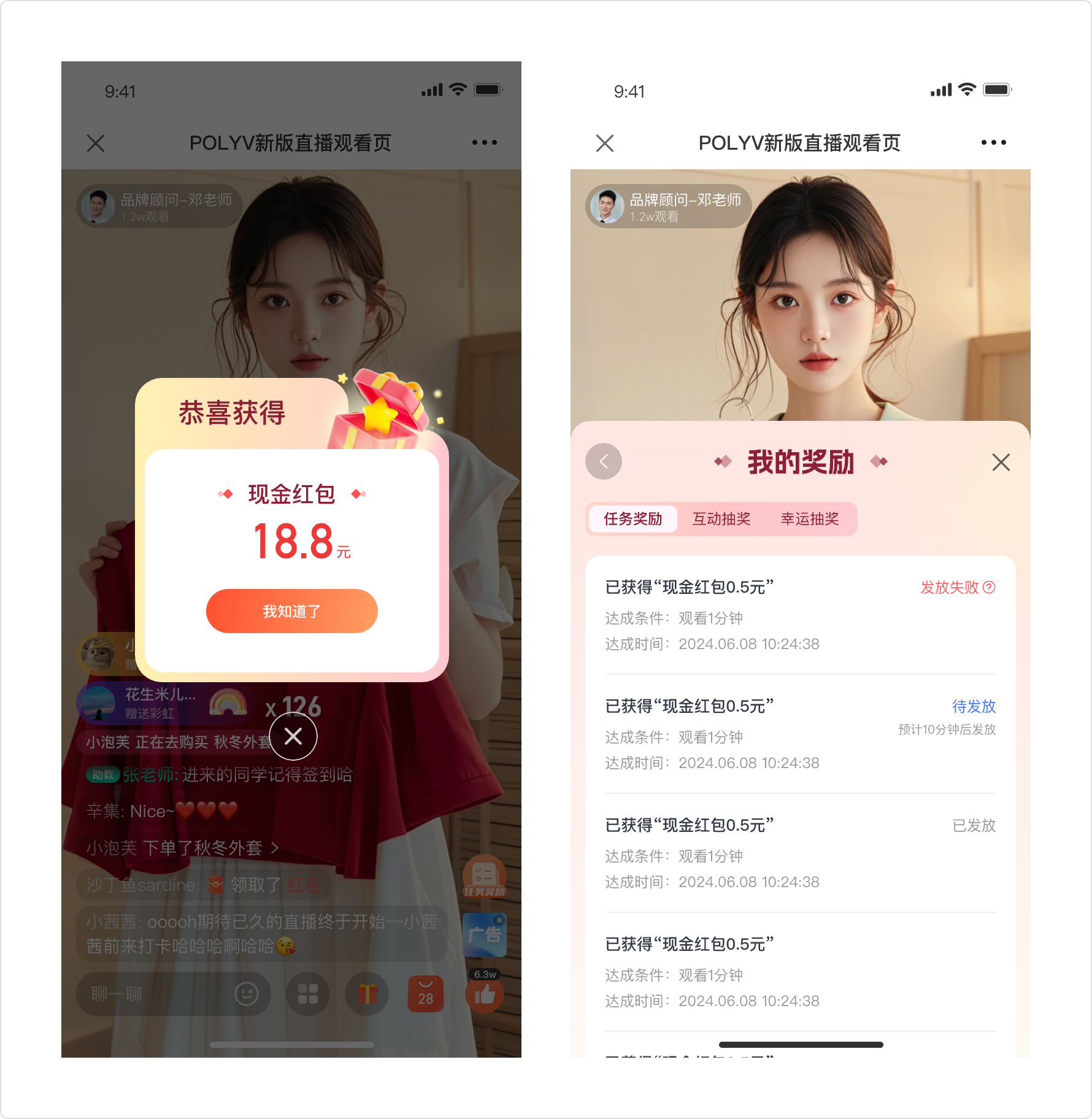
When the reward is a Cash Red Envelope under the old version of merchant transfers to WeChat Wallet, the red envelope is automatically sent to the viewer's WeChat Wallet. Viewers can check the status in [My Rewards - Task Rewards].
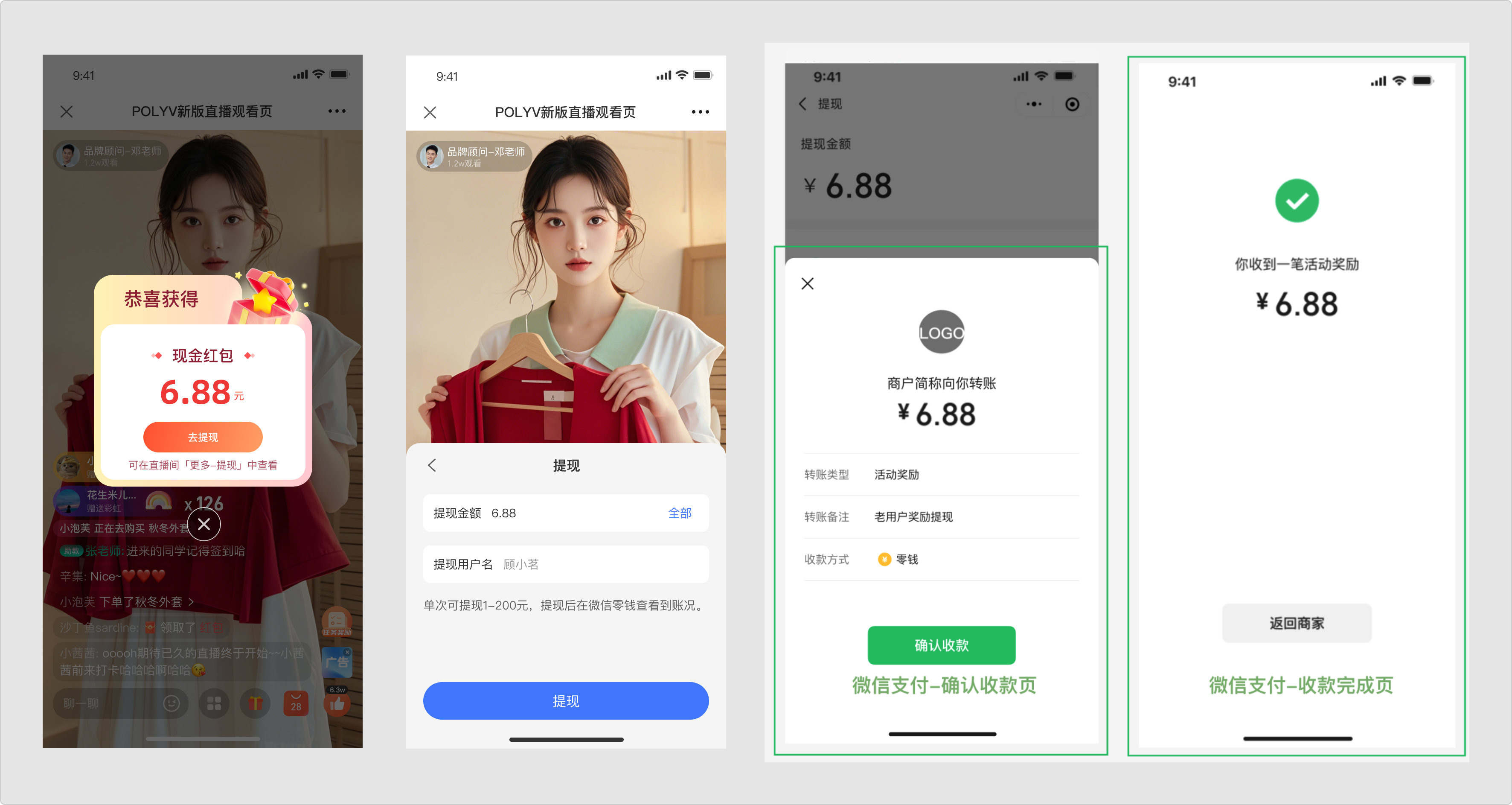
When the reward is a Cash Red Envelope under the new version of merchant transfers, viewers must manually click to withdraw. The amount is then sent to their WeChat Wallet. When withdrawing, the current balance in the viewer's wallet can also be withdrawn together.
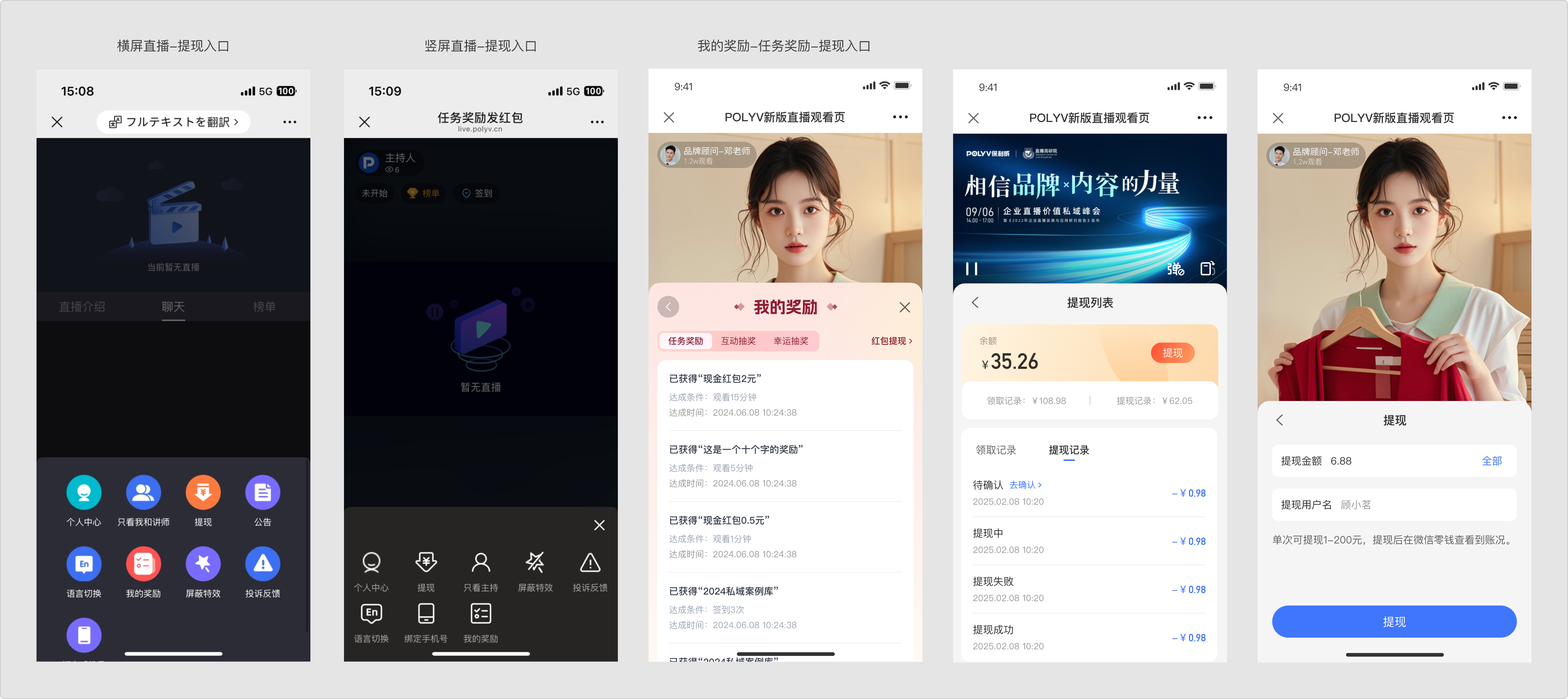
 If the viewer does not withdraw immediately, they can find the withdrawal entry in the following location to initiate a new withdrawal.
3. Viewing Activity Data
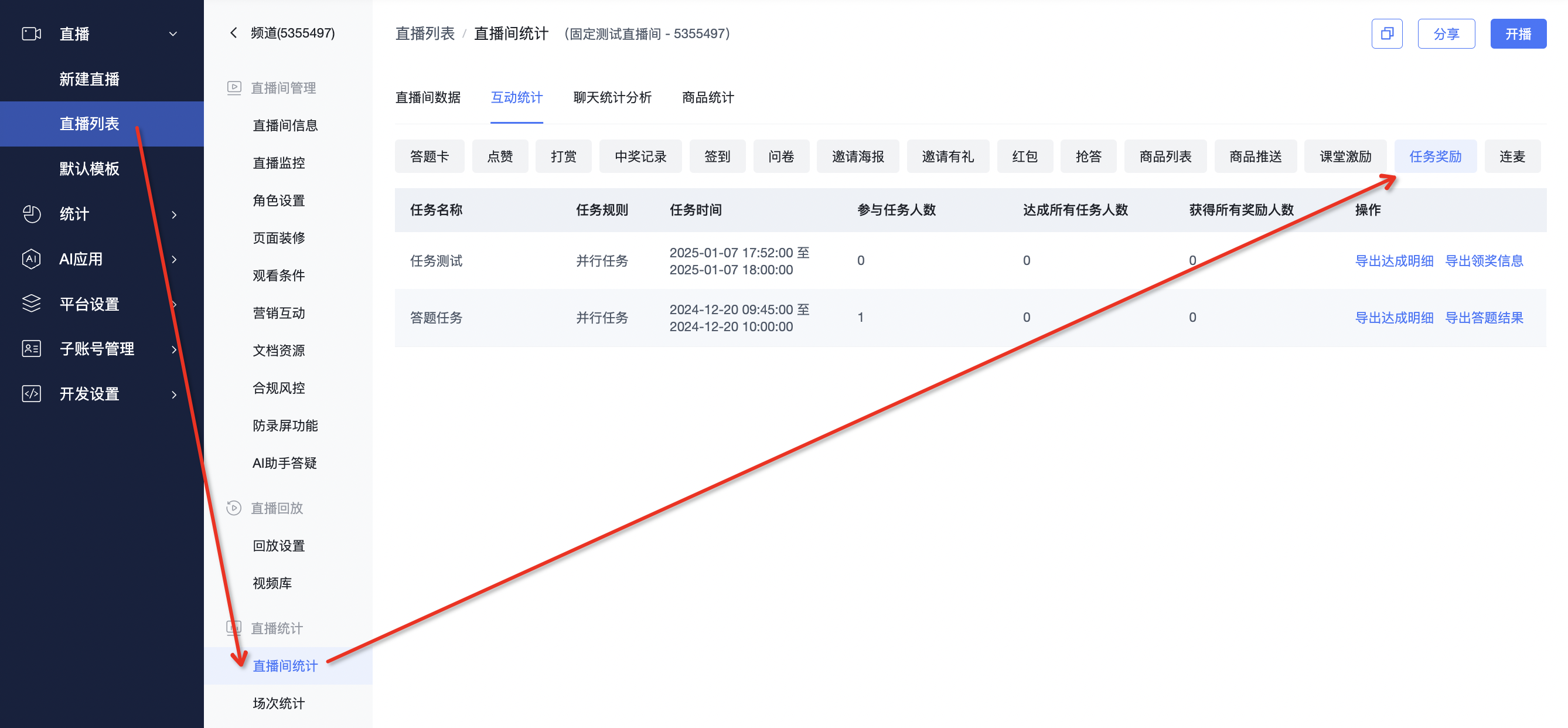
- Metric Calculation Rules:
- Number of Participants: Counts the total number of viewers who participated in the activity from start to end. Viewers staying in the live stream during this period are counted as participants by default.
- Number Who Completed All Tasks: Counts the total number of viewers who completed all conditions of the task reward activity by the activity end time. If "Limit Reward Quantity" is set, completing tasks does not guarantee a reward. When data volume is large, calculating this metric takes time. "Calculating..." is displayed if the calculation is incomplete.
- Number Who Received All Rewards: Counts the number of viewers who completed all tasks and received all rewards by the activity end time. When "Unlimited Reward Quantity" is set, the number who completed all tasks equals the number who received all rewards. If "Reward Content" is set to "No Reward", it is not included in this statistic.
- Operations:
- Export Completion Details: Exports the task completion details for a specific task reward activity. Viewers who have completed at least one task are included in the export. " - " indicates several meanings: not completed, completed but reward quota full resulting in no reward, or reward content set to no reward.
- Export Prize Claim Info: Exports data for a task reward activity where at least one task requires viewers to actively claim their prize.
- Export Quiz Results: Exports data for a task reward activity where at least one task has a quiz condition.
