Risk Level Assessment
I. Feature Overview
Feature Info |
Description |
|---|---|
| Feature Name | Risk Level Assessment |
| Feature Description | Displays a financial risk level assessment before or after a viewer enters the live stream |
| Purpose | The risk level assessment serves as an entry evaluation tool before viewers watch the live stream, protecting users' investment rights, enhancing risk awareness, and helping users effectively evaluate their own risk tolerance |
| Use Cases | Commonly used in live streams where financial content carries certain risks or where viewers have varying risk tolerance levels. Viewers must complete the risk level assessment or achieve a specific rating before entering the live stream. |
| Operation Path | 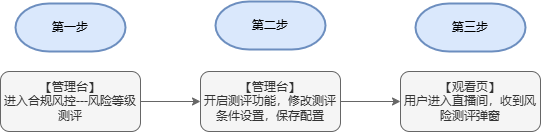 |
II. Steps
1. Backend Settings
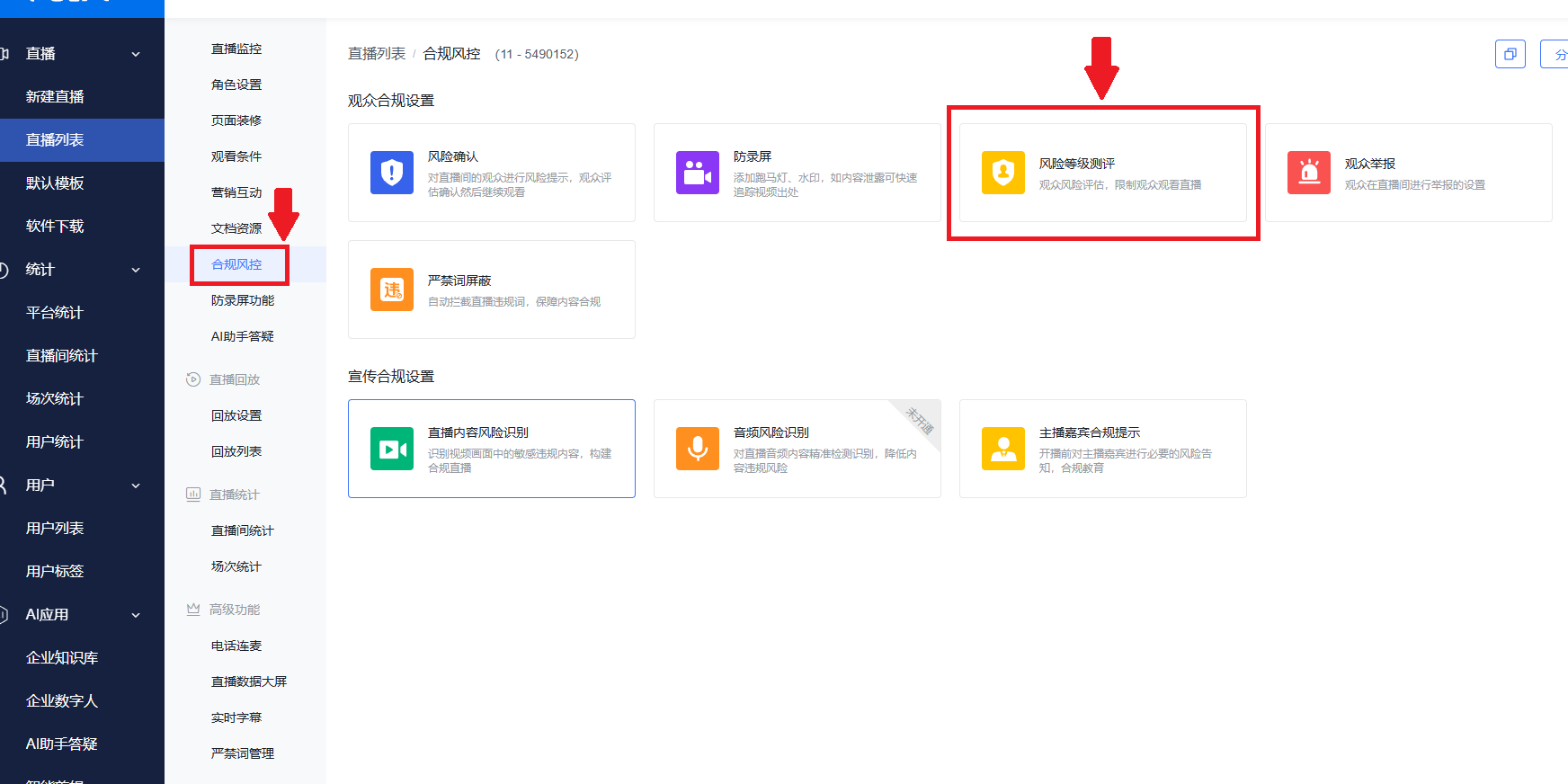
(1) Log in to the Polyv backend, navigate to the Compliance & Risk Control options for a specific channel, and find the "Risk Level Assessment" feature.
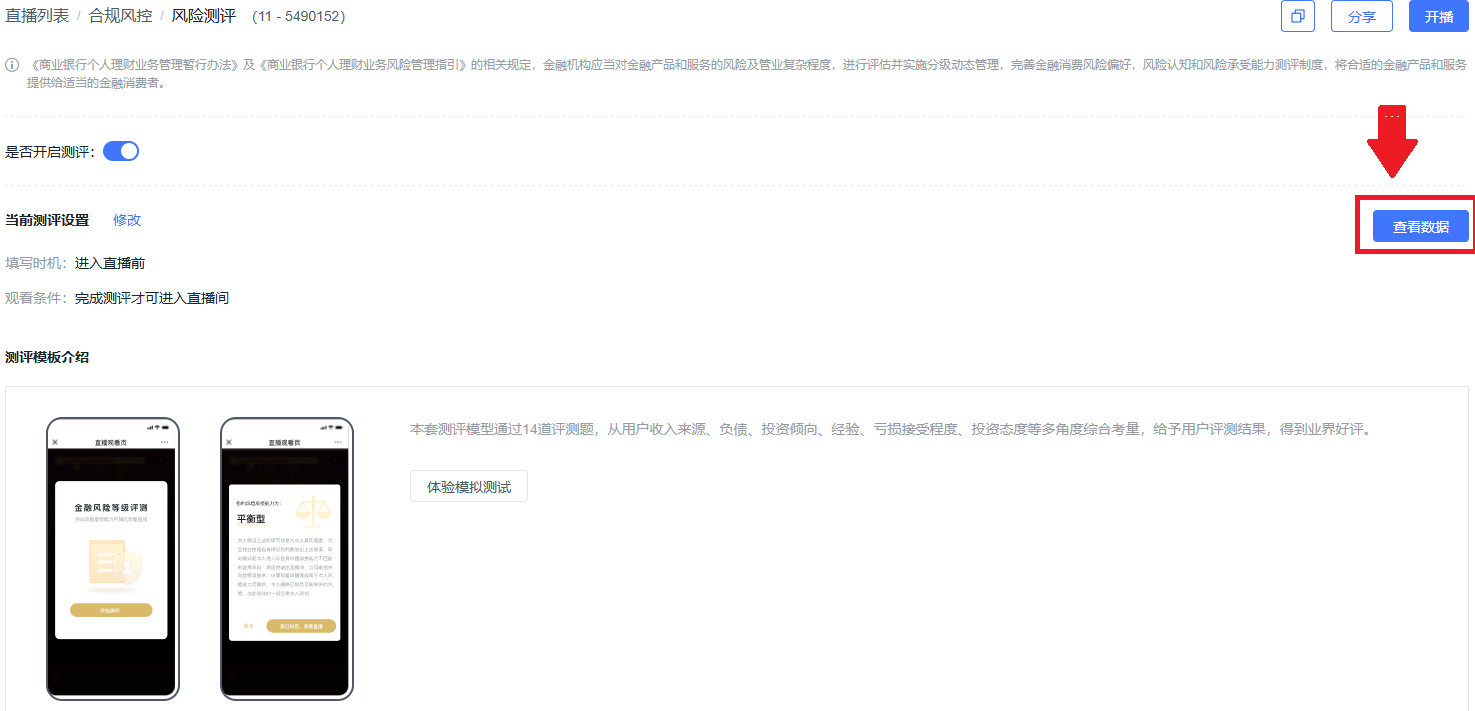
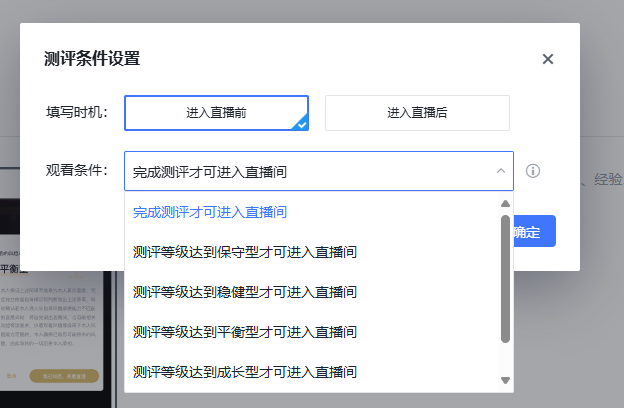
 (2) Turn on the feature toggle, then modify the current assessment settings.
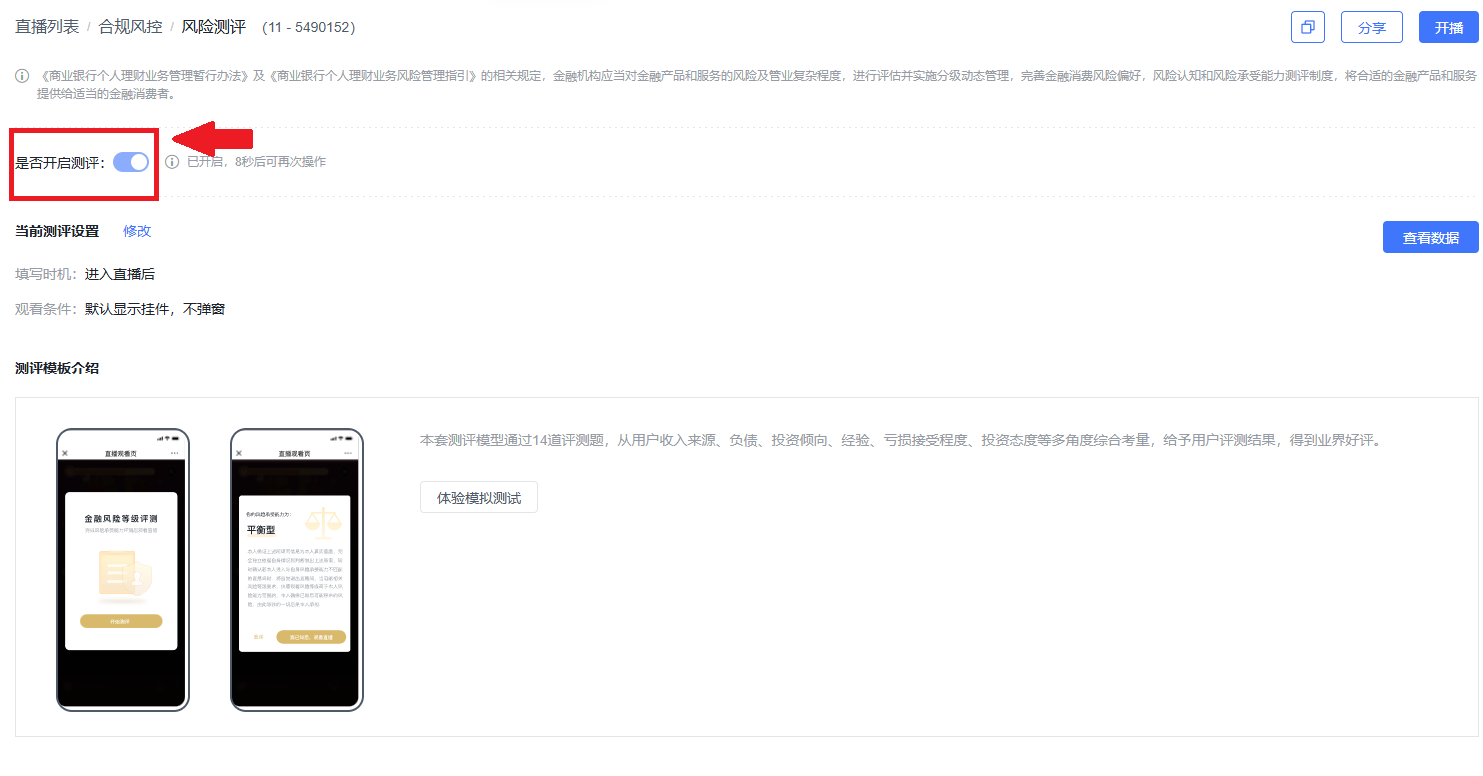 (3) Modifiable content includes "Timing" and "Viewing Conditions". After making changes, click the Confirm button to save.
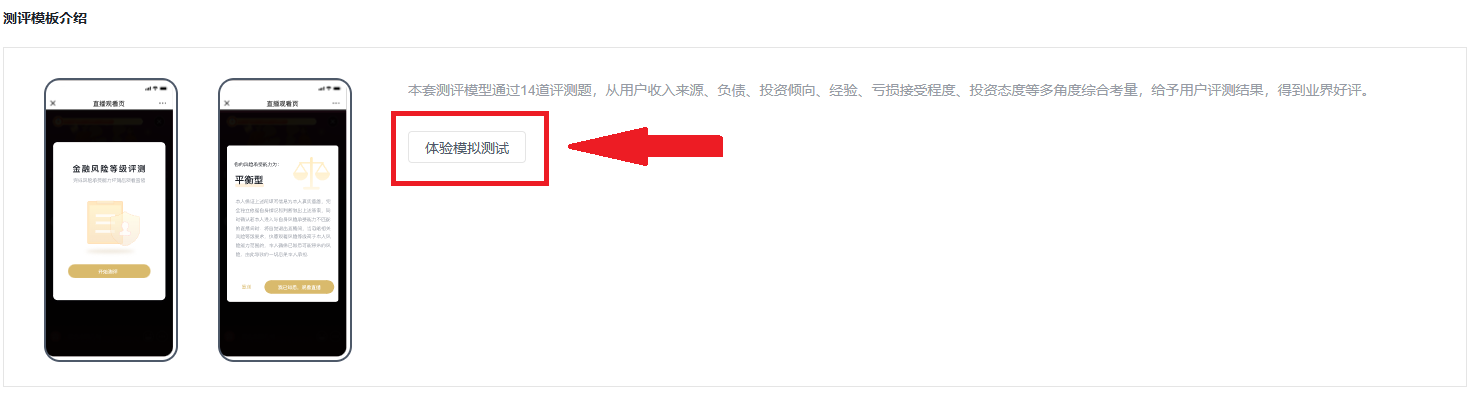
2. Simulated Assessment
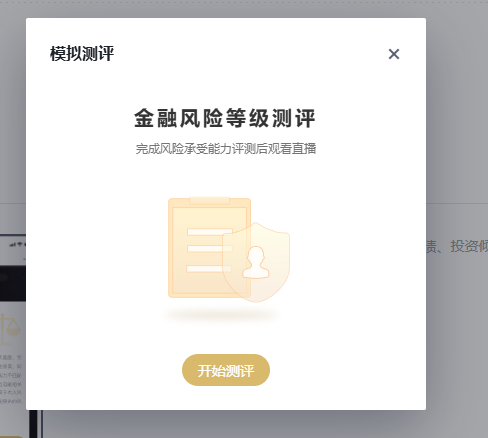
Click "Experience Simulated Assessment" to view the specific questions and run a simulation test.
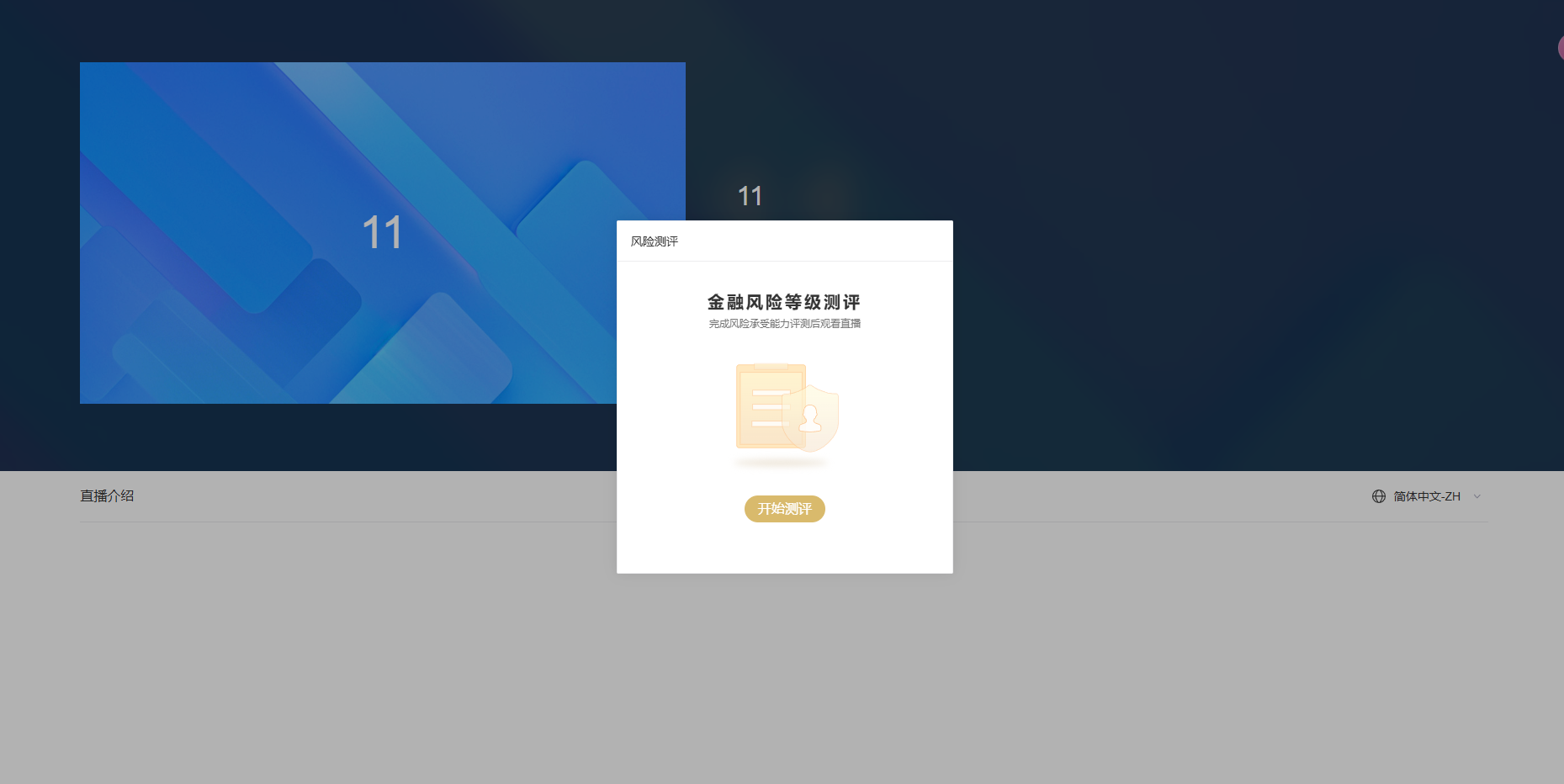
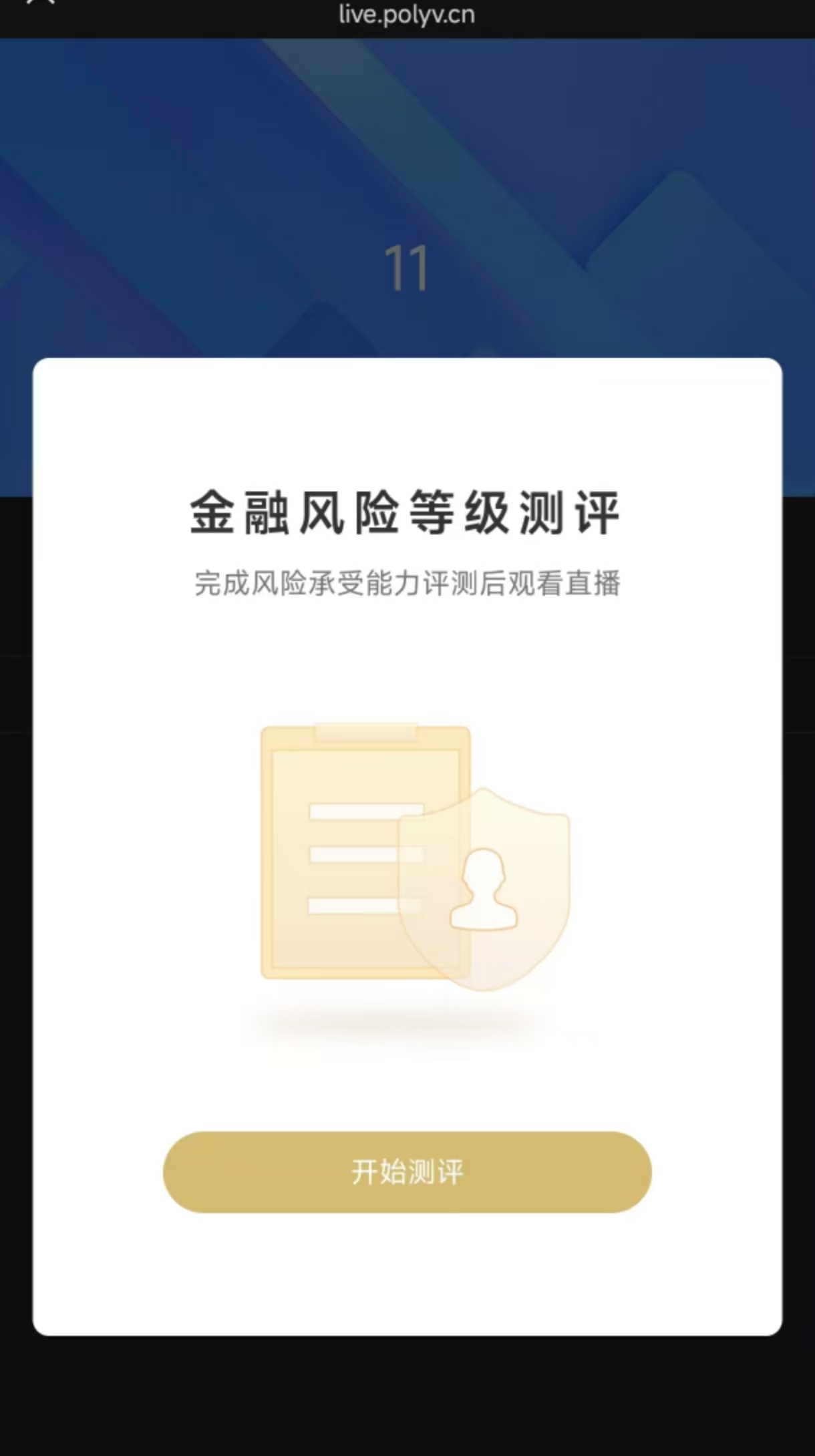
3. Viewing Effect
a. Web viewing effect
 b. H5 mobile viewing effect
4. View Records
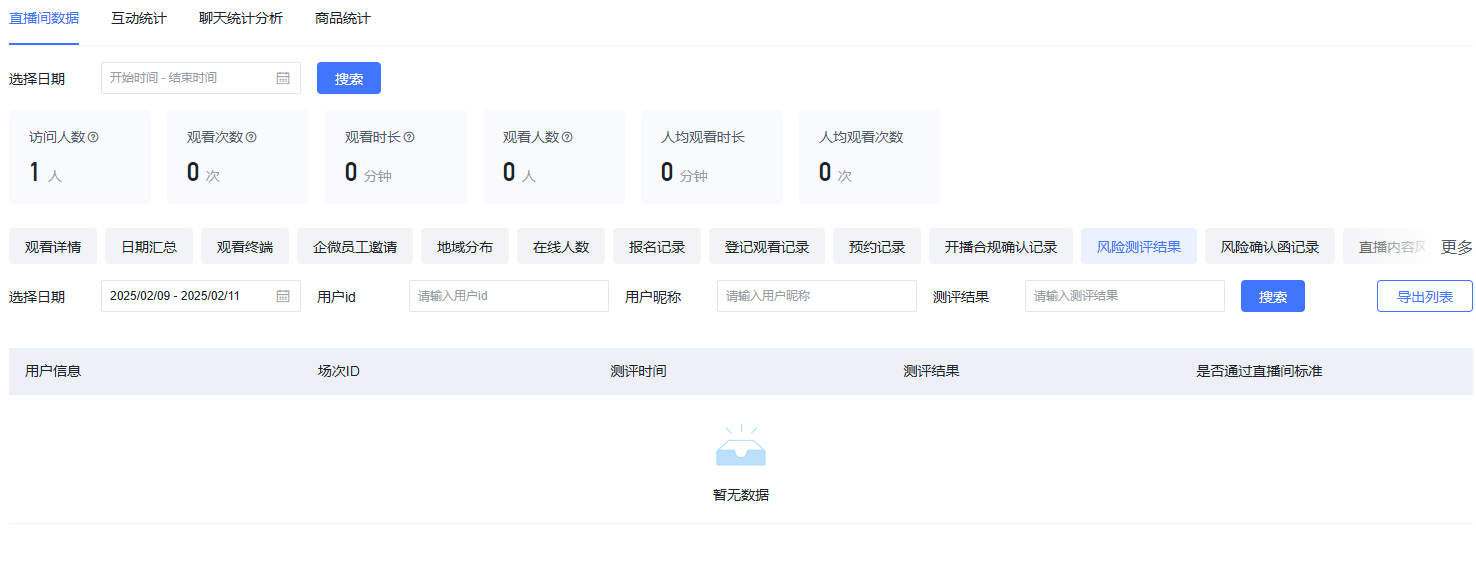
Click "View Data" in the top right corner to navigate to the "Live Stream Statistics" page. There, you can see which users, in which sessions, at what times, their assessment results, and whether they passed the live stream criteria. You can filter specific users by selecting a date range, user ID, user nickname, and assessment result.