


Real-Time Captions FAQ
Q1: Real-time captions are enabled, but no effect is shown on the viewing page
Cause 1: The V3 viewing page is not enabled. Upgrade the viewing page to V3 version.
Cause 2: The current channel line does not support this feature. Contact POLYV after-sales to switch the channel line.
Cause 3: Features such as custom backend, WeCom functions, one-customer-one-code, multi-session, legacy multilingual, or Chinese-English dual-stream are enabled. Disable these features.
Cause 4: Flash player is being used. Switch to H5 playback.
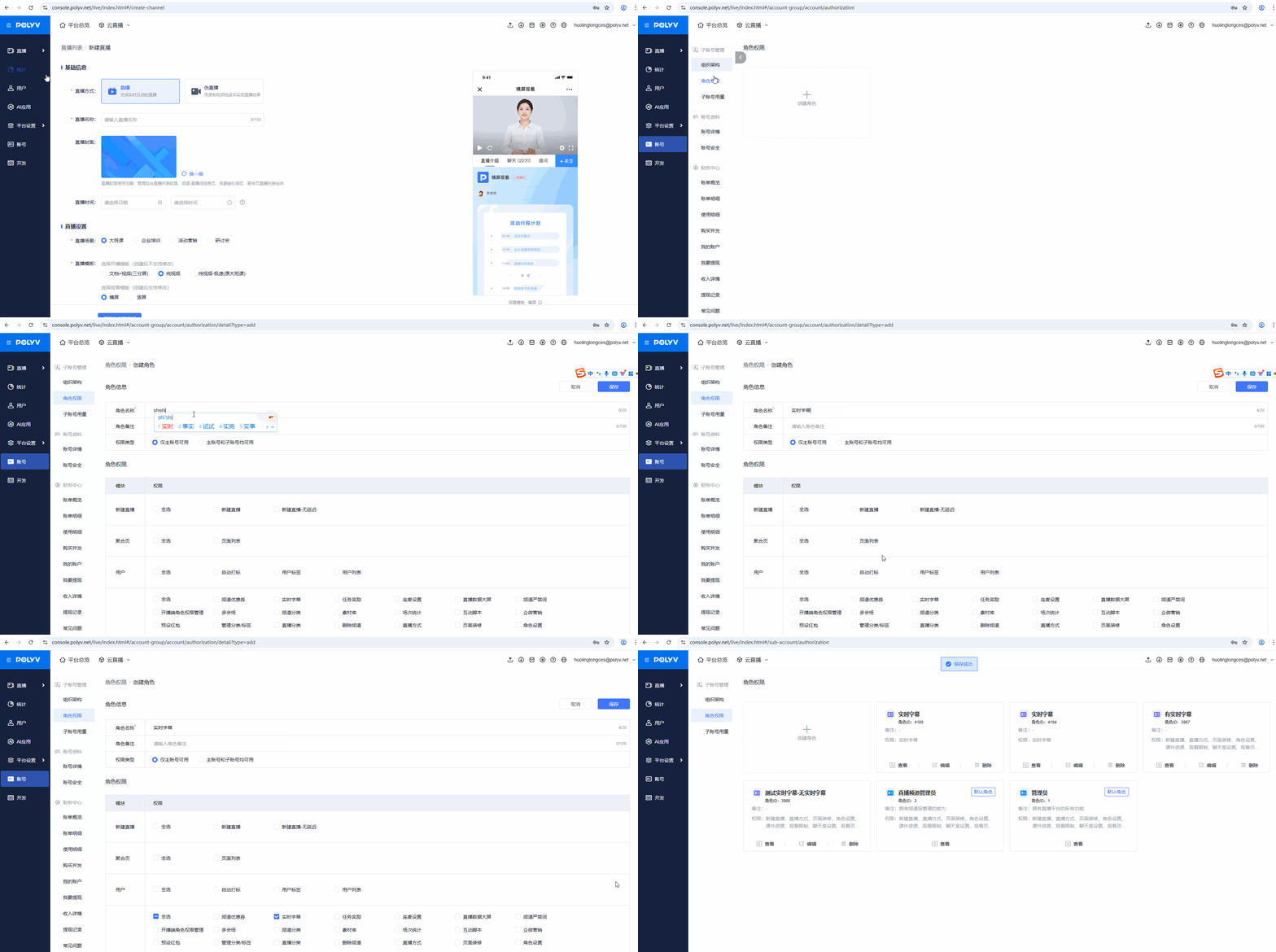
Q2: Can sub-accounts use the real-time caption feature?
Yes, after granting relevant permissions in the role settings, sub-accounts can use the real-time caption feature.
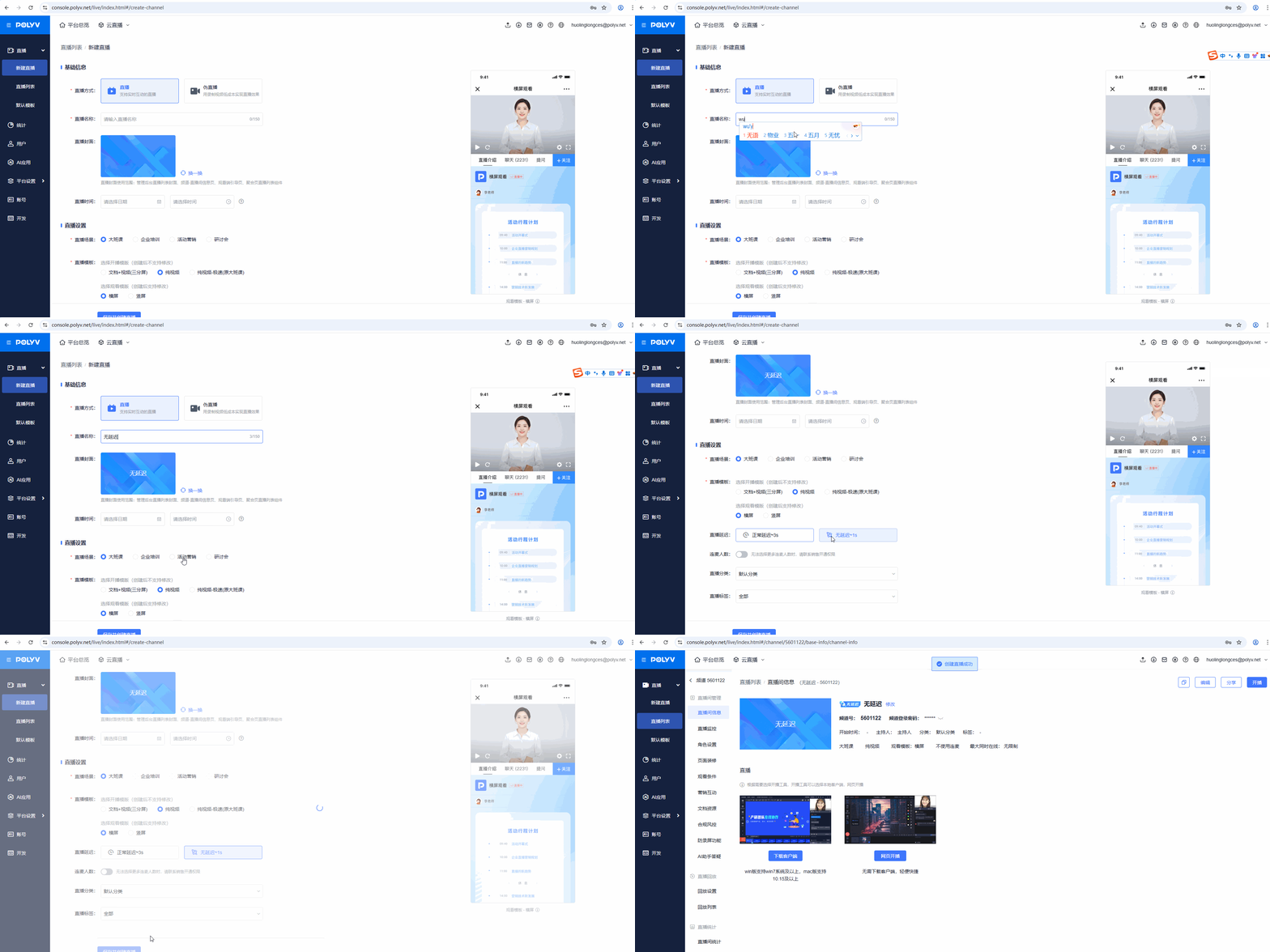
Q3: Real-time captions appear earlier than the actual video
After watching a live stream for a while, occasional stream latency may occur. Captions are not affected by this latency, so they may appear before the audio. We recommend using the no-latency service when creating a live room to reduce the likelihood of this issue.
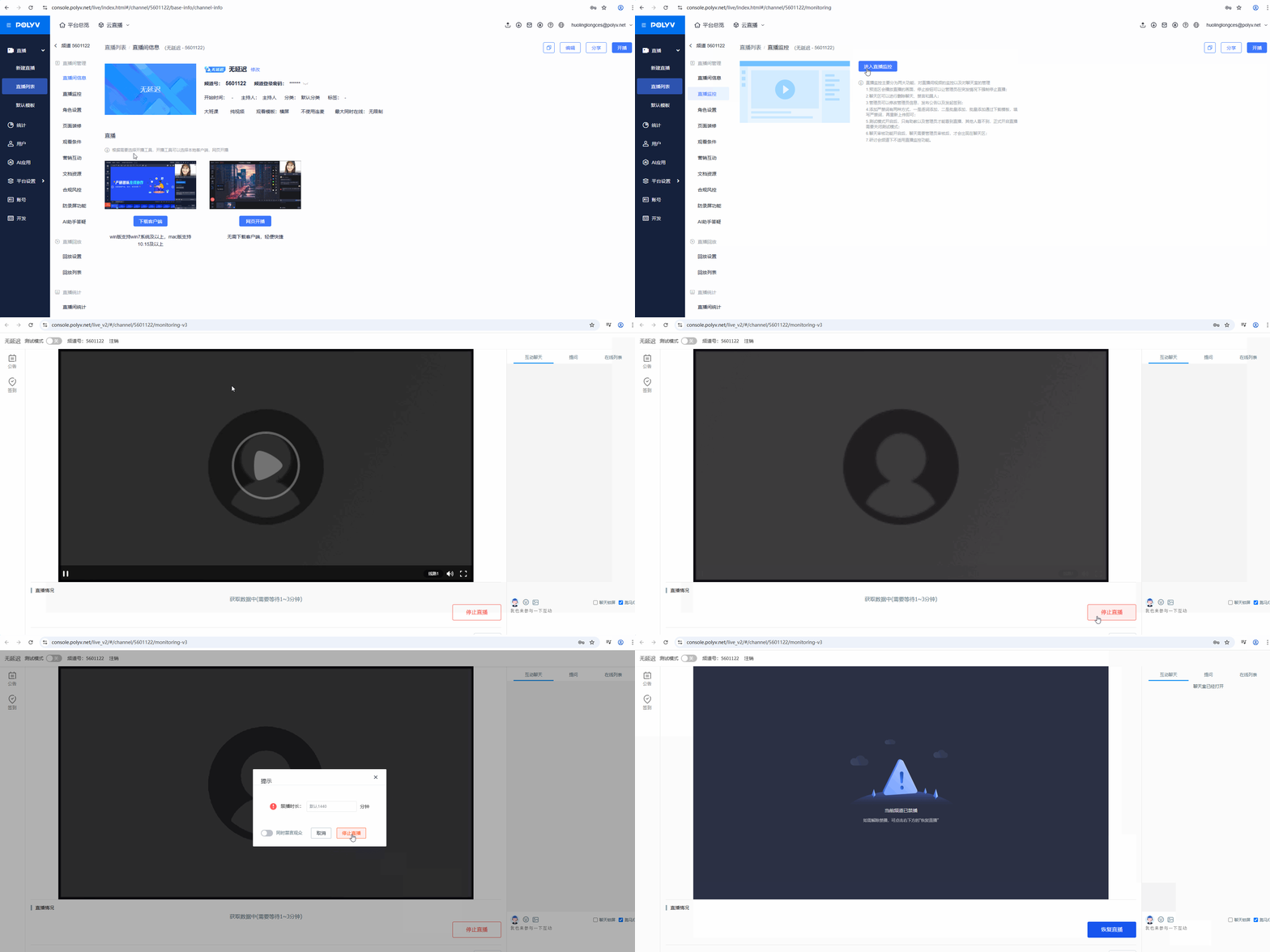
Q4: Unable to disable real-time captions in the backend when the live stream is not active
Go to Backend > Live Monitoring, check the live streaming status. If it shows "Streaming", click "Terminate Stream" to disconnect the stream.
Q5: Real-time captions do not display the guest's original audio or translation
Due to technical limitations, channels with co-streaming enabled currently do not support real-time captions. This will be optimized in future updates.
Q6: The real-time caption player does not show translated captions
Currently, the player only supports displaying original audio captions. Translated captions are only shown in the chat room.
Q7: Real-time captions have a delay
Since caption translation requires processing time, captions will appear slightly later than the original audio.
Q8: Can the translation target language be changed during a live stream?
Changing the original language or translation target language during a live stream is currently not supported.
Q9: Can the real-time caption feature be used with the integrated JSSDK?
Real-time captions are currently a SaaS product and have not been developed within the JSSDK.
Q10: What is the difference between real-time captions and smart captions?
Real-time captions and smart captions are two different products.
Real-time captions: A feature that displays audio captured during a live stream in real time.
Smart captions: A feature that displays audio from a video. After generating captions, you can customize the caption text and display timing.
Q11: In a page-decorated live room with bilingual settings, the real-time caption menu is not displayed on the English interface
The V3 viewing page is not enabled. Contact POLYV after-sales to enable the V3 viewing page to resolve this issue.
Q12: Sign error when using the create real-time caption API
Cause: Incorrect sign concatenation. Fields in the body should not be included in the sign.
Solution: Refer to the documentation for sign concatenation. When concatenating the sign, exclude fields from the body.
Q13: Real-time caption text appears and disappears intermittently on the viewing page
Cause: The client is pushing streams from both the client and the collector simultaneously, causing page response issues.
Solution: It is recommended to use our client directly for live streaming.
Q14: Real-time captions are not displayed on the viewing page
Cause: The client version is too old.
Solution: A client version of at least 4.26.0 is required.
Q15: If real-time captions are set to Chinese but English is inserted in between, what will be displayed?
When other languages are interspersed during a live stream, it is recommended to disable real-time captions. Multilingual content may cause inaccurate caption display.
Q16: Does pseudo-live streaming support the real-time caption feature?
No.
Q17: What languages are supported for original audio captions?
Currently supports 16 languages, including Mandarin, Uyghur, Portuguese, Korean, Cantonese, etc.
Q18: When publishing a replay video, other language captions cannot be selected
If no translation captions were set during the live stream, only the captions set during the live stream can be selected when publishing replay captions. During the live stream, set the real-time caption language and translation caption language as needed. Before publishing replay captions, you can select or simultaneously set the corresponding captions based on the live stream settings.
Q19: What languages are supported for translation captions?
Currently supports 21 languages, including Mandarin, Filipino, Thai, Malay, Indonesian, etc.
Q20: How many translation languages can be set on the viewing page?
The viewing page supports setting up to 10 translation languages for viewers to choose from. Note that the translation caption language cannot be the same as the original audio caption language.
Q21: Does the caption editing and publishing page support iframe embedding?
Yes. The settings page can be individually embedded and integrated into third-party platforms.
Q22: If real-time captions are used during a live stream, do replay captions need to be generated again?
No. Real-time caption files are automatically synced to the replay video. The replay captions will be consistent with the real-time captions used during the live stream.
Q23: After trimming a replay video, will the captions be trimmed along with the video?
Yes. After trimming the video, the caption file will be trimmed to the corresponding segment, keeping it consistent with the video progress.
Q24: After modifying replay captions and downloading the caption file, will the downloaded file be the unmodified source file or the modified file?
After modifying and saving captions, the download link for the caption file will automatically update to the modified content. When downloaded locally, it will be the latest updated caption file.
