


Learning Statistics
Updated: 2026-08-17 11:27:00
View attendance and course completion data for "Small Class Channel" sessions. Suitable for scenarios requiring tracking of student learning progress, such as training and teaching.
1. Learning Statistics List
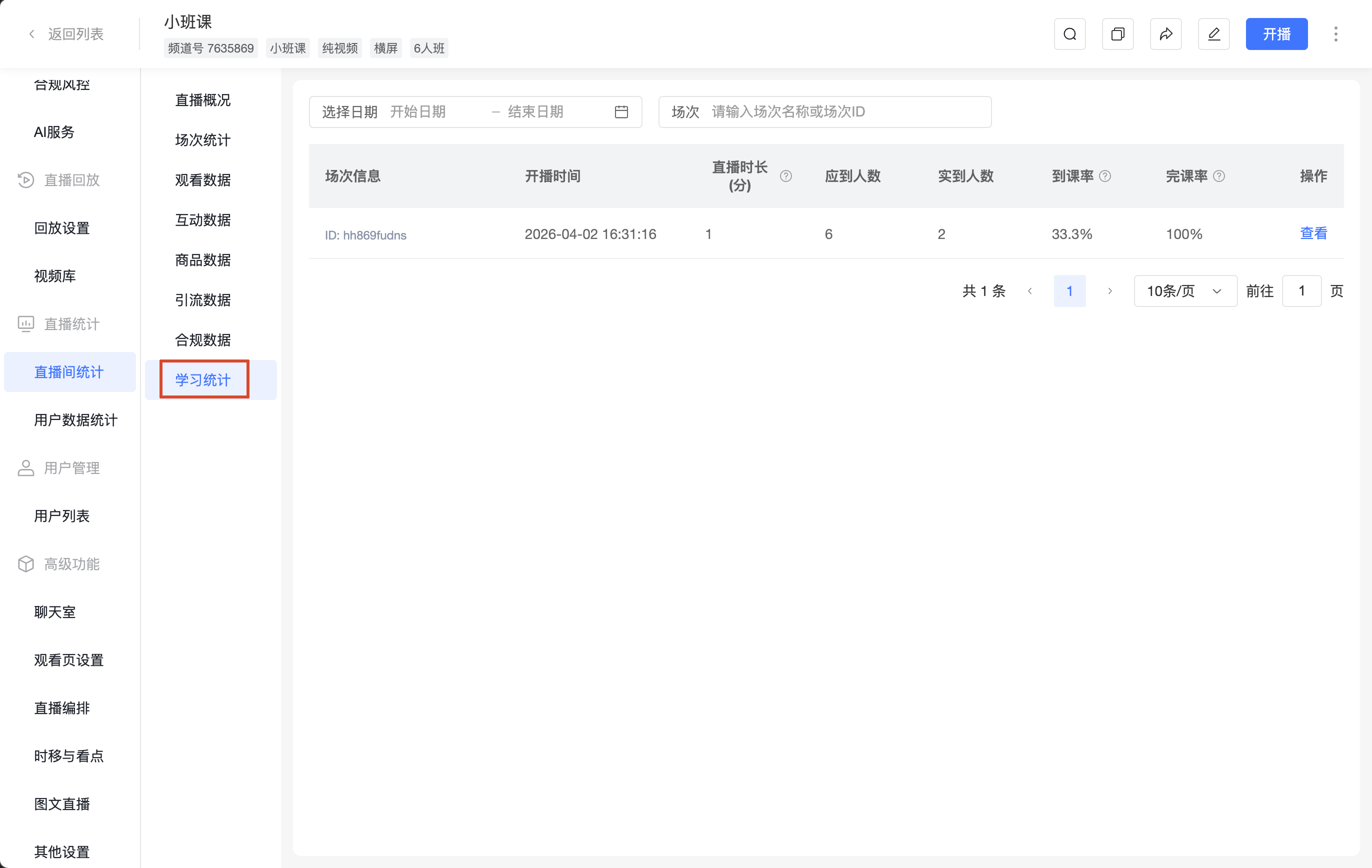
| Field | Description |
|---|---|
| Session Info | Session name and session ID |
| Start Time | The start time of this session |
| Live Duration (min) | The duration the main speaker was live in this session. The result is rounded up; less than 1 minute is counted as 1 minute. |
| Expected Attendees | The maximum number of students for the selected class type |
| Actual Attendees | The number of students who actually watched the live stream |
| Attendance Rate | (Actual Attendees / Expected Attendees) × 100%, result rounded to 1 decimal place |
| Completion Rate | (Students Completed / Actual Attendees) × 100%, rounded to 1 decimal place. Students Completed refers to students with 100% learning progress. Actual Attendees refers to the number of students who actually watched the live stream. |
| Actions | Supports [Viewing] the details of students within a session |
2. Learning Statistics Details
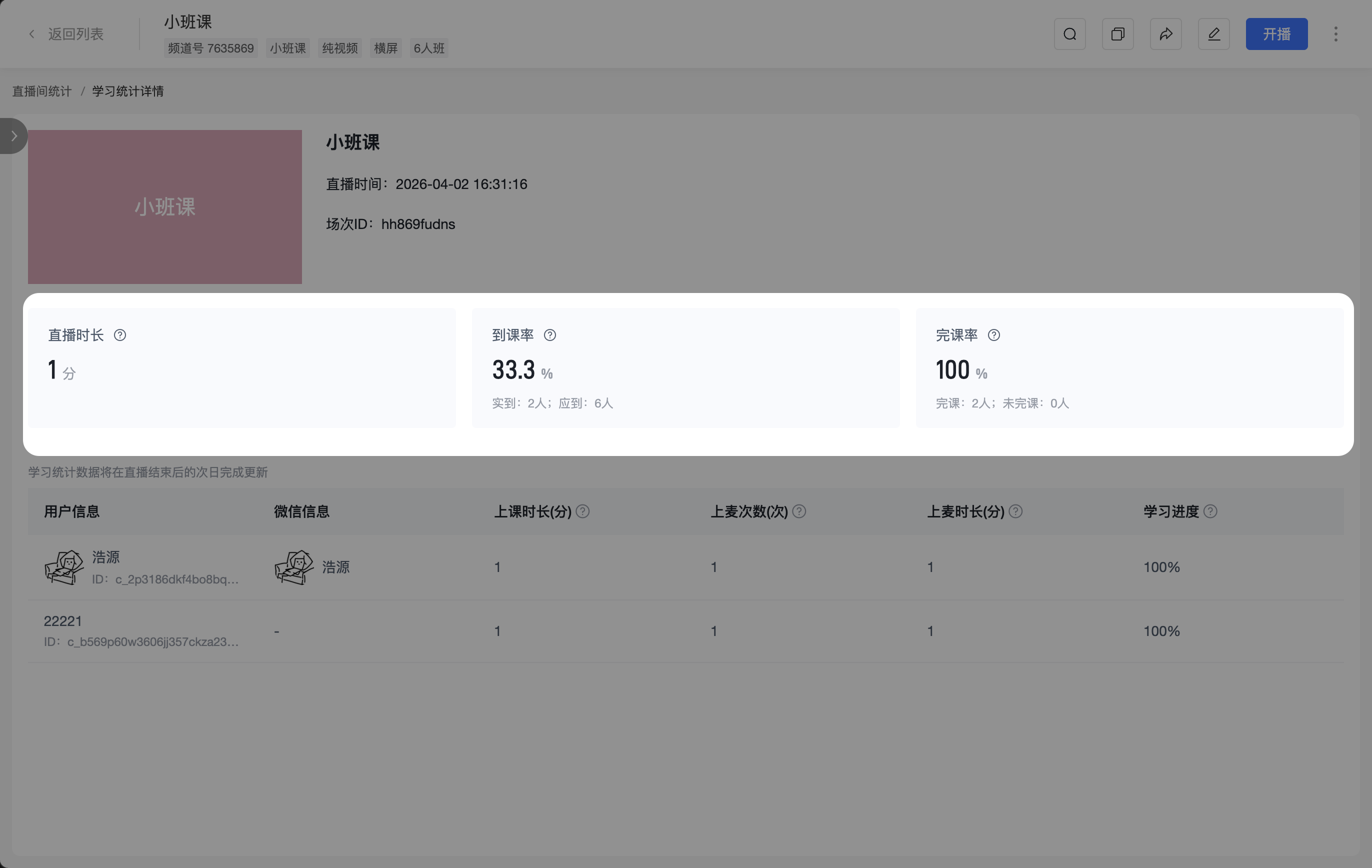
Click [View] for a specific session in the list to enter the [Learning Statistics Details] page. This page is used to view the overall attendance performance of the session and the learning records of each student.
(1) Session Overview
The overview displays the core metrics for this session:
- Live Duration: The duration the main speaker was live in this session. The result is rounded up; less than 1 minute is counted as 1 minute.
- Attendance Rate: (Actual Attendees / Expected Attendees) × 100%, result rounded to 1 decimal place. Actual Attendees refers to the number of students who actually watched the live stream. Expected Attendees refers to the maximum number of students for the selected class type.
- Completion Rate: (Students Completed / Actual Attendees) × 100%, rounded to 1 decimal place. Students Completed refers to students with 100% learning progress. Actual Attendees refers to the number of students who actually watched the live stream.
(2) List Detail Fields
Learning statistics data is updated the day after the live stream ends. Data may not be available if viewed on the same day.
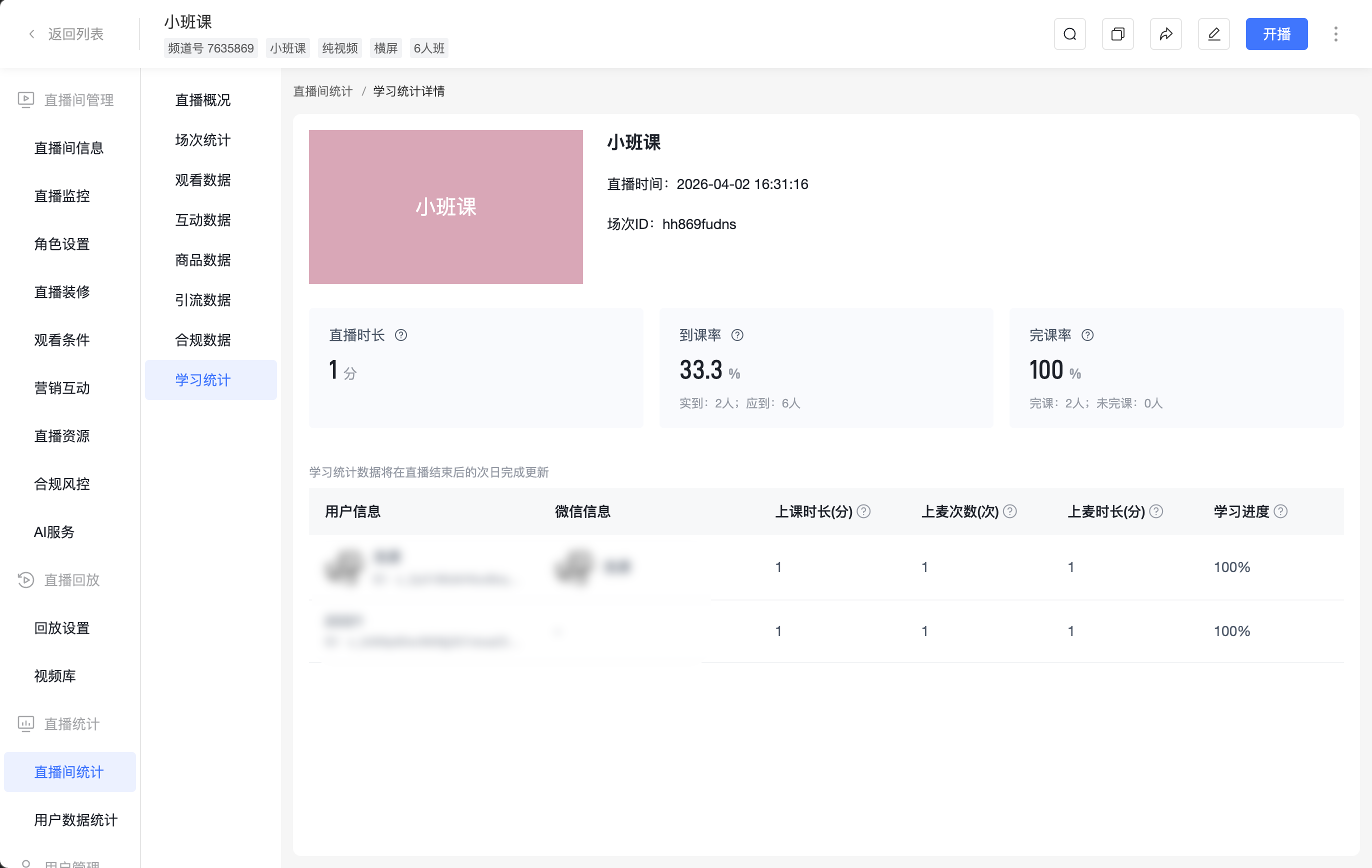
| Field | Description |
|---|---|
| User Info | Student nickname, avatar, and user ID |
| WeChat Info | The associated WeChat nickname and avatar of the student |
| Class Duration (min) | The total cumulative time the student watched the live stream in this session. The result is rounded up; less than 1 minute is counted as 1 minute. |
| Times on Mic (times) | The cumulative number of times the student went on the mic during this session |
| Mic Duration (min) | The cumulative duration the student was on the mic during this session. The result is rounded up; less than 1 minute is counted as 1 minute. |
| Learning Progress | (Student's class duration for this session / Main speaker's live duration for this session) × 100%, result rounded to 1 decimal place |
