


Instructions
Updated: 2026-08-17 11:27:00
SaaS Integration
Suitable for customers who require zero-code usage.
Create a Live Streaming Channel
When creating, select "No Delay" for the live streaming latency option
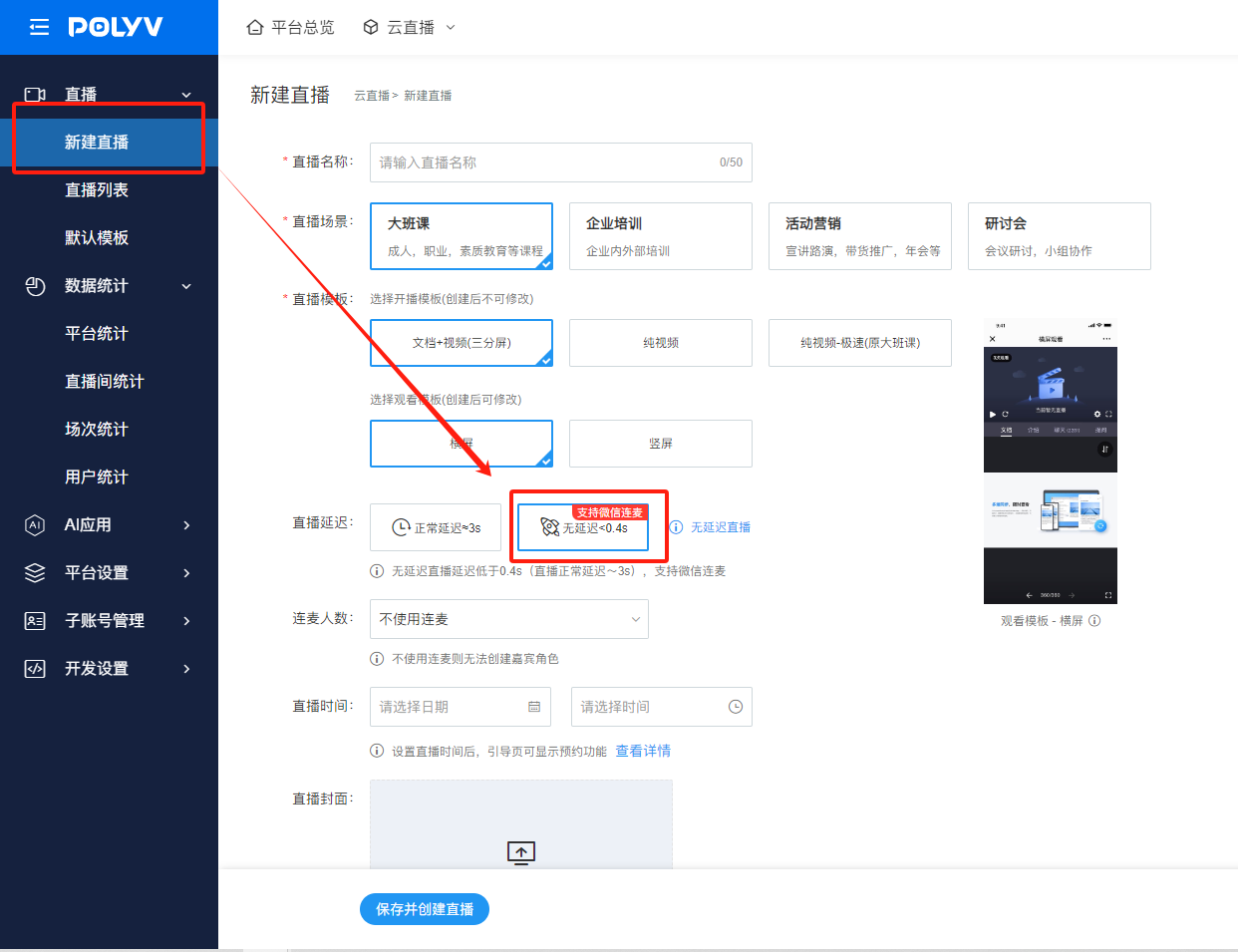
Log in to the Broadcasting End
Supports logging into the following broadcasting end versions to initiate no-delay live streaming:
- Web broadcasting
- Win client version 4.0.0 and above
- Mac client
SDK Integration
For existing customers who have already used Polyv live streaming services and are integrating via SDK, aiming to achieve no-delay viewing on their own pages and apps.
SDK Versions Supporting No-Delay Viewing
| Endpoint | Integration Method | Supported | Not Supported | Compatibility |
|---|---|---|---|---|
| PC Web/Mobile Web | JS-SDK | Live JS-SDK (Currently, this is an independent JS file based on the live JS-SDK version in the Help Center, adding no-delay logic while keeping other logic consistent.) Integration Instructions * For new integration: Follow the documentation here * For upgrading existing projects: If you already use the live JS-SDK, follow the instructions to replace the JS file and add the lowLatency: <font color="purple">true</font> parameter.Resources * Live JS-SDK in Help Center * No-Delay Live JS-SDK: Automatically degrades to delayed viewing on systems and browsers that do not support no-delay viewing. |
* Embedded player * Chatroom JS-SDK * Embedded player + Chatroom JS-SDK None support no-delay viewing! Automatically degrade to delayed viewing. |
PRTC Web SDK Mobile Compatibility |
| Mobile App | Mobile SDK | Live Multi-Scene Viewing SDK Android iOS If your app is not already integrated with the Live Multi-Scene Viewing SDK, follow the GitHub integration documentation to integrate the latest multi-scene viewing SDK. The SDK already includes no-delay viewing capabilities. |
Cloud Classroom Viewing SDK Standard Live Viewing SDK None support no-delay viewing! Automatically degrade to delayed viewing. |
System versions compatible with no-delay viewing 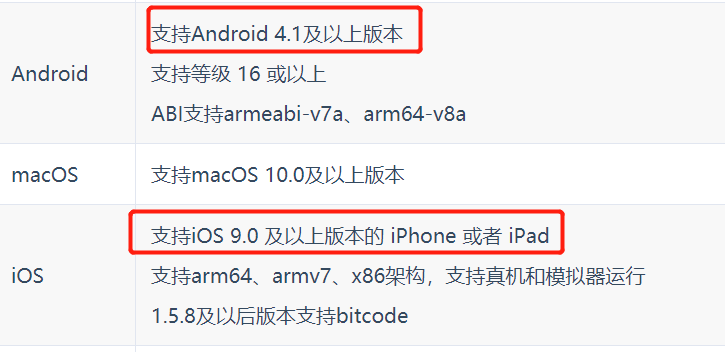 |
| Mobile App | WebView H5 Page | Not recommended. No-delay compatibility is poor and depends on device model, system version, and browser. For a better no-delay viewing experience, integrate the SDK! |
