


Lucky Draw
I. Feature Overview
| Feature Info | Description |
|---|---|
| Feature Name | Lucky Draw |
| Feature Description | Supports creating lucky draw activities within a platform or channel. Viewers can participate and draw prizes on their own after entering the activity. |
| Purpose | Encourage viewers to engage in live stream interactions and boost live room activity. |
| Usage Scenarios | Suitable for private domain live commerce, corporate annual meetings, festivals, celebrations, and other live streaming scenarios. |
| Operation Path | Platform Activity: Applications → Lucky Draw; Channel Activity: Live Channel → Marketing & Interaction → Lucky Draw |
II. Usage Instructions
1. Feature Entry
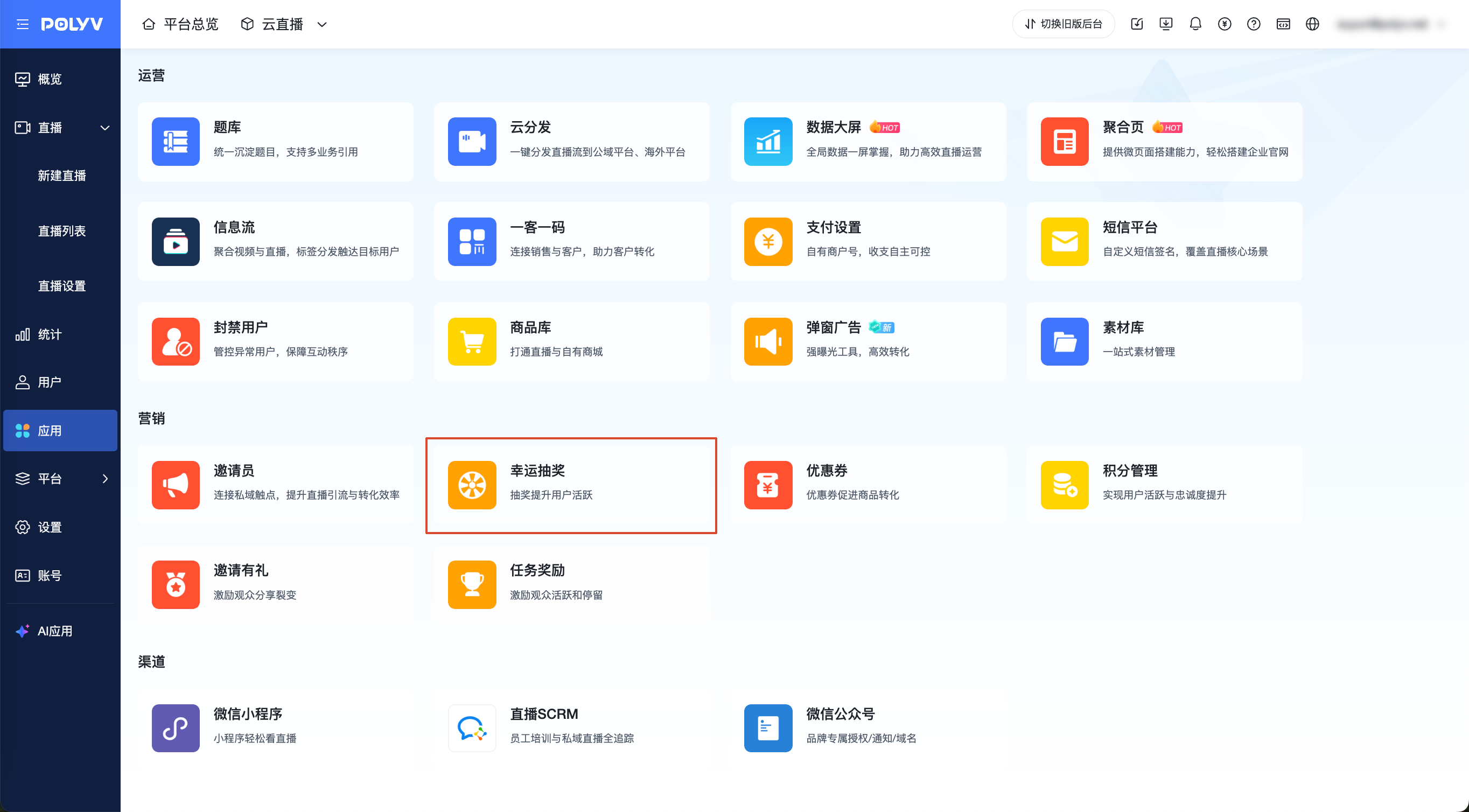
- Platform Creation: Go to [Applications] → [Lucky Draw], click [Create Draw], and the activity can be launched to selected channels.
- Channel Creation: Go to the target channel's [Marketing & Interaction] → [Lucky Draw], click [Create Draw], and the activity is automatically bound to the current channel.
- You can also use [Lucky Draw] in the new assistant page (PC, Mobile), live stream console, web broadcasting (1.0, 2.0), and client to create and manage activities for the current channel.
The image below shows the platform creation entry.
2. View Activity List
The activity list within a channel displays both activities created in the current channel and activities created on the platform and launched to the current channel. They can be distinguished by the [Activity Source] tag.
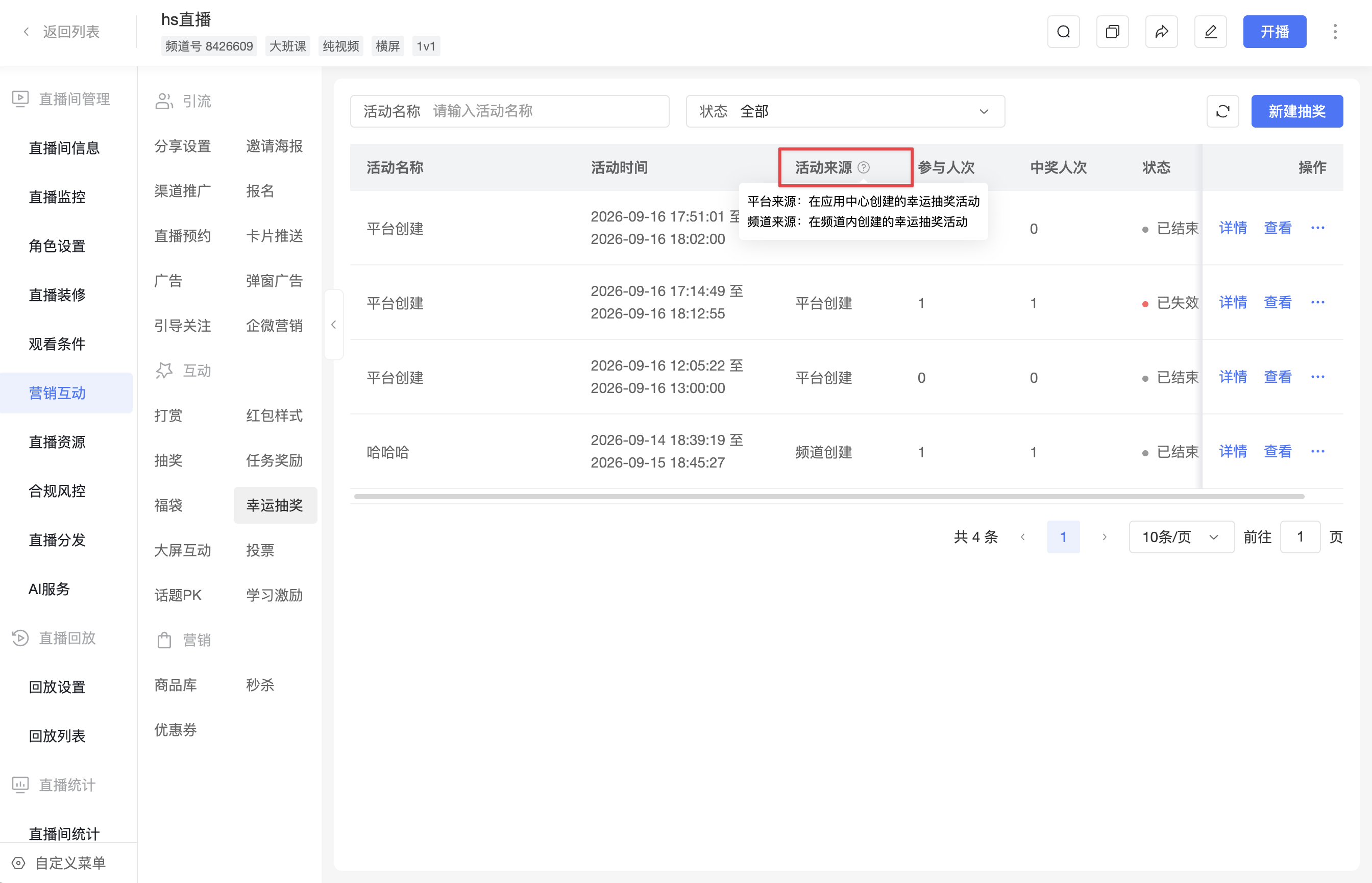
| Activity Source | Operations Allowed in Channel | Operations Not Allowed in Channel |
|---|---|---|
| Platform Created | View details, view current channel data, copy as a new activity for the current channel | Edit, stop, delete the original activity |
| Channel Created | View details, edit, view data, stop, copy, delete (deletion subject to existing conditions) | Modify the assigned channel |
The platform side can view, edit, and stop activities created by the channel, but cannot modify their assigned channel.
3. Create a Draw
Platform activities and channel activities use the same templates, basic information, and prize configuration.
(1) Select Template
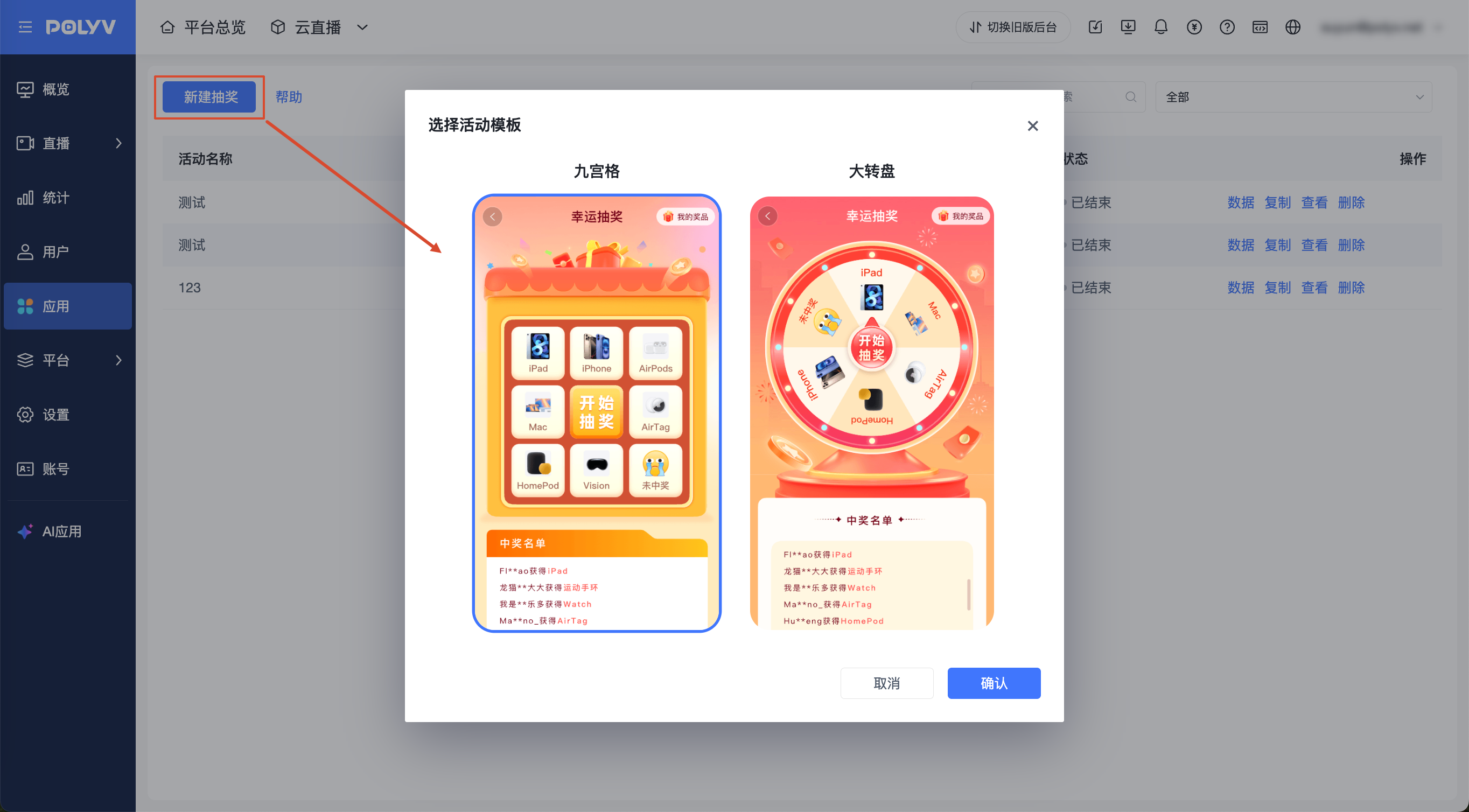
Two draw templates are available: a 9-grid (supports up to 8 prizes) and a wheel (supports up to 6 prizes).
(2) Basic Information
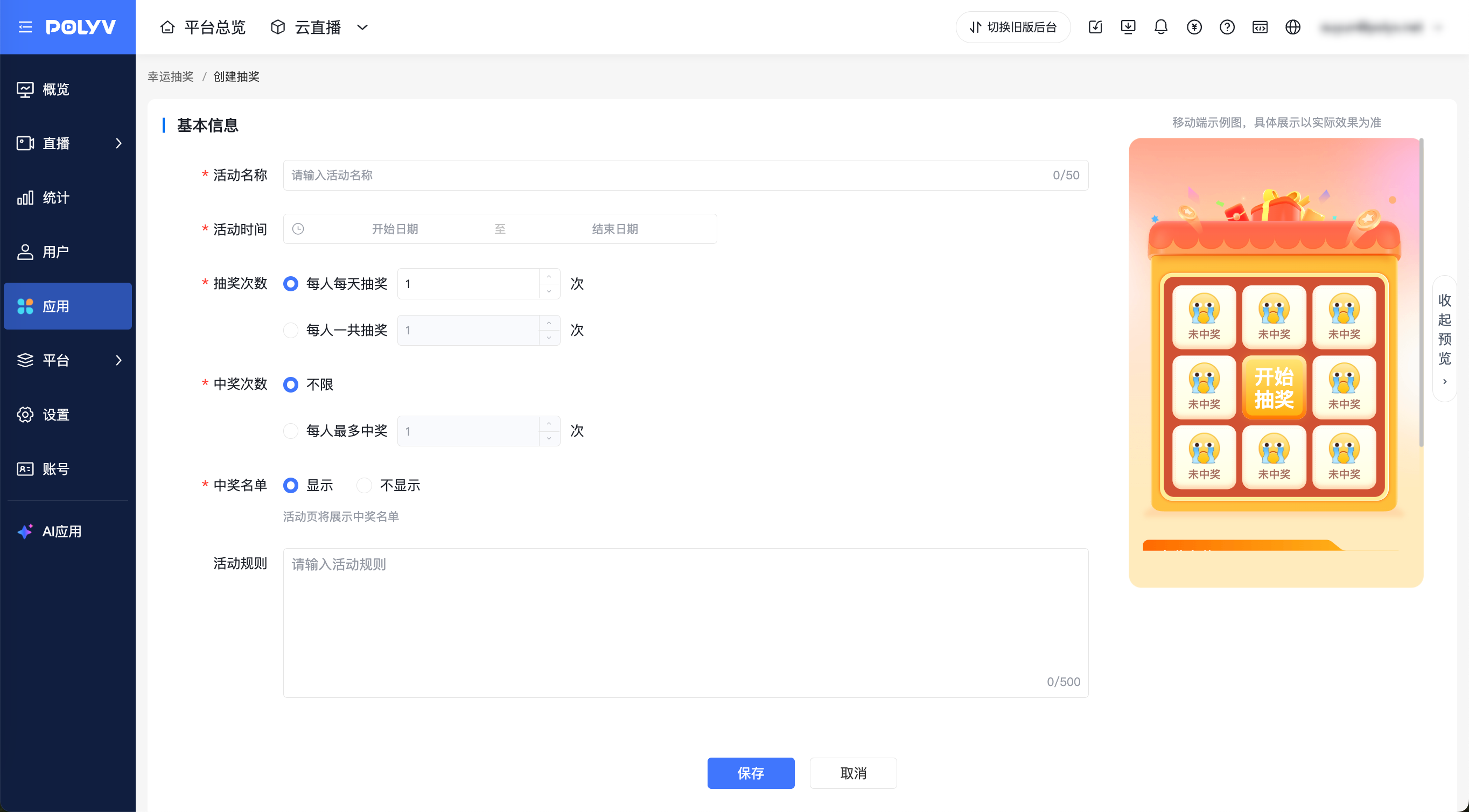
- Activity Name: Supports up to 50 characters.
- Activity Time: The activity time cannot be set earlier than the current time.
- Draw Count: Supports setting the number of draws per person per day; supports setting the total number of draws per person.
- Win Count: Supports setting unlimited win count; supports setting the maximum number of wins per person.
- Winner List: Supports displaying the winner list on the activity page.
- Activity Rules: Supports describing the rules of the draw activity.
(3) Prize Settings
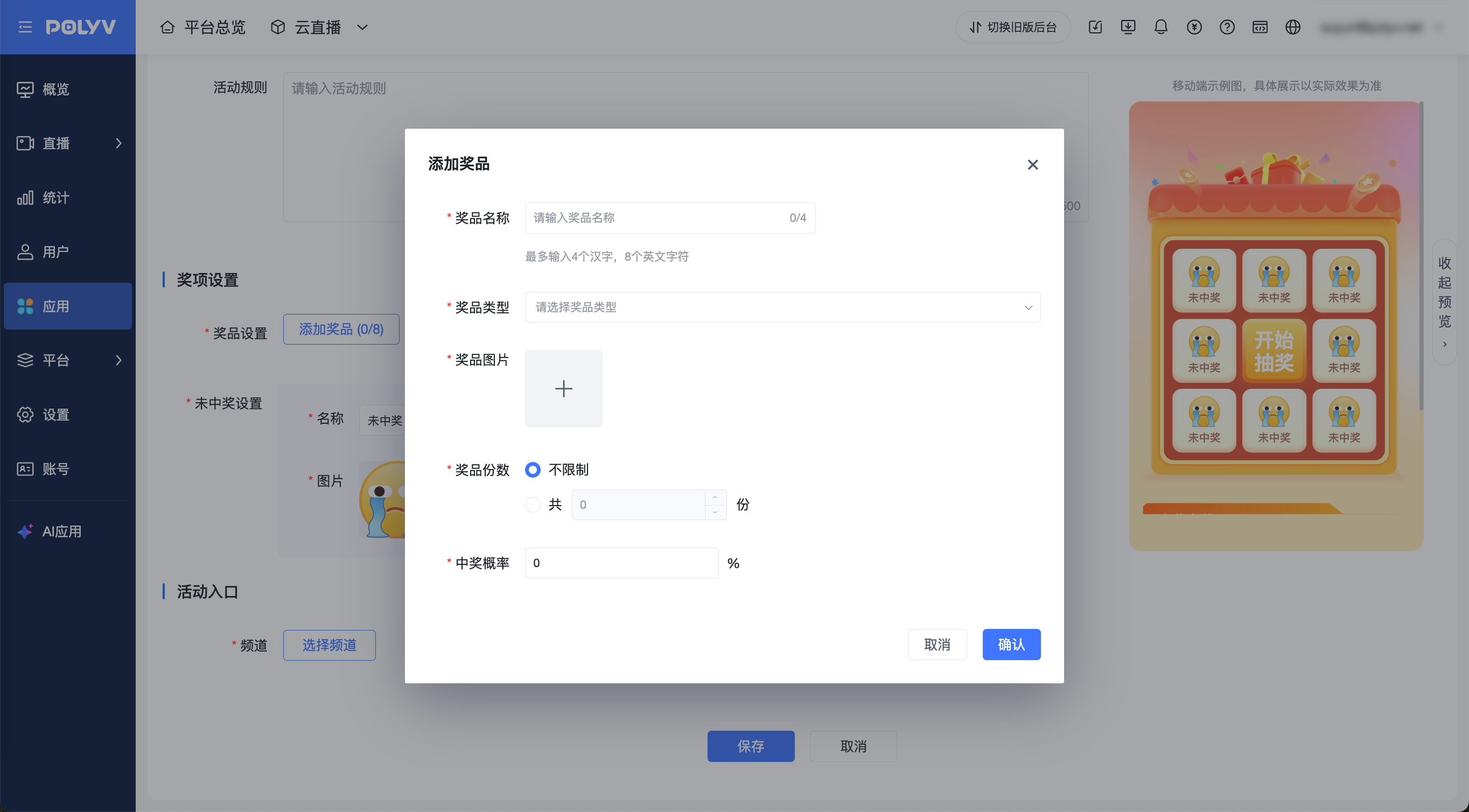
- Prize Setup
- Prize Name: Supports setting the prize name.
- Prize Type: Supports setting custom prizes; supports setting external points.
- Prize Image: Supports uploading a prize image.
- Prize Quantity: Supports setting the number of prize copies.
- Win Probability: Supports setting the probability of winning this prize.
- The sum of win probabilities for all prizes cannot exceed 100%; if the sum is less than 100%, the remaining probability is automatically distributed evenly to the "no win" category.
- When a prize's quantity = 0, its probability is automatically set to 0%:
- Case 1: If the 9-grid or wheel has at least one "Thank You for Playing" slot, after the prize quantity runs out, the prize's probability is distributed to the "Thank You for Playing" slot.
- Case 2: If the 9-grid or wheel consists entirely of prizes with no "Thank You for Playing" slot, after the prize quantity runs out, that prize is replaced with a "Thank You for Playing" slot, which inherits the prize's probability.
- When configured as a custom prize, the collection method can be set: supports adding collection fields such as shipping address, name, and phone number.
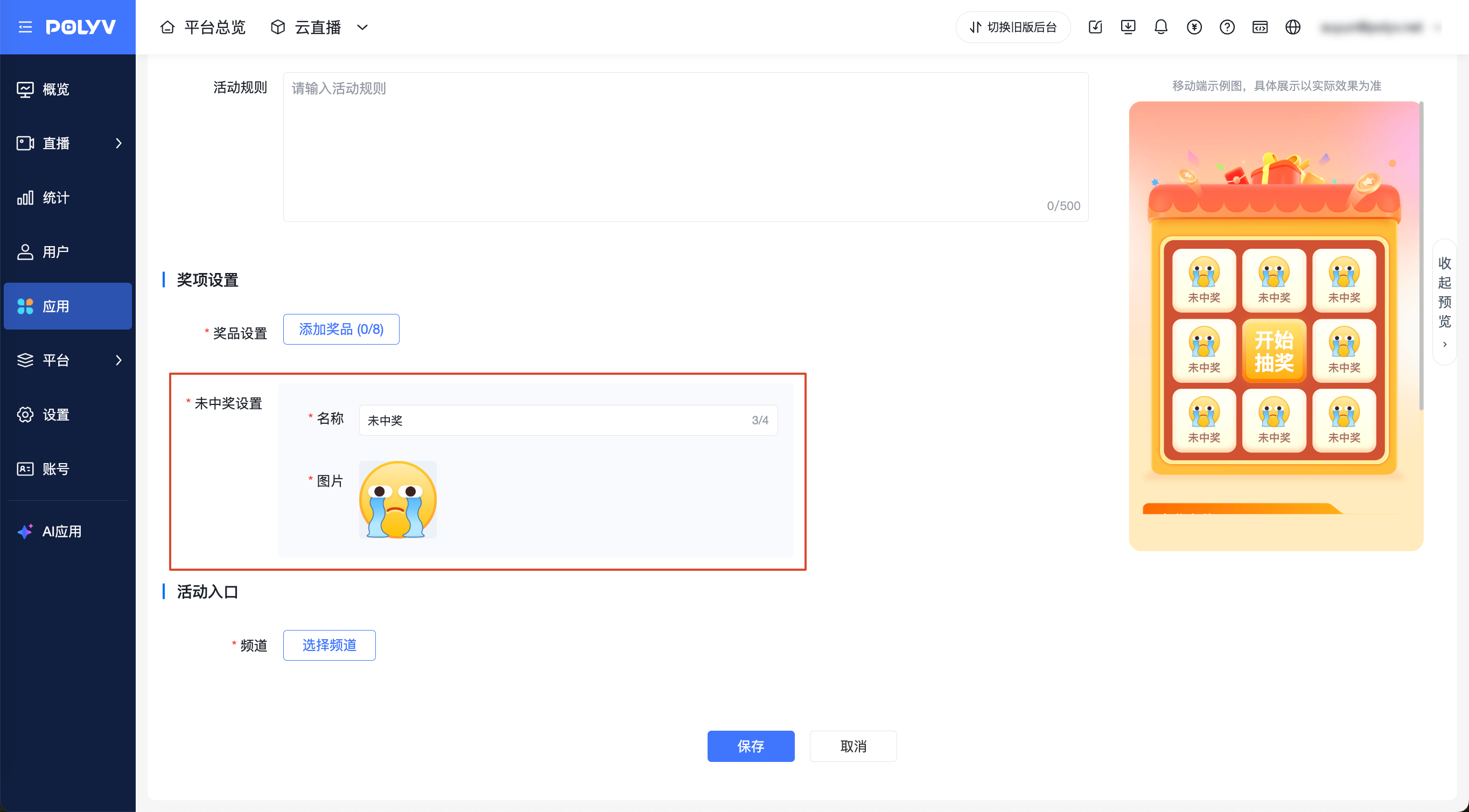
- No Win Settings
- Supports setting the name and image for the "no win" category.
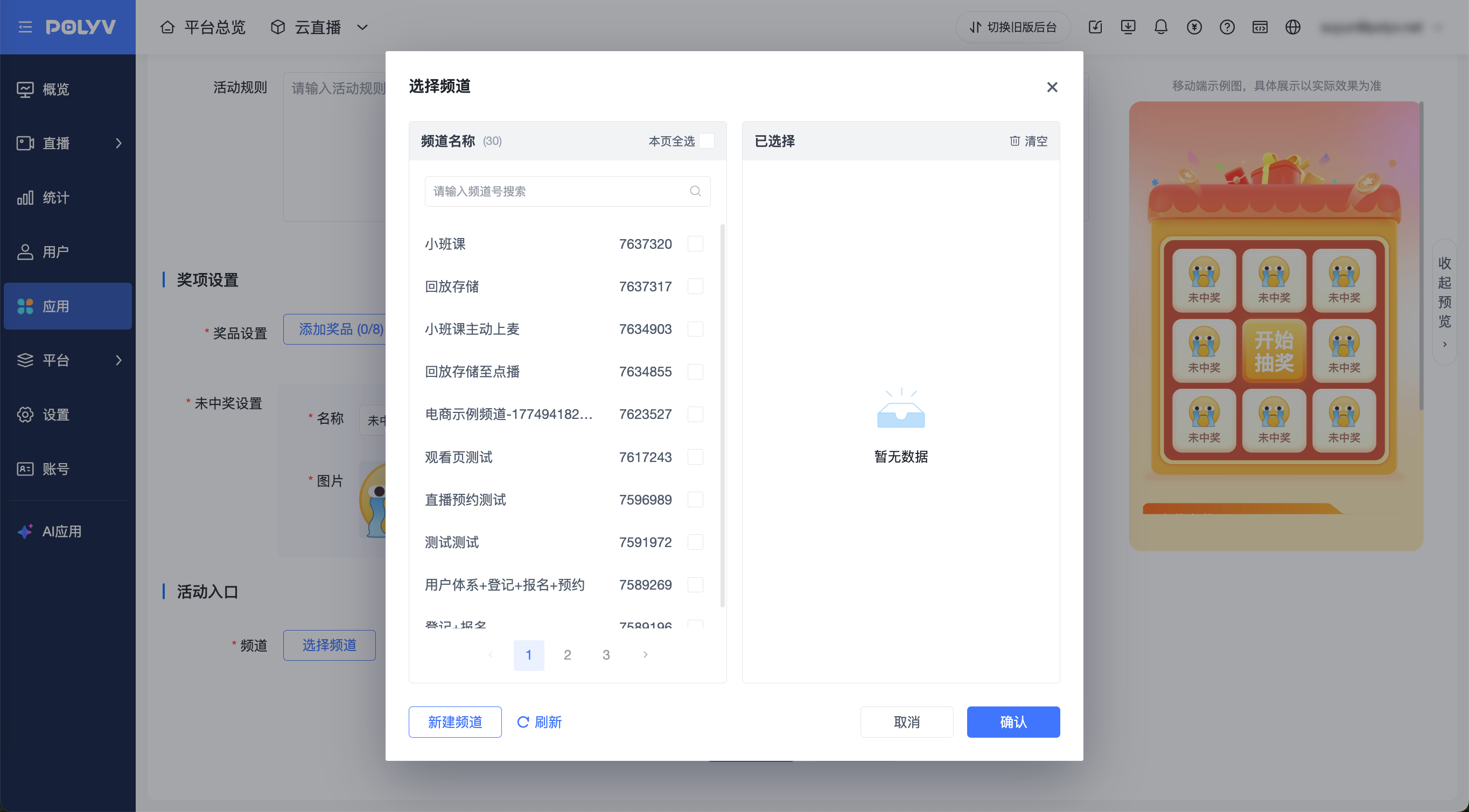
(4) Activity Assigned Channel
- Platform Created Activity: Click [Select Channel], check the channels, and confirm to add the activity to the selected channels.
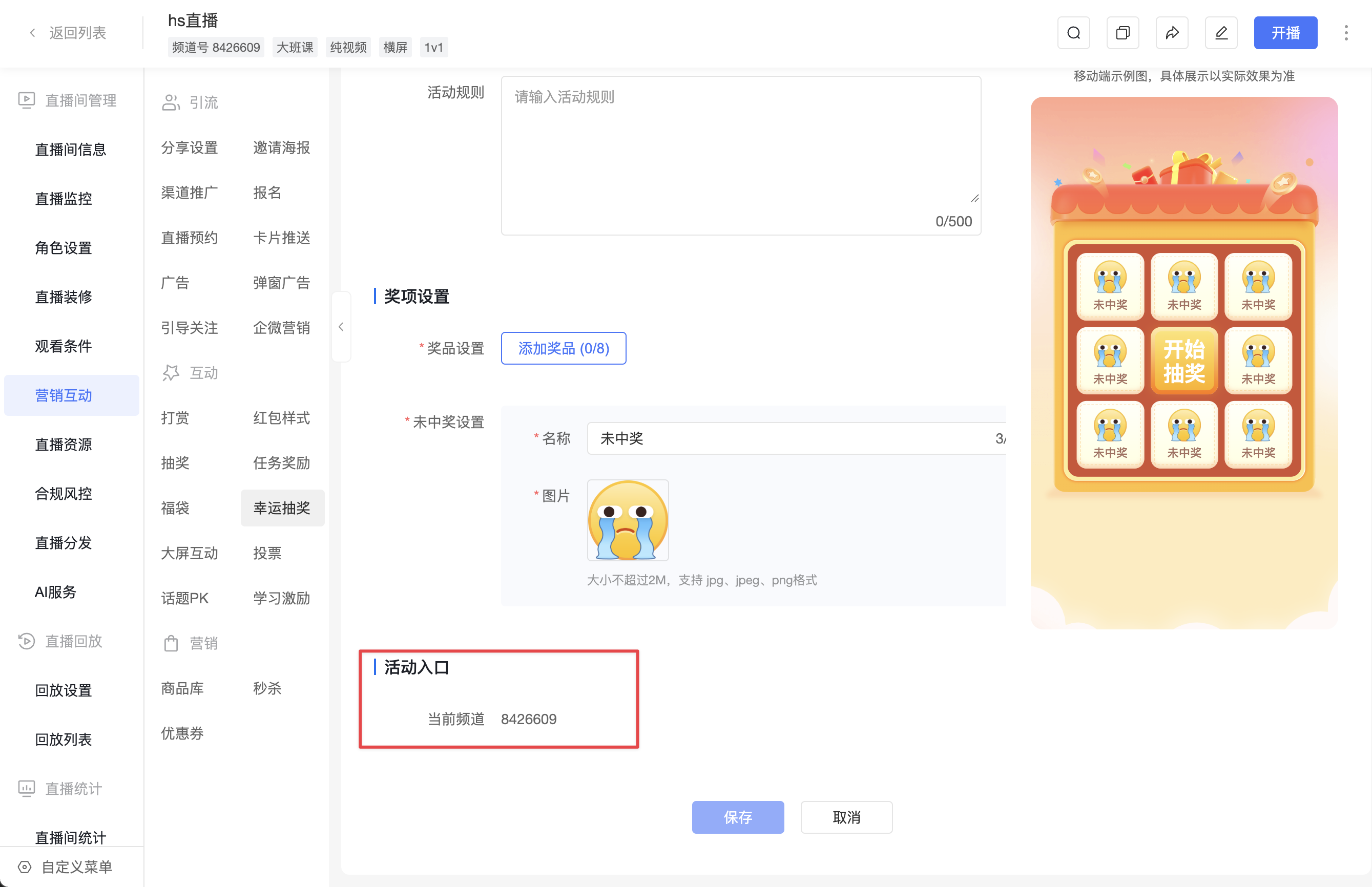
- Channel Created Activity: Displays the current channel ID by default, does not show [Select Channel], and the channel ID is not editable.
- Supports configuration for pseudo-live streaming: No need for an assistant to open the assistant page. As long as the platform draw activity is configured in advance, viewers can participate on their own when the time comes.
The image below shows the channel selection interface for platform activities.
For channel-created activities, the current channel is fixedly displayed in [Activity Entry], as shown in the image below.
4. Adjust a Draw
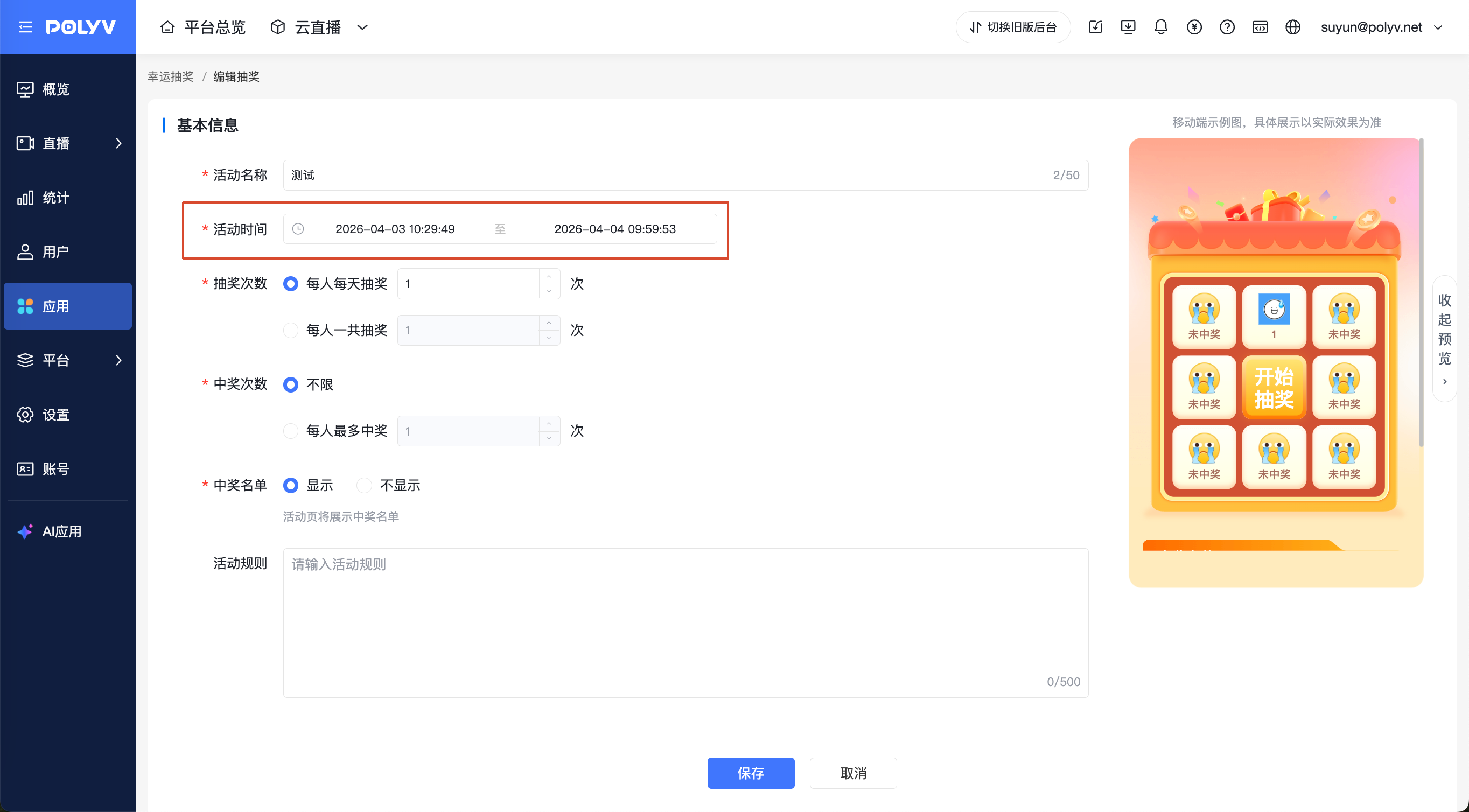
- Platform Created Activity: The activity end time and selected channels can be adjusted on the platform side; editing is not supported on the channel side.
- Channel Created Activity: The activity end time can be adjusted, but the assigned channel cannot be modified. When managing this activity on the platform side, the assigned channel also cannot be modified.
The image below shows the editing interface for platform activities.
5. Terminate a Draw
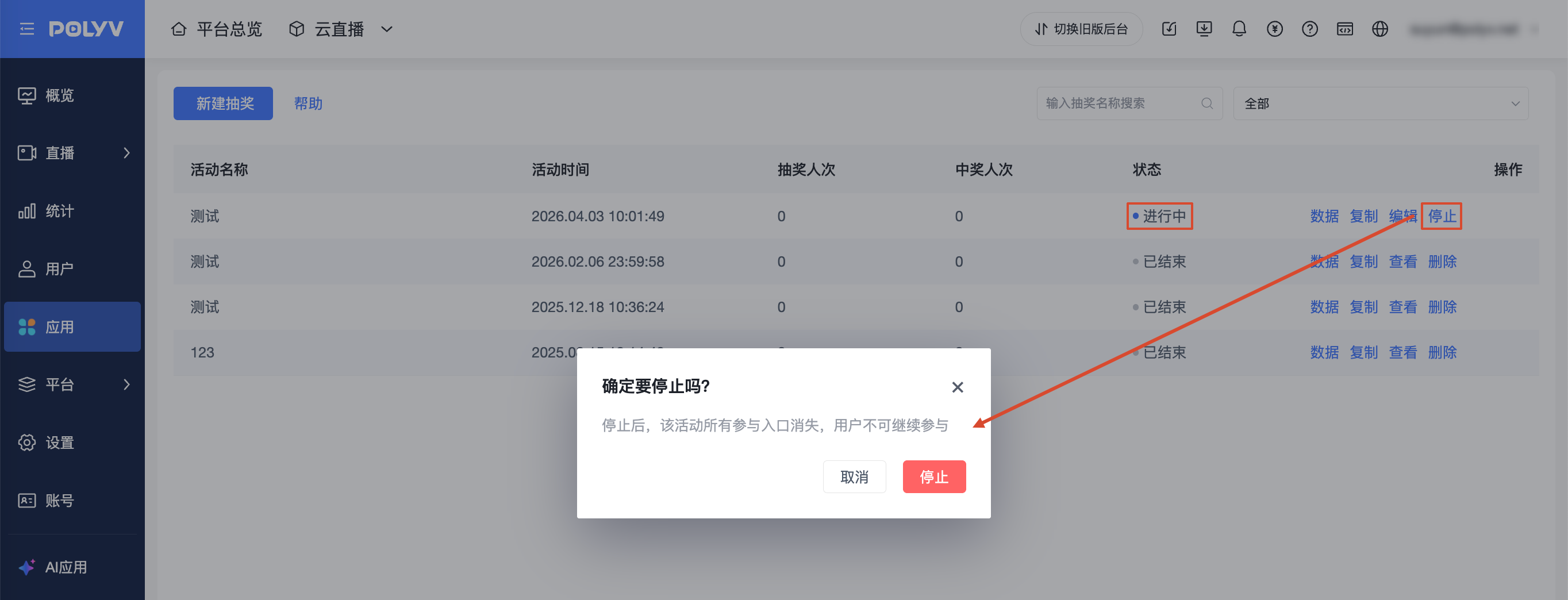
Click [Stop] to end the draw activity.
- Within a channel, only ongoing activities created in the current channel can be stopped; activities created on the platform cannot be stopped.
- Once a channel activity is stopped, it ends immediately and cannot be recovered. It does not affect other channels or activities created on the platform.
- The platform side can also stop activities created by the channel.
- Ended channel activities cannot be restarted. To use a similar configuration again, create a new activity via [Copy].
The image below shows the stop operation on the platform side.
6. Copy and Delete Activities
- Copy: Within a channel, platform activities or channel activities can be copied. The new activity is bound to the current channel by default. The scope of the activity configuration copy is consistent with the existing copy rules on the platform side.
- Delete: The channel side only supports deleting activities created in the current channel that meet the deletion conditions. Activities created on the platform cannot be deleted. The deletion conditions and data processing after deletion are consistent with the existing rules on the platform side.
III. Viewer Draw Experience
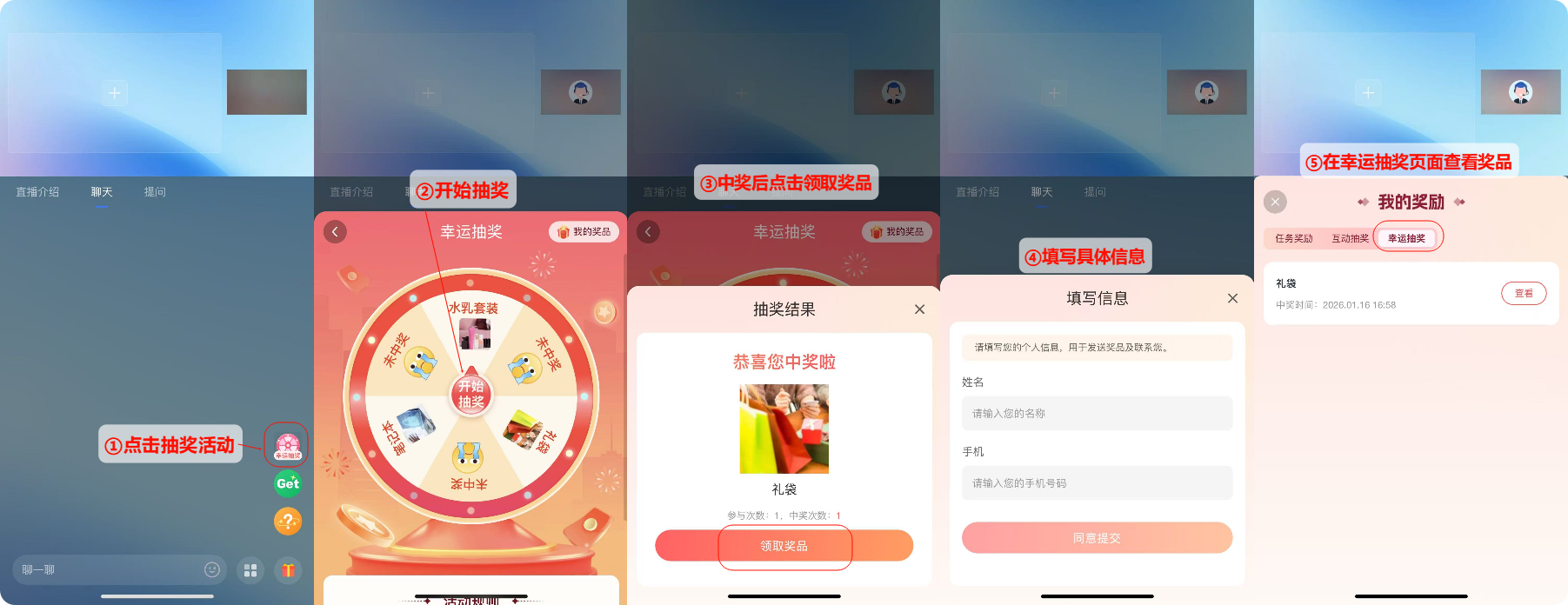
The participation process for viewers is the same for both platform activities and channel activities. Once the activity reaches its start time, viewers in the current channel can enter the activity and draw prizes on their own. After winning, they fill in the prize claim information according to the activity configuration and can view their winning records through the existing reward entry.
Operation Path: Viewers click the draw activity in the chat page → Start drawing → After winning, click [Claim Prize] → Fill in specific information → View the prize in [Lucky Draw].
IV. View Draw Data
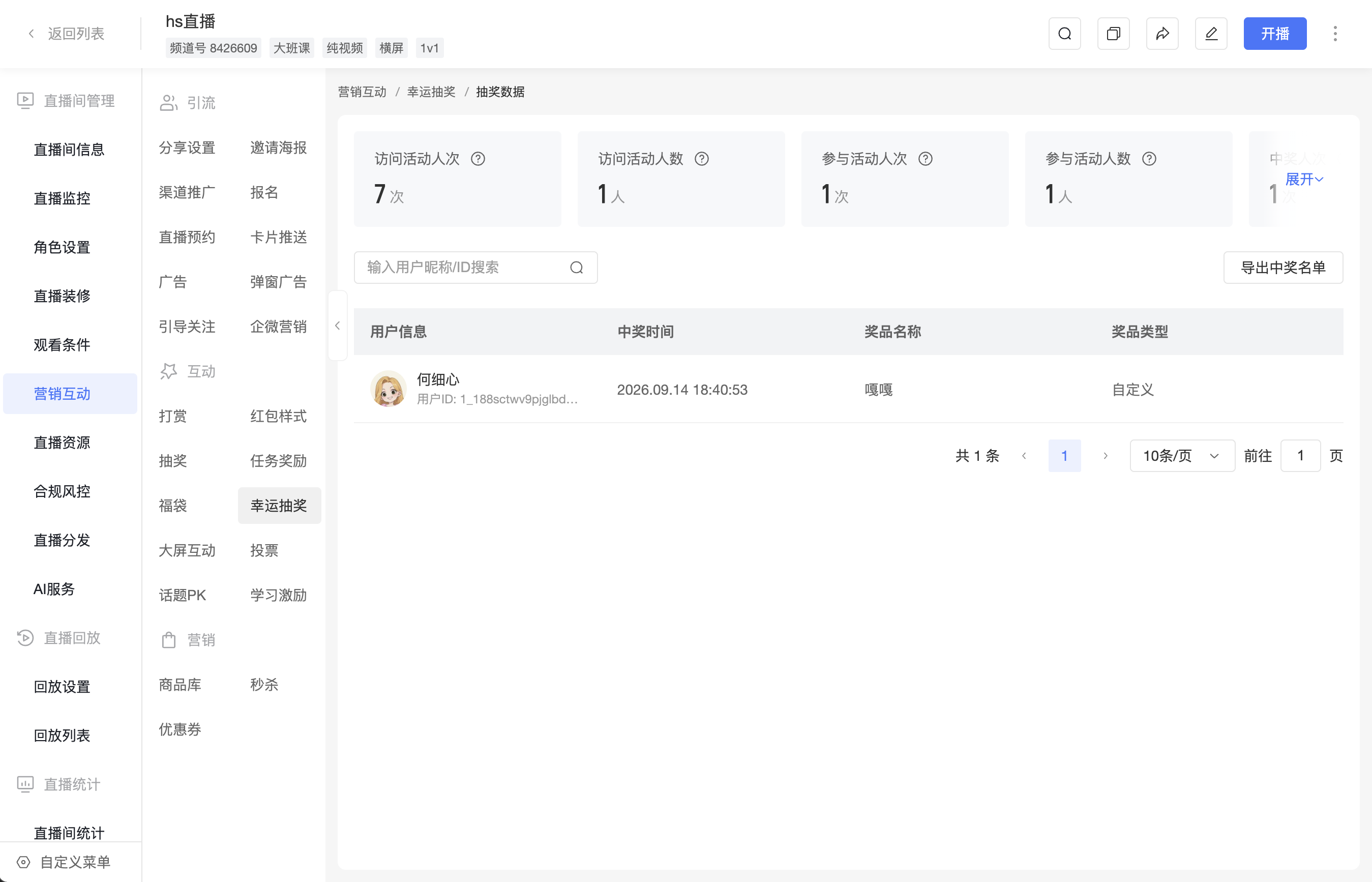
- Click [Data] to view detailed metrics for the draw activity.
- Supports exporting the winner list, including shipping information such as name and phone number.
When viewing data, the scope is determined by the activity source and access entry:
| View Entry | Activity Source | Data Scope Viewable |
|---|---|---|
| Channel Side | Channel Created | All data for this activity |
| Channel Side | Platform Created | Only data generated by the current channel |
| Platform Side | Channel Created | Managed uniformly by the platform; the activity still belongs to the original channel |
The channel side does not display channel filtering or data generated by other channels. Activity metrics, winner lists, and export capabilities are consistent with the existing data page.
The channel-side data page is shown in the image below. You can view the activity metrics for the current channel, search for winning records by user nickname or ID, and click [Export Winner List] to export data.
V. Frequently Asked Questions
Q: Why can't I edit, stop, or delete certain activities within a channel?
A: First, check the [Activity Source]. Activities marked as [Platform Created] are managed uniformly by the platform. The channel side only supports viewing details, viewing current channel data, and copying; it cannot edit, stop, or delete the original activity.
Q: Can a channel-created activity be moved to another channel?
A: No. Channel activities are fixedly assigned to the channel where they were created. Neither the channel side nor the platform side can modify their assigned channel. If a similar configuration is needed in another channel, create a new activity in the target channel.
Q: Can a channel activity be restarted after being stopped?
A: No. Once stopped, the activity ends immediately and cannot be recovered. To use a similar configuration again, create a new activity via [Copy].
Q: Why is the data for a platform activity different when viewed from the channel side versus the platform side?
A: The channel side only displays data generated by the current channel. It does not display data from other channels or provide channel filtering.
