


Coupons
Updated: 2026-08-17 11:27:00
Feature Info |
Description |
|---|---|
| Feature Name | Coupons |
| Feature Overview | Supports issuing custom coupons during live streams; viewers can claim them in the live room |
| Purpose | To increase viewers' purchase intent through coupons |
| Use Cases | Suitable for private domain sales, promotional events, and other live streaming scenarios |
| Operation Path | 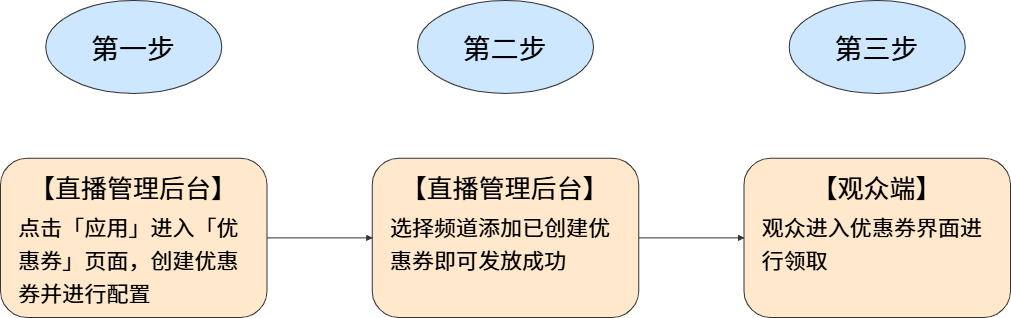 |
II. Usage Instructions
1. Feature Entry
Operation Path: 【Apps】-【Coupons】
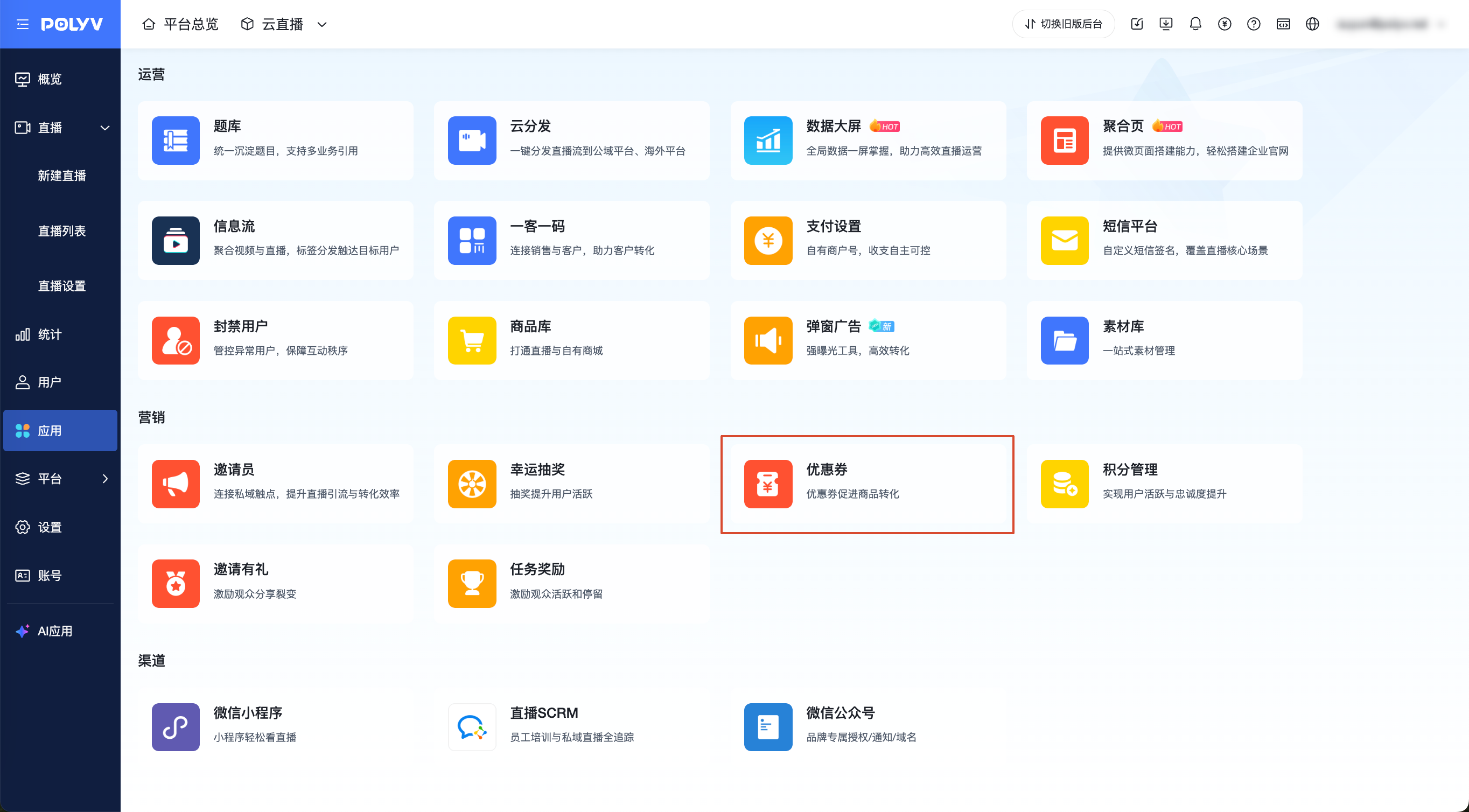
2. Creating Coupons
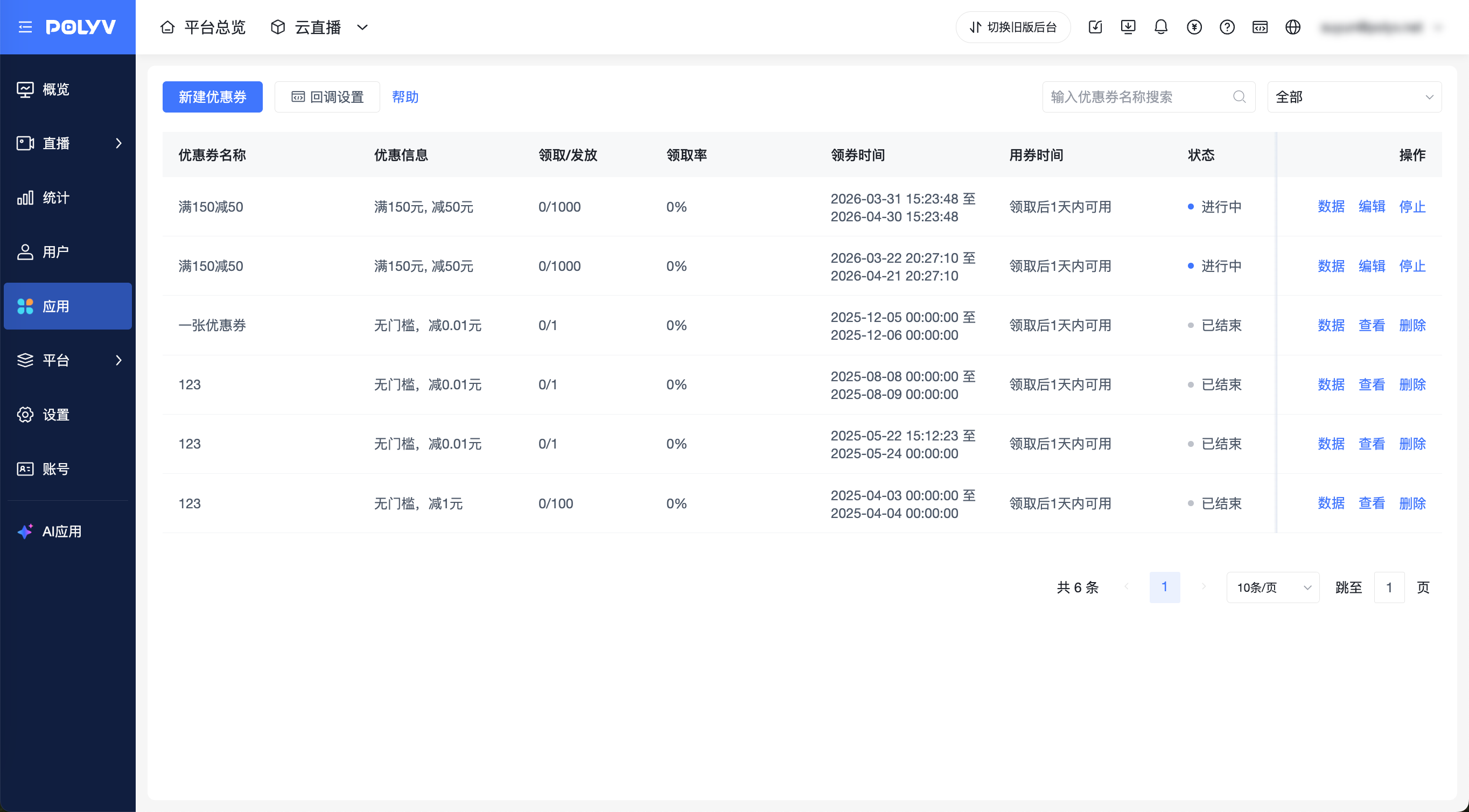
- Click 【New Coupon】 to enter the creation page. After configuring the settings, save to create successfully.
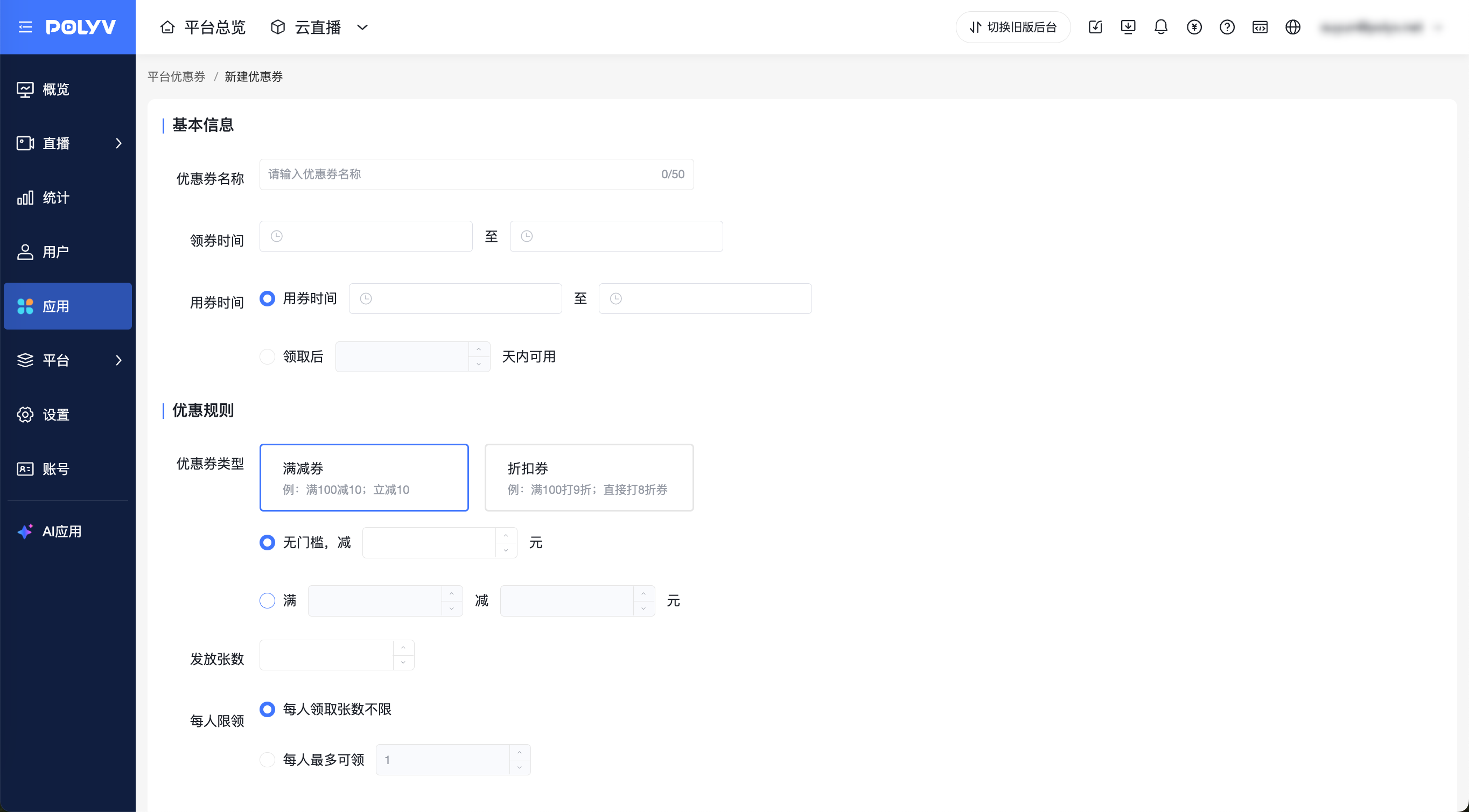
Complete basic information
- The coupon claim start time must be later than the current time; the usage time must be after the claim start time.
- Supports setting a specific validity period for the coupon.
- Supports setting usage within a certain number of days after claiming.
Set discount rules
- Fixed-amount discount: Supports setting no-minimum flat discounts; supports setting minimum-spend flat discounts.
- Percentage discount: Supports setting no-minimum percentage discounts; supports setting minimum-spend percentage discounts.
- Total quantity: Set the total number of coupons to be issued.
- Limit per person:
- Unlimited claims per person: The same viewer can claim multiple times.
- Maximum claims per person: Restrict the maximum number of coupons a single viewer can claim.
3. Issuing Coupons
- Operation Path: Click 【Live List】- Select a channel - Click 【Marketing & Interaction】-【Coupons】- Enable the coupon feature.
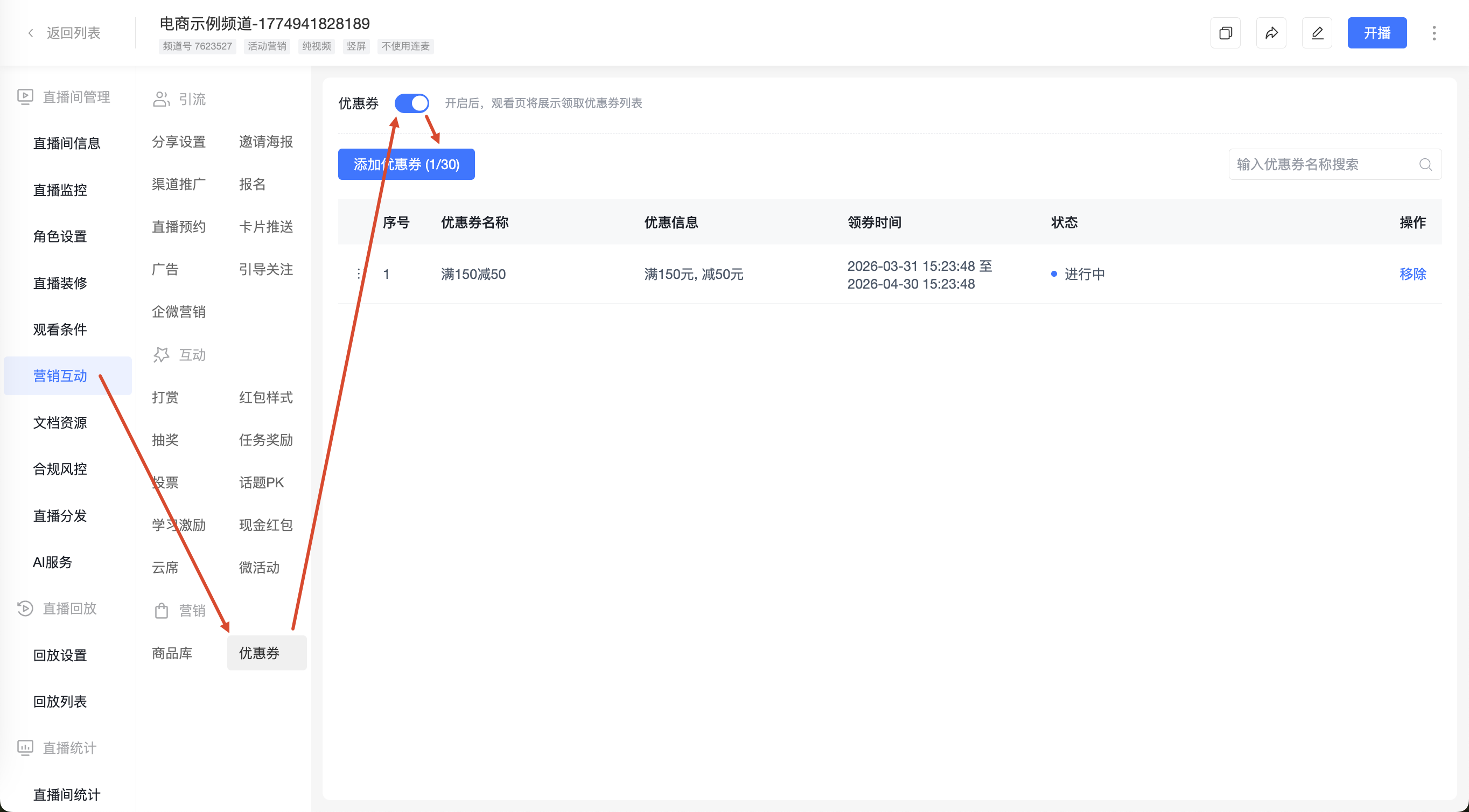
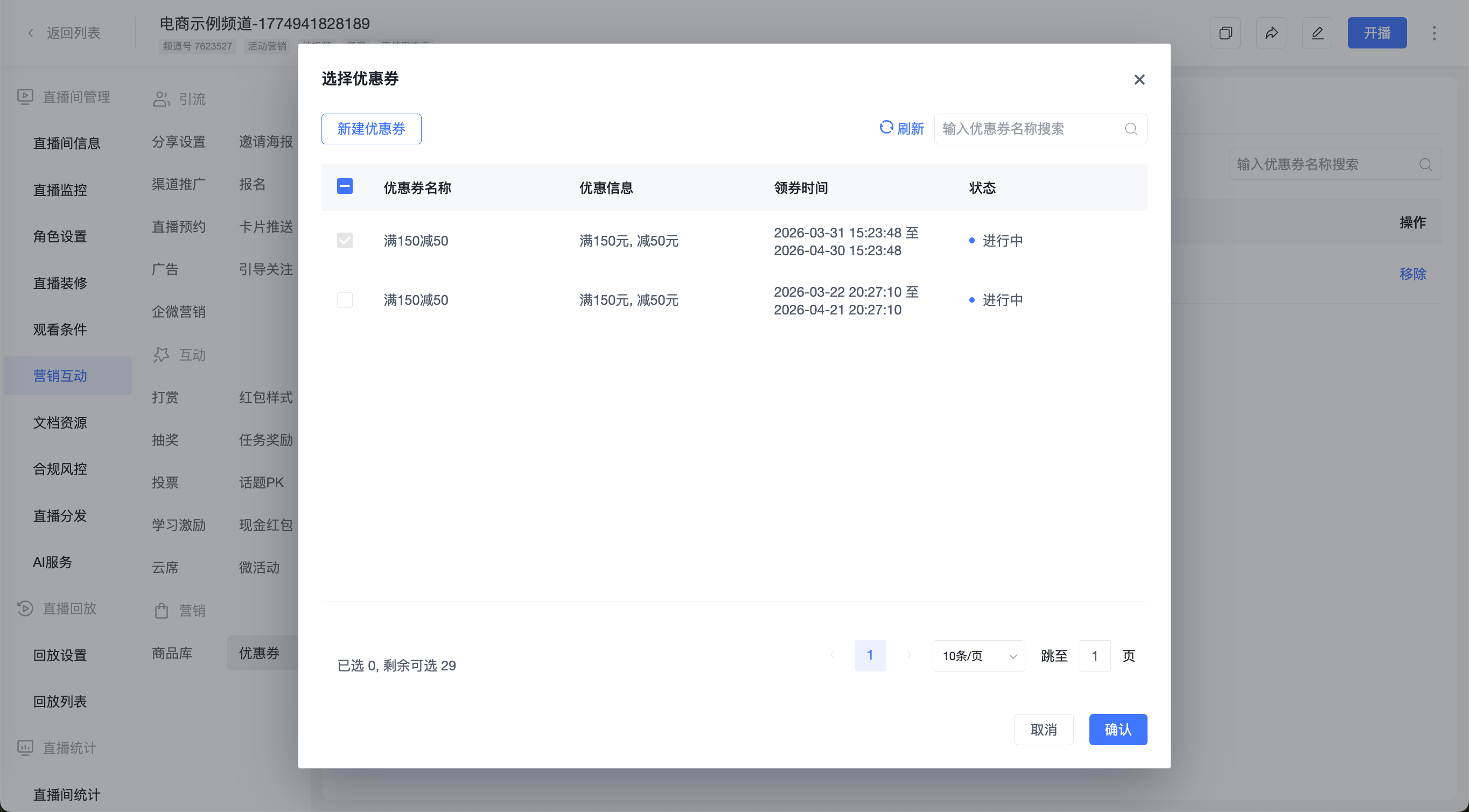
- Click 【Add Coupon】, select the coupons, and confirm to issue them in the channel.
- A single channel supports adding up to 30 coupons.
4. Managing Coupons
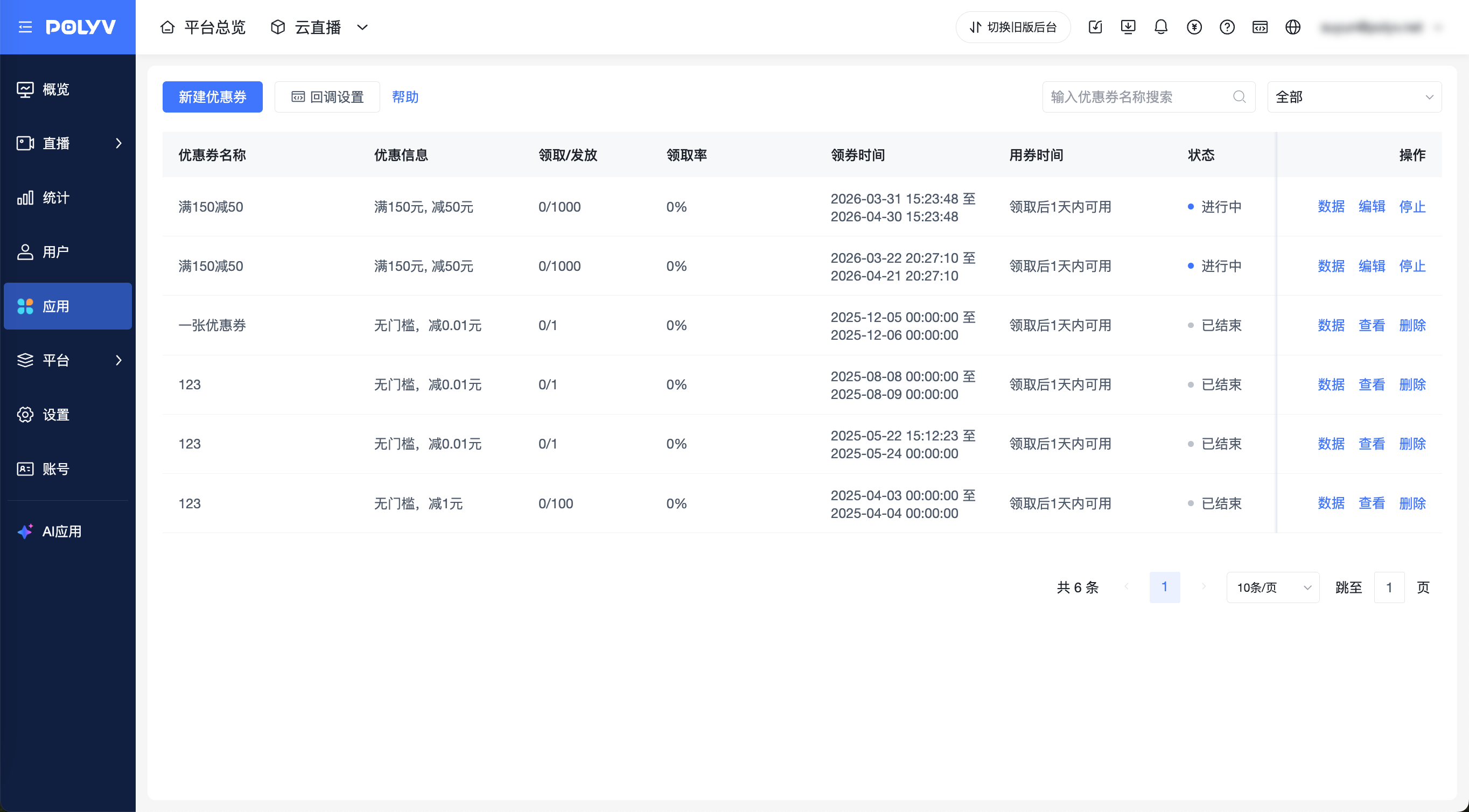
- Supports filtering by coupon name and coupon status.
- Supports viewing specific coupon claim data.
- Supports re-editing coupons.
- For coupons with an "Active" status, supports stopping issuance. After stopping, users cannot claim further, but those who have already claimed can still use them within the validity period.
- For coupons with "Not Started" or "Ended" status, supports deletion. After deletion, the coupons added to the channel will be removed. Users who have already claimed can still use them within the validity period, but data cannot be viewed in the management console.
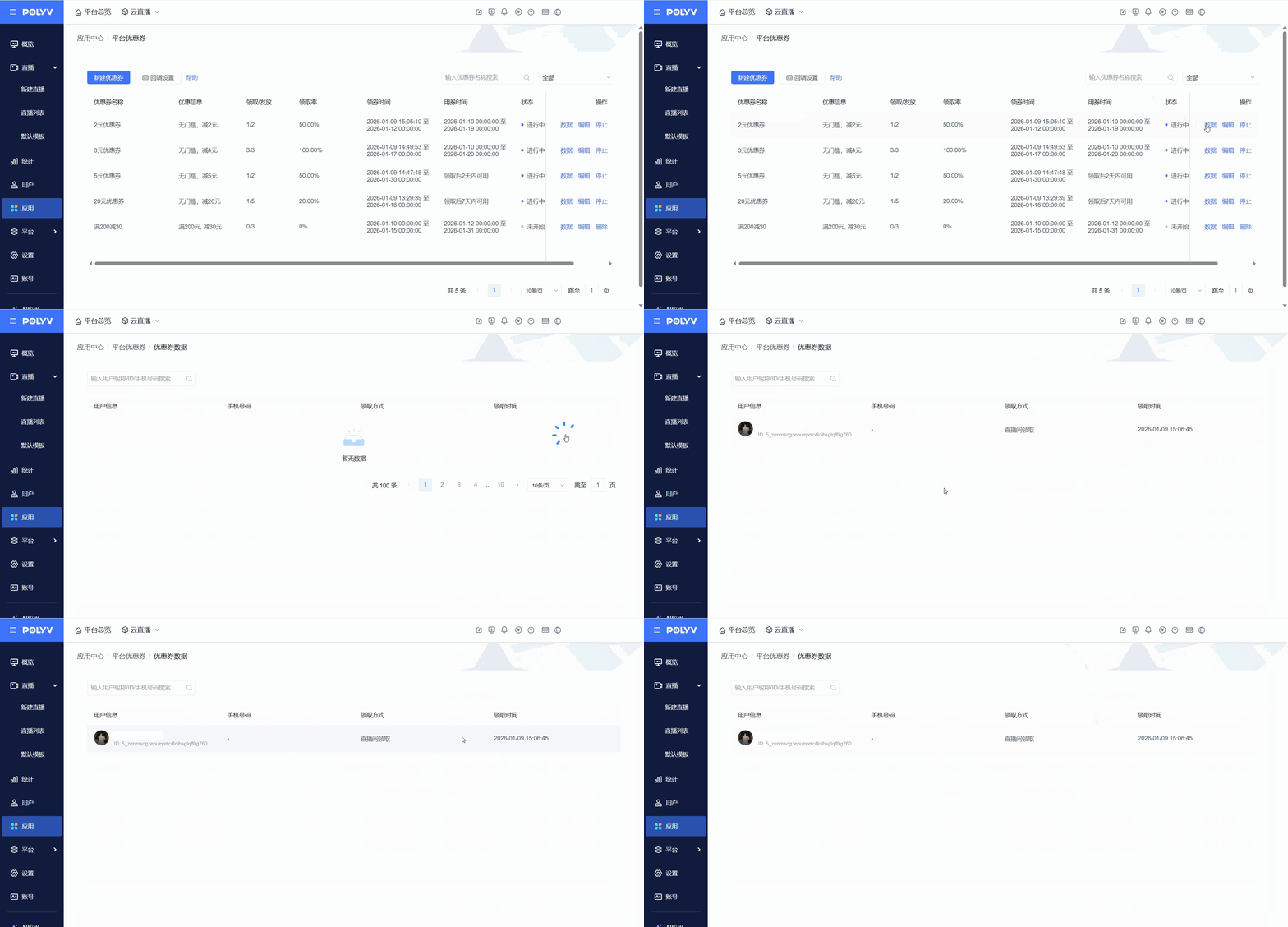
- Click 【Data】 to view the phone numbers, claim methods, and claim times of viewers who have claimed coupons.
III. Viewers Claiming Coupons
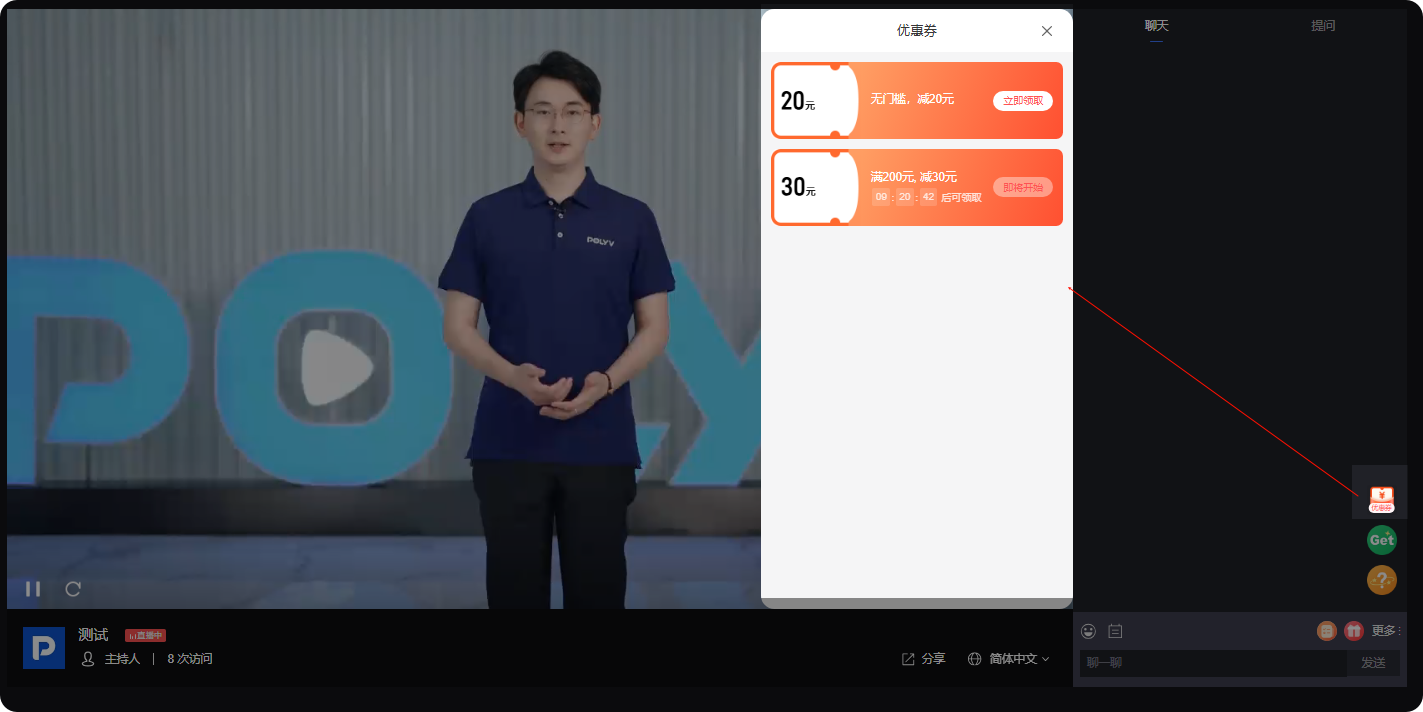
1. Web End
Click 【Coupons】-【Claim Now】 to successfully claim.
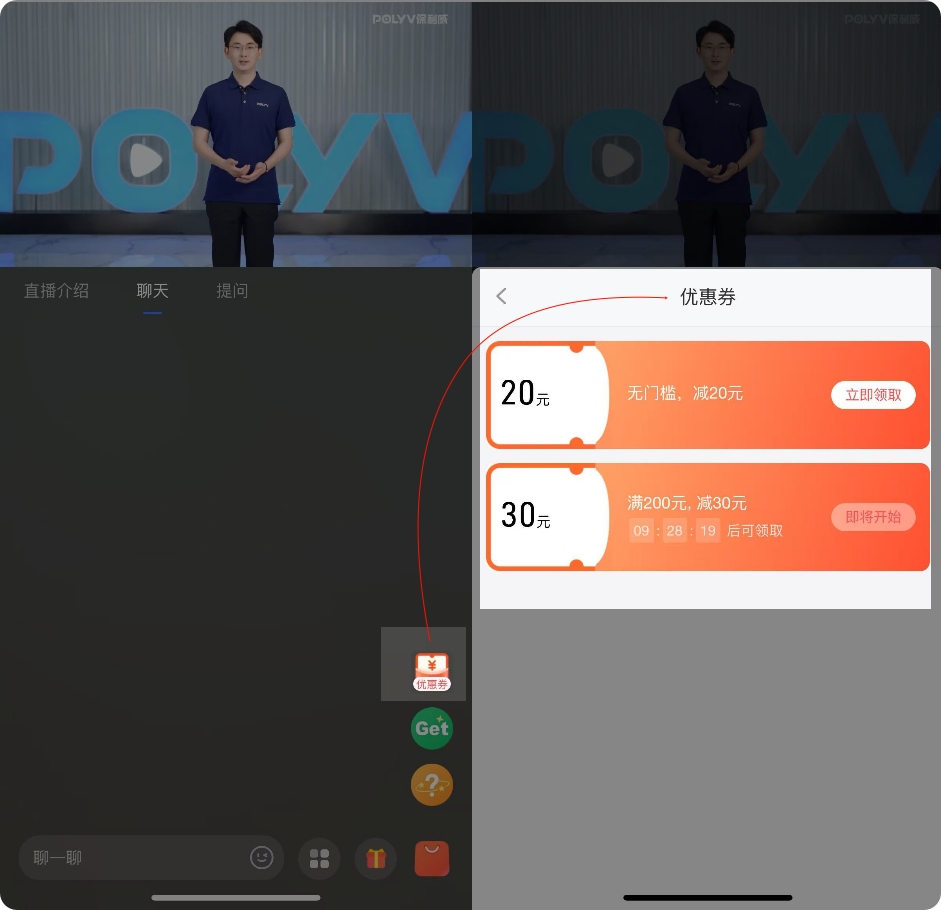
2. Mobile End
- Click 【Coupons】-【Claim Now】 to successfully claim.
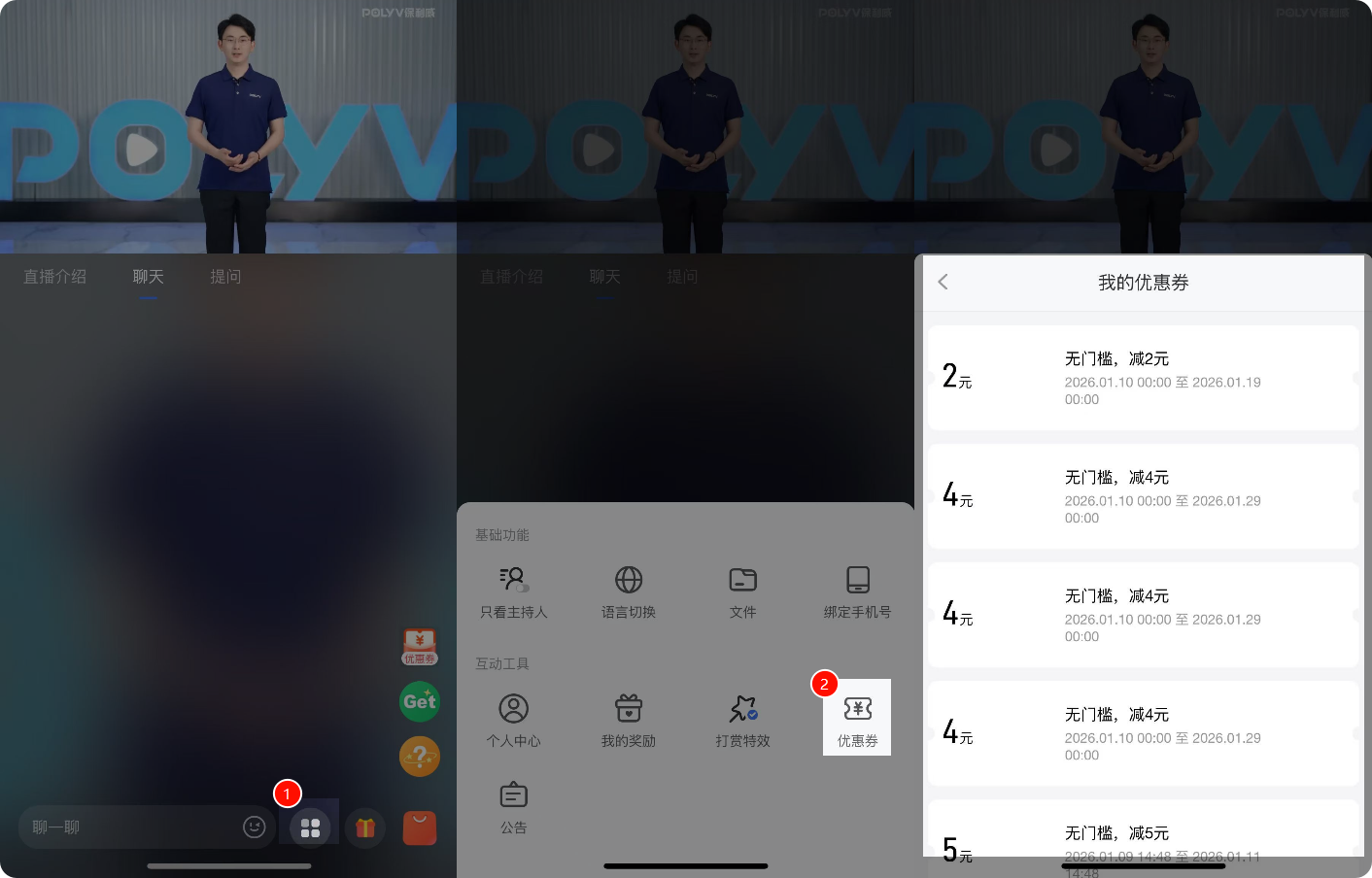
- Supports viewers viewing their list of claimed coupons.
V. Coupon Claim Success Callback Supports synchronizing coupon distribution to user accounts in self-developed or third-party stores. Currently only supports external redemption. For details, see the document -> Coupon Claim Success Callback
