


Large Screen Interaction
Large screen interaction is used to engage the audience in interactive activities during live streaming. Currently, it supports two types of activities: Shake and Scroll Lottery, which can be used to liven up the live stream atmosphere and enhance audience participation.
1. Selecting an Activity Type
Enter the target channel, go to the activity list via [Marketing Interaction] - [Large Screen Interaction], click [Create Activity], and select the type of activity you want to create.
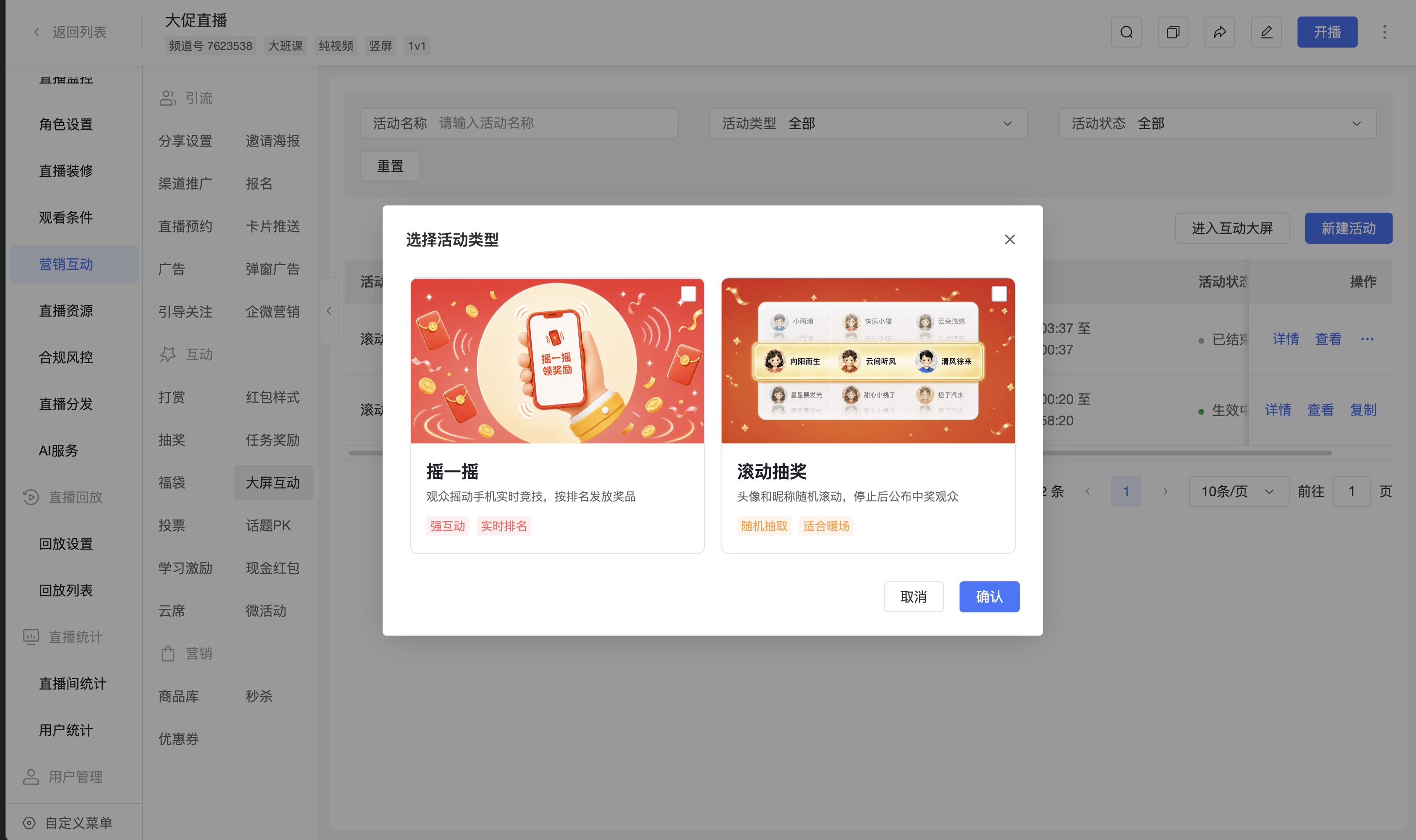
1.1 Shake
The audience participates in real-time competition by shaking their phones. The system awards prizes based on the activity ranking, suitable for live streaming events that aim to enhance participation and a competitive atmosphere.
View Large Screen Interaction - Shake Operation Guide
1.2 Scroll Lottery
The system randomly selects winners from the pool of candidate users and displays their avatars, nicknames, and lottery results on the large screen. Suitable for live streaming draws and event warm-ups.
View Large Screen Interaction - Scroll Lottery Operation Guide
2. Frequently Asked Questions
Q: What is the difference between Shake and Scroll Lottery?
A: Shake involves the audience shaking their phones to participate in real-time competition, with prizes awarded based on rankings. Scroll Lottery randomly selects winners from the pool of candidate users.
Q: Where can I find detailed operation guides for both activities?
A: You can view the creation, configuration, and operation guides for Shake and Scroll Lottery by following the corresponding activity links in this article.
