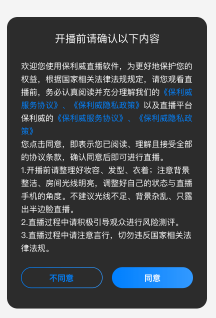
Compliance Tips for Hosts and Guests
Updated: 2026-08-17 11:27:00
I. Feature Overview
Feature Info |
Description |
|---|---|
| Feature Name | Compliance Tips for Hosts and Guests |
| Feature Description | Displays a pop-up window with important notices when hosts or guests enter the live stream |
| Purpose | Allows live stream managers to set content that hosts and guests must read and confirm, fulfilling notification obligations, enhancing risk awareness, reflecting regulatory requirements, and reducing losses for hosts and guests |
| Use Case | Commonly used in live streams with certain risks or those involving host/guest rights and interests, requiring hosts and guests to read pre-set service agreements or risk notices before entering the live room |
| Operation Path | 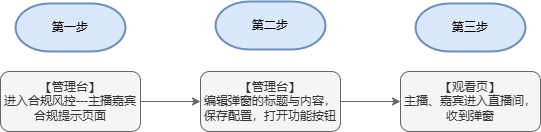 |
II. Steps
1. Backend Settings
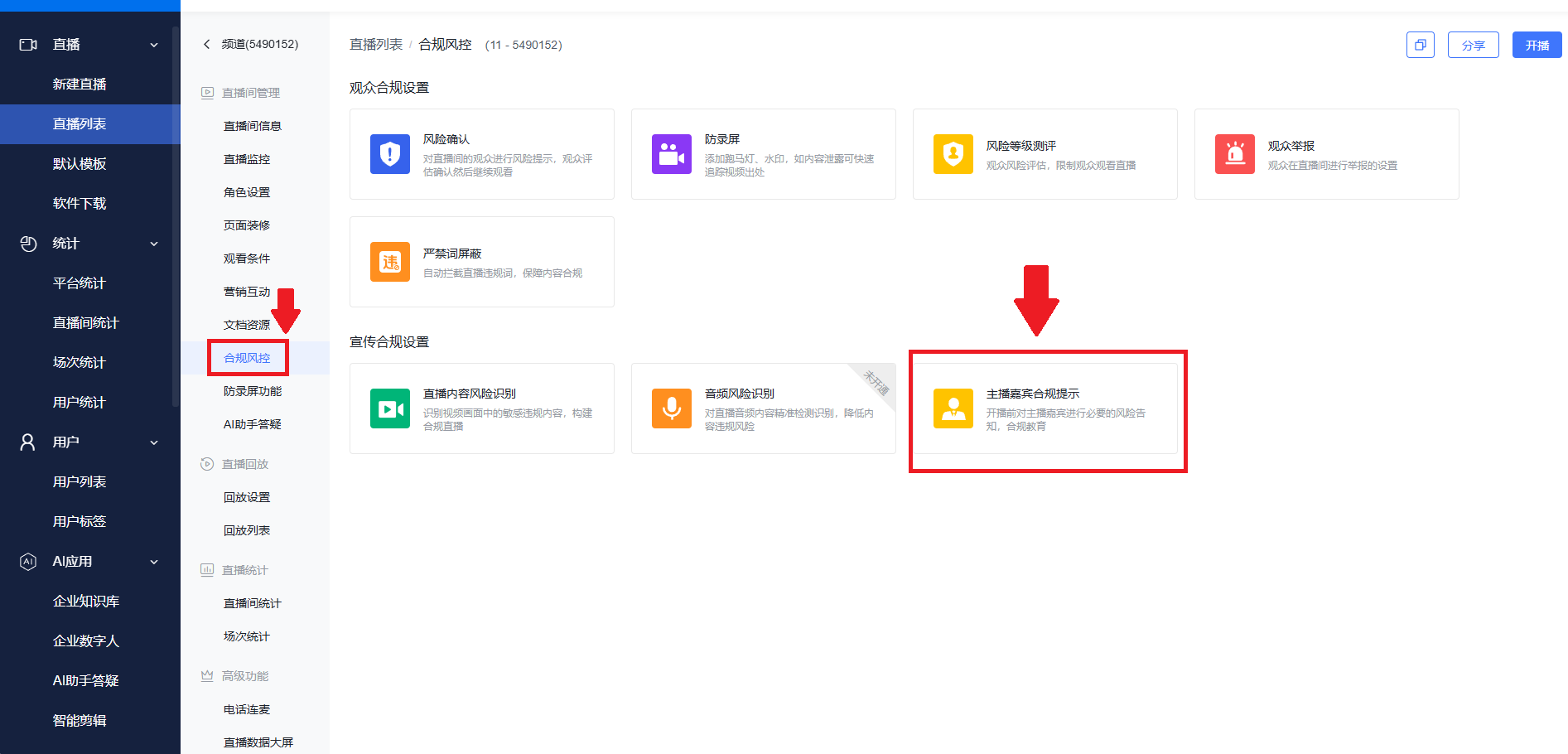
(1) Log in to the Polyv backend, navigate to the Compliance & Risk Control options for a specific channel, and find the "Compliance Tips for Hosts and Guests" feature.
(2) Here, we use host compliance tips as an example. Click the edit button, then configure the content by entering the title and content.
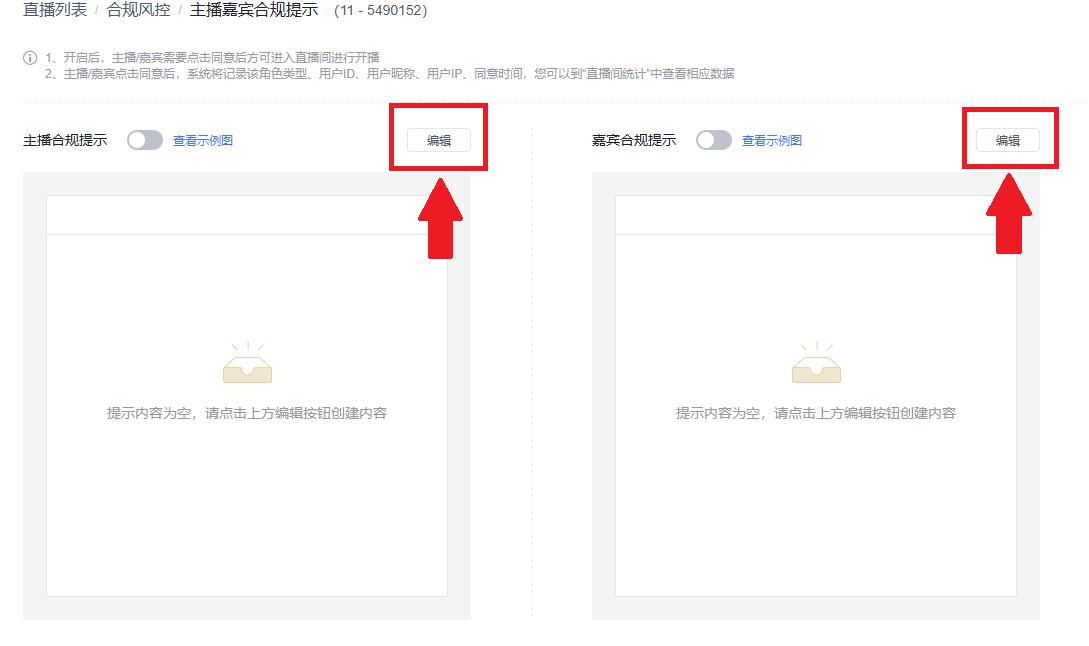
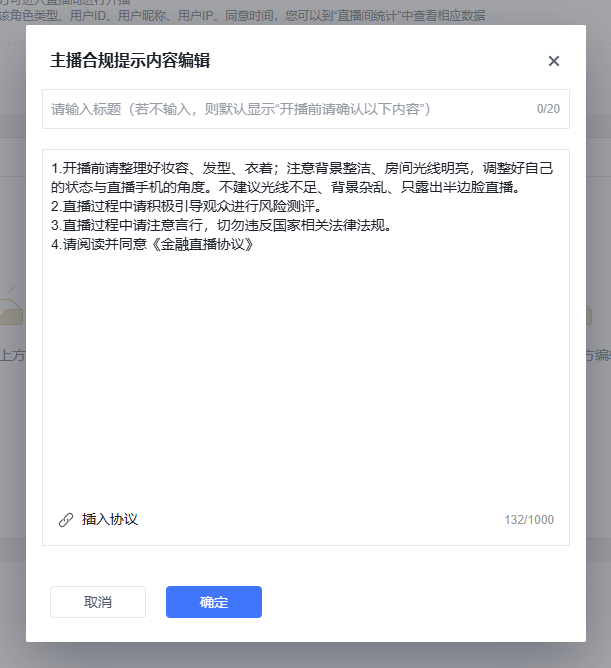
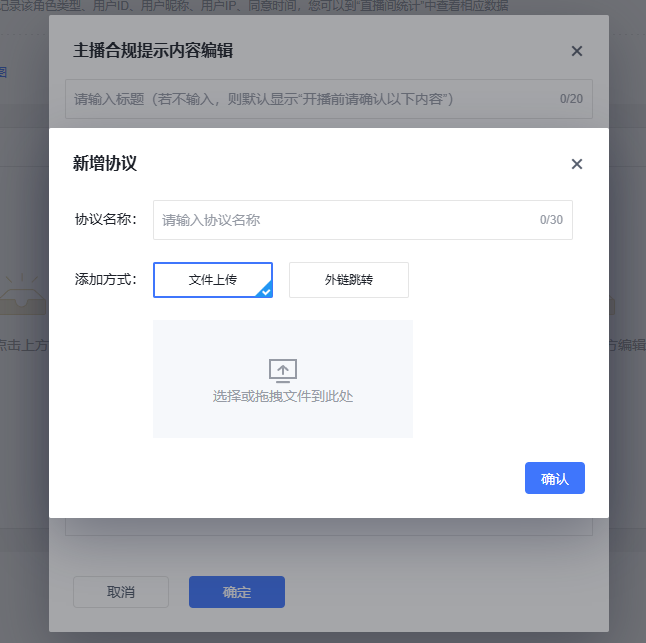
(3) Click "Insert Agreement" to choose between two modes for uploading agreement files: direct upload or external link redirect. After entering the agreement name, click the confirm button to complete the upload.
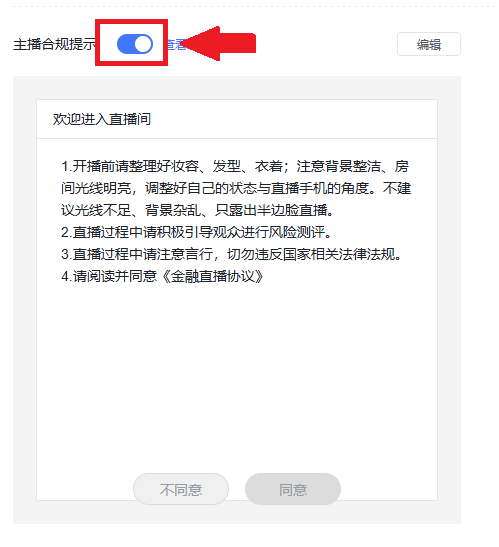
(4) Turn on the toggle, and the compliance tips pop-up will appear on the corresponding client.
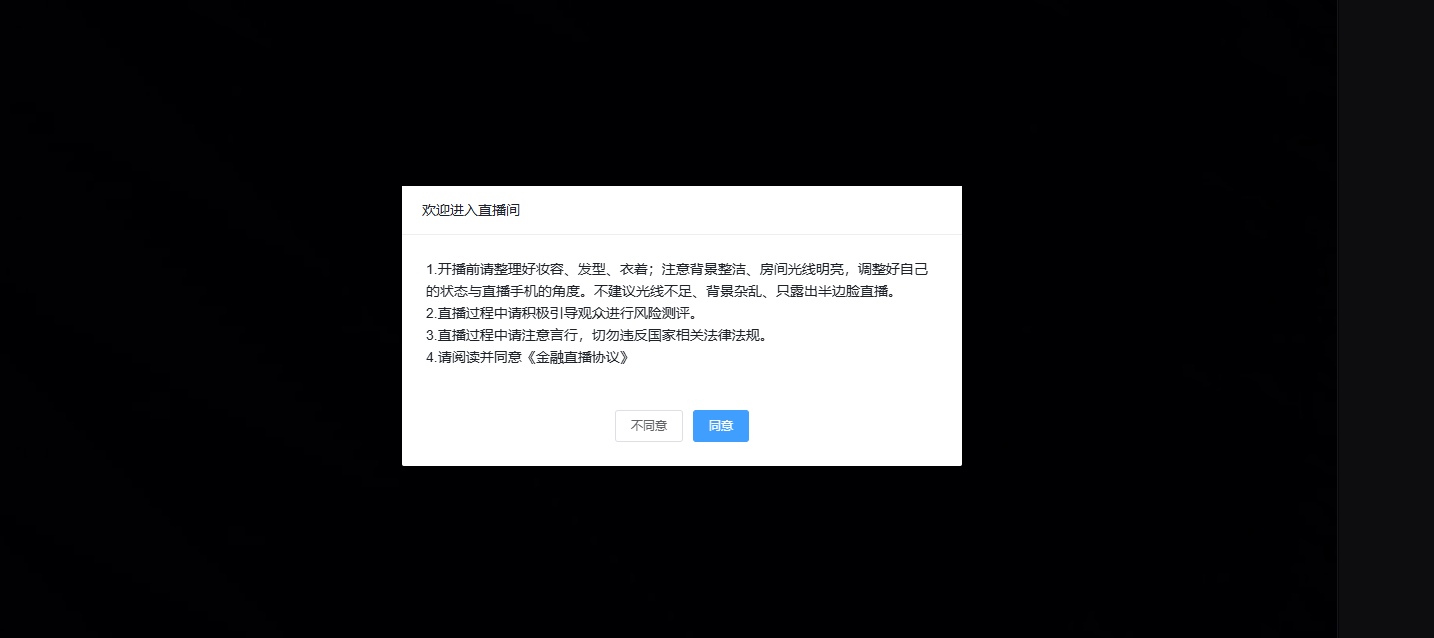
2. Host and Guest Usage Effects
a. Web broadcast client effect
 b. Mobile broadcast client effect