


Invitation Rewards User Guide
I. Feature Overview
| Feature Info | Description |
|---|---|
| Feature Name | Invitation Rewards |
| Feature Description | [Invitation Rewards] is a feature that boosts live stream viewership. It distributes prizes based on the number of invitations, supporting different prize tiers for varying invitation counts. This fully motivates viewers with different invitation capabilities to complete the invitation action, thereby increasing live stream viewers and achieving audience growth. |
| Purpose | Incentivize viewers to invite friends to watch the live stream through prizes, achieving audience growth. |
| Use Case | Scenario 1: A client hosts a live commerce stream and wants more viewers to join. Using the Invitation Rewards feature, viewers continuously invite friends to watch, resulting in high viewership and increased orders. |
| Tutorial | 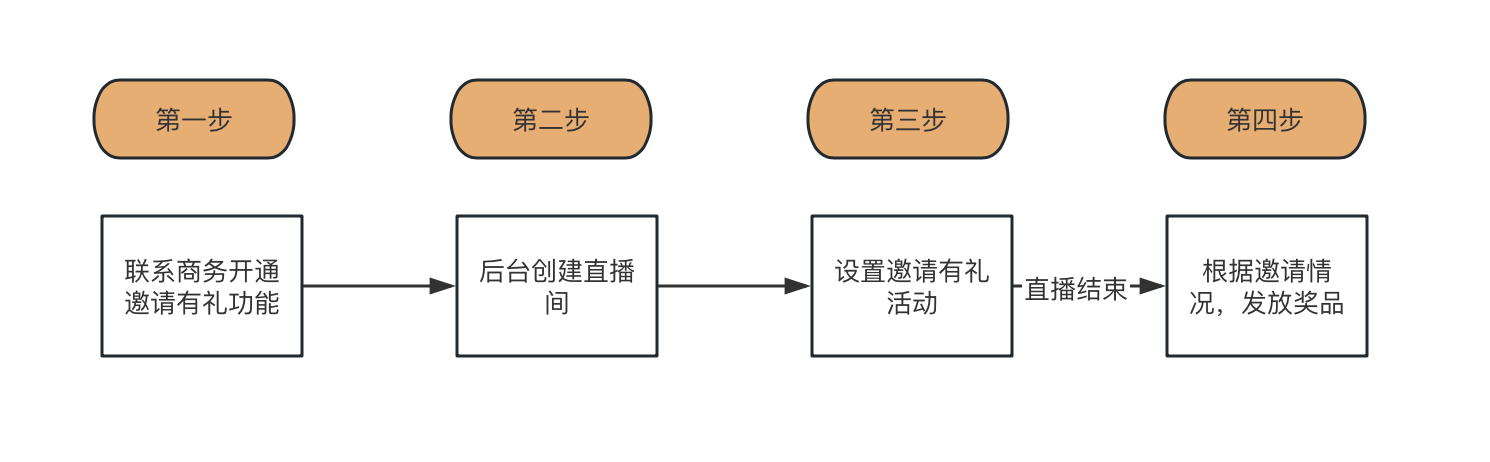 |
| Feature List | Set prizes based on invitation tiers; prize claim methods support entering shipping addresses, QR codes, and redirect links. |
| Notes | Only one Invitation Rewards campaign is allowed per channel. |
| SDK Integration | 1. Supports JS SDK integration (using V3 viewing page SDK). |
II. Operation Instructions
1. Setting Up an Invitation Rewards Campaign
1.1 In the channel's Invitation Poster - Invitation Leaderboard, click [Go to Settings];
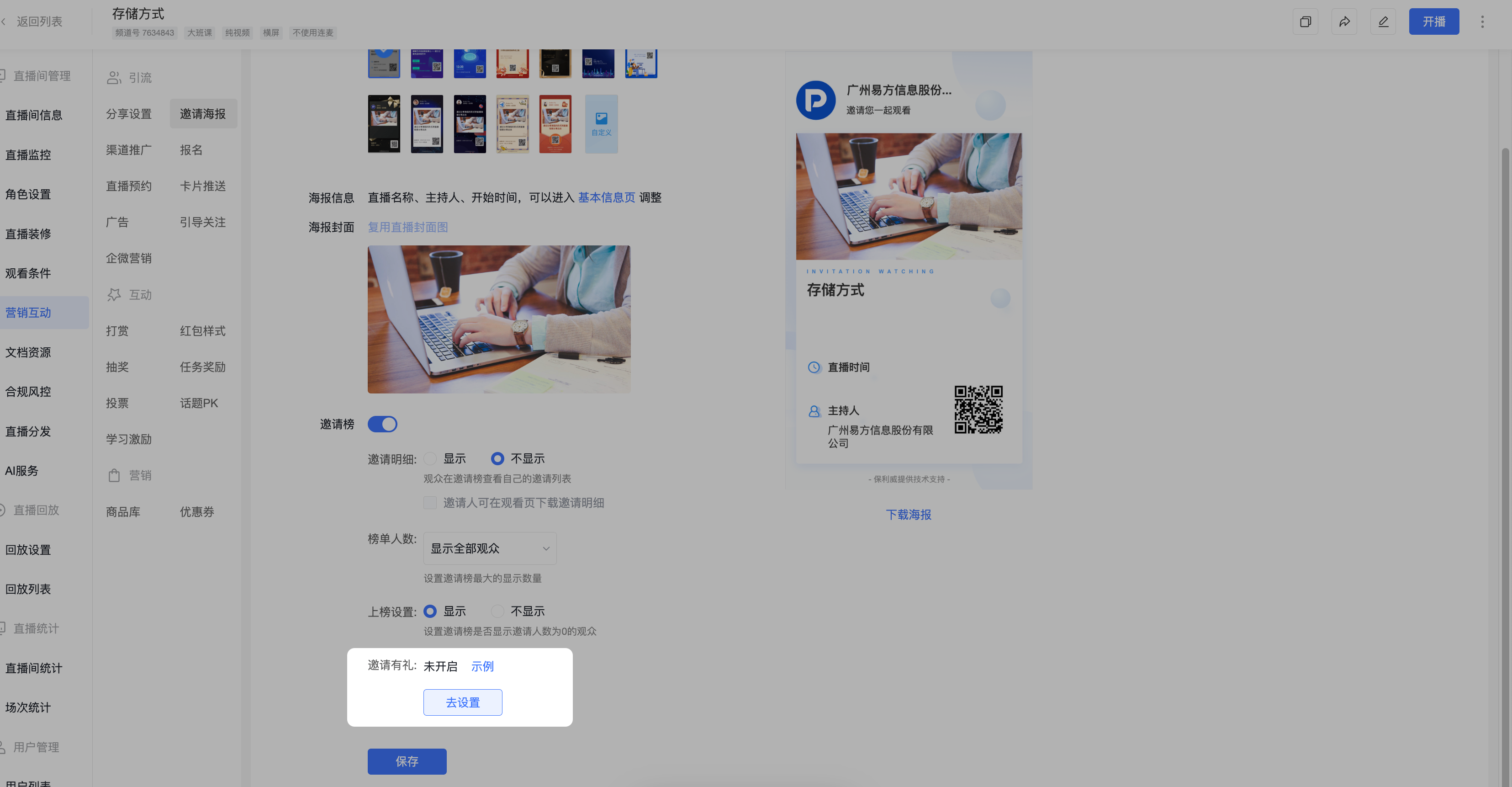
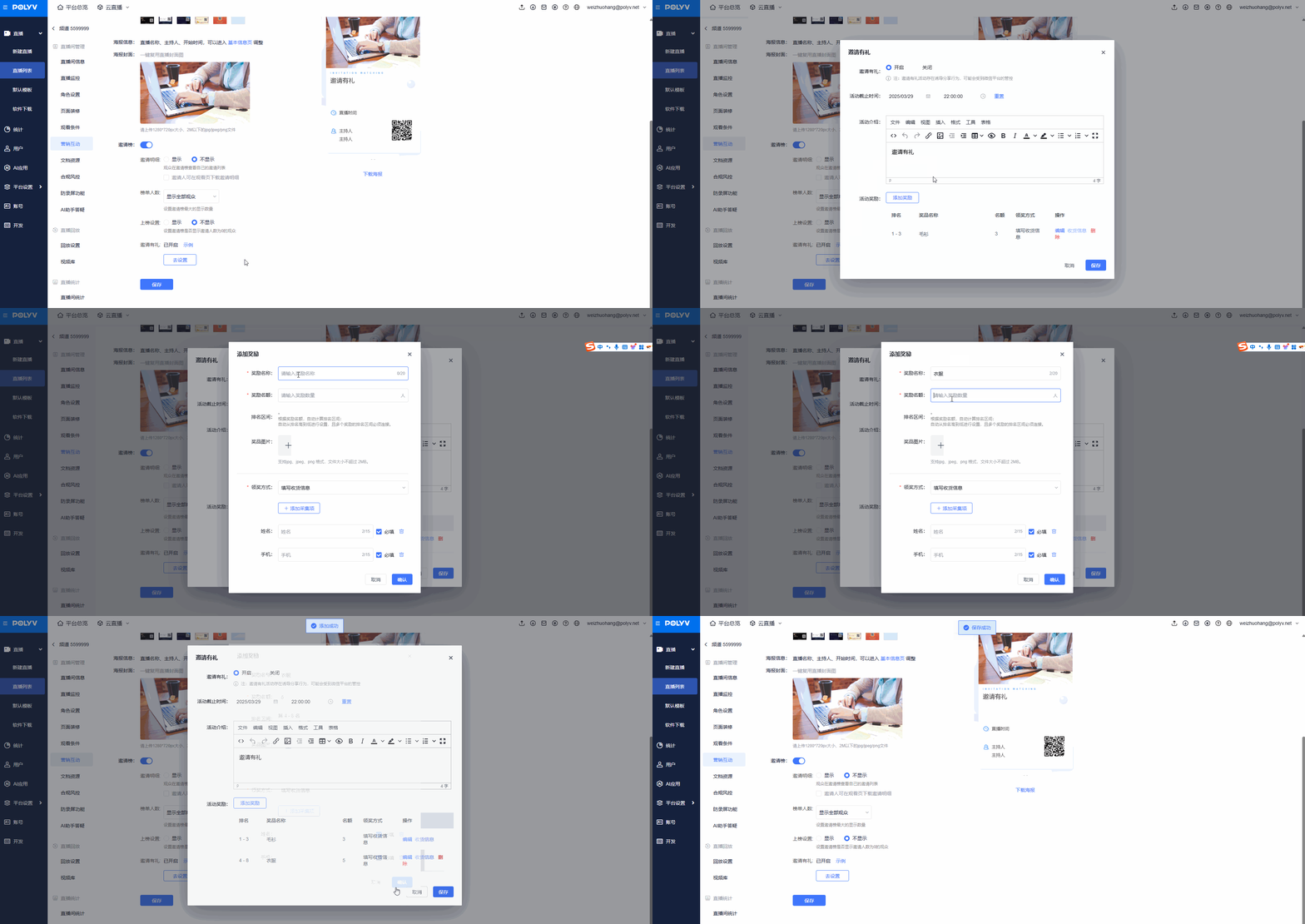
1.2 Complete the basic settings, then enable the campaign and save.
Campaign end time: When the campaign ends, viewers are grouped into different tiers based on their invitation count, and prizes are distributed according to the campaign's reward tiers.
Campaign description: Supports editing with text and images; viewers can see this content.
Campaign rewards: Rank viewers by invitation count, then assign different prizes based on rank ranges. For example, set 1st-3rd place to receive Prize A; 4th-10th place to receive Prize B.
2. Viewing Campaign Data
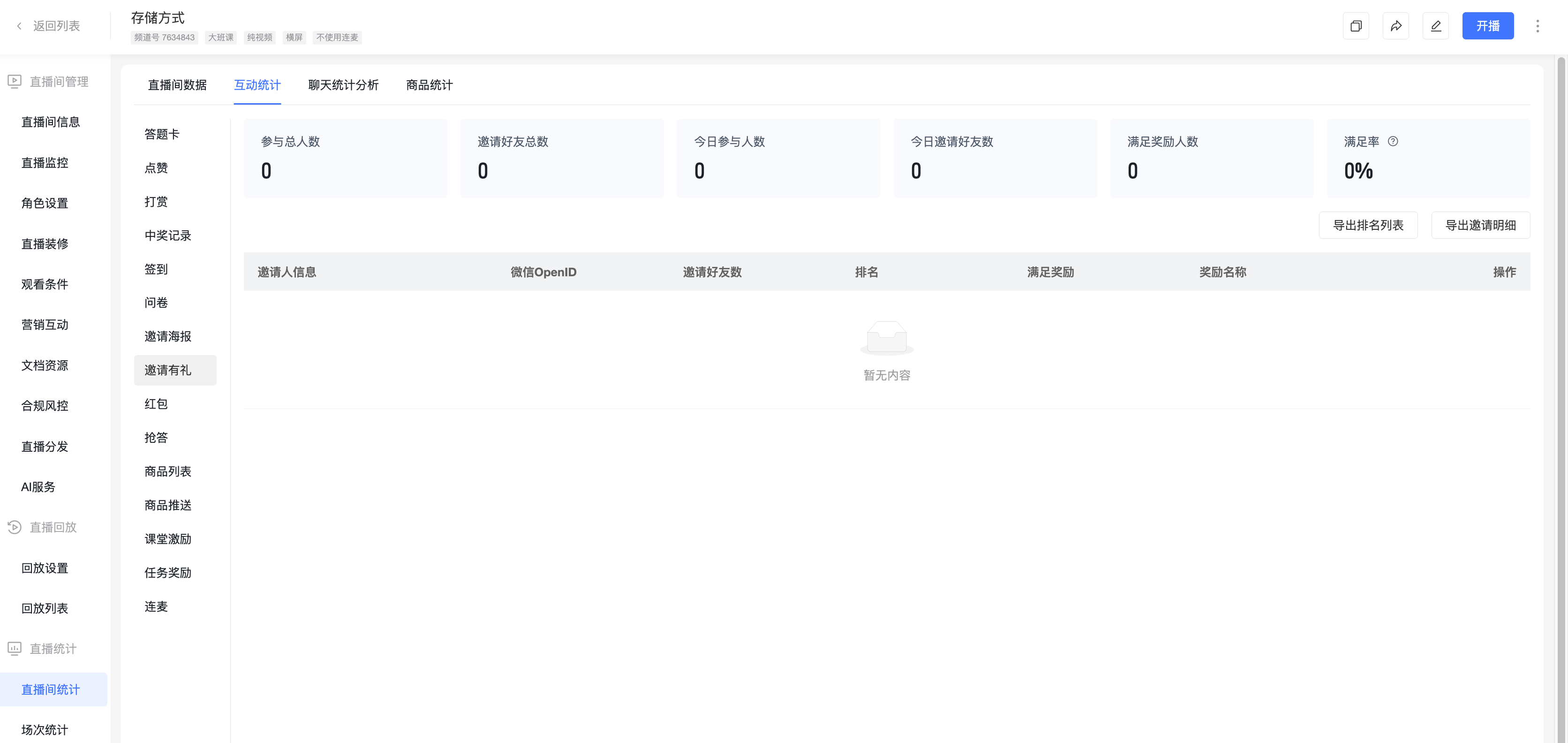
2.1 In the channel's Live Stream Statistics - Invitation Rewards, you can view data generated during the Invitation Rewards campaign. After the live stream ends, you can export data on qualifying users and prize claim information submitted by viewers.
3. Viewer Participation
3.1 Once the invitation campaign is enabled, viewers can participate in the invitation activity within the live stream.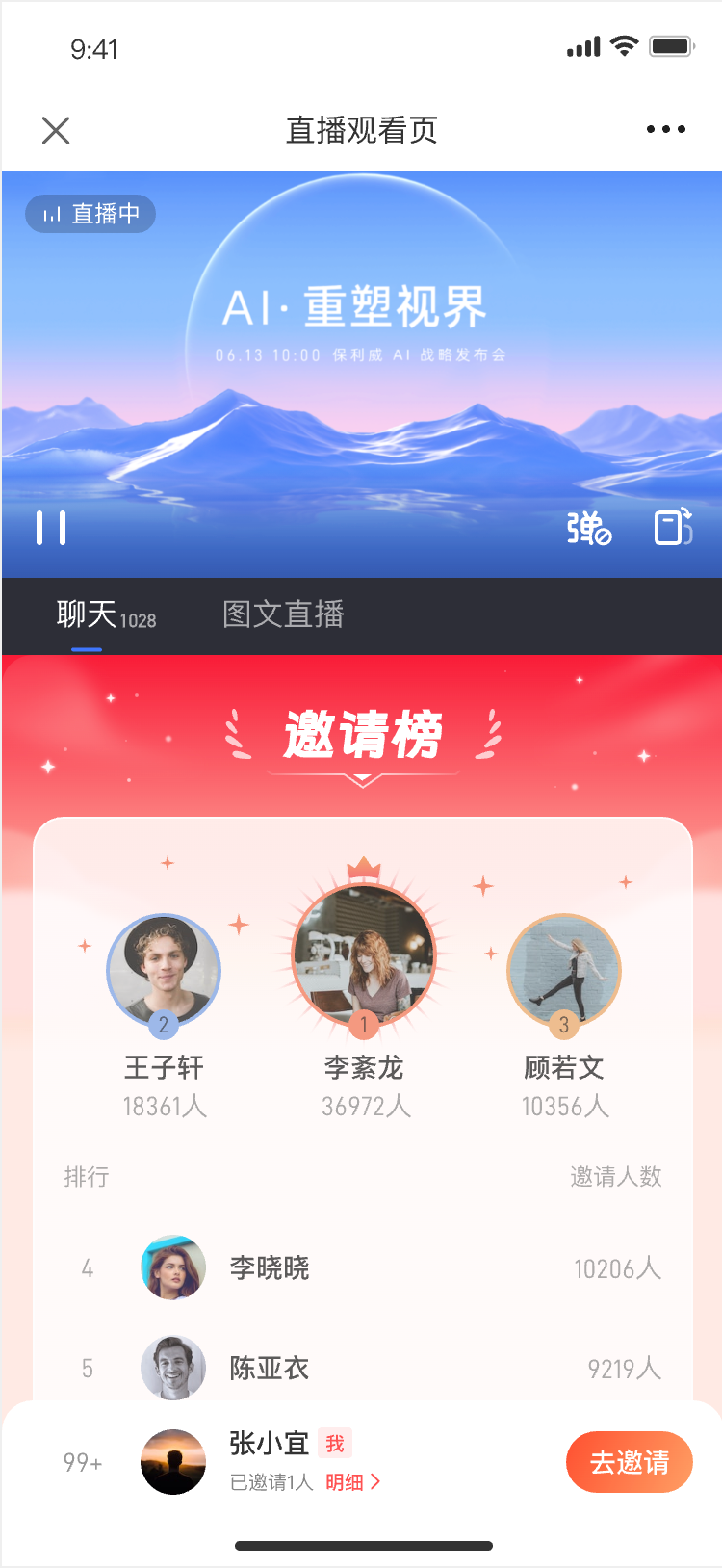
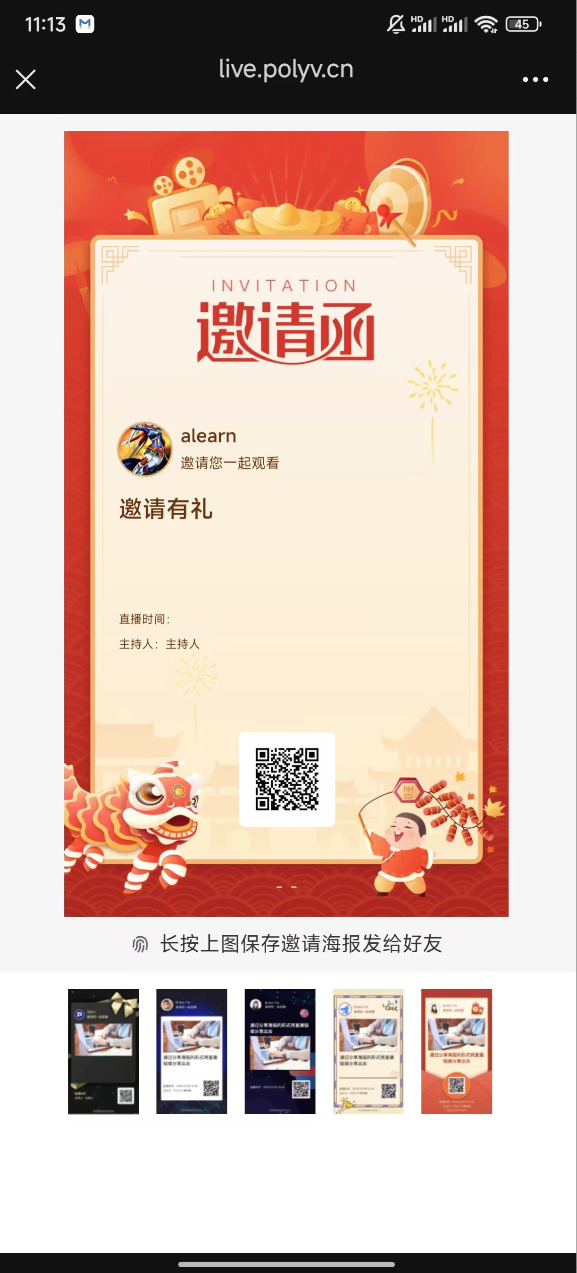
3.2 After the invitation campaign ends, if a viewer's invitation count falls within a reward tier, they can claim the corresponding prize according to the specified claim method.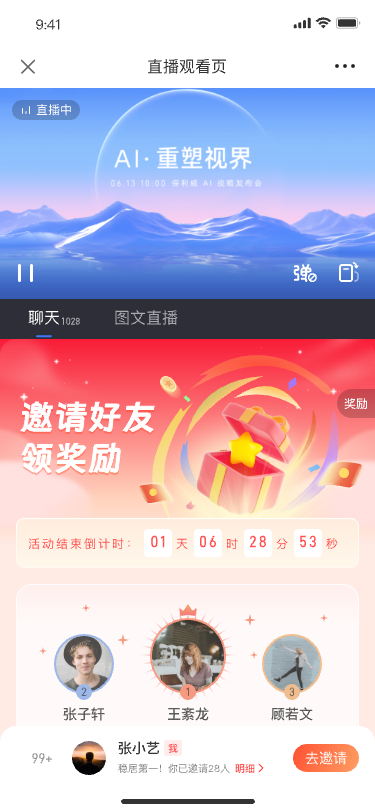 !
!
III. Feature Activation
To use the above features, please contact your sales representative to activate access.
