Channel Promotion
Updated: 2026-08-17 11:27:00
I. Feature Overview
Last updated: 2025-11-19
| Feature Info | Description |
|---|---|
| Feature Name | Channel Promotion |
| Feature Description | Generate multiple distinguishable live streaming links to track visits and views from different channels separately |
| Purpose | Monitor and evaluate the promotion effectiveness of different channels to guide subsequent operational strategies |
| Use Case | Suitable for scenarios requiring multi-channel live streaming promotion, such as private domain community operations and multi-platform ad placements |
| Operation Path | 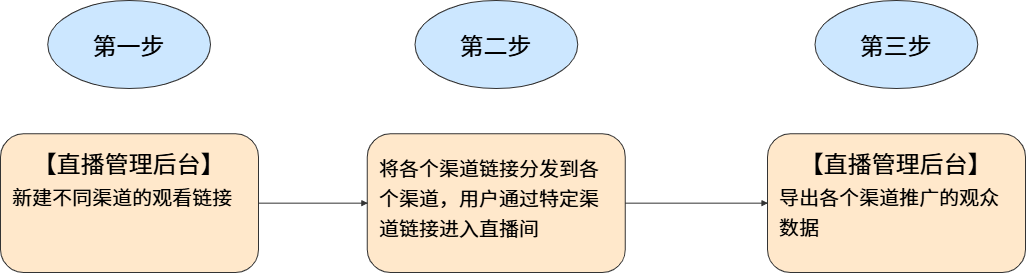 |
II. Operation Flow
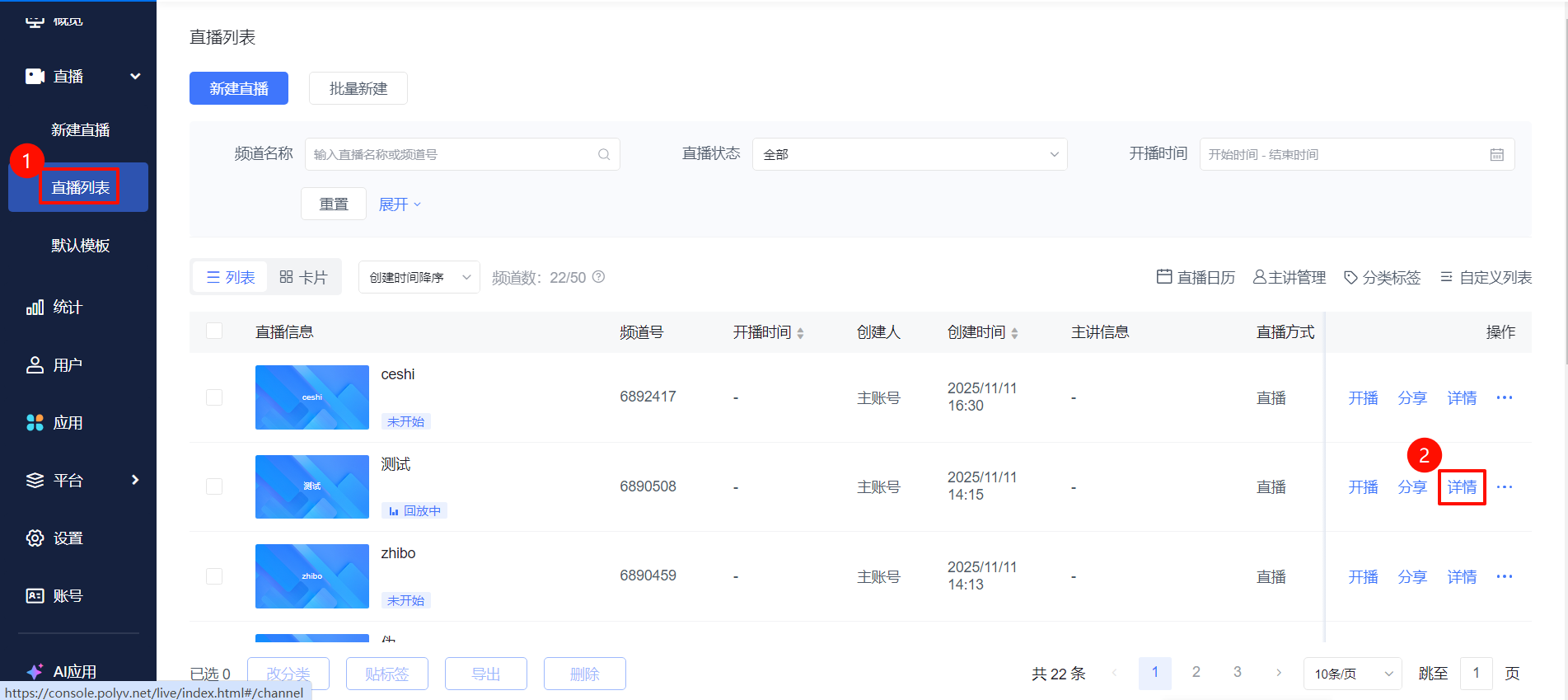
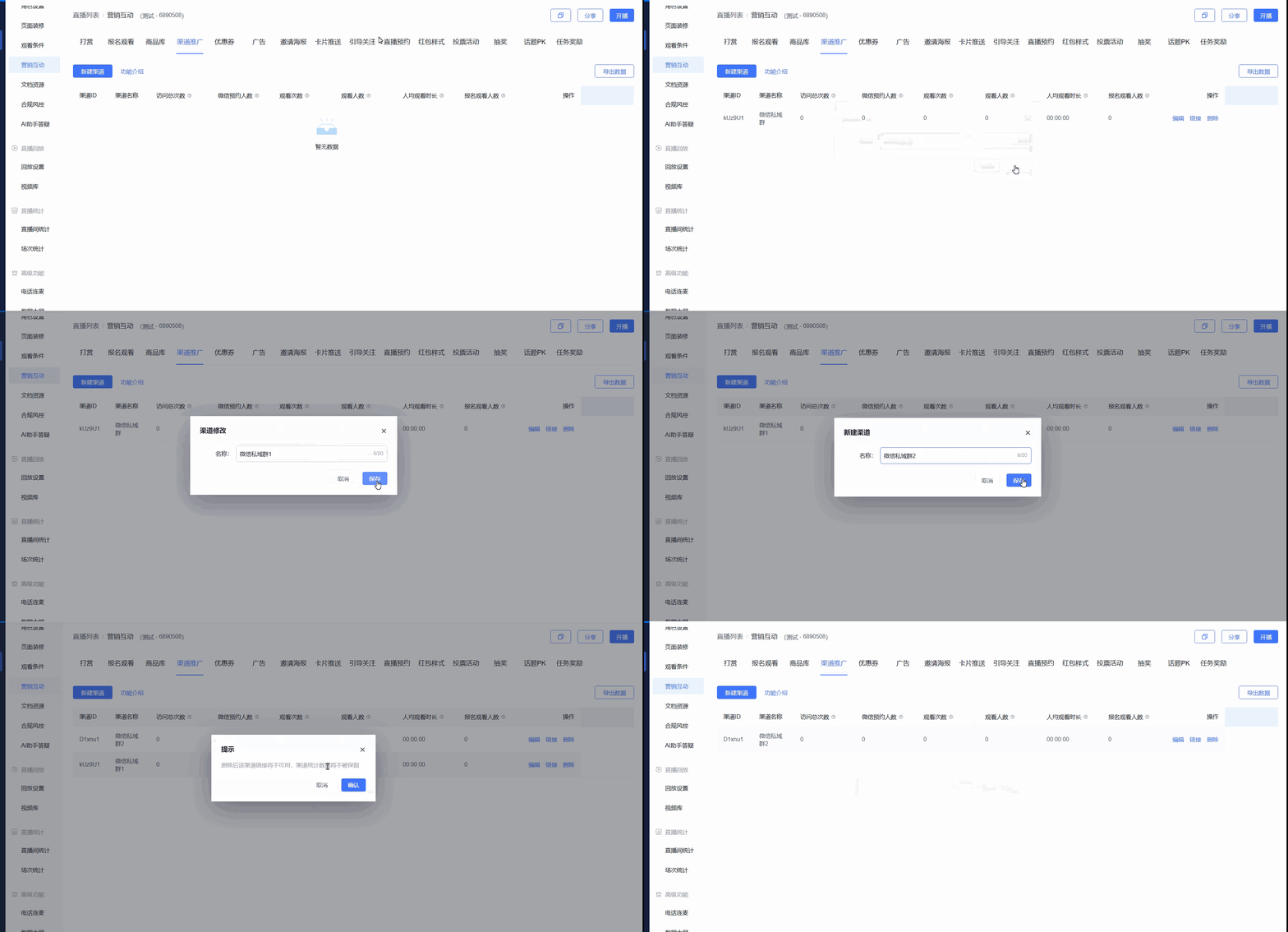
- Go to the [Live List] page, select a live stream and click [Details]. In the live stream management area, click [Marketing & Interaction] - [Channel Promotion] - [Create Channel] (up to 30 channels can be created simultaneously)
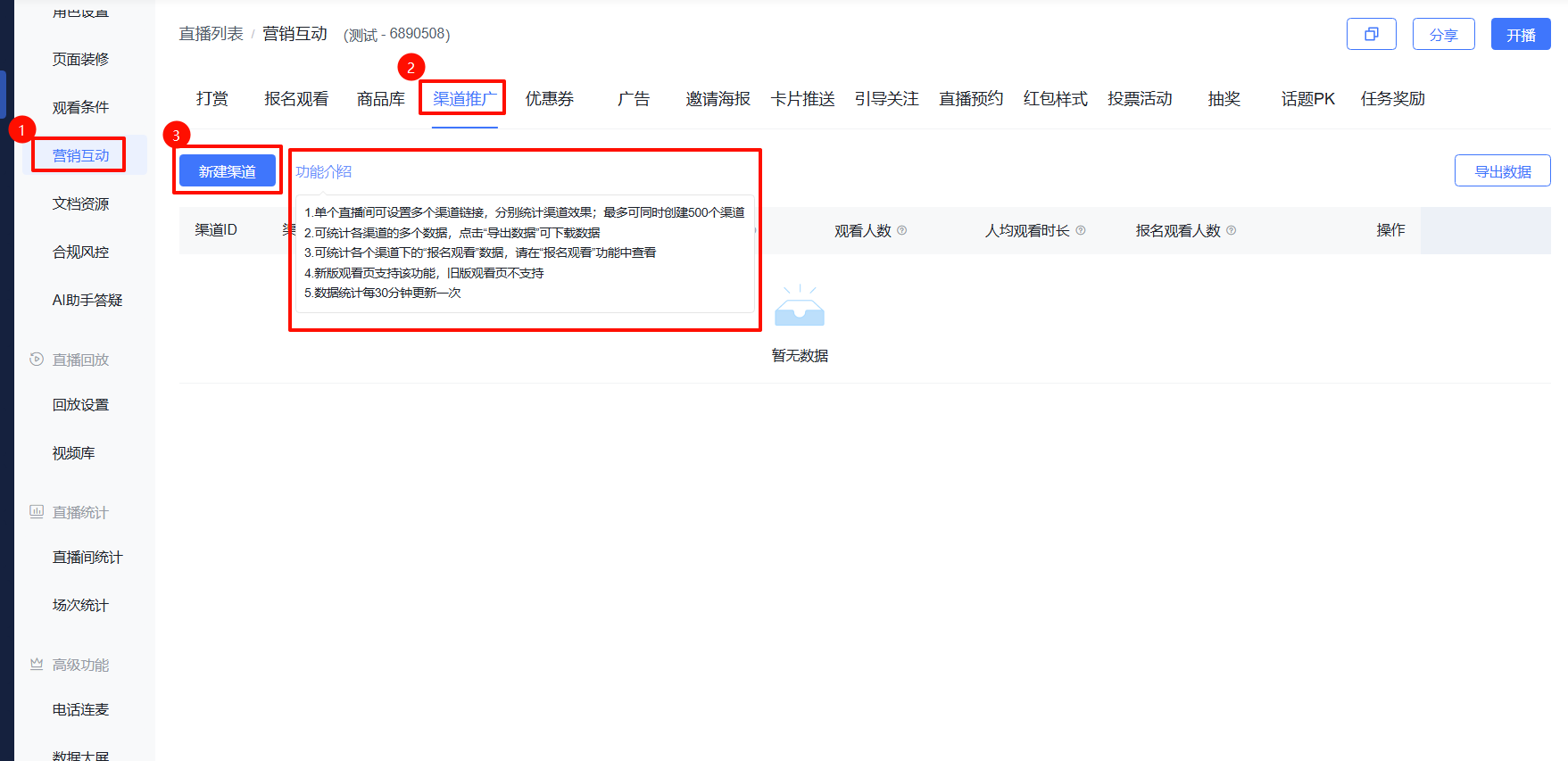
Enter the channel name and save
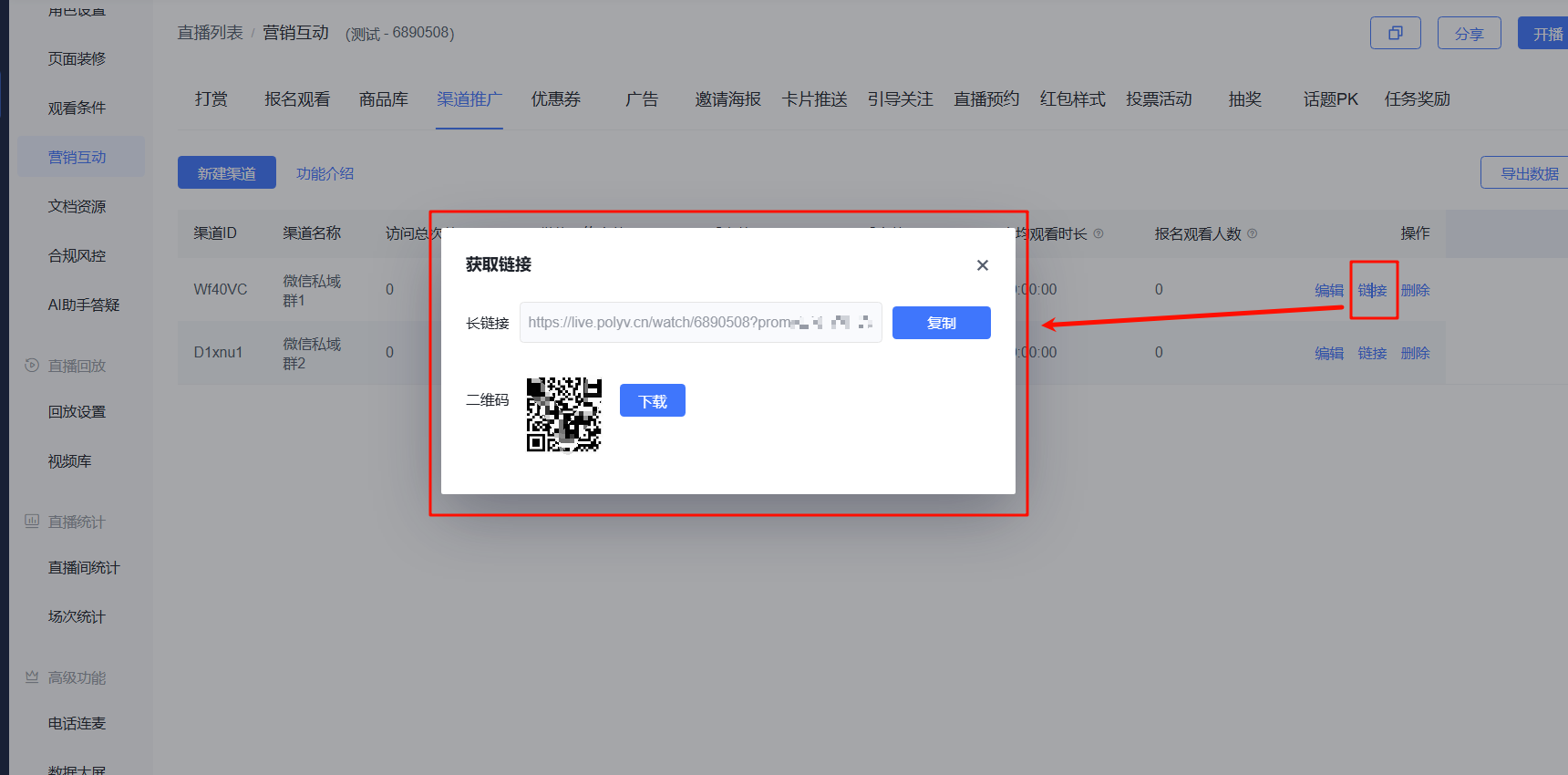
Click the [Link] button to obtain the link and QR code for that channel; distribute the link/QR code to viewers on the corresponding channel
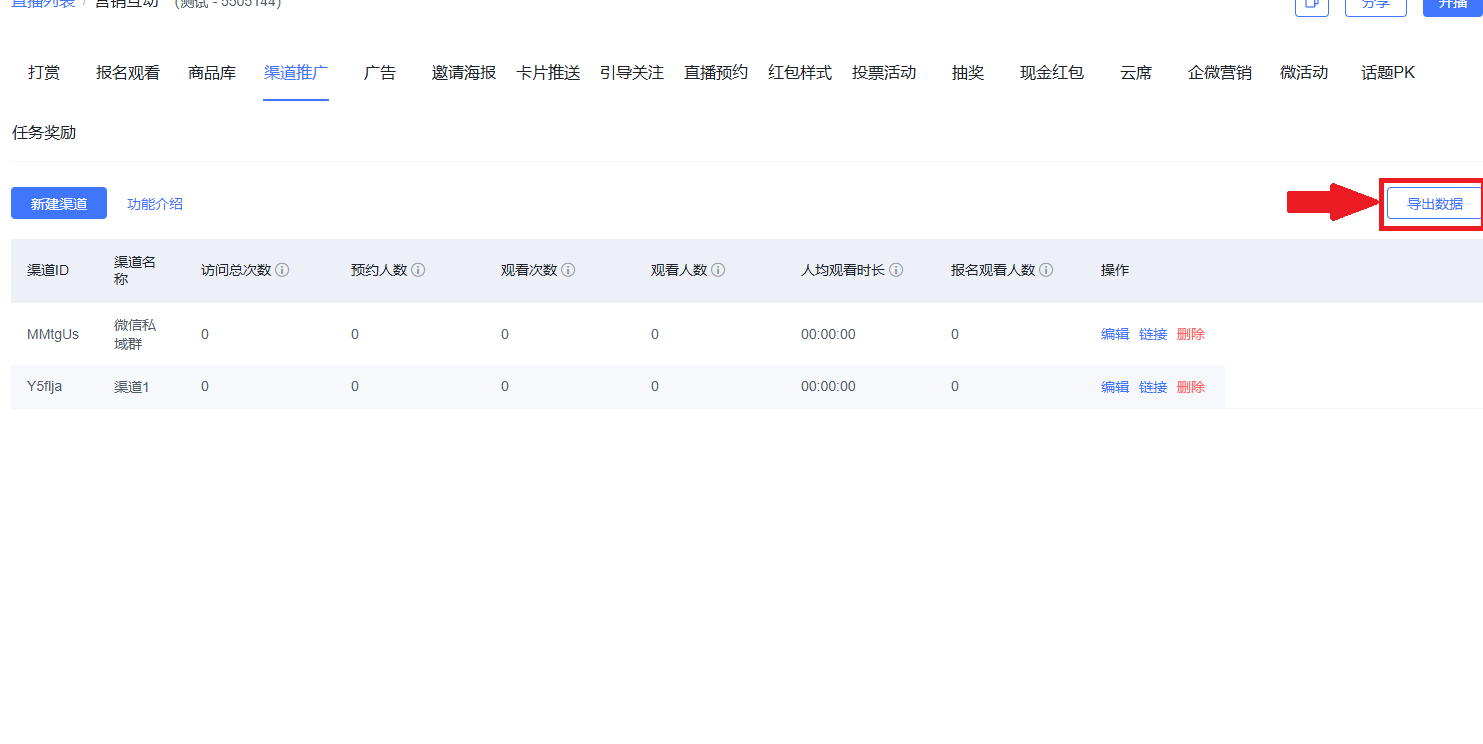
Click [Export Data] to export as a table for subsequent operations (data statistics are updated every 30 minutes)