


Configure Custom Domain
A custom domain allows you to configure your own domain as the access domain for pages such as viewing pages, aggregation pages, and information feeds, highlighting your brand identity and making access links easier to recognize, remember, and share.
Prerequisites
Before configuration, ensure the following information is prepared:
- A custom domain that has completed ICP filing. If the domain has not yet completed ICP filing, refer to: https://help.polyv.net/index.html#/live/product/live_bgm/custom_domain_icp
- Access to the backend of your DNS resolution service provider to configure CNAME resolution. After entering the Polyv backend configuration process, the system will provide CNAME information in Step 2, and you need to add a CNAME record with your DNS resolution service provider.
- If you choose to use your own certificate, prepare the certificate file and private key file from the Nginx format certificate package in advance.
| Platform | Purpose | Common Operations |
|---|---|---|
| Domain Registrar | Platform for purchasing, renewing, and managing domains | View domain information, renew domain |
| DNS Resolution Service Provider | Platform for managing DNS resolution, may be the same as the domain registrar | Add CNAME record based on information provided in Step 2 of the Polyv backend |
| Filing Platform | Platform for submitting or querying ICP filing | Query filing status, complete filing or transfer filing |
| Polyv Backend | Platform for configuring custom domains | Fill in custom domain, copy CNAME information, upload certificate or verification file |
View Custom Domain Status
Go to [Brand Settings] - [Custom Domain] to view the current custom domain configuration status.
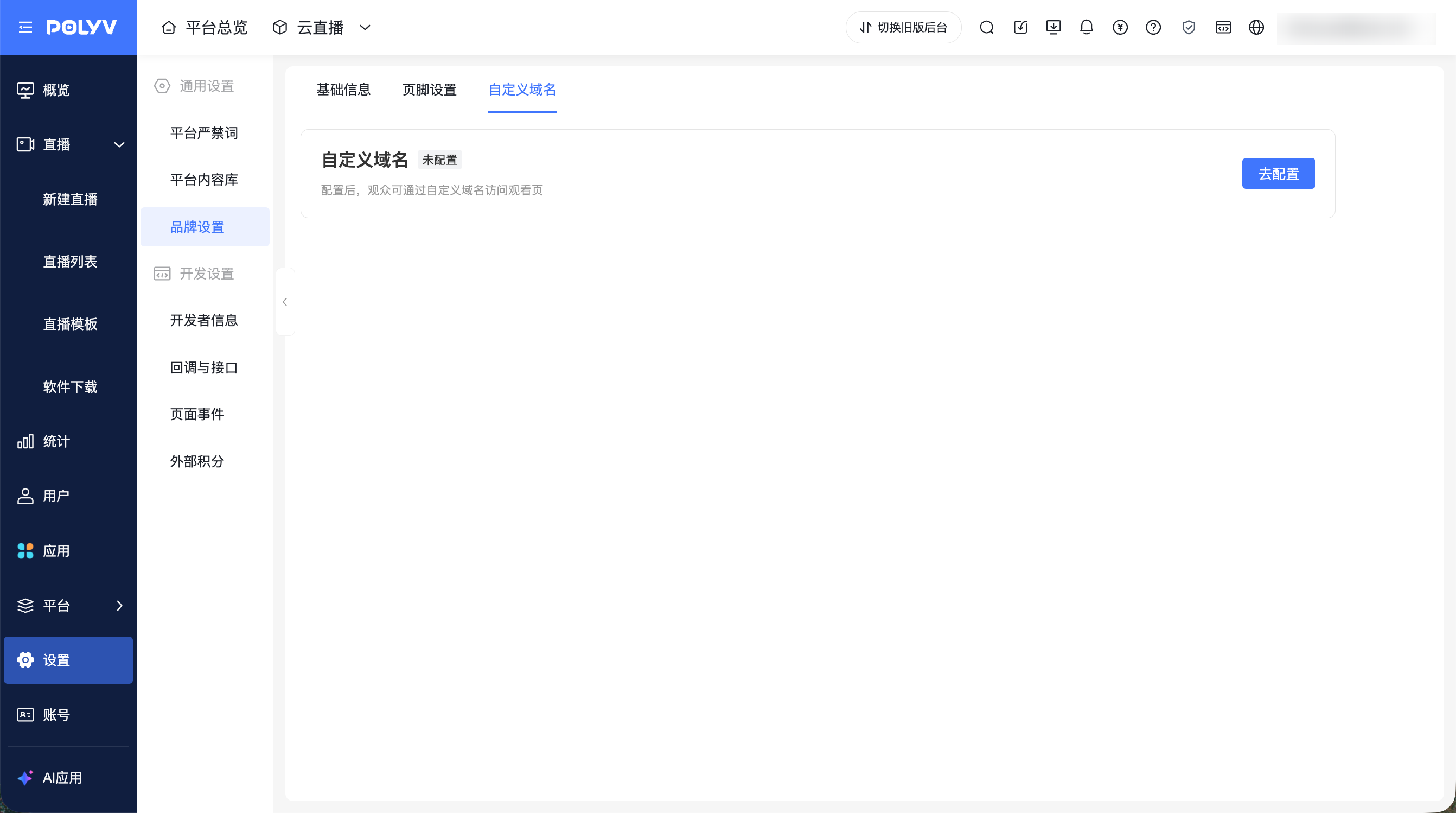
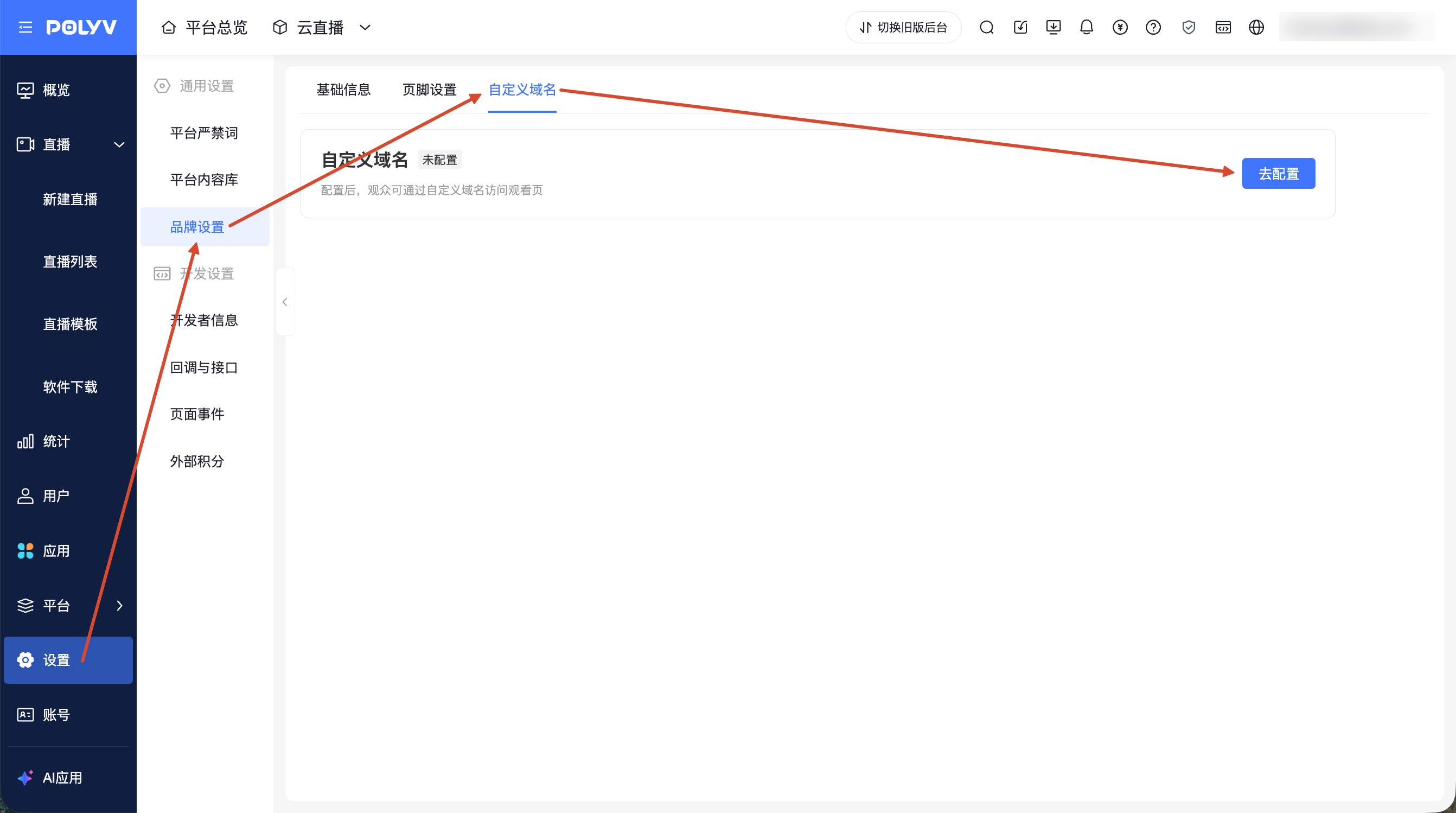
Status 1: When no custom domain is configured, the page displays the unconfigured status and provides an entry to configure a custom domain.
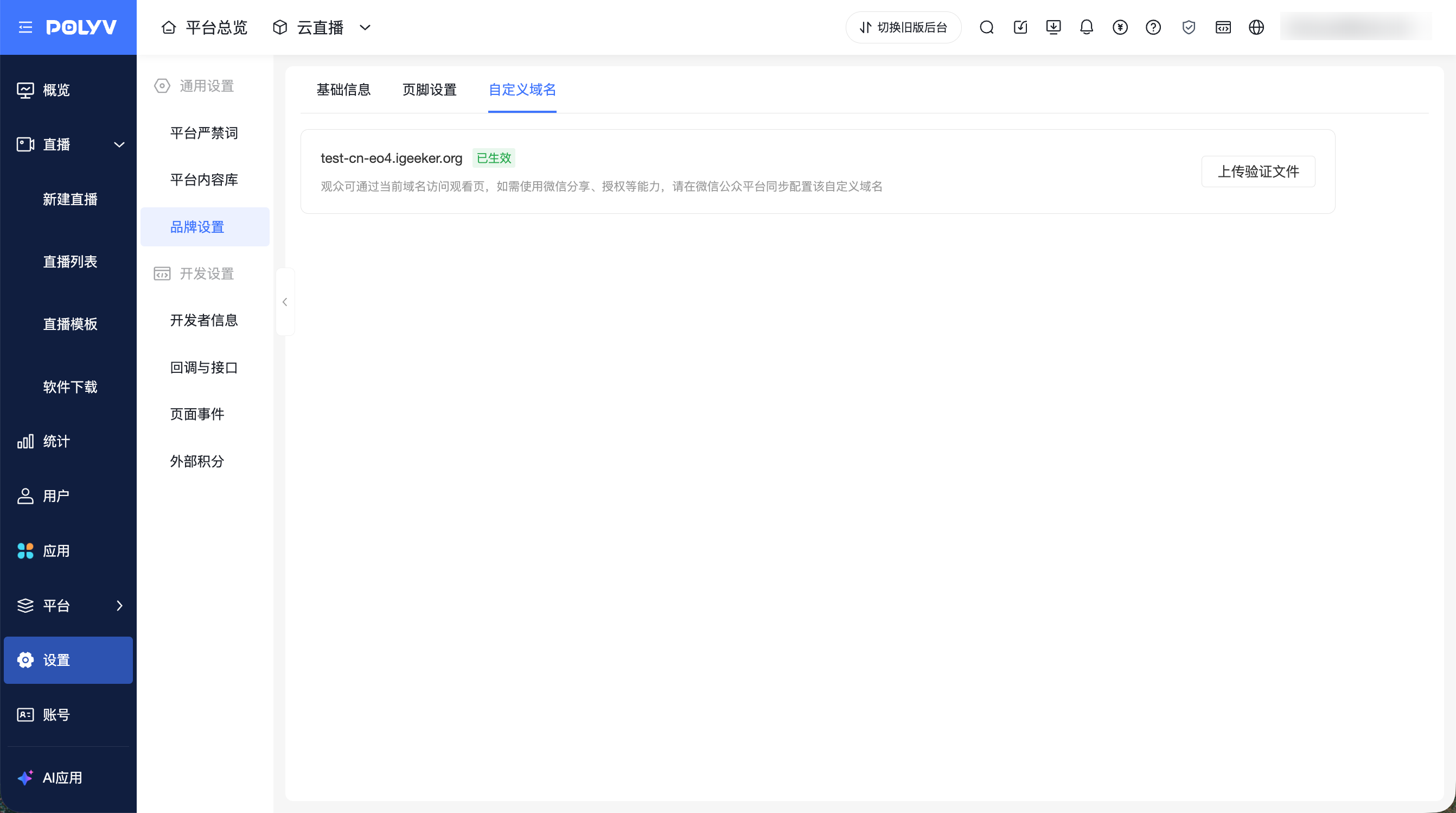
Status 2: When a custom domain is configured, the page displays the current domain, status, and description.
- Effect when using platform certificate - configured:
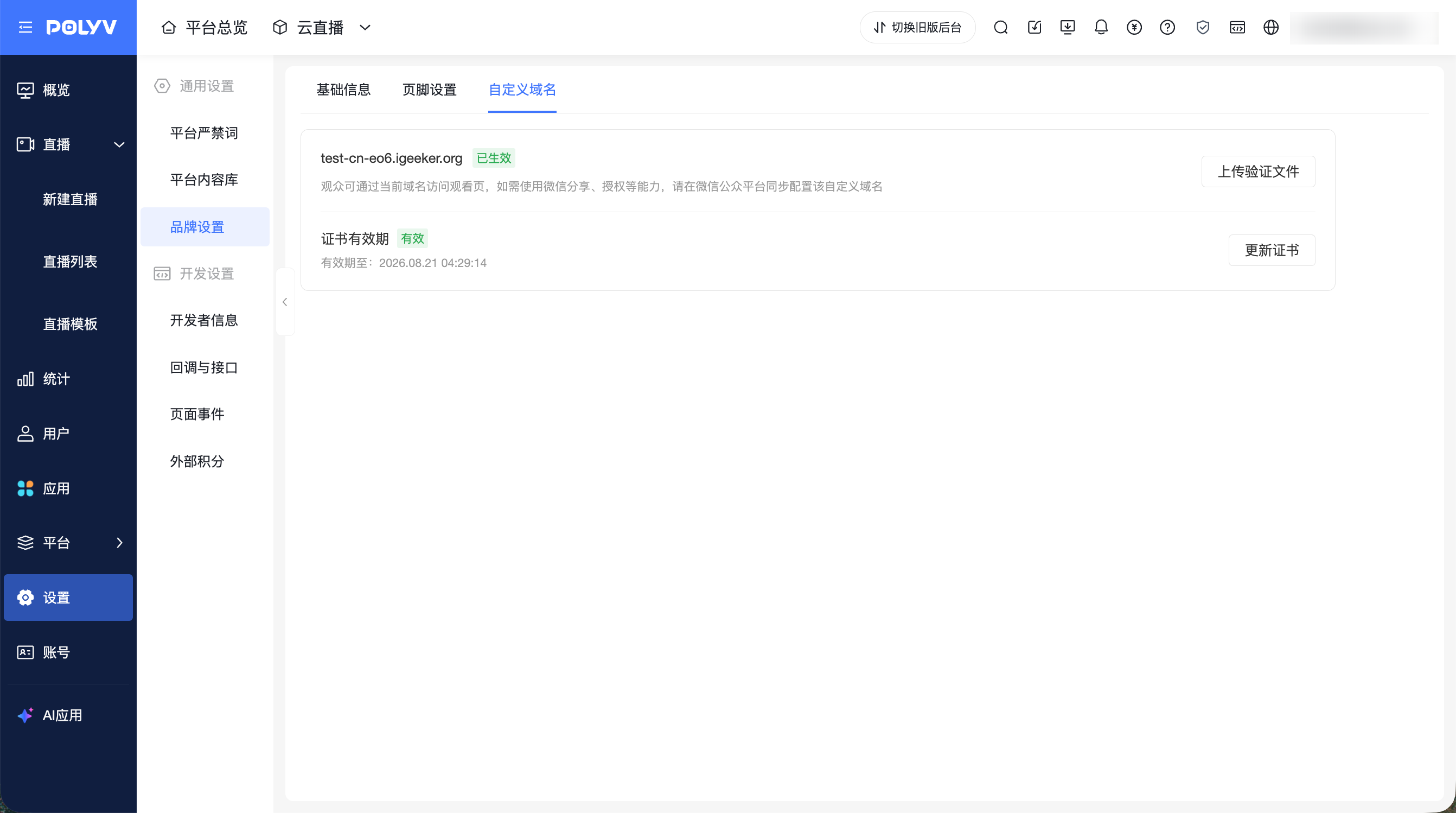
- Effect when using own certificate - configured:
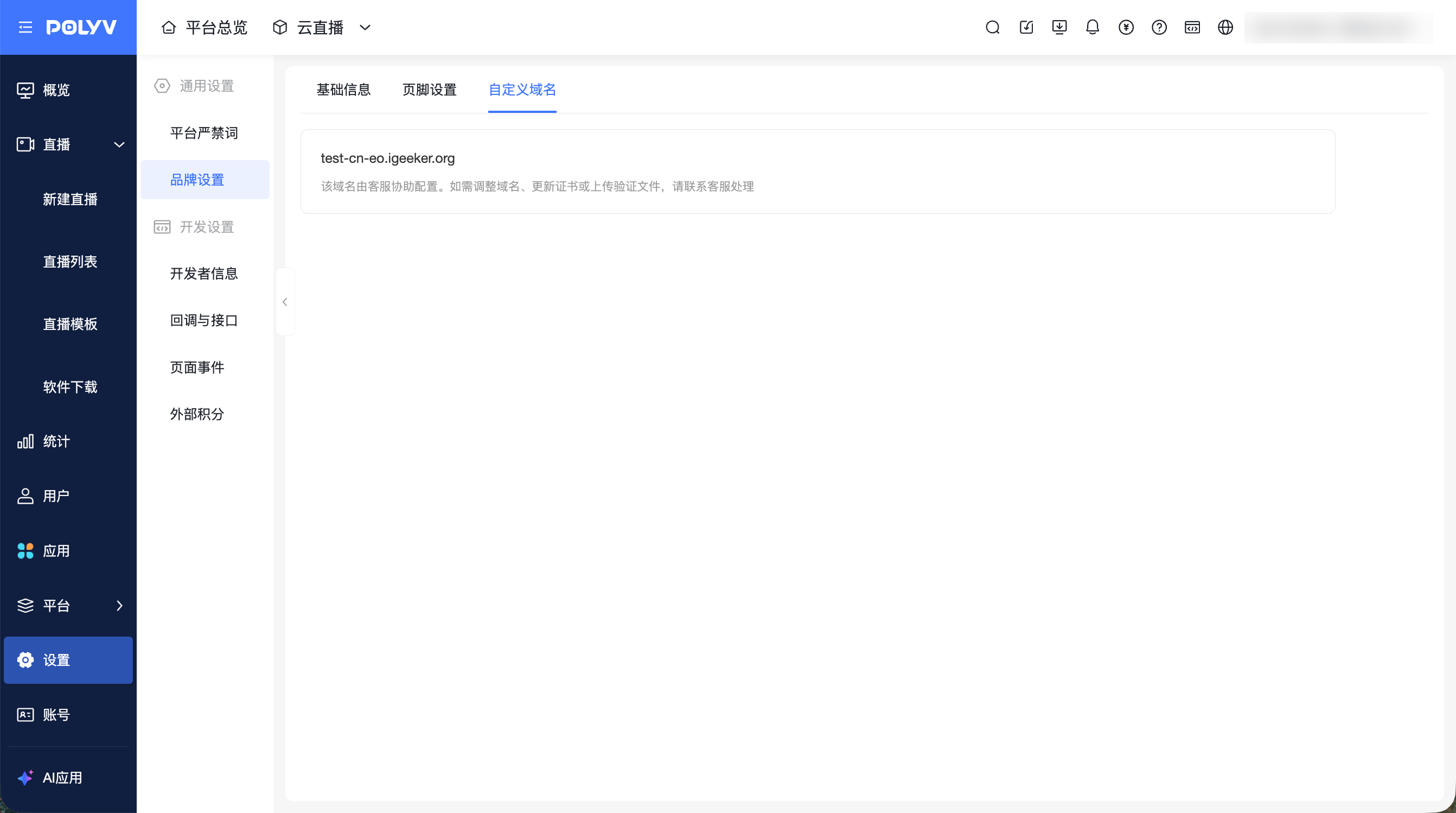
Status 3: Custom domains previously configured through after-sales service will also be displayed on this page.
Configure Custom Domain
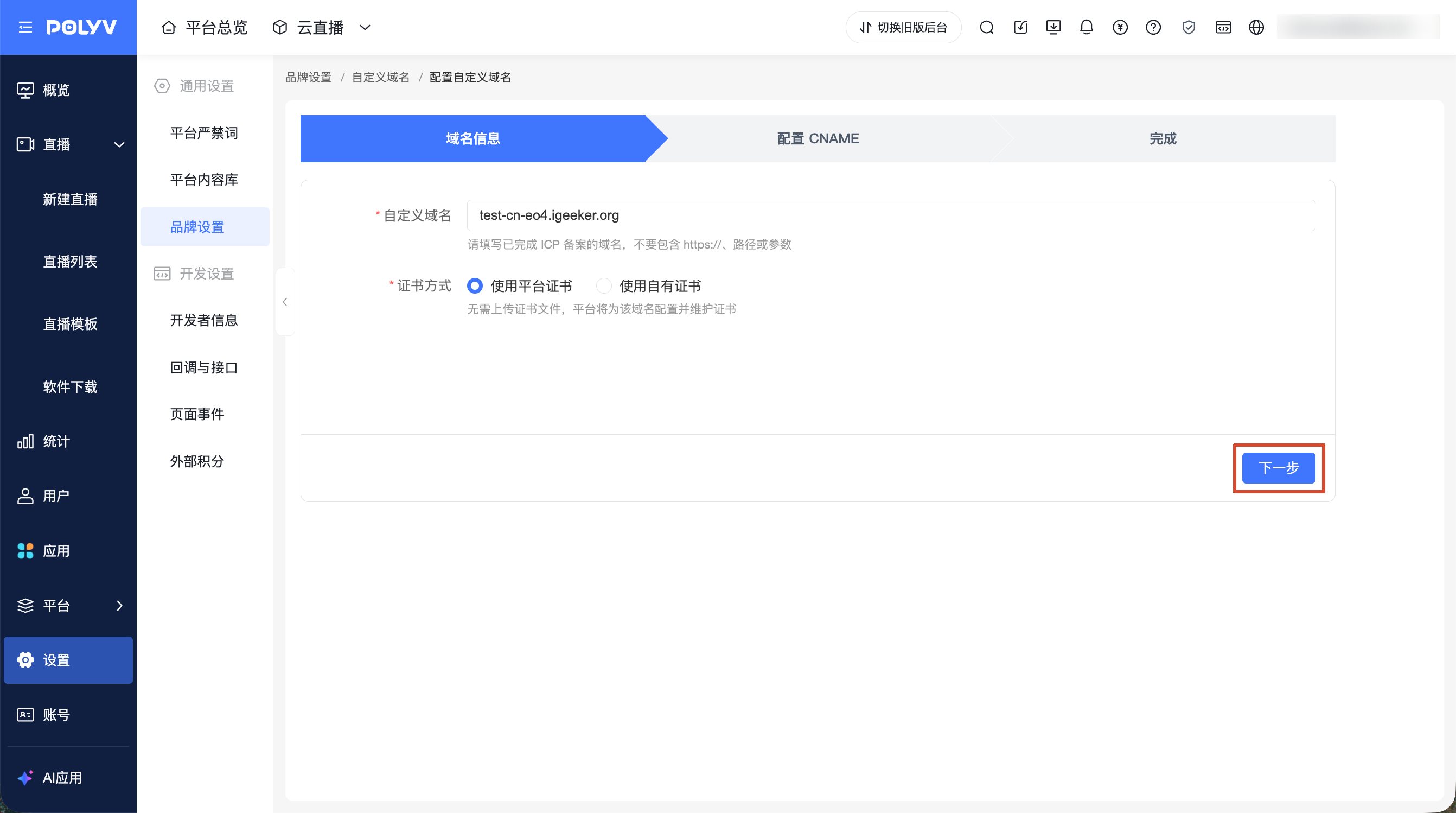
1. Fill in Domain Information
- Go to [Brand Settings] - [Custom Domain] and click [Configure].
- Fill in the custom domain.
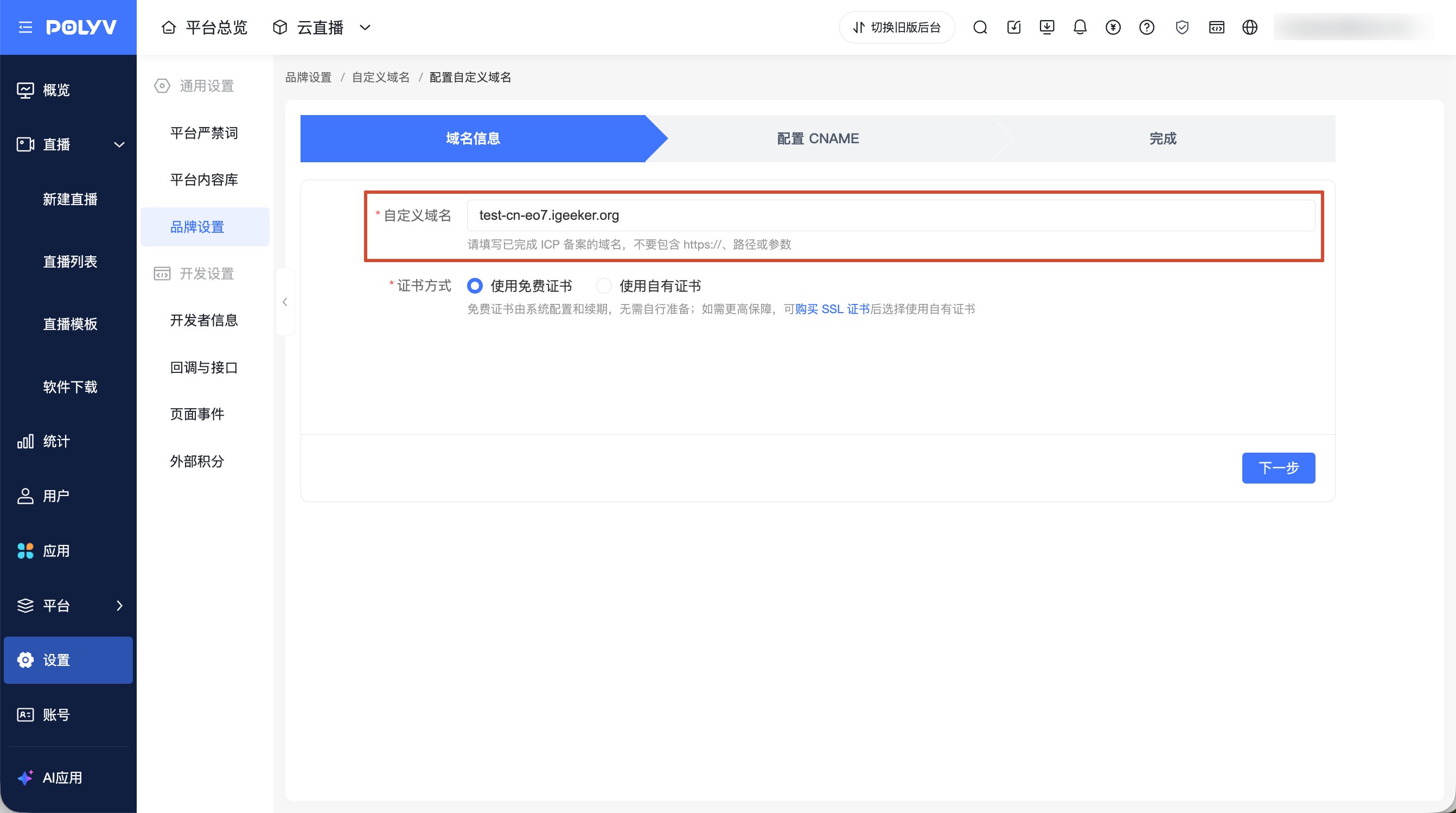
Note: The custom domain only supports entering a domain name, not http://, https://, paths, or parameters.
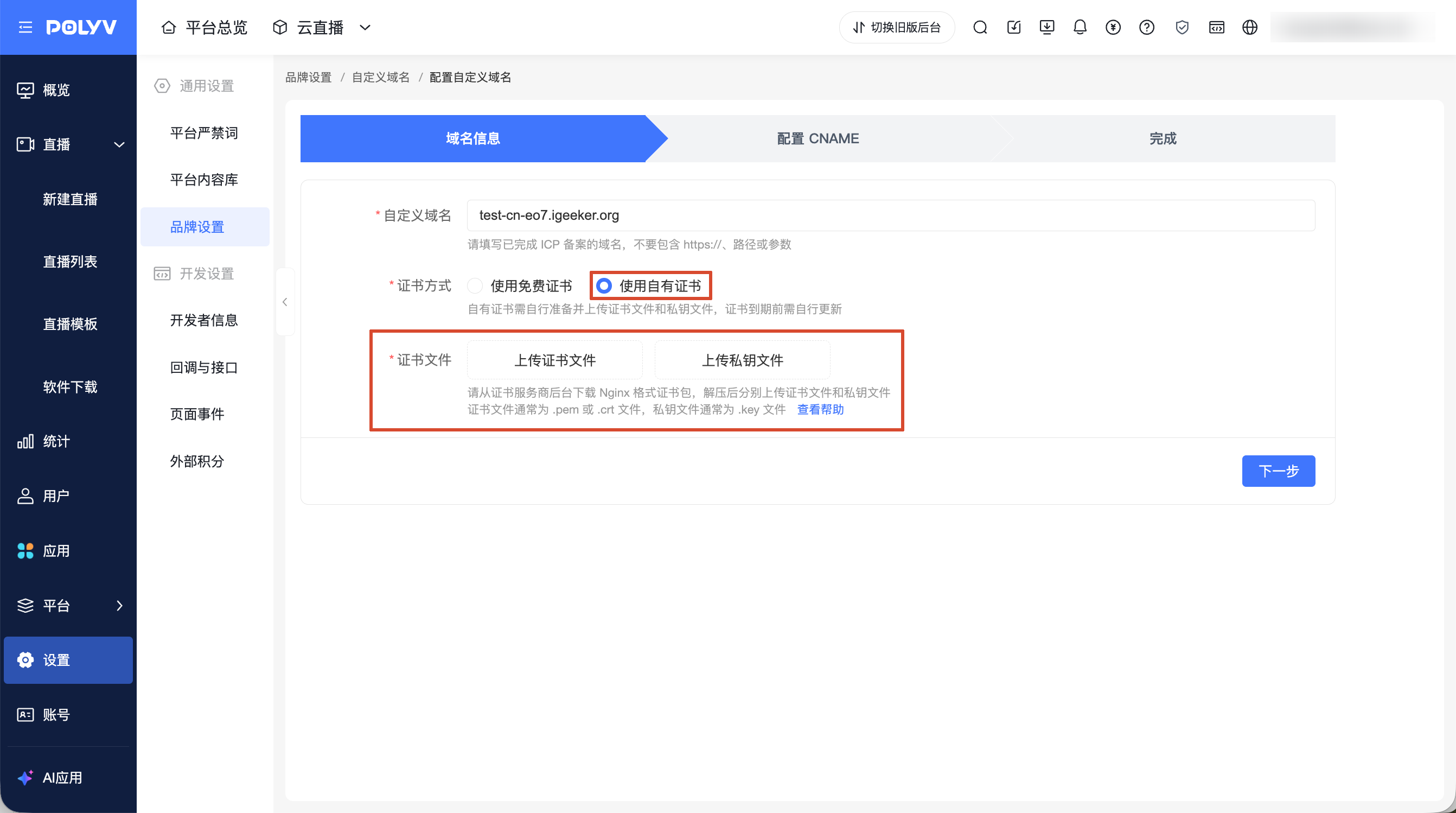
- Select the certificate method:
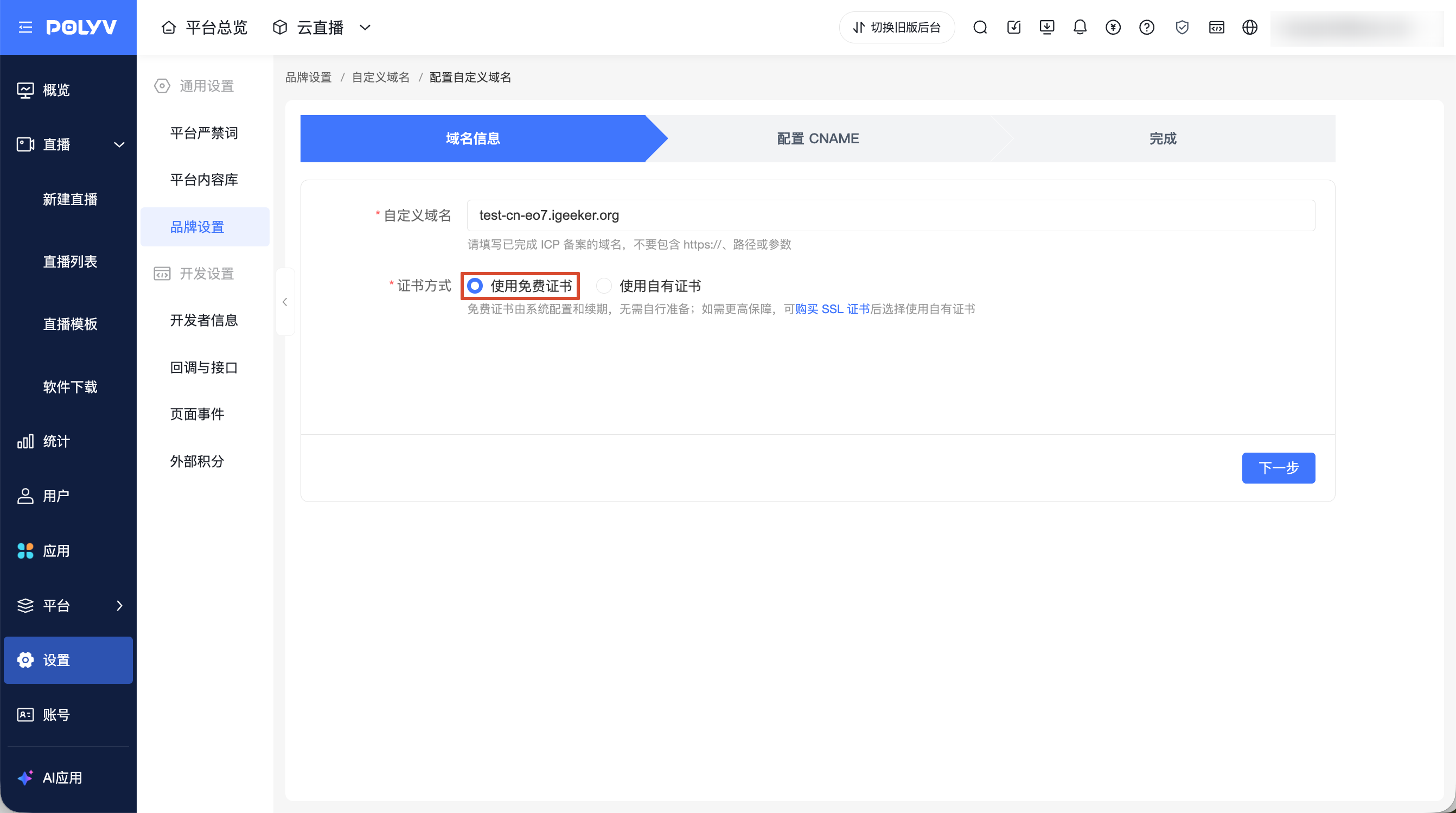
- Use free certificate: The free certificate is configured and renewed by the system, no need to prepare it yourself; if higher security is required, you can purchase an SSL certificate and choose to use your own certificate.
- Use own certificate: You need to prepare and upload the certificate file and private key file yourself, and renew the certificate before it expires. See: https://help.polyv.net/index.html#/live/product/live_bgm/custom_domain_nginx_certificate
- Click [Next].
If the domain has not completed ICP filing, the page will prompt: 该域名未完成 ICP 备案,请备案后再配置.
If the domain is already in use by another account, the page will prompt: 该域名已被其他账号使用,请更换域名或联系客服.
2. Configure CNAME Resolution
After entering the [Configure CNAME] step, the page will display the information that needs to be added to the DNS resolution service provider backend, including the host record, record type, and record value.
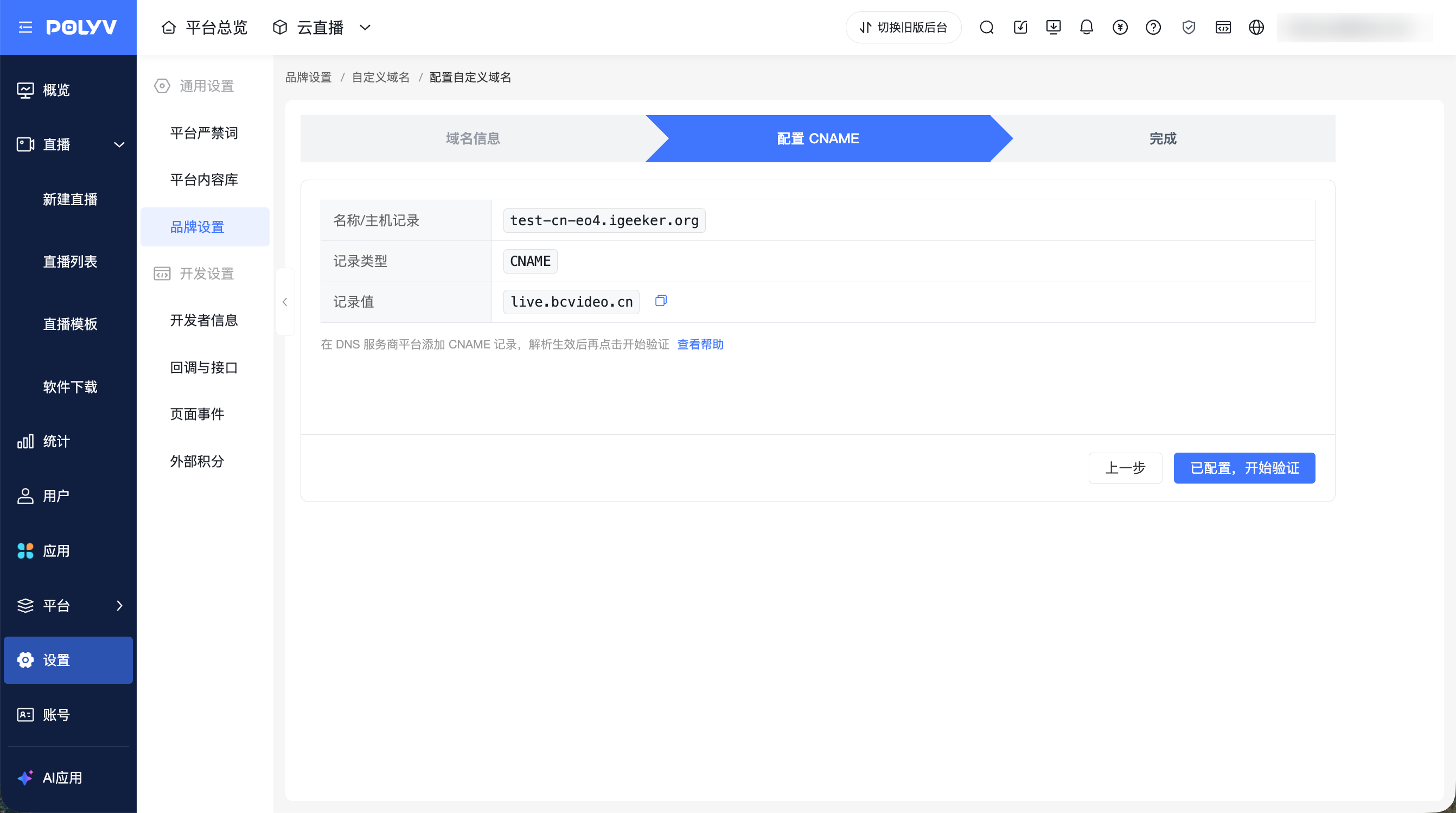
First, go to the DNS resolution service provider backend to add the CNAME record. For specific operations, refer to: https://help.polyv.net/index.html#/live/product/live_bgm/custom_domain_cname
After confirming the CNAME record has been saved, return to the Polyv backend to perform resolution detection.
- If detection passes, the system completes domain binding and enters the completion page.
- If detection fails, the page prompts:
暂未检测到正确解析,请检查 DNS 配置后重试。
3. Complete Configuration
After resolution detection passes, the page displays the configured custom domain. Viewers can access the corresponding page using this domain.
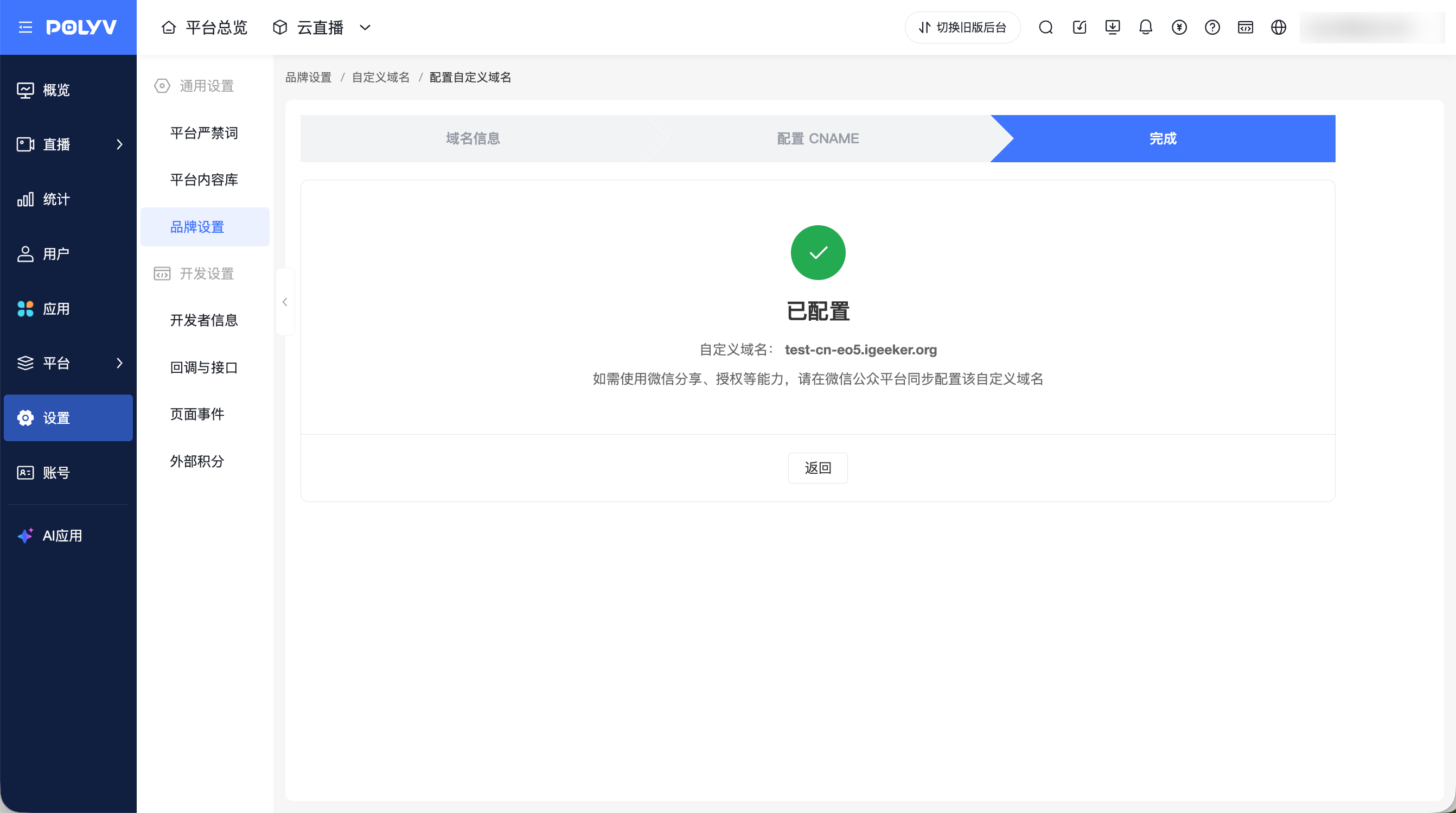
To access, share, or authorize within WeChat, you need to configure this custom domain in the WeChat Official Platform. For specific operations, refer to: https://help.polyv.net/index.html#/live/product/live_bgm/custom_domain_wechat
Upload Verification File
After configuring a custom domain, you can upload the domain verification file required by third-party platforms.
The verification file is used by third-party platforms to verify domain ownership and should only be uploaded when required by the third-party platform. After uploading, the third-party platform can access it via https://自定义域名/文件名.
- On the [Custom Domain] page, click [Upload Verification File].
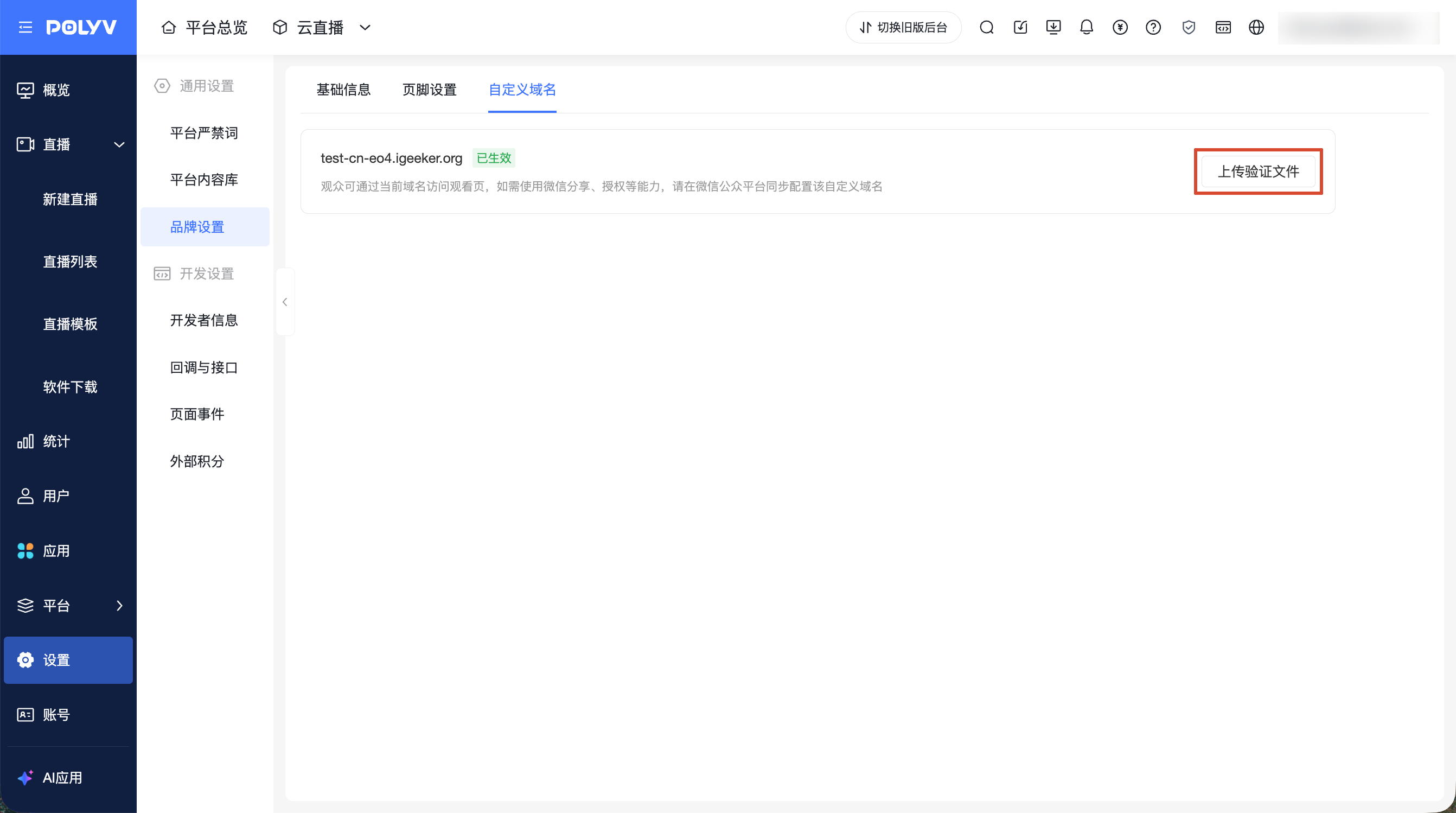
- Upload a
.txtor.htmlverification file.
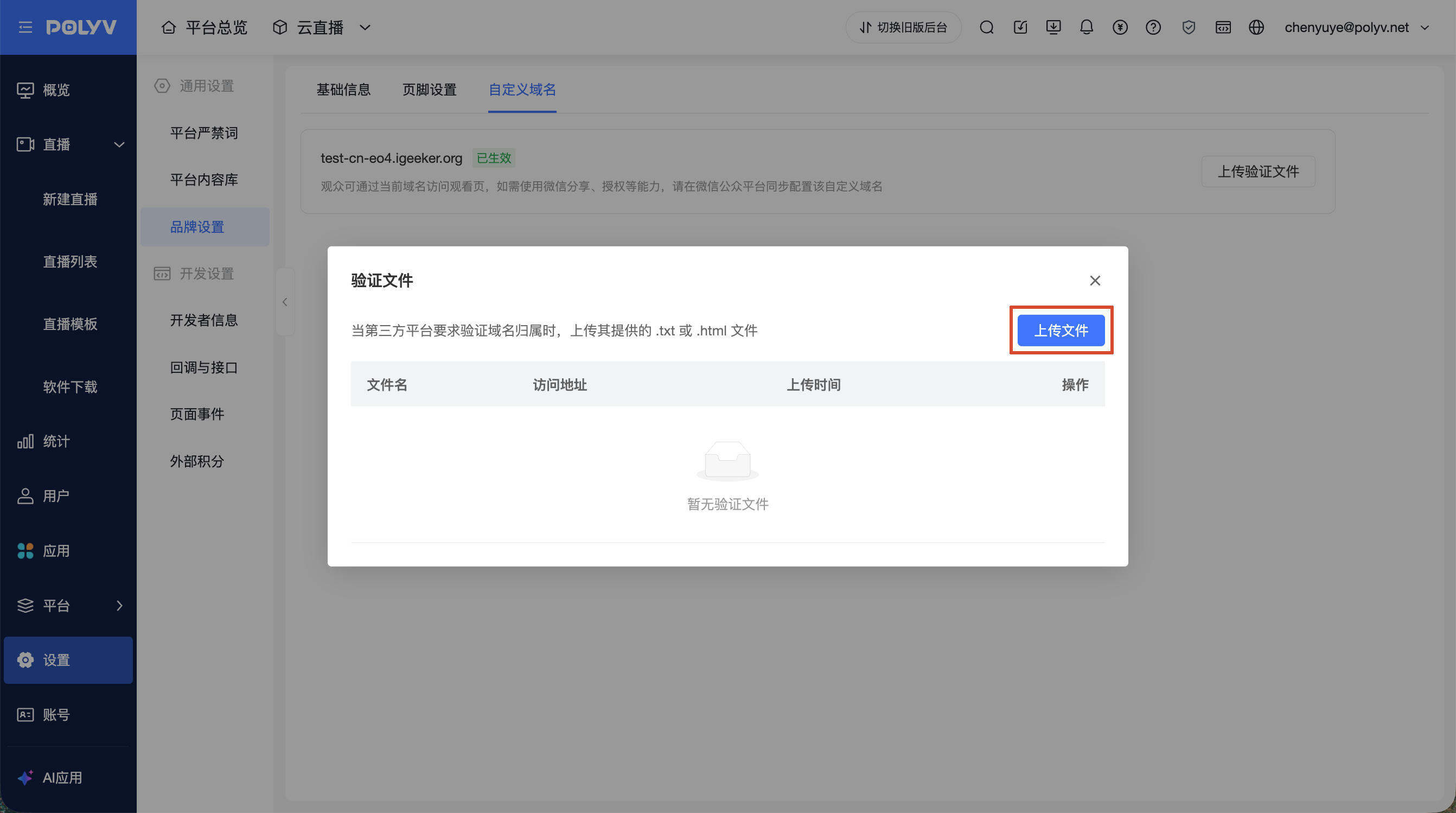
Multiple verification files can be uploaded under the same custom domain, but file names must not be duplicated. Deleting a single verification file will not affect other verification files or custom domain access.
Update Certificate
If the configured domain uses your own certificate, the page will display the certificate validity period.
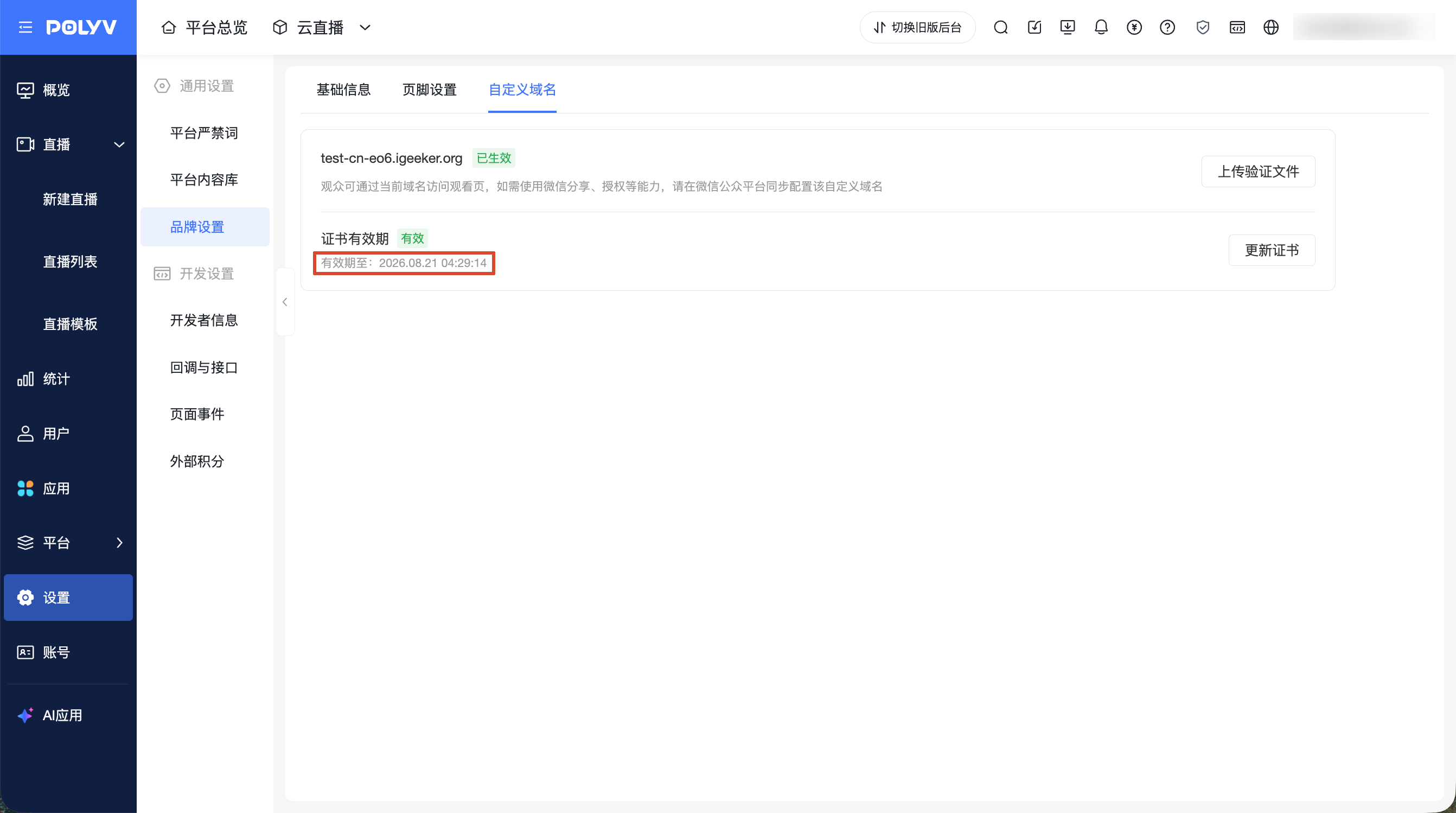
- When the certificate has not expired, the validity period is displayed, with a suggestion to update before expiration.
- When the certificate has expired, the page displays the expired status. After the certificate expires, viewers will not be able to access the corresponding page normally.
Click [Update Certificate] to re-upload the certificate file and private key file. There is no need to reconfigure the domain or CNAME. After system verification passes, the original certificate file will be replaced.
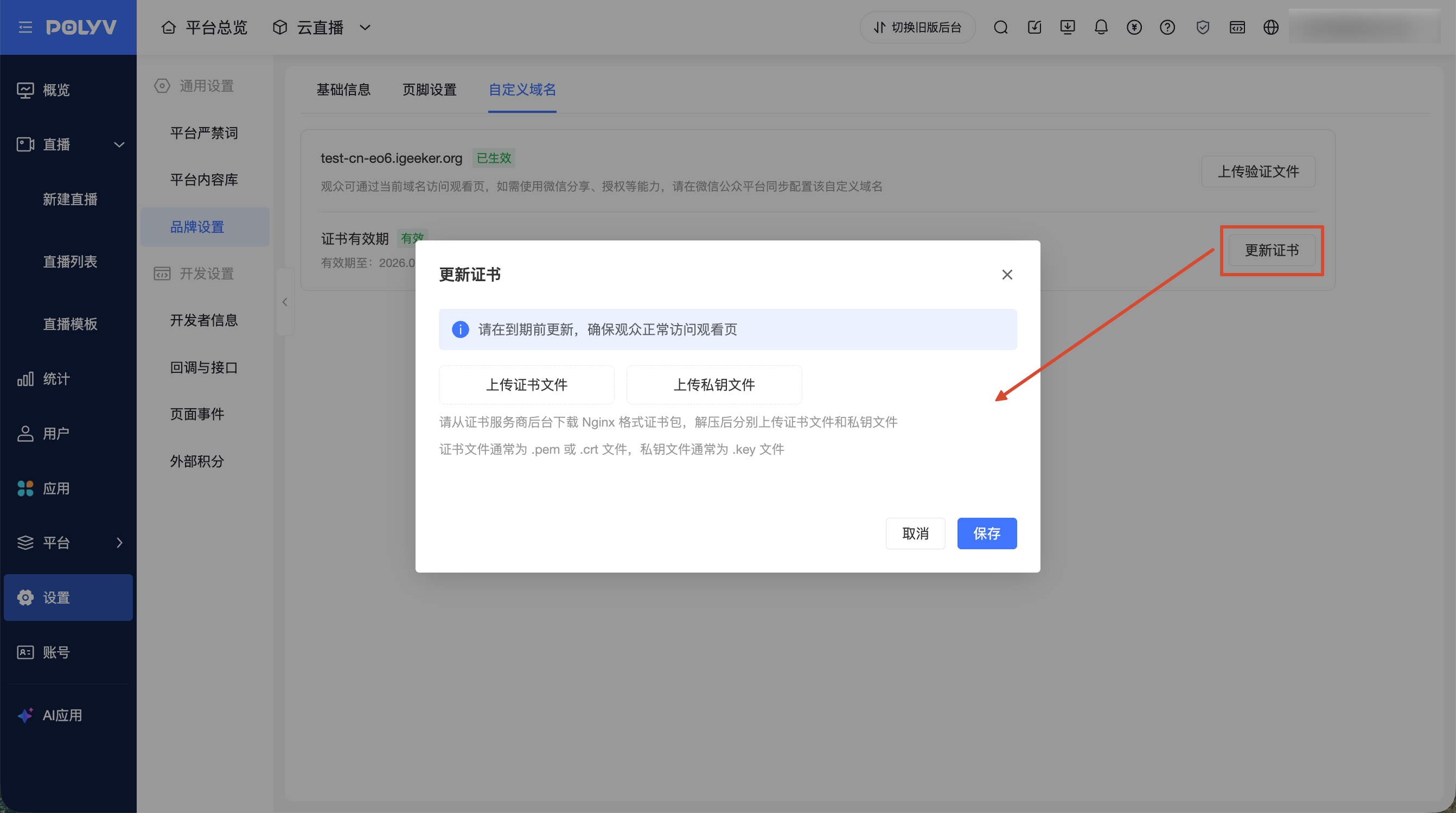
WeChat Access and WeChat Capabilities
The configuration of the custom domain and custom official account affects WeChat access and WeChat-related features.
| Configuration Status | WeChat Access | WeChat-Related Features |
|---|---|---|
| Custom domain configured, custom official account not configured | Can access pages via custom domain | WeChat-related features unavailable |
| Custom domain configured, custom official account configured | Normal access | WeChat sharing, WeChat authorization, official account capabilities available normally |
WeChat-related features include WeChat sharing, WeChat authorization, official account capabilities, and other features that depend on the custom official account configuration.
