


External Link Jump Guide
Polyv provides external link jump capabilities for various features, enabling seamless integration between customer self-developed/third-party systems and the Polyv live streaming system.
Features Using External Link Components
Channel product library, platform product library, advertisements (banner ads/icon ads/pre-roll ads/post-roll ads), card push, popup ads, page decoration - menu management - promotional external links, page decoration - promotional link menu - edit, page decoration - player - plaza, user settings - guest external login
External Link Component Description
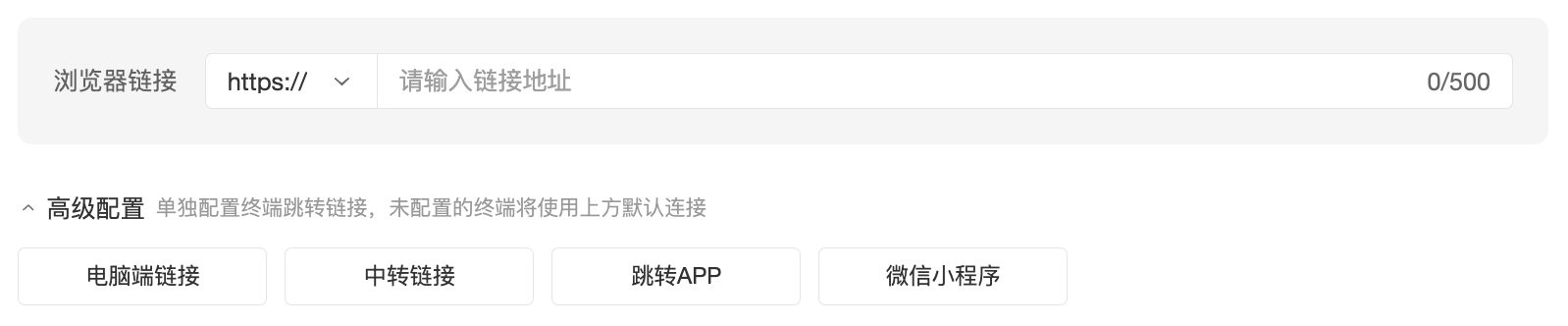
Default state - advanced settings collapsed:

After clicking to expand advanced settings, you can add jump methods as needed:
Configure jump methods one by one:
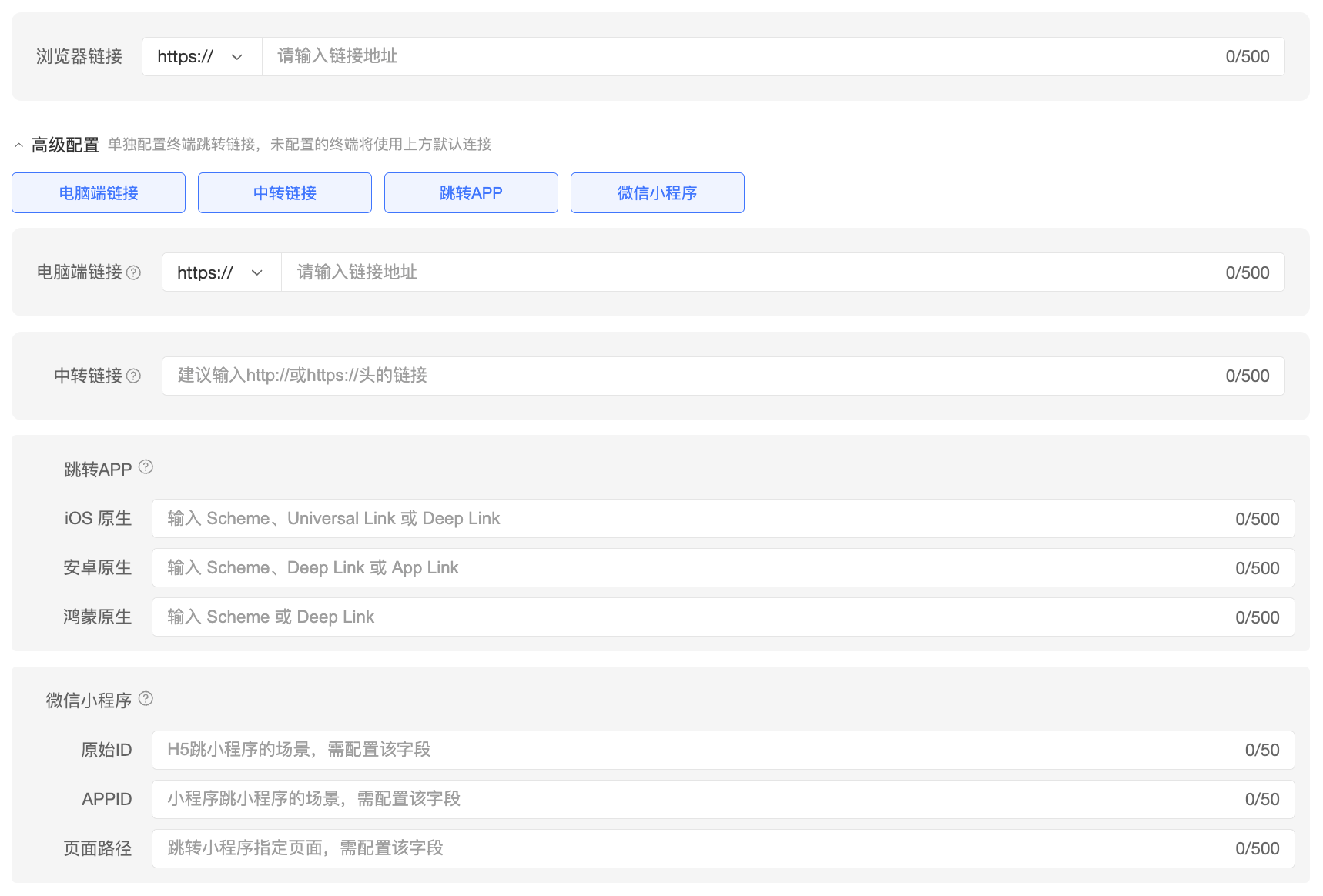
Browser Jump
- Browser Link: Fill in the browser link. Both mobile and desktop browsers can jump to this link. Supports configuring the link opening method.
- Open in Popup: The external link page opens embedded within the viewing page, without leaving the live stream. This method requires configuring the attached https://头的链接
- Open in New Window (default selected): The external link page opens in a new window. On non-WeChat mobile browsers/PC browsers, this makes it easy to switch between the viewing page and the external link page.
- Open in Current Window: The external link page covers the current window. You can return to the viewing page via the back button.
- Desktop Link: When clicked on a desktop device, it redirects to this link. Suitable for scenarios where mobile and desktop browsers need to jump to different links.
- Browser Link: Fill in the browser link. Both mobile and desktop browsers can jump to this link. Supports configuring the link opening method.
APP Jump
- Relay Link: Suitable for scenarios where the APP WebView viewing page or mobile browser jumps to the APP. The jump from the relay page to the native page is implemented by the integrator.
- iOS/Android/HarmonyOS Native: Suitable for scenarios where the APP WebView viewing page directly jumps to the APP's native page.
Mini Program Jump
- In a Mini Program WebView scenario, the APPID must be the current Mini Program. Mini Programs do not support jumping to other Mini Programs within a WebView. If this is needed, it is recommended to first jump to a native page within the current Mini Program, and then use this native relay page to jump to other Mini Programs.
Jump Priority in Different Viewing Page Environments
If all fields of the external link component in the live streaming backend are configured, the jump priority when users click an external link in different environments is as follows:
| Environment | Priority |
|---|---|
| Built-in browser apps like WeChat/QQ/Weibo/WeCom/DingTalk | Browser Link |
| Mobile browsers like Safari/Chrome/UC/Edge/QQ | APP Native Link > APP Relay Link > Browser Link |
| Desktop browsers like Safari/Chrome/UC/Edge/QQ | Desktop Link > Browser Link |
| Mini Program WebView viewing page | Mini Program Native Path > Browser Link |
| Mini Program Native viewing page | Mini Program Native Path |
| APP WebView viewing page (Polyv WebView) | APP Native Link > APP Relay Link > Browser Link |
| APP WebView viewing page (Customer's own WebView) | APP Native Link > APP Relay Link > Browser Link |
| APP integrated native viewing page (Multi-scenario SDK - Viewer) | Does not respond to SaaS configuration for now |
Summary of jump degradation handling:
- If only the browser link is filled in, users will jump to this link in all environments.
- The browser link can also serve as the final fallback page when other links are not filled in.
- For scenarios configured with iOS/Android/HarmonyOS native links, an APP relay link can be additionally configured. When the iOS/Android/HarmonyOS native link jump fails, the system will attempt to jump to the APP relay link.
Parameters Carried in External Link Jumps
Currently, the product library, page decoration - promotional external links, and card push support carrying parameters in external link jumps, facilitating click attribution and sharing traceability. When a C-end user clicks an external link and jumps to the pre-configured address on the customer side, developers can directly obtain the parameters we pass from the URL in the user's browser address bar. The parameters include:
- openId: WeChat openid, only obtainable in the WeChat environment
- unionId: WeChat unionid, only obtainable in the WeChat environment
- userId: viewerunionid under the user system, viewerid under the audience system
- nickname: User nickname
- inviteOpenId: Invitation poster - inviter's WeChat openid
- inviteUserUnionId: Invitation poster - inviter's WeChat unionid
- promoteId: Channel promotion channel ID
- channelId: Channel number
- sessionId: Session number
- saleId: One-customer-one-code sales ID
- inviteWatchSaleId: Invitation to watch - inviter ID
- param4: Custom field passed by the customer
- param5: Custom field passed by the customer
