Product Data
Updated: 2026-08-17 11:27:00
View the exposure, clicks, orders, and transactions of channel products
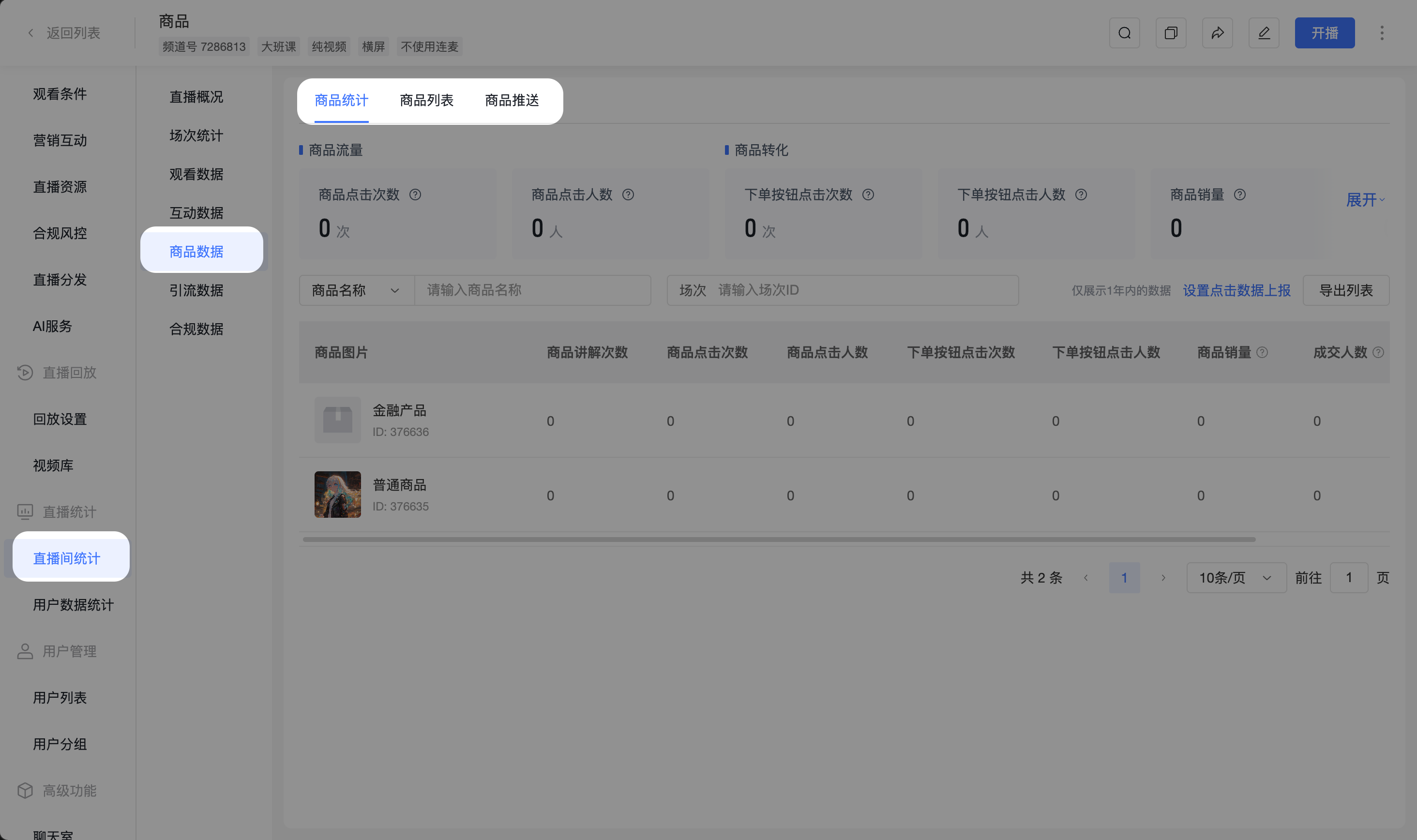
1. Product Statistics
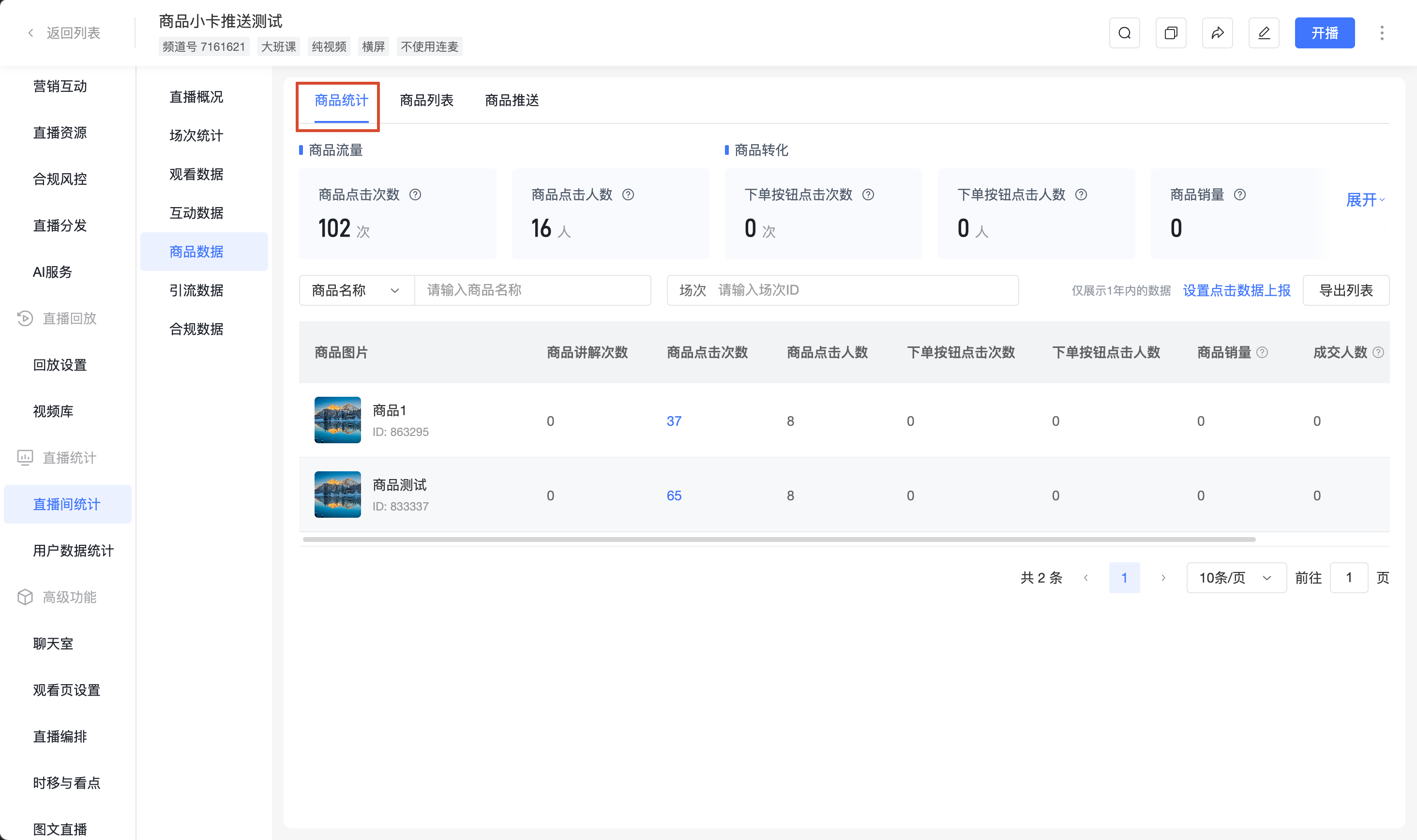
View product click, order, and transaction data during the live stream, including two views: "Overview" and "List":
- Overview: Aggregated data for all products under the channel
- List: Detailed data for each product under the channel
1.1 Metric Definitions
- The same metric has consistent definitions in both "Overview" and "List", differing only in aggregation granularity (total / per product)
- Prerequisite: Product click and order button click statistics require prior setup of [Click Data Reporting], otherwise data cannot be reported
- Product Click Count / Product Click Users: Applicable to regular products
- Order Button Click Count / Order Button Click Users / Product Sales Volume / Transaction Users / Transaction Amount: Only applicable to regular products with "Direct Purchase" method
- Data range only displays data within 1 year
| Metric | Definition |
|---|---|
| Product Click Count | Number of clicks on products under this channel across all terminals; click locations include: cover/title area and purchase button in "Product List", cover/title area and purchase button in "Product Push Card", purchase button in "Product Details"; reporting terminals include: H5 viewing page, PC viewing page, mobile viewing page |
| Product Click Users | Deduplicated by viewerid based on click count; multiple clicks by the same user count as 1 user |
| Order Button Click Count | Number of clicks on the submit order button on the H5 viewing page - order page for "Direct Purchase" products under this channel |
| Order Button Click Users | Deduplicated by viewerid based on order button click count |
| Product Sales Volume | Total sales volume of "Direct Purchase" products; orders with pending payment status are not counted, only successful payments are counted; zero-yuan orders are excluded; multiple orders for the same product by the same user are not deduplicated |
| Transaction Users | Total number of users who completed transactions for "Direct Purchase" products; orders with pending payment status are not counted, only successful payments are counted; zero-yuan orders are excluded; multiple orders for the same product by the same user are deduplicated |
| Transaction Amount | Total transaction amount for "Direct Purchase" products; orders with pending payment status are not counted, only successful payments are counted; zero-yuan orders are excluded |
1.2 Filter Options
- Product Name: Supports fuzzy search
- Product ID: Exact search
- Session: Filter by session; if there is no data under a session, the list displays "No Data"
1.3 List Fields
Product Image, Product Explanation Count, Product Click Count, Product Click Users, Order Button Click Count, Order Button Click Users, Product Sales Volume, Transaction Users, Transaction Amount (yuan)
1.4 Actions
- [Export List]: Supports full export or export after filtering
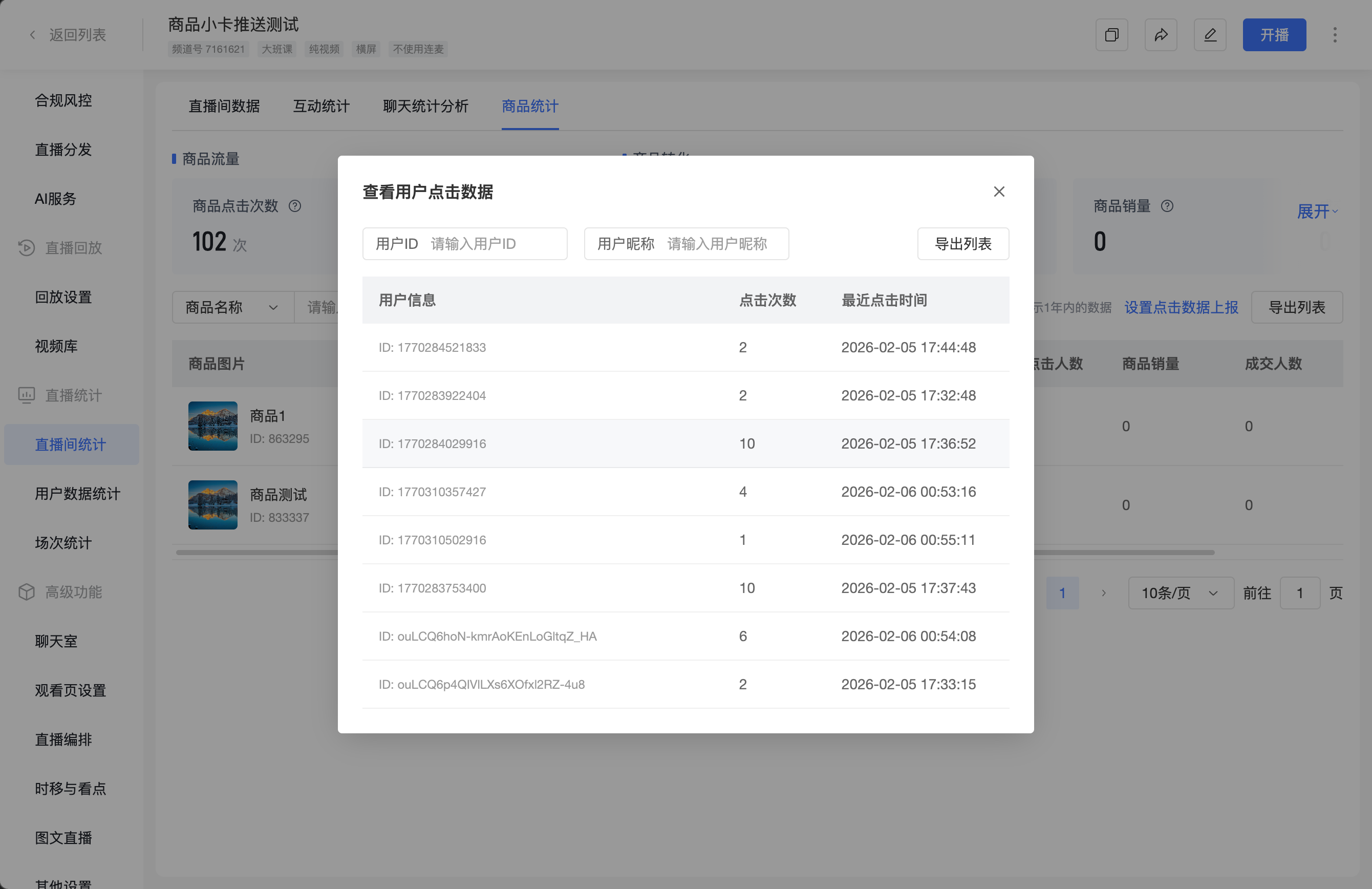
- When the "Product Click Count" of a product is not 0, the value is displayed in blue and is clickable; clicking opens the [View User Click Data] popup, showing: which users clicked, how many times each clicked, and the last click time; supports search and export
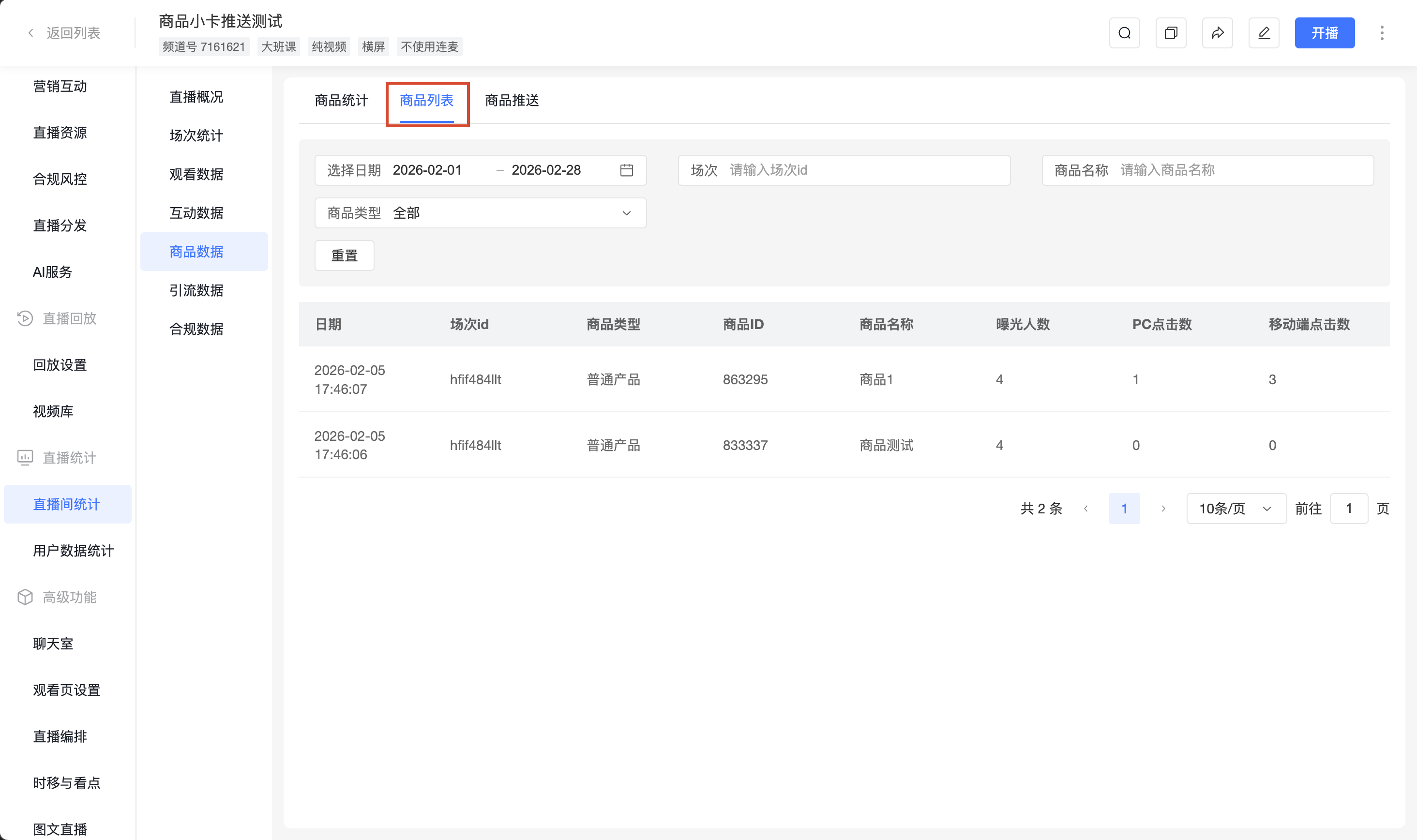
2. Product List
Records exposure and click data for each product across different terminals by session
- Filter Options: Select date, session, product name, product type (all)
- Fields: Date, Session ID, Product Type, Product ID, Product Name, Exposure Users, PC Clicks, Mobile Clicks
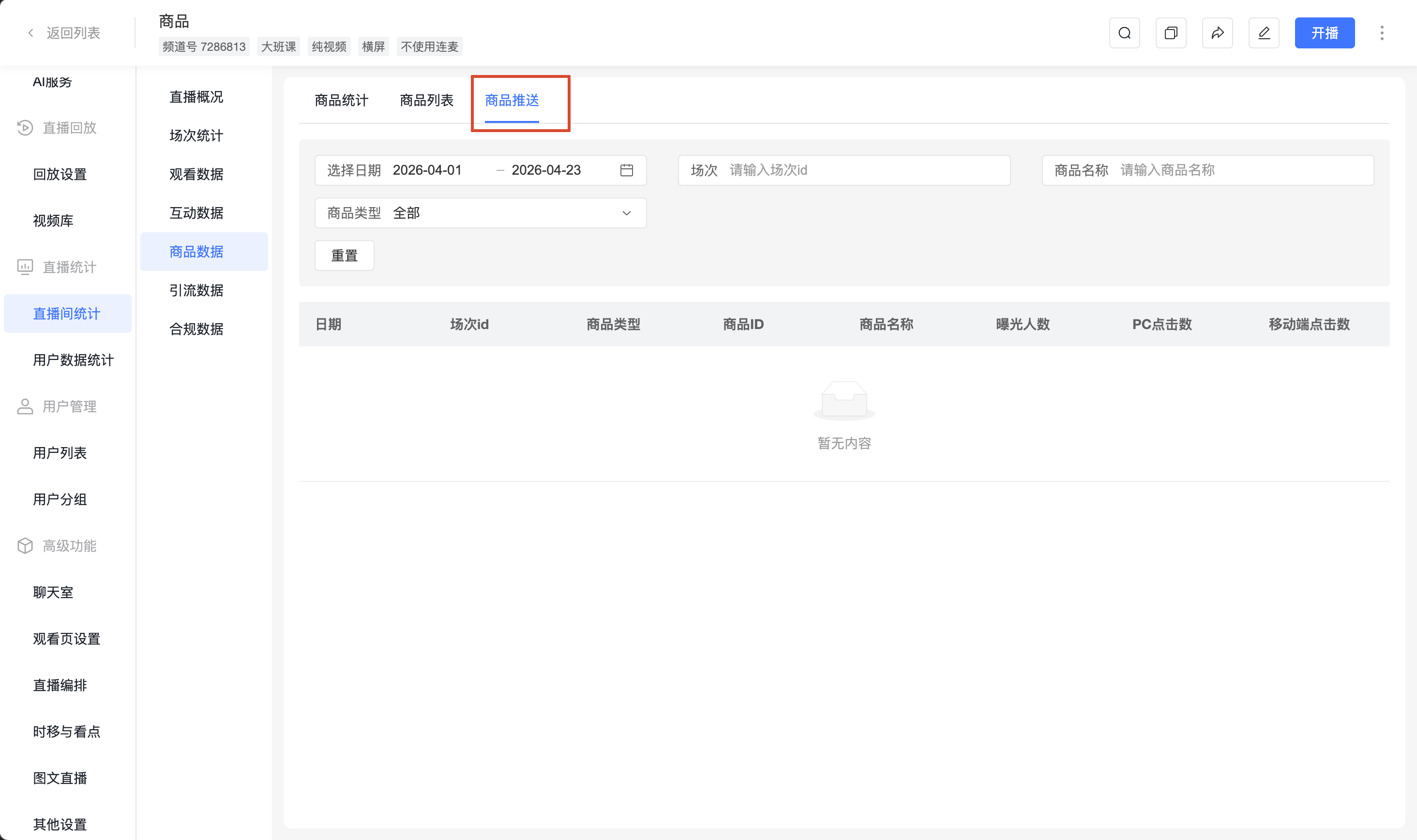
3. Product Push
Records exposure and click data for pushed products
- Filter Options: Select date, session, product name, product type (all)
- Fields: Date, Session ID, Product Type, Product ID, Product Name, Exposure Users, PC Clicks, Mobile Clicks