AI Assistant FAQ
Question 1: What are the requirements for uploading materials to the enterprise knowledge base?
Supports adding videos with subtitles from on-demand, and uploading files in txt, docx, and xlsx formats locally. Documents must not exceed 100MB.
Question 2: What is the maximum number of learning materials an account can add?
Each account can add up to 4096 learning materials.
Question 3: Is the AI Q&A assistant currently only available for live streaming? Can it be added to on-demand videos?
Currently, the AI assistant Q&A display is only available in the live streaming system. The on-demand system cannot yet support the AI assistant Q&A page.
Question 4: Why is the AI Q&A assistant not displayed on the vertical screen viewing page?
The vertical screen viewing page currently does not support the AI Q&A assistant.
Question 5: Can the content learned by the AI Q&A assistant be encrypted on-demand videos?
Not supported yet. On-demand videos learned by the AI Q&A assistant must be in a non-encrypted state.
Question 6: Does the AI Q&A assistant support sub-account configuration?
Yes, it supports configuring sub-account permissions.
Question 7: Can the first message sent by default by the AI Q&A assistant be customized?
Currently, customizing the first message is not supported.
Question 8: When adding knowledge to the enterprise knowledge base in the live streaming backend, the corresponding video cannot be found by searching for the video VID.
Possible reason 1: The video does not contain subtitle files. Adding on-demand videos requires subtitle files. Possible reason 2: Searching for a video VID only supports matching characters before "_". You can remove the suffix when searching for the VID, for example, "_1".
Question 9: After setting up the Q&A assistant, how can I verify the answer content?
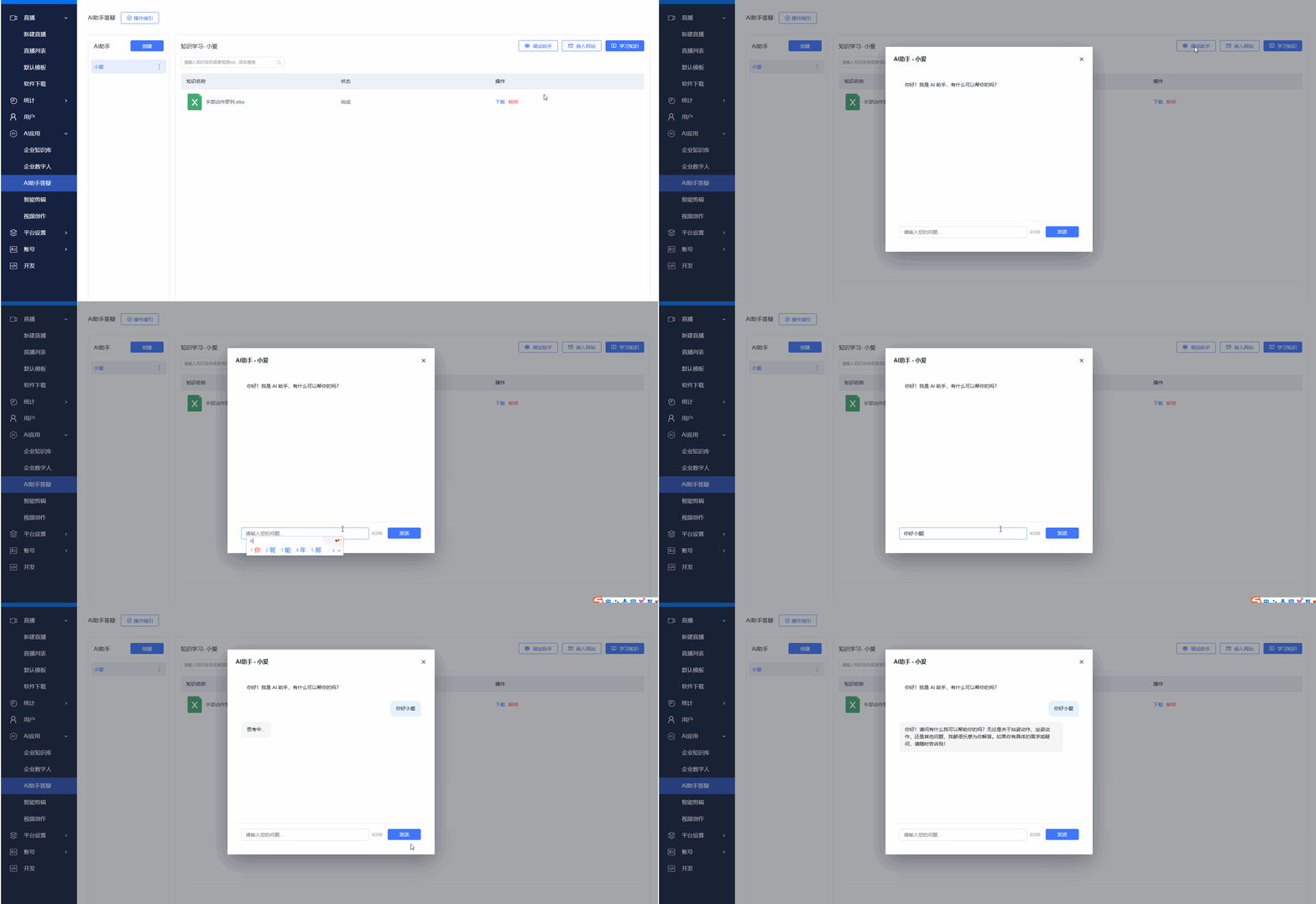
After creating or updating the knowledge for the Q&A assistant, you can click [Debug Assistant] in the backend to test and verify whether the content is correct.