


Live Stream Reservation
I. Feature Overview
Feature Info |
Description |
|---|---|
| Feature Name | Live Stream Reservation |
| Feature Description | Allows viewers to reserve a live stream before it starts, and to reserve other upcoming live streams during the current one; automatically sends reminders to reserved viewers before the stream starts, improving reach efficiency |
| Purpose | Lock in potential viewers in advance, boost initial stream heat and attendance, effectively aggregate traffic |
| Use Case | Suitable for the warm-up phase of important live streams to ensure higher attendance; also suitable for series of live streams, using advance reservations to continuously drive traffic to the next stream |
| Operation Path | 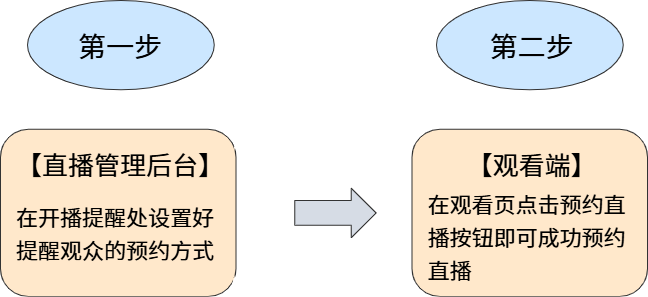 |
| Notes | 1. The broadcast start time must be set before viewers can reserve the live stream; 2. WeChat reservation is not supported on the WeChat PC client |
II. Feature Details
1. Set Broadcast Start Time
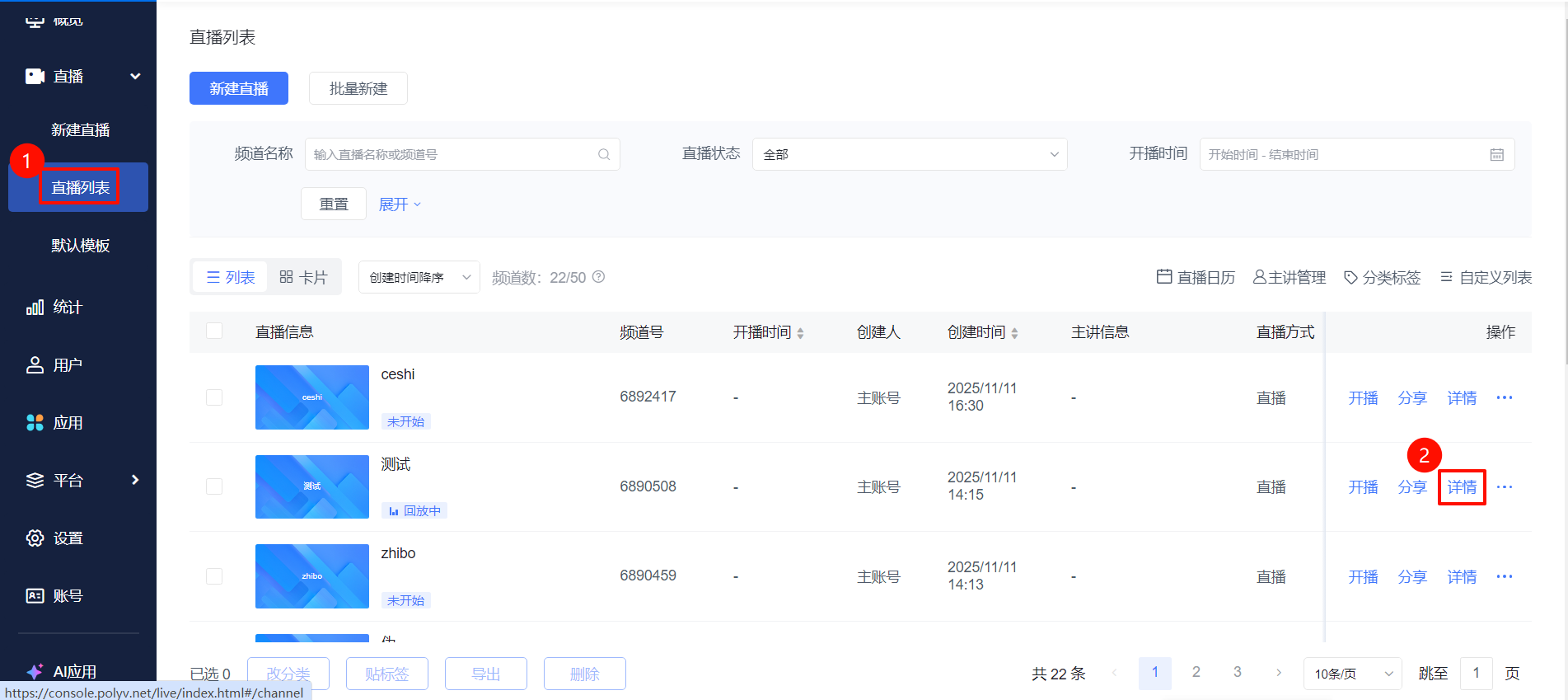
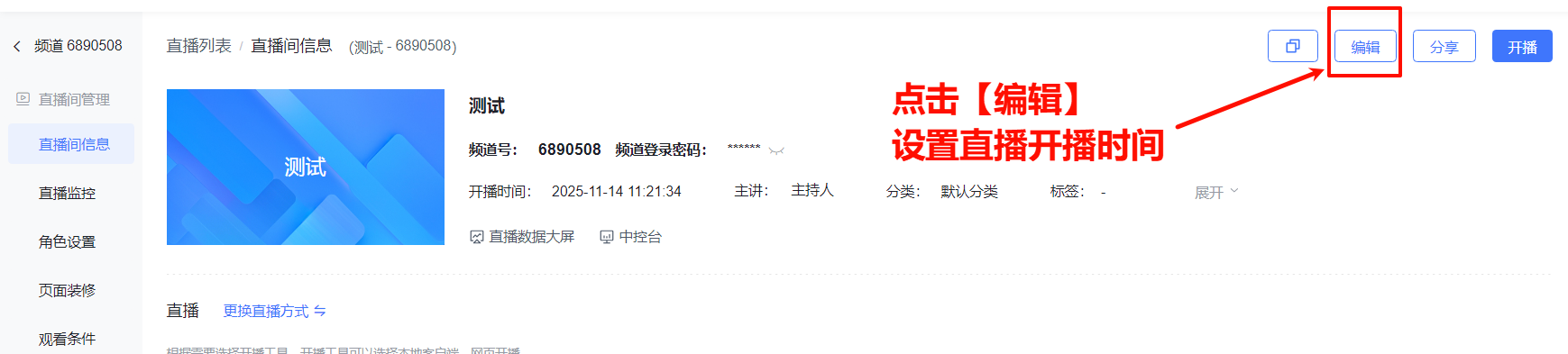
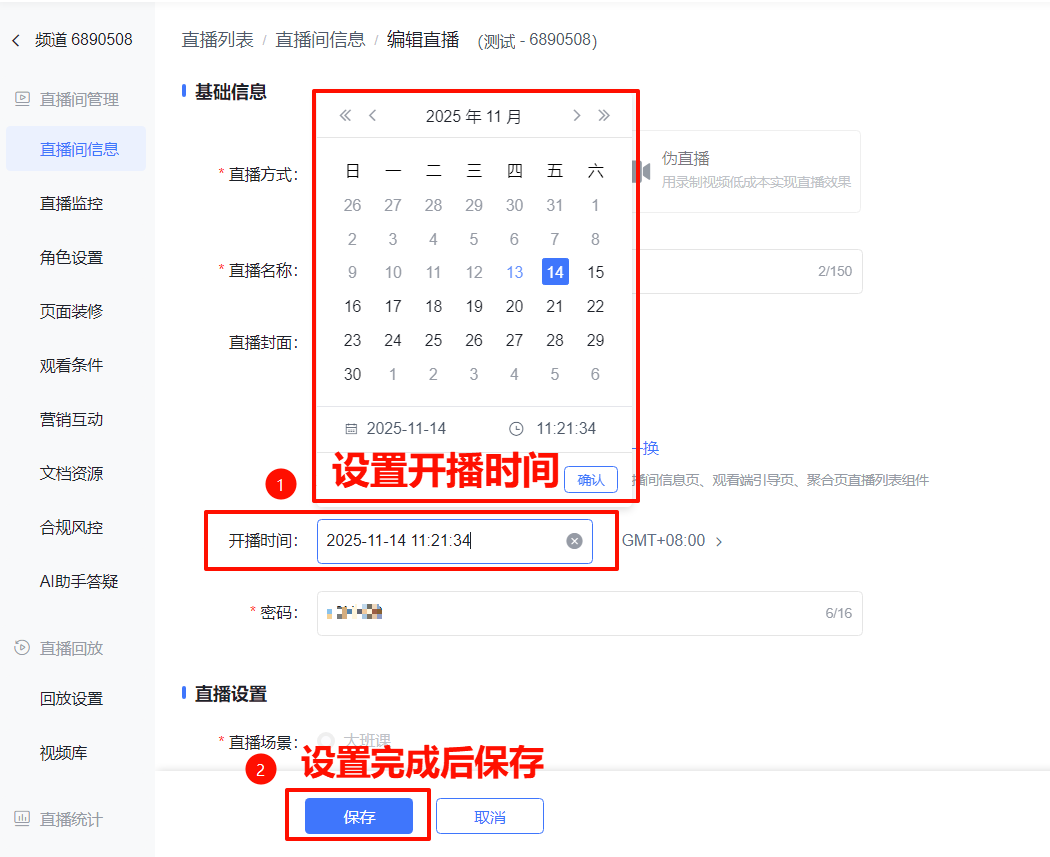
The broadcast start time must be set before viewers can reserve the live stream. Go to the [Live List] page, select the live stream and click [Details]. In the live stream management area, click [Live Stream Info] - [Edit], set the broadcast start time, and save.
2. Broadcast Reminder
- In the live stream management area, click [Marketing & Interaction] - [Live Reservation] - [Broadcast Reminder]
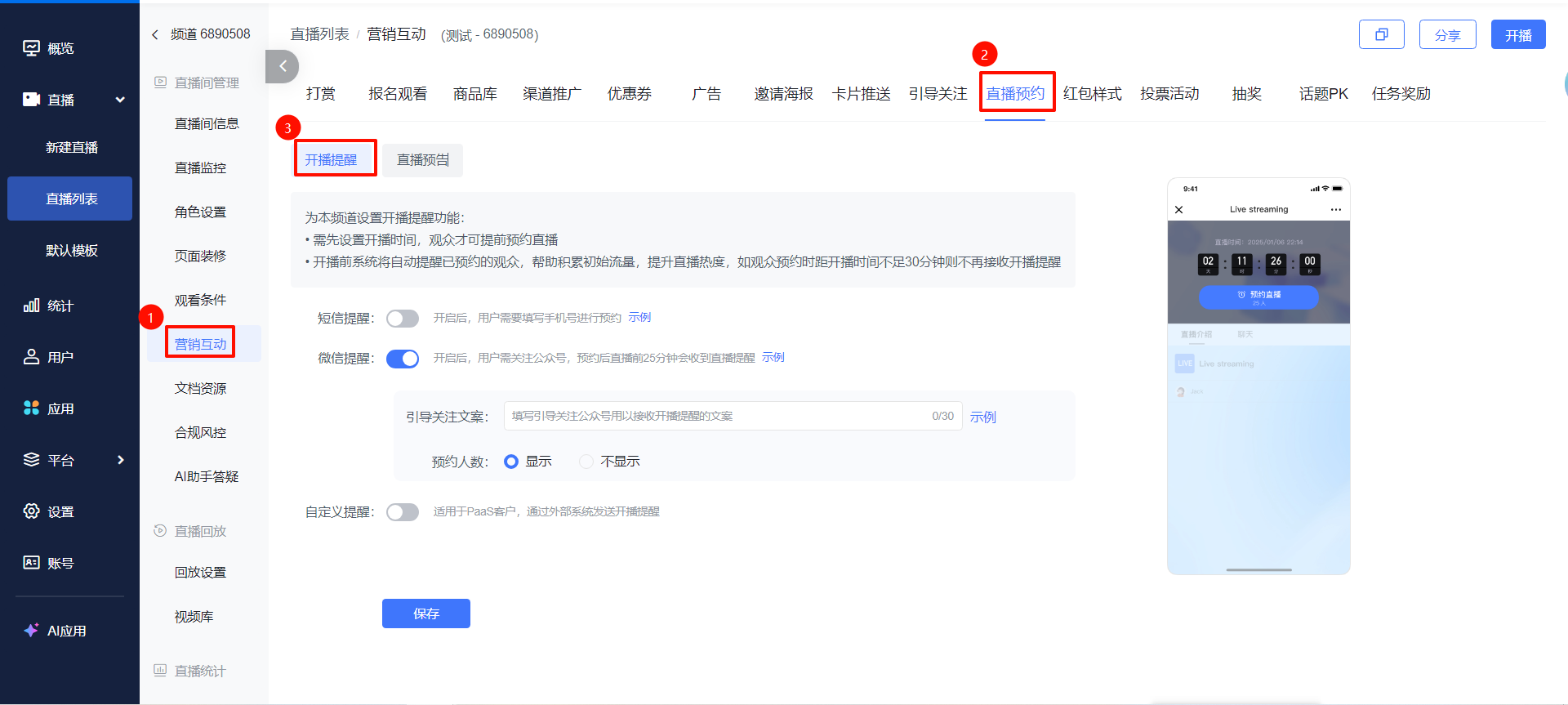
- Supports three methods: SMS reminder, WeChat reminder, and custom reminder:
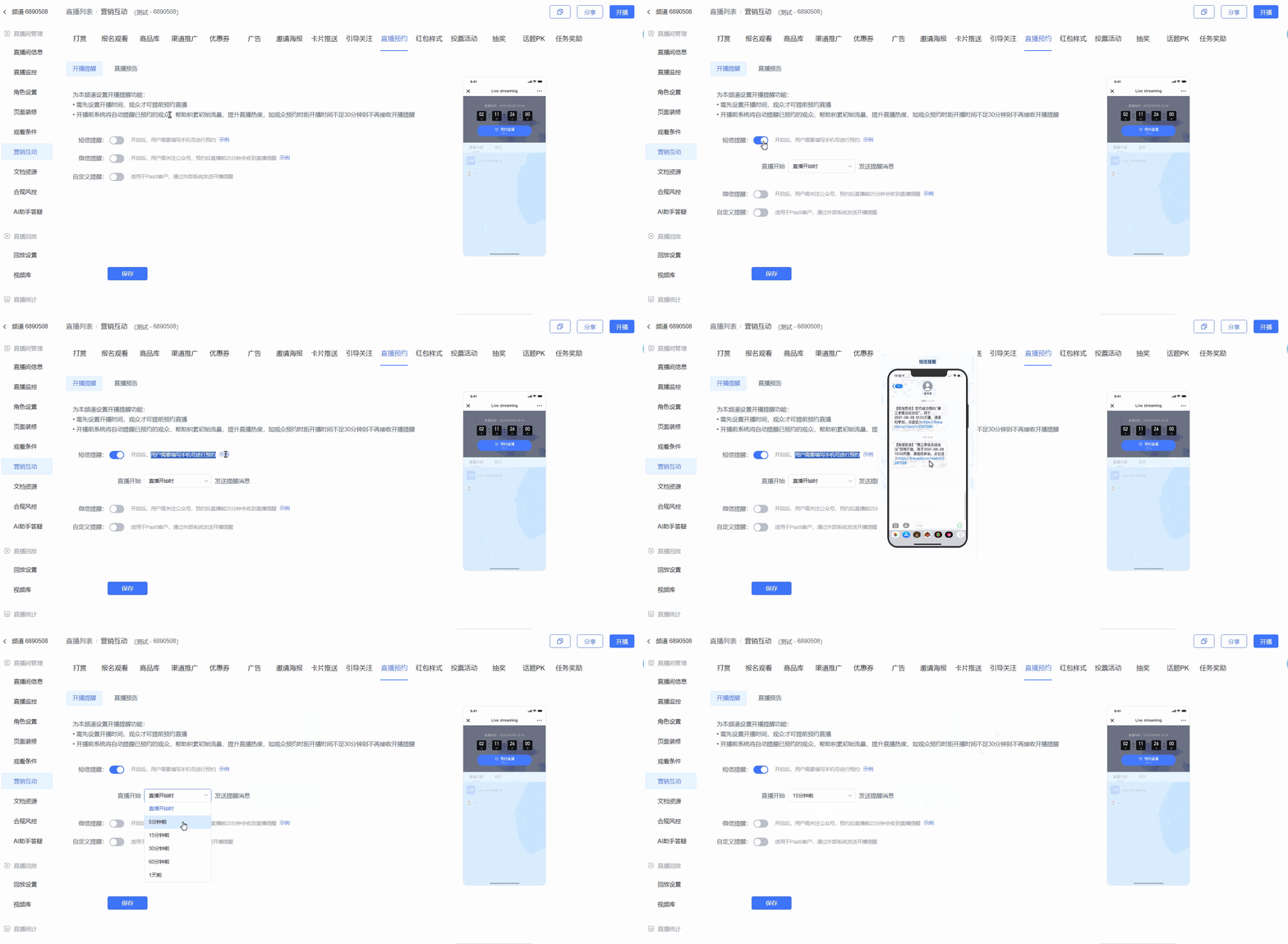
- SMS Reminder: Requires viewers to provide a phone number; the reminder send time can be configured.
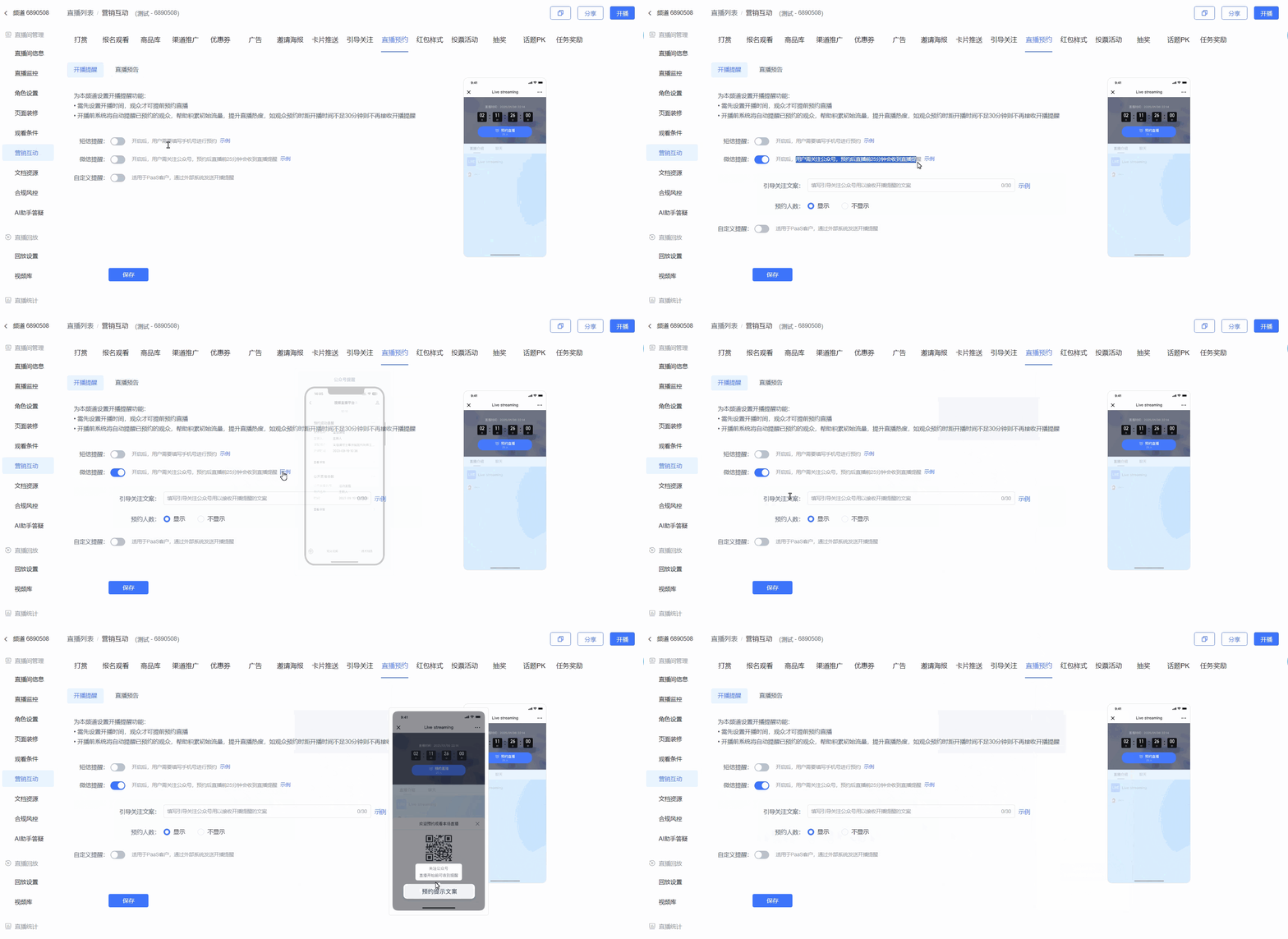
- WeChat Reminder: Guides viewers to follow the official account. The follow-up prompt text can be configured, and whether to display the number of WeChat reservations can be toggled. The default reminder is sent 25 minutes before the broadcast starts. To customize the official account for following and receiving reminders, see 👉https://help.polyv.net/#/live/product/other_common_question/wechat_other_settings
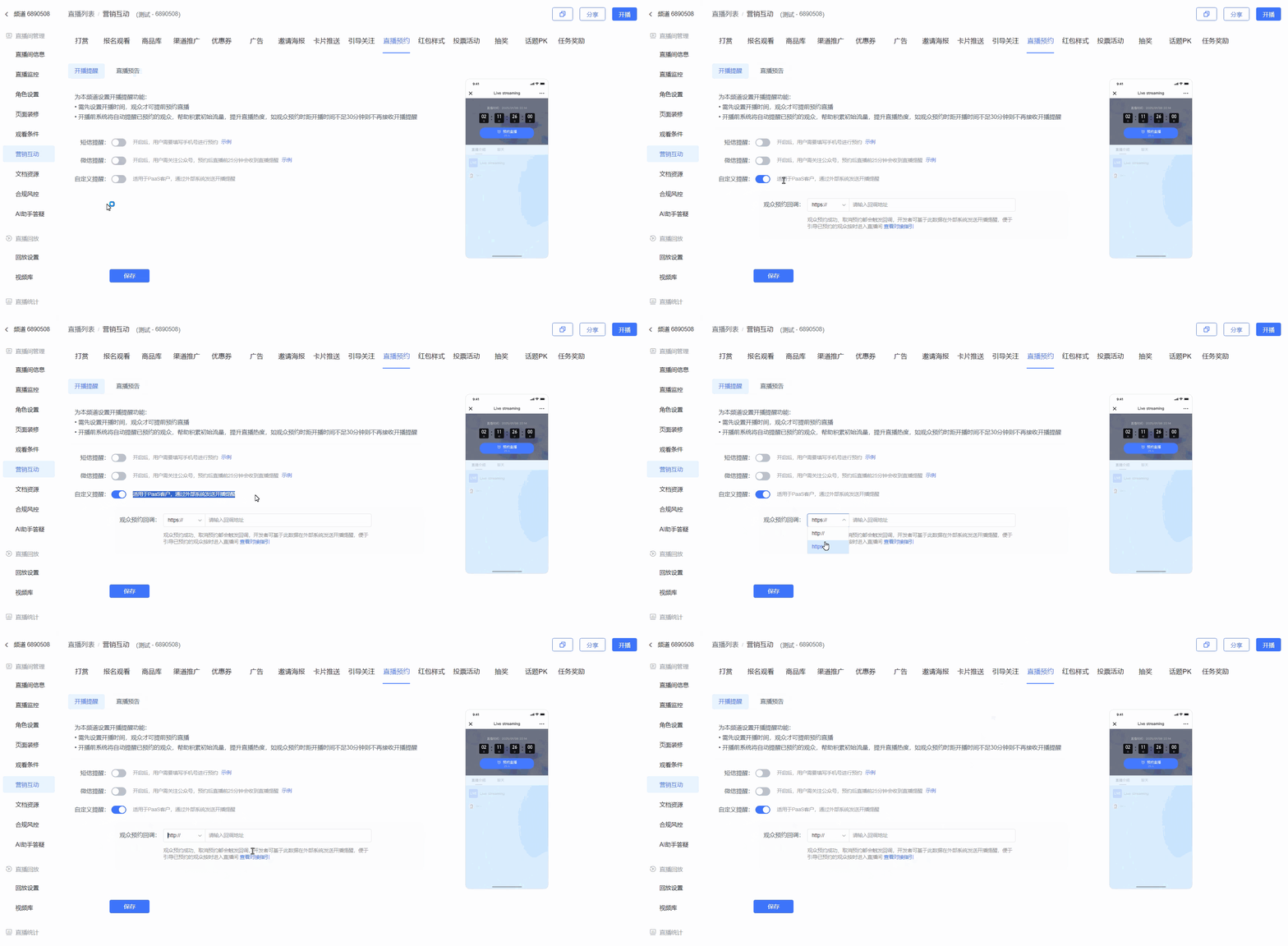
- Custom Reminder: Requires configuring a viewer reservation callback URL. Callbacks are triggered when a viewer successfully reserves or cancels a reservation. Developers can use this data to send broadcast reminders from an external system, helping guide reserved viewers to enter the live stream on time. See the integration guide 👉https://help.polyv.net/#/live/api/callback/channel_booking_callback
- SMS Reminder: Requires viewers to provide a phone number; the reminder send time can be configured.
3. Live Stream Preview
During the current live stream, preview other live streams. Leverage the real-time traffic of the current stream to drive cross-channel traffic. The previewed channel must have a broadcast start time set and at least one reminder method enabled.
The broadcast start time of the previewed channel must be at least 25 minutes later than the current channel's start time. Operation path: [Marketing & Interaction] - [Live Reservation] - [Live Stream Preview]
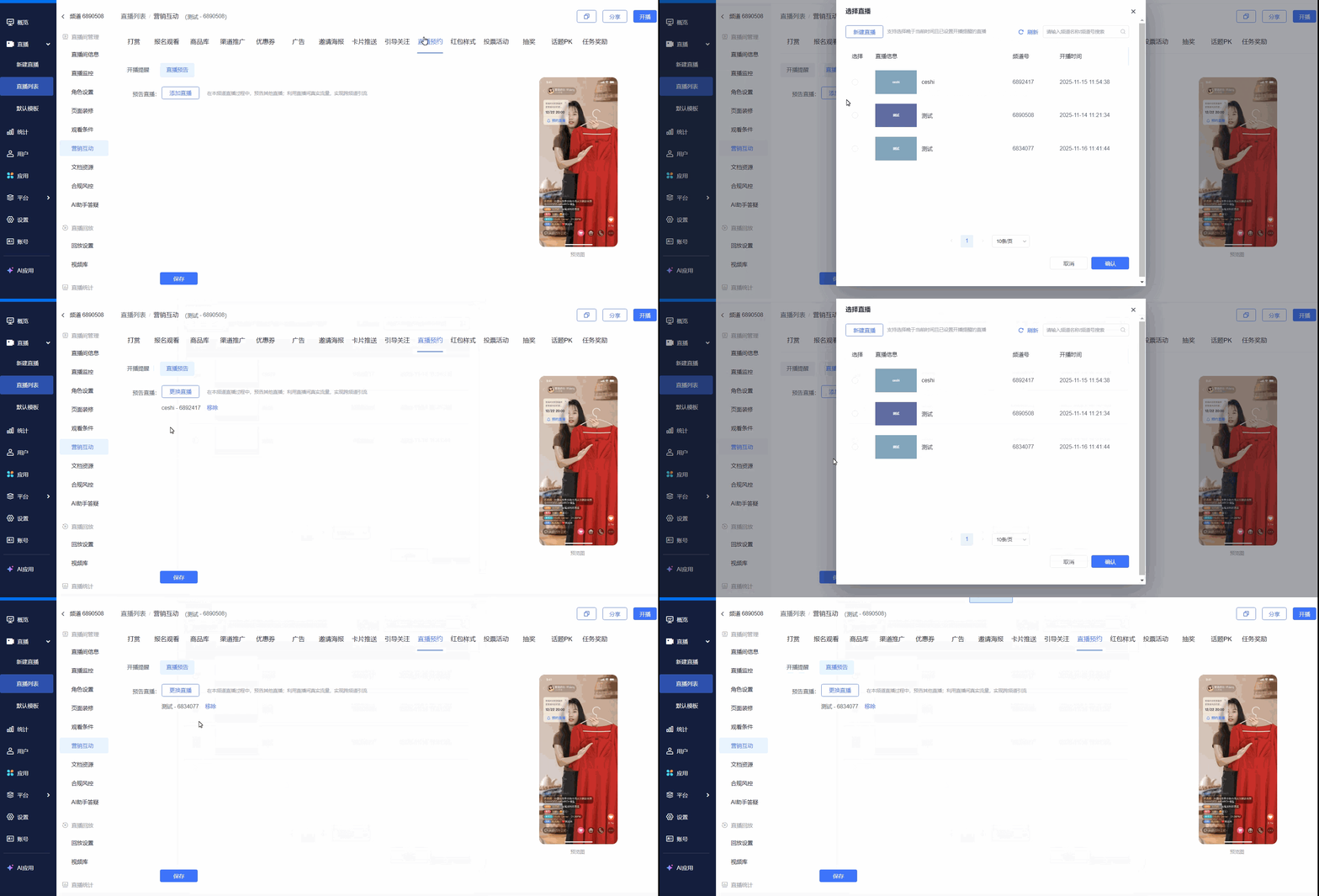
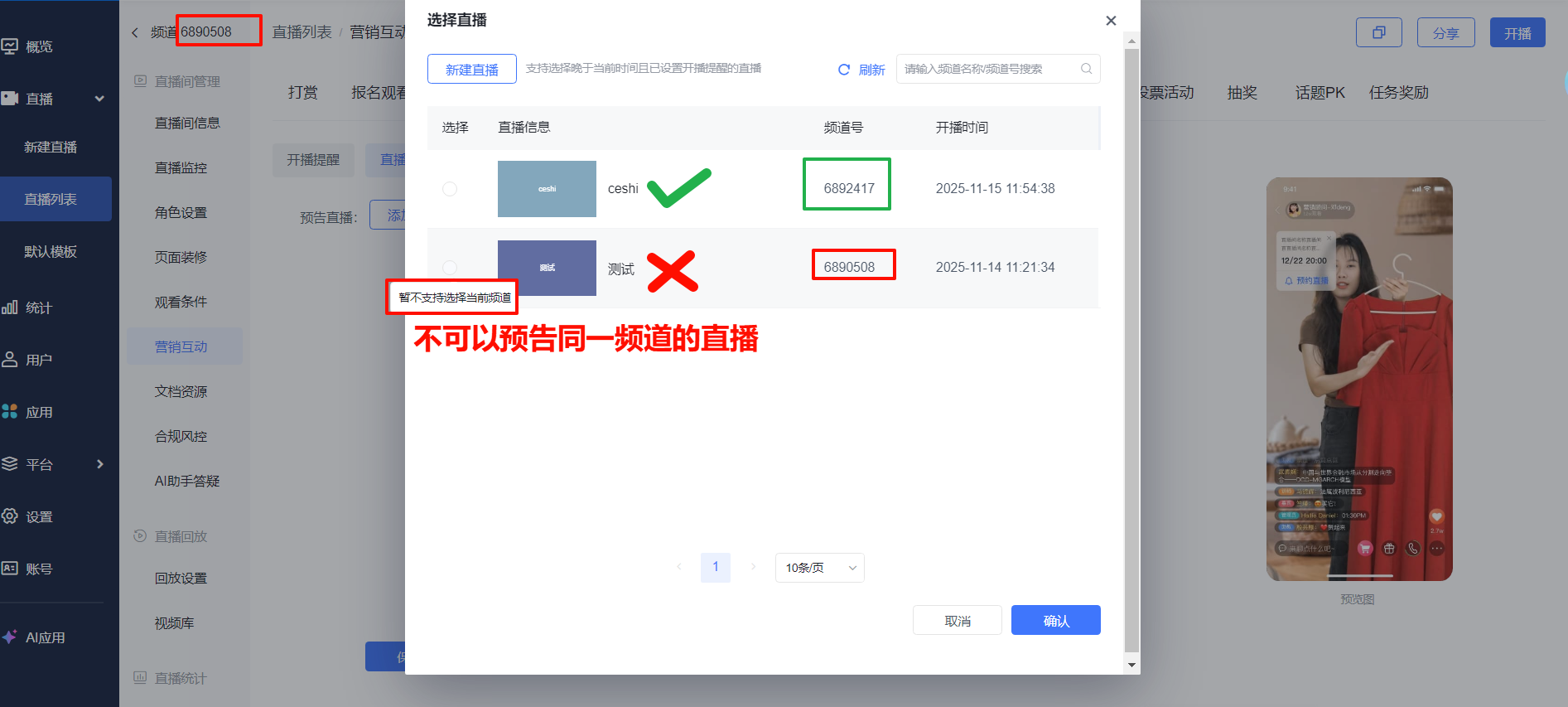
4. Viewer Reservation Across Different Clients
- Viewers make WeChat reservations on the WeChat H5 viewing page
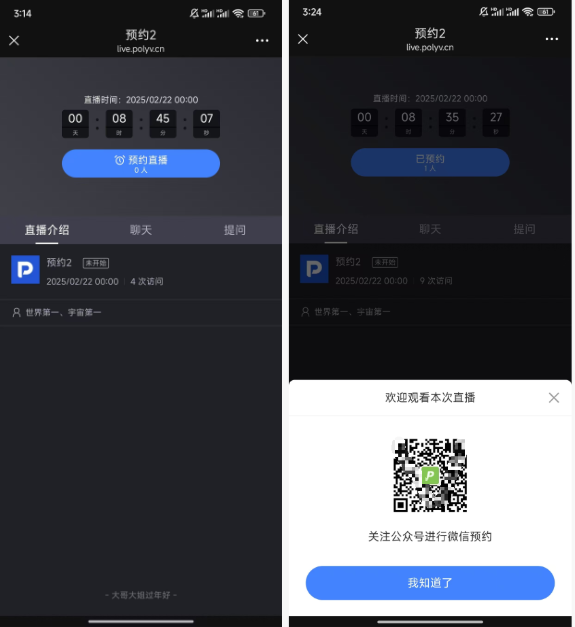
- Viewers make SMS reservations on the WeChat H5 viewing page
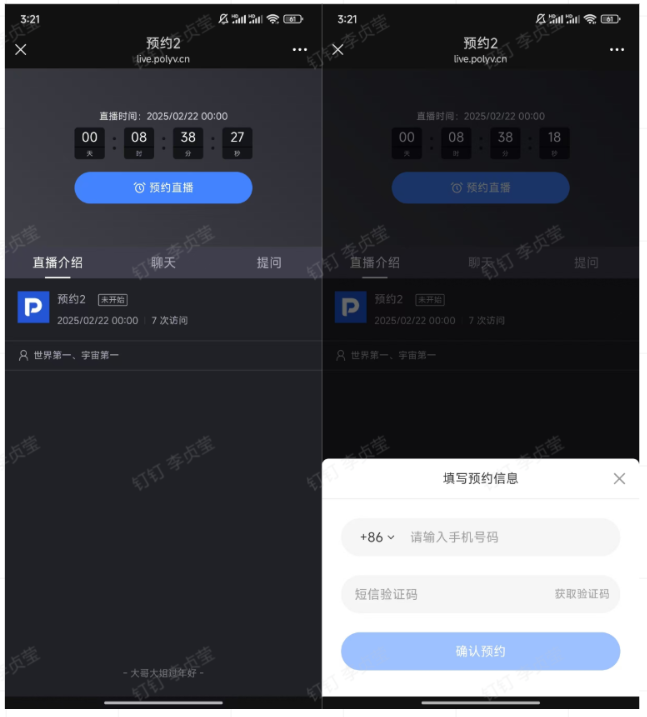
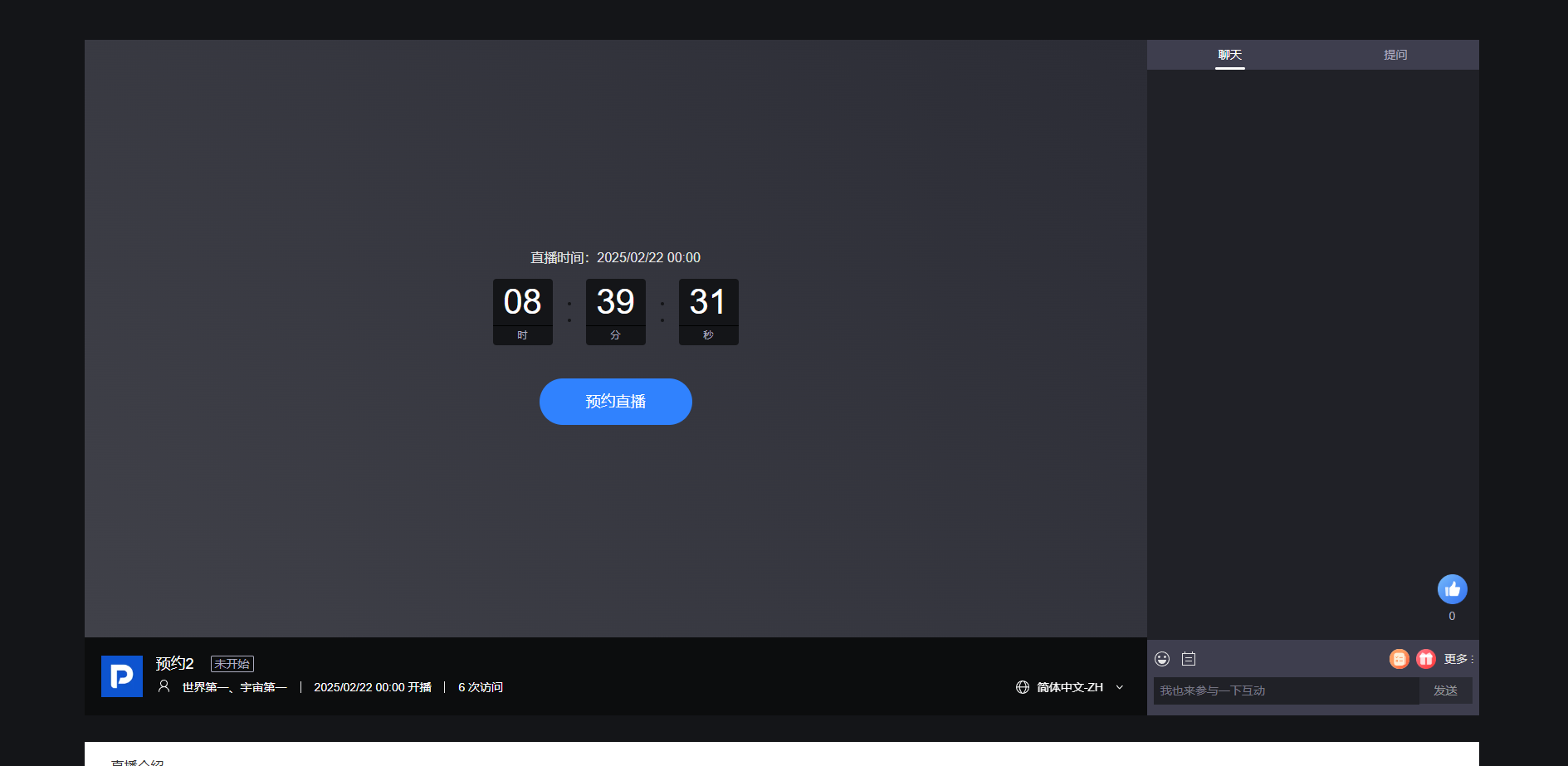
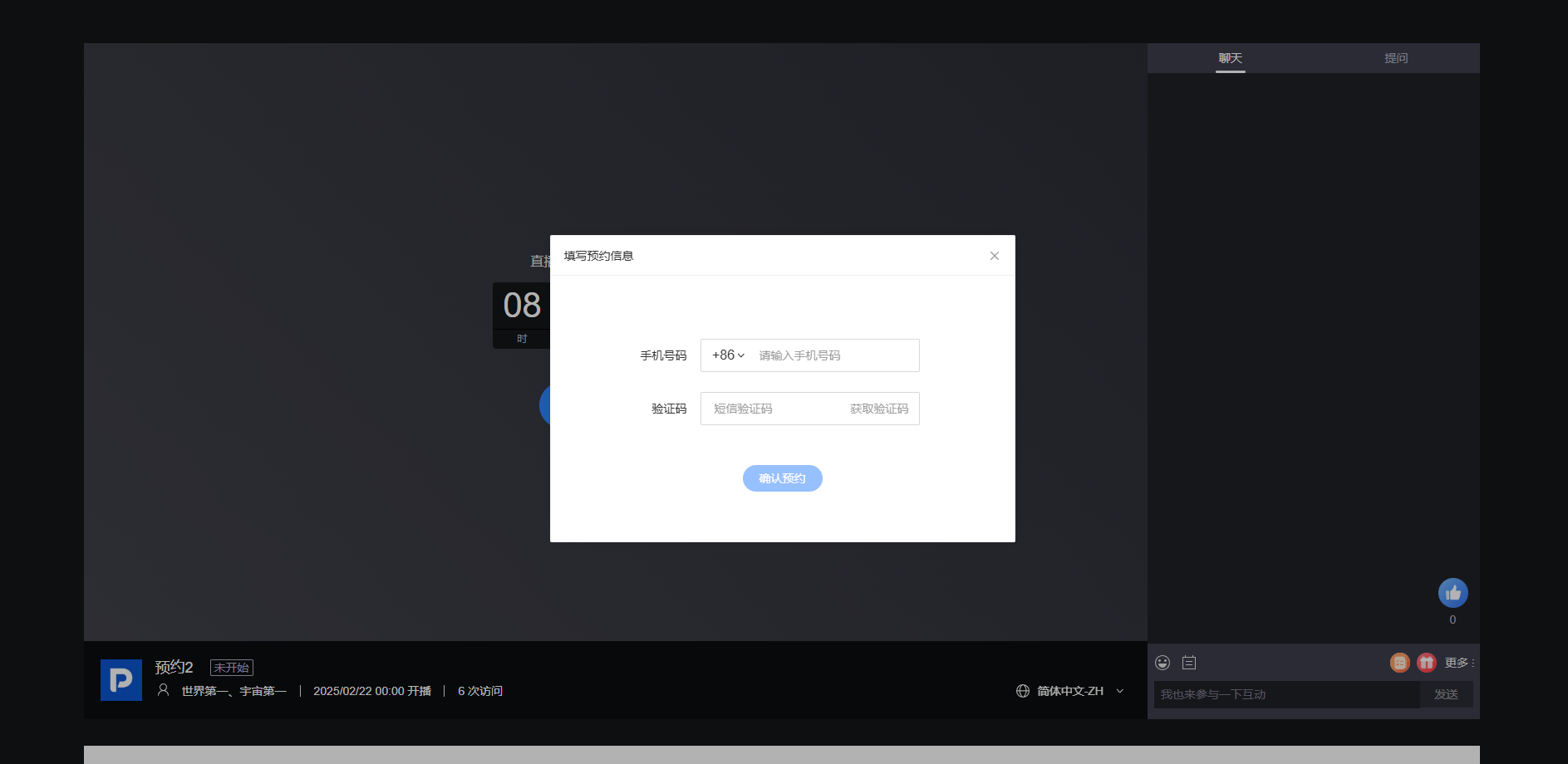
- Viewers make SMS reservations on the PC viewing page
III. Frequently Asked Questions
Q1: Why doesn't the WeChat PC client support WeChat reservations?
A1: Due to WeChat's limitations, the WeChat PC client's viewing page does not support guiding users to follow an official account.
Q2: With the three reminder methods (SMS, WeChat, Custom) configured in combination, how do viewers make reservations? Which channel will the final reminder be sent to for already reserved viewers?
A2: How viewers make reservations depends not only on which switches are enabled in the live stream backend, but also on the environment from which the viewer accesses the page.
Scenario 1: Viewer accesses the viewing page via WeChat H5. If any of the three switches is on, the reservation prompt is displayed. The specific combination results are as follows:
- WeChat Reminder ON + SMS Reminder ON + Custom Reminder ON = Prompts WeChat reservation, also sends callback
- WeChat Reminder ON + SMS Reminder ON = Prompts WeChat reservation
- WeChat Reminder ON + Custom Reminder ON = Prompts WeChat reservation, also sends callback
- SMS Reminder ON + Custom Reminder ON = Prompts SMS reservation, also sends callback
- Only WeChat Reminder ON = Prompts SMS reservation
- Only SMS Reminder ON = Prompts SMS reservation
- Only Custom Reminder ON = Only reserves, only sends callback
Scenario 2: Viewer accesses the viewing page via a non-WeChat mobile browser or PC browser. The specific combination results are as follows:
- WeChat Reminder ON + SMS Reminder ON + Custom Reminder ON = Prompts SMS reservation, also sends callback
- WeChat Reminder ON + SMS Reminder ON = Prompts SMS reservation
- WeChat Reminder ON + Custom Reminder ON = Only reserves, sends callback
- SMS Reminder ON + Custom Reminder ON = Prompts SMS reservation, also sends callback
- Only WeChat Reminder ON = No reservation prompt displayed
- Only SMS Reminder ON = Prompts SMS reservation
- Only Custom Reminder ON = Only reserves, only sends callback
