


Frequently Asked Questions about Watching #
Security Restriction Handling Prompt for PC Browser Live Mic Connection
Problem Description
During a live mic connection, the following prompt appears:
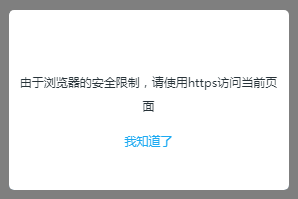
Cause:
Google announced a security policy requiring any website that has integrated features such as WebRTC to be served from a secure (HTTPS) site. This affects the use of Chrome browsers, as insecure (HTTP) sites will not be able to implement voice, video, or screen sharing through the OpenTok platform.
Solution
1. You need to obtain an SSL certificate for your domain. These can be acquired from many certificate authorities, such as https://my.gogetssl.com、https://www.itrus.cn/ or https://www.getssl.cn/. This ensures that the website uses a valid certificate issued by a legitimate CA.
2. After obtaining the certificate, check its completeness (must include the site certificate and all intermediate certificates).
3. You need to send the certificate file and private key file to our technical support team, and Polyv will configure HTTPS for your domain.
